chord
Health Uyari
- License — License: MIT
- Description — Repository has a description
- Active repo — Last push 0 days ago
- Low visibility — Only 6 GitHub stars
Code Gecti
- Code scan — Scanned 12 files during light audit, no dangerous patterns found
Permissions Gecti
- Permissions — No dangerous permissions requested
Bu listing icin henuz AI raporu yok.
One terminal for Claude Code, Codex, Gemini CLI and 30+ coding agents. Run them side by side or as a team.
chord
One terminal for every coding agent.
Claude Code, Codex, Gemini CLI, Cursor, OpenCode and 30 more, in one
keyboard-driven window, side by side, working as a team.



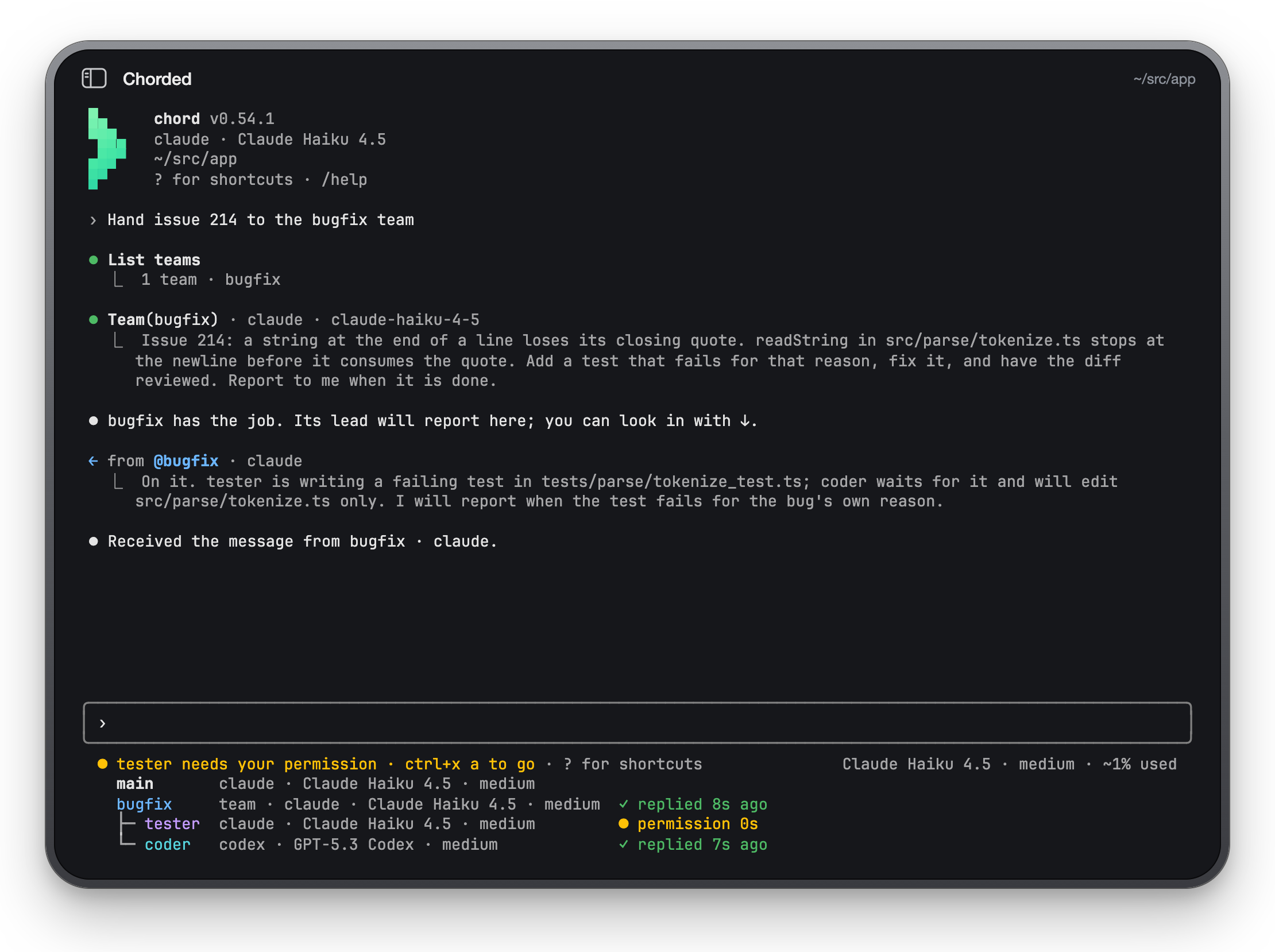
chord brings Claude Code, Codex, Gemini CLI and other coding agents into one
terminal interface: the same transcript, diffs, permission prompts, slash
commands, @ mentions and plans. It connects to agents through the
Agent Client Protocol.
Run agents side by side or give a task to a team. For example, have Codex
write a fix and Claude review it, each with its own model and role. Agents
exchange messages, permission requests come to you, and a saved team can
take on your next task.
npm install -g @chorded/chord
chord            # Claude Code, here
chord codex      # or any other agent
Why chord
- Any agent, one interface. 35 agents out of the box, from the
ACP Registry and their own CLIs. Switch
agents without relearning keys. - Agents that work together. Open a second agent beside the one you talk
to, hand a job to a saved team, and watch each of them in a list under the
prompt. Messages go between them; permissions still come to you. - Every action has a key. Nothing on screen needs a mouse.
?lists them
all, and a keybindings file moves them. - Nothing to set up. One binary, no account, no daemon. chord starts the
agent, keeps the session, and gives it back withchord --continue. - Open source. MIT, built on OpenTUI
and the ACP SDK.
A tour
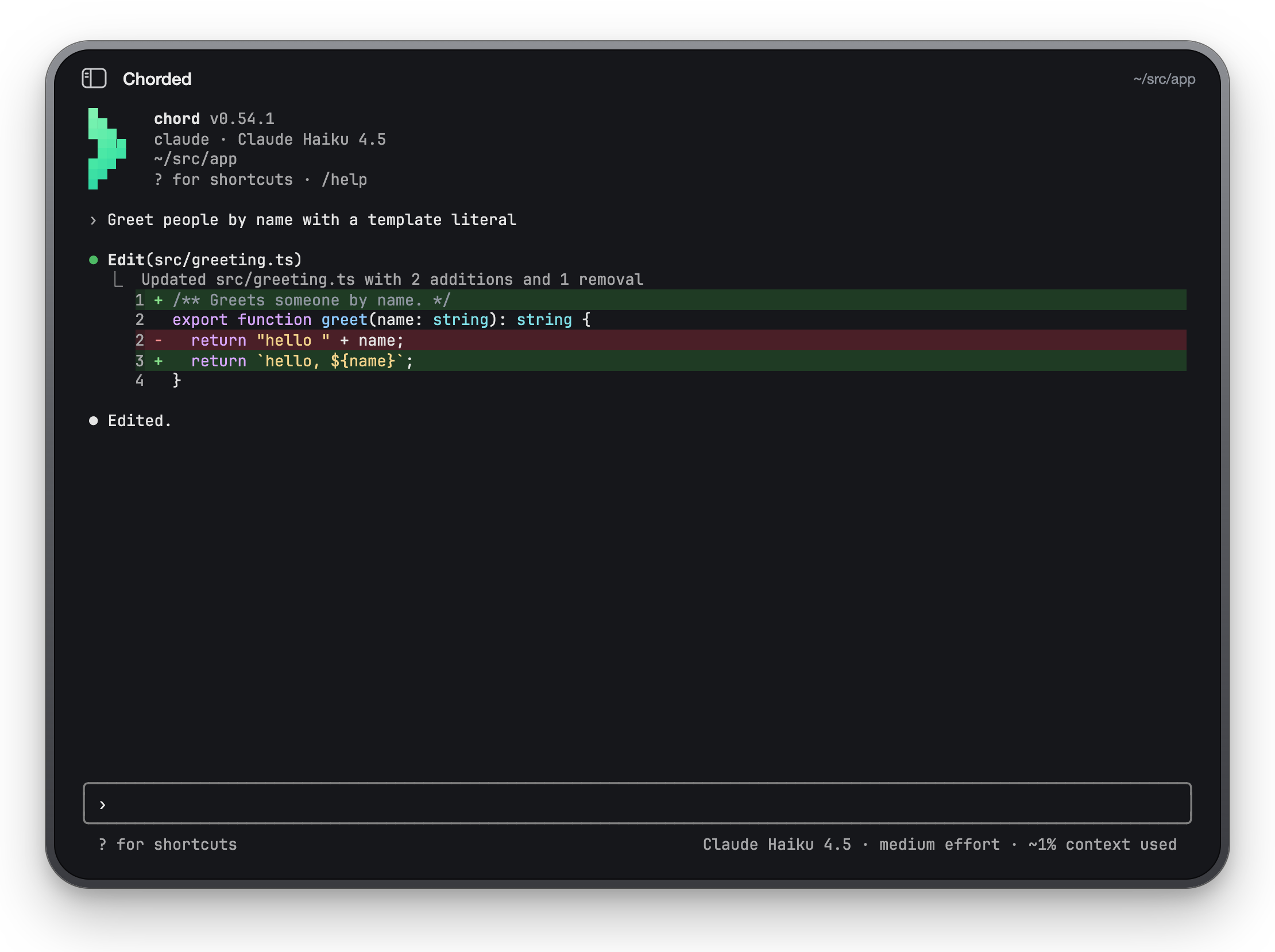
Diffs you can read
Edits arrive as numbered, highlighted diffs, folded until you want the whole
thing (ctrl+o).
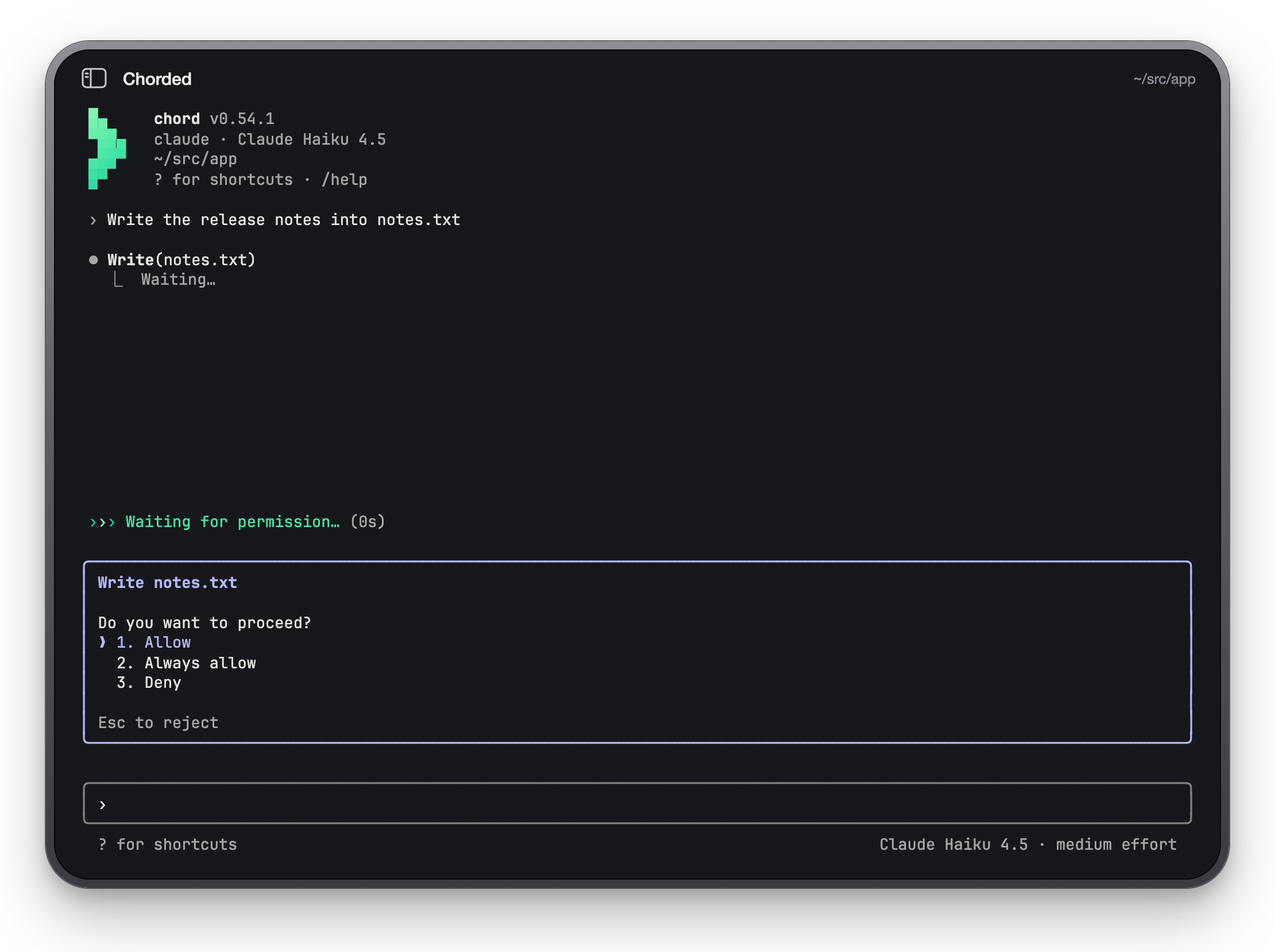
You stay in charge
Each permission the agent asks for is a choice under the transcript, answered
with a number or the arrows. shift+tab cycles the agent's permission modes.
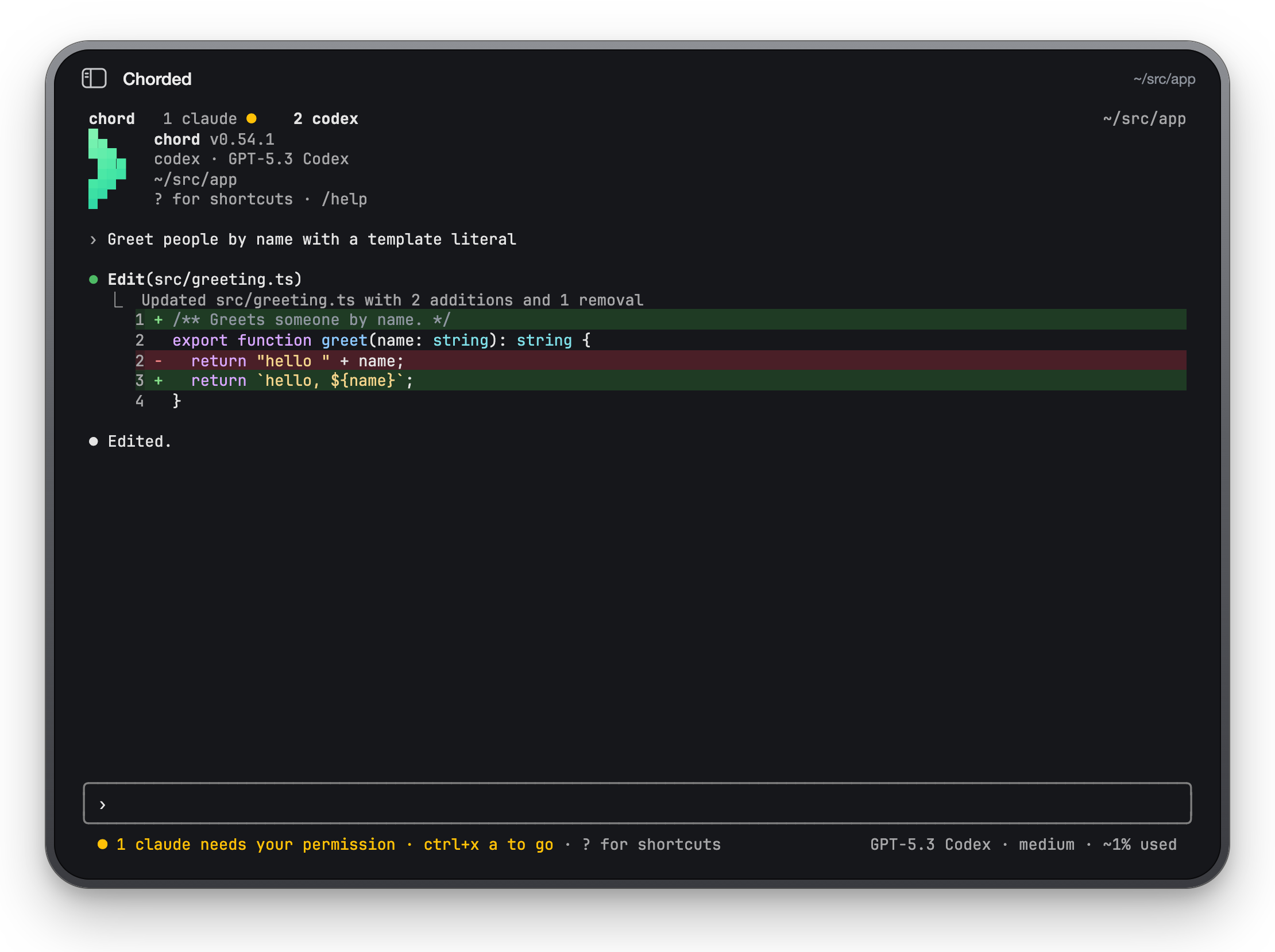
Many agents in one window
Up to nine sessions as tabs, each with its own agent, transcript and draft.
A tab in the background marks what it waits for, and ctrl+x a takes you
there.
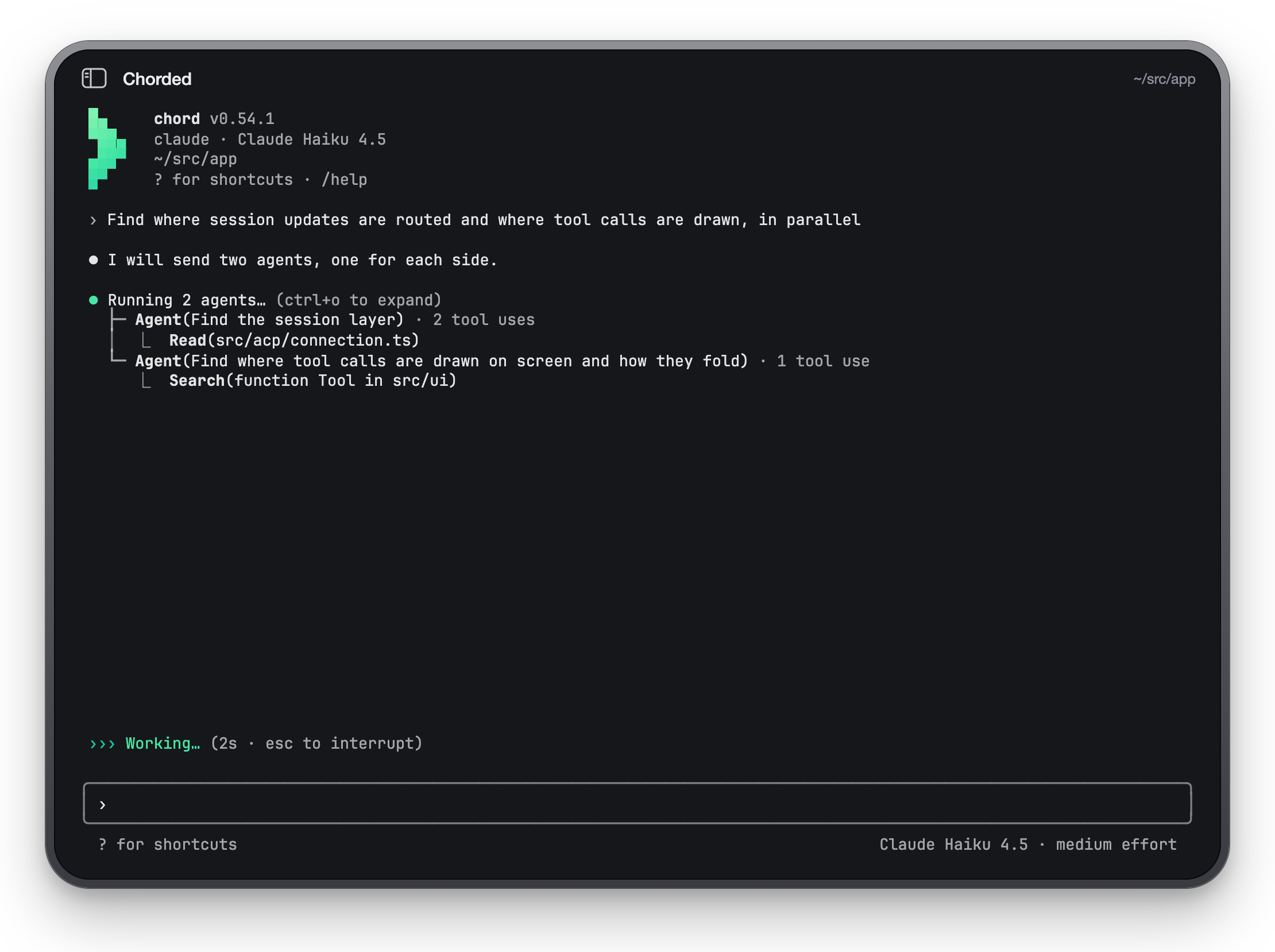
Subagents, folded
When the agent fans out, its subagents run as one tree with their latest call
each, and their full work is a key away.
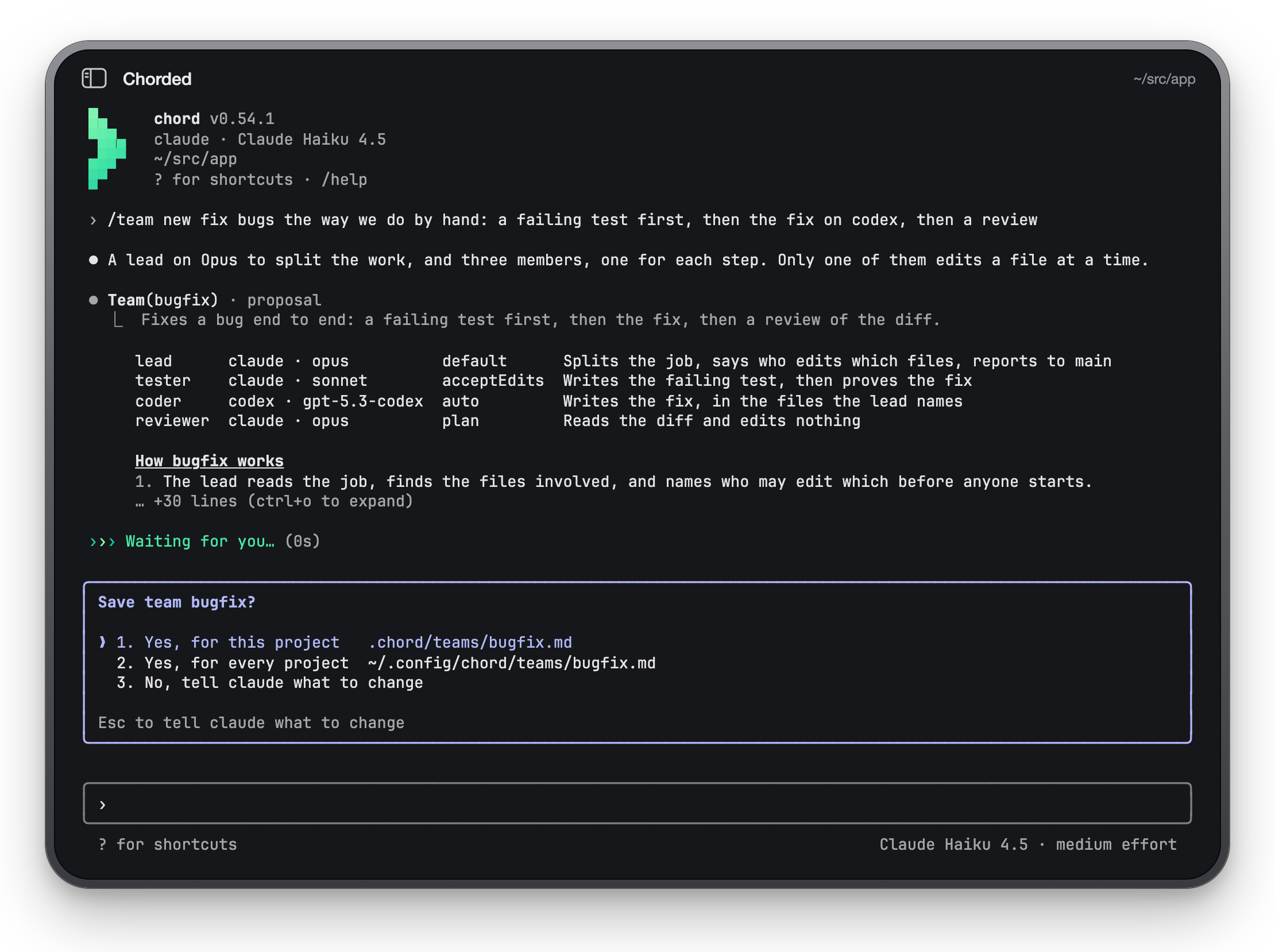
Teams
Describe how you work and the agent proposes a team: a lead and its members,
each on the runtime, model and mode you want. Save it once, then hand it any
job with /team run bugfix <job>.
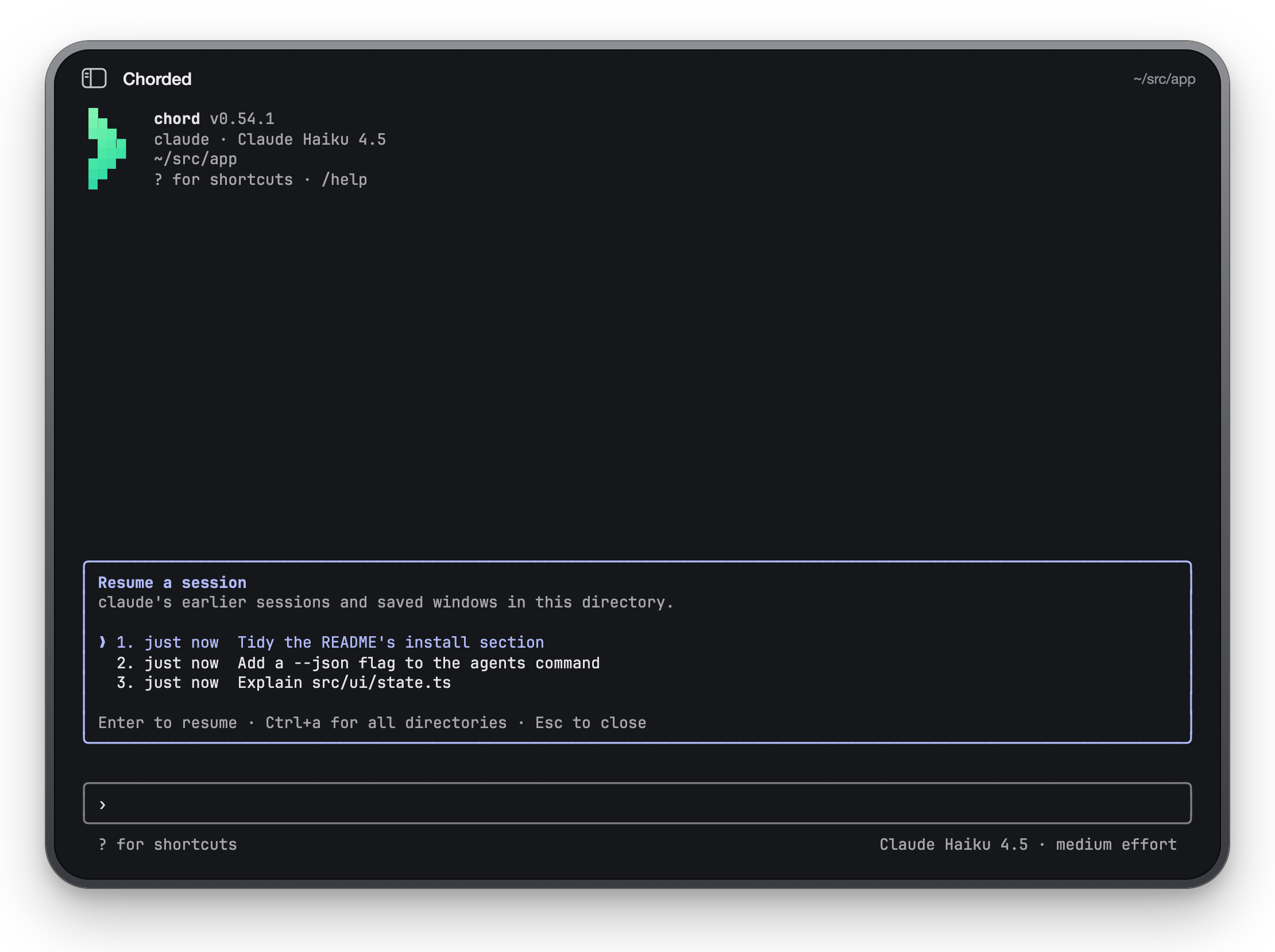
Pick up where you left off
/resume lists this directory's earlier sessions and saved windows; quit a
window of several tabs and chord prints the one command that brings them all
back.
Install
npm install -g @chorded/chord # or bun, pnpm, yarn
The package is a small shim around a prebuilt binary for macOS and Linux,
arm64 and x64; the macOS binaries are signed and notarised. chord upgrade
updates it through the package manager that installed it.
chord starts each agent for you (through npx or uvx, or the agent's own
CLI where it has one), so the agent's own login is all it needs: sign in to
Claude Code, Codex or Gemini as you normally would.
To build from source, with Bun 1.4.2 or newer:
git clone https://github.com/IKatsuba/chord && cd chord
bun install
bun run dev compile --install   # into ~/.local/bin/chord
Use
chord                  # your default agent in this directory
chord gemini -C ~/src/app
chord agents           # every agent chord can start, and whether it is installed
chord --continue       # the latest session here, again
chord --resume         # pick an earlier session or window
chord -p "Explain src/main.tsx"          # one reply on stdout, for scripts
git diff | chord -p "Review this" --output-format json
Inside the window:
| Key | Does |
|---|---|
? |
every key, on an empty prompt |
/ |
slash commands, chord's and the agent's |
@ |
mention a file |
! |
run a shell command, its output for the agent |
shift+tab |
cycle the permission mode |
ctrl+o |
expand tool calls and subagents |
ctrl+x c / /new codex |
open another session as a tab |
ctrl+x 1…9 |
go to a tab |
esc |
interrupt the turn |
Settings live in ~/.config/chord/settings.json and the project's.chord/settings.json: the default agent, each agent's model, effort and
mode, MCP servers, theme and notifications.
The guide has everything else: every flag, setting, key,
the team file format, chord's MCP tools for agents, and how sessions are
recorded.
Supported agents
Claude Code, Codex, Gemini CLI, GitHub Copilot, Cursor, OpenCode, Cline, Qwen
Code, Kimi Code, Kiro, Goose, Junie, Factory Droid, Auggie, Kilo, Devin, fx
and more: chord agents prints the full list, and any other ACP agent runs
with chord --agent-command "my-agent --acp".
Contributing
Issues and pull requests are welcome. CONTRIBUTING.md has
how to run chord from source against its scripted test agent, choose checks
for a change, and follow the code conventions. Found a security issue?
See SECURITY.md.
The screenshots above are chord itself, run against that test agent and
captured by bun run dev screenshots.
Licence
chord's code is MIT. The Chorded name and the chevron mark are
trademarks of Igor Katsuba and are not covered by the licence; a fork should
draw its own (TRADEMARKS.md).
chord is the open sibling of Chorded, a native macOS
workspace for agent sessions driven by key chords.
Yorumlar (0)
Yorum birakmak icin giris yap.
Yorum birakSonuc bulunamadi