openband
Health Warn
- License — License: MIT
- Description — Repository has a description
- Active repo — Last push 0 days ago
- Low visibility — Only 5 GitHub stars
Code Fail
- rm -rf — Recursive force deletion command in .github/workflows/flatpak.yml
- process.env — Environment variable access in bin/openband.mjs
- process.env — Environment variable access in deploy/relay/api/[...path].mjs
- network request — Outbound network request in deploy/relay/relay.mjs
Permissions Pass
- Permissions — No dangerous permissions requested
No AI report is available for this listing yet.
🎹 Open-source GarageBand-style music studio (DAW) in the browser — and your AI can play it via MCP. Synths, samplers & SoundFonts, WAM plugins, audio tracks, effects, automation, MIDI and WAV export. MIT.
OpenBand
🇬🇧 English · 🇮🇹 Italiano · 🌐 Website · 💡 Suggest a feature
An open-source, GarageBand-style music studio that runs in your browser — and that your AI can play too, through the Model Context Protocol (MCP).
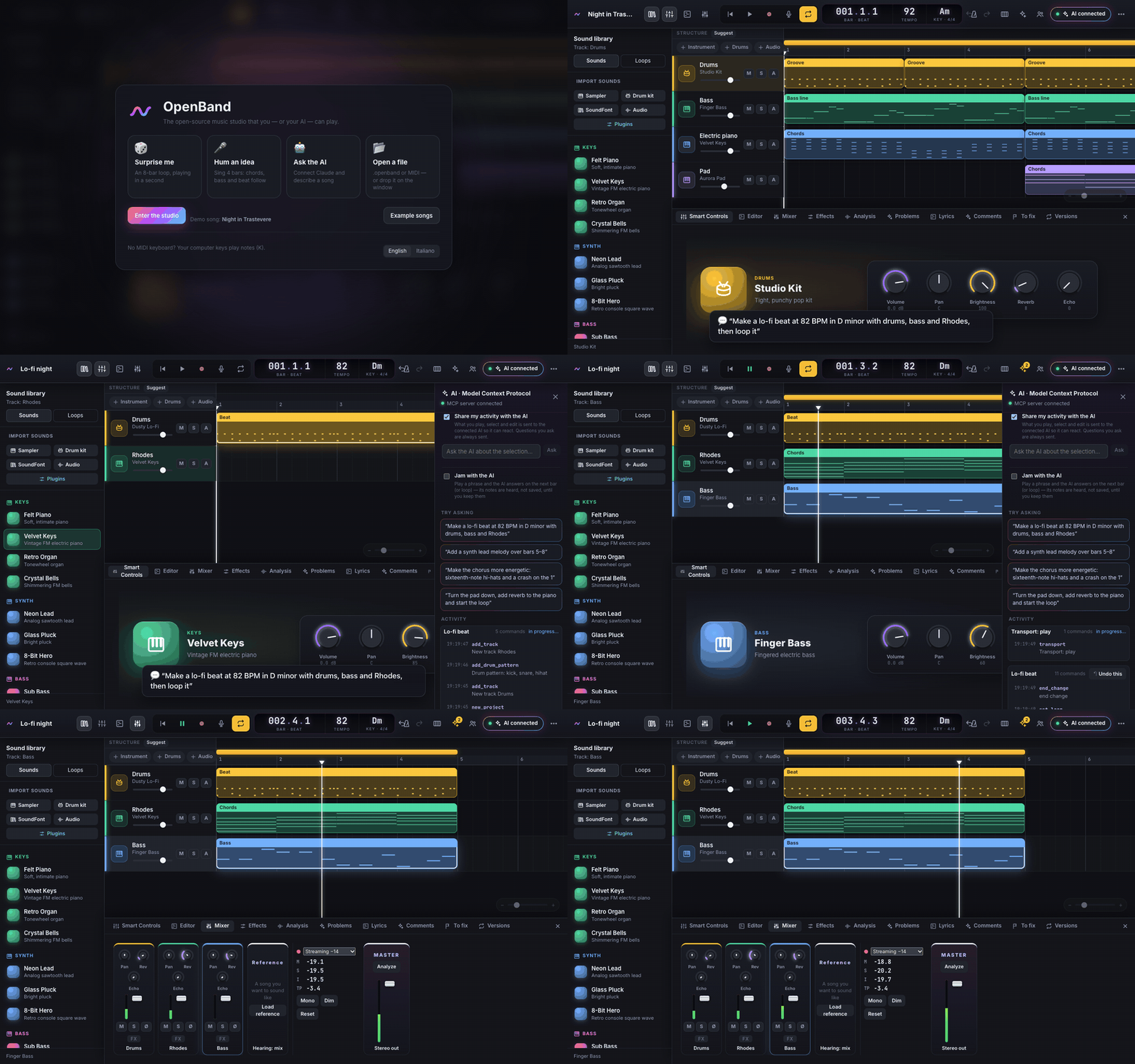
Ask your AI (Claude, ChatGPT, Gemini, or a local model) “make a lo-fi beat at 82 BPM in D minor with drums, bass and Rhodes, then loop it” and watch the tracks, notes and mixer move in real time. Or just play: tracks, piano roll, step sequencer, 15 synthesized instruments, mixer, effects, plugins, microphone recording.
Get started
Pick the way that suits you. None of them needs a clone or a build.
| You have | Do this | |
|---|---|---|
| 🎹 Just try it | a browser | Open the live demo and press 🎲 Surprise me |
| 🖥 Desktop app | macOS, Windows or Linux | Download it: the studio in its own window, connected to Claude in one click |
| 🤖 Claude Desktop | Claude Desktop | ⬇ Download openband.mcpb, double-click it, choose Install |
| 💻 Claude Code, Cursor, VS Code | Node 18+ | Run the command below |
| 🔑 An AI of your choice | a browser | Demo → AI panel → AI model: Claude, OpenAI, Gemini with your key, or a free model on your computer with Ollama |
The command (Claude Code, Cursor, VS Code, or Claude Desktop without the extension) — it finds the AI clients on your computer and adds OpenBand to them, asking first and keeping a backup of each file it changes:
npx -y --allow-remote=all https://github.com/iltempe/openband/releases/latest/download/openband.tgz setup
Then restart your AI client and ask it for a song: the studio opens in your browser by itself. Prefer to do it by hand? For Claude Code it is claude mcp add openband -- npx -y --allow-remote=all https://github.com/iltempe/openband/releases/latest/download/openband.tgz mcp; the JSON for other clients is in docs/CONNECT.md. The same command without setup just opens the studio, and with doctor checks that everything is in place.
Why not
npx openband? The npm nameopenbandbelongs to someone else, so OpenBand is installed from its GitHub Releases.--allow-remote=alllets npm 12 (Node 26) download a package from a URL; older npm versions ignore it.
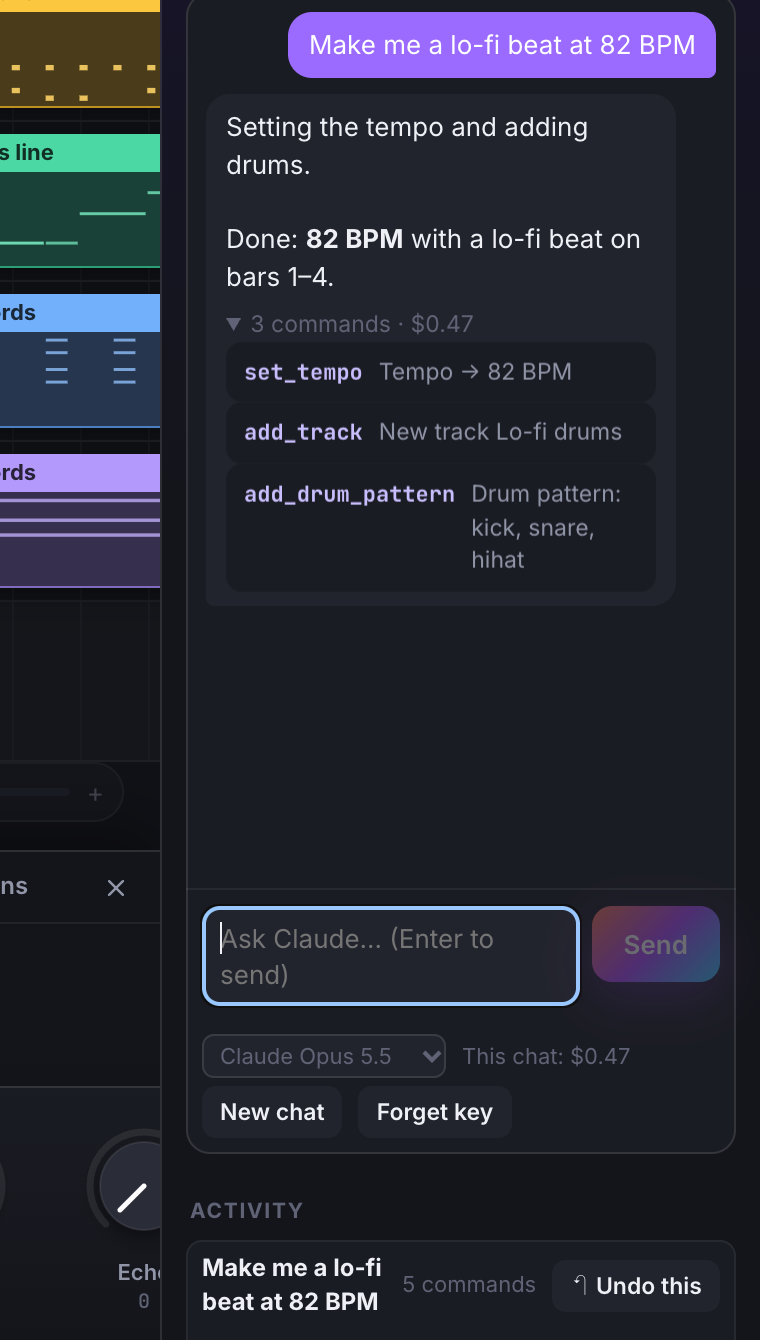
Any AI. In the page the chat runs Claude, OpenAI's models, Gemini or a local model with Ollama, with the same tools MCP clients get; the key stays in your browser and requests go straight to the provider. Over MCP, OpenBand works with Claude Desktop, Claude Code, Codex, Gemini CLI, Hermes Agent, Cursor, VS Code, claude.ai and ChatGPT's developer mode: see docs/AI-MODELS.md.
Your first song
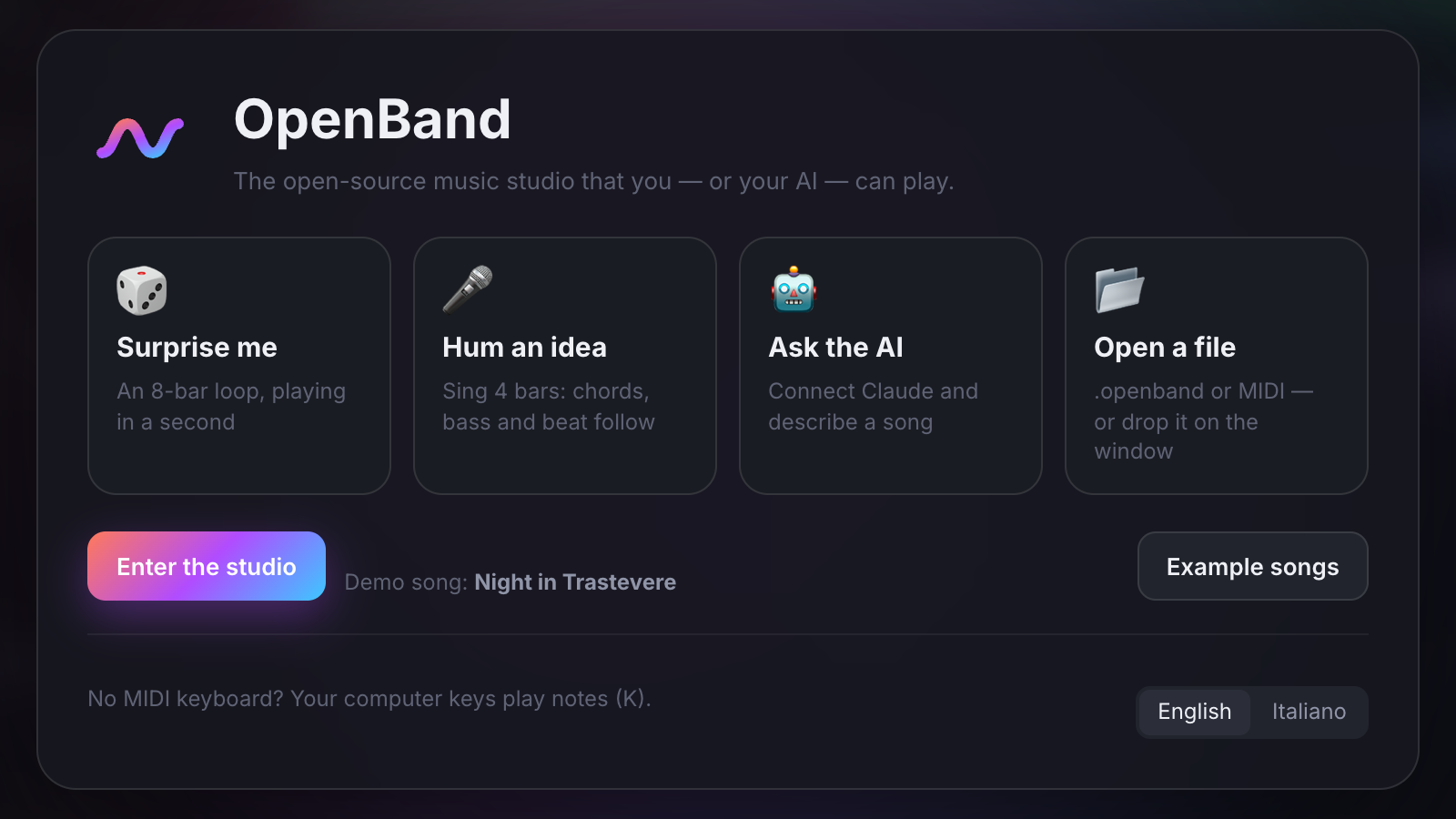
Start from music. On the first screen press 🎲 Surprise me (an 8-bar loop with drums and bass, no AI needed), 🎤 Hum an idea (sing 4 bars, get a melody with chords and a beat) or pick one of 8 Example songs. A 5-step tour shows you around, and
?lists every shortcut.Ask your AI. Try:
Make a lo-fi beat at 82 BPM in D minor with drums, bass and Rhodes, then start the loop.
Add a warm tube overdrive to the bass and a wide reverb to the pad, then open the overdrive so I can tweak it.
Give me 4 bass lines as takes and start a blind test.
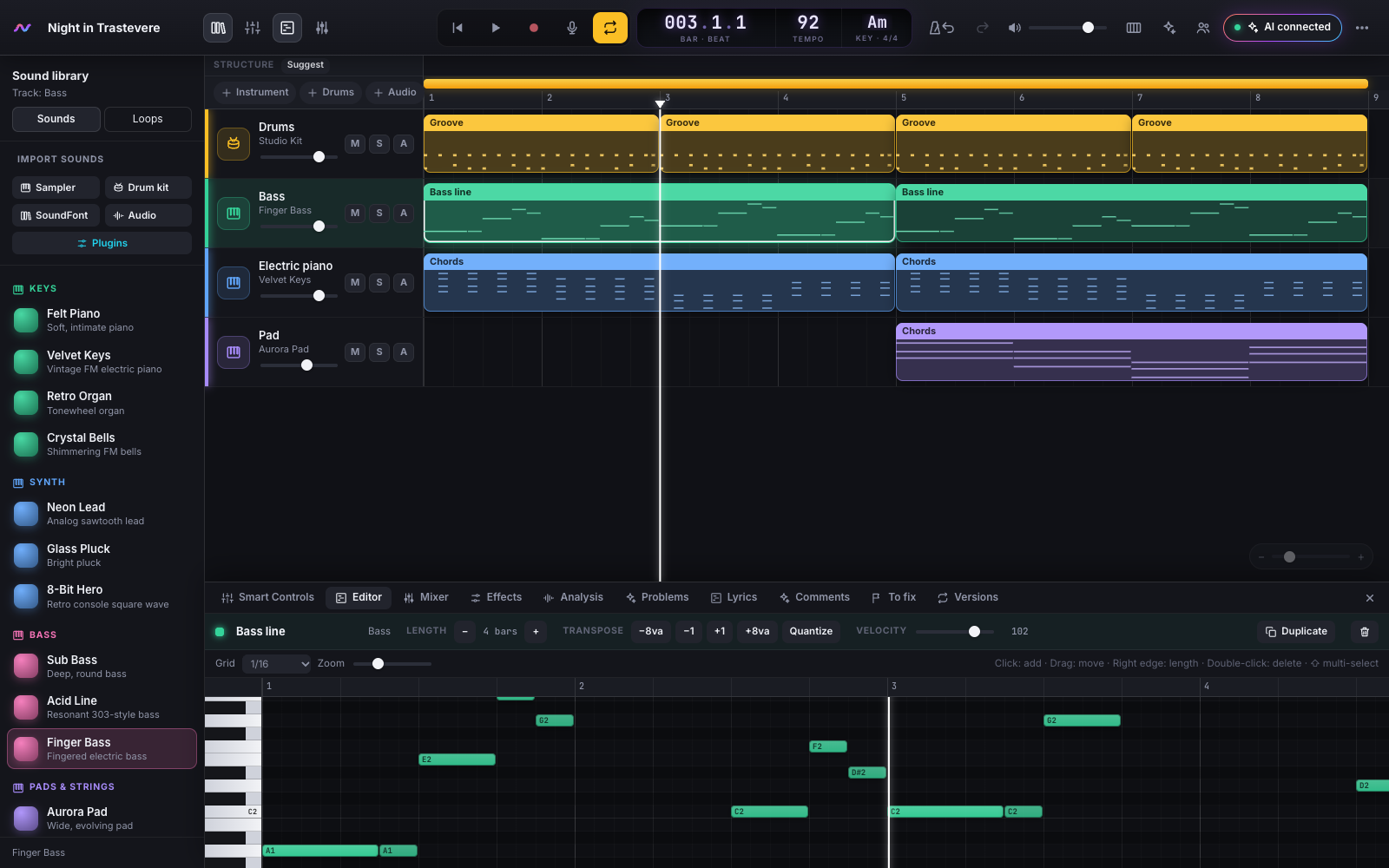
Change anything by hand. Drag regions, edit notes in the piano roll (E), mix (X), add effects (F). Everything the AI did for one request is a single undo step.
Keep it. Your songs are saved in the browser as you go. Export a WAV, a MIDI file, a
.dawprojectfor Bitwig, Studio One or Cubase, or a.openbandfile with your sounds inside.
What it does
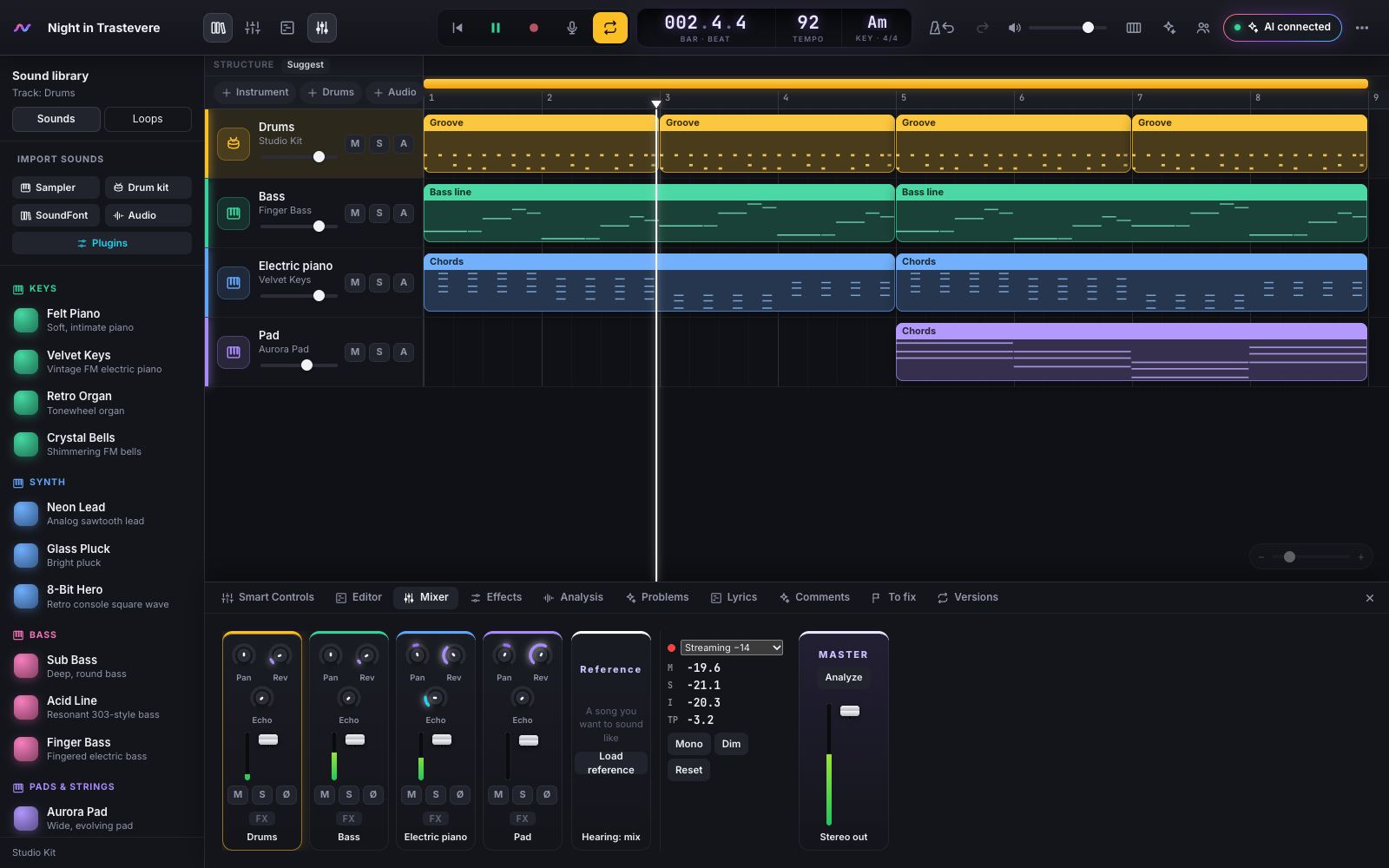
- A complete small studio: instrument, drum and audio tracks, piano roll, step sequencer, mixer with sends, effects (amp, EQ, compressor), automation of any parameter, open-standard WAM plugins, your own samples and SoundFonts, MIDI controllers and musical typing.
- Mix and master in one gesture (Mix Pilot): pick a genre and a platform; OpenBand balances, EQs, pans, sidechains and masters the song to Spotify's −14 LUFS (or Apple, YouTube, club, CD), every change explained, dosed with one knob, then exports masters, stems and instrumental in one zip. See Mixing.
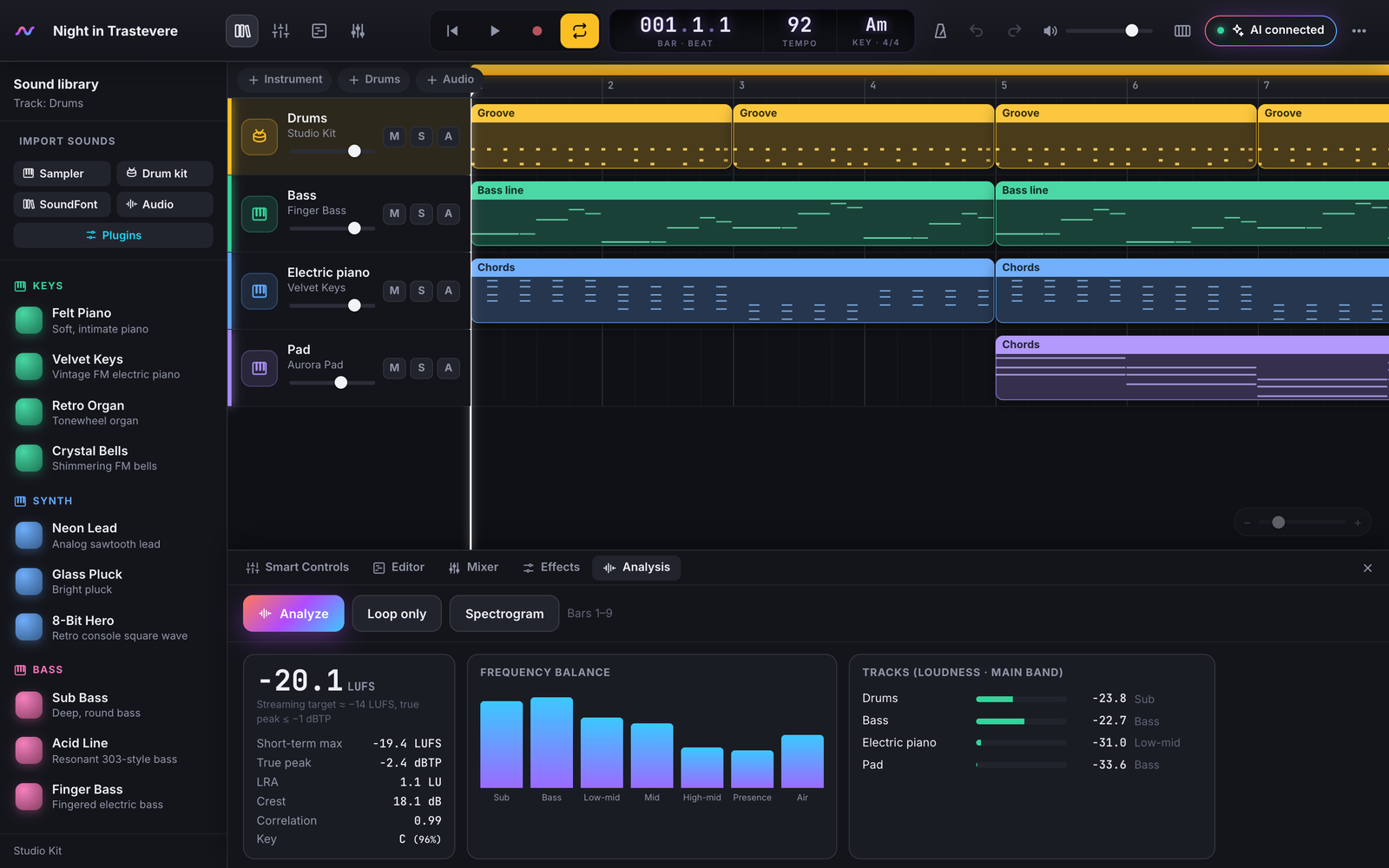
- The AI plays, listens and explains: 180 MCP tools to compose, arrange, mix and export;
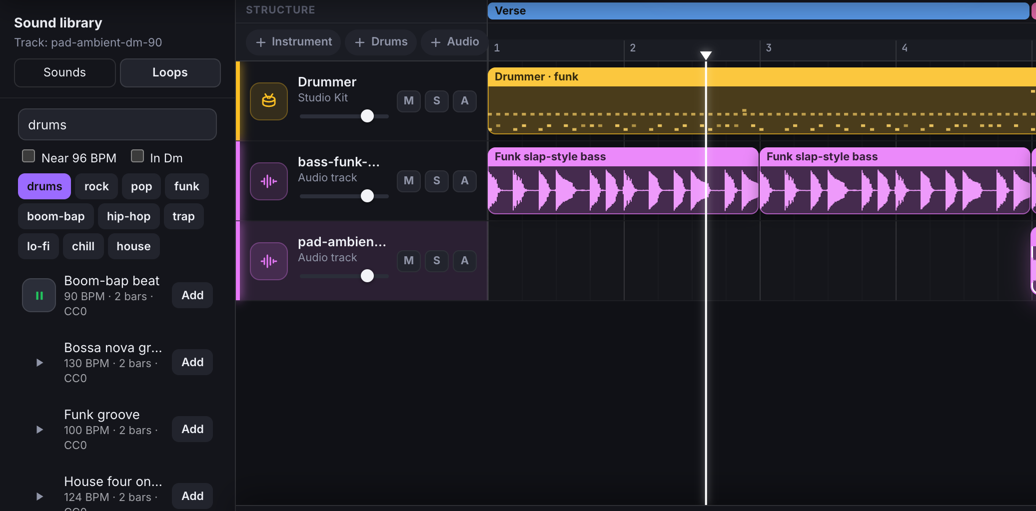
analyze_mixmeasures loudness, balance and masking and suggests fixes; Explain pins comments to the song; a drummer that follows your sections. - Create a part in words (✦ on any track): “funk drums”, “arpeggiated piano” — OpenBand's own engines, the models on your computer (ACE-Step, HeartMuLa, DiffSinger, your ComfyUI workflows, any local model server) or your own account with ElevenLabs Music, Mureka, Stable Audio or Google Lyria play it, fitted to the song's tempo, key and bars, with a ledger of who played what. Your keys stay on your computer. See Ensemble.
- Jam with the AI: play a phrase and it answers on the next bar, as ghost notes you can keep — or jam live with Magenta RealTime 2 on your computer, on the beat, and keep the take.
- Release and protect it: a licence chooser that checks every sample, loop and engine in the song, the Release Kit (FLAC master, cover, credits with the AI-use statement, synced lyrics), the video for YouTube, one-click publishing to SoundCloud, YouTube, Mixcloud, Funkwhale, the Internet Archive and Wikimedia Commons with your accounts, and a Bitcoin timestamp (OpenTimestamps) that proves the song existed — and how much of it is human. See Publishing and Protect.
- Your plugins (desktop app): the CLAP, VST3 and Audio Unit instruments and effects on your computer, each in its own process; heavy ones get time to load, and when one stalls OpenBand says why (an activation window, the wrong CPU).
- Record like a studio: microphone or interface, several inputs at once, punch-in with pre-roll, takes and comping, blind A/B tests, flub markers, hum-to-MIDI.
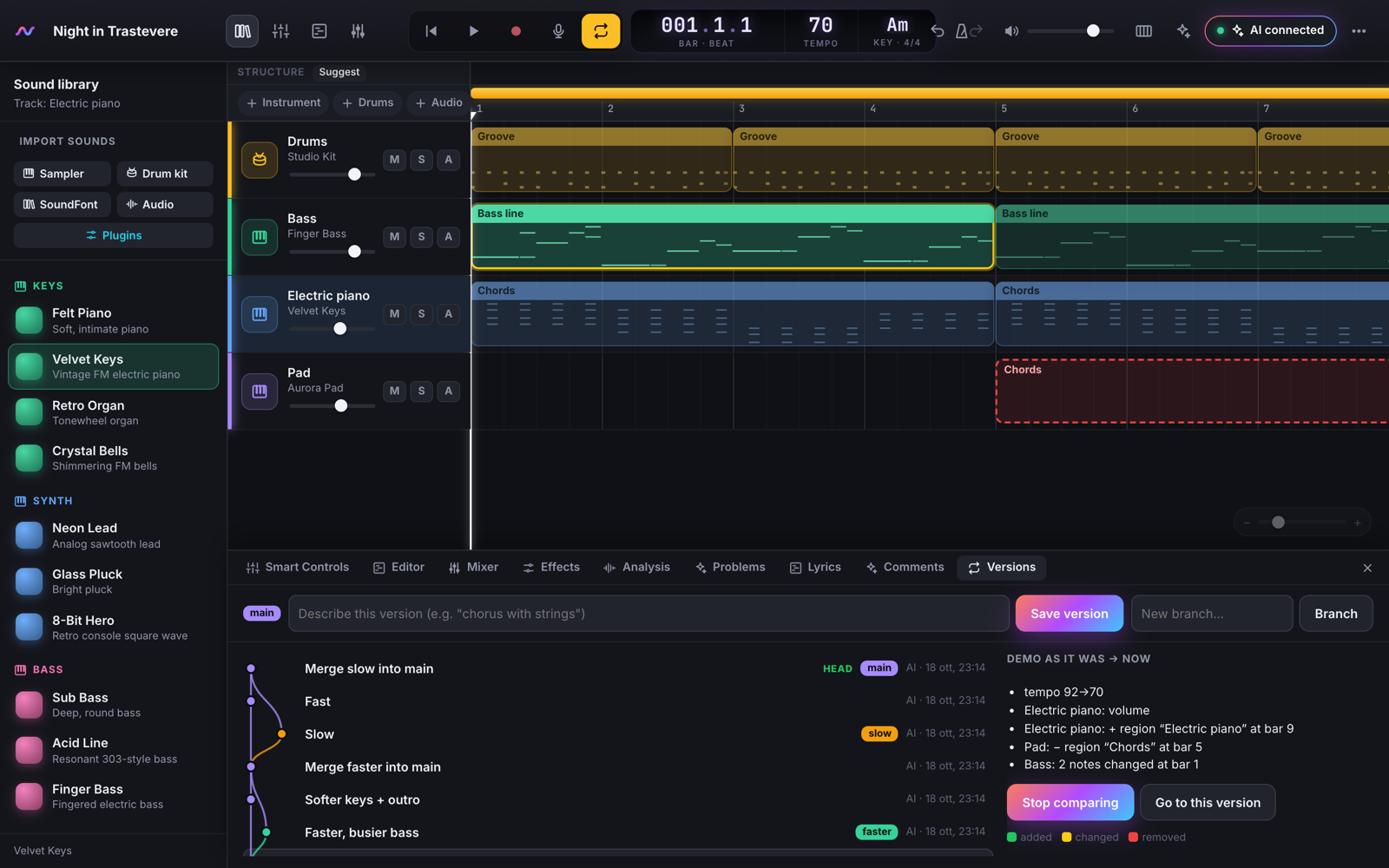
- Never lose work: versions and branches like git for songs (with merge and a compare view), a 30-day time machine and crash recovery.
- Play together: share a link and edit the same song live, with the AI as the third musician.
- Works offline once installed as an app (Chrome/Edge: Install OpenBand; Safari: Add to Dock), in English and Italian.
→ All the features · all the MCP tools
| Arrangement and mixer | Chat with Claude in the page | Versions and compare view |
|---|---|---|
 |
 |
 |
| Piano roll | What the AI hears | Loops and drummer |
 |
 |
 |
Shortcuts
| Key | Action |
|---|---|
| Space / Enter | Play/Stop · Back to start |
| R · C · M | Record · Cycle · Metronome |
| K | Musical typing (Esc to close) |
| Y · B · E · X · F · N | Library · Smart Controls · Editor · Mixer · Effects · Analysis |
| ⌘Z / ⇧⌘Z | Undo / Redo |
| ? | All keyboard shortcuts |
More
- Desktop app: downloads, first opening, connecting your AI apps, building it.
- Any AI: Claude, ChatGPT / OpenAI, Gemini, Ollama and other local models.
- Connect an AI: how it works, every client, pairing the online demo with your computer, environment variables, troubleshooting.
- Host your own: Netlify, Vercel, Cloudflare, GitHub Pages, Docker; rooms on your network; OpenBand as a claude.ai connector (also from your phone).
- Ensemble: create parts with engines, add your own models, your licence and privacy policy, the contribution ledger.
- Open Music Engine Profile: the open standard that lets any music model play in OpenBand (or any studio), with its conformance suite.
- Development: build from source, tests, code structure. Changes: CHANGELOG.md.
- Something wrong? In the studio, ⋯ → Diagnostics → Report a problem opens a pre-filled issue (nothing from your songs, never your keys).
OpenBand is a clean-room implementation: it reproduces the workflow of a consumer DAW with code and sounds written from scratch, and contains no Apple code, samples, loops or artwork — every instrument is synthesized in real time. Contributions are welcome: open an issue or a pull request. If you like the project, a ⭐ helps others find it.
License
MIT. “GarageBand” is a trademark of Apple Inc.; OpenBand is an independent project, not affiliated with or endorsed by Apple.
Reviews (0)
Sign in to leave a review.
Leave a reviewNo results found