sitrep
Health Pass
- License — License: MIT
- Description — Repository has a description
- Active repo — Last push 0 days ago
- Community trust — 22 GitHub stars
Code Fail
- exec() — Shell command execution in codex-reporter/plugin/hooks/codex-hook.mjs
- os.homedir — User home directory access in codex-reporter/plugin/hooks/codex-hook.mjs
- process.env — Environment variable access in codex-reporter/src/config.ts
- exec() — Shell command execution in codex-reporter/src/git.ts
Permissions Pass
- Permissions — No dangerous permissions requested
No AI report is available for this listing yet.
One live console to monitor Claude Code and Codex agents across machines, track context and spend, and unblock sessions that need you.

SITREP
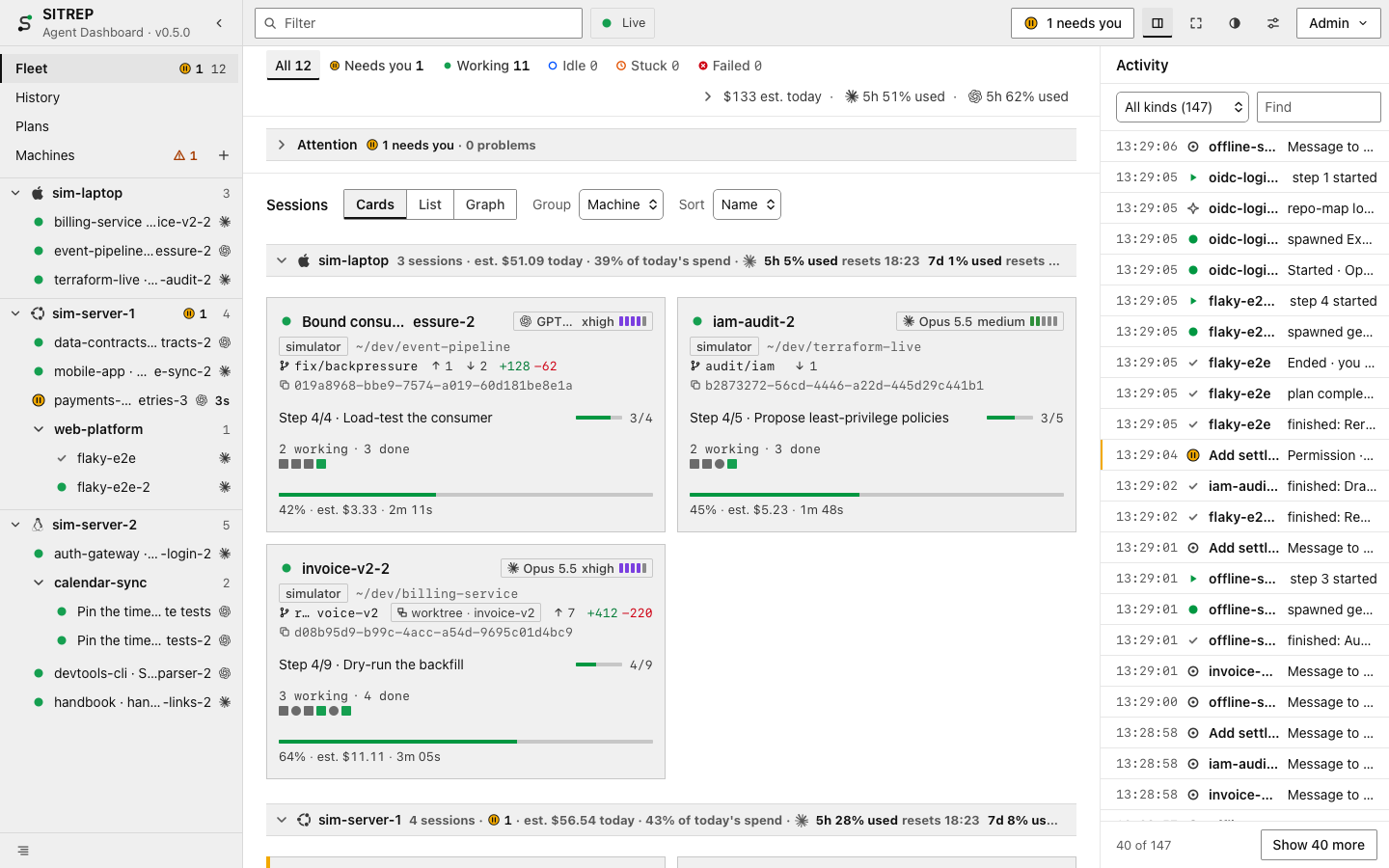
Every Claude Code and Codex session, on every machine, in one live view.
Try it · Install · Tour · How it works · Operations



“Who will guard the guards themselves?”
— Juvenal, Satires
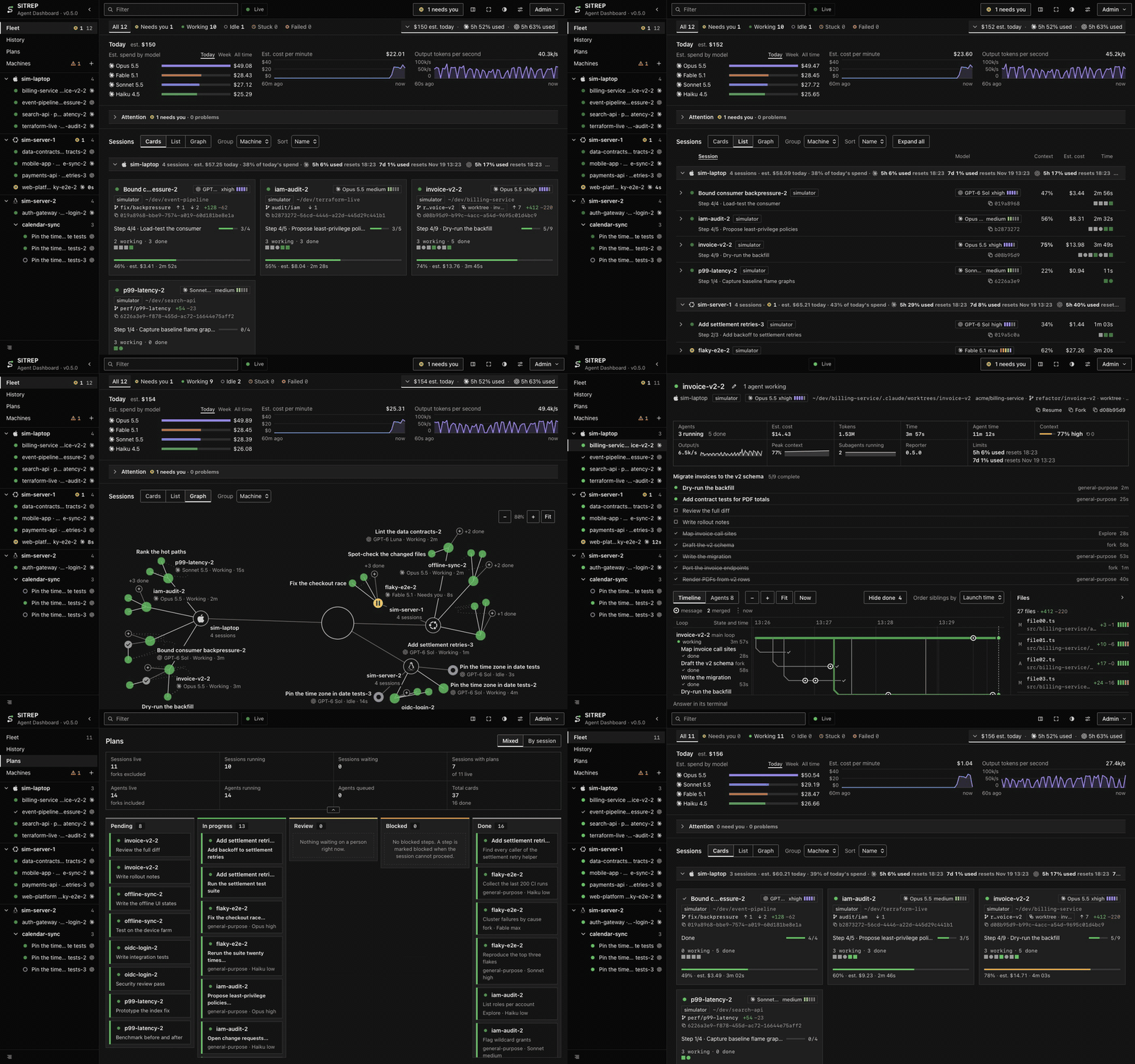
You run coding agents on a laptop, a workstation and a server. SITREP shows all of them at once: which are working,
which are waiting on you, which are stuck or have failed. Answer the ones that are waiting from the dashboard, without
hunting for their terminal.
| The clearest picture of a fleet of agents there is | The fastest way to unblock an agent | The safest dashboard you can point at your sessions |
|---|---|---|
| Every session on every machine as cards, a list or a graph, each with its plan and current step, its agents, model and effort, context fill, git state, cost, and what failed. | Every permission, question and plan that is waiting sits at the top, longest wait first; answer it there or in the terminal, and the first answer wins. | It sends a session only your own answers, messages and commands, never controls a terminal, never starts, stops or restarts a session, stores no transcripts, and runs on a machine you own. |
Try it in two minutes
You need git and Node 24. A simulator stands in for the agents.
git clone https://github.com/IluvatarLabs/sitrep ~/sitrep && cd ~/sitrep
npm ci
npm run dev        # the server on :7487, the dashboard on http://localhost:5173
In a second terminal:
cd ~/sitrep
npx tsx scripts/sim.ts --sessions 8 --codex 0.4 --machines 3 --chaos
Install
[!WARNING]
SITREP is built for one person on a trusted LAN. It speaks plain HTTP: anyone who can reach port 7487 can read every
session, and answering needs a sign-in with the admin secret.
Security says how to narrow that.
The server
On a machine that stays on:
git clone https://github.com/IluvatarLabs/sitrep ~/sitrep && cd ~/sitrep
npm ci && npm run build
npx tsx scripts/install.ts --server --bind 0.0.0.0            # dry run: prints every file and command
npx tsx scripts/install.ts --server --bind 0.0.0.0 --apply
It runs as a user service and writes an admin secret to ~/.sitrep/server.env. Open http://<server IP>:7487. Use the
IP address: a host name has to be listed in SITREP_ALLOWED_HOSTS first
(Deploy the server, step 6).
Add a machine
On each machine that runs sessions. Machines → Add a machine in the dashboard gives these commands with your server's
address filled in:
git clone https://github.com/IluvatarLabs/sitrep ~/sitrep && cd ~/sitrep && npm ci
npm run build -w codex-reporter                               # only where Codex runs
npx tsx scripts/install.ts --claude --codex --url http://<server IP>:7487 --token-stdin --apply
Paste the admin secret, then Ctrl-D. Leave out --claude or --codex where that tool is not installed.
Add a machine has the form that pipes the secret from the server.
npx tsx scripts/doctor.ts checks a machine and prints the fix for anything wrong.npx tsx scripts/uninstall.ts --claude --codex --server lists what it would remove, and --apply removes it
(Uninstall). Your own hooks are never touched.
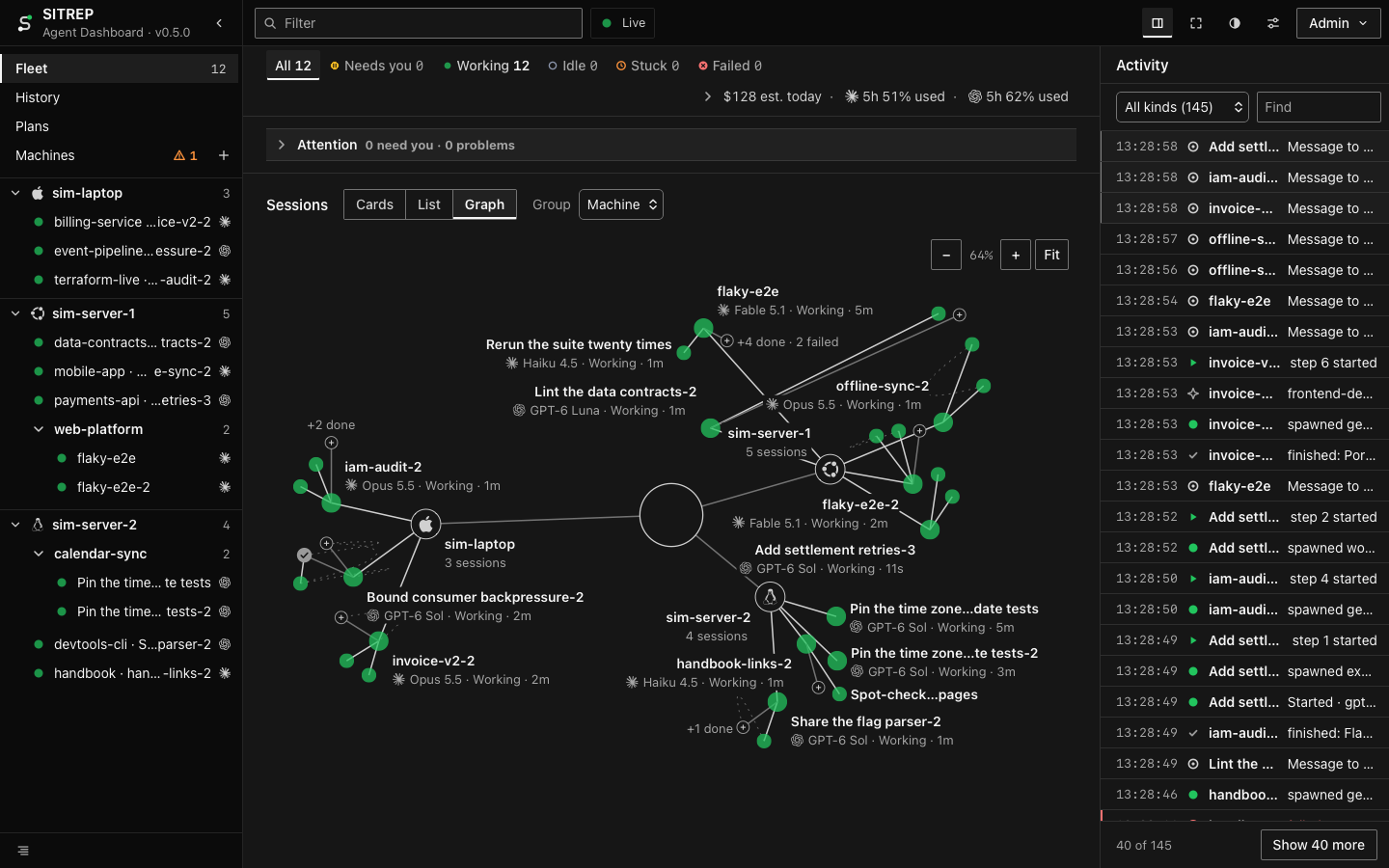
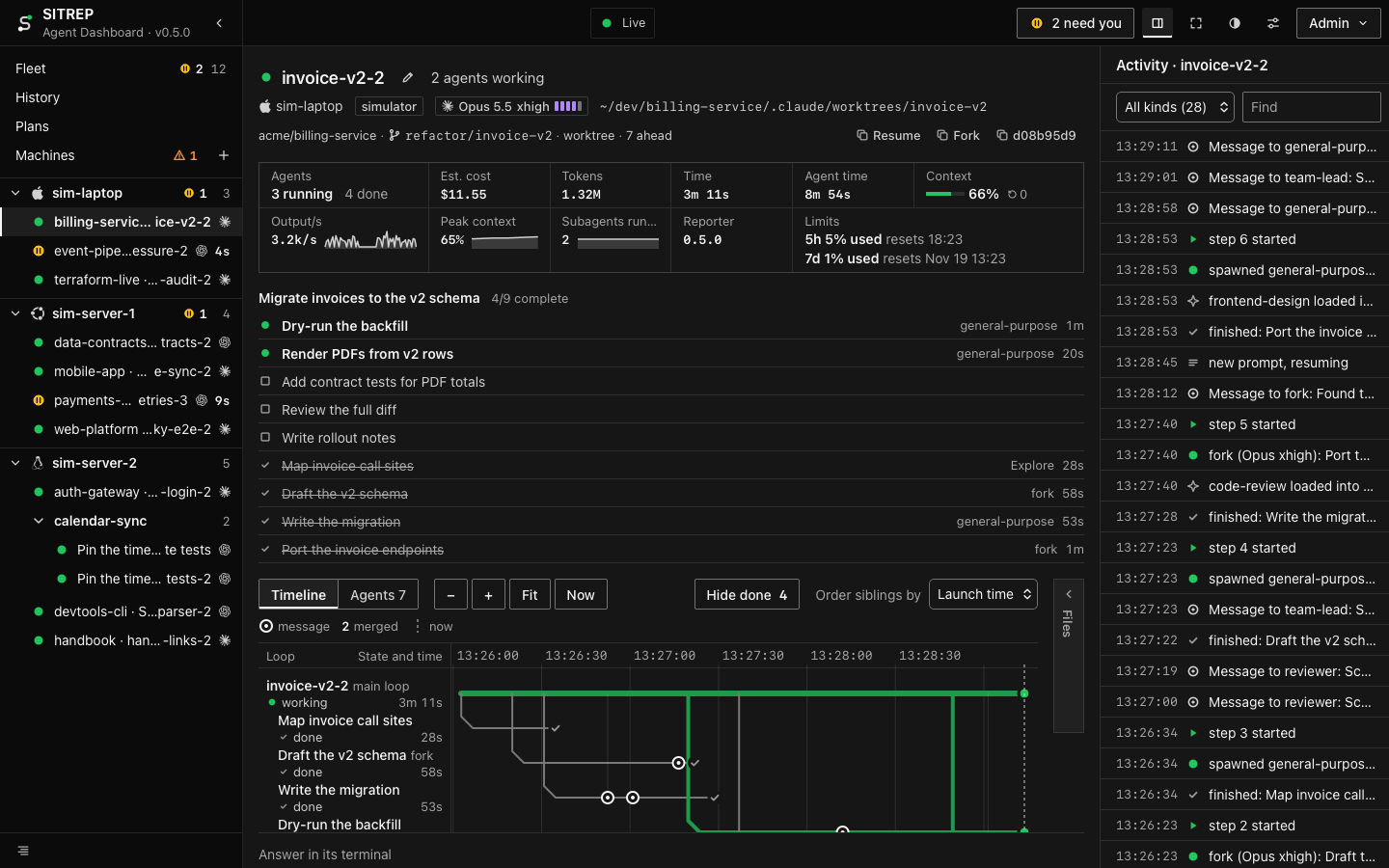
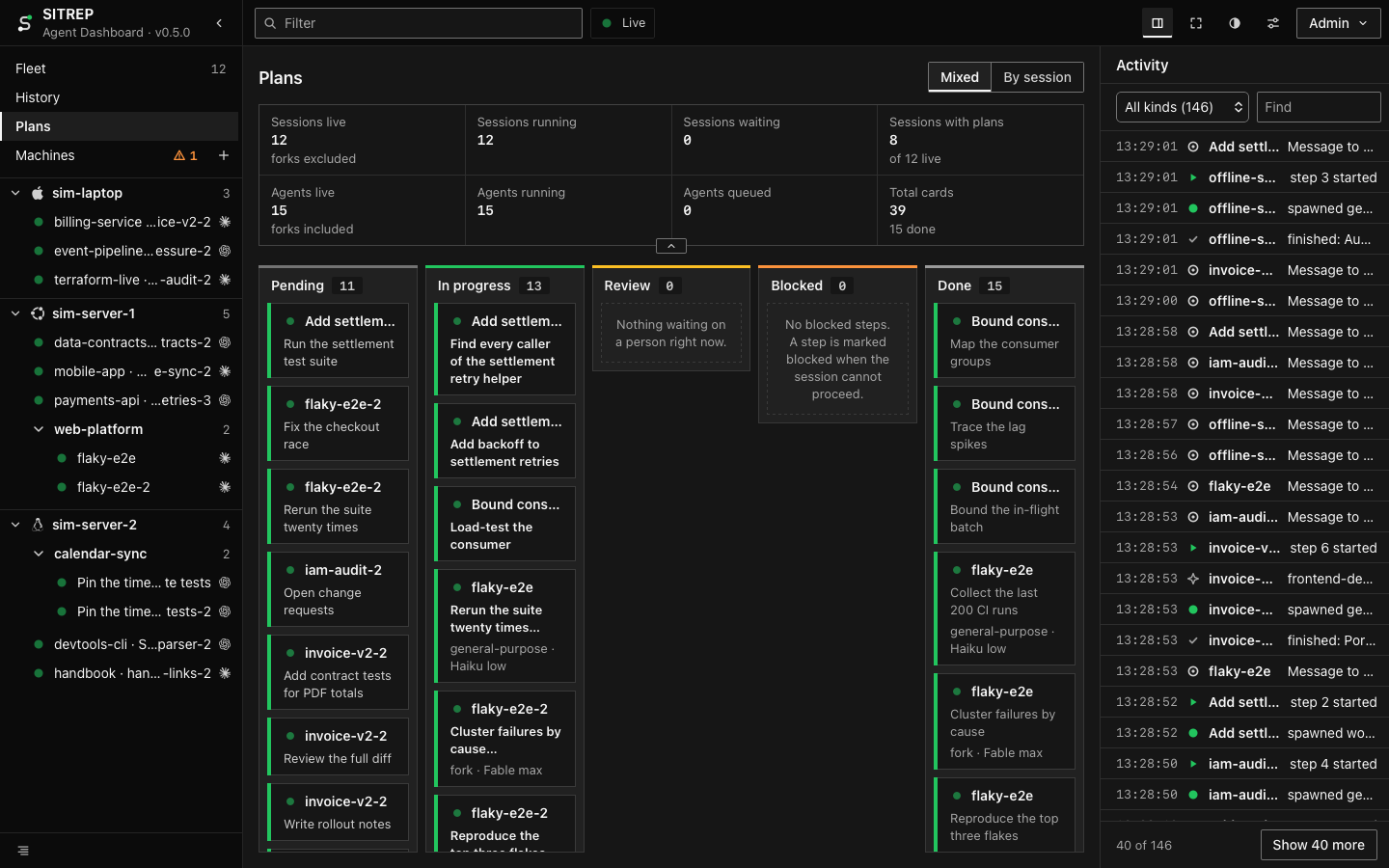
What it looks like
 |
 |
 |
 |
What it does
- One board for every machine: cards, a list or a graph, grouped by machine or project, filtered by state, machine,
project or harness. Tour - Needs you, and Problems: what is waiting on you, and what is stuck, failed or colliding on a file.
What a state means - Answering: permissions, questions and plans, plus a message,
/compactor/clear.
How answering works - Cost and limits: estimated spend by session, model and machine, and each provider's plan window before it runs
out. Usage and cost - History: ended sessions by day, with model, duration, cost and how they ended.
Settings and History - A wall view for a screen left on, and browser notifications when a session needs you, is stuck or fails, or a plan
window reaches 90 %. Filter and keys - Claude Code, Codex and Hermes. Hermes sessions are shown, not answered. A value a harness does not report shows as
"—", never as a guess, and every cost is marked "est.". The pieces
What you need
- macOS or Linux, with git. It has not been run on Windows.
- Node 24 on the server; Node 22.15 or later on every other machine (
npm ciwarns there that the repository asks for
24, and installs anyway). - Claude Code 2.1.287 or later.
- Codex 0.162 or later. Answering Codex sessions also needs Codex's managed daemon on that machine.
- Docker, for Hermes: its reporter is a sidecar container.
Docs
- Tour: every view, with screenshots.
- How it works: the pieces, what a session's state means, answering, cost, what is stored.
- Operations: deploying, settings, security, backup, upgrades, troubleshooting.
- Hermes: the sidecar.
License
MIT. Third-party material keeps its own license: THIRD_PARTY_NOTICES.md, and
frontend/THIRD_PARTY_NOTICES.md for the logos.
Reviews (0)
Sign in to leave a review.
Leave a reviewNo results found