ai-connector-for-your-wealthsimple
Health Uyari
- License — License: AGPL-3.0
- Description — Repository has a description
- Active repo — Last push 0 days ago
- Low visibility — Only 5 GitHub stars
Code Uyari
- network request — Outbound network request in firebase/mcp/app.py
- network request — Outbound network request in firebase/mcp/static/consent.js
- network request — Outbound network request in firebase/mcp/static/owner.js
Permissions Gecti
- Permissions — No dangerous permissions requested
Bu listing icin henuz AI raporu yok.
Ask Gemini, Claude or ChatGPT about your Wealthsimple portfolio. A private, read-only MCP connector you deploy to your own Firebase project. Unofficial.
Private AI connector for your Wealthsimple
Ask Gemini, Claude or ChatGPT about your Wealthsimple portfolio and activity,
from a private connector that runs in your own Firebase project.
A simulated example, with made-up numbers:
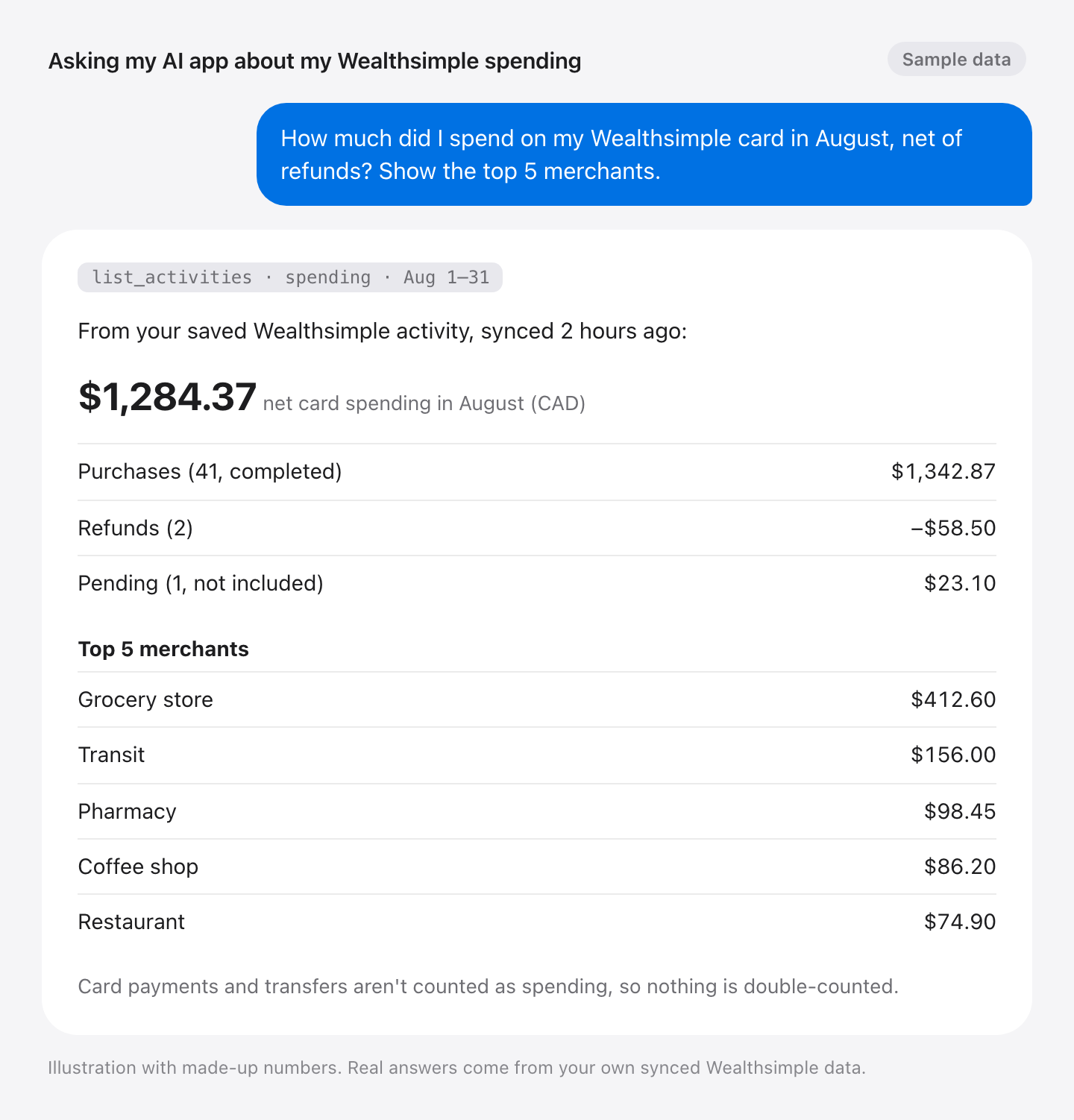
- Yours alone. Each person deploys their own copy into their own Firebase
project. Your data goes from Wealthsimple to your project to the AI app you
connect, and nowhere else: there is no shared server, and the developer
never sees it. - Read-only. The AI gets three read tools. There is no trading, transfer or
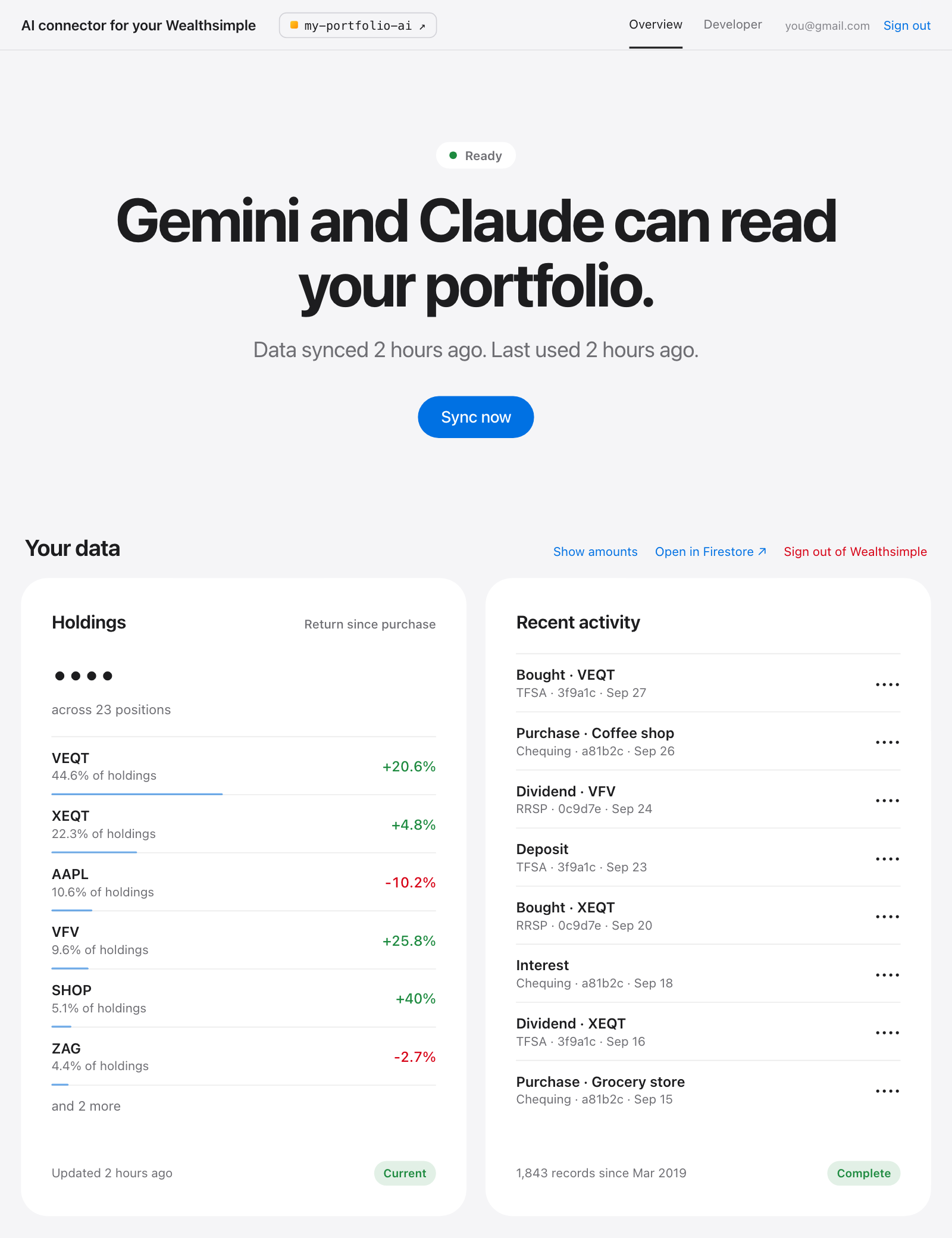
any other tool that changes your Wealthsimple accounts. - One page to manage it. The dashboard shows your holdings, recent
activity and connected AI apps, and is where you sign in to Wealthsimple.
This project is unofficial and not affiliated with Wealthsimple. It reads
Wealthsimple through the same private APIs its web app uses, which can change
without notice. Wealthsimple is a trademark of Wealthsimple Technologies Inc.
Why this exists
I wanted to ask my AI app about my whole portfolio, not just part of it. Some
brokers, such as Interactive Brokers, offer an official connector for that, but
Wealthsimple doesn't.
Third-party platforms such as SnapTrade and BankSync can fill the gap, but they
charge a subscription, and I don't trust them with my Wealthsimple sign-in,
which can do far more than read. So I made this open source instead, for anyone
to run their own copy.
How to use
1. Create a Firebase project
Create a new project and upgrade it to
the Blaze plan. For one person, it stays within the no-cost tier.
2. Run the setup
Click this button. It opens Google Cloud Shell with a setup guide on the right.

When Cloud Shell asks, tick Trust repo. Then follow the guide. It takes
about 10 minutes and ends with your dashboard link. Bookmark it.
If the guide doesn't open, the download from GitHub was interrupted. In the
terminal, press ↑ then Enter to try again.
3. Sign in to Wealthsimple
Open the dashboard, sign in with Google, then sign in to Wealthsimple.
4. Connect your AI app
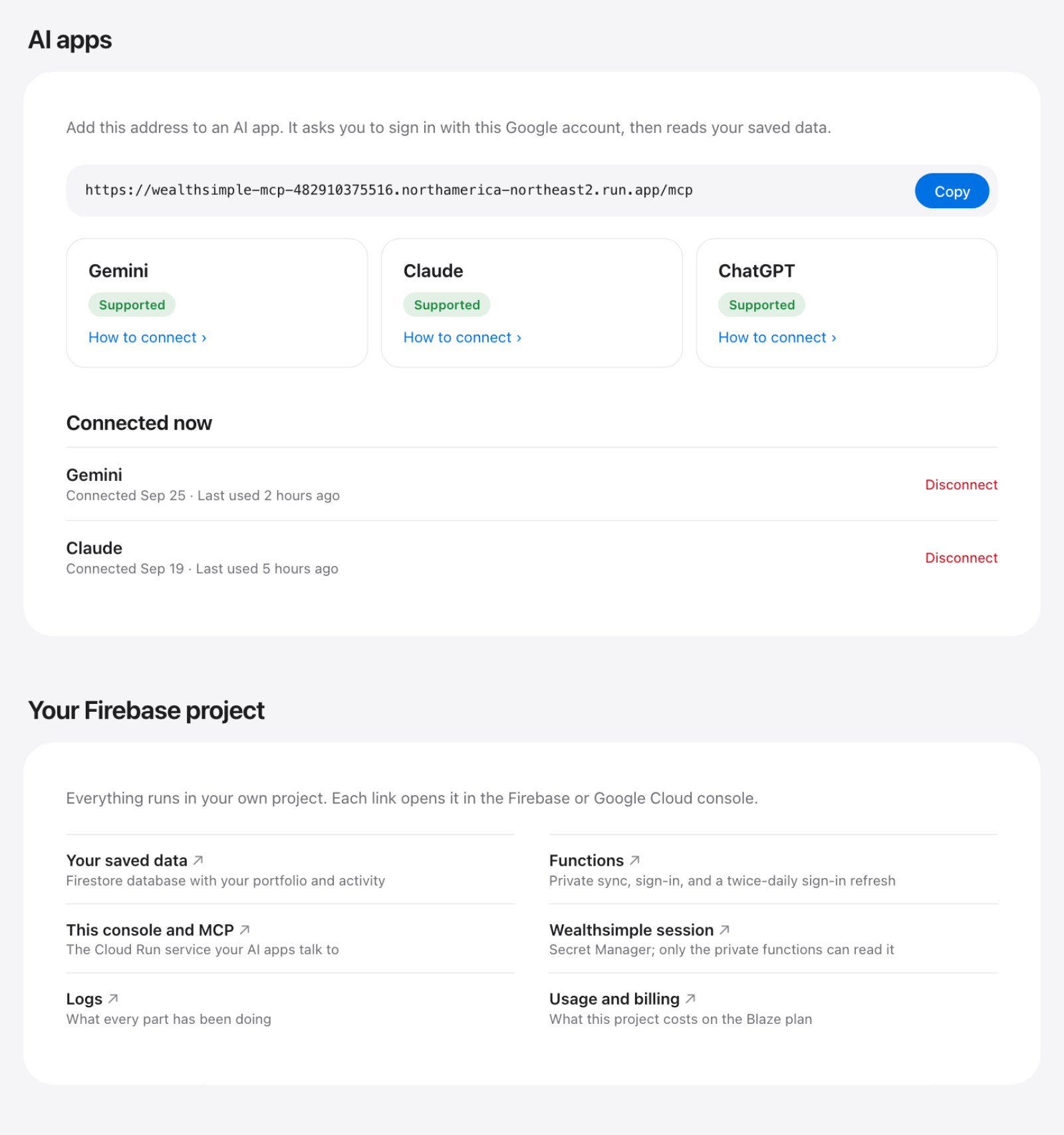
In the dashboard: AI apps → your app → How to connect.
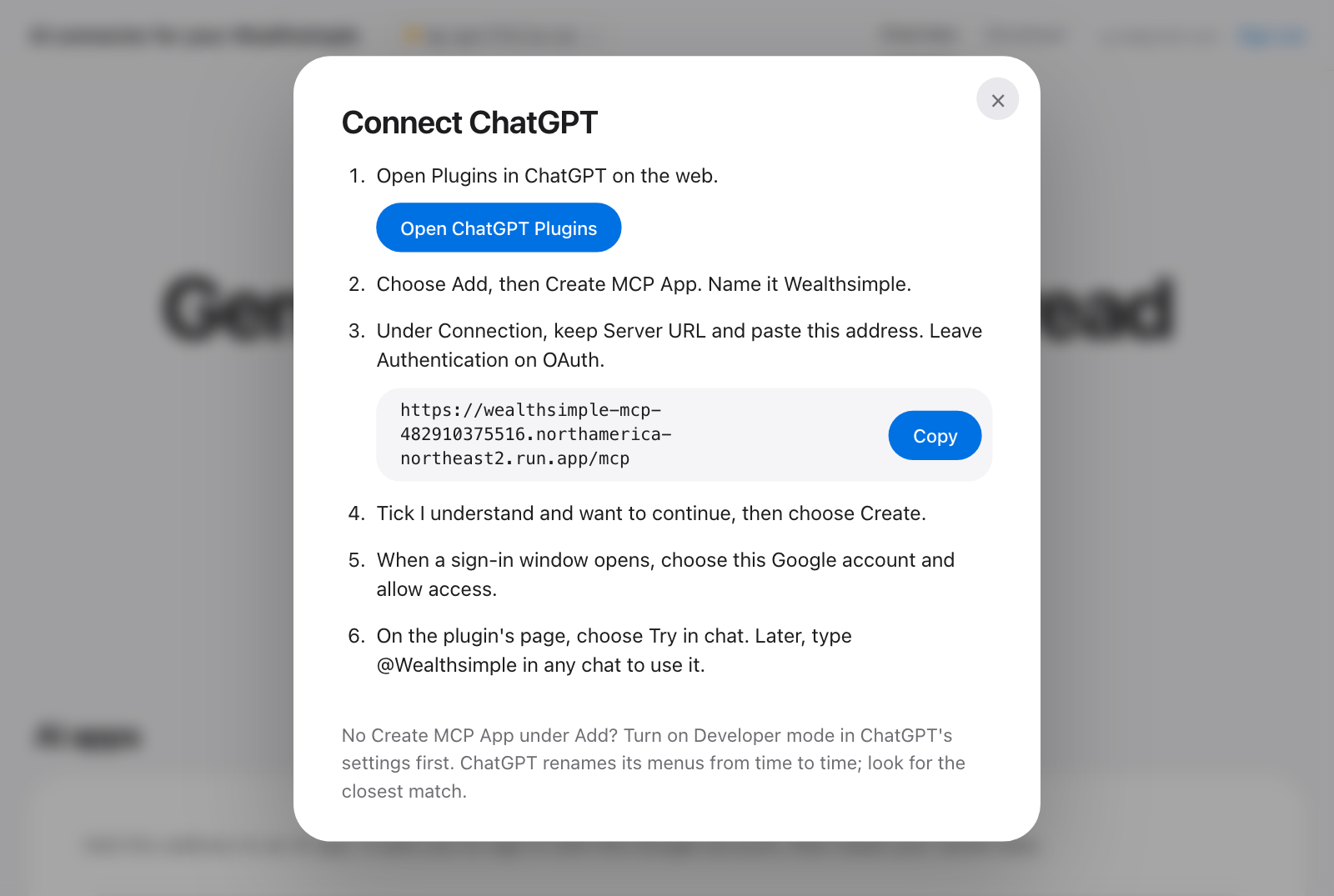
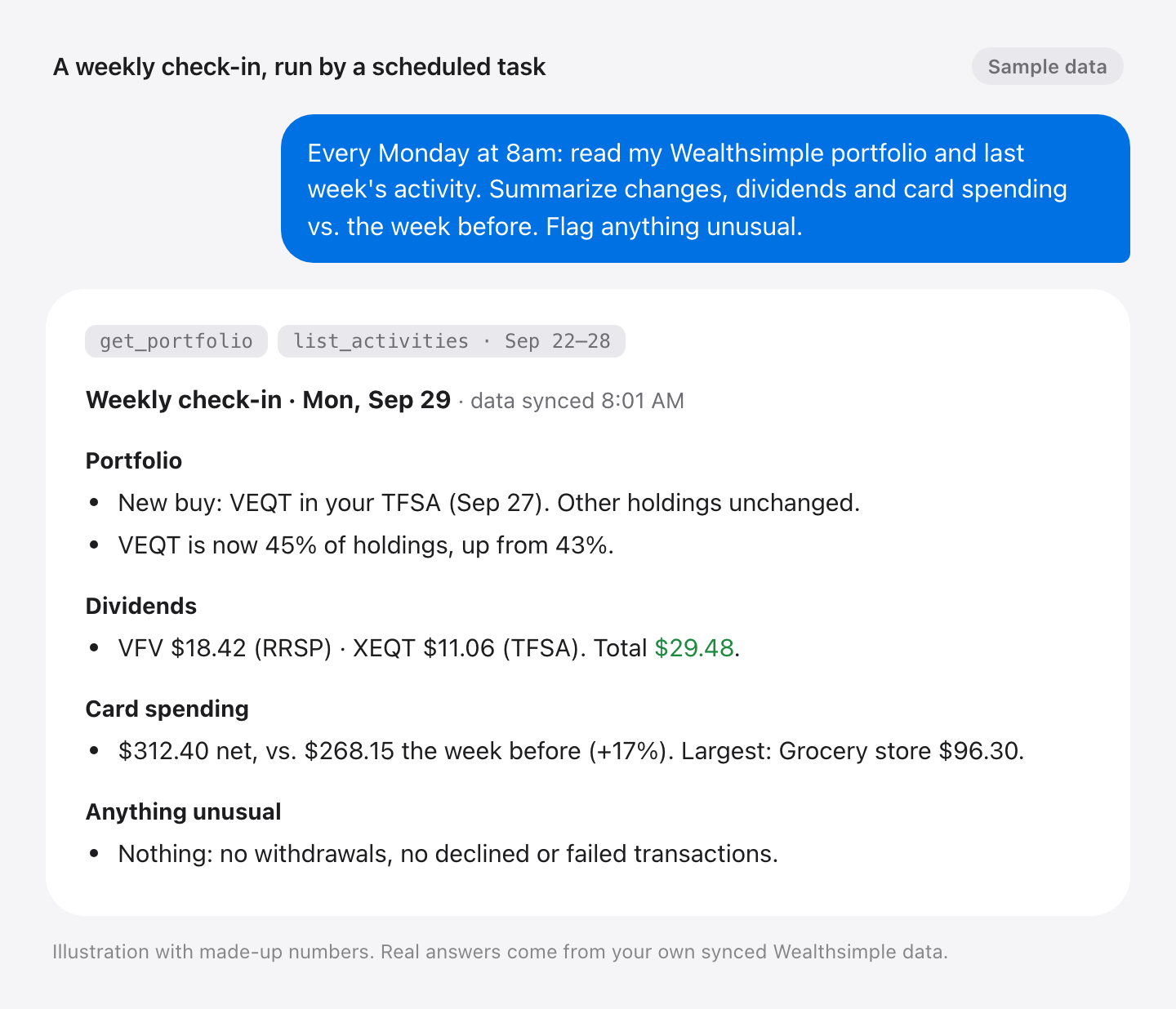
Then just ask. A scheduled task in your AI app can also send you a weekly
check-in (simulated, with made-up numbers):
What gets created
Everything lives in your Firebase project, and the dashboard links each piece:
Later
- Lost the dashboard link? Ask your AI app for it.
- Updating. The dashboard shows a banner when a new version is out. Click
How to update. Your data and connections stay. - Removing it. Disconnect your AI apps in the dashboard, then delete the
Firebase project (Project settings → General → Delete project). That
deletes everything, including your saved data.
How your data is handled
Your connector reads Wealthsimple when your AI app asks, saves the result in
your project, and answers from that copy. Only your connector and your Google
account can read it. Your Wealthsimple password is never stored.
The AI gets three read-only tools: get_data_status, get_portfolio andlist_activities. Account numbers are never shared with it.
Development
firebase/
  functions/   Private sync, reconnect, sign-in keep-alive
  mcp/         OAuth MCP server, saved-data readers, dashboard
  scripts/     bootstrap.sh, manage.py (bootstrap, deploy, doctor, urls)
src/wealthsimple_connector/core/   Wealthsimple client; deploy copies it into functions/ and mcp/
tests_cloud/  tests_mcp/  tests_deployment/
docs/cloudshell-tutorial.md        The Cloud Shell guide
Deploy one part after a change, then check the access boundaries:
python3 firebase/scripts/manage.py deploy --target mcp --project YOUR_PROJECT_ID
python3 firebase/scripts/manage.py doctor --project YOUR_PROJECT_ID
Architecture
flowchart LR
  AI["AI app"]:::ai
  Browser["Owner, in the<br/>dashboard"]:::you
  WS["Wealthsimple"]:::ws
  subgraph project["Owner's Firebase project"]
    Run["Cloud Run: wealthsimple-mcp<br/>MCP endpoint + dashboard<br/>runs as portfolio-mcp"]:::run
    Fn["Cloud Functions for Firebase, private<br/>request_refresh · reconnect_now<br/>keep_session_alive<br/>run as portfolio-sync"]:::fn
    Data[("Firestore (default)<br/>snapshots and activity")]:::store
    Auth[("Firestore mcp-auth<br/>OAuth clients and grants")]:::store
    Secret[("Secret Manager<br/>wealthsimple-session")]:::secret
    Timer["Cloud Scheduler<br/>every 12 hours"]:::timer
  end
  AI -- "1. tool call with OAuth token" --> Run
  Browser -- "Google sign-in" --> Run
  Run -- "checks tokens" --> Auth
  Run -- "2. request_refresh, or reconnect_now to sign in" --> Fn
  Fn -- "3. loads and rotates" --> Secret
  Fn -- "4. reads, never changes" --> WS
  Fn -- "5. writes" --> Data
  Run -- "6. reads only" --> Data
  Timer -- "keep_session_alive" --> Fn

  %% Saturated fills with fixed text colours read well on light and dark pages.
  classDef ai fill:#10a37f,stroke:#0b7a5f,color:#ffffff
  classDef you fill:#0071e3,stroke:#0058b0,color:#ffffff
  classDef ws fill:#ffd23f,stroke:#c9a200,color:#1d1d1f
  classDef run fill:#4285f4,stroke:#2f6ad0,color:#ffffff
  classDef fn fill:#8e5cd9,stroke:#6d41b3,color:#ffffff
  classDef store fill:#ff9800,stroke:#c77700,color:#1d1d1f
  classDef secret fill:#e8453c,stroke:#b8322b,color:#ffffff
  classDef timer fill:#6e6e73,stroke:#4a4a4f,color:#ffffff
  style project fill:none,stroke:#8e8e93,stroke-width:1px,stroke-dasharray:5 4,color:#8e8e93
  linkStyle default stroke:#8e8e93,stroke-width:1.5px
A tool call, step by step:
- The AI app calls
/mcpon Cloud Run with an OAuth token the owner approved
once with Google. - Cloud Run calls
request_refresh. Only theportfolio-mcpidentity may
invoke the functions; anonymous requests get 401 or 403. - The function loads the session from Secret Manager. Of the two runtime
identities, onlyportfolio-synchas access to it. - It reads the accounts from Wealthsimple.
- It writes the snapshot or activity to the
(default)database. - Cloud Run reads it back (
portfolio-mcphas read-only access there) and
answers.
Resource names are fixed in firebase/scripts/configuration.py. Nothing is
saved locally: manage.py finds the deployed wealthsimple-mcp service and
reads its region, owner and Firebase config from it.
License
Copyright (C) 2026 Jong Luo. Licensed under the GNU Affero General Public
License v3.0 only (AGPL-3.0-only). See LICENSE.
Yorumlar (0)
Yorum birakmak icin giris yap.
Yorum birakSonuc bulunamadi