OPCUA-MCP
Health Gecti
- License — License: MIT
- Description — Repository has a description
- Active repo — Last push 0 days ago
- Community trust — 25 GitHub stars
Code Uyari
- process.env — Environment variable access in packages/mock-server-aggregate/server.mjs
Permissions Gecti
- Permissions — No dangerous permissions requested
Bu listing icin henuz AI raporu yok.
MCP server that connects AI agents to OPC UA systems — read, browse, history, subscriptions, events and alarms. Python and TypeScript, read-only by default.
🏭 OPC UA MCP Server
Read industrial sensors and control equipment on any OPC UA server — through natural language with Claude and any MCP client.






Quick Start · Install · Tools · Examples · Compatibility · Architecture · Testing · Roadmap · Contributing
Overview
Thirteen MCP tools over plain OPC UA: read and write nodes, browse the address
space, call methods, read history and server-side aggregates, and subscribe to
data changes, events and alarms. It connects to any server that speaks OPC UA —
PLC, SCADA gateway or historian.
What is actually offered on a given connection depends on three things: what the
server advertises it can do, what the OPC UA account is permitted to do, and
which tool profile you configured. The default
profile is read-only.
There are two interchangeable implementations, Python and TypeScript/Node,
held to one shared contract by the test suite — same tools, same arguments, same
responses. Install whichever your machine already has; nothing below depends on
the choice.
Which servers and operations the test suite exercises, and which are only
reported by users, is set out in
docs/compatibility.md.
One process talks to one endpoint. OPCUA_SERVER_URL is read once at
startup, every tool targets it, and the only transport is stdio — so the server
runs beside the MCP client that started it, and each client gets its own OPC UA
session. That is the right shape for an engineer at a workstation, which is what
this is built for. A site with five PLCs runs five entries in the client config,
and if OPC UA sessions are a licensed resource on your equipment, count on one
per client per endpoint. What it would take to be a shared plant-wide gateway
instead is set out in the roadmap.
flowchart LR
    A["AI client<br/>(Claude Desktop / Code / Cursor)"] -->|MCP over stdio| B["OPC UA MCP Server<br/>(Python or Node)"]
    B -->|OPC UA| C["OPC UA Server<br/>(PLC / SCADA / mock)"]
Quick Start
Claude Desktop, nothing installed? Download the .mcpb bundle from the
latest release and
drag it into Settings → Extensions. It carries the server and every
dependency, Claude Desktop supplies the runtime, and the OPC UA endpoint is a
field in the settings form — no Node, no Python, no JSON to edit.
Already have a runtime? Install the package and let it write the config:
npm install -g opcua-mcp-server        # or: uv tool install opcua-mcp-server
opcua-mcp-server --install claude-desktop --url opc.tcp://192.168.0.10:4840
--install writes absolute paths rather than a bare npx, which matters more
than it sounds: Claude Desktop is launched from the GUI and does not inherit a
login shell's PATH. --dry-run shows the result without writing it. Without a
permanent install, npx and uvx fetch the package on demand.
Prefer to configure it yourself? Add this to your MCP client config and pointOPCUA_SERVER_URL at your OPC UA endpoint:
{
  "mcpServers": {
    "opcua": {
      "command": "npx",
      "args": ["-y", "opcua-mcp-server"],
      "env": { "OPCUA_SERVER_URL": "opc.tcp://localhost:4840" }
    }
  }
}
The two runtimes are interchangeable — same tools, same arguments, same
responses — so this is a question of what is already on the machine, not of
capability. For the Python package, swap the command:
{ "command": "uvx", "args": ["opcua-mcp-server"] }
Claude Code needs no file at all:
claude mcp add opcua -e OPCUA_SERVER_URL=opc.tcp://localhost:4840 -- npx -y opcua-mcp-server
Single-file executables for machines with no runtime and no network, and what to
do when Claude Desktop cannot start the server:
docs/install.md.
No OPC UA server to hand? This repo ships a mock industrial plant — see
Try it against the mock.
Tools
Both servers expose the same thirteen tools, defined once incontract/tools.json so they cannot drift apart.
| Tool | What it does |
|---|---|
read_opcua_nodes |
Read one or more nodes — value, data type, status, timestamps |
browse_opcua_nodes |
List children, walk a subtree, resolve a browse path, search by name |
write_opcua_nodes |
Write to one or more nodes |
call_opcua_method |
Invoke a method on an object node |
get_server_status |
Connection state, server health and the namespace array |
subscribe_opcua_nodes |
Watch nodes for data changes instead of polling them |
list_subscriptions |
The active subscriptions, each with its buffered changes |
unsubscribe_opcua_nodes |
Cancel subscriptions |
subscribe_events |
Start collecting events from a notifier node |
read_events |
Read the events collected since the last read |
list_active_alarms |
The alarms the server is currently retaining |
acknowledge_alarm |
Acknowledge one of them, with a comment |
read_opcua_history † |
Historical values, raw or summarised by a server-side aggregate |
† Capability-gated. read_opcua_history appears only when the connected
server advertises historical access (AccessHistoryDataCapability) or aggregates
(a non-empty AggregateFunctions folder). Its aggregate_function argument
appears only with the latter, and its description then lists the functions that
server actually offers. What a server cannot do is not on the menu, rather than
failing at call time.
One tool per operation, not one per arity. Reading one node and reading fifty
is the same request with a longer list, so it is one tool and one code path.
Batching is the caller's choice, not a different API.
Both servers also expose one resource, opcua://subscriptions: the same
records list_subscriptions returns, re-readable without spending a tool call.
Full per-tool reference with inputs, outputs and a node-ID map:
docs/examples.md.
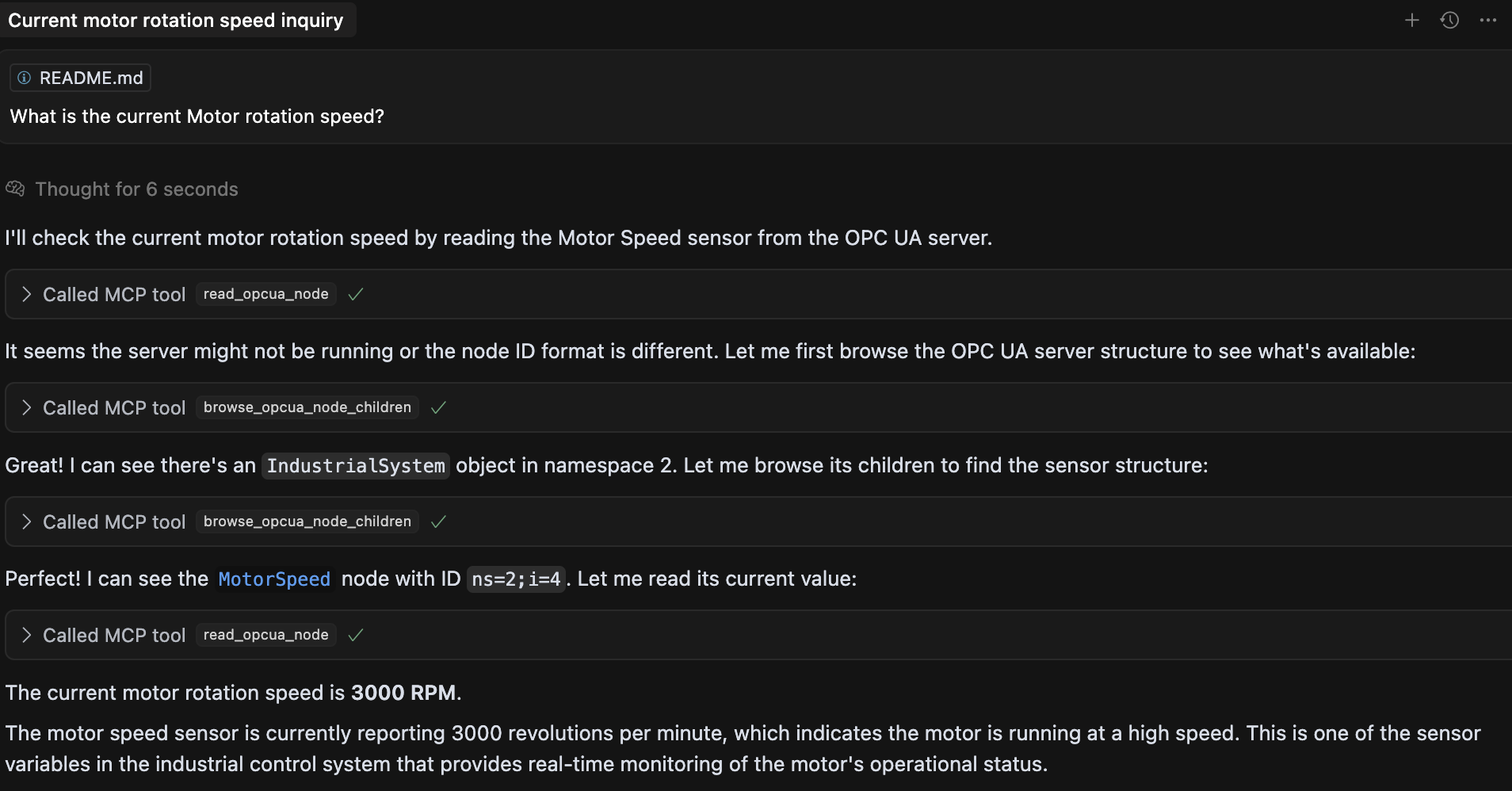
Example usage in conversation
Once configured, you can ask in plain language:
- "What's the current temperature reading from the reactor vessel?"
- "Set the valve position to 80%"
- "Show me all available variables in the system"
- "What was the temperature over the last hour?"
- "Start production on line 1 at 100 units/hour"
- "Give me the hourly average temperature for today"
- "Watch the tank level and tell me what it does over the next minute"
- "What alarms are active right now?"
- "Acknowledge the high-temperature alarm — I'm looking into it"
Every answer comes back as a record, not prose. A reading carries its data type,
its OPC UA status and both timestamps — because quality and age are what decide
whether a value can be acted on, and a bare number carries neither:
read_opcua_nodes  node_ids=["ns=2;i=3", "ns=2;i=12"]
→ { "node_id": "ns=2;i=3", "value": 23.10, "data_type": "Double", "status": "Good",
    "source_timestamp": "2026-09-10T13:15:12.214Z",
    "server_timestamp": "2026-09-10T13:15:12.214Z" }
  { "node_id": "ns=2;i=12", "value": true, "data_type": "Boolean", … }
A walk of the address space says whether it finished, so a partial answer can
never pass for a complete one:
browse_opcua_nodes  depth=4  node_class="Variable"  include_values=true
→ { "nodes": [ { "node_id": "ns=2;i=3", "browse_name": "2:Temperature",
                 "node_class": "Variable", "data_type": "Double", "value": 26.34, … } ],
    "truncated": false, "inspected": 22 }
Every tool declares a result shape, and both runtimes are held to it. The
shapes live in contract/tools.json; the suite checks each runtime's actual
output against them and then diffs the two runtimes against each other — so a
client that has learned one server's answers can read the other's.
A per-node rejection is a status inside a successful result, never a failed call:
one unreadable node in a batch of fifty must not discard the other forty-nine.
Only a failure of the whole operation is an error.
Events are collected, not pushed: MCP is request/response, so subscribe_events
starts a real OPC UA subscription in the background and read_events hands over
what has arrived since you last asked. list_active_alarms does not need one —
it asks the server for its retained conditions directly (ConditionRefresh).
Configuration
Both runtimes read the same environment variables:
| Variable | Default | Meaning |
|---|---|---|
OPCUA_SERVER_URL |
opc.tcp://localhost:4840 |
OPC UA endpoint to connect to |
OPCUA_SECURITY_POLICY |
None |
None, Basic128Rsa15, Basic256, Basic256Sha256 — plus Aes128_Sha256_RsaOaep and Aes256_Sha256_RsaPss on the Node runtime |
OPCUA_SECURITY_MODE |
SignAndEncrypt once a policy is set, otherwise None |
None, Sign or SignAndEncrypt |
OPCUA_CLIENT_CERT |
— | Client certificate (PEM/DER). Required for any policy other than None |
OPCUA_CLIENT_KEY |
— | Private key for OPCUA_CLIENT_CERT |
OPCUA_APPLICATION_URI |
the subjectAltName URI of OPCUA_CLIENT_CERT |
Application URI announced to the server. Set it only for a certificate that carries no URI of its own |
OPCUA_SERVER_CERT |
— | The OPC UA server's certificate, pinned. Without it, encryption protects against eavesdropping but not against an impostor endpoint. Requires a policy other than None |
OPCUA_USERNAME |
— | Username identity; the session is anonymous when unset |
OPCUA_PASSWORD |
— | Password for OPCUA_USERNAME |
OPCUA_USER_CERT |
— | Certificate identifying the user, for X.509 authentication. A different key pair from OPCUA_CLIENT_CERT, which secures the channel. Cannot be combined with OPCUA_USERNAME |
OPCUA_USER_KEY |
— | Private key for OPCUA_USER_CERT. Signs the server's challenge; never sent |
OPCUA_PROFILE |
observe |
observe, operator, or full tool profile (read-only is an alias for observe) |
OPCUA_POLICY_FILE |
— | Optional version-1 JSON policy file; environment variables override it |
OPCUA_ALLOWED_TOOLS |
— | Comma-separated allowlist that can only narrow the selected profile |
OPCUA_ALLOWED_WRITE_NODES |
— | Comma-separated node IDs writable by the operator profile. ns=2;i=5 or, preferably, nsu=<namespace-uri>;i=5 — see Writing an allowlist that stays correct |
OPCUA_ALLOWED_METHODS |
— | Comma-separated `object_node_id |
OPCUA_ALLOW_ACKNOWLEDGE_ALARMS |
false |
Allow operator to acknowledge alarms |
OPCUA_ALLOW_INSECURE_CONTROL |
false |
Lab-only override permitting control tools without OPC UA channel security |
OPCUA_RECONNECT_INITIAL_DELAY_MS |
1000 |
Delay before the first reconnection attempt; doubles each attempt |
OPCUA_RECONNECT_MAX_DELAY_MS |
8000 |
Ceiling for that doubling |
OPCUA_RECONNECT_MAX_RETRY |
3 |
Retries after the first attempt. 0 disables retrying, -1 retries forever |
OPCUA_SESSION_TIMEOUT_MS |
60000 |
Session timeout asked of the OPC UA server; also sets the keep-alive period |
Staying connected
Neither server needs restarting when the OPC UA server does. A dropped
connection is retried with exponential backoff on the fourOPCUA_RECONNECT_* / OPCUA_SESSION_TIMEOUT_MS settings above, the read and
write paths transparently re-establish a dead session, and the data-change
subscriptions an agent is holding are re-created on the new session — the IDs
keep working and the values already buffered are still there to be read.
Reconnection is driven by tool calls rather than by a timer: if the endpoint is
unreachable when the MCP client starts, the server still starts, and the first
call that needs a session connects. get_server_status is the one tool that
answers either way — it reports connected: false and the reason instead of
failing, and every other tool's error points at it.
The defaults (three retries, 1–8s apart) keep a single tool call from hanging for
long. Raise OPCUA_RECONNECT_MAX_RETRY for a site where outages are measured in
minutes; the last waiting a call will do is the sum of the delays.
Deciding what the agent may do
Three profiles, and the default is the restrictive one:
OPCUA_PROFILE |
What it offers |
|---|---|
observe (default) |
Read, browse, history and monitoring. No writes, no methods |
operator |
The above, plus only the write targets and methods you allowlist |
full |
Every tool |
operator is the one worth understanding. A write to a node outsideOPCUA_ALLOWED_WRITE_NODES is refused before anything reaches OPC UA, and one
forbidden target rejects an entire batch rather than letting part of it through.
Both operator and full also require a secured OPC UA channel unlessOPCUA_ALLOW_INSECURE_CONTROL=true says otherwise in as many words.
The policy is enforced again on every call, not only when tools are listed —
an MCP client may hold a stale catalogue, and a hidden tool is a usability
feature rather than a security boundary. Every control call is also recorded on
stderr with its targets and its outcome.
Writing an allowlist that stays correct
OPCUA_ALLOWED_WRITE_NODES and OPCUA_ALLOWED_METHODS accept two forms:
ns=2;i=5                       # namespace index — resolved per session
nsu=urn:plant:line-a;i=5       # namespace URI — stable across sessions
Prefer the second. A namespace index is not a property of a node; it is
that node's position in the server's NamespaceArray for the current session. A
firmware update, an added namespace or a reordered load can move it — and an
allowlist written ns=2;i=5 then authorises writes to a different physical
node, with nothing anywhere reporting that anything changed.
The namespace URI is the stable name. Both servers read the NamespaceArray on
every connect and resolve URI-pinned entries against it, so the allowlist follows
the node rather than the index. An entry naming a URI the server does not
publish matches nothing and is reported on stderr at connect time.
Spelling does not matter: i=2253 and ns=0;i=2253 are the same node, entries
are trimmed, and both runtimes canonicalise identically (pinned bytests/fixtures/node-id-forms.json).
Larger deployments can put all of it in a version-1 JSON file
(OPCUA_POLICY_FILE) instead of the environment; the shape, and a worked
example, are in SECURITY.md.
Connecting securely
The defaults are unencrypted and unauthenticated, which suits the mock plant and
nothing else. A real deployment wants a policy, a client certificate, an identity
and a pinned server certificate:
OPCUA_SECURITY_POLICY=Basic256Sha256     # implies SignAndEncrypt
OPCUA_CLIENT_CERT=/etc/opcua/client.pem  # this server's identity
OPCUA_CLIENT_KEY=/etc/opcua/client_key.pem
OPCUA_SERVER_CERT=/etc/opcua/server.pem  # pin the server you meant to reach
OPCUA_USERNAME=mcp-operator              # or OPCUA_USER_CERT for X.509
OPCUA_PASSWORD=…
Names are case-insensitive, and a policy on its own implies SignAndEncrypt.
Anything the OPC UA spec cannot honour — a mode without a policy, a policy
without a certificate, a username without a password, a path that does not exist
— is refused at startup with a message naming the variable, rather than failing
later against live equipment.
OPCUA_USERNAME / OPCUA_PASSWORD authenticate the session but encrypt nothing:
without a security policy the password crosses the network in clear text unless
the server's user-token policy protects it, and both servers say so on stderr.
Pair credentials with a policy.
Why each of these matters, what is still not protected, and the full X.509 story:
SECURITY.md. Generating a certificate a server will accept —
including a file-naming trap on the Python runtime — is
docs/certificates.md.
Try it against the mock
The repo ships a simulated industrial plant — sensors, actuators, methods,
history and events — so you can try the tools without touching real equipment.
git clone https://github.com/midhunxavier/OPCUA-MCP.git && cd OPCUA-MCP
uv sync --all-packages
uv run --no-sync opcua-mock-server     # opc.tcp://localhost:4840/freeopcua/server/
Point your MCP client at that URL — .mcp.json.example is a
ready-made config. Two smaller mocks cover what the main one deliberately does
not model, server-side aggregates and acknowledgeable alarms; the
compatibility matrix says which covers what, and
docs/testing.md has an MCP Inspector walkthrough with example
prompts.
Development & testing
uv sync --all-packages                      # one-time workspace setup
cd tests
uv run --no-sync pytest unit/               # fast, no server needed (<1s)
uv run --no-sync pytest                     # unit + end-to-end, both runtimes
uv run --no-sync pytest -m smoke smoke/     # published-artifact smoke tests
Full guide, including the MCP Inspector and AI-agent walkthroughs:
docs/testing.md. Project layout and how to add a tool:
CONTRIBUTING.md. How it fits together:
docs/architecture.md.
Security
[!WARNING]
Both runtimes default to an observe-only tool profile, but the OPC UA
connection itself still defaults toSecurityPolicy.NoneandMessageSecurityMode.None— unauthenticated and unencrypted. That combination
is for the bundled mock and local development. For production, configure both
channel security and anoperatorallowlist — see the two sections above. Control tools are
blocked on an insecure channel unless the explicit lab override is set.
See SECURITY.md for the security posture, what the servers do and
do not verify, and how to report a vulnerability;
docs/certificates.md for client certificates and trust
setup.
The MCP policy is defense in depth, not a replacement for OPC UA authorization.
Scope the OPC UA account to the same nodes and methods; use a separate read-only
account for observe deployments.
Contributing
Contributions are welcome — see CONTRIBUTING.md for
project layout, local development, adding a new tool to both servers, and PR
conventions. What is planned next is in ROADMAP.md; changes that
have landed are tracked in CHANGELOG.md.
Results from a real OPC UA server are the most useful thing to send: open a
compatibility report
saying which server, which version and which tools worked. Test only on
equipment you are authorised to use, and keep writes and method calls to a
simulator or lab.
License
MIT — see LICENSE.
Yorumlar (0)
Yorum birakmak icin giris yap.
Yorum birakSonuc bulunamadi