mitto
Health Uyari
- No license — Repository has no license file
- Description — Repository has a description
- Active repo — Last push 0 days ago
- Community trust — 25 GitHub stars
Code Uyari
- network request — Outbound network request in frontend/src/components/SavePromptDialog.js
Permissions Gecti
- Permissions — No dangerous permissions requested
Mitto is a multi-platform interface (macOS, web, and mobile) for managing and interacting with multiple AI coding agents simultaneously, allowing you to control them remotely.
Security Assessment
Overall risk: Low. The tool acts as a frontend dashboard and does not request inherently dangerous system permissions. It includes a feature for permission control to review and approve agent actions. A code scan flagged a network request in a frontend component (`SavePromptDialog.js`), but this appears to be standard functionality for a web-based interface rather than malicious data exfiltration. There are no hardcoded secrets or highly suspicious background behaviors detected.
Quality Assessment
The project is actively maintained, with its last push occurring just today. It has a small but growing community footprint with 25 GitHub stars. However, there is a minor discrepancy: the automated scan flagged a missing license file, while the README explicitly claims an MIT license. This likely means the license text is just missing from the repository's root directory or is improperly linked.
Verdict
Safe to use. The project is active, built with standard practices, and provides a transparent interface for managing AI agents.
Control you AI coding agents on the go (from Mac, Web, Mobile Phone, etc)

Mitto


A modern interface for your team of AI coding agents
CLI • Web Interface • Native macOS App
Use case
So you have installed some ACP compatible agents, like Claude Code, or Copilot CLI, or Auggie, or any
other AI coding agent, and you want to have multiple instances running at the same time, each one in
its own workspace (ie, folder)
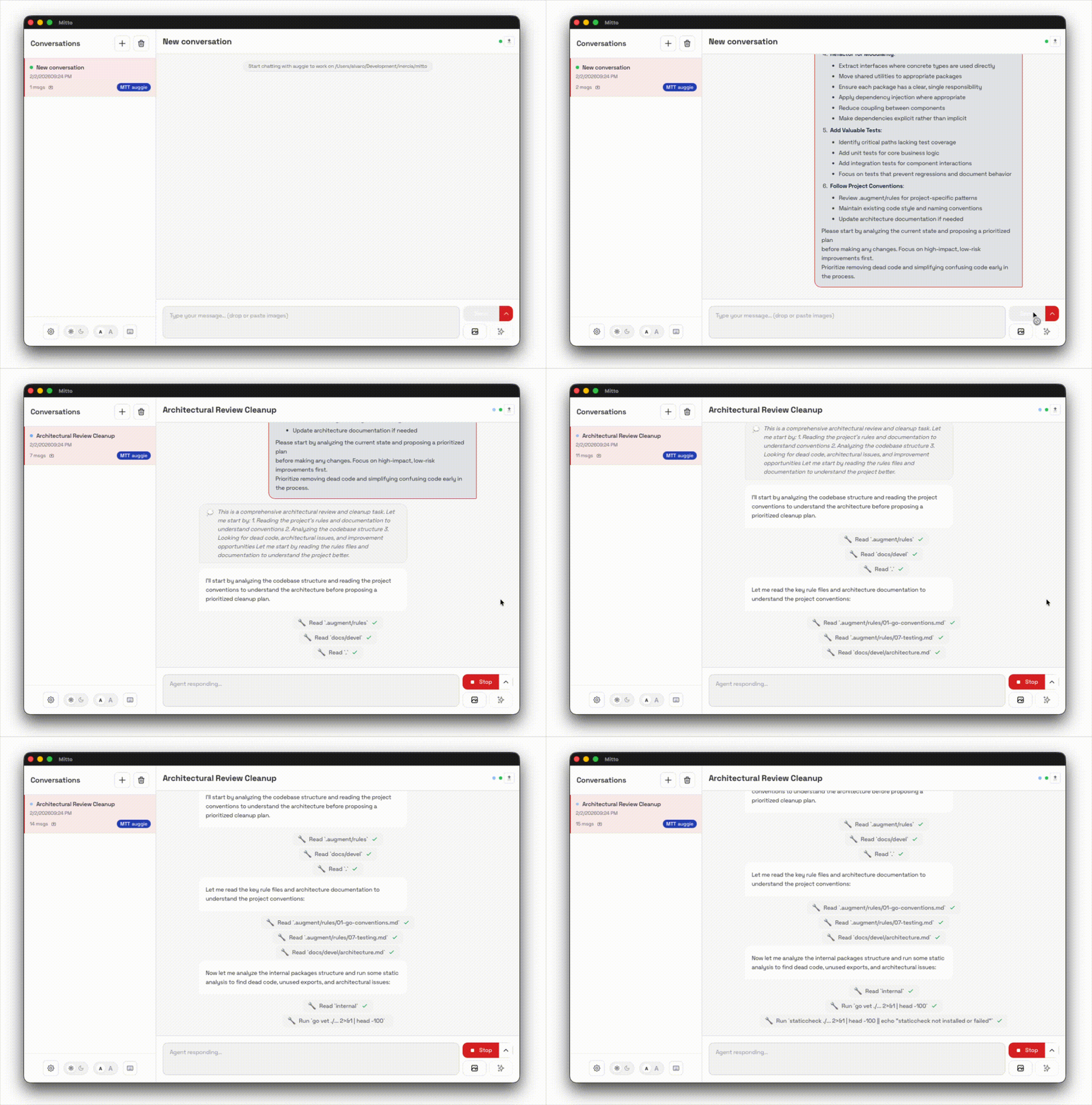
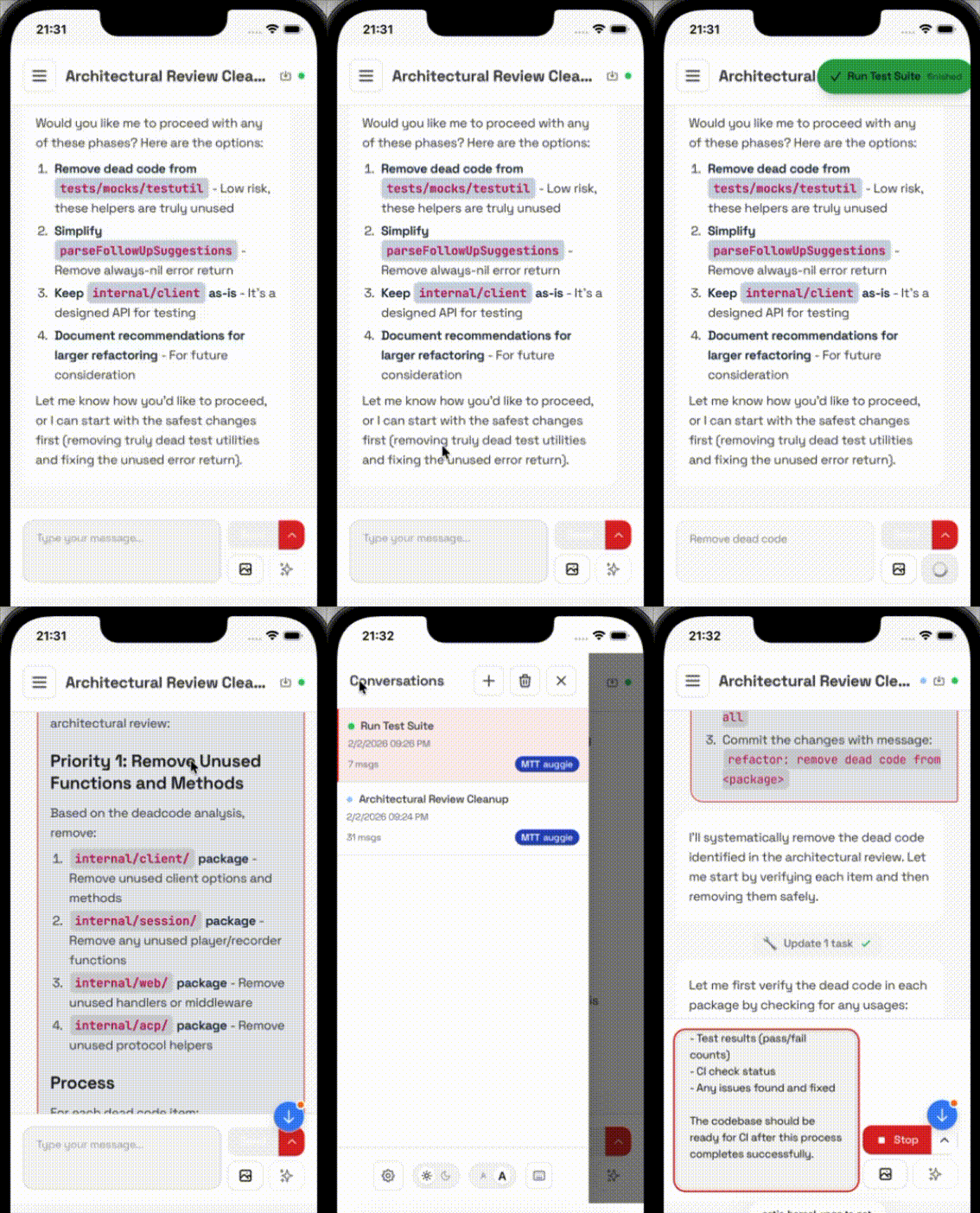
but you also want to be able to continue your work from your browser, or go for a coffee and
continue talking to your agents from your phone or from your tablet, and you want to be able
to switch between them easily, and you want to be able to do it all without having to
install yet another AI coding agent...
Features
🤖 Multi-Agent Support — Connect to Claude Code, Copilot CLI, Auggie or any ACP-compatible agent
🖥️ Multiple Interfaces — Native macOS app and Web Browser
🖥️ Mobile fiendly — Connect from your mobile phone to the sessions in your laptop, and continue your work on the go. Support touchscreen gestures for switching between conversations and more.
💬 Session Management — Automatic conversation history with resume capability
🎨 Rich Rendering — Syntax-highlighted code blocks and Markdown support
⚡ Streaming — Real-time responses with live updates
🔒 Permission Control — Review and approve agent actions
🖥️ Keyboard shortcuts — Use keyboard shortcuts to create, delete or navigate between conversations.
Quick Start
Install
Homebrew (macOS and Linux)
brew tap inercia/mitto
brew install mitto              # CLI only
brew install --cask mitto-app   # macOS app (includes CLI)
Manual Download
Download the latest release from the releases page:
- macOS: Download
Mitto-darwin-*.dmgfor the native app, ormitto-darwin-*.tar.gzfor CLI only - Linux: Download
mitto-linux-*.tar.gz
Configure
For Mac OS, just open the Mitto application from your
/Applicationsfolder and follow the instructions.For Linux, follow the instructions here.
Documentation
- 📖 Usage Guide: Commands, flags, examples
- ⚙️ Configuration: ACP servers, settings
- 🌐 Linux/Web Interface: Auth, hooks, themes, security
- 🍎 macOS App: Hotkeys, notifications
- 🔧 Development: Building, testing
- 🏗️ Architecture: Design internals
Requirements
- macOS, Linux
- An ACP-compatible agent (Claude Code, Auggie, etc.)
License
Yorumlar (0)
Yorum birakmak icin giris yap.
Yorum birakSonuc bulunamadi