remotly
Health Warn
- License — License: Apache-2.0
- Description — Repository has a description
- Active repo — Last push 0 days ago
- Low visibility — Only 5 GitHub stars
Code Fail
- rm -rf — Recursive force deletion command in .github/workflows/deliver.yml
- fs.rmSync — Destructive file system operation in bridge/scripts/capture.ts
- os.homedir — User home directory access in bridge/scripts/capture.ts
Permissions Pass
- Permissions — No dangerous permissions requested
No AI report is available for this listing yet.
Remotly: touch the grass, remote in hand. Remote control of all your coding agents, from your iPhone or Android.
Remotly
Touch the grass, remote in hand. Remote control of all your coding agents, from your iPhone or Android. Remotly is a
native app for the herdr sessions already running on your Linux or macOS machine: the live terminal
of every pane, one-tap approval of Claude Code, Codex and pi permission dialogs, and a notification when an agent is
waiting for you or has finished. The live terminal, pairing and input travel from the phone to your own machine over
your Tailscale network; there is no Remotly account. Push notifications are delivered through a
hosted relay, and by default they carry the text shown in the notification (below). Product site:
remotly.dev.

Set up your host: one installer line, then scan a QR from the app. Every step is in
ONBOARDING.md.
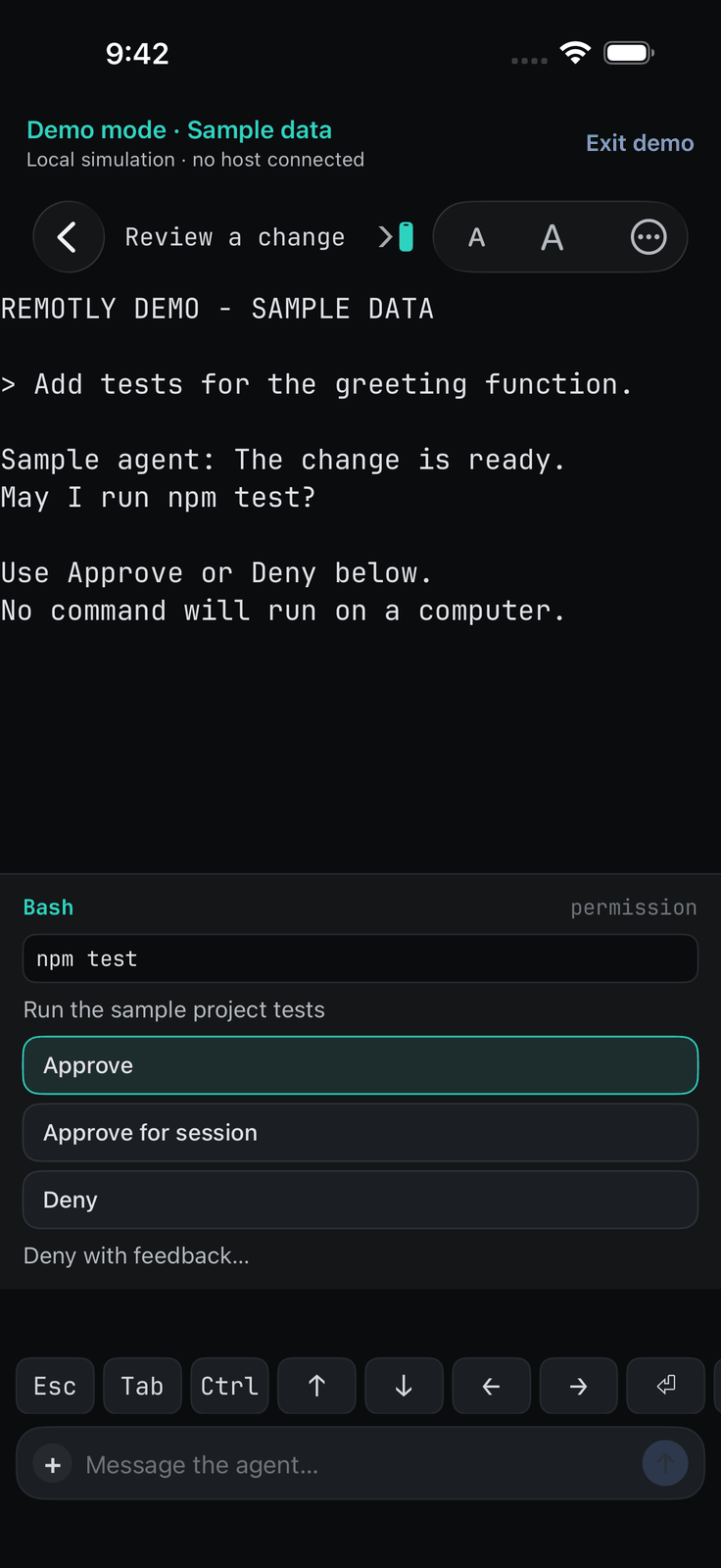
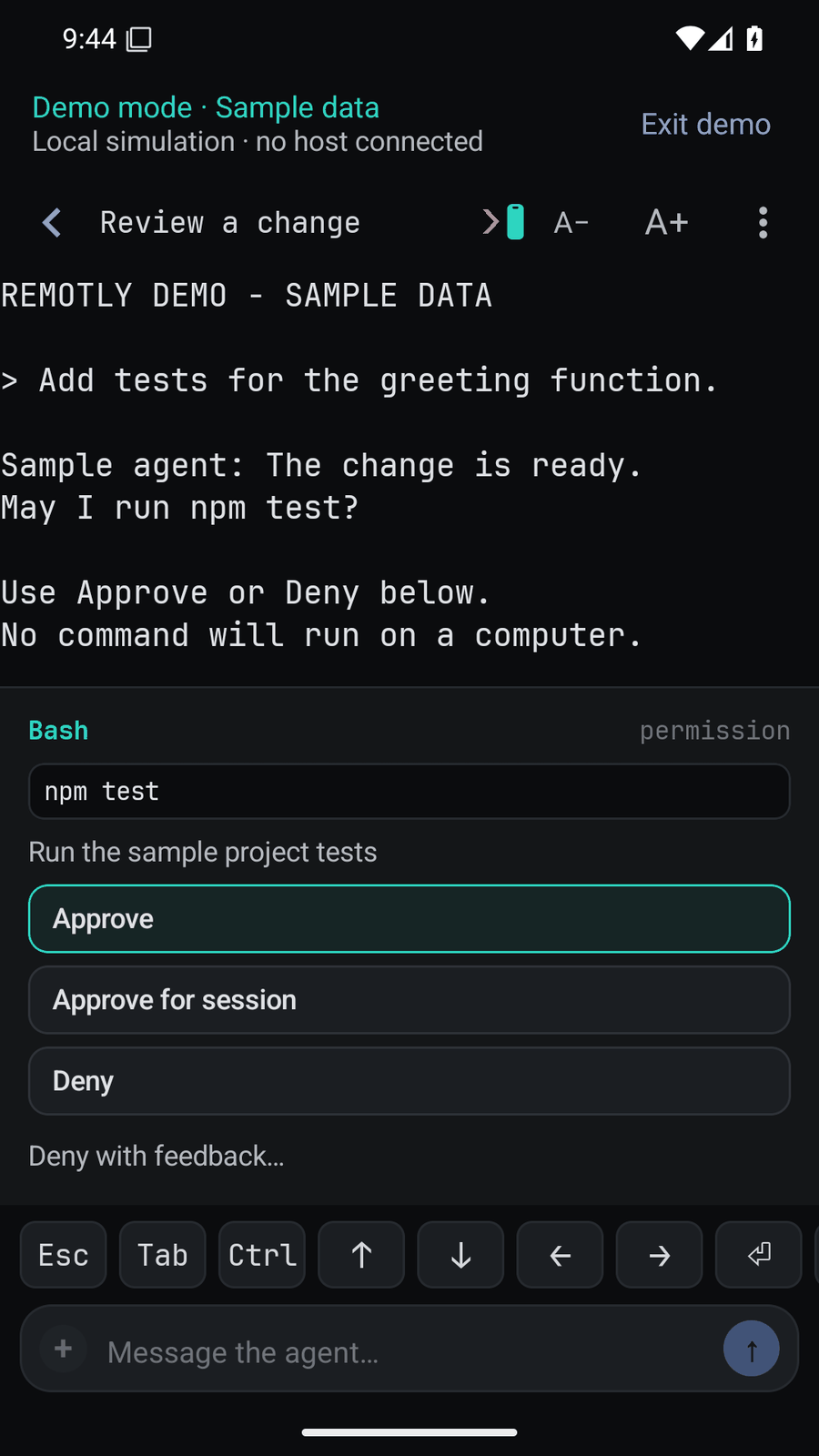
Approving a sample request in Try demo on iPhone and Android. Screenshots of the apps showing labelled sample
data, not a live host.
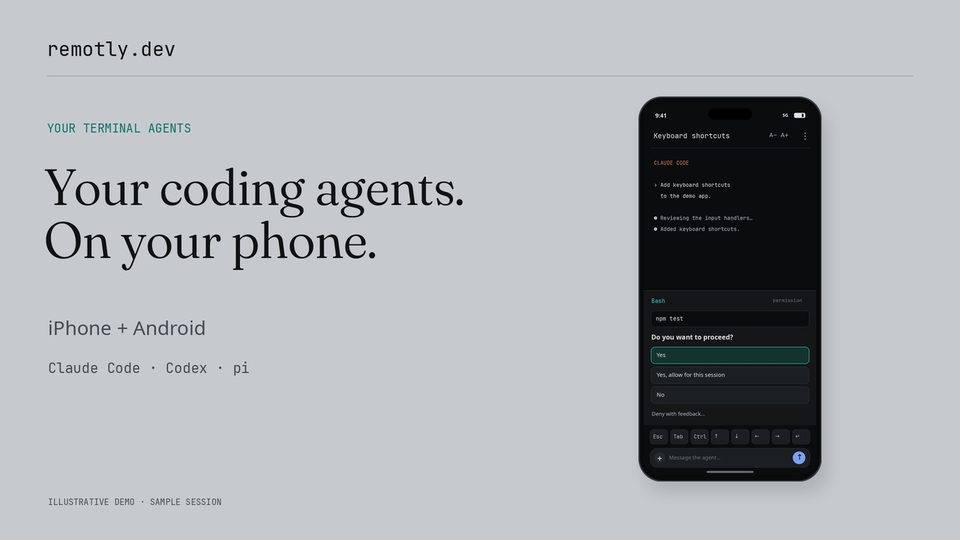
80-second walkthrough on YouTube, and a
44-second Short of the approve-and-reply flow. Both are illustrative
animations with synthetic sample sessions, not recordings of a phone.
What you need
- A Linux or macOS host running herdr 0.8.x (protocol 19) and Tailscale,
with MagicDNS and HTTPS certificates enabled for your tailnet. The bridge runs as a user service: a systemd user unit
on Linux, a launchd agent on macOS. - A phone on the same tailnet: iPhone or iPad (iOS 17 or newer) or an Android phone (Android 8.0 or newer), with the
Tailscale app installed. - Agents: the terminal, key row and composer work with any program in a herdr pane. Permission dialogs are
recognised for Claude Code, Codex and pi.
Terminal traffic, pairing and input go directly from the phone to your host over the tailnet. Notifications are the
exception: the bridge posts each one to the hosted push relay (relay.remotly.dev), which holds the apps' Apple and
Google push credentials and forwards it to Apple or Google, so you never handle push credentials. By default a
notification may include, depending on its kind, the dialog or the last visible lines of the pane, the session title
and the one-line approval summary; push.include_excerpt: false keeps that text on the host (bridge/README.md,
"Configuration"). Approve, Deny and Reply from a notification still go from the phone to your host over Tailscale
(relay/README.md).
Get started
- On the host — Linux | macOS, as the user who runs herdr:
The installer puts the bridge under your home directory, checks herdr and Tailscale and prints the fix for anythingcurl -fsSL https://remotly.dev/install.sh | sh
missing, requests the certificate, installs the user service and prints one pairing QR. - Install Tailscale on the phone and log into the same tailnet, then open Remotly → Pair and scan the QR.
- Allow notifications when the app asks.
Every step, LAN mode for a host without Tailscale (Android only) and daily use: ONBOARDING.md. To look
around before setting up a host, tap Try demo on the pairing screen: sample sessions run on the phone itself, with
no host, no account and no network connection to a bridge (docs/DEMO.md). App links:
App Store,
Google Play; or build the apps yourself
with your own Apple and Google records (ios/README.md, android/README.md, docs/DELIVERY.md).
Pairing a phone gives it shell access on the host as your user; the tailnet and TLS are the perimeter. Read
SECURITY.md before pairing.
Help and contributing
- Something broken or missing: open an issue.
remotly-bridge doctorprints a fix for every failing check; the runbook is docs/OPERATIONS.md. - A security problem: report it privately (SECURITY.md), never in a public issue.
- Changes are welcome: CONTRIBUTING.md has the ground rules and build commands,
docs/BACKLOG.md the open work, CHANGELOG.md what shipped. Bridge releases are
GitHub Releases taggedbridge-vX.Y.Z.
How it works
- The bridge (
bridge/; Node 24 runs the TypeScript directly, no build step) runs on the host beside herdr as a
user service (systemd on Linux, launchd on macOS). It reads herdr over its Unix socket, serves paired phones over TLS
WebSockets on the Tailscale interface, and sends push notifications. - The apps (
ios/: SwiftUI and theFlowKitpackage;android/: Kotlin and Compose) pair with the bridge by
scanning a QR, then show tabs and panes, a terminal grid, key row, composer and approval bar, plus a Live Activity /
ongoing notification while an agent works. - The push relay (
relay/, a Cloudflare Worker) holds the apps' APNs key and Firebase service account, so a host
never needs push credentials. A host that has its own credentials sends directly. - Shared (
shared/): the normative wire protocol, the
design system both apps follow, and golden test fixtures all three code bases check.
Documentation
ONBOARDING.md |
set up a host, pair phones, daily use |
bridge/README.md |
the daemon: install, CLI, configuration, how it works |
docs/OPERATIONS.md |
runbook: upgrades, TLS, pairing, push, troubleshooting |
docs/DEMO.md |
the apps' local demo mode |
docs/DELIVERY.md |
run your own TestFlight / Play delivery lane |
docs/herdr-findings.md |
measured herdr behaviour the bridge relies on |
CONTRIBUTING.md, docs/BACKLOG.md, CHANGELOG.md |
developing, open work, releases |
Licence and third-party material
Apache License 2.0 (LICENSE, NOTICE). The Android app bundles JetBrains Mono under the SIL Open Font
License 1.1 (android/app/src/main/assets/JetBrainsMono-OFL.txt) and receives push through Firebase Cloud Messaging,
which depends on the proprietary Google Play services. The fixtures under shared/fixtures/ are redacted terminal screen
captures (Claude Code, Codex CLI, shell programs) used for interoperability tests. herdr is a separate product with its
own licence; Remotly only talks to its socket API. Under docs/assets/readme/, the App Store and Google Play badges
are Apple's and Google's official artwork, used unaltered under their badge guidelines and not covered by this
repository's licence; demo-approval-*.png and social-preview.png are screenshots of the apps' demo mode with sample
data; demo-video-thumbnail.jpg is the thumbnail of the illustrative animated walkthrough on YouTube, not an app
screenshot.
Remotly.dev is developed and maintained by Inference Aftermath. We are building
Entwyn  .
.
Reviews (0)
Sign in to leave a review.
Leave a reviewNo results found