Awwwards-mcp
Health Gecti
- License — License: MIT
- Description — Repository has a description
- Active repo — Last push 0 days ago
- Community trust — 88 GitHub stars
Code Basarisiz
- fs module — File system access in .github/workflows/parser-drift.yml
- spawnSync — Synchronous process spawning in scripts/doctor.mjs
- process.env — Environment variable access in scripts/doctor.mjs
- network request — Outbound network request in scripts/doctor.mjs
- process.env — Environment variable access in scripts/enrich-styles.mjs
- network request — Outbound network request in scripts/enrich-styles.mjs
- process.env — Environment variable access in scripts/parser-drift-probe.mjs
- network request — Outbound network request in scripts/parser-drift-probe.mjs
Permissions Gecti
- Permissions — No dangerous permissions requested
Bu listing icin henuz AI raporu yok.
Free, open-source MCP server that gives AI coding agents (Claude Code, Codex, Cursor, OpenCode, ZCode…) design inspiration from award-winning websites — search with real screenshots, pull design DNA, capture and record live sites. A Mobbin alternative. No API key.
awwwards-mcp
Free, open-source MCP server that gives AI agents design inspiration from
Awwwards — the Mobbin-style visual reference loop,
sourced from the web's best award-winning websites.

Your agent searches in natural language ("dark 3D portfolio sites", "soft pastel
e-commerce"), sees real screenshots inline, and can pull the design DNA
of any site: color palette, tech stack, design elements, award history.
Free-text queries run on a porter-stemmed, prefix-matching FTS5 index with BM25
ranking — "magazines" now finds Magazine-tagged sites (68 on the live index),
best matches first, where the old substring path returned zero. Multi-word
queries keep AND semantics: every token must hit the same site.
Tools
| Tool | What it does |
|---|---|
search_sites |
Search by color, tags, technology, award type or free-text query. Multi-word queries match against the local FTS5 index and rank BM25 (title hits lead); zero results come with loose-match and taxonomy-tag hints. Default full results include each site's screenshot; use responseMode: "compact" for concise cards and inline previews of only the first two results on the requested page. |
get_site_details |
Full design DNA for one site: palette, technologies, elements, awards, description. |
compare_sites |
Compare 2–3 sites' design DNA and jury scores as text-only JSON. Uses cached details or fetches missing detail pages. |
get_index_status |
Read local index count, crawl progress, last success/error, lock state and freshness without network requests. |
get_site_elements |
Component-level visuals for one site: each element's poster image inline (3D models, video content, mobile layouts, microcopy…) + video URLs. |
list_categories |
Every filter the agent can search by (200+ tags, 27 colors). |
capture_live_site |
Optional: fresh full-page screenshot of any live URL. Waits for load + a settle window with a bounded pre-scroll, so heavy sites work (waitStrategy: "networkidle" available). Pass viewport: "mobile" for the 390×844 iPhone-class render ("desktop" 1440×900 default). (needs playwright). |
analyze_page_structure |
Section band map of any page (live URL or local file:// build): tag, background, offset, height per band. Compare a reference site's structure against your build. Same heavy-site-friendly wait (waitStrategy: "networkidle" available); viewport: "mobile" analyzes the phone-class layout ("desktop" default). (needs playwright). |
record_site_motion |
Optional: short motion-through video of a live URL — preloader, scroll-triggered and hover/cursor animations. Returns an inline filmstrip JPEG plus the saved .webm path. viewport: "mobile" records at phone size — the filmstrip renders at the selected viewport, no pillarboxing ("desktop" default). (needs playwright + ffmpeg-static). |
search_elements |
Search the inspiration-elements gallery (footer, hero, pricing, 404…) by free text; ranks BM25 over title/author/category. |
get_element |
One element record: title, category, author, built-with stack, related elements and its media URL (image or video) pointing at awwwards' CDN. |
get_motion_dna |
Runtime motion fingerprint of a live URL: animation libraries, render engines, ScrollTrigger stats (trigger count, scrub ratio), tween easing/duration vocab and the scroll model. Fresh capture or cached capture with timestamp. |
search_motion |
Search previously captured motion-DNA scans by library, scroll model or easing vocabulary — find references by how a site moves. |
Data posture: element records store metadata + media URLs pointing at
awwwards' own CDN — nothing is mirrored. Motion DNA records are local
captures, each stamped with the time it was taken.
Setup
v1.0.0 — the first stable release. Any MCP-compatible coding agent can use awwwards-mcp — no API key, no account.
Requires Node ≥ 22.13 (node -v to check). Pick your agent:
Updates: the server checks the npm registry once a day and prints an
stderr notice when a newer awwwards-mcp exists (stdout stays clean for the
JSON-RPC channel — your agent sees the notice as a log line). SetAWWWARDS_AUTO_UPDATE=1 in the server's env to opt into background
self-update; restart your agent afterwards to load it. Nothing is fetched
more than once a day and serving never waits on the check.
Claude Code
claude mcp add awwwards -- npx -y awwwards-mcp
Codex CLI (ChatGPT desktop app and the IDE extension share this config)
codex mcp add awwwards -- npx -y awwwards-mcp
or in ~/.codex/config.toml (project-scoped: .codex/config.toml):
[mcp_servers.awwwards]
command = "npx"
args = ["-y", "awwwards-mcp"]
OpenCode (opencode.json — note the command is an array)
{
  "$schema": "https://opencode.ai/config.json",
  "mcp": {
    "awwwards": {
      "type": "local",
      "command": ["npx", "-y", "awwwards-mcp"]
    }
  }
}
ZCode (~/.zcode/cli/config.json — note servers nest under "mcp": { "servers": ... })
{
  "mcp": {
    "servers": {
      "awwwards": { "command": "npx", "args": ["-y", "awwwards-mcp"], "env": {} }
    }
  }
}
Claude Desktop / Cursor / Windsurf / Gemini CLI / Cline / Continue — anything
reading the common mcpServers JSON shape (e.g. ~/.claude/claude_desktop_config.json
or ~/.gemini/settings.json):
{
  "mcpServers": {
    "awwwards": { "command": "npx", "args": ["-y", "awwwards-mcp"] }
  }
}
Anything else — awwwards-mcp is a plain stdio MCP server: point your client
at npx -y awwwards-mcp and it works. To pin a version, usenpx -y [email protected].
pi coding agent has no built-in MCP by design — it uses skills and
extensions instead. Two options:
- Install the awwwards-inspiration skill (below). pi reads skills from
~/.pi/agent/skills/or~/.agents/skills/(the latter is shared across
agents following the Agent Skills standard). The skill teaches the workflow;
for it to reach the live data, add an MCP-supporting pi extension, or run
the queries in another agent and paste results. - Skip MCP entirely: ask pi to build you a small CLI wrapper around
awwwards.com, or use a shared skills directory (~/.agents/skills/) so the
same skill file serves pi and every other agent.
Optional full-page captures (needed by capture_live_site,analyze_page_structure, record_site_motion):
npm install -g playwright && npx playwright install chromium
record_site_motion additionally uses ffmpeg; it resolves the ffmpeg-static
package automatically if present.
Skills
This package ships three agent skills. Any agent that follows the
Agent Skills standard can load them; copy them into
your agent's skills directory:
npm install awwwards-mcp
mkdir -p ~/.agents/skills && cp -r node_modules/awwwards-mcp/skills/awwwards-inspiration node_modules/awwwards-mcp/skills/awwwards-doctor node_modules/awwwards-mcp/skills/awwwards-motion-study ~/.agents/skills/
| Skill | What it teaches |
|---|---|
awwwards-inspiration |
The inspiration loop: search, judge from screenshots, pull design DNA, state a design direction, capture/motion-first builds. |
awwwards-motion-study |
The full video chain: what to record from a live site (and what to skip), frame-by-frame review (video input or tile-per-element), the motion inventory, and build verification by re-recording. |
awwwards-doctor |
Repair: run npm run doctor, apply its fixes, re-anchor parsers after real awwwards.com drift, recover the in-flight task that surfaced the failure. |
| Agent | Skills directory |
|---|---|
| Claude Code | ~/.claude/skills/ |
| pi | ~/.pi/agent/skills/ (also reads ~/.agents/skills/) |
| ZCode | ~/.zcode/skills/ |
| Agent Skills-standard agents | ~/.agents/skills/ |
Windows: run this from Git Bash, or copynode_modules\awwwards-mcp\skills\awwwards-inspiration manually.
Indexing (recommended)
search_sites works out of the box, but its depth is limited by polite live
scraping (~31 sites per filter page). Build a local index once and searches
draw from thousands of award-winning sites instantly:
npx -y -p awwwards-mcp awwwards-index      # once published
# or, from a local checkout of this repo:
npm run index
- Crawls all ~200 tag pages at 1 request/second (~4 minutes) into the local
SQLite cache at~/.awwwards-mcp/. - Resumable: interrupt it and re-run — completed pages are skipped.
- The MCP server re-indexes automatically in the background whenever the
index is older than 7 days (never blocking your session). Completed crawl
checkpoints are cleared so each refresh actually revisits the tag pages.
Runget_index_statusto inspect progress or the last crawl error.
Site details (palettes, tech stacks) are still fetched on demand and cached
for 7 days. Awwwards page and CDN requests have a 10-second deadline per
attempt, including response-body reading; transient page failures are retried
once, while blocks (403/429) and CDN failures are not retried.
How it works
- Live, polite scraping of awwwards.com public pages (max 1 request/second,
robots.txt-compliant paths only, cached 7 days in SQLite at~/.awwwards-mcp/). - Screenshots are served from Awwwards' own CDN (880×660), cached on disk.
- No API key, no account, no cost.
Ethics & terms
This tool fetches publicly available pages for personal design-inspiration
use, at human-ish request rates, honoring robots.txt. Awwwards' screenshots
and content remain the property of Awwwards and the credited creators — don't
bulk-scrape, redistribute, or republish them. If you use this commercially,
review awwwards.com's terms yourself.
Built with awwwards-mcp: four real sites
Four complete sites were built through the full inspiration loop this MCP
enables, using nothing but the server's tools plus the shippedawwwards-inspiration skill. Each one exercised a different corner of the
loop — and every correction the loop caught on the way became doctrine in the
skill.
Built in one shot, by a model that can't watch video. All three sites
were built in a single prompt run on GLM 5.3-flash — which does not
support video input. The loop's motion study worked entirely from
frame-tiled filmstrips (ffmpeg, 1–2 fps per element) instead of watching
the recordings. With a video-native model, those sameget_site_elements
videos andrecord_site_motion.webm files could be watched directly —
timing, easing and overlap read at full fidelity — and the motion-true
results would be better still. The skill's frame-tile doctrine is what
closes that gap today.
Watch the whole loop run (1:50):
Screen recording of the agent running the awwwards-inspiration loop end to
end with the awwwards MCP tools — searching SOTD references with inline
screenshots, pulling design DNA, frame-studying element videos, building, and
verifying with band maps + motion recording. If your client doesn't render
the player, watch the file directly.
1. Ridge
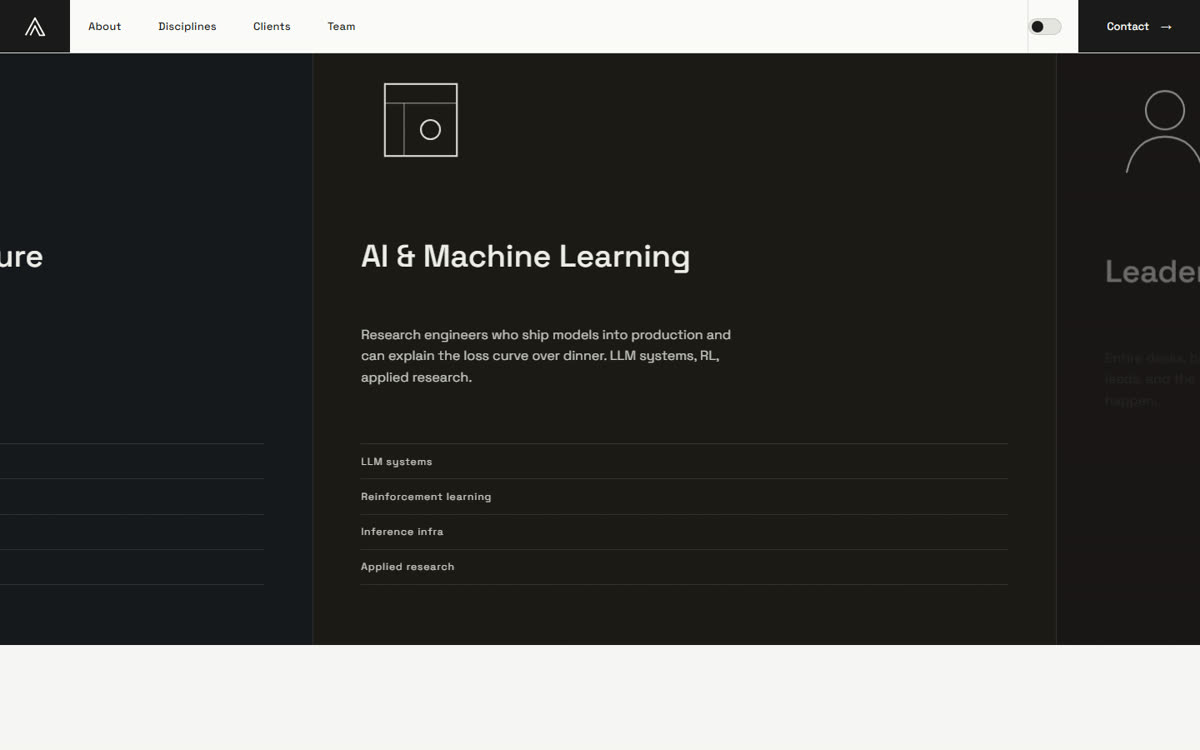
(source) — a Swiss-minimal single-page showcase for a fictional engineering-talent studio, direction Aspen Search (SOTD + Developer Award, jury 7.48): monochrome #FAFAF8/#1A1A1A + mint, giant grotesque section markers, halftone grain, asymmetric panel grid, dark discipline panels in an interior horizontal pin passage, count-up stats, client rows, theme toggle, cursor-follower. Built with the v1.4.0 toolkit: FTS5-ranked direction search, both-viewports reference captures and QA (desktop 7,849px + mobile 390×844), overflow audit (0px both), pin-center shots, film verification — and the skill-memory flywheel recorded the findings. QA evidence: showcase/ridge/_qa/.
The grain-panel hover, studied from aspensearch.com's recording and rebuilt as a canvas dither-dissolve — dots flip to mint around the mouse, the trail elongates, the boundary dissolves:

| Panel grid (desktop) | Horizontal discipline passage | Mobile 390×844 |
|---|---|---|
 |
 |
 |
2. Fallow Press
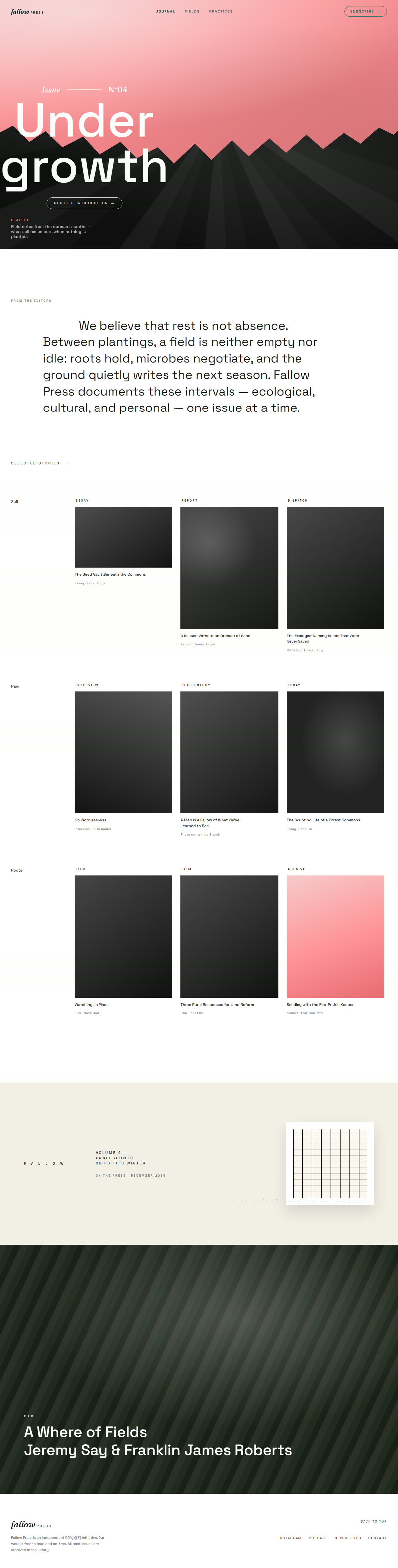
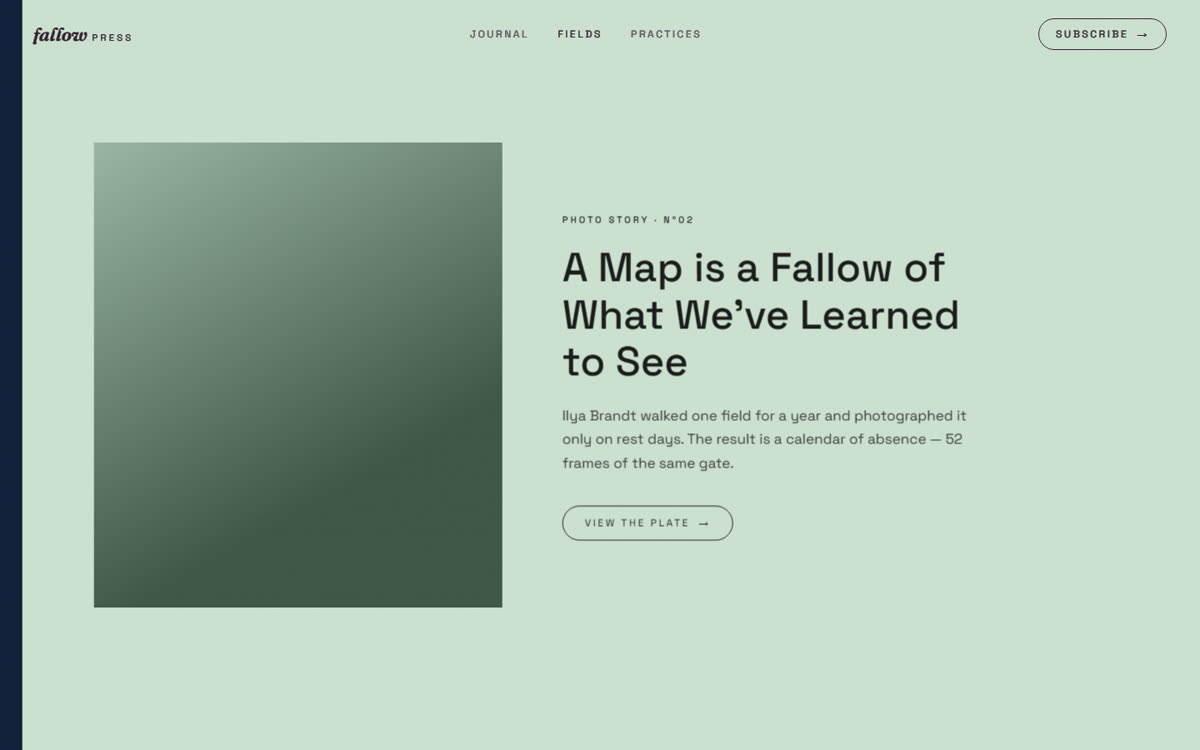
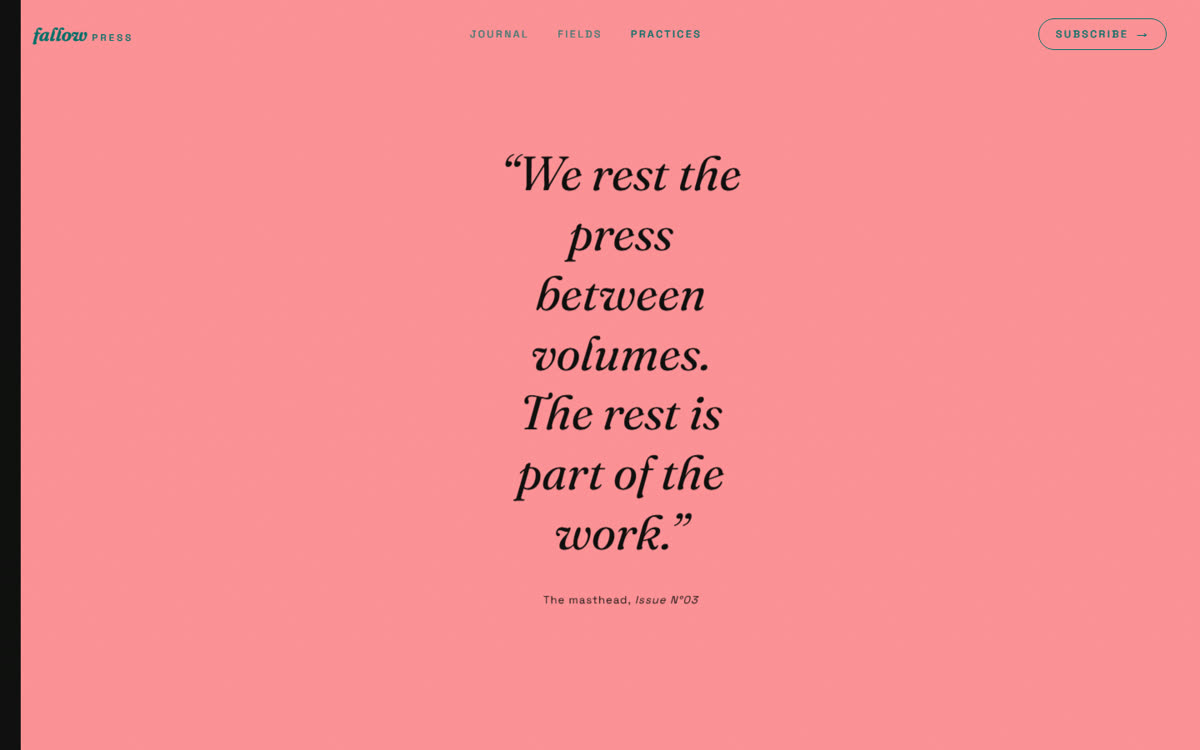
(source) — a flat-2D editorial journal, direction
Emergence Magazine (SOTD): pink #FF9398 on cream and black, torn-paper
masthead (pure CSS clip-path, zero WebGL), giant grotesque display over
grayscale photography, serif-italic brand, three pages with separate
horizontal projects/about pages (GSAP ScrollTrigger pin +containerAnimation).
| Torn-paper masthead (home) | Horizontal gallery (Fields) | Horizontal chapters (Practices) |
|---|---|---|
 |
 |
 |
The loop as it ran:
search_sites(magazine filters) → shortlist judged from inline
screenshots →get_site_detailson Emergence Magazine.- Capture before building:
capture_live_site+record_site_motion
on the live site first; full-page PNG and motion .webm kept in
fallow-press/ref-motion/ as the evidence trail. - Build, then verify: full-page capture plus panel-center pin shots of
both horizontal pages (13 stops each, in
fallow-press/_qa/ —capture-qa.mjsis reusable). - The pin shots caught a real bug: horizontal-panel entrances used
toggleActions: "play none none reverse", and 100vw panels hide content
at midpoints on the way back — copy disappeared mid-view. Fix
(one-shot play entrances) is now doctrine: full-viewport panels get
one-shot entrances; QA pin shots land at panel centers, not uniform
fractions, or you photograph empty transition zones.
3. Cerebrium recreation (C:/Users/Afjal/cerebrium-recreation/) — a
fidelity-first recreation of cerebrium.ai, pixel-checked against the live
reference: full-page captures of both sides, analyze_page_structure band
compare, and SVG icon/legend fixes until the build matched the reference to
within 1px of total page height (10,871px vs 10,870px). This is the
structure-before-pixels doctrine at its strictest — band maps compared,
never just totals.

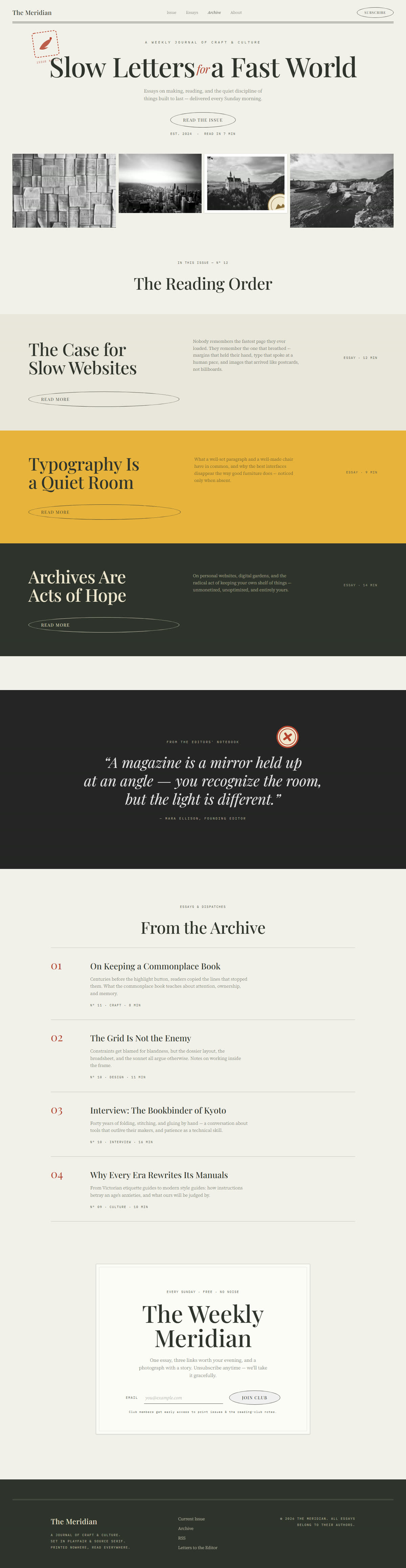
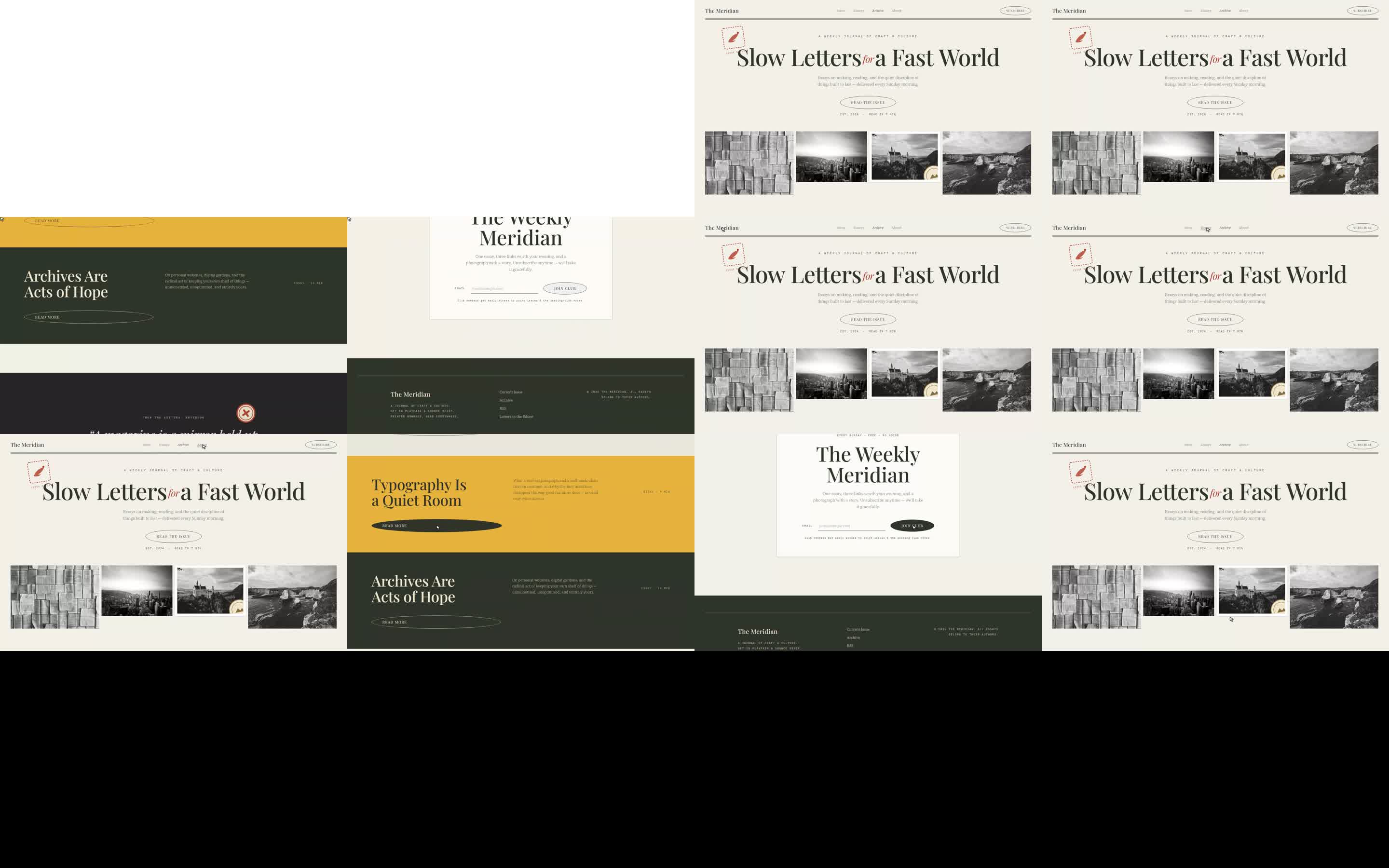
4. The Meridian (C:/Users/Afjal/editorial-site/) — an editorial journal
built from ORDR/Hearst references: the first build to run the whole loop
end-to-end. analyze_page_structure caught a masthead band bug by comparing
the build's band map against the reference's; the reference captures,
motion film, and the reusable pre-scroll capture script live ineditorial-site/_qa/.
Skills used to build these
| Skill | Role in the builds |
|---|---|
awwwards-inspiration |
The 8-step loop itself (ships with this package): search → judge from screenshots → design DNA → capture/motion study → state direction → build → band-map verify. |
gsap-scrolltrigger |
The horizontal pin + containerAnimation pattern (ease "none", one-shot entrances) driving both Fallow Press horizontal pages. |
gsap-core / gsap-timeline |
Tween composition and sequenced hero entrances (torn-paper drop, panel copy rises). |
frontend-design |
Typography, palette and layout judgment applied when translating reference DNA into original pages. |
lenis (library, via skill guidance) |
smooth scrolling synced to ScrollTrigger on the Fallow Press home page. |
tailwindcss / plain CSS |
All builds are plain hand-rolled CSS — flat 2D, no frameworks needed. |
The skills self-improve: every loop pass records what verification caught (scripts/skill-memory.mjs record), and a deterministic distiller folds rules seen 2+ times into your installed skill copy — while the shipped copies only change via human PR. A techniques registry (skills/_memory/techniques.json) catalogs researched how-tos per domain (video understanding, motion detection, UI structure, micro-interactions, images).
Reduced-motion, JS-less visits, and capture tools all get graceful fallbacks
(vertical stacks; progressive-enhancement reveals).
What the verification loop caught — proof the structure-before-pixels
doctrine is load-bearing:
- Element posters lie: the first showcase build was designed from poster
frames alone and rendered a spinning 3D ring as floating static cards.
Downloading the element videos (get_site_elements) and frame-tiling them
revealed the motion truth — now the skill mandates studying motion before
animating. - Full-page captures of reveal-on-scroll builds showed blank sections:
.reveal
animation state vs capture's no-scroll reality. Builds ship
content-visible-without-JS progressive enhancement. - Horizontal-panel copy vanished mid-view on the Fallow Press pages:
toggleActionsreverse reverts entrances while a 100vw panel is still
holding the viewport (see above). - Band-map compare kept the references' rhythm instead of drifting on
section heights (Cerebrium, The Meridian).
Prompt counts: 3 for the original showcase build (the build ask, the
motion correction that exposed the poster-lie, the structure pass) and
1 for Fallow Press ("create a new website using our MCP and skills… no
3D websites") — its two follow-ups were caught by the QA loop, not by the
user. Each correction became doctrine in the shipped awwwards-inspiration
skill: frame-study element videos before animating; judge page architecture
from the studied passages; tile per element, not one giant filmstrip;
capture live sites and animation before building.
Can awwwards-mcp crawl the sitemap? (robots.txt notes)
The awwwards.com robots.txt advertisesSitemap: https://www.awwwards.com/sitemap.xml and — verified live
2026-09-18 — that sitemap URL returns a soft-404 HTML page (as do common
child names like /sitemap-websites.xml). So sitemap discovery isn't
currently a path to more data; the polite crawl surface is exactly what the
indexer uses:
- Allowed and used:
/websites/,/websites/<filter>/,/sites/<slug>
(one filter per URL; deep pagination stays un-crawled). - Disallowed and never fetched:
/tag/,/search-websites,/websites/?(query-string pagination),/elements/*,/vote/,
favourites/likes/follows, and the rest of the 33 rules. - Our client (
src/awwwards.tsbuildFilterUrl) constructs only/websites/…paths at 1 request/second — the loop stays inside the
published rules by construction, not by convention.
Contributing
PRs welcome! The project especially needs parser-drift fixes — when live
awwwards.com markup changes, a fresh HTML snapshot attached to an issue often
becomes the new test fixture and the fastest merged PR. See
CONTRIBUTING.md for the full guide:
Parser-drift is monitored automatically. A probe script
(scripts/parser-drift-probe.mjs,npm run drift) checks every markup anchor the parsers depend on — thesplit/indexOf/regex literals in src/parsers.ts — against the live
listing and detail pages (2 fetches, 1 request/second, same politeness as
the client). A daily GitHub Action (.github/workflows/parser-drift.yml)
runs it and, on drift, opens/updates a single tracking issue with the exact
anchors that changed (and auto-closes it when a later run is green). To run
it yourself: npm run drift (live, exit code 0/1/2) or npm run drift -- --fixture
(offline, checks the committed fixtures still feed every anchor). Raw HTML
is never diffed or stored — anchors only fire when the parsers actually
break, so there are no false alarms from cosmetic tweaks.
- Development setup & project layout (offline fixture-tested, no network in tests)
- How to create a PR: fork →
fix//feat//docs/branch → typecheck + tests → PR template - The politeness constraints new code must keep (1 req/s, robots.txt paths, light runtime deps)
Bugs and feature ideas start as
issues with
templates. Security problems go privately — see
SECURITY.md. By participating you agree to the
Code of Conduct.
Development
npm install
npm test        # offline unit tests against committed HTML fixtures
npm run smoke   # manual live smoke test against awwwards.com
npm run build   # compile to dist/
MIT — see LICENSE.
Yorumlar (0)
Yorum birakmak icin giris yap.
Yorum birakSonuc bulunamadi