awesome-loop-engineering
Health Pass
- License — License: MIT
- Description — Repository has a description
- Active repo — Last push 0 days ago
- Community trust — 15 GitHub stars
Code Pass
- Code scan — Scanned 12 files during light audit, no dangerous patterns found
Permissions Pass
- Permissions — No dangerous permissions requested
No AI report is available for this listing yet.
Build the system that prompts your agents. A teaching repo for loop engineering: chapters, an annotated reading list, copy-paste prompts, a runnable example, and a portable agent skill
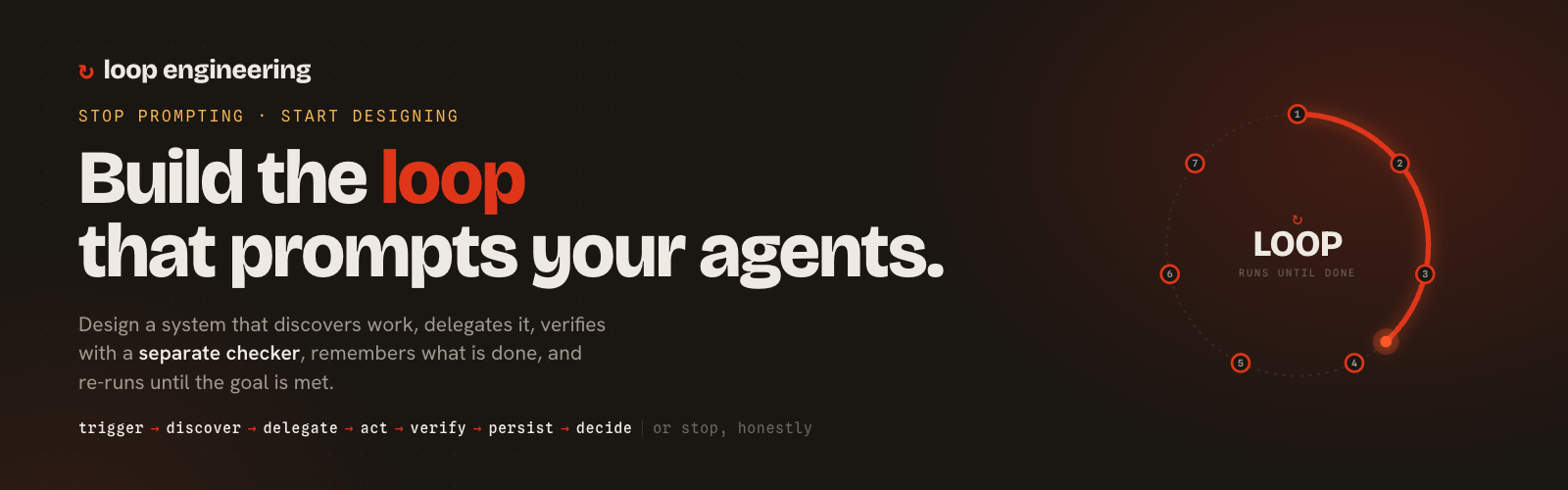
Awesome Loop Engineering
Learn loop engineering: the practice of designing systems that prompt, check,
remember, and re-run AI coding agents for you, instead of prompting them by hand, turn after turn.





Website · Learn · Prompts · Build your own loop · Cheat sheet
This is a teaching repo, not a link dump. It has four parts:
- Learn — in-depth, plain-language chapters that explain loop engineering from first principles.
- Read — a large, annotated reading list (~100 sources): the essays that named the field, the papers it stands on, the evals/observability canon, the talks, and the skeptics.
- Practice — a library of real, copy-paste loop prompts (Ralph loops,
/goaland/loopcommands, Codex automations, maker/checker sub-agents, verifier rubrics, and full loop contracts). - Build — a portable agent skill that walks you through designing and scaffolding a loop for your own workflow, plus a small runnable example in plain Python.
Fast paths:
- 🌐 Website (the one-page tour)
- 🛑 When not to build a loop (the decision rule + readiness scorecard)
- 🧩 Build a loop for your workflow (the skill)
- 📄 Cheat Sheet (the whole field on one page)
- 📊 Case studies (real loops, real numbers)
- ❓ FAQ (is this just cron? is prompting dead?)
- 🛠 Hands-on: Claude Code / Codex / Cursor / OpenCode
- 🧠 Field Notes (13 hard-won lessons)
What is loop engineering, in one paragraph
For two years, getting work out of a coding agent meant writing a prompt, reading the reply, and typing the next prompt — you held the tool the whole time. Loop engineering replaces you as the thing that prompts the agent. You build a small system that discovers work, hands it to an agent, checks the result with a separate verifier, writes down what's done, decides what's next, and re-runs on a schedule. As Addy Osmani put it in the essay that named the field (June 2026): "Build the loop. But build it like someone who intends to stay the engineer, not just the person who presses go."
The two quotes that kicked it off:
"You shouldn't be prompting coding agents anymore. You should be designing loops that prompt your agents." — Peter Steinberger
"I don't prompt Claude anymore. I have loops running. They're the ones prompting Claude and figuring out what to do. My job is to write loops." — Boris Cherny, creator of Claude Code
Who this is for
- You use a coding agent daily (Claude Code, Codex, Cursor) and you're tired of being its full-time hand-cranker.
- You keep re-typing the same prompts ("fix the failing tests", "triage the new issues") and suspect a machine should be doing the typing.
- You want the leverage without losing the plot — to automate the inner loop while staying the engineer who owns verification, comprehension, and intent.
No prior "agent" theory required. If you can write a shell while loop and read a diff, you can start.
Where it sits: the lineage
Loop engineering is the newest floor in a four-story stack. Each layer makes the one below it more useful:
| Layer | The question it answers |
|---|---|
| Prompt engineering | What should I say to the model? |
| Context engineering (Karpathy) | What state and knowledge should the model see? |
| Harness engineering | What tools, permissions, tests, and sandboxes should surround one agent run? |
| Loop engineering | What recurring system should discover, delegate, verify, persist, and re-run — when the human is no longer in the inner loop? |
Prompt, context, and harness make one run better. The loop makes recurring work reliable, observable, and governable. → Full explanation in docs/02 — The Lineage.
The shape of a loop
Objective
  │
  ▼
Trigger / cadence            ← an automation fires the loop (the "heartbeat")
  ▼
Discover / intake work       ← read CI failures, issues, alerts, a task list
  ▼
Delegate to an agent         ← the "maker" proposes a change
  ▼
Act in an isolated workspace ← a git worktree, so parallel agents don't collide
  ▼
Verify with a SEPARATE checker  ← tests, lint, an independent reviewer agent (the "/goal")
  ├── fail → feed the evidence back and retry
  └── pass → persist state, then decide what's next
  ▼
Repeat — or stop on: goal met · budget spent · stalled · needs-a-human
A loop is not a cron job. A cron job repeats blindly; a loop discovers, verifies, persists, and decides what's next — and stops for an honest reason. → docs/03 — Anatomy of a Loop.
Start here (a reading path)
In a hurry? The Cheat Sheet is the whole field on one page, and the FAQ clears up the common confusions. Otherwise, read in order:
- docs/01 — What Is Loop Engineering — the idea, plainly.
- docs/02 — The Lineage — prompt → context → harness → loop.
- docs/03 — Anatomy of a Loop — the lifecycle and the "loop contract."
- docs/04 — The Five Building Blocks — automations, worktrees, skills, connectors, sub-agents (+ memory).
- Build your own: run the loop-engineering skill, or copy a prompt from prompts/ into Claude Code, Codex, Cursor, or OpenCode, or follow the hands-on docs/10 guide.
- Go deeper: verification, memory, stacking loops.
- Stay honest: token economics and the risks.
- Steal the lessons: Field Notes — 13 cross-cutting things that took everyone else a while to learn.
The docs (learn it in depth)
| # | Chapter | What you'll learn |
|---|---|---|
| 01 | What Is Loop Engineering | The core idea and why it appeared in 2026 |
| 02 | The Lineage | Prompt → Context → Harness → Loop |
| 03 | Anatomy of a Loop | The lifecycle + the 11-part loop contract |
| 04 | The Five Building Blocks | Automations · Worktrees · Skills · Connectors · Sub-agents · Memory |
| 05 | Stop Conditions & Verification | /loop vs /goal, maker/checker, LLM-as-judge |
| 06 | Memory & State | Ralph, session-as-event-log, brain/hands/session |
| 07 | Stacking Loops | Loopcraft, the 4-loop stack, going UP vs DOWN |
| 08 | Token Economics | O(N²) cost, the 4×/15× figures, budgets, the orchestration tax |
| 09 | Risks & the Debt Trilogy | Comprehension, cognitive, and intent debt; cognitive surrender |
| 10 | Building Loops in Claude Code, Codex, Cursor & OpenCode | Hands-on: claude -p, codex exec, cursor-agent, opencode run, the brakes per tool |
| 11 | Case Studies | Real loops with real numbers — and the loops that bit back |
| 12 | Security & Failure Modes | Reward hacking, the lethal trifecta, doom loops, the threat catalog |
| 13 | Evaluating the Loop | Evals as the regression suite, trajectory vs outcome, proving the verifier |
| 00 | When Not to Build a Loop | The decision rule: when a loop is the wrong tool |
| — | Glossary | Every term in one place |
| — | Field Notes | Hard-won synthesis: 13 cross-cutting lessons |
| — | Cheat Sheet | The whole field distilled to one page |
| — | FAQ | The questions everyone asks first |
Practice (copy-paste loop prompts)
The prompts/ library collects real prompts you can adapt today:
- Ralph loops — the
while :; do cat PROMPT.md \| agent; donetechnique and its refined descendants. /goal&/loop— Claude Code stop-condition and cadence prompts.- Automations — OpenAI Codex scheduled-automation prompts (triage, CI repair, PR babysitting).
- Sub-agents (maker/checker) — explorer, implementer, and independent-verifier skills.
- Verification rubrics — LLM-as-judge graders that return PASS/FAIL with evidence.
- Loop contracts — full specs (PR babysitter, CI repair, incident response, dependency triage, PR review, doc-drift repair, flaky-test hunt).
Build a loop for your own workflow (the skill)
The loop-engineering skill is a portable agent skill you can drop into Claude Code, Codex, Cursor, or OpenCode. Point your agent at it and it will interview you about the work you keep doing by hand, fill in an 11-part loop contract, choose honest stop conditions and budgets, and scaffold the files so you finish with a loop you can actually run — and trust.
Install it with one command — it asks which agent you use and where to put it:
npx github:invincible04/awesome-loop-engineering
Or copy the folder yourself (a skill is just a folder with a SKILL.md):
cp -r skill/loop-engineering .claude/skills/loop-engineering   # Claude Code
cp -r skill/loop-engineering .opencode/skills/loop-engineering  # OpenCode
Then ask your agent: "Use the loop-engineering skill to help me design a loop for <the thing you keep doing by hand>." See skill/loop-engineering/README.md for every install path and tool.
A runnable example
examples/runnable/ is a dependency-free Python implementation of the loop machinery — engine, budget, memory, a separate verifier, and the four honest stop conditions — with a test suite. Read it to see the ideas execute, not just described.
cd examples/runnable
python -m loop_cookbook                    # watch a maker/checker loop converge and stop
python -m unittest discover -s tests -v    # 10 tests, standard library only
Contributing
New chapters, sources, and (especially) real attributed prompts are welcome — see CONTRIBUTING.md. Released under the MIT License: use anything here freely.
Spread the loop
If this helped you stop hand-cranking your agents, star the repo and pass it on. The best way to share it is the one-page website — it teaches the whole idea in a single scroll.
A note on dates: loop engineering is young (the term took off in June 2026). Perishable claims — token multipliers, tool features, model behavior — carry an "as of" note, because they expire. What changed between revisions is tracked in the CHANGELOG. Corrections via PR are very welcome.
Reviews (0)
Sign in to leave a review.
Leave a reviewNo results found