V-Agent
Health Warn
- License — License: Apache-2.0
- Description — Repository has a description
- Active repo — Last push 0 days ago
- Low visibility — Only 7 GitHub stars
Code Pass
- Code scan — Scanned 12 files during light audit, no dangerous patterns found
Permissions Pass
- Permissions — No dangerous permissions requested
No AI report is available for this listing yet.
Local-first AI agent for Windows: run GGUF models with llama.cpp, Strata or Strata Rust and give them real tools (files, commands, web, browser, MCP) with per-action approvals. Hugging Face model browser, code checks, signed updates, no telemetry.
V-Agent
A local-first AI agent for Windows.
Run GGUF models on your own PC — or connect an OpenAI/Claude-compatible API — and give them real
tools with clear permissions.


Download · Architecture · Quality · Changelog · Leer en español

[!IMPORTANT]
Built and tested independently, funded 100% out-of-pocket.V-Agent has no ads, no accounts and no telemetry. If it helps you in your day-to-day work, consider
supporting it on Ko-fi. Every contribution goes into the hardware and
compute time used to test new models, engines and releases, and helps support my university studies.
Three local engines, built in
V-Agent doesn't just point at an engine you set up yourself: llama.cpp, Strata and Strata Rust are
integrated natively. It installs them, starts them, talks to their private servers and reads their
own numbers, and you switch between them from the model window in one click.
| What V-Agent does with it | |
|---|---|
| Strata (default) | Its server and MCP hub are part of V-Agent's core. Runs large Mixture-of-Experts models on small GPUs by keeping the hottest experts in VRAM — and before every reply V-Agent re-sizes that expert cache to the conversation: more experts (faster writing) in a short chat, room for the KV cache in a long one, without restarting anything. MTP draft heads for speculative decoding. |
| Strata Rust | Started on the GPU with a private key per session, with f16/q8/q4 KV cache. Its context, speed and state are read from the engine itself. |
| llama.cpp | The official CUDA, Vulkan or CPU build, picked for your hardware. Automatic layer and context fitting, KV-cache formats, speculative drafts, vision (mmproj). |
For all three: installed and updated from their official GitHub releases with checksum
verification and a test run before activation, keeping the previous version for rollback; a model
counts as loaded only when the engine really serves it; speeds are measured, not estimated; settings
carry over when you switch engine; and an engine that cannot run a model's architecture says so at
once and points you to one that can. Real models are run on all three before each release
(test results).
What it does
- Runs models locally with the official llama.cpp builds (CUDA, Vulkan or CPU, picked for your
hardware and downloaded from their GitHub releases), Strata or Strata Rust. Remote
OpenAI- and Claude-compatible APIs work too. - Gives the model tools — files (with versions and undo), commands, web search and page reading,
an autonomous browser, HTTP requests, Hugging Face and any MCP server — inside an isolated folder
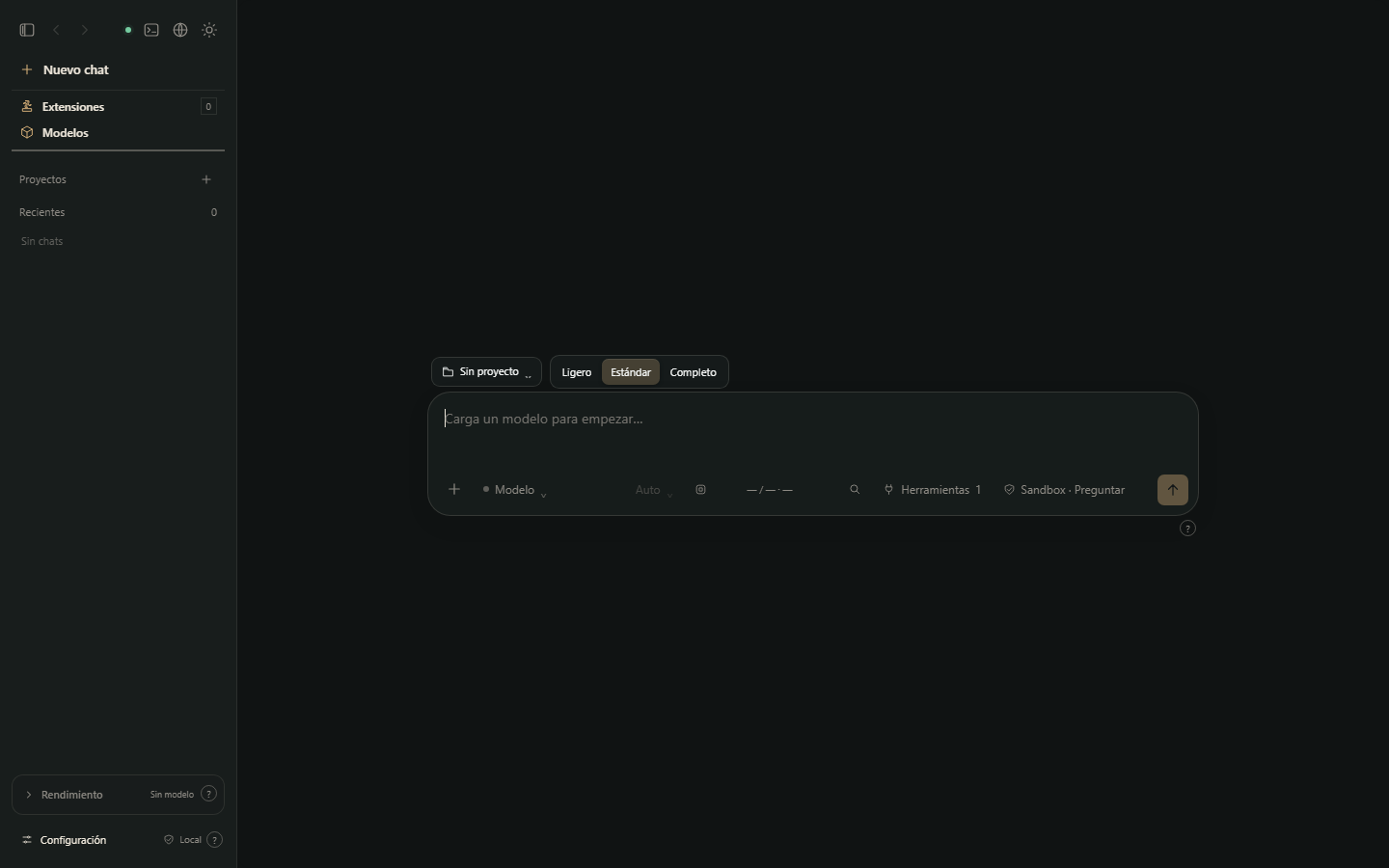
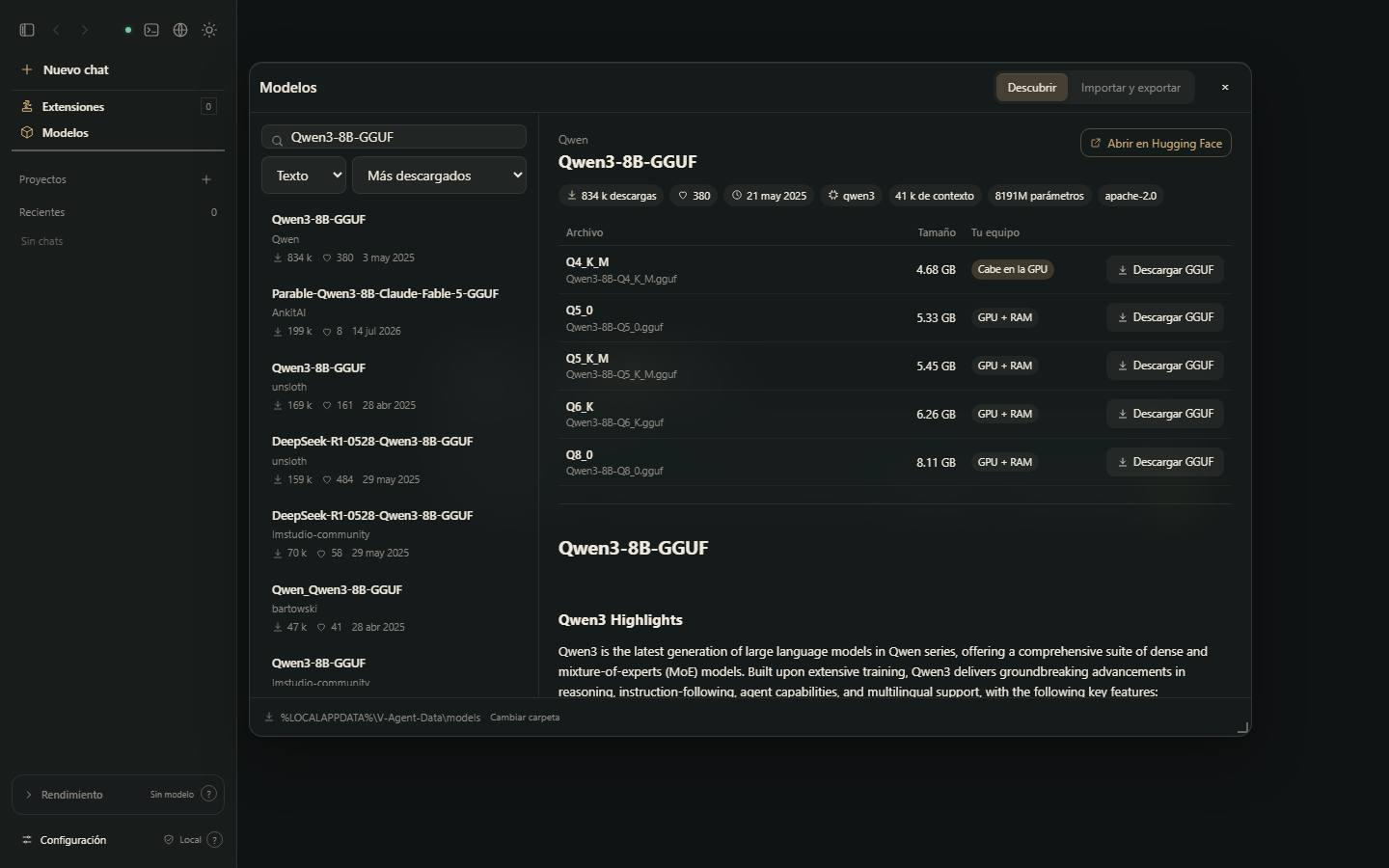
per chat or on the whole PC, with per-action approvals. - Finds models for you — the Models window browses Hugging Face (downloads, likes, context,
license, rendered model card, and whether each quant fits your GPU), downloads with SHA-256
verification, and imports models and their settings from LM Studio and Unsloth Studio. - Checks code it writes — Python (compiled), JavaScript, CSS, PowerShell, JSON, YAML, TOML, XML/SVG
and Java, plus TypeScript, C/C++, Rust, Go, PHP, Ruby and Lua when their compiler is installed. HTML
pages run in a headless browser under the same isolation as the preview and report errors with
their line. - Stays yours — no account, no telemetry. Updates are signed; the app only accepts what the
maintainer signed.
Quality and testing
- 200+ automatic tests on every push (core, interface logic, updates, security), plus static
analysis with ruff, bandit and ESLint. - Runs with real models on llama.cpp, Strata and Strata Rust: files are created and checked,
approvals are respected, replies stop cleanly, engines that cannot run a model say so. - An automated walk-through of the whole interface in a headless browser (every window and
settings page, light and dark, small and large windows), plus a probe that catches flickering windows. - Every release is checked before and after publishing: the packaged app is started, and the
signed update is verified exactly as the previous version will verify it.
Full results of every check for this version, with screenshots of its real interface:
docs/test-reports/1.0.7.md. Methods, tools and what is not covered yet:
docs/QUALITY.md.
Install
- Download
V-Agent_<version>_x64-setup.exefrom Releases (Windows 10/11, x64). - Open it. Windows will probably show a blue "Windows protected your PC" screen — see the note below.
- Pick your language (Español, English, Português, Français, Deutsch) and the folder. No admin rights needed.
- On first start V-Agent recommends an engine for your hardware and installs it after you confirm.
- Add a GGUF model or open Models to find one, and start chatting. A short tour explains the rest.
[!IMPORTANT]
About the "Windows protected your PC" warning. The installer is not signed with a paid
Microsoft code-signing certificate yet, so Windows SmartScreen does not recognise the publisher and
shows this warning for new downloads. To continue, click More info → Run anyway.Only do this with the installer downloaded from this repository's Releases.
You can check that your file is the published one: runGet-FileHash .\V-Agent_<version>_x64-setup.exein PowerShell and compare the result with thesha256value in the release'sv-agent-update.json(capital letters don't matter; that file is signed by the maintainer, and
V-Agent verifies the same signature before installing any update).
V-Agent keeps itself current: shortly after it starts it applies the newest signed minor update
(numbered 1.0.0 C1, C2…, no installer) and downloads a newer installer if one exists, which it
installs only when you say so.
Repository map
| Folder | What lives there |
|---|---|
agent/ |
The core: chat/agent loop, local API, engines, tools (MCP servers), updates, and the interface source in agent/ui/. |
serve/ |
OpenAI/Anthropic-compatible request layer and MCP hub, vendored from PolyStrata. |
web_mcp/ |
Web search, page reading and HTTP tools (MCP servers). |
tools/ |
GGUF header reader and tokenizer used when importing models. |
desktop/ |
The Windows app (Tauri 2, Rust) and its installer configuration. |
scripts/ |
Build, packaging, interface sync and release signing. |
tests/ |
Automatic tests (Python + interface) and manual smoke tests. |
docs/ |
Architecture, local API, user guide, screenshots and design notes. |
backend.py is the single entry point of the packaged core (strata-core.exe): it serves the API
and, with --role, runs each bundled MCP server.
Build and test
Requirements: Windows 10/11 x64, Python 3.13, Node.js 20+, Rust (stable, MSVC) and Visual Studio
Build Tools.
python -m venv .venv
.venv\Scripts\pip install -r requirements.txt

:: build the interface, then run the automatic tests
.venv\Scripts\python scripts\build-ui.py
.venv\Scripts\python -m unittest discover -s tests
for %f in (tests\*.cjs) do node %f

:: run the core from source with a throw-away data folder, then open http://127.0.0.1:19381
.venv\Scripts\python backend.py --port 19381 --data-dir %TEMP%\v-agent-dev -- --background

:: builds
scripts\build-desktop.cmd      :: developer build of the desktop app
scripts\build-release.cmd      :: official installer (no engines, no personal data)
Set V_AGENT_RUST_BIN if cargo is not on your PATH. RELEASING.md explains signing
and publishing (maintainer only).
Security and privacy
- Everything listens on
127.0.0.1only and answers only to local host names, so web pages cannot
reach it. The engines' own servers require a private key for each session. - Model files are never copied or modified.
- Commands run in a Windows process container in sandbox mode; whole-PC access is opt-in.
- Tools that write files, restore versions, run commands or use the network ask first in "Ask" mode;
approvals are enforced by the core, not only by the interface. - Updates (installers, minor updates and engines) are verified before use: Ed25519 signature from the
maintainer for V-Agent, official GitHub release and SHA-256 for engines and Hugging Face downloads.
Read SECURITY.md to report a vulnerability and PRIVACY.md for what is
stored where.
Contributing
Issues and pull requests are welcome — see CONTRIBUTING.md. Start with
docs/ARCHITECTURE.md for a tour of the code.
License
Apache License 2.0. Bundled and vendored components keep their own licenses: see
NOTICE, LICENSE.Strata (MIT, PolyStrata/Strata code in serve/ andtools/) and THIRD-PARTY-NOTICES.md.
Reviews (0)
Sign in to leave a review.
Leave a reviewNo results found