newsline
Health Uyari
- License — License: MIT
- Description — Repository has a description
- Active repo — Last push 0 days ago
- Low visibility — Only 8 GitHub stars
Code Basarisiz
- network request — Outbound network request in fetch_stock.py
- rm -rf — Recursive force deletion command in install.sh
Permissions Gecti
- Permissions — No dangerous permissions requested
Bu listing icin henuz AI raporu yok.
One-line rotating news in your Claude Code status line — locale-aware, keeps your existing status line
newsline
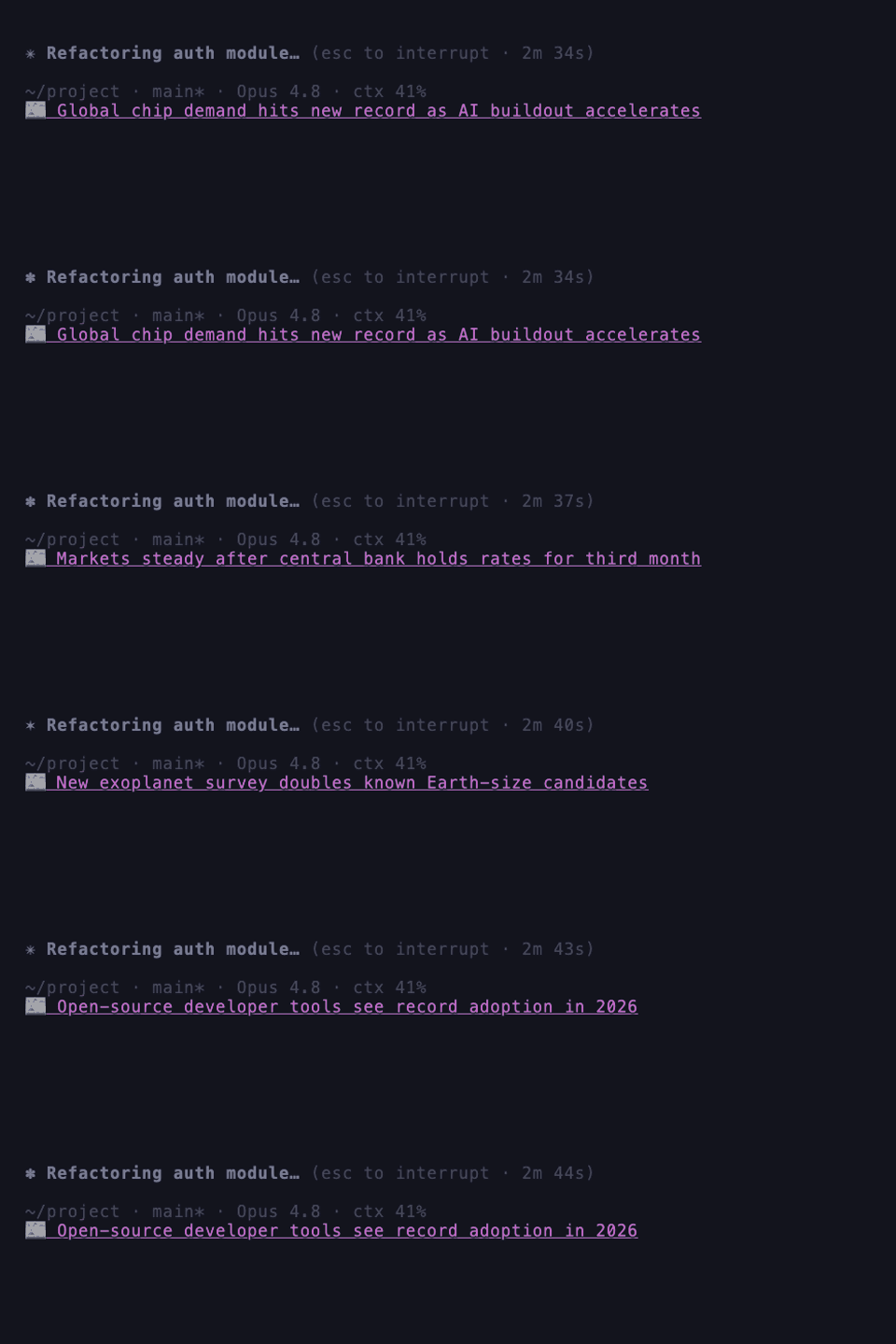
Waiting for Claude Code to finish? Read the latest one-line news right in your status line.
A rotating regional headline sits at the bottom of your session — so a long wait turns into a
quick news check. It shows below your existing status line (your HUD stays).
Install & run — one line
# curl (macOS / Linux / WSL) — installs and sets up right away
curl -fsSL https://raw.githubusercontent.com/itdar/newsline/master/install.sh | sh

# Homebrew
brew install itdar/tap/newsline && newsline init

# npm
npm i -g newsline-cli && newsline init

# Claude Code plugin — run inside Claude Code, then /newsline:setup
/plugin marketplace add itdar/newsline
/plugin install newsline@itdar
Pick whichever you already have — you only need one. (No brew/npm? Use the curl line.)
The news line appears on your next message — no restart. Setup asks for a language, topic & headline color
and keeps your existing status line.
What it does
- Your machine fetches and shows the news — it never touches your code, prompts, files, or
Claude conversations. - A small edge service picks the best regional sources and routes headline clicks, so sources
stay fresh without reinstalling. If it's unreachable, newsline falls back to built-in feeds. - The status line is instant (served from a cache); refreshes run in the background.
Privacy
Everything that runs on your machine is in this repo — and this is the complete list of
what ever leaves it:
- Feed curation (at most once per hour):
lang, coarse country, local time, day of
week, timezone offset,topic, and the plugin version go to the edge service so it can
pick fresh regional sources. No tracking ID, no personal data. - Headline clicks: links open through a small redirect (it sees the article URL plus
lang/topic/version), so dead sources can be swapped server-side and clicks counted
in aggregate. There is no per-user identifier. - Never sent, never read: your code, prompts, files, or Claude conversations. The
status line renders from a local cache and never blocks on the network.
Fully local mode: set "api": "off" and "endpoint": "off" in~/.config/newsline/config.json — feeds come from the bundled feeds.json and headlines
link straight to the articles. Nothing is contacted except the news feeds themselves.
Configure
Re-run newsline init, or edit ~/.config/newsline/config.json:
| Key | Default | Meaning |
|---|---|---|
lang |
auto |
ko ja en es fr de pt zh, or auto |
topic |
general |
general tech business world sports science health entertainment |
rotate |
6 |
seconds per headline |
count |
15 |
headlines in rotation |
maxlen |
120 |
max characters (max = no cut) |
icon |
📰 |
leading glyph (none to hide) |
color |
magenta |
headline color: default gray white cyan yellow green blue magenta red |
clickhint |
auto |
click-modifier hint before the headline (auto per terminal, off to hide, or custom text) |
Set one directly with newsline color <name> (e.g. newsline color gray), or runnewsline color with no name to step to the next color (default → gray → white → cyan →
yellow → green → blue → magenta → red). newsline colorlist lists them all with a live
preview. Changes show on the next status-line tick.
Update
Update the same way you installed — your language/topic/color settings are kept:
# curl — re-run the installer (skips setup, just refreshes the CLI)
curl -fsSL https://raw.githubusercontent.com/itdar/newsline/master/install.sh | NEWSLINE_NO_INIT=1 sh

# Homebrew
brew update && brew upgrade newsline

# npm
npm i -g newsline-cli@latest
Claude Code plugin: run /plugin marketplace update itdar, then /reload-plugins
(or restart). You can also enable background auto-update under /plugin → Marketplaces.
Uninstall
newsline uninstall           # restores your previous status line
newsline uninstall --purge   # also removes the CLI binary + the PATH line install.sh added
Needs bash + python3 (macOS / Linux; Windows via WSL).
Contributing
Bug reports and PRs welcome — see CONTRIBUTING.md for local setup,
testing, and the release process.
Yorumlar (0)
Yorum birakmak icin giris yap.
Yorum birakSonuc bulunamadi