coding.sh
Health Warn
- License — License: MIT
- Description — Repository has a description
- Active repo — Last push 0 days ago
- Low visibility — Only 5 GitHub stars
Code Fail
- process.env — Environment variable access in .github/assets/capture-readme.mjs
- process.env — Environment variable access in .github/assets/render-banner.mjs
- exec() — Shell command execution in .github/assets/sample-sessions.mjs
- network request — Outbound network request in .github/assets/sample-sessions.mjs
- rm -rf — Recursive force deletion command in .github/workflows/site-perf.yml
Permissions Pass
- Permissions — No dangerous permissions requested
No AI report is available for this listing yet.
Open-source, local-first observability and evals for AI agents: see what Claude Code, Codex, Cursor and others did and what it cost.
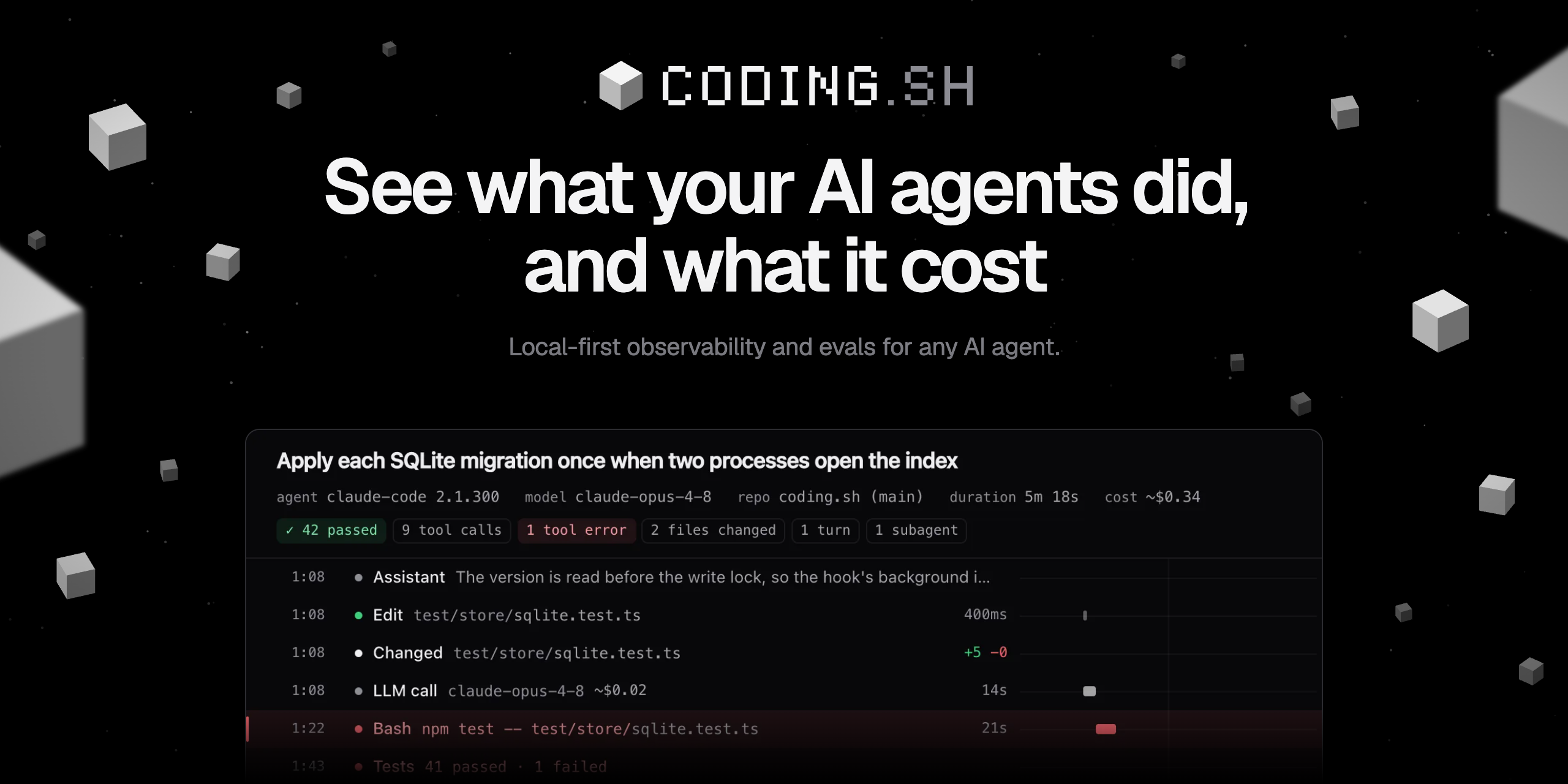


coding.sh is open-source, local-first observability and evals for any AI agent. Coding agents first-class.
Your sessions stay on your machine.
Docs · Quickstart · Supported agents · Changelog · Discussions · Report a bug
npx coding.sh                               # try it: finds your agents, asks once, imports past sessions
curl -fsSL https://coding.sh/install | sh   # or install it: same setup, then opens the viewer

A first run of npx coding.sh 0.1.2 in a fresh home, on sample sessions from sample-sessions.mjs.
Run npx coding.sh again to open the viewer on your sessions.
What it costs: nothing. MIT licensed, runs on your machine, no account.
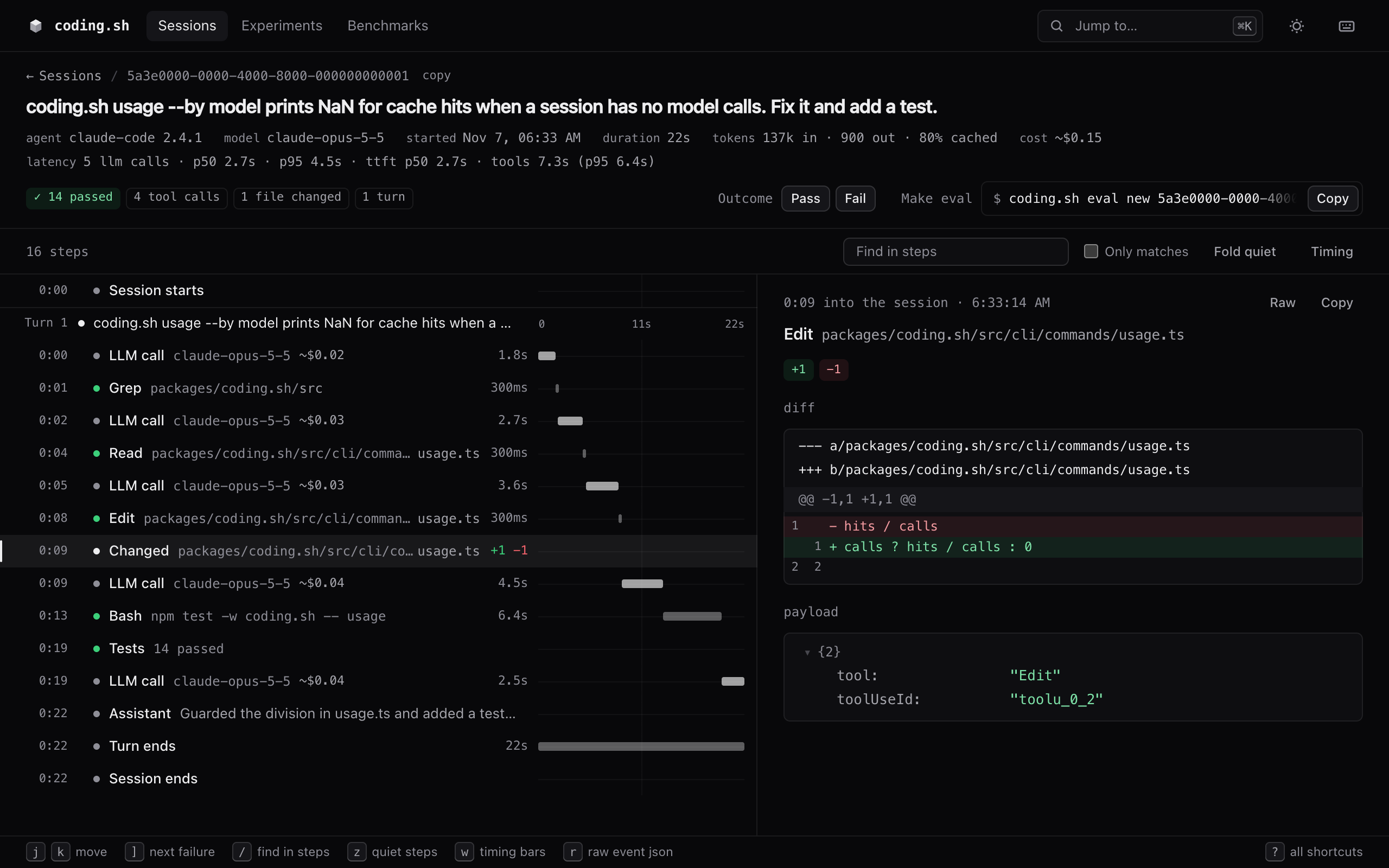
One Claude Code session in the local viewer, with the diff it made and the tests it ran. Sample data, generated by sample-sessions.mjs.
coding.sh records what your agents do: prompts, tool calls, file changes, model calls, latency and
tokens. It goes into a SQLite index on your machine. You browse it in a local viewer, query it from
the CLI or from your agents over MCP, turn failures into evals, and compare changes with paired
statistics. Capture, storage and the viewer stay on your machine unless you add a remote sink.
No runtime dependencies, Node 22.15 or newer.
Quickstart
npx coding.sh runs the latest release from npm without installing it. In a terminal, the first
run is coding.sh init and later runs open the viewer. The install command above installs the
release, runs init, opens the viewer, and puts coding.sh on your PATH for the commands below.init finds your agents, shows one plan and asks once. It points their hooks at
coding.sh, registers the MCP server where the agent supports it, and backs up every config file it
edits. coding.sh init --dry-run prints the plan without writing anything (--diff adds the edits), andcoding.sh uninstall removes the hooks and MCP entries again.
init also imports the sessions your agents already keep on this machine, so the viewer opens on
your own history; --no-import skips that. Then start a new agent session: agents read their hooks
when a session starts, so one already open while init ran may not be recorded. New sessions show
up on their own, with no ingest step, and your agents can read them over MCP. To import past sessions again, for example after adding an agent:
coding.sh ingest --backfill
You can also install with npm: npm install -g coding.sh. If you only ran npx coding.sh, the
hooks keep recording, but the MCP server runs the copy in the npx cache, so install it before you
clear that cache. Installing from source, updates and uninstall:
docs/guides/install.md.
What you get
Record. Hooks and transcripts capture each session, including subagents.coding.sh run -- <cmd> wraps any other agent and snapshots the repo before and after.coding.sh collector takes OpenTelemetry from agent frameworks and apps.coding.sh init --proxy routes Claude Code and Codex through a local API proxy that logs each model
call's system prompt, tools, messages and cache use. More in
docs/how-to/capture-with-proxy.md.
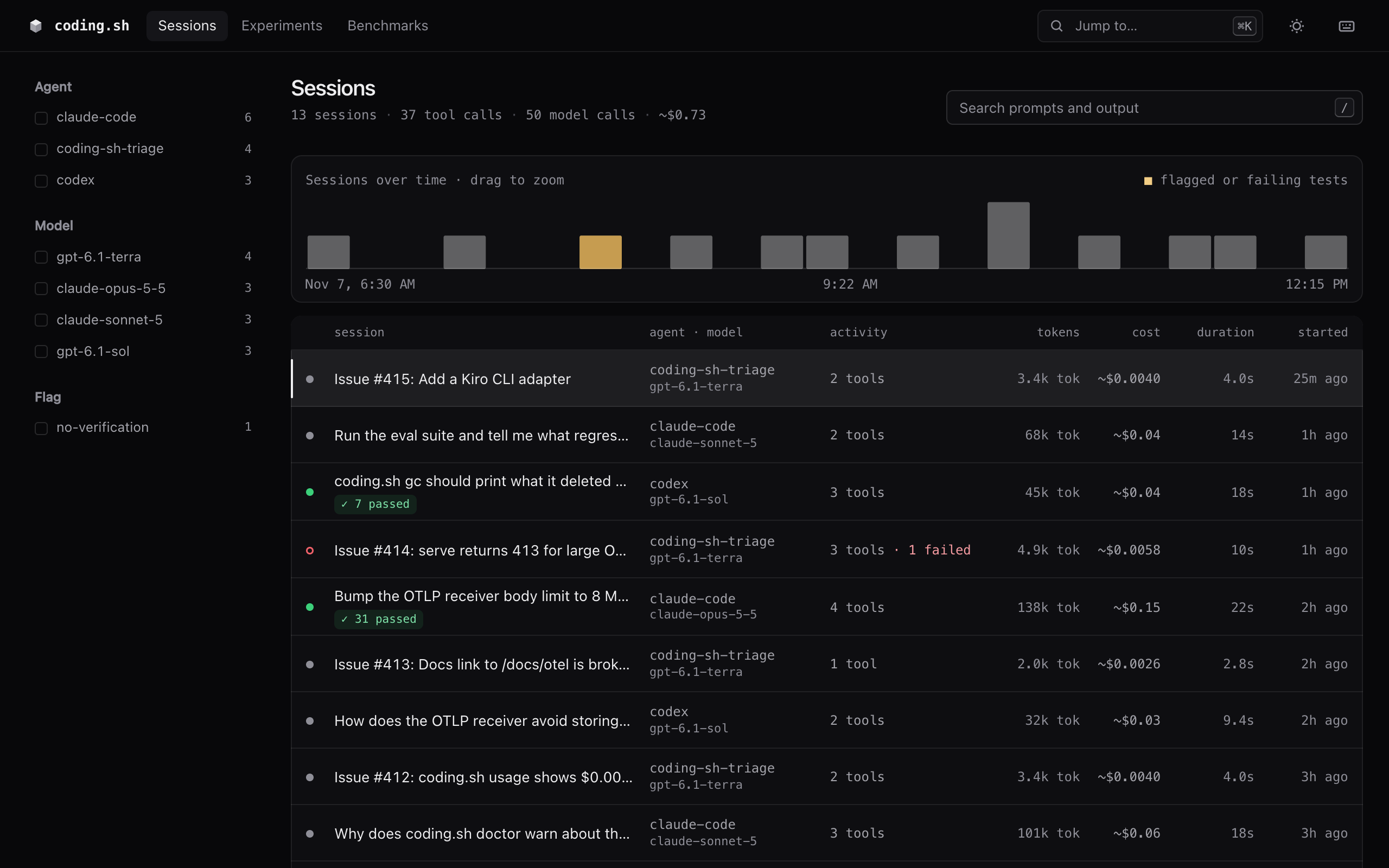
Measure. Every session has its turns, tool calls, model calls, tokens, latency and outcome.
Sessions that edited code and never ran a check get a no-verification flag.
coding.sh sessions             # recent sessions
coding.sh show latest          # timeline with turns, tools, subagents and latency
coding.sh search "rate limit"  # full-text search over prompts, replies and tool calls
coding.sh usage --by model     # tokens, turns and cache hits
coding.sh diff-calls latest#-1 # what changed since the previous model call, and why the cache missed
coding.sh ui                   # the local viewer
Every command takes --json. coding.sh mcp gives your agents the same data as MCP tools.
More in docs/guides/explore.md.
Compare. Turn a failed session into a replayable eval with coding.sh eval new, and check
that its verifier is fair with coding.sh eval validate. Run experiments over versioned datasets
with code graders or calibrated LLM judges. coding.sh exp compare and coding.sh compare A/B
prompts, harness files and models with paired statistics. coding.sh exp replay resends one logged
model call with another model or system prompt. Tool evals and multi-agent workflow
runs are covered too. More in docs/guides/evals.md.
Benchmark. coding.sh bench draws new cases every day from a script, your failed sessions,
GitHub issues or a sitemap. Every contender gets the same frozen set in random order, andbench report writes a static page with the trend, today's head to head and where each one
fails. More in docs/guides/benchmarks.md.
Production. coding.sh serve runs ingest, the viewer and the API on one port, backed by
SQLite, Postgres or ClickHouse. Your API apps send traces with the TypeScript SDK (@codingdotsh/sdk), the
Python SDK (coding-sh) or plain OpenTelemetry. coding.sh gateway links calls made through LLM
gateways (Vercel AI Gateway, OpenRouter, LiteLLM, Cloudflare, Portkey, Helicone) to their billed
cost. The TypeScript SDK and the store plugins are on npm; the Python SDK isn't on PyPI yet. Start with
docs/production/README.md.
Supported agents
| Agent | How it records | Status |
|---|---|---|
| Claude Code | hooks, transcript, subagents | Verified on real sessions |
| Codex CLI | hooks, rollout files, subagents | Verified on real sessions |
| Antigravity CLI (formerly Gemini CLI) | hooks, transcript | Verified on real sessions |
| OpenCode | plugin, session database | Verified on a real install |
| Cursor CLI | hooks, transcript | Fixture-tested |
| GitHub Copilot CLI | hooks, session state | Verified on a real install |
| Factory Droid | hooks, transcript | Verified on a real install |
| Goose | plugin hooks, session database | Verified on a real install |
| Pi | extension, transcript | Verified on a real install |
| Amp | plugin | Fixture-tested |
| T3 Code | its local store | Verified on a real install |
| Aider | coding.sh run -- aider … |
Verified on a real install |
| Any other command | coding.sh run -- <cmd> |
Tested |
| Your own agent or app (Vercel AI SDK, Claude Agent SDK, OpenAI Agents SDK, LangGraph and more) | OpenTelemetry into coding.sh collector, or the TypeScript and Python SDKs |
Tested |
Verified on a real install means the agent's current release was installed and run through a
session against a local stub model, its hooks fired and the recorded session was checked, and the
captured payloads are now CI fixtures. For OpenCode, Pi, Goose, Factory Droid, GitHub Copilot CLI
and Aider, CI repeats that run on Linux and Windows on every change. Fixture-tested means CI checks
the adapter against the agent's documented formats, but nobody has run it against a live install yet. Cursor CLI and Amp
are still in that state because both need an account login. If you use one of them, a short
agent support report
saying whether it works moves it to "Verified". Per-agent details, including which agents get the
MCP server, are in docs/guides/agents.md. Guides for one agent:
coding.sh with T3 Code and coding.sh with Pi.
Privacy
With no sinks configured, no session data leaves your machine. The only default network request is
a daily update check, which CODING_SH_NO_UPDATE_CHECK=1 turns off. Secrets are redacted at
ingest, before anything is written. Remote sinks send metadata only unless you opt in to full
content. Details in docs/guides/privacy.md.
Status
coding.sh is pre-1.0 (latest: 0.1.4), so expect rough edges. What isn't done yet:
- PyPI: the Python SDK (
coding-sh) isn't on PyPI yet — the pending publisher is still being set
up (First publish). npm is published: the CLI
(npm install -g coding.sh),@codingdotsh/sdkand the store plugins. The curl installer and
source installs work too. - CI runs on Linux, macOS and Windows. On Windows, CI runs the test suite, the installer (from
Git Bash) and real OpenCode, Pi, Goose, Factory Droid, GitHub Copilot CLI and Aider sessions
against a stub model. Capture from Claude Code, Codex CLI, Antigravity CLI, Cursor CLI, Amp and
T3 Code has not been checked on Windows yet. - Two adapters, Cursor CLI and Amp, are fixture-tested only (see Supported agents).
Changes are listed in CHANGELOG.md and on the
releases page.
Getting help
- Questions and ideas: Discussions.
- Bugs: open an issue. The bug form
asks for the output ofcoding.sh doctor, which answers most first questions. - A new agent, or a report on a fixture-tested one: the
agent support form. - Security issues: report them privately through SECURITY.md, not as an issue.
Docs
- coding.sh/docs: quickstart, agents, CLI, MCP, evals, OpenTelemetry,
storage and the trace format. - docs/: the same guides in Markdown, plus production, design specs and
research. - docs/troubleshooting.md: what to check when sessions don't show up.
Repository layout
packages/
  coding.sh/        the CLI, hook, adapters, OTLP receiver, viewer, MCP server and evals
  sdk/              TypeScript SDK for API apps
  sdk-python/       Python SDK
  store-postgres/   Postgres store plugin
  store-clickhouse/ ClickHouse store plugin
  blob-s3/          S3 blob store plugin
apps/site/          coding.sh website (Astro, static)
docs/               guides, production, reference and design docs
examples/           an eve agent and production app examples
deploy/             deploy recipes for Compose, Fly, Railway and ClickHouse (Render uses render.yaml)
evals/              coding.sh's own CLI eval suite
scripts/dogfood/    the scorecard coding.sh runs on itself
Contributing
See CONTRIBUTING.md for setup and the codebase map. Issues labeled
good first issue are small and
self-contained. Release steps are in docs/RELEASE.md.
Star history
License
Reviews (0)
Sign in to leave a review.
Leave a reviewNo results found