mcp-badge-creator
Health Pass
- License — License: MIT
- Description — Repository has a description
- Active repo — Last push 0 days ago
- Community trust — 18 GitHub stars
Code Warn
- process.env — Environment variable access in playwright.config.ts
Permissions Pass
- Permissions — No dangerous permissions requested
This tool generates markdown badges and installation URLs for README files, allowing users to easily add one-click install links for MCP servers, VS Code extensions, and packages. It is primarily a static web application built with Vite and React.
Security Assessment
Overall risk: Low. The application does not request dangerous permissions, execute shell commands, or contain hardcoded secrets. Network requests are standard frontend operations (such as fetching badge images from shields.io). There is a warning for environment variable access in `playwright.config.ts`, but this is strictly used for local automated testing configuration and does not pose a threat to end-users. The tool simply generates text and URLs without accessing sensitive system data or user files.
Quality Assessment
The project is actively maintained, with its most recent push occurring today. It is fully open-source under the standard and permissive MIT license. While it is relatively new and has a modest community following (18 GitHub stars), it is authored by James Montemagno, a well-known developer advocate with a history of creating reliable developer tools. The repository is well-documented with a clear description and a rich feature set.
Verdict
Safe to use. It is a transparent, client-side utility that poses virtually no security risk and efficiently accomplishes its specific task.
Add badges for your README to install MCP servers in VS Code & Visual Studio
🎖️ README Badge Creator
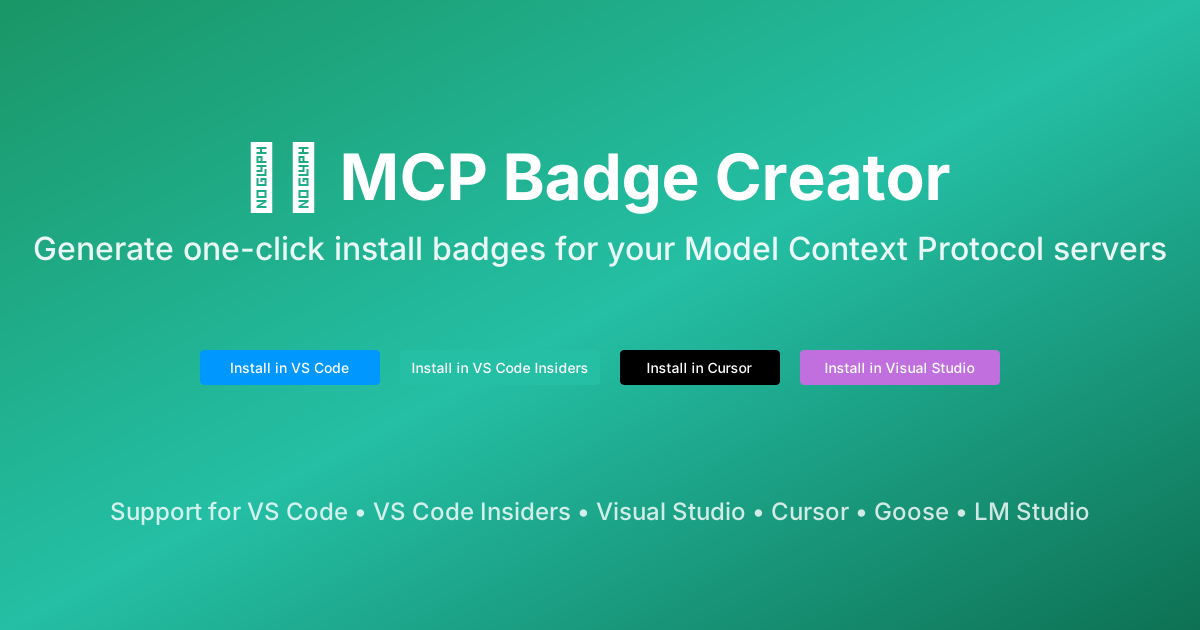
Create beautiful one-click install badges for your projects - from MCP servers to VS Code extensions, npm packages, and GitHub repositories.
📊 Project Badges






🌟 Features
- ✅ Multiple Badge Types:
- MCP Server Badges: One-click install for Model Context Protocol servers
- VS Code Extension Badges: Marketplace badges for extensions
- Package Badges: Version and download badges for NPM, NuGet, PyPI, Maven, RubyGems, and Crates.io
- GitHub Repository Badges: Stars, workflows, contributors, and more with customizable colors
- 🎨 Multiple IDEs: Support for VS Code, VS Code Insiders, Visual Studio, Cursor, Goose, and LM Studio
- 🔧 Six MCP Configuration Types:
- Remote HTTP Server (HTTP/SSE transport)
- NPX Package (Node.js packages)
- UVX Package (Python packages with uv)
- DNX Package (.NET packages)
- Docker Container
- Local Binary (custom commands)
- 📋 Copy to Clipboard: One-click copy of generated markdown
- 📄 README Export: Generate complete "Getting Started" sections with installation instructions
- 🖥️ CLI Commands: Generate cross-platform
code --add-mcpcommands for terminal installation - 👁️ Live Preview: See your badges before copying
- 🎨 Customizable Colors: Pick custom colors for repository badges with semantic defaults
- 🎨 Beautiful Design: Modern, responsive UI with multiple theme options
🚀 Live Demo
Visit the live application: README Badge Creator
📖 About README Badges
README Badge Creator is an all-in-one tool for generating professional badges for your projects:
MCP Server Badges
MCP badges provide a seamless way for users to install your Model Context Protocol servers directly into their IDE with a single click. These badges:
- Generate proper install URLs for each IDE (VS Code, VS Code Insiders, Visual Studio, Cursor, Goose, LM Studio)
- Handle URL encoding of JSON configurations
- Follow official badge styling guidelines
- Support all MCP server deployment methods
VS Code Extension Badges
Generate marketplace badges for your VS Code extensions with one-click install functionality for both VS Code stable and Insiders.
Package Badges
Create version and download badges for packages across multiple ecosystems:
- NPM - Node.js packages with version and weekly downloads
- NuGet - .NET packages with version and total downloads
- PyPI - Python packages with version and downloads
- Maven Central - Java packages with version badge
- RubyGems - Ruby gems with version and downloads
- Crates.io - Rust crates with version and downloads
GitHub Repository Badges
Generate customizable badges for your GitHub repositories:
- Essential: Stars, license, contributors, latest release
- CI/CD: Workflow status badges with custom colors
- Advanced: Forks, issues, top language, code size, last commit, repo size
- Custom Colors: Pick any color for your badges with semantic defaults
- Workflow Support: Easy selection of common workflows (ci.yml, test.yml, build.yml, deploy.yml, release.yml, lint.yml) plus custom workflow support
🛠️ Supported Configuration Types
1. Remote HTTP Server
For MCP servers hosted remotely and accessible via HTTP/HTTPS with SSE transport.
{
  "servers": {
    "server-name": {
      "type": "http",
      "url": "https://your-server-url.com"
    }
  }
}
2. NPX Package (Node.js)
For MCP servers distributed as NPM packages, commonly used in the MCP ecosystem.
{
  "command": "npx",
  "args": ["-y", "@modelcontextprotocol/server-filesystem"],
  "env": {}
}
Common Examples:
@modelcontextprotocol/server-filesystem- File system operations@modelcontextprotocol/server-github- GitHub API integration@modelcontextprotocol/server-postgres- PostgreSQL database access
3. UVX Package (Python)
For Python-based MCP servers using uv/uvx for fast, reliable Python package execution.
{
  "command": "uvx",
  "args": ["--from", "mcp-server-git", "mcp-server-git"],
  "env": {}
}
Alternative without --from:
{
  "command": "uvx",
  "args": ["mcp-server-git"],
  "env": {}
}
4. DNX Package (.NET)
For .NET-based MCP servers using DNX package manager.
{
  "command": "dnx",
  "args": ["[email protected]", "--yes"],
  "env": {}
}
5. Docker Container
For MCP servers packaged as Docker images.
{
  "command": "docker",
  "args": ["run", "-i", "--rm", "your-username/your-image"],
  "env": {}
}
6. Local Binary
For MCP servers running as local executables with custom commands.
{
  "command": "node",
  "args": ["path/to/server.js"],
  "env": {}
}
Other common commands:
python- For Python scriptsuv- For uv-managed Python projects- Custom binaries in your PATH
🎯 How It Works
MCP Badges
- Fill in Server Details: Enter your MCP server name and configuration
- Choose Configuration Type: Select between HTTP, NPX, UVX, DNX, Docker, or Local
- Select Target IDEs: Choose which IDEs to generate badges for
- Copy & Use:
- Copy the generated markdown badges for your README
- Copy the JSON configuration for manual setup
- Copy the CLI commands for terminal installation
- Export a complete "Getting Started" README section with installation instructions for all IDEs
Extension Badges
- Search or Enter Extension: Search the VS Code Marketplace or paste an extension URL/ID
- Generate Badges: Automatically creates badges for both VS Code and VS Code Insiders
- Copy Markdown: Get individual or combined markdown for your README
Package Badges
- Select Package Manager: Choose from NPM, NuGet, PyPI, Maven, RubyGems, or Crates.io
- Enter Package Name: Input your package identifier
- Pick Badge Types: Select version, downloads, or both
- Customize: Choose styles and copy the markdown
Repository Badges
- Enter Repository: Input GitHub repository URL or owner/repo format
- Select Badges: Choose from Essential, CI/CD Workflows, and Advanced categories
- Customize Colors: Use inline color pickers with reset buttons for each badge
- Add Workflows: Click preset workflow chips or add custom workflow files
- Preview & Copy: Toggle between grouped and flat preview, then copy individual or combined markdown
🎨 Supported IDEs
The badge creator supports one-click install badges for the following IDEs:
- VS Code - Visual Studio Code stable release
- VS Code Insiders - Visual Studio Code preview builds
- Visual Studio - Full IDE experience with MCP support
- Cursor - AI-powered code editor with MCP integration
- Goose - AI coding assistant with MCP support
- LM Studio - Local LLM platform with MCP server support
Each IDE has its own deeplink protocol for seamless installation:
- VS Code/Insiders:
vscode.dev/redirect/mcp/install - Visual Studio:
vs-open.link/mcp-install - Cursor:
cursor://anysphere.cursor-deeplink/mcp/install - Goose:
goose://install-mcp - LM Studio:
lmstudio://add_mcp
📄 README Export Feature
The "Getting Started README" tab generates a complete, ready-to-use Getting Started section for your project's README that includes:
- All one-click install badges for supported IDEs
- Detailed manual installation instructions for each IDE
- CLI commands for VS Code and VS Code Insiders
- Configuration details and examples
- Help section with links to MCP documentation
Simply click the tab, copy the content, and paste it directly into your README.md file!
🖥️ CLI Command Installation
The badge creator also generates ready-to-use CLI commands for installing MCP servers:
# For VS Code
code --add-mcp '{\"name\":\"server-name\",\"command\":\"npx\",\"args\":[\"-y\",\"package\"],\"env\":{}}'

# For VS Code Insiders
code-insiders --add-mcp '{\"name\":\"server-name\",\"command\":\"npx\",\"args\":[\"-y\",\"package\"],\"env\":{}}'
These commands work cross-platform in:
- ✅ PowerShell (Windows)
- ✅ Bash (Linux/macOS)
- ✅ Zsh (macOS default)
See CLI-COMMANDS.md for detailed documentation and examples.
💻 Development
Prerequisites
- Node.js 18+
- npm or yarn
Setup
# Clone the repository
git clone https://github.com/YOUR_USERNAME/mcp-badge-creator.git
cd mcp-badge-creator

# Install dependencies
npm install

# Start development server
npm run dev
Build
# Build for production
npm run build

# Preview production build
npm run preview
🚀 Deployment to GitHub Pages
This project is configured to automatically deploy to GitHub Pages using GitHub Actions.
Setup Instructions
- Push your code to GitHub
- Go to your repository Settings > Pages
- Under "Build and deployment", select "GitHub Actions" as the source
- The site will automatically deploy on every push to the main branch
Manual Deployment
Alternatively, you can use gh-pages:
# Install gh-pages
npm install --save-dev gh-pages

# Deploy
npm run deploy
📚 Resources
- Model Context Protocol Documentation
- MCP Badge Documentation
- VS Code Marketplace API
- Shields.io Badge Service
- GitHub Repository Badges Guide
🤝 Contributing
Contributions are welcome! Please feel free to submit a Pull Request.
📄 License
This project is licensed under the MIT License.
Copyright (c) 2025 Refractored LLC
See the LICENSE file for full text.
🙏 Acknowledgments
- MCP badge documentation based on MonkeyMCP by James Montemagno
- Built with Vite and React
- Badges powered by Shields.io
- VS Code Extension search via Marketplace API
Made with ❤️ for the open source community
🧪 CSS Modules Migration Progress
The project is undergoing a migration from a monolithic App.css (~1,945 lines) to a modular CSS Modules architecture with a global design system.
Phase Checklist
- Phase 1: Global design system (
tokens.css,themes.css,utilities.css) - Phase 2: External SVG icons (
chevron-down.svg,hamburger.svg) - Phase 3: Shared component modules (
Button,Card,Form,Badge) - Phase 4: App layout migration (
App.module.css, refactorApp.tsx) - Phase 5: Home page migration (
Home.module.css) - Phase 6: Extensions page migration (
Extensions.module.css) - Phase 7: Complex pages migration (
MCP.module.css,Packages.module.css,Settings.module.css)
Goals
- Reduce stylesheet size and improve maintainability
- Eliminate hardcoded colors and duplicated patterns
- Standardize breakpoints (≤768px, 769–1024px, ≥1025px)
- Introduce reusable component styling primitives
- Preserve backward compatibility during migration (legacy class names kept temporarily for tests)
Follow progress or contribute by checking the plan in specs/CSS_MODULES_MIGRATION_PLAN.md.
Reviews (0)
Sign in to leave a review.
Leave a reviewNo results found