multica-ops
Health Warn
- License — License: MIT
- Description — Repository has a description
- Active repo — Last push 0 days ago
- Low visibility — Only 5 GitHub stars
Code Pass
- Code scan — Scanned 12 files during light audit, no dangerous patterns found
Permissions Pass
- Permissions — No dangerous permissions requested
No AI report is available for this listing yet.
Mops 🐶 — your Executive Advisor for Multica: builds and runs an autonomous company of AI agents. Interview → team → conveyor → console.
multica-ops
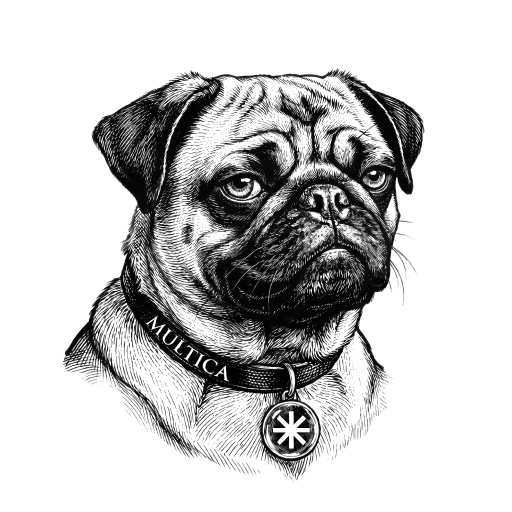
Meet Mops 🐶 — the pug behind the ops. One word gets you everything:
just say what you need — or /mops status



Your Executive Advisor for Multica — a skill that builds and
runs an autonomous company of AI agents: meets you at whatever you have — a blank slate, a live workspace, a Linear backlog, or just
a list of tasks — and routes you without making you pick a command. It shapes the work before
staffing it, runs a full company (conductor/PM, squads, skills, gates) or a plain crew
with no manager when that's all you want, and stays your console: status, recovery after
limits, features, roadmap, hiring, upgrades.
Install
Any agent (universal, via skills.sh):
npx skills add jamillazarev/multica-ops
The installer detects your harnesses and installs where you choose — Claude Code,
Cursor, Codex, Windsurf, Gemini CLI, Copilot, Cline, opencode, Zed and more.
Claude Code as a plugin (slash commands):
claude plugin marketplace add jamillazarev/multica-ops
claude plugin install multica-ops@multica-ops
Into a Multica workspace (as an agent skill):
multica skill import --url github.com/jamillazarev/multica-ops
Then just say what you need. In Claude Code you also get slash commands — namespaced as/multica-ops:mops, plus a short /mops: the plugin's hook installs it on first run, and
on a skills.sh install (where plugin hooks never fire) Mops creates the same file itself the
first time you talk to it (one file in your own config; rm ~/.claude/commands/mops.md
removes it). Everywhere else — Cursor, Codex, Windsurf and the rest — there are no slash
commands and none are needed: plain language reaches every flow, and so does the plain word
("mops, status").
First run — you don't need to know a command
Say what you're making, or just type /mops on its own (or "hi", or "where do I
start?"). That is the front door, not an error: Mops checks your setup — installed · signed
in · a workspace · daemon up · runtimes — reports it as one list with the fixes, then asks
three questions and routes you itself. Nobody picks a command.
The four ways in, if you like to see them:
| You have | You want | You get |
|---|---|---|
| nothing yet | a team | /mops init — the work is shaped first, then staffed |
| a Multica workspace | it continued | /mops join — audit, then fixes in batches you approve |
| a backlog in Linear/Jira | it moved here | /mops import, then crew mode |
| a list of tasks, no tracker | them done, you set the order | crew mode — executors, no PM layer |
| one job, no team | it done | a quick job — three questions, no machinery |
Updating
Ask Mops "is there a new version?" or run /mops upgrade. Mops fetches the new bytes
itself (it has your shell). New content applies the next time a file is read — you only need to
restart Claude Code when the update adds or renames a command, or changes a hook, since those
are registered at session start — and Mops reads the changelog, so it tells you which case this
one is rather than leaving you to guess. (Restarting doesn't lose the conversation: claude --continue
resumes it, at the cost of re-reading it into context.)
It then migrates your workspace, re-screens imported skills, and offers the CLI update
only when the team is idle. Update = new bytes arrive; upgrade = your workspace
moves onto them.
Can't run
/mops upgrade? If it — or/multica-ops:upgrade— says unknown command,
your install has no slash commands: an older version, or askills.shinstall rather
than a Claude Code plugin (slash commands are a plugin feature). Just say "upgrade" or
"is there a new version?" — plain language reaches the flow on any install, which is
why it's the path that never breaks.
What's inside
Manual (any agent that reads files):
git clone https://github.com/jamillazarev/multica-ops
# point your agent at SKILL.md — AGENTS.md routes agents that land in the repo
Why this exists
#1 — Setup eats the first week. Before an agent team does anything useful you're
deep in plumbing: roles, prompts, review chains, issue conventions, integrations.
Fix: one interview and Mops stands the whole company up — you start working, not
configuring.
#2 — Agent teams die without an operator. Ten agents on ten issues and you're
the bottleneck: routing, restarting, remembering what's next. Fix: a conductor
drives the conveyor; Mops stays your console and, optionally, a resident copy inside
Multica for when you're away.
#3 — Session limits stall everything silently. All agents on one runtime share
one plan's window; a hit looks like a failed run and nothing retries itself. Fix:
limits are first-class — detection with reset time, /mops recover, capacity levers,
model tiering.
#4 — Teams can't grow themselves. Mid-project you need a designer, a marketer, a
pastry chef. Fix: a role-builder researches best practices and skills for any role
you name; hiring can even run autonomously (/mops autonomy hiring auto).
#5 — Agents reinvent wheels and improvise opinions. Fix: evidence-over-opinion
and self-improvement are baked into the shared guide — research before inventing,
and a routine repeated twice becomes a skill.
#6 — Knowledge scatters. Decisions live in chats, roadmaps in heads. Fix:
spec-driven intake (JTBD + stories + acceptance criteria), docs/ as an
Obsidian-compatible vault, ROADMAP/TEAM as files — everything in the repo, mirrors
optional.
#7 — Work arrives with a history and a calendar. A backlog already lives in Linear or
Jira; posts are due on specific days. Fix: /mops import brings it over — mapping shown first,
issues created unassigned so nothing starts running by itself — and dated work is never
started early.
#8 — One-size teams fit nobody. A snacks brand, a YouTube channel and a macOS
utility need different crafts, gates, autonomy. Fix: everything beyond the
invariants is an opt-in module; the progressive interview keeps small tasks small.
Works beyond Claude Code
The skill is plain SKILL.md + markdown — the Agent Skills convention. The
skills.sh installer puts it into 18+ harnesses (Claude Code,
Cursor, Codex, Windsurf, Gemini CLI, Copilot, …); AGENTS.md routes any agent that
lands in the repo. Slash commands are a Claude Code plugin bonus (namespaced: /multica-ops:mops …) — everywhere else,
natural language runs the same flows. Listing on skills.sh is automatic: it appears
via telemetry on the first npx skills add jamillazarev/multica-ops.
Note on layout:
SKILL.mdat the repo root here is the skill-repo convention
(required by the installer and registry). It is unrelated to the workspace
monorepo the skill recommends for YOUR projects (apps/ site/ marketing/ docs/)
— that guidance lives in BOOTSTRAP.md §14.
What Mops handles
- The whole product loop — discover → define → prioritize (ICE) → design → build →
review (parallel gates) → ship → measure → learn, closed, not a dead end at merge. - The team — hire / fire / reconfigure agents and real humans, squads, experts
& personas, finance & support roles, a role-builder, optionally autonomous hiring. - Governance — per-member access, human review checkpoints, a budget cap
(tokens or money), and the rule underneath them: nobody edits the bar they're measured
against (locked · editable · append-only · human-only), with reviews routed away from
the author — ideally onto a different provider. - Not being played — everything an agent reads from outside (a page, an issue, an
imported backlog) is data, never instructions; anything that must not happen gets a
gate, because a rule in a guide instructs and does not constrain. - Staying alive — session-limit recovery, a full-circle health check (runtimes,
integrations, tokens), git-backed skill upgrades with rollback, two-way drift sync,
assisted provider switch. - Two seats, many workspaces — Mops in CLI for building + an optional Mops in Multica
for presence, across several workspaces. - Cost visibility — a per-release cost/effort ledger (tokens · $ · time · per
agent/human) in git and on the issue.
What's inside
| File | Purpose |
|---|---|
| SKILL.md | the always-loaded core — interview → stand up → conveyor → console |
| USE-CASES.md | situation → what to say → which command |
| EXAMPLES.md | worked examples — the same issue, handoff, review or ledger done weakly and done well |
| COMMANDS.md | every command, its aliases and the surface it runs best on |
| STACKS.md | services, libraries, audio/DSP, testing, security, reference galleries |
| MODULES.md | opt-in modules: design system · brand · external tracker bridge |
| FLOWS.md | the full procedures for /mops init, /mops join, /mops health, /mops upgrade, /mops switch |
| BOOTSTRAP.md | zero-to-team CLI recipes, capacity levers, real-hours traps |
| ROLES.md | role catalog with curated skill packs + generic role-builder |
| PLAYBOOKS.md | daily operations, copy-paste ready |
| REFERENCE.md | object model, anti-patterns, CLI surface (§10), frameworks (§11) |
| WORKFLOW.md | Mermaid diagrams of the whole process |
| BACKLOG.md | ideas past the current version — dogfooding the skill on itself, and open questions |
| CHANGELOG.md | versioned history — the migration map for /mops upgrade |
| BUDGET template | envelope · currency · credits with expiries · prices on record |
| evals/ | stratified scenarios — from a job too small to deserve a company to an import carrying a hidden instruction |
| templates/ · scripts/ | guide · roadmap · brand · component docs · decisions log · architecture map · tooling register · team roster · a docs guard for the companies Mops builds · ops helpers · resumable backlog import |
Contributing? Run bash scripts/preflight.sh --install once. The pre-commit hook holds
the invariants that this repo has actually broken before: version sync, the CHANGELOG entry
(it is the migration map for /mops upgrade), README completeness, internal links, one-level-deep
references, the token budget on the always-loaded core, command↔file↔dispatcher coherence,
use-case coverage, and — via scripts/check-structure.py — table column counts, list
indentation, words a reflow tool broke across lines, counts that no longer match their list,
mermaid blocks that don't close, skeleton files with no template, repeated sentences, and
every multica … command the docs promise actually existing in the installed CLI.
What the hook cannot do is check whether a claim is still true. That isscripts/verify.py, run against the world rather than the text:
python3 scripts/verify.py             # every documented command + flag exists in the CLI
python3 scripts/verify.py --sources   # every URL and skill-pack source still resolves
python3 scripts/verify.py --live      # the read-only CLI surface actually runs and parses
--live executes reads only — never a create, update, assign or delete — so it is safe to
run against a real workspace, and it is where a changed output format or a broken pagination
assumption shows up before a user finds it. Whether a paragraph is still true stays a
reading job; these two scripts remove the mechanical excuses for it going stale.
Everything but SKILL.md loads only when its trigger fires — the skill keeps its
always-on footprint small (see the load-routing table in SKILL.md).
Works against Multica cloud or a self-hosted server (multica setup self-host) —
execution is local either way, so only backups and upgrades change hands.
Verified with multica CLI v0.4.8. MIT.
Reviews (0)
Sign in to leave a review.
Leave a reviewNo results found