tiny-engineer
Health Gecti
- License — License: NOASSERTION
- Description — Repository has a description
- Active repo — Last push 0 days ago
- Community trust — 341 GitHub stars
Code Gecti
- Code scan — Scanned 12 files during light audit, no dangerous patterns found
Permissions Gecti
- Permissions — No dangerous permissions requested
Bu listing icin henuz AI raporu yok.
A small desktop robot that brings an AI coding assistant to life, physically acting out when it reads files, thinks, writes code, and finishes work.
Tiny Engineer
Give your AI coding agent a body.
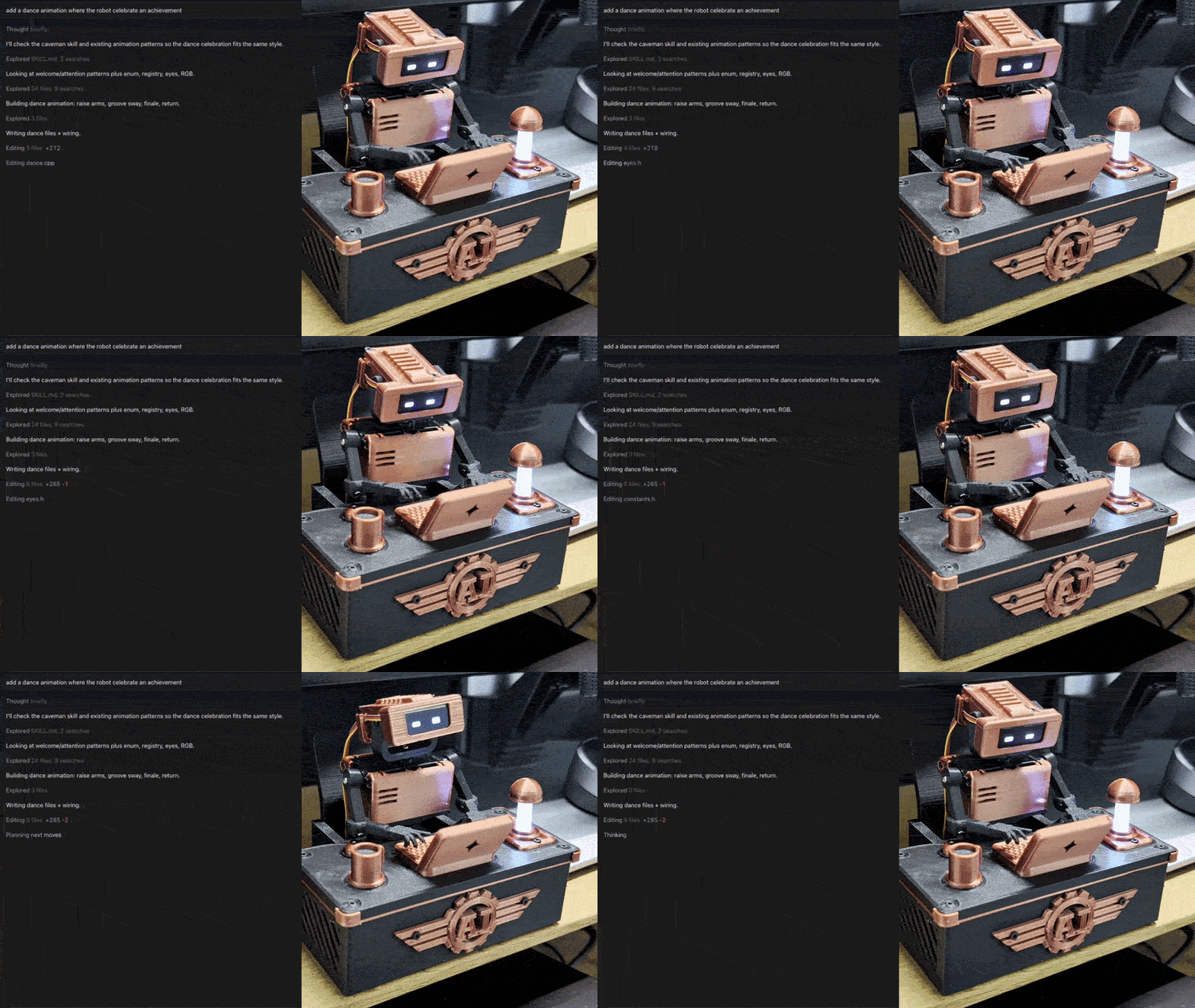
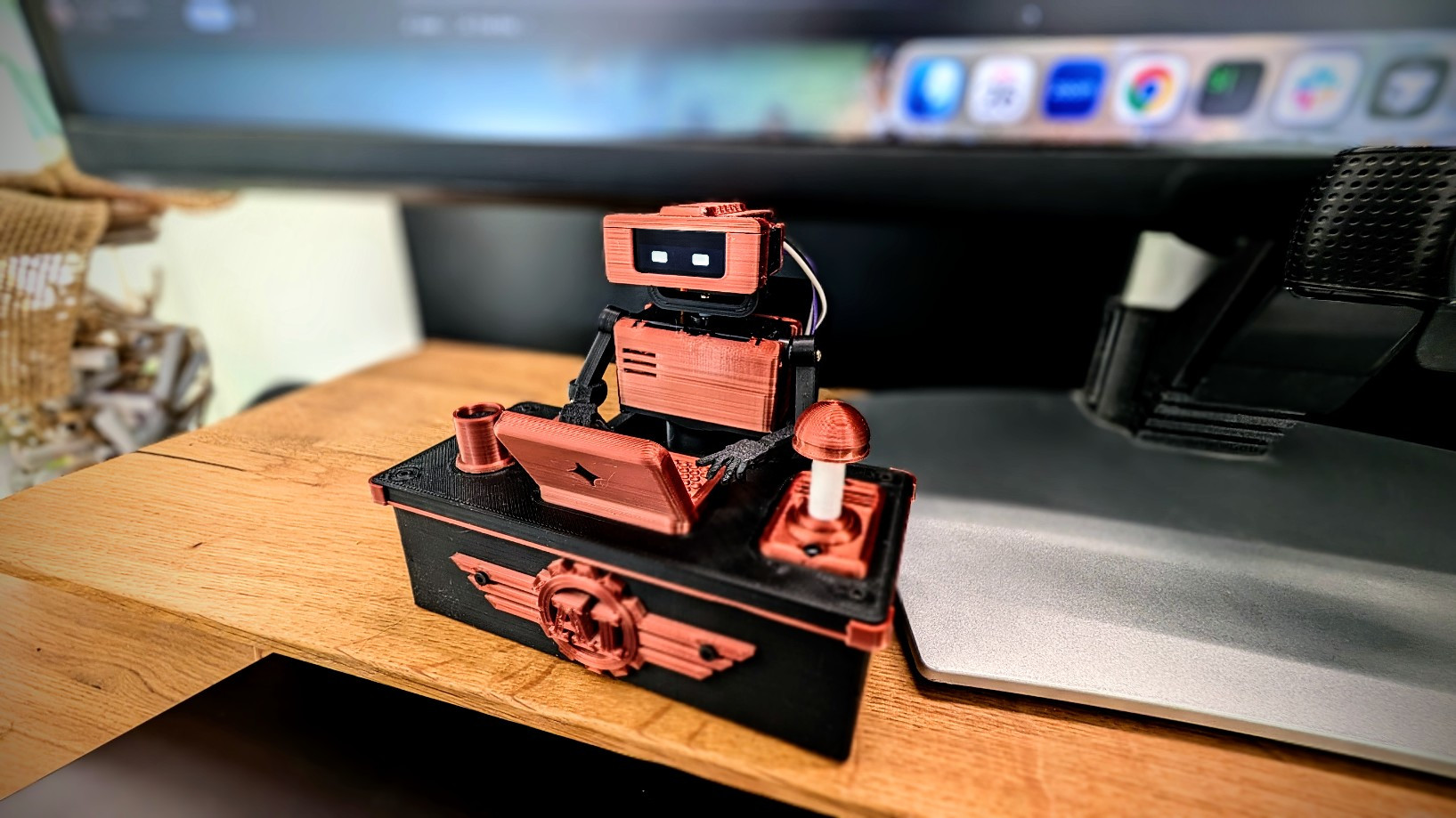
Tiny Engineer is an open-source, 3D-printable desktop robot that physically acts out what an AI coding agent is doing: reading, thinking, coding, finishing tasks. It runs on an ESP32 over Wi-Fi and exposes a simple REST API, so any tool that can make an HTTP request can drive it.
Watch the demo · Build your own · How it works · API
Why?
AI coding agents increasingly spend long stretches working on their own. I wanted to see what mine was doing without staring at the IDE.
So I built a slightly ridiculous desk robot: instead of another spinner or status line, there is a tiny teammate sitting next to me, visibly reading, thinking, and typing while the agent works.
How it works
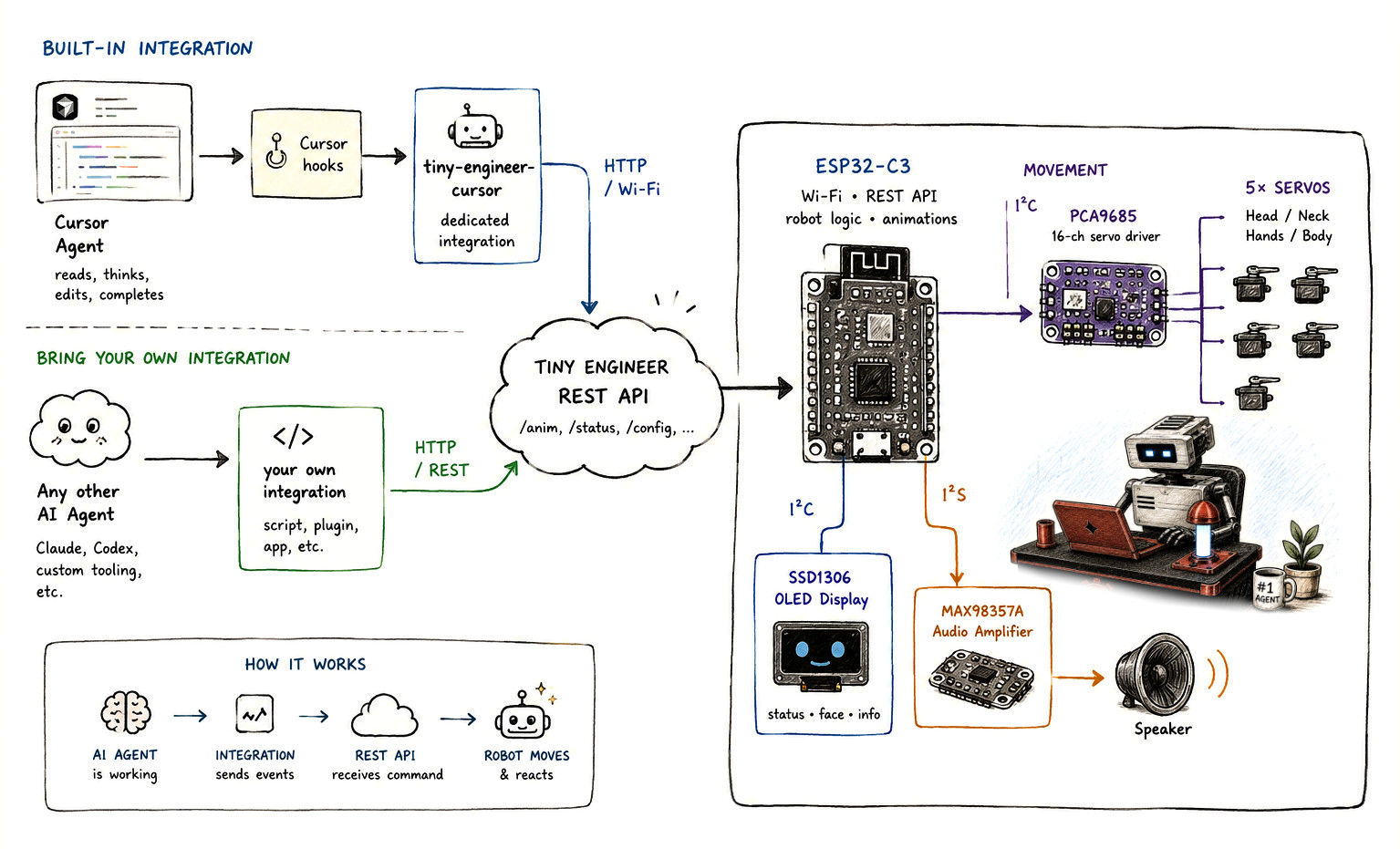
An AI agent works; an integration turns that into events; the robot’s REST API on your LAN receives them; the hardware moves and reacts.
How it connects
- Cursor — Cursor Agent → Cursor hooks →
tiny-engineer-cursor→ HTTP over Wi-Fi - Antigravity CLI — Antigravity Agent → lifecycle hooks →
tiny-engineer-antigravity→ HTTP over Wi-Fi - Bring your own — Claude, Codex, or any other agent → your script/plugin/app → HTTP REST
Both hit the same Tiny Engineer REST API (/anim). The ESP32-C3 runs that API, robot logic, and animations, then drives:
| Bus | Hardware | Role |
|---|---|---|
| I2C | PCA9685 → 5× servos | Head / neck, hands / body |
| I2C | Waveshare 0.91inch OLED (SSD1306) | Status, face, info |
| I2S | MAX98357A → speaker | Audio |
Cursor is one, sample, client, not the architecture. Details: Cursor hooks · any integration · HTTP API
Build your own
End-to-end path (details live in the linked docs):
New to hardware? Start with From Code to Circuits — hardware and electronics for software engineers; Tiny Engineer is the worked example.
- Get the electronics — hardware inventory
- 3D print the parts — printables. Different servo size: parametric CAD
- Assemble the mechanics — fit the five servos — 3D models, servo axes
- Wire the electronics — wiring, hardware overview
- Flash the ESP32 firmware — getting started → Flash
- Configure Wi-Fi — getting started → Wi-Fi
- Test the robot — web UI + a curl — getting started → Prove it
- Connect your coding agent — Cursor hooks or any IDE / REST
Full walkthrough: docs/getting-started.md.
Hardware overview
Major pieces (exact models and counts in the BOM):
| Role | Part | Qty |
|---|---|---|
| Controller | Waveshare ESP32-C3-Zero | 1 |
| Servo PWM | Adafruit PCA9685 | 1 |
| Actuators | Analog micro servos — Tower Pro SG90 recommended; Feetech FS0307 for a compact build; PowerHD HD-1370A still supported | 5 |
| Display | Waveshare 0.91inch OLED Module (SSD1306, 128×32, I2C) | 1 |
| Audio | MAX98357A + 8 Ω / 1 W speaker | 1 + 1 |
| USB / power | Adafruit 5993 USB-C breakout; 5 V / ≥2 A supply | 1 |
| Structure | 3D-printed parts | — |
Complete inventory and limits: docs/hardware/components.md. Which servo to buy and which parts to print: docs/3d/parametric-design.md.
Quick start
Firmware is Arduino on PlatformIO. From the project root:
pio run                 # build
pio run -t upload       # flash firmware + LittleFS
pio device monitor      # serial (115200)
If servos move but audio is silent, run pio run -t uploadfs once.
Wi-Fi (first boot): join TinyEngineer-XXXX, open http://192.168.4.1/config. Wizard: servos, screen orientation, RGB LED, speaker, then a 2.4 GHz network. OLED shows the join-AP steps.
Web UI: http://tiny-engineer.local/ (or the IP on the OLED) — settings, hardware tests, animations.
Make it move:
curl -X POST "http://tiny-engineer.local/anim?name=ring"
Full route list: docs/api.md. Settings: docs/settings.md.
AI integrations
Anything that can POST over HTTP can drive the robot:
curl -X POST "http://tiny-engineer.local/anim?name=typing"
Useful name values: typing, reading, thinking, ring, welcome, wakeup, sleep, attention, error, abort, dead, none.
Cursor projects can map agent events to poses via hooks — docs/hooks.md. Broader patterns and examples: docs/integration.md. Optional extra: sleep/wake when you lock or unlock a Mac — docs/macos-lock-unlock.md.
Documentation
| Goal | Doc |
|---|---|
| Build end-to-end | docs/getting-started.md |
| Parts / BOM | docs/hardware/components.md |
| Wiring / power | docs/hardware/README.md |
| Printable parts | 3d_models/README.md |
| Resize CAD for another servo | docs/3d/parametric-design.md |
| Servo axes / safe ranges | docs/robot-movement.md |
| HTTP API | docs/api.md |
| Settings | docs/settings.md |
| Cursor hooks | docs/hooks.md |
| Any IDE / REST | docs/integration.md |
| Firmware / package tests | docs/testing.md |
| Full index | docs/README.md |
Build one, break one, share it
Print it, wire it, change the CAD, swap animations, or hook up a different agent. Issues and PRs welcome — especially new integrations. See CONTRIBUTING.md. Vulnerabilities: SECURITY.md. Conduct: CODE_OF_CONDUCT.md.
License
- Software (firmware, integrations, scripts, documentation) — MIT
- Hardware designs (CAD source and
.3mfprintables in3d_models/; KiCad PCBs inhardware/) — CERN-OHL-S-2.0
See LICENSING.md for scope and effective date. The Tiny Engineer name and logo are not licensed — see TRADEMARK.md.
Yorumlar (0)
Yorum birakmak icin giris yap.
Yorum birakSonuc bulunamadi