midnight
Health Uyari
- License — License: AGPL-3.0
- Description — Repository has a description
- Active repo — Last push 0 days ago
- Low visibility — Only 6 GitHub stars
Code Uyari
- fs module — File system access in .github/workflows/release.yml
Permissions Gecti
- Permissions — No dangerous permissions requested
Bu listing icin henuz AI raporu yok.
Local bookkeeping for freelancers and the self-employed in Germany

Midnight
Local bookkeeping for freelancers and self-employed in Germany.


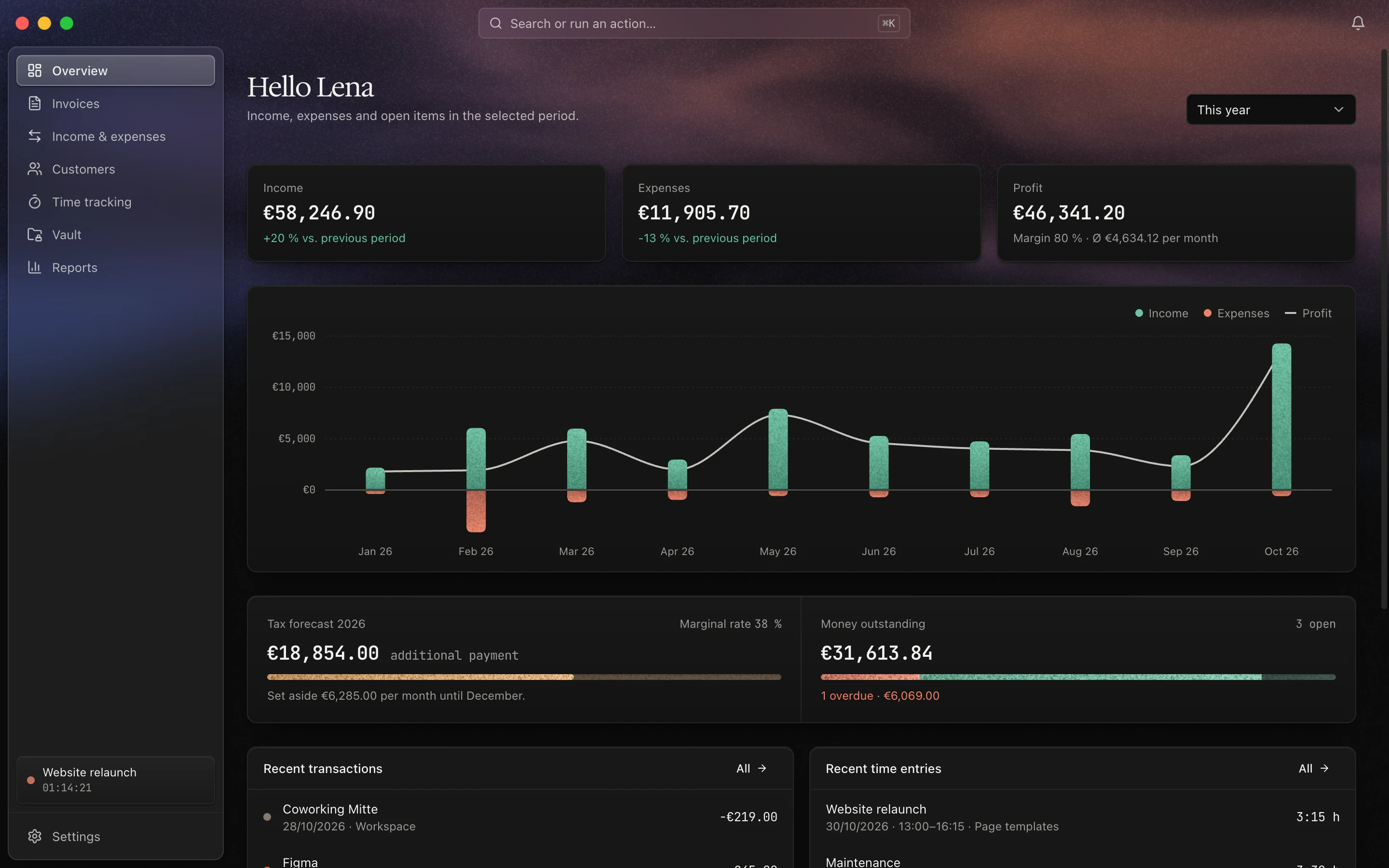
Features
| Area | What it covers |
|---|---|
| Overview | Income, expenses, profit and open items for the selected period, unbilled time |
| Income & expenses | Paid invoices as income, expenses with receipts, extracting name, amount and date from PDF receipts, CSV export |
| Categories | Custom expense categories, pre-filled with typical items for the German EÜR (cash-basis profit statement) |
| Invoices | Number sequences, line items, VAT and discounts, small business scheme under § 19 UStG, PDF export via LaTeX, e-invoices (ZUGFeRD/Factur-X EN 16931 and XRechnung 3.0), duplicating, saved products |
| Customers | Customer and order numbers, revenue and tracked time per customer, archive |
| Time tracking | Projects with hourly rate, budget or fixed price, timer, manual entries, billing unbilled time as a draft invoice, timesheet export |
| Vault | Document storage with document type, customer and tags, full-text search in PDF text |
| Reports | Monthly trend, margin, categories, forecast for the next three months |
| Tax | Annual income tax estimate: self-employment, employment, home office allowance, volunteering, health insurance, special expenses, hints on deadlines and limits, ZIP export with profit statement, lists, invoices and receipts |
| Other | ⌘K search, notifications, background jobs every 15 minutes, light and dark theme, English and German UI |
Screenshots
 |
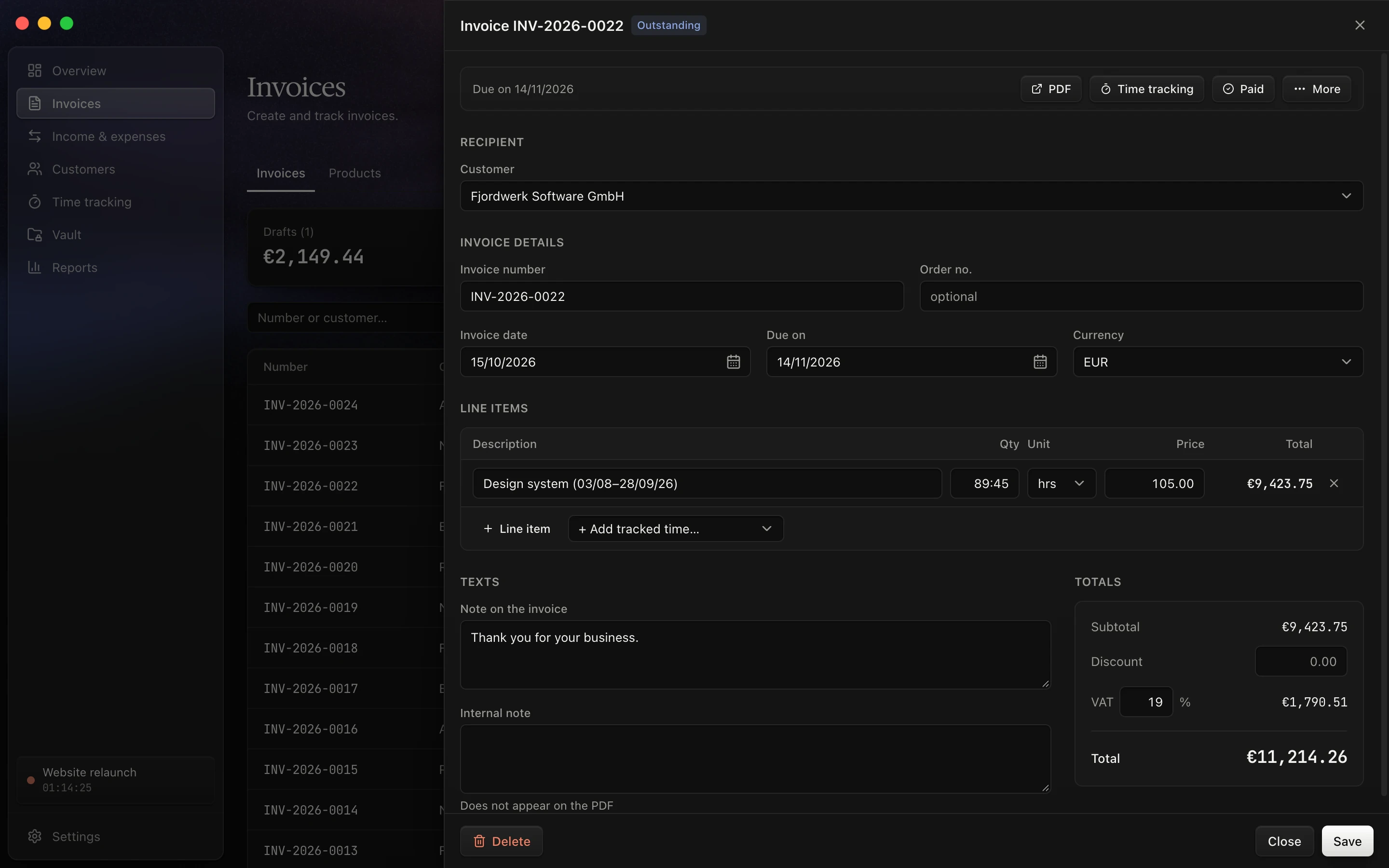 |
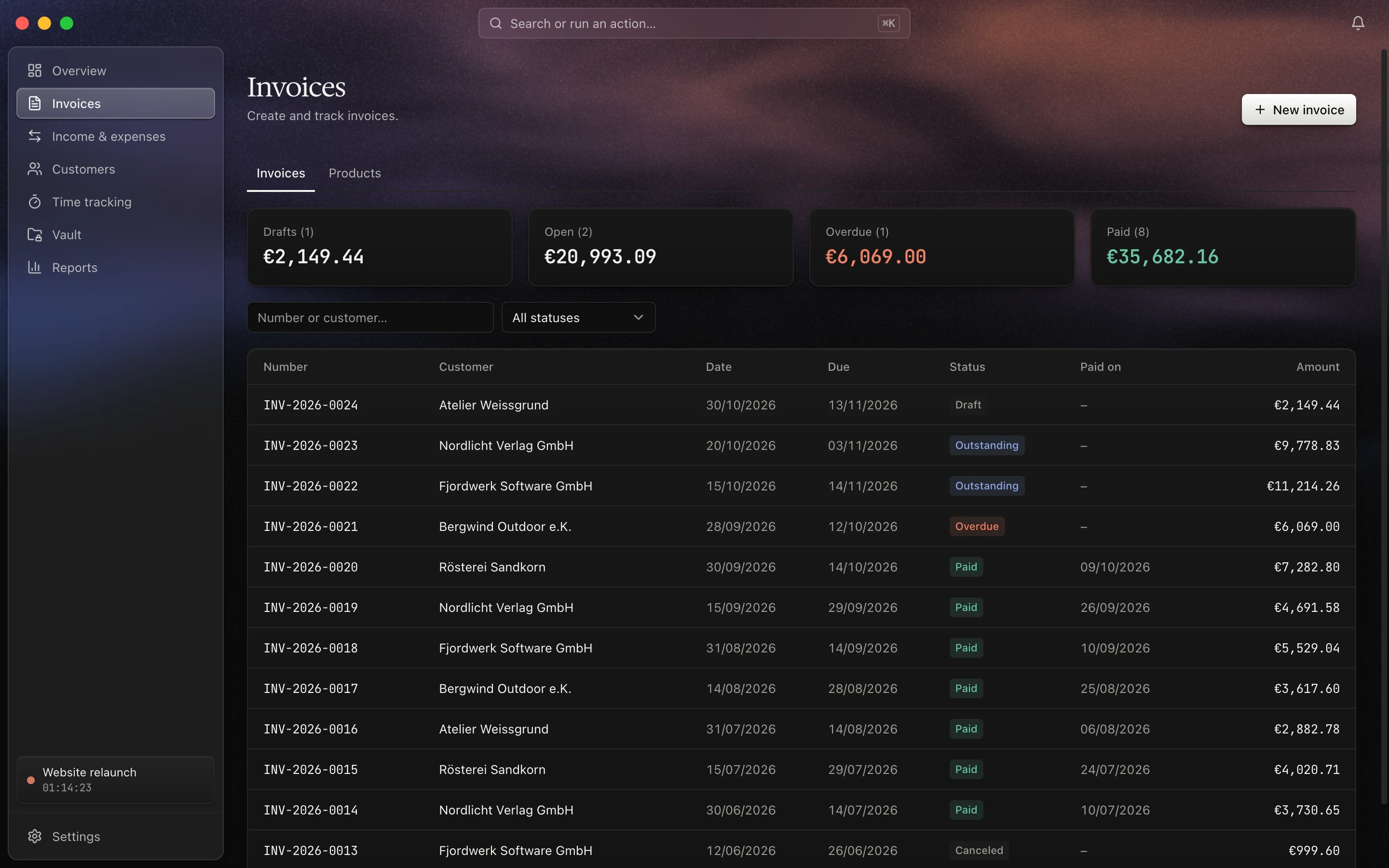
| Invoices – status totals and all invoices at a glance | Invoice editor – line items from tracked time, VAT and totals |
 |
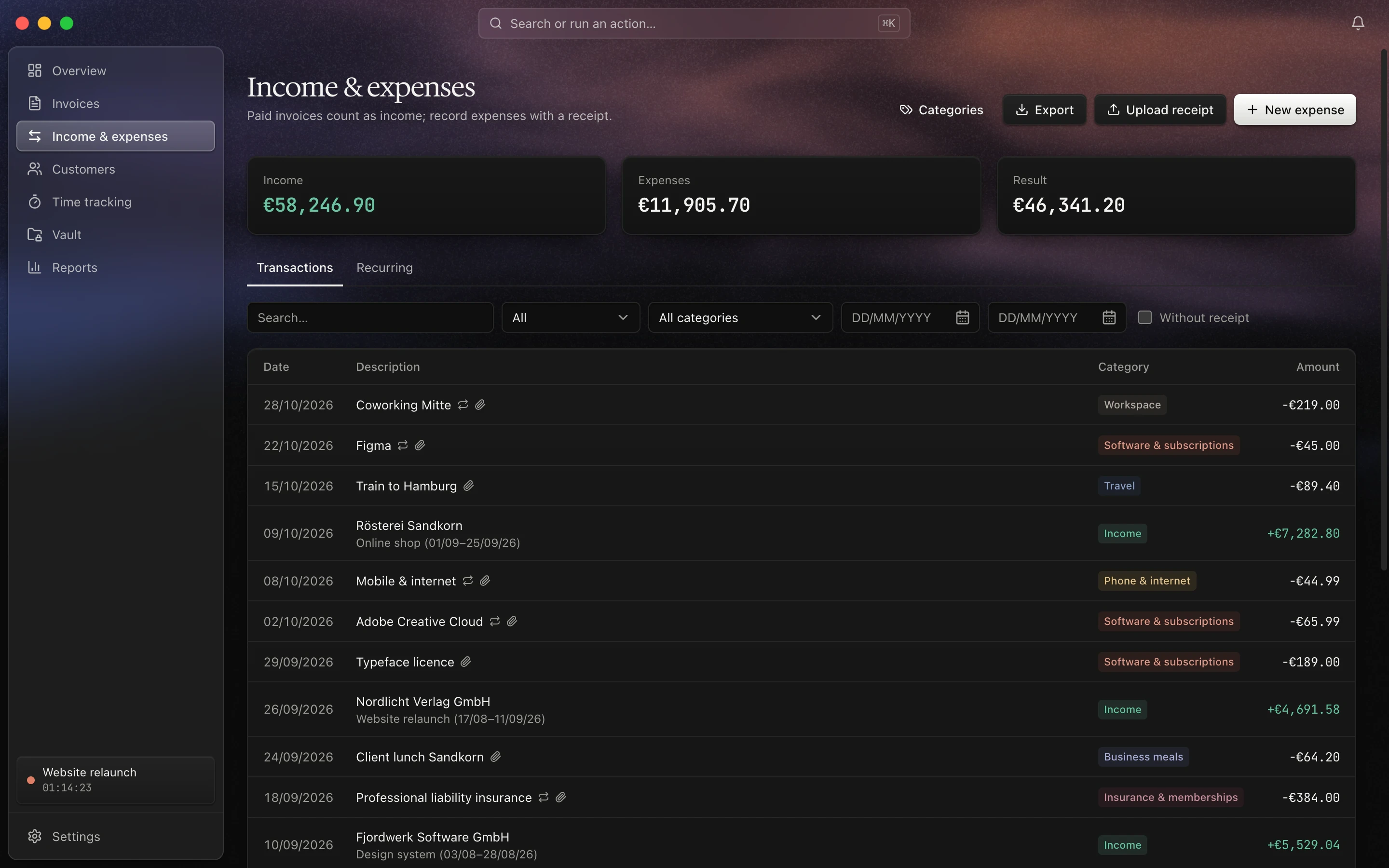 |
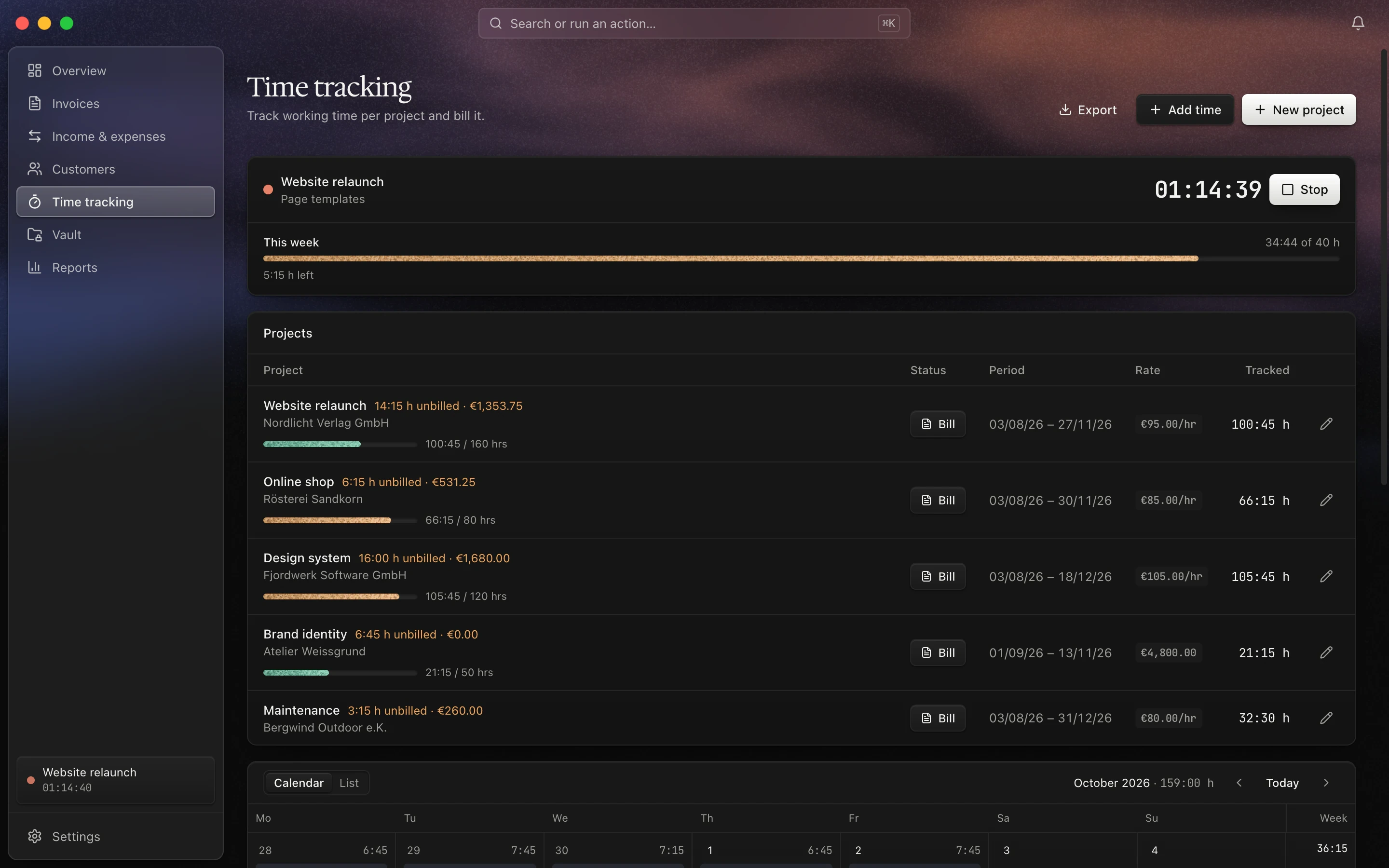
| Time tracking – running timer, weekly limit and project budgets | Income & expenses – paid invoices and expenses with categories |
 |
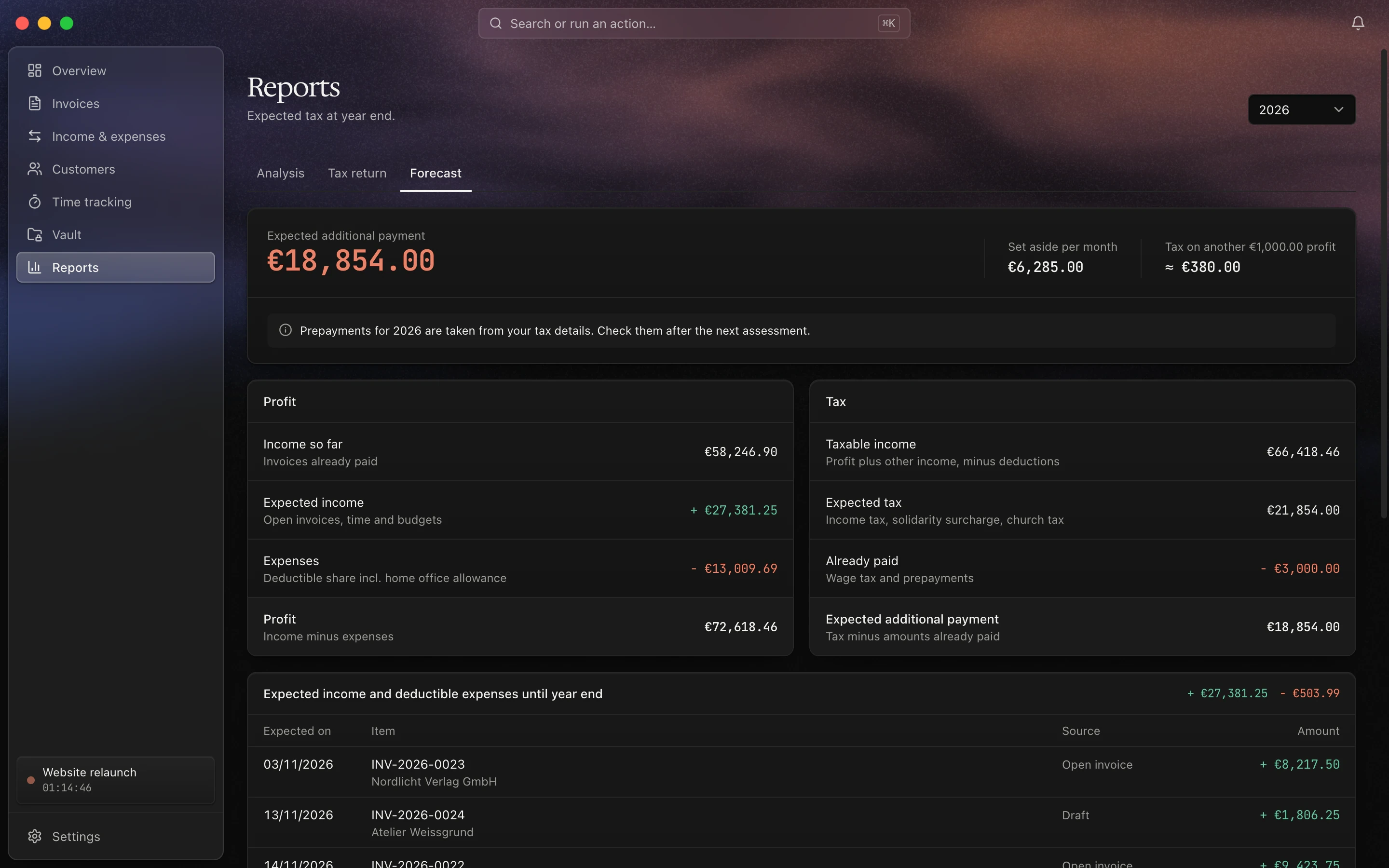 |
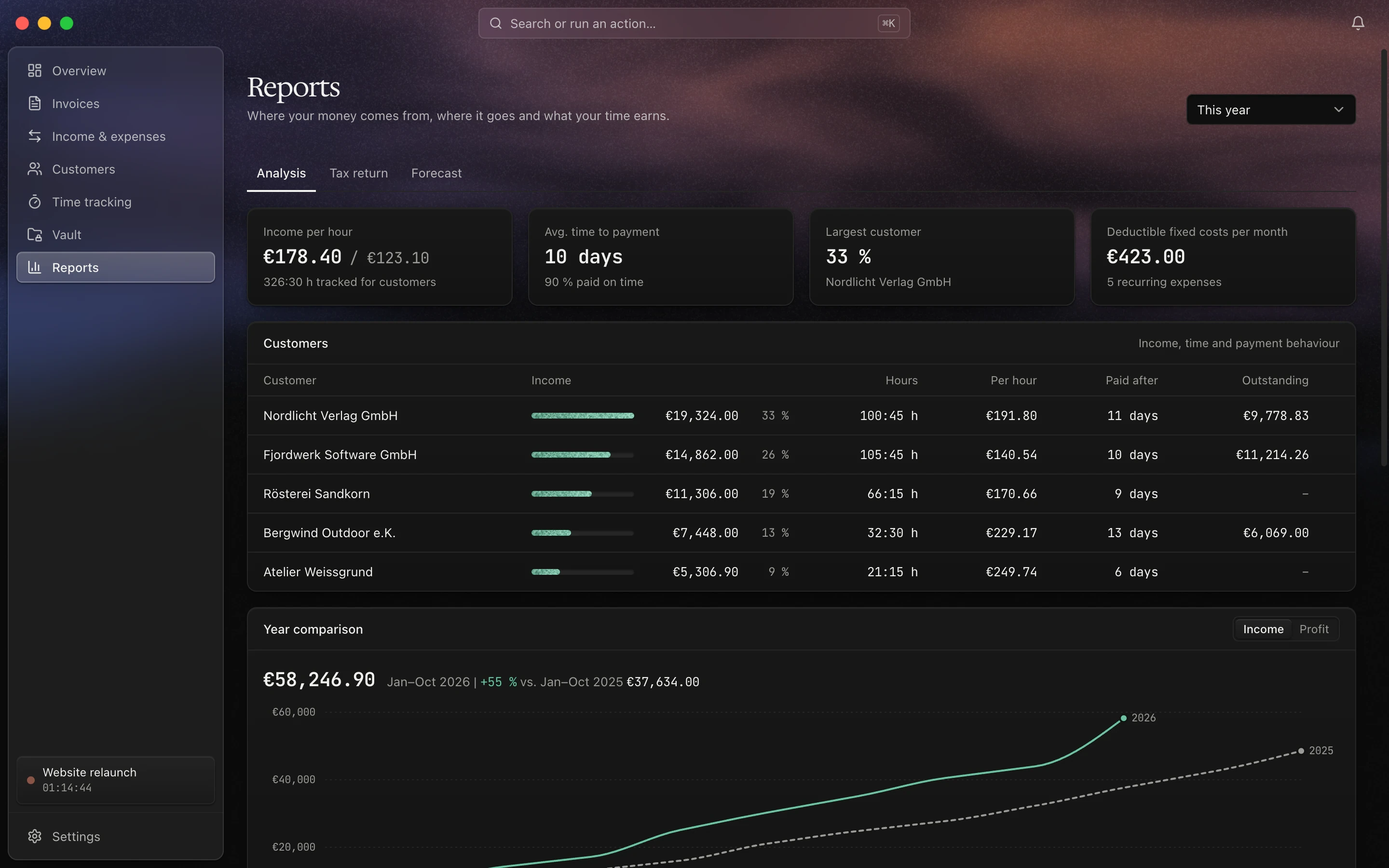
| Reports – income per hour, payment behaviour and year comparison | Tax forecast – expected payment, what to set aside and income until year end |
All screenshots show fictional demo data.
Installation
Download the latest .dmg for Apple Silicon (aarch64) or Intel (x64) from
Releases and drag Midnight into Applications.
The app is not notarized by Apple. On first launch macOS will block it; open System Settings / Privacy & Security
and click Open Anyway, or remove the quarantine flag:
xattr -dr com.apple.quarantine /Applications/Midnight.app
Midnight checks GitHub Releases for new versions and offers to install them. The check can be turned off in
Settings / General / Updates.
Required for PDFs: install MacTeX (or TeX Live). Invoices and timesheets are
typeset with LaTeX (xelatex); without it, no PDFs can be created.
Development
Requirements: Node 20+, and on macOS the Xcode Command Line Tools. The Rust version is pinned in rust-toolchain.toml.
npm install
npm run tauri dev
npm run tauri build
npm run build
cd src-tauri && cargo test
Releases are built by GitHub Actions when a v* tag is pushed (.github/workflows/release.yml) and published as a
draft release. The workflow signs the update archive and needs the repository secret TAURI_SIGNING_PRIVATE_KEY, plusTAURI_SIGNING_PRIVATE_KEY_PASSWORD if the key has a password. Installed apps pick up an update once the draft is published.
In development, MIDNIGHT_FAKE_UPDATE=0.2.0 npm run tauri dev offers a fake version at startup and on Check now instead
of asking GitHub.
The database schema lives in src-tauri/migrations/. New schema changes go into an additional, sequentially numbered
file and are registered in MIGRATIONS in src-tauri/src/db.rs.
MCP server
midnight-mcp exposes the app's features as MCP tools over stdio, for both reading and writing. It works directly on
the same database and also runs while the app is closed. Updates with missing fields are rejected, and only draft
invoices can be changed or deleted through it. Resetting all data is only possible inside the app. Under Settings →
General → MCP server, access can be limited to reading, and customer data can be kept out of every tool result.
The installed app ships with the server:
claude mcp add midnight -- /Applications/Midnight.app/Contents/MacOS/midnight-mcp
From source:
cd src-tauri && cargo build --release --bin midnight-mcp
claude mcp add midnight -- "$PWD/target/release/midnight-mcp"
A different data directory can be set via MIDNIGHT_DATA_DIR. New commands are registered insrc-tauri/src/commands.rs; each entry produces both a Tauri command and an MCP tool.
Data
On macOS, data is stored in ~/Library/Application Support/app.midnight.desktop/: the database midnight.db and thefiles/ folder with receipts, invoice PDFs and documents. Back up this folder to keep your data safe.
Contributing
Contributions are welcome — see CONTRIBUTING.md for setup, checks and conventions. Notable
changes are listed in CHANGELOG.md.
License
Copyright (c) 2026 Jannik Menzel. Licensed under AGPL-3.0, see LICENSE.
Third-party components:
- Postal codes: The offline postcode and town suggestions use data from GeoNames,
licensed under CC BY 4.0 (seesrc-tauri/data/README.md). - Interface fonts: Hedvig Letters Serif and JetBrains Mono, licensed under the
SIL Open Font License 1.1. - LaTeX template fonts: Inter, Poppins and JetBrains Mono in
src-tauri/templates/Fonts/, licensed under the
SIL Open Font License 1.1. - Libraries: All Rust crates and npm packages shipped with the app are listed with their licenses in
THIRD_PARTY_NOTICES.txt, which is bundled insideMidnight.apptogether withLICENSE. The file is generated
during the release build byscripts/third_party_notices.sh.
Acknowledgements
Midnight was inspired by Midday. Thanks to the Midday team for sharing their
work as open source.
Yorumlar (0)
Yorum birakmak icin giris yap.
Yorum birakSonuc bulunamadi