fleet
Health Warn
- License — License: MIT
- Description — Repository has a description
- Active repo — Last push 0 days ago
- Low visibility — Only 5 GitHub stars
Code Warn
- process.env — Environment variable access in claude/hooks/container.ts
- process.env — Environment variable access in claude/statusline.mjs
Permissions Pass
- Permissions — No dangerous permissions requested
No AI report is available for this listing yet.
Runs Claude Code and pi agents in parallel on your Mac, one Docker sandbox per issue. A host agent hands out the work, watches every sandbox and brings back tested, reviewed pull requests.
fleet
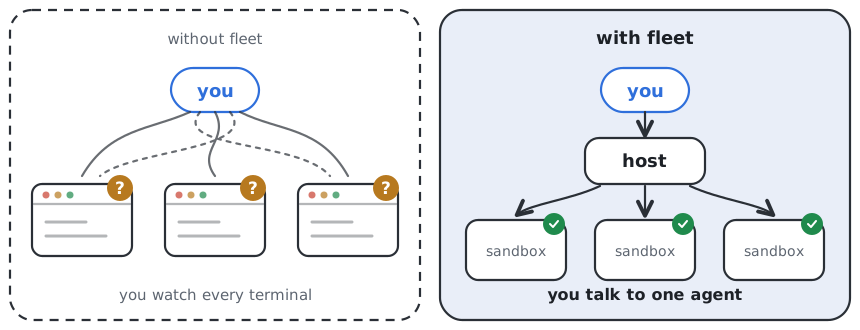
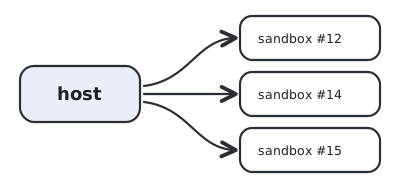
Give your coding agent a list of issues and get pull requests back. fleet runs each issue in its own sandbox with its own agent, all at once, and asks you only when a decision is yours.
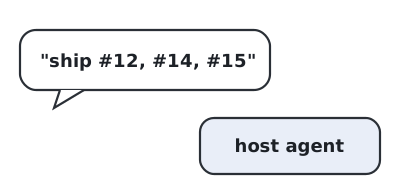
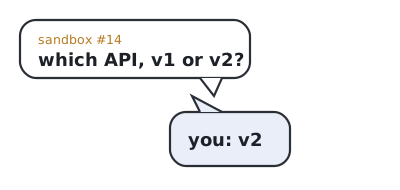
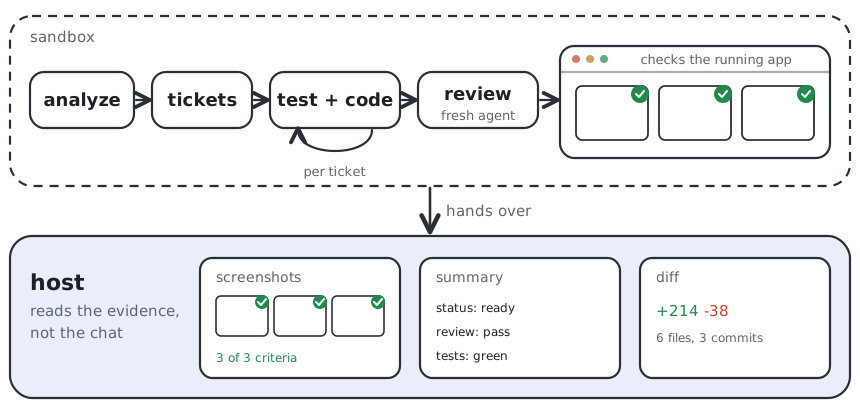
You only talk to one agent, the host, on your Mac. It starts a sandbox per issue, keeps an eye on all of them and checks the finished work before anything lands. Questions it can't answer come to you. Every command any agent runs passes a tested guard first.




How it works
|
|
|
|
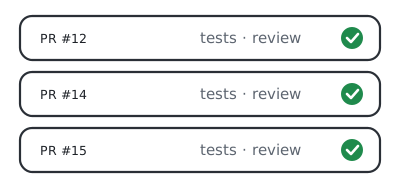
Quickstart
You need a Mac with Apple Silicon, Docker Sandboxes, herdr, Node, Claude Code and pi.
git clone https://github.com/jaqubowsky/fleet ~/harness
cd ~/harness && claude
Then tell your agent: "read SETUP.md and set me up". It checks what you have, asks what it can't know, and ends by starting and stopping one test sandbox.
Rather do it by hand?brew trust docker/tap && brew install docker/tap/sbx herdr
npm install -g @earendil-works/pi-coding-agent
curl -fsSL https://claude.ai/install.sh | bash
git clone https://github.com/jaqubowsky/fleet ~/harness && cd ~/harness
mkdir -p ~/.config/harness/git # put the sandboxes' .gitconfig here, SETUP.md step 3
./sync.sh # prints what it would change
./sync.sh --apply
herdr integration install claude && herdr integration install pi
Sign in to sbx and Claude Code and install Claude's TypeScript LSP plugin before --apply, which builds the sandbox images. Logins, tokens and sandbox secrets are in SETUP.md.
Inside one sandbox
Every sandbox agent follows the same run. It works out the task, cuts it into small tickets and builds each one test first, committing only after the checks pass.
Then a second agent reviews the change whenever it reaches beyond its own feature. It never saw the implementation, so it reads the diff the way a stranger would, for bugs and for code quality. When the change is something users see, the sandbox opens the running app in a real browser and takes one screenshot per acceptance criterion. It records a video walkthrough when you ask for one.
Once the pull request is open, tell the sandbox to babysit it. It answers review comments and fixes red checks, round after round.
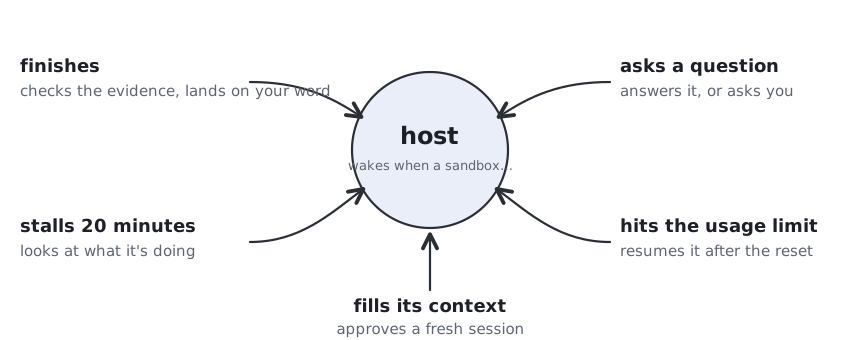
You don't watch terminals
The host sleeps until a sandbox needs something, then wakes up with what changed.
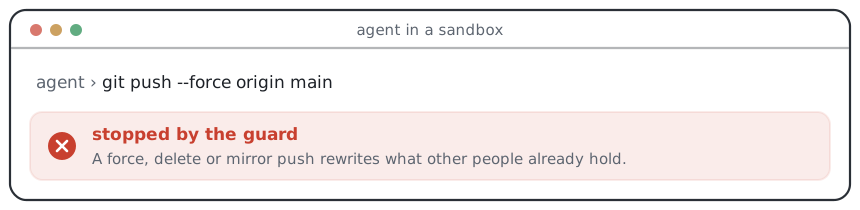
Every command passes a guard
Every tool call an agent makes goes through a policy first. This is what an agent gets back when it tries to rewrite history:
| Stopped | Example |
|---|---|
| Rewriting shared history | git push --force, delete and mirror pushes |
| Reading secrets | SSH keys, the keychain, op read |
| Changing its own rules | writes to ~/.claude and ~/.pi |
| Deleting your work | rm -rf on home and project folders |
| Acting on GitHub for you | merging a PR in another repository |
Commands
| Command | What it does |
|---|---|
fleet up <label> --repo <path> |
starts a sandbox for a task, its agent waiting in a tab |
fleet steer <sandbox> "<text>" |
sends that agent its next instruction |
fleet watch |
wakes the host when a sandbox needs it |
fleet peek <sandbox> |
shows what it is doing right now |
fleet land <sandbox> [--push] |
brings the finished branch home, and pushes it with --push |
fleet down <sandbox> |
closes the sandbox; its notes and logs stay |
fleet --help lists every verb and flag.
Also in the box
- Several repositories in one task. Repeat
--repo, and onelandbrings all of them home. - Permissions per repository.
fleet profileshows who may push, open and merge pull requests, for the host and for the sandbox. - Cost per task.
fleet lsshows what each sandbox has spent so far. - A record of every task. Plan, review and logs stay in a task folder after the sandbox is gone, and
fleet historyreplays how its status changed. - A setup that audits itself.
audit-harnessreads past transcripts and reports what held, what broke and what's missing, quoting each. - Your phone as a remote. Drive pi sessions from your phone over Tailscale.
Trust model
Sandboxes never hold your SSH or signing key, and their GitHub token reaches them only through the sandbox proxy. A repository's ignored .env files are copied into its sandbox. Three things never happen without you:
- a force, delete or mirror push, from any seat;
- a pull request opened or merged where the repository's profile doesn't give the host
auto, since the guard refuses it; - a push or a signature with your key, since the key waits for your Touch ID on the Mac.
The guard matches patterns and doesn't understand the shell, so eval gets past it. A repository's own .claude/settings.json can also switch off user hooks. It stops mistakes. Someone who has read the rules can get around it.
Make it yours
Rules, skills and the guard are written once in this repo and rendered for both Claude Code and pi. To add a skill, drop a SKILL.md into skills/shared, skills/host or skills/container and run sync. It reaches both agents, on your Mac, in the sandboxes or both. Edit or delete the bundled skills the same way. Keep them in the repo, because sync replaces ~/.claude/skills on every run.
This is my setup
It is opinionated and built around how I work. Fork it and let your agent bend it to yours.
Code smells list adapted from mattpocock/skills (MIT). Licensed MIT.
Reviews (0)
Sign in to leave a review.
Leave a reviewNo results found