context-docs
Health Pass
- License — License: MIT
- Description — Repository has a description
- Active repo — Last push 0 days ago
- Community trust — 188 GitHub stars
Code Pass
- Code scan — Scanned 12 files during light audit, no dangerous patterns found
Permissions Pass
- Permissions — No dangerous permissions requested
No AI report is available for this listing yet.
Agent skills for Codex and Claude Code that preserve project context, decisions and next steps across AI sessions in plain Markdown.
Context Docs
Keep decisions, current work and next steps across AI sessions.
Context Docs provides reusable agent skills for context management in Codex and
Claude Code. Preserve project knowledge in readable Markdown so a new AI session
can pick up where you left off: what was decided and why, what is done or blocked,
and what to do next.
Designed for people without an established context-management workflow, it uses
your project's existing documents with as little setup and manual organization
as possible.
Website · Get started · See an example · User guide · Evidence · Contribute
Status: experimental, core skill v0.2.7 and adoption skill v0.1.16.
The v0.2.7 release notes cover a narrow instruction
simplification and qualified checks. Everyday installation selects this bundle.
The Codex candidate report's automatic-loading confirmation remains unverified;
Claude instruction events support loading in its checked sessions only.
The v0.2.6 release notes cover metadata filtering,
portable references and qualified synthetic checks. The earlier candidate’s
unlinked-note coverage gap remains; the separate installed check names the note
explicitly. See results and qualifications.
Publication and installation are separate actions. See release history for earlier
versions, feature boundaries and retained evidence.
For Codex and Claude Code · Plain Markdown · MIT licensed
What you get
You should not have to invent a documentation system before you can preserve your
work. Context Docs gives your agent instructions to:
- Save what matters: decisions and their reasons, current work, blockers and next steps.
- Keep it useful: update stale sections, consolidate repetition and distinguish facts from proposals.
- Fit your project: use existing documents and choose content for their audience.
- Help the next session start: make the context discoverable from the README or documentation index.
- See progress in Markdown: show the documented goal, meaningful advances,
blockers and next action in an existing section or a linked Markdown view.
For example, after working on an export feature, your project context might contain:
## Current work
CSV export is implemented; empty-input behavior still needs testing.

## Decision (maintainer-approved)
Keep the existing export API to preserve compatibility.

## Next step
Test empty input before calling the feature complete.
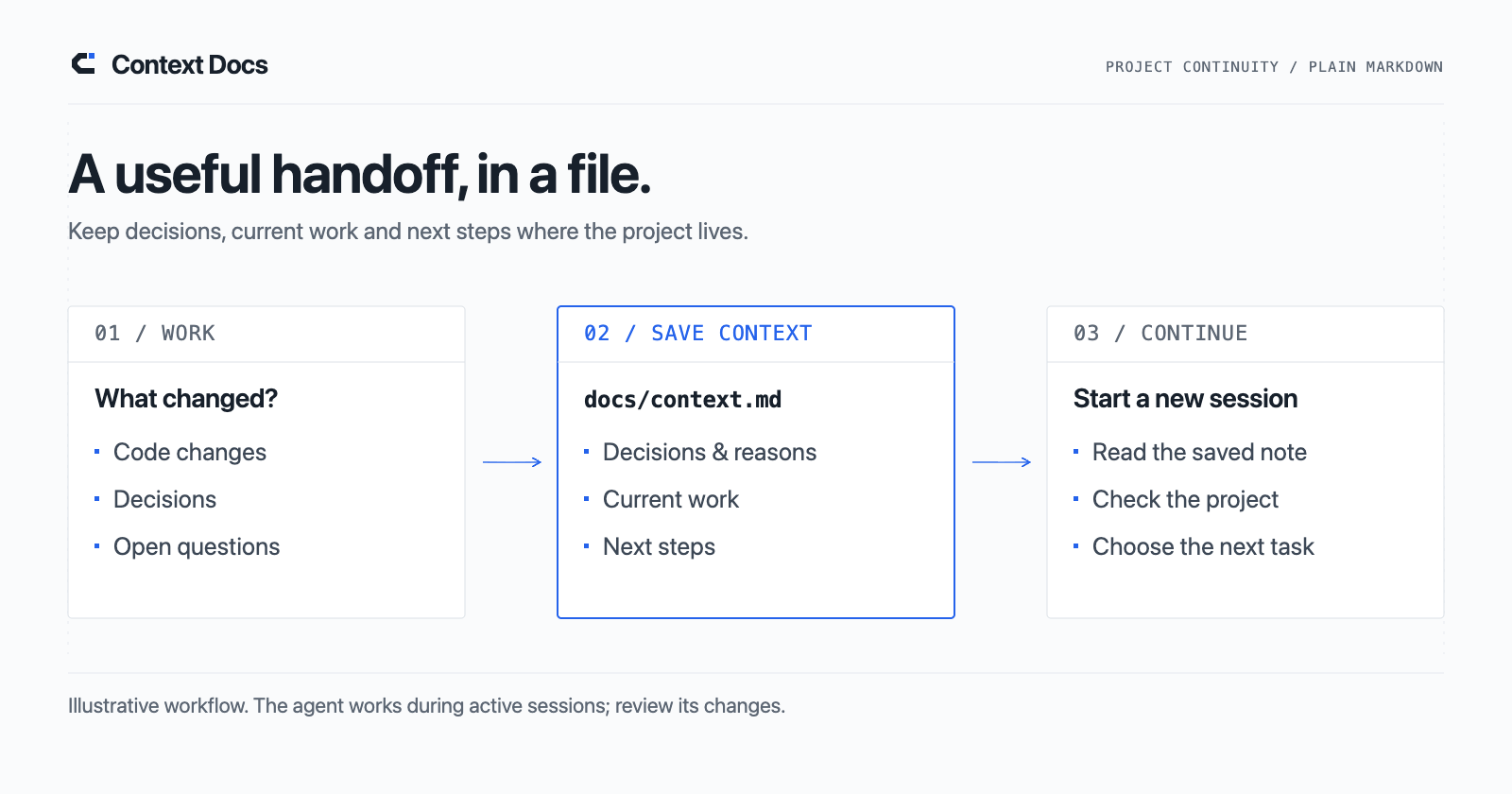
Illustrative content, not a required template. The agent should derive entries
from your actual work and evidence. You review the changes; the next session
reads the saved context. See a fuller before-and-after example.
Explore the worked examples: the
Reading Queue walkthrough teaches
the full workflow; separate Codex → Claude Code
and Claude Code → Codex
cases show how to hand off the same project through saved Markdown.
Get started
Install both skills, then adopt them in the project you want to maintain.
Already installed? Skip to Use it.
The instructions below select published bundle v0.2.7: core 0.2.7 and
adoption 0.1.16. See the guide
for development-source installations.
Install in Codex
Ask Codex:
Use $skill-installer to install both skills from jaredchu/context-docs
at the published tag v0.2.7:
- skills/context-docs
- skills/adopt-context-docs
Install them together in ~/.agents/skills/.
Preserve existing installations and local customizations; report version
mismatches before upgrading. Report the installed VERSION values:
context-docs 0.2.7 and adopt-context-docs 0.1.16.
Manual installation and project-only setup →
Install in Claude Code
For a first installation, run these commands in a terminal:
git clone --branch v0.2.7 https://github.com/jaredchu/context-docs.git
cd context-docs
mkdir -p ~/.claude/skills
cp -r skills/context-docs skills/adopt-context-docs ~/.claude/skills/
cat ~/.claude/skills/context-docs/VERSION ~/.claude/skills/adopt-context-docs/VERSION
If either skill is already installed, review the upgrade guidance
before copying files. Project-only setup and instruction loading →
The version output should be 0.2.7 followed by 0.1.16.
Use it
1. Set up your project
Open your project in your coding agent and invoke:
| Codex | Claude Code |
|---|---|
$adopt-context-docs |
/adopt-context-docs |
The adoption skill applies the context workflow and adds or reuses a maintenance
rule in the project instructions your agent loads. It preserves equivalent
existing rules and the project’s documentation layout, and reports when it cannot
confirm instruction loading.
Adoption directs the agent to start a simple inline progress path by default when
the documented goal and work support one, including during explicit re-adoption.
The guidance reuses existing views and keeps them current during everyday context
updates, without a second task list or repeated requests. Installation and upgrade
alone do not rewrite existing project setups.
2. Save decisions, current work and next steps
Once adopted, the project's loaded maintenance rule guides the agent to update
context after meaningful changes during normal work. You do not need to name
Context Docs in every prompt. Check that the rule is loaded and review the updates.
If an update is missed, or you want one explicitly, ask:
Update this project's context from the work we just completed.
Preserve decisions and their reasons, current work, blockers and next steps.
Review the resulting diff. You do not need to keep a session diary or log every
interaction. For shared Git context, include relevant context changes alongside
code in your already-authorized commit/transfer workflow, and confirm the other
checkout has those files before resuming. For ignored local-only context, use
your existing private transfer/backup procedure; it does not travel with a clone.
If work accumulated outside the current session, use the same skill
to refresh context against current evidence:
Use context-docs to refresh this project's context against current project evidence.
This uses existing maintenance guidance; no new skill or re-adoption is needed.
See the refresh guidance and focused check.
To inspect documentation without changing it, ask:
Use context-docs to audit this project's context documents without editing files.
3. Resume with the saved context
Start a new session with:
Read this project's context entry point and its relevant linked documents.
Use the recorded decisions, current work and next steps to continue with the next task.
Find the entry point in your README, documentation index, or the adoption marker’sEntry point: field. Explicitly
ask the agent to read it: a saved file alone does not ensure that a new session
loads it. More usage examples and setup details →
This also applies when switching between Codex and Claude Code. Save and review
context before switching, open the same code and notes in the receiving client,
and confirm its maintenance instructions load. See the
direction-specific walkthroughs and their
observed checks and limits.
4. Visualize progress in Markdown
The skills add a progress view without a web app or separate tracker:
Use context-docs to visualize this project's progress in Markdown.
Show the documented goal, completed and blocked work, meaningful advances
and next action as a compact visual path. Show dependencies and put blockers
beside the work they stop. Link to sources and mark unknowns. Reuse the
existing context layout, or link a separate Markdown file if that reads better.
The guidance directs the agent to maintain an existing view during authorized
context updates and distinguish activity, useful learning and completed outcomes.
A possible stall requires relevant historical evidence; invented completion
percentages and claims of live agent activity are forbidden.
Favor a concise tree, arrow path or nested checklist with dependencies and blockers
visible, linking to detailed evidence while preserving decisions and existing
layouts. A flat status table alone is insufficient; there is no fixed length limit.
See the guide,
synthetic example and
qualified checks.
Two skills, one workflow
| Skill | When to use it |
|---|---|
| adopt-context-docs | Set up the workflow and ongoing maintenance rule in a project. Requires the sibling core skill. |
| context-docs | Create, maintain or audit project context. Can also be used on its own. |
Ordinary maintenance requires no background service, cloud account or runtime
dependency. The agent works during active sessions; this is not automatic
conversation capture or unlimited memory. Your project keeps ordinary, reviewable files.
Optional logging
Most users can start with Markdown context alone. An optional event journal can
record significant history for later investigation, including when local-only
context changes without Git history. It is off by default unless you explicitly
enable it or select the auto preference. With no project logging setting, auto
applies outside Git or to explicitly selected local-only context with verified
ignored, untracked context and journal paths. Installing the skills does not enable
it. The journal helper requires Python 3.9+.
Logging setup, upgrades and auto preference →
Prefer context that stays out of Git? Select the opt-in
local-only setup.
Existing setups are preserved.
Quality and limits
The goal is useful, accurate context with less effort for people who lack an
established workflow. The project has packaging checks and recorded agent
studies, including failures and reviewer disagreements. Those studies do not yet
establish effort savings for the intended users or a skill-specific correctness
advantage. Comparisons with competent
ordinary maintenance are quality diagnostics, not a requirement to beat experts.
The skill guides an agent; it cannot guarantee factual correctness or complete
preservation, and it cannot prevent concurrent editing conflicts. Review
consequential claims and edits. It provides no automatic scheduler and grants no
permission to publish documents or change other systems. Native integration
remains experimental.
Results, methods and limitations →
Explore
- Who Context Docs fits and how it compares · Live comparison
- Installation and usage · Release history · Changelog
- Context standard · Context template · Decision template
- Contributing · Case and review templates
- Evaluation scenarios · This project’s context
Credits and license
Created and maintained by Jared Chu, with
OpenAI Codex and Claude contributing implementation,
documentation and evaluations. Codex led the initial AI development.
See the contribution and attribution policy.
Released under the MIT license.
Reviews (0)
Sign in to leave a review.
Leave a reviewNo results found