sketchcraft
Health Gecti
- License — License: MIT
- Description — Repository has a description
- Active repo — Last push 0 days ago
- Community trust — 34 GitHub stars
Code Basarisiz
- exec() — Shell command execution in app/src/App.tsx
- exec() — Shell command execution in app/src/appearance.tsx
Permissions Gecti
- Permissions — No dangerous permissions requested
Bu listing icin henuz AI raporu yok.
Draw an outline. Pull it up. Open-source push/pull 3D modeler in Rust: desktop app, CLI and MCP server.
SketchCraft
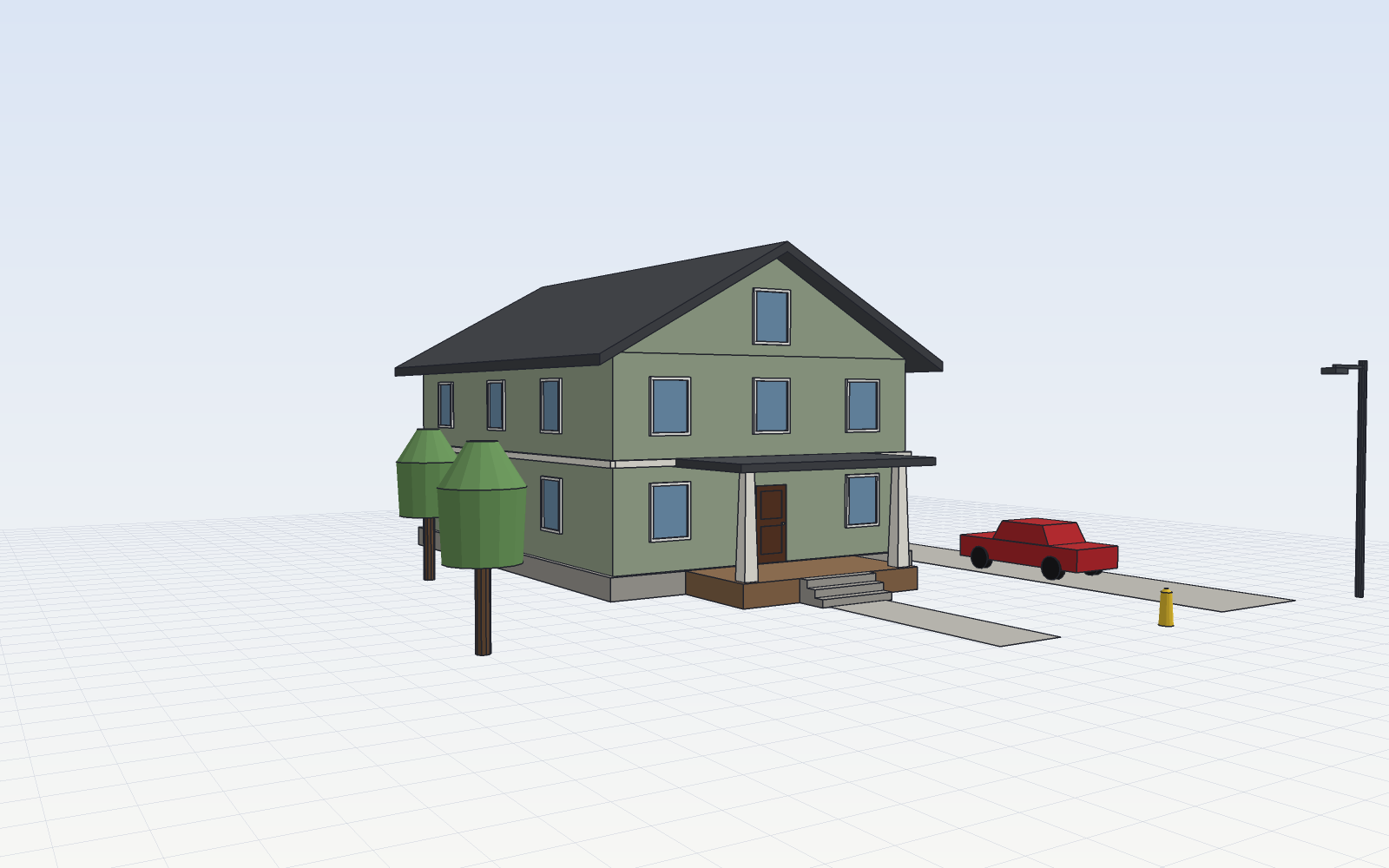
SketchCraft is a free, open-source push/pull 3D modeler for buildings, streets
and anything with straight walls. It's written in Rust, runs as a desktop app
on macOS, Windows and Linux, and is fully scriptable: every action is a JSON
command, so scripts, the CLI and AI agents (over MCP) drive exactly what you
drive with the mouse.
What it does
- Draw: lines that split edges, cut faces and close into faces; rectangles,
circles, polygons, arcs, offsets. - Shape: push/pull (pull out, push in, carve windows and doors), Follow Me
sweeps for trim, cornices and eaves, auto-fold when a move bends a face. - Transform: move, copy and arrays (
x5,/5), rotate, scale, mirror. - Snap: endpoints, midpoints, edges, faces, guides and the red/green/blue
axes, with "From Point" alignment and arrow-key axis locks. Type a number and
press Enter for exact sizes. - Organize: groups and components (edit one, every copy updates), tags,
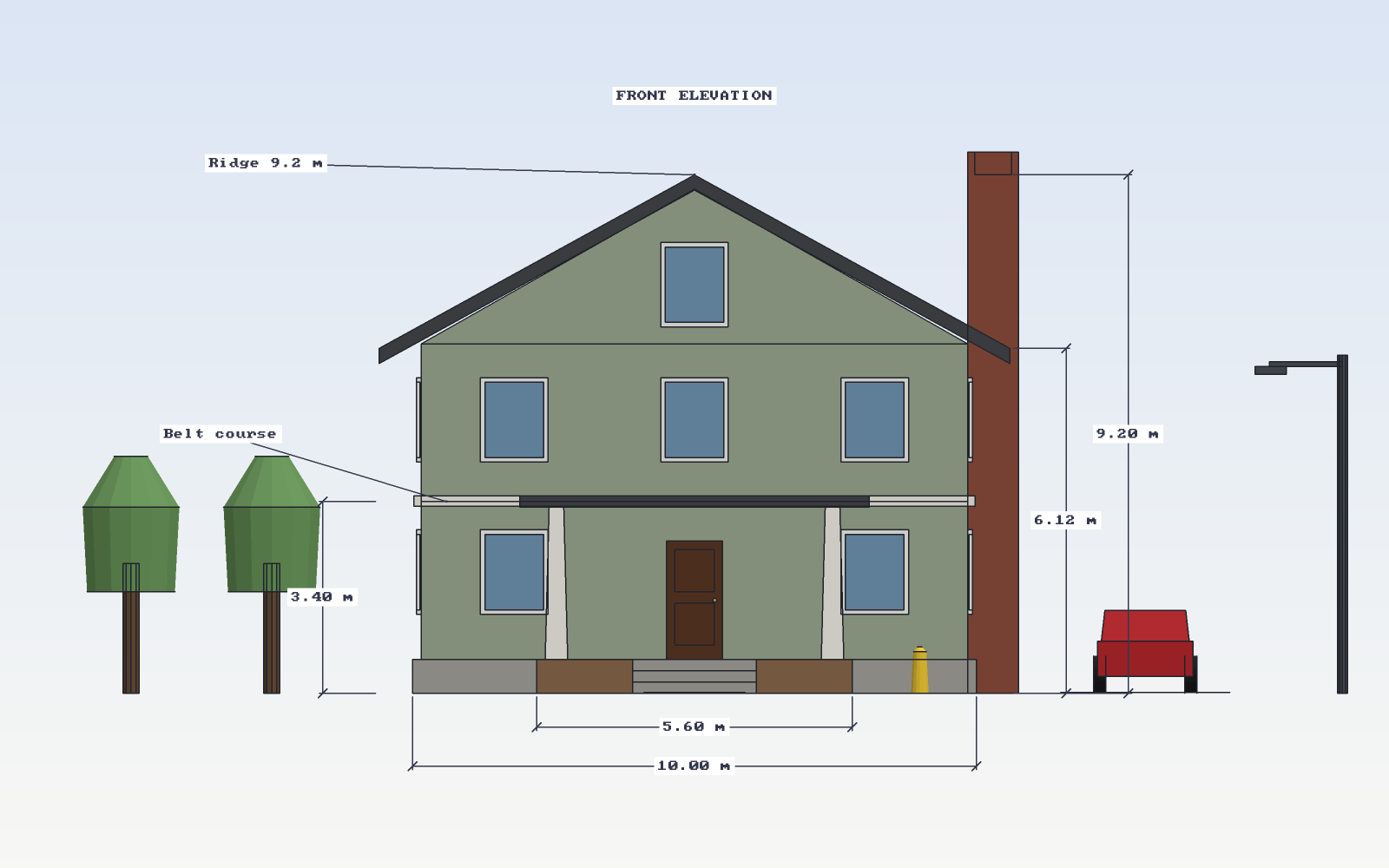
hide/unhide, soft edges, an outliner. - Document: dimensions and text labels, saved views, section cuts, X-ray,
shadows, parallel projection, headless PNG renders. - Library: doors, windows, garage doors, trees, palms, cars, streetlights,
benches and hydrants, all built from editable command scripts. - Build blocks: walls along a path (or closed rooms), code-friendly stairs from a
total rise, gable/hip/shed roofs on any top face, columns. - Textures: add a photo as a material, paint faces with it at a real-world tile
size, or project it across a whole model from your view. - Units: meters, centimeters, millimeters, feet & inches, or inches. Type
lengths any way:12',8'6",250cm,2.5m. - Pro tools: Solid Tools (union, subtract, intersect, trim, split, outer
shell), Intersect Faces, Flip Along, Sandbox terrain (contours, scratch,
smoove, stamp, drape, flip edge), Dynamic Components (attributes and
formulas), Match Photo, section fills, scene animation (MP4), drawing sheets
at true scale (PDF), Generate Report (CSV), Classifier + IFC export, and Add
Location (real terrain + OpenStreetMap). See docs/PARITY.md. - Styles: shaded, textured, monochrome, hidden line, wireframe; profiles,
sketchy edges, extensions, ambient occlusion; paper, blueprint and night. - Keyboard: SketchUp's default shortcuts, 1:1 (press
?in the app). - Files: a File menu with New / Open / Save / Save As;
.sketchcraftdocuments,
glTF (.glb), OBJ, STL, Collada, 3D DXF, PDF and IFC export; OBJ and binary FBX import; and SketchUp (.skp) import for
both legacy SketchUp 6–8 files and modern 2013+ files (checked against 26.2):
geometry, nested components and placements, colors and textures.
Install
Download the latest build from
Releases:
a .dmg for macOS, .msi/.exe for Windows, and .AppImage/.deb for Linux.
The headless CLI is attached as sketchcraft-cli-*.zip.
macOS builds aren't notarized yet. If macOS says the app "can't be opened",
open System Settings › Privacy & Security and click Open Anyway.
Build from source
# engine + CLI
cargo build --release -p sketchcraft-core
# desktop app
cd app && npm ci && npm run tauri build
Requires Rust (stable) and Node.js 22.
The app
A Figma-style layout: Outliner / Library / Views on the left, Entity Info and
paint on the right, a floating toolbar, and style toggles.
| Key | Tool | Key | Tool |
|---|---|---|---|
| Space | Select (hold to orbit) | M | Move (Option copies) |
| L | Line | Q | Rotate |
| A | Arc | S | Scale |
| R | Rectangle | T | Tape measure (guides) |
| C | Circle | D | Dimension |
| N | Polygon | W | Text |
| P | Push/Pull | B | Paint (Option samples) |
| F | Offset | E | Erase (Shift hides) |
| J | Follow Me | O | Orbit |
| X | Section cut | G / H | Group / Hide |
Arrow keys lock the red (→), green (←) or blue (↑) axis. On a trackpad,
two-finger swipe orbits, Shift+swipe pans and pinch zooms. With a mouse,
middle-drag orbits, right-drag pans and the wheel zooms. Right-click opens
the context menu, ⇧Z zooms to fit.
Scripting and the CLI
One JSON command per line. Add "as":"name" to remember a result's id and use"@name" later. Units are meters; Z is up.
{"cmd":"rect","from":[0,0,0],"to":[8,12,0],"as":"lot"}
{"cmd":"pushpull","face":"@lot","distance":6}
{"cmd":"insert","asset":"door","at":[3.5,0,0]}
{"cmd":"dimension","from":[0,-1,0],"to":[8,-1,0],"offset":[0,0,-1]}
{"cmd":"render","out":"house.png","view":"iso"}
sketchcraft run examples/craftsman_house.jsonl     # run a script
sketchcraft serve                                  # JSON in, JSON out on stdio
sketchcraft mcp --doc model.sketchcraft            # MCP server for AI agents
sketchcraft bridge                                 # the app's UI in a browser
| Area | Commands |
|---|---|
| Draw | rect, polygon, line, circle, arc, offset |
| Shape | pushpull, follow_me |
| Transform | move, rotate, scale, duplicate, array, copy |
| Organize | begin_group/end_group, group, edit/close, make_component, place, explode, components, rename |
| Library | insert, assets, wall, stairs, roof, column |
| Materials | paint (color or material), texture, units |
| Visibility | hide, unhide, tag, tag_visible, soften |
| Notes | dimension, text, guide, clear_guides, save_view, delete_view |
| Inspect | pick, faces, info, undo, redo, new |
| Files | save, open, export_obj, export_glb, export_stl, import_obj, import_skp, render |
AI agents (MCP)
sketchcraft mcp exposes sketchcraft_run, sketchcraft_render (returns an
image the agent can look at) and sketchcraft_info. With --doc it shares the
desktop app's live model, so you and an agent can build the same model at once.
This repo's .mcp.json sets it up for Claude Code.
Status
Young and moving fast. What changed in each release is in CHANGELOG.md. Next up: photo match (line a photo up with the model),
textures in exports, solid tools
(union/subtract), intersect faces, and parallel / perpendicular inference.
The .skp importer is a clean-room reader, worked out from sample files for
interoperability: core/src/skp.rs reads the legacy MFC CArchive format andcore/src/skp_vff.rs the modern ZIP + tagged-record format. It skips what it doesn't
understand (dimensions, text, textures inside the file) rather than guess.
License and trademarks
MIT, see LICENSE. SketchCraft is an independent, clean-room project:
it is not affiliated with or endorsed by Trimble or SketchUp, or by ArtCraft.
Yorumlar (0)
Yorum birakmak icin giris yap.
Yorum birakSonuc bulunamadi