token-monitor
Health Gecti
- License — License: MIT
- Description — Repository has a description
- Active repo — Last push 0 days ago
- Community trust — 10 GitHub stars
Code Basarisiz
- spawnSync — Synchronous process spawning in scripts/build-icons.js
- fs.rmSync — Destructive file system operation in scripts/build-icons.js
- fs module — File system access in scripts/build-icons.js
- fs.rmSync — Destructive file system operation in src/agent/agent.js
- process.env — Environment variable access in src/agent/agent.js
- fs module — File system access in src/agent/agent.js
- network request — Outbound network request in src/agent/agent.js
- process.env — Environment variable access in src/electron/main.js
- fs module — File system access in src/electron/main.js
- network request — Outbound network request in src/electron/main.js
Permissions Gecti
- Permissions — No dangerous permissions requested
Bu listing icin henuz AI raporu yok.
Real-time token, cost, and AI limits widget with multi-device sync for Claude Code, Codex, OpenCode, Hermes, OpenClaw, Cursor, and Antigravity. | 為 AI Tools 打造的即時 Token、成本與限制監控桌面組件,支援多裝置同步
Token Monitor
One live dashboard for every AI coding tool, synced across every machine.





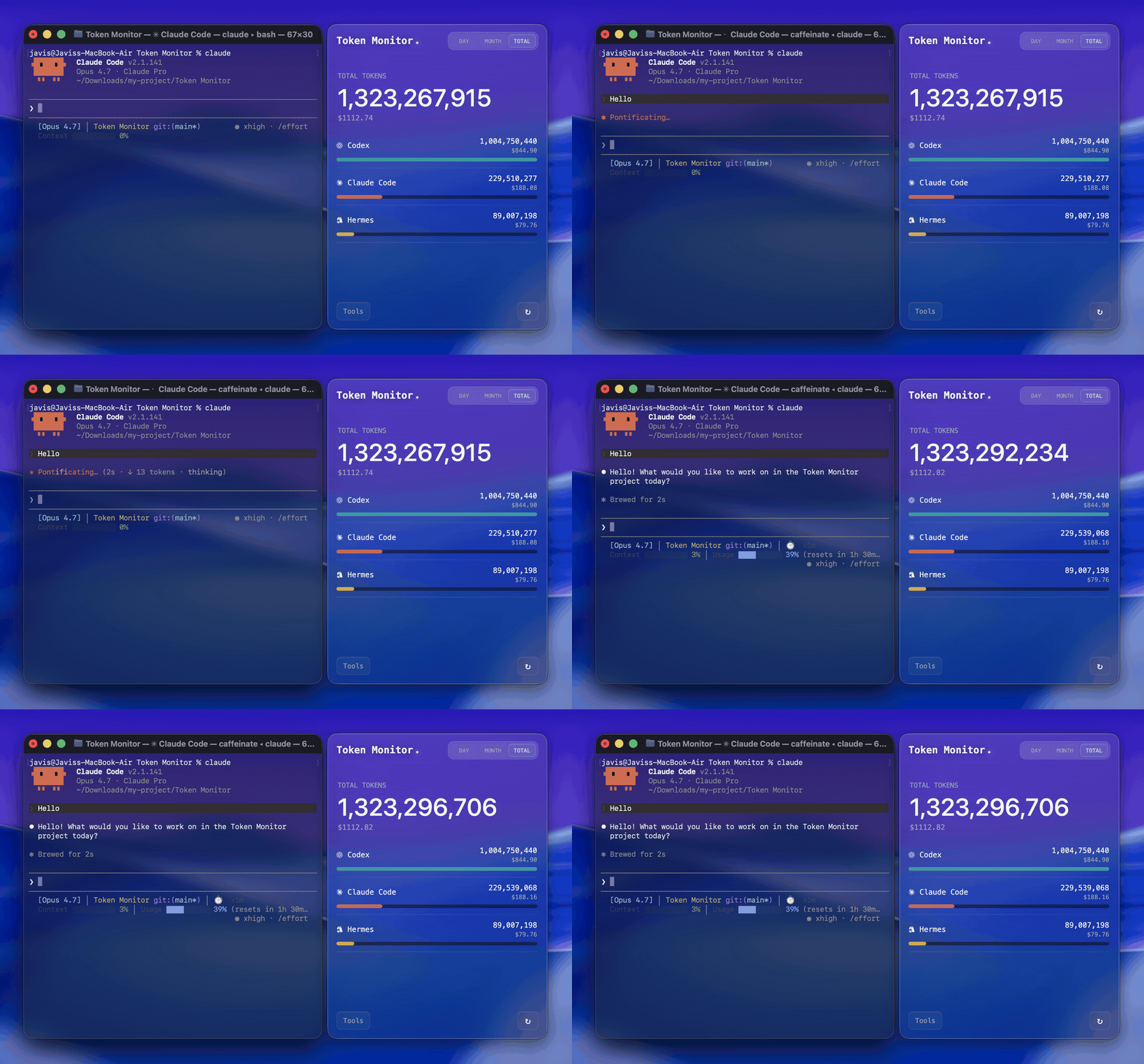
What is Token Monitor?
A desktop widget that shows live token usage and AI Tool Limits across your AI coding tools — Claude Code, Codex, Hermes, OpenCode, OpenClaw, Cursor, Antigravity, and more — with breakdowns by tool, device, and model.
It runs entirely on your own machine by default. Add an optional hub to sync token changes from multiple Macs, Windows PCs, headless agents, and iPhone widgets in seconds.
Only summary numbers ever leave your machine. Raw prompts, source files, and conversation transcripts stay local.
Why Token Monitor?
Most usage monitors are useful on the machine they run on. Token Monitor is built for multi-device work: each device watches its own local logs, sends summary updates to your hub, and every connected widget sees token changes almost immediately.
Features
- Live token tracking for Claude Code, Codex, Hermes, OpenCode, OpenClaw, Cursor, and Antigravity (UI updates within seconds of each turn)
- Real-time multi-device sync over Server-Sent Events
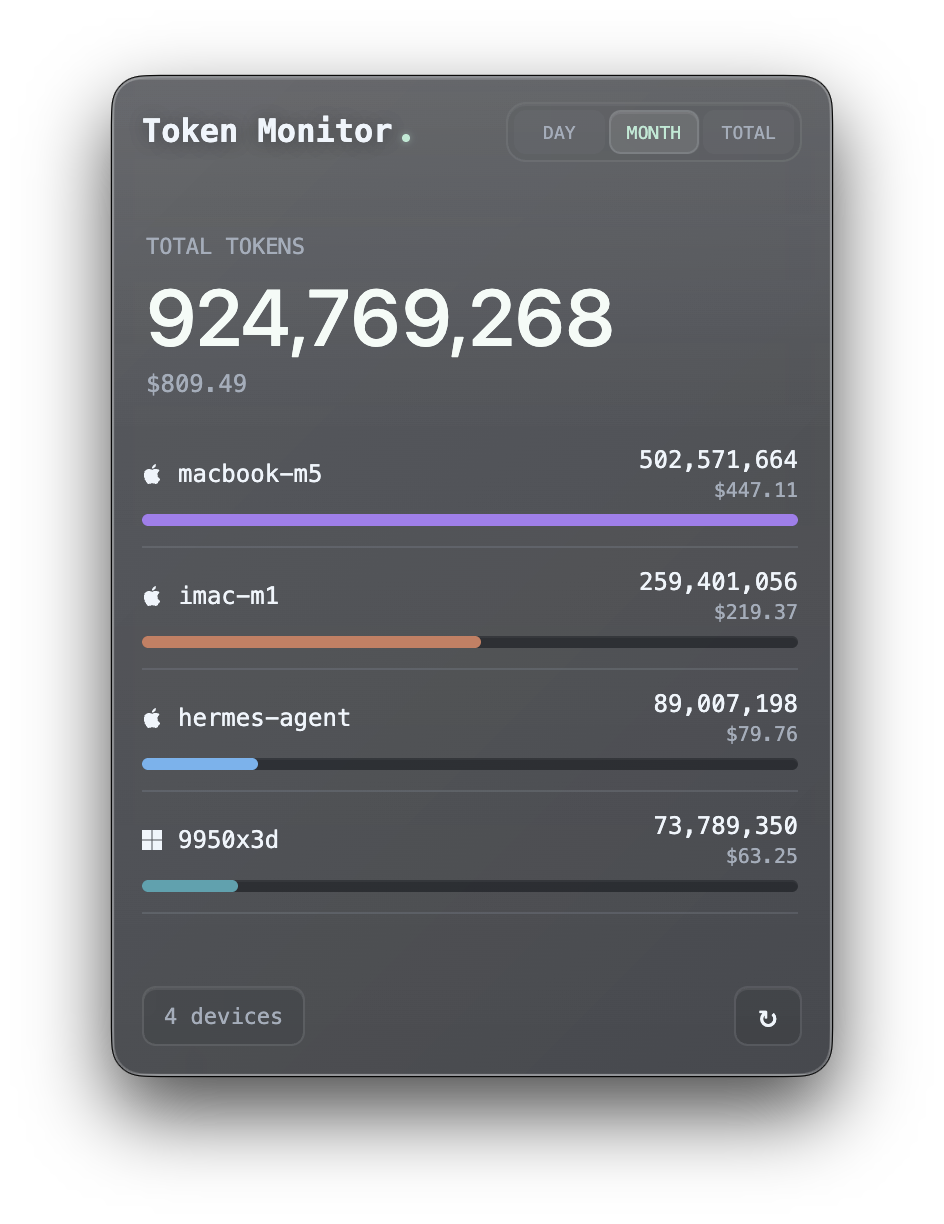
- Breakdown views grouped by tool, device, model, or account limits
- Cost breakdown alongside token counts
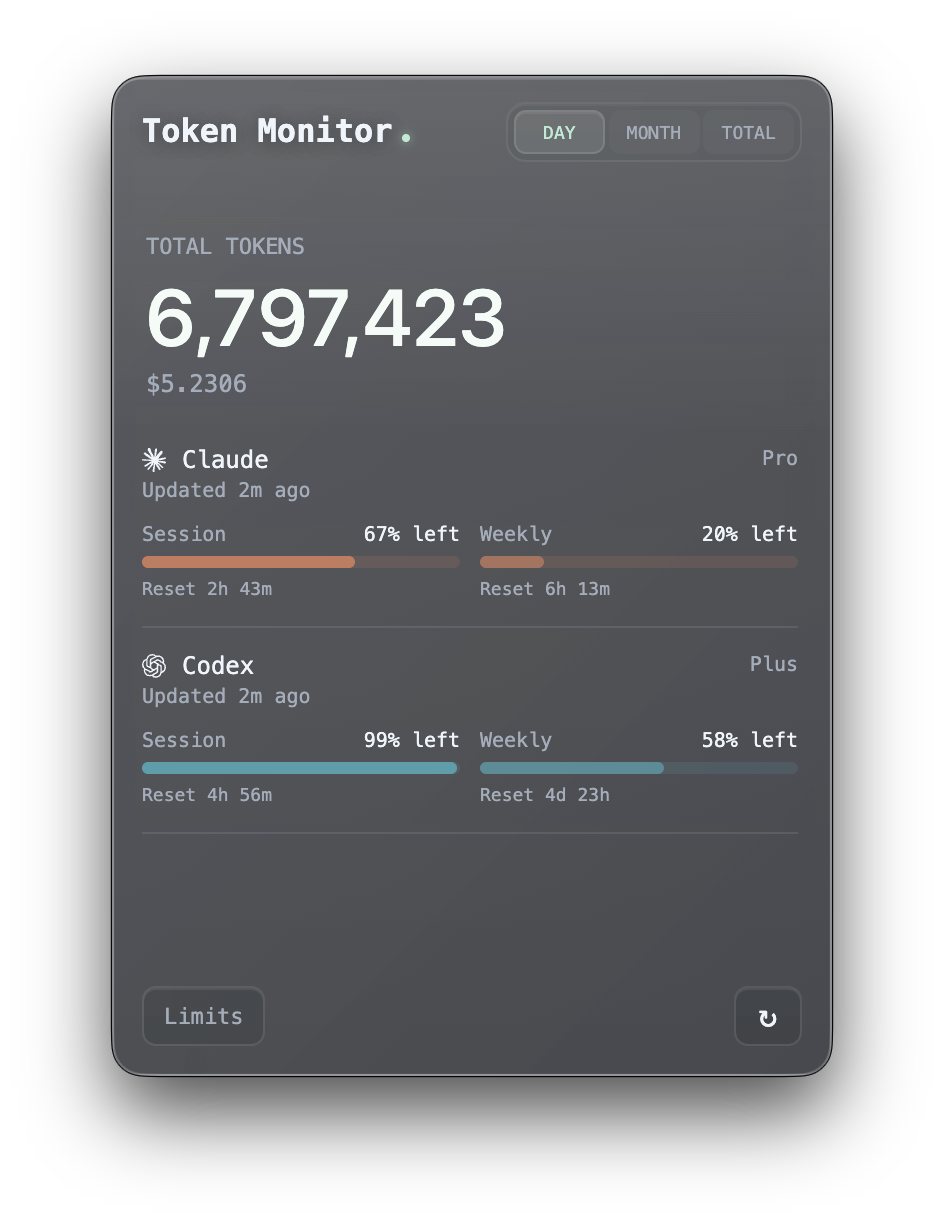
- AI Tool Limits detection for Claude Code, Codex, Cursor, and Antigravity with session, weekly, billing, and credits windows
- Appearance controls for glass opacity, blur, and transparent window mode
- Menu bar (macOS) and system tray (Windows) popover with live cost, tokens, or closest Claude/Codex/Cursor/Antigravity limit % next to the icon
- Local-first: no servers needed for single-device use
- Self-hosted sync backend (in-widget hub, Node CLI hub, or Cloudflare Worker)
- iOS widget support via Widgy and Scriptable through the Worker hub
- Discord Rich Presence to broadcast today's tokens, cost, and top client (opt-in)
- Privacy-first: only summary numbers ever leave your machine
| Limits View | Devices View | Models View |
|---|---|---|
 |
 |
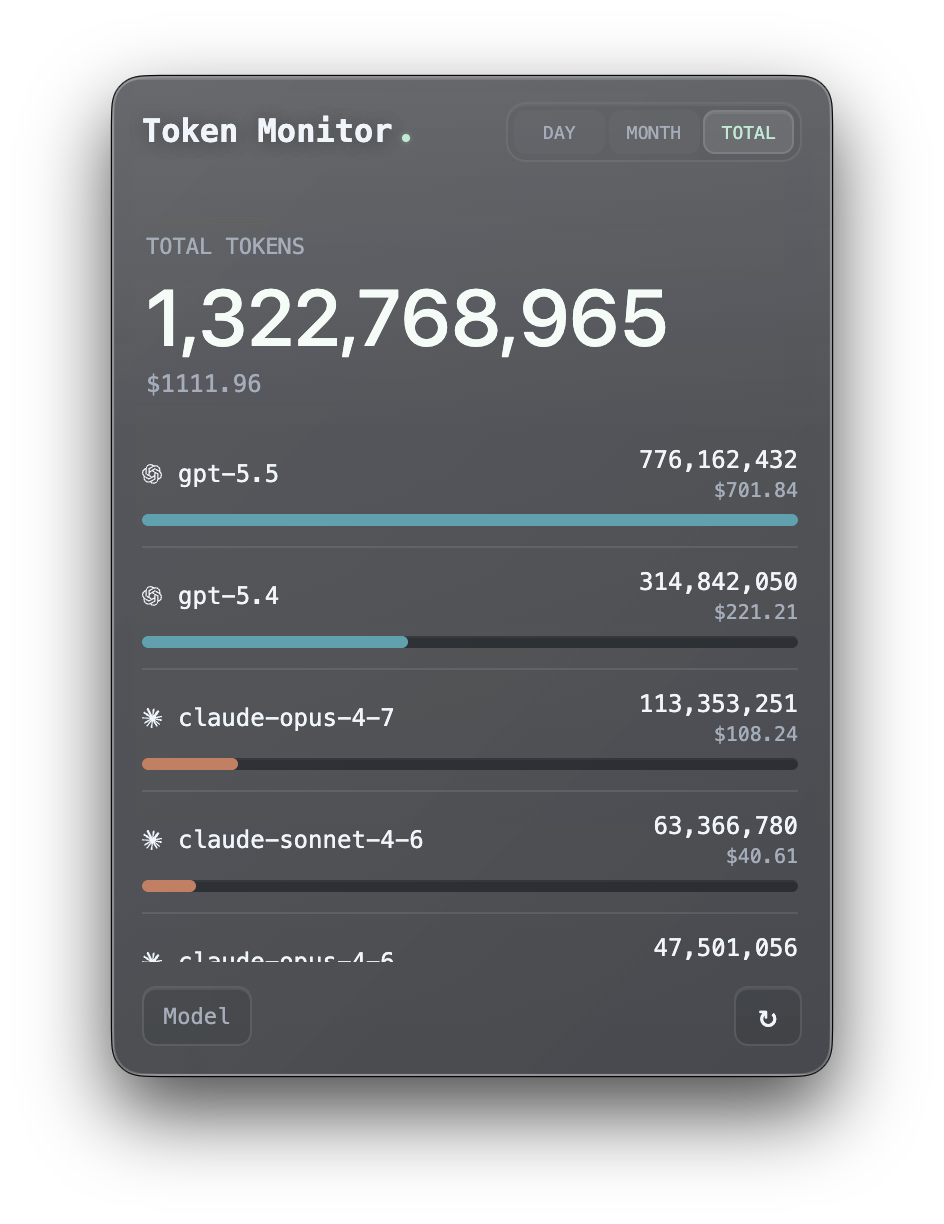 |
| Discord Rich Presence | Menu bar mode | iOS Widget |
|---|---|---|
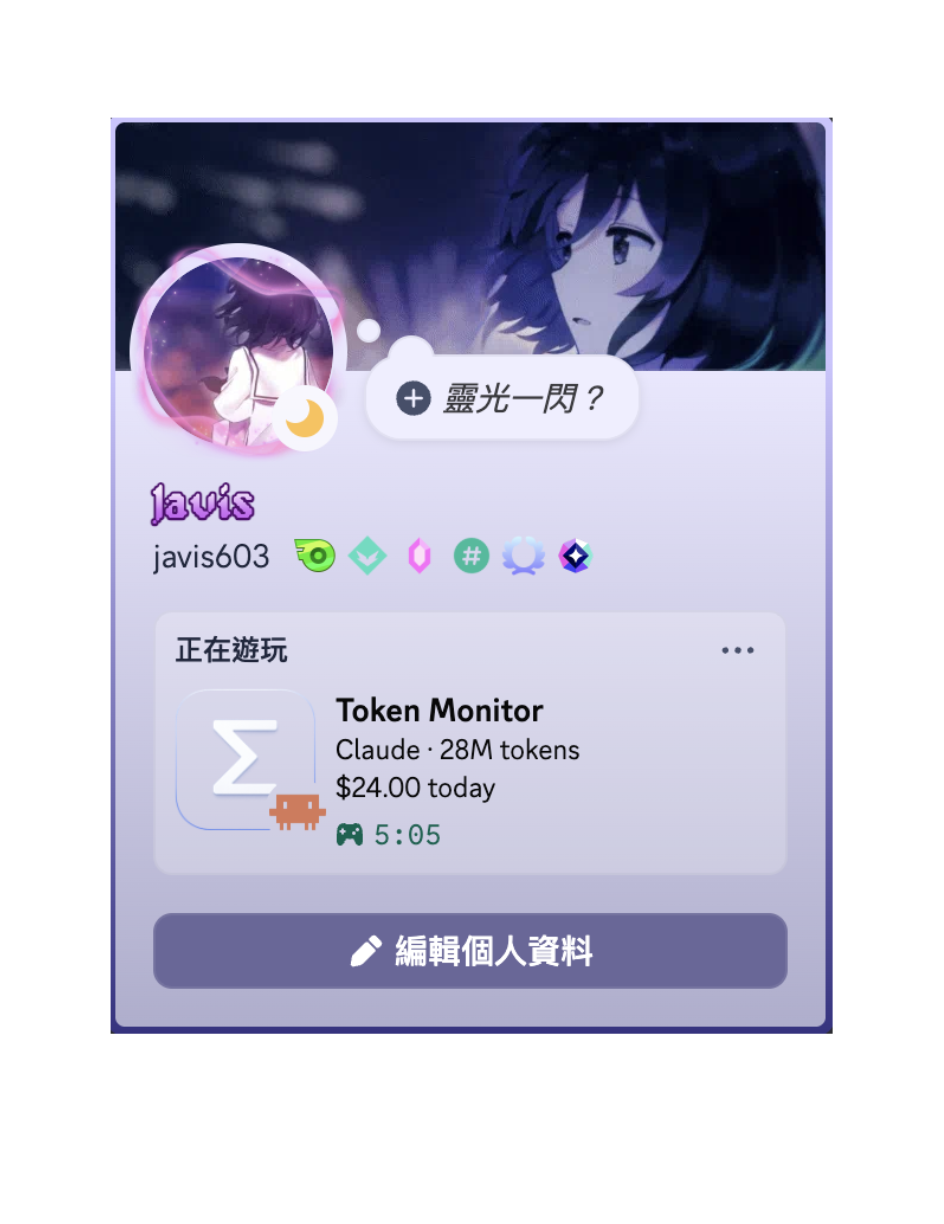 |
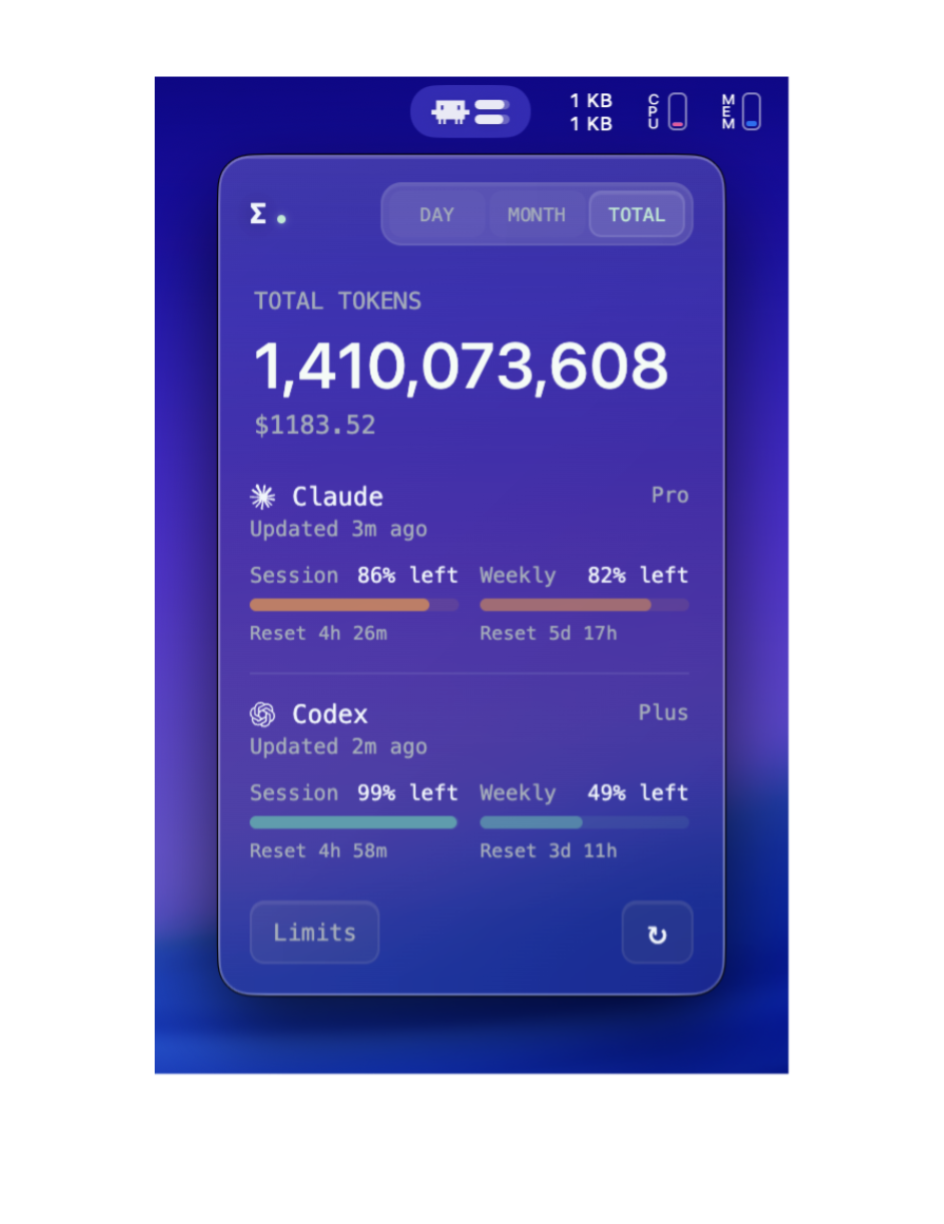 |
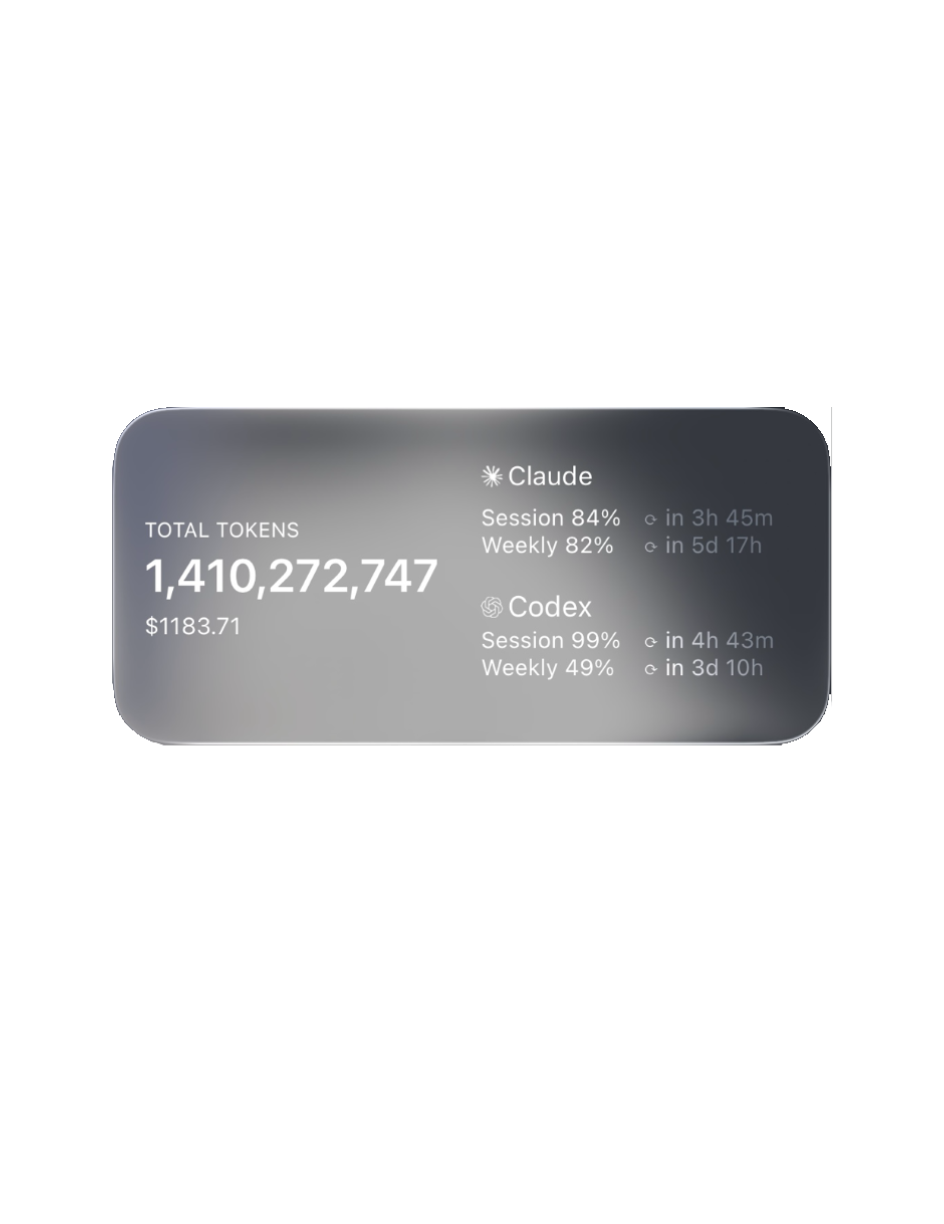 |
Supported Tools
Token Monitor supports token usage and account-limit checks separately:
| Logo | Tool | Data path | Token Usage | AI Tool Limits |
|---|---|---|---|---|
 |
Claude Code | ~/.claude/projects/, ~/.claude/transcripts/ |
✅ | ✅ |
 |
Codex | ~/.codex/sessions/ |
✅ | ✅ |
 |
OpenCode | ~/.local/share/opencode/ |
✅ | — |
 |
Hermes | $HERMES_HOME or ~/.hermes/ |
✅ | — |
 |
OpenClaw | ~/.openclaw/agents/ |
✅ | — |
 |
Cursor | ~/.config/tokscale/cursor-cache/ (kept fresh by Cursor sync) |
✅ | ✅ |
 |
Antigravity | ~/.config/tokscale/antigravity-cache/ (kept fresh by Antigravity sync) |
✅ | ✅ |
Installation
Local mode — single device
The default. No hub, no agent, no config.
npm install
npm start
Multi-device sync
Pick ONE hub backend that all your devices (and any headless agents) connect to. On each device, open the widget and pick a mode under Settings → Multi-device Sync. The widget contributes this device's usage automatically; run npm run agent only on machines without a widget.
Option A — Host the hub from the widget (easiest, no CLI)
In the widget on one always-on machine, open Settings → Multi-device Sync and pick Host hub on this device. The widget generates a random secret and lists the LAN URLs other devices can connect to (Tailscale or ZeroTier addresses appear here too). On every other device, pick Connect to a hub and paste the URL + secret.
The hub runs while Token Monitor is running — quitting (not just closing the window) stops it for all connected devices.
Option B — Self-hosted Node hub (always-on headless machine)
# on the always-on machine
cp .env.example .env
# set TOKEN_MONITOR_SECRET to something private, then:
npm run hub
Option C — Cloudflare Worker hub (across networks, including iPhone)
One-click deploy — Cloudflare will prompt for the TOKEN_MONITOR_SECRET during setup. Or deploy manually:
cd worker
npm install
npx wrangler login
npx wrangler secret put TOKEN_MONITOR_SECRET
npx wrangler deploy
Paste the deployed URL into each device's widget at Settings → Multi-device Sync. See worker/README.md for the iOS widget recipe and endpoint reference, or docs/API.md for the hub HTTP API.
Desktop installer
You can download the app from the releases page. All releases are unsigned; release notes include first-launch unlock steps for macOS (arm64) and Windows (x64). Other platforms run from source via npm start.
App state lives in the OS user-data dir — delete it along with the app to fully uninstall.
| Platform | Path |
|---|---|
| macOS | ~/Library/Application Support/Token Monitor/ |
| Windows | %APPDATA%/Token Monitor/ |
How it works
Mode A — Local (default, no setup)
    widget (Electron) ──▶ tokscale ──▶ ~/.claude, ~/.codex, $HERMES_HOME

Mode B — Sync (opt-in, multi-device)
    device A agent ──▶
    device B agent ──▶  hub  ──▶  widget on any device
    device C agent ──▶
The widget chooses local vs sync mode based on Settings → Multi-device Sync. The hub itself can run as a separate npm run hub process, a Cloudflare Worker, or directly inside one of the widgets (Host mode). In sync mode the hub pushes aggregated stats to every connected widget over Server-Sent Events, so updates on one device appear on the others within a few seconds.
Settings
Widget (GUI)
Click the ⚙ button in the widget header to open the Settings panel.
- Multi-device Sync — three modes: Local only (this device, no hub), Connect to a hub (paste another machine's Hub URL + secret), or Host hub on this device (open a hub here so other devices can connect; LAN/Tailscale/ZeroTier addresses are listed for you).
- Tracked Tools — checkboxes for each supported AI tool. Toggles take effect immediately and restart the collector with the new client list.
- AI Tool Limits — choose Claude Code, Codex, Cursor, and Antigravity limit detection and refresh frequency.
- Display Mode — switch to a menu bar (macOS) or system tray (Windows) popover instead of the floating window, and choose what shows next to the icon: cost, today's tokens, total tokens, cost + tokens, the closest Claude/Codex/Cursor/Antigravity limit % left, or icon-only.
- Appearance — system glass, live dot, tool icons, Discord Rich Presence, glass opacity, and glass blur.
- Advanced — opens the underlying
settings.jsonfor less-common options likeallTimeSince.
The pin button in the widget header toggles "always on top".
Headless agent and hub (.env)
The agent and hub have no UI. Configure them with a .env file at the project root (copy from .env.example):
TOKEN_MONITOR_HUB_URL=               # required for sync mode — Worker URL or http://<lan-ip>:17321
TOKEN_MONITOR_SECRET=                # shared secret, must match the hub
TOKEN_MONITOR_DEVICE_ID=             # optional — defaults to hostname
TOKEN_MONITOR_CLIENTS=               # optional — defaults to all supported tools
TOKEN_MONITOR_LIMITS_ENABLED=        # optional — defaults to enabled; set to 0 to skip CLI probing
TOKEN_MONITOR_LIMIT_PROVIDERS=       # optional — defaults to all supported (claude, codex, cursor, antigravity)
The widget reads the same env vars as first-run defaults, then takes over with its own GUI-managed settings.
Every value can also be passed as a CLI flag (--hub=, --secret=, --device=, --clients=, --limits=, --limitProviders=) — flags win over env. Less-common knobs (TOKEN_MONITOR_INTERVAL_MS, TOKEN_MONITOR_PORT, TOKEN_MONITOR_STALE_AFTER_MS, TOKEN_MONITOR_LIMITS_REFRESH_MS, …) are also accepted via env / flag but kept out of .env.example to reduce noise.
Example one-off run:
npm run agent -- --clients=claude,codex,opencode --once
Privacy
The hub and agent only transmit summary fields:
- device id, hostname, platform
- total tokens per period (today / month / all-time)
- cost totals (when
tokscalereturns cost data) - per-client and per-model breakdowns
- normalized Claude Code/Codex/Cursor/Antigravity limit status when AI Tool Limits is enabled
They do not transmit raw AI logs, prompts, source code, or conversation
content. They also do not transmit OAuth credentials, access tokens, refresh
tokens, emails, or raw provider responses. .env, data/, and node_modules/
are gitignored.
Requirements
- macOS or Windows
- Node.js 18.17+
- For sync mode only: network reachability from each agent/widget to the hub
Acknowledgments
License
Yorumlar (0)
Yorum birakmak icin giris yap.
Yorum birakSonuc bulunamadi