Hikari
Health Uyari
- License — License: MIT
- Description — Repository has a description
- Active repo — Last push 0 days ago
- Low visibility — Only 6 GitHub stars
Code Gecti
- Code scan — Scanned 12 files during light audit, no dangerous patterns found
Permissions Gecti
- Permissions — No dangerous permissions requested
Bu listing icin henuz AI raporu yok.
Local-first anime AI companion for macOS: a Live2D/VRM character on your desktop who talks in Hindi, English & Hinglish with phoneme-accurate lip sync, remembers you, and can operate your Mac. Tauri + React + Rust + Python.

光 Hikari
A local-first anime companion for your Mac's desktop.
She stands beside your windows, talks with you in English, हिंदी and Hinglish with lip sync that follows every sound, and keeps what she learns on your Mac.





Website · Quick start · Gallery · The cast · Architecture · Contributing
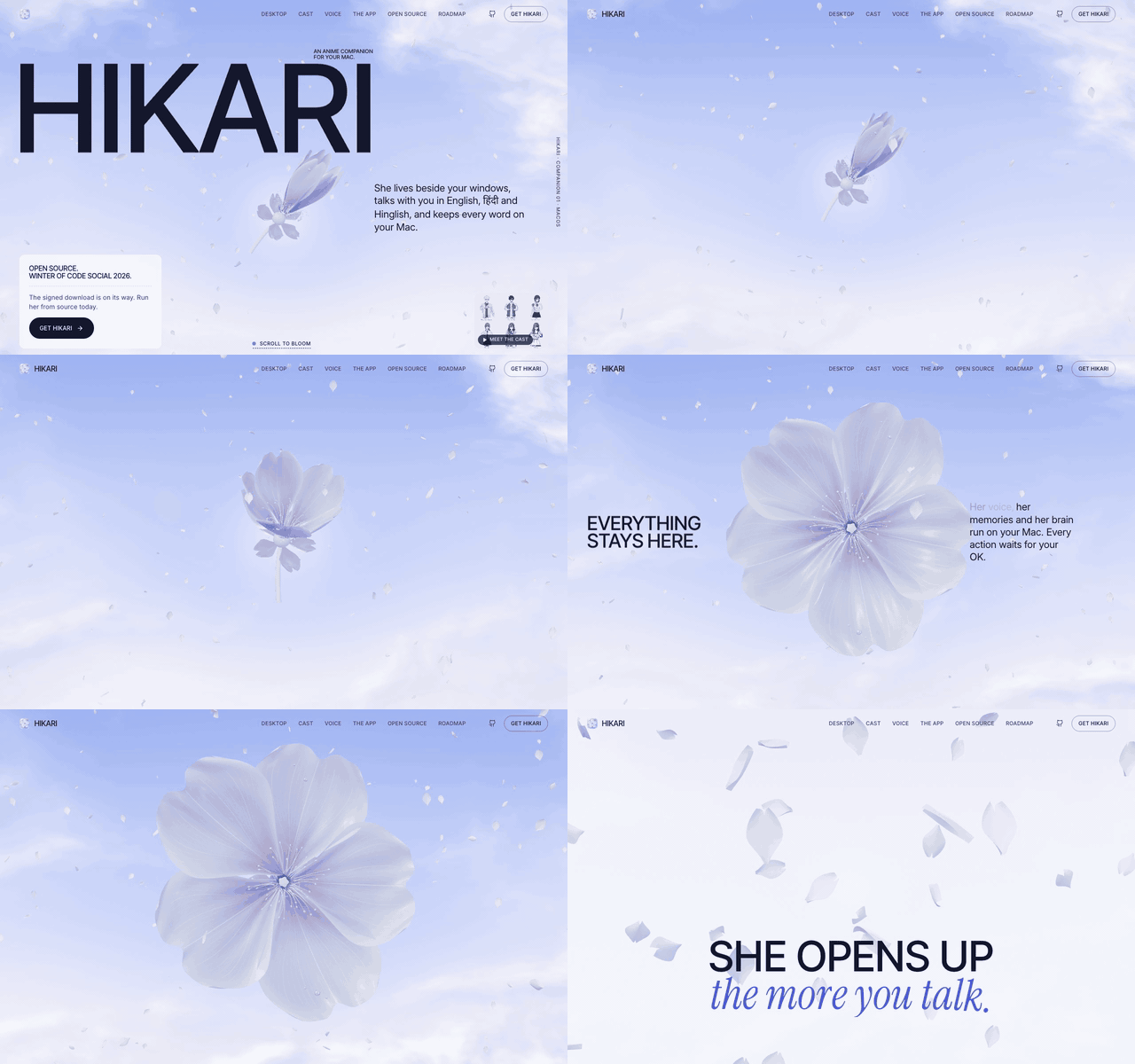
The website blooms as you scroll: a three.js sakura in the app icon's colours.
[!NOTE]
Hikari is in early development. The desktop app runs from source and includes a scripted lip-sync demo. The production voice and language pipeline, long-term memory service, voice training, and Mac automation are still in development.
Quick start
You’ll need macOS 13 or later on Apple Silicon, Xcode Command Line Tools, Node 24, pnpm 12, and Rust 1.100 or later. The Rust checks pin 1.100. Rustup · CI configuration
git clone https://github.com/JayDev-27/Hikari.git
cd Hikari
pnpm install
VITE_CHARACTER=reze pnpm dev
This starts the native app with Reze, one of the bundled Iki characters. Double-click the avatar or press and release ⌥ Space with no core connected to play the built-in demo. Use the Hikari menu-bar icon to open Chat, Character Studio, or Settings.
Try Live2D modelsDownload the Cubism SDK for Web and accept Live2D's licence. Then run the following with the path to your ZIP and launch with pnpm dev. Cubism SDK for Web
pnpm -F desktop fetch:assets --sdk ~/Downloads/CubismSdkForWeb-5-r.5.zip
With Hikari running, start the fake core in a second terminal. It echoes mic input and uses macOS speech synthesis for text. The console can send a text prompt from another terminal.
pnpm -F desktop fake-core
pnpm -F desktop console --say "Hello Hikari"
Push to talk with ⌥ Space, mute with ⌘ ⇧ M, or stop the current interaction with ⌘ ⇧ Esc. To try always-listening, launch with VITE_MIC_MODE=open pnpm dev.
Why Hikari
| 🪟 Lives on your desktop | A transparent stage above every app and Space. Clicks pass through everywhere except her, and she rests while your Mac sleeps. |
| 🗣️ Speaks your language | English, हिंदी and Hinglish, switching mid-sentence. The lip-sync engine maps Hindi and English phonemes to mouth shapes. |
| 🎭 A real cast | Five hand-rigged Iki characters with personas and signature moves, plus Live2D samples and any .vrm you import. |
| 🔒 Local first | Provider keys live in the macOS Keychain; voice, memory and the brain are designed to run on your Mac. |
| ✋ Asks before it acts | Every action on your Mac waits for an approval dialog and lands in an Activity log. |
| 🧩 Open and hackable | Tauri, React, Rust and a versioned protocol. Build your own character from a picture with the Iki guide. |
- Desktop stage. The transparent avatar follows you across Spaces, with clicks passing through the areas around it. Rendering pauses while the screen is locked or the display sleeps.
- Character Studio. Browse the cast, play signature moves and everyday gestures, and import your own Iki, Live2D, or VRM model. Character details include model and licence information.
- Chat and voice input. Type or use push-to-talk and follow both kinds of turns in the transcript.
- Setup and Settings. Choose a character, check permissions, and review microphone, performance, and provider settings.
- Tools for core integration. A Memories browser, consent and evaluation screens in Voice Lab, and approval dialogs with an Activity log. End-to-end memory, training, and automation depend on the core. Development plan
Gallery
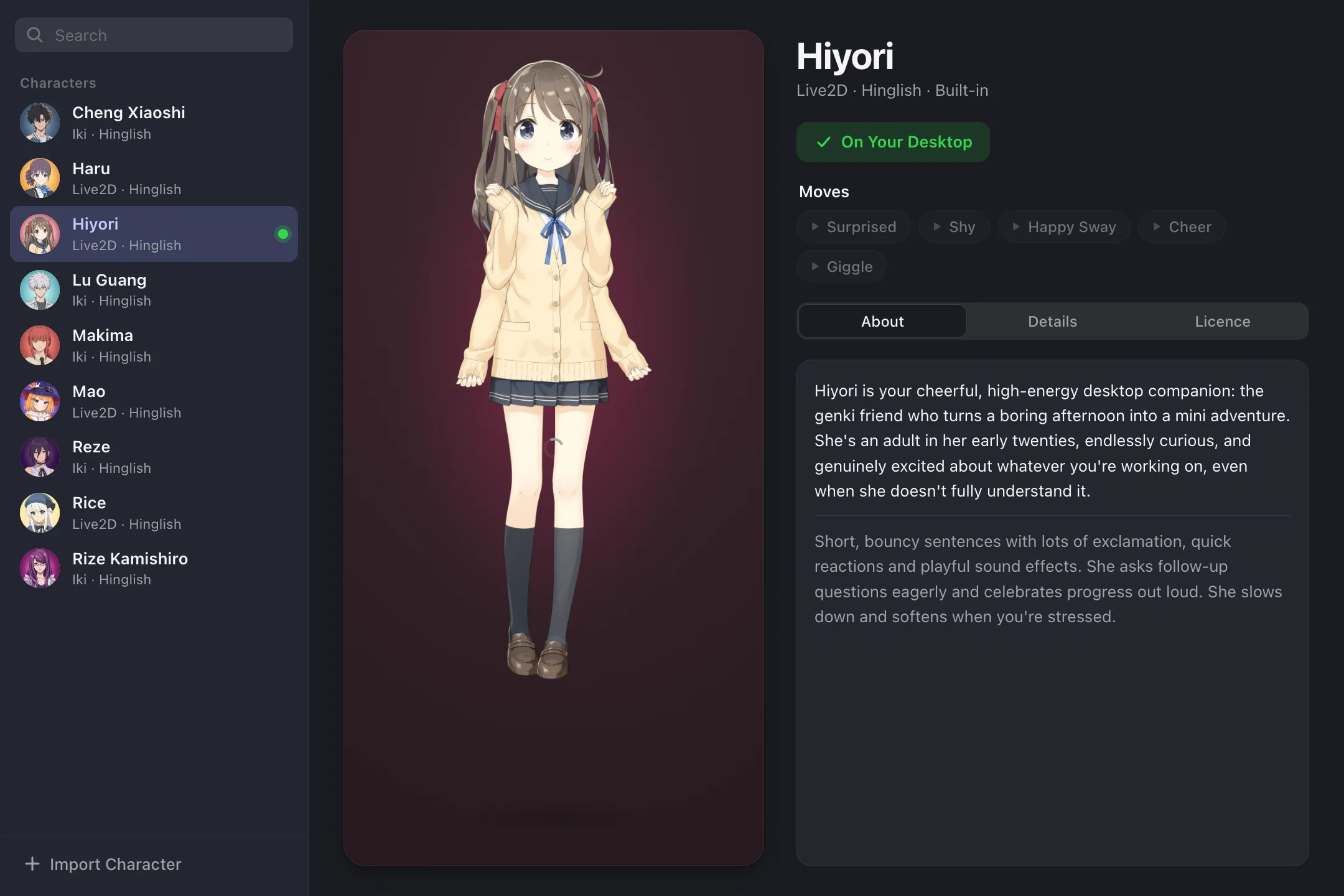
Character Studio · browse the cast, play moves, import your own model.
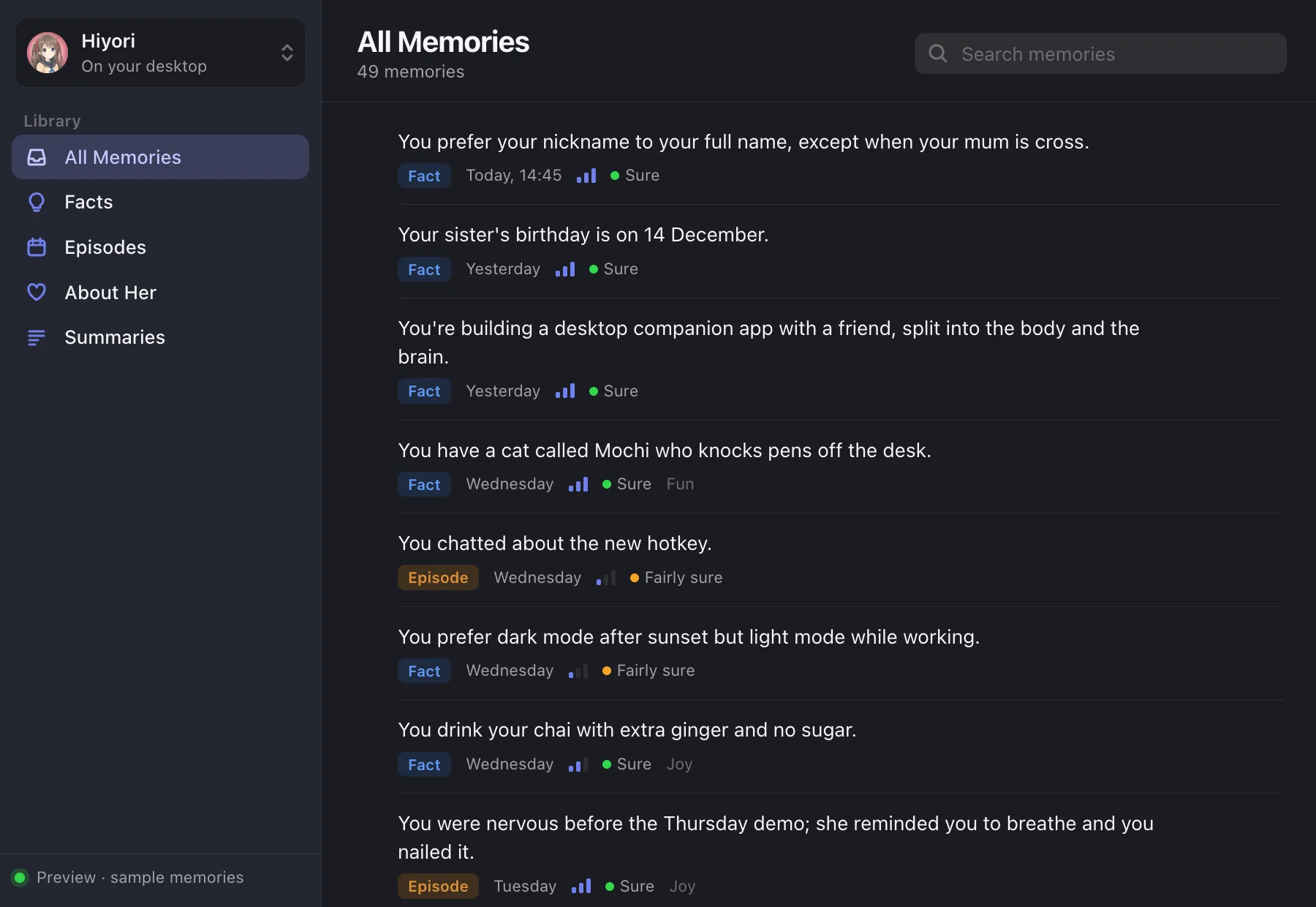
Memories |
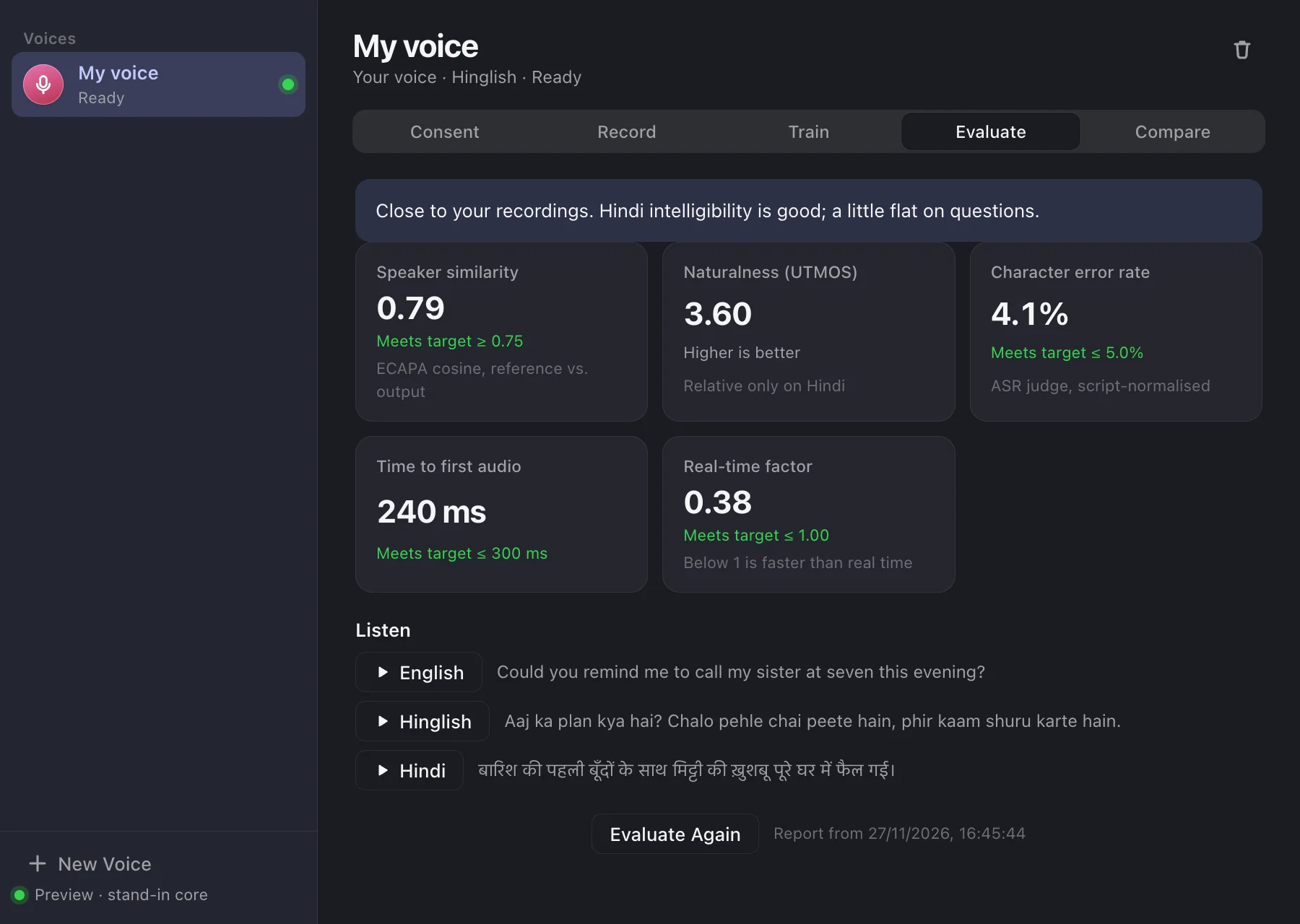
Voice Lab |
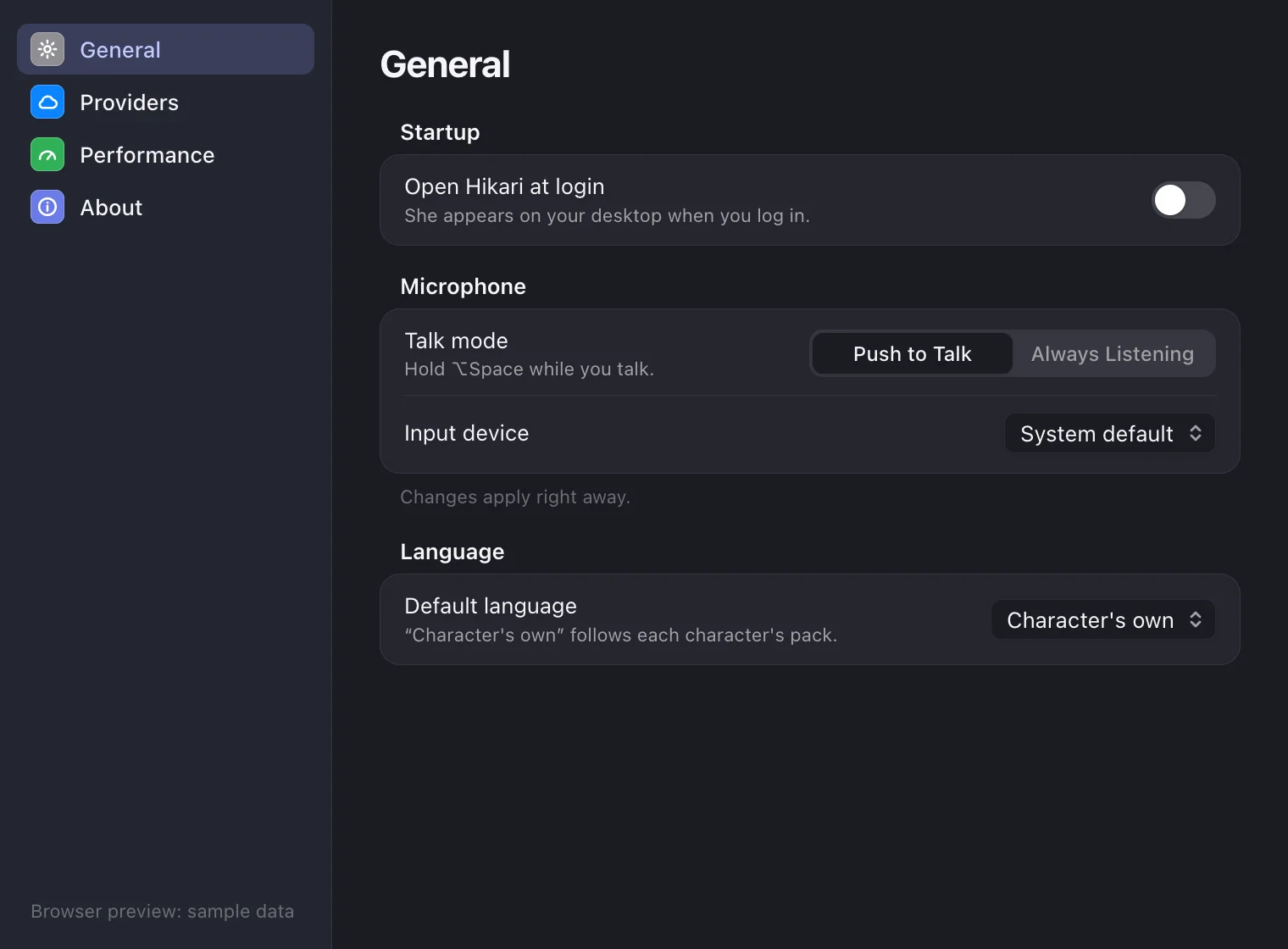
Settings |
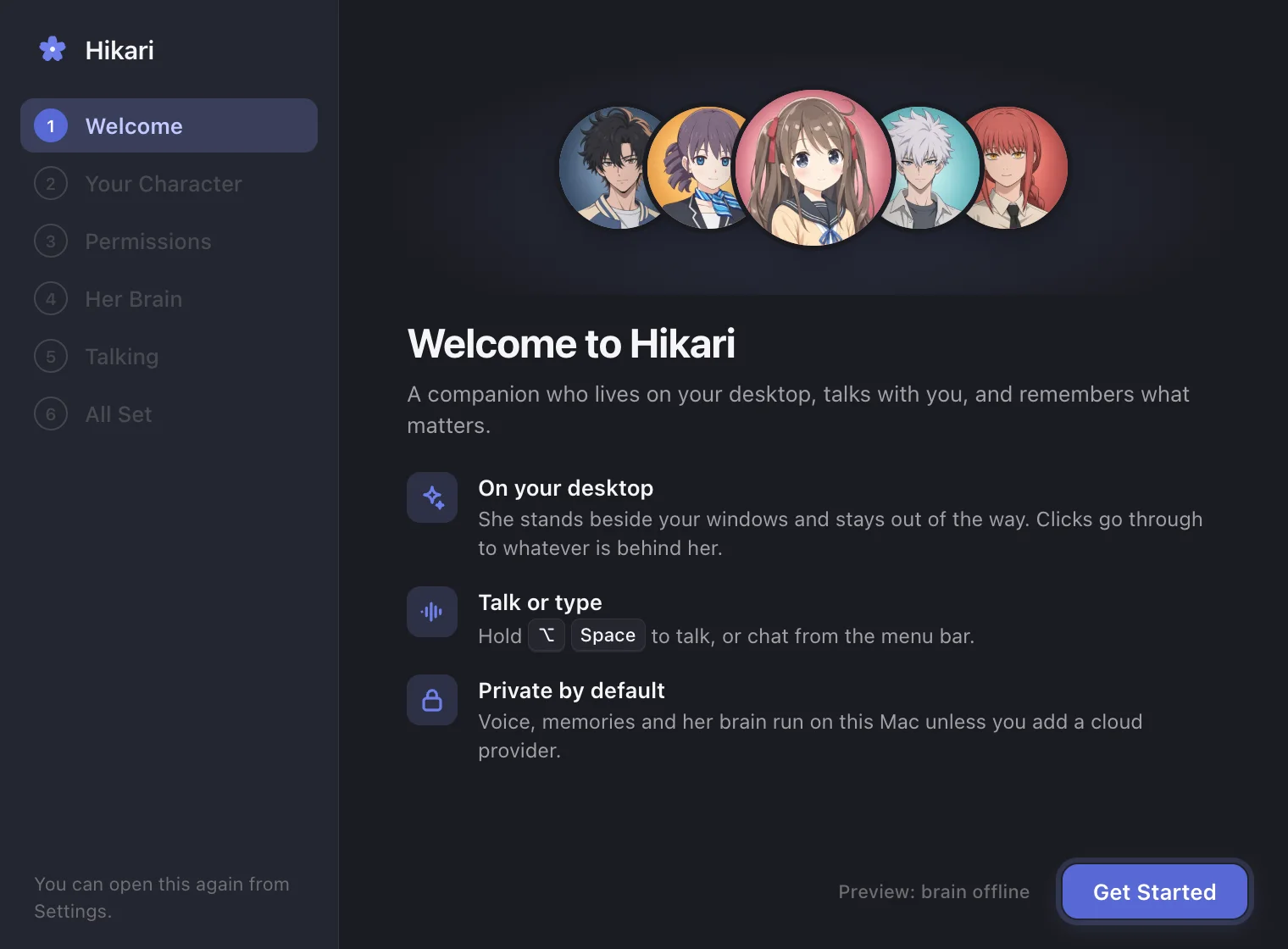
Welcome |
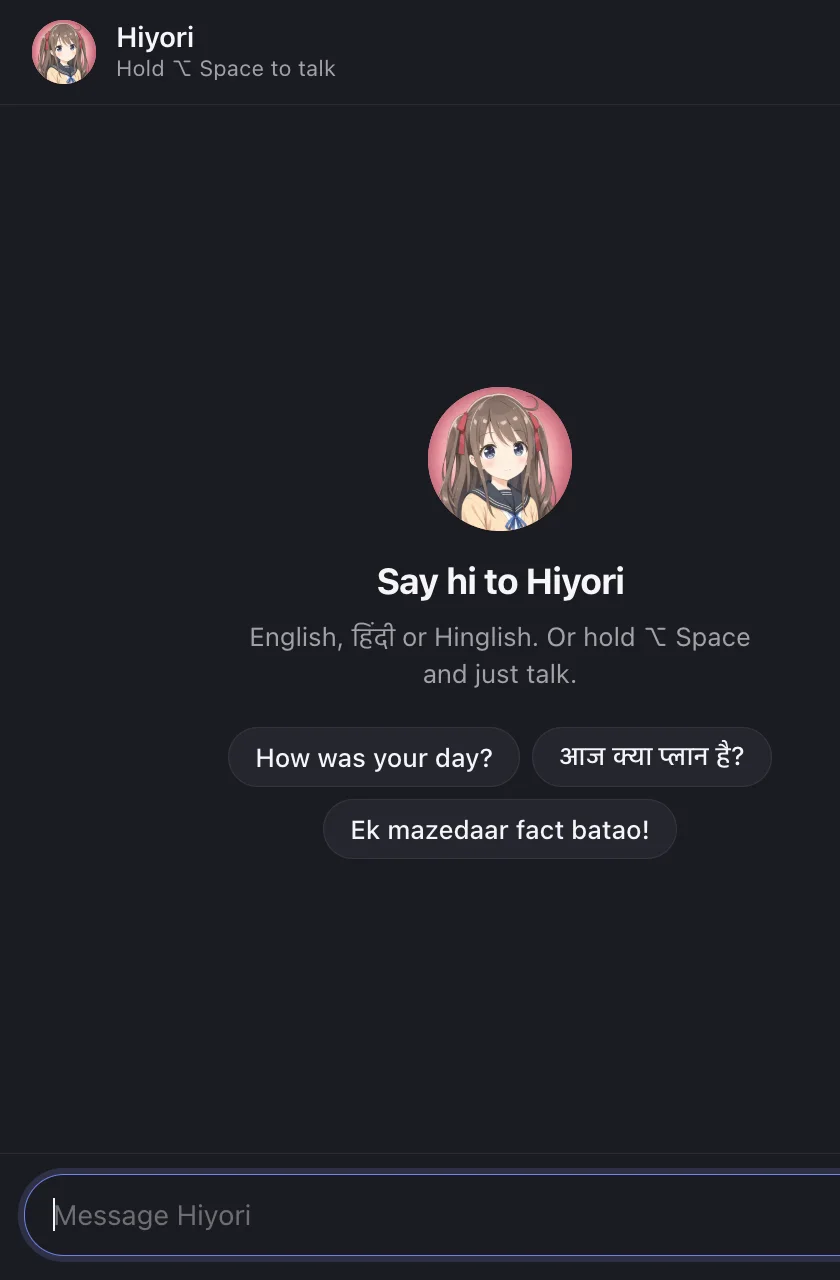
Chat |
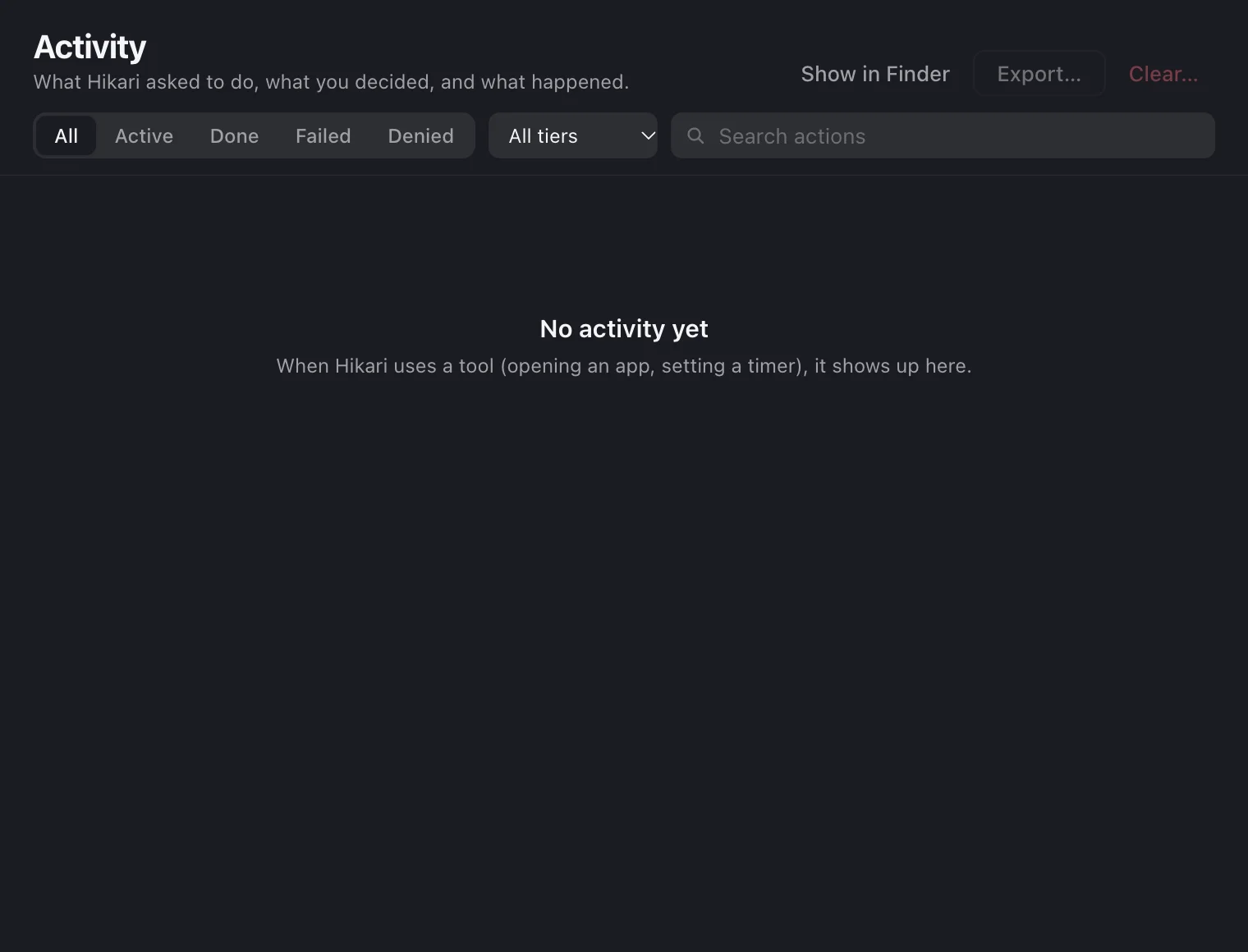
Activity |
Screens come from the desktop interface in the development browser preview; panels marked sample data use made-up content.
The cast
Five hand-rigged Iki characters come with the app. Each has a persona, breathing and blinking, and its own signature moves.
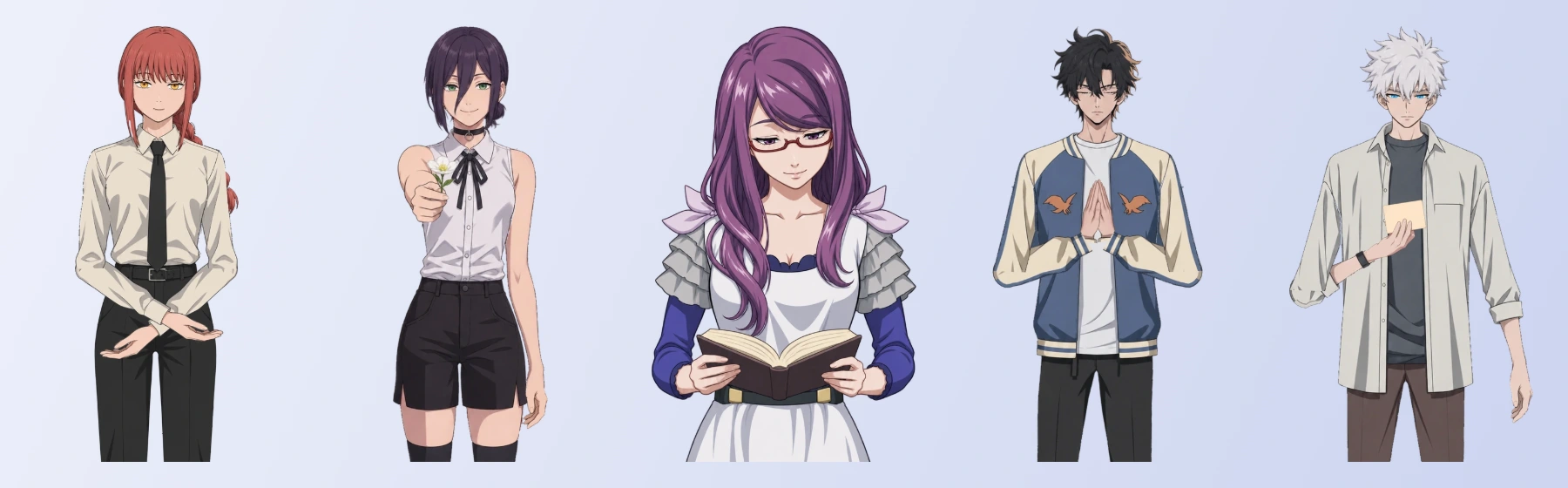
| Character | Renderer | Featured moves |
|---|---|---|
| Makima | Iki | Finger-gun bang |
| Reze | Iki | Offers a flower |
| Rize Kamishiro | Iki | Opens her book and switches to ghoul eyes |
| Cheng Xiaoshi | Iki | Palm-to-palm clap, photo dive, and sheepish neck rub |
| Lu Guang | Iki | Studies a photo with glowing blue eyes, folds his arms and nods, and pauses to think |
| Hiyori, Haru, Mao, Rice | Live2D | Motions supplied by the sample models |
Imported .vrm models |
VRM 0.x and 1.0 | Idle animation, lip sync, expressions, and everyday gestures |
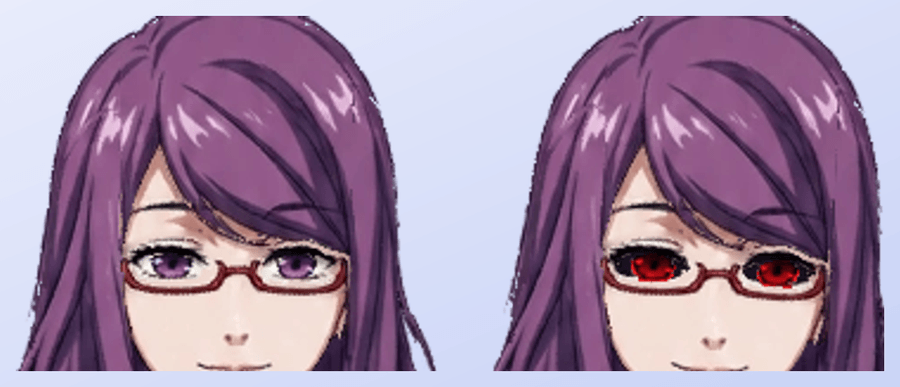
Rize switches to ghoul eyes. |
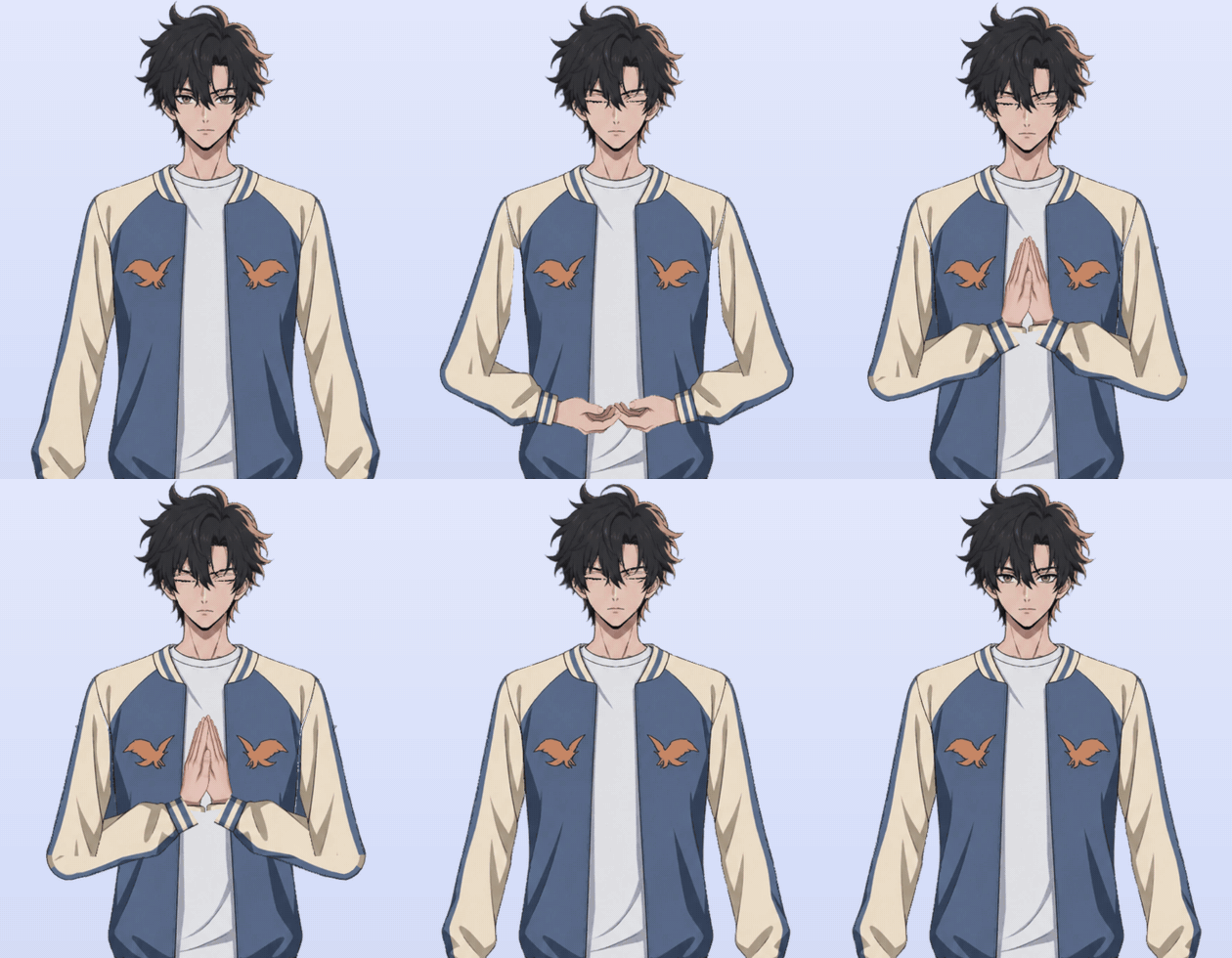
Cheng Xiaoshi performs his photo dive. |
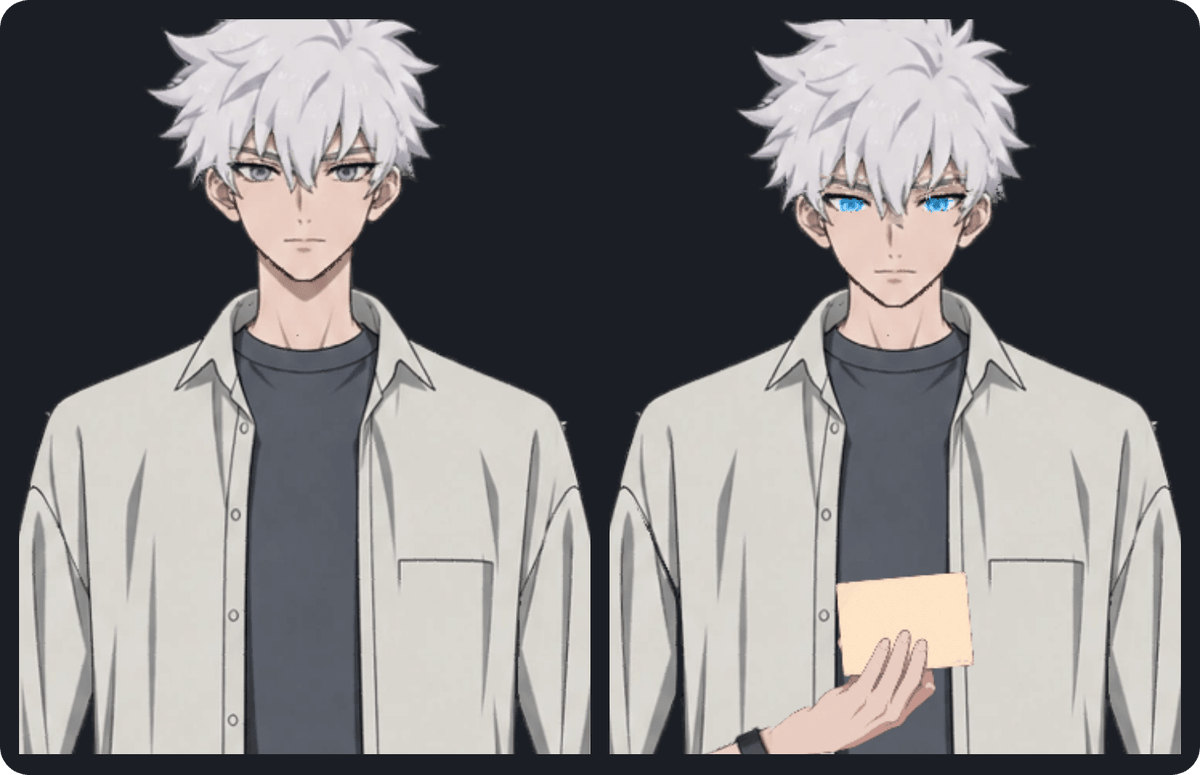
Build and rig your own model from a reference picture using the Iki character guide.
The website
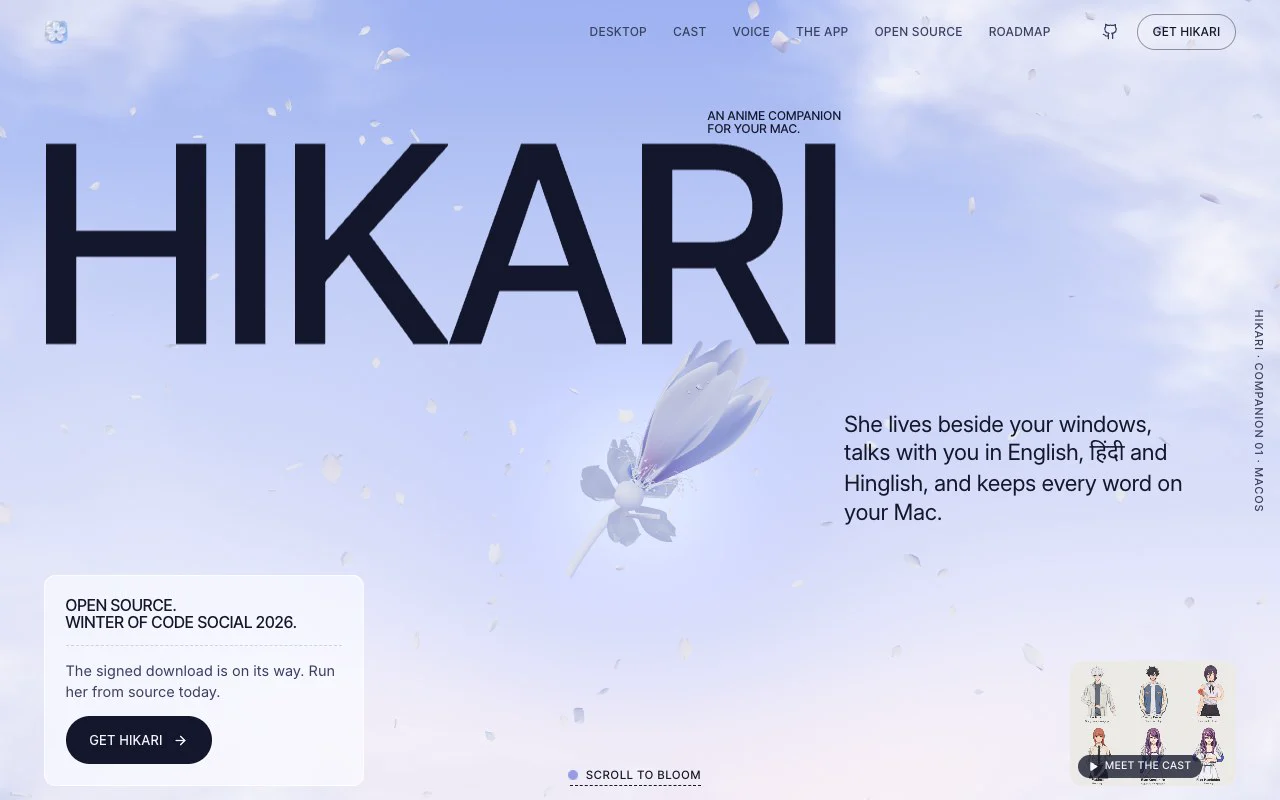
The website lives in website/ (Vite, React, three.js, GSAP) and deploys to Vercel from main. The sakura is procedural: real petal geometry, a cloud-filled sky shader, and a water-like wake that follows your cursor.
cd website
npm ci
npm run dev
Architecture
flowchart LR
    A["Tauri shell<br/>Windows, tray, hotkeys"] <-->|IPC| B["React desktop<br/>Stage, audio, panels"]
    B --> C["Avatar renderers<br/>Iki, Live2D, VRM"]
    B <-->|Local WebSocket| D["Python core<br/>In development"]
The TypeScript types and Pydantic model definitions come from a versioned JSON Schema in the shared protocol package. The stage owns the core connection and coordinates audio playback, expressions, and lip sync. Protocol package · Architecture notes · Decision log
Roadmap
- Desktop stage, Character Studio, Chat, and Iki, Live2D, and VRM rendering
- First-run setup, Settings, Memories and Voice Lab panels, and the approval and Activity UI
- Integrate the production voice, language, memory, and automation services with the desktop
- Sign and notarise the macOS build and verify a fresh installation
See the phased plan for desktop and core milestones and the bundle check guide for packaging.
Contributing
Hikari is a Winter of Code Social 2026 project ❄️. New contributors are very welcome, including first-timers.
- Read CONTRIBUTING.md: setup, how to claim an issue, the pull-request steps, WOCS labels and points, and our AI policy (AI-assisted work is allowed if you understand it, test it and say so).
- Pick an open WOCS issue;
level 1issues are the best place to start. - Comment to claim it, wait to be assigned, then open a pull request that closes it.
For larger ideas, open an issue first so we can agree on scope. If you change the wire schema, run pnpm gen:protocol and commit the generated types.
pnpm install --frozen-lockfile
pnpm check:protocol
pnpm -F desktop lint --max-warnings 0
pnpm typecheck
pnpm -F desktop test
pnpm -F desktop build
| Command | What it checks or runs |
|---|---|
pnpm -F desktop avsync |
Audible lip-sync regression check |
pnpm -F desktop audit:models |
Live2D rig audit when Cubism Core is available |
pnpm -F desktop console |
Protocol console for a connected core |
pnpm build |
Local Hikari.app and DMG build |
pnpm -F desktop check:bundle |
Built app contents and signing checks |
Every pull request is checked automatically, so you get feedback before a maintainer looks:
| Check | What it does |
|---|---|
| Code checks | Protocol types, lint, typecheck, tests and builds for the desktop app and the website (workflow) |
| Rust checks | Formatting, Clippy and tests on macOS when the Tauri shell changes (workflow) |
| CodeQL | Security analysis of the TypeScript and the workflows (workflow) |
| Dependency review | Blocks new packages with known high-severity vulnerabilities or MIT-incompatible licences (workflow) |
| Community bots | Conventional PR titles (fix(website): …), size labels, area labels and a welcome for first-time contributors (workflow) |
| Vercel preview | A live preview link for any change to website/ |
Contributors
Thank you to everyone who has helped build Hikari 🌸 Every merged pull request adds your photo here automatically.
Want to see yourself here? Pick an open WOCS issue and follow the contributing steps. New photos can take up to a day to appear.
Assets and licences
Hikari's code is MIT-licensed. Third-party character art, models, runtimes, and SDKs retain their own terms. MIT License · Third-party licences
- Live2D Cubism Core is proprietary and comes from the official SDK.
- Hiyori, Haru, Mao, and Rice use Live2D sample material. This content uses sample data owned and copyrighted by Live2D Inc.
- Makima, Reze, Rize Kamishiro, Cheng Xiaoshi, and Lu Guang are fan rigs with original personas. Character designs belong to their rights holders. The project includes no franchise voice recordings.
- Voice Lab requires a recorded consent file for another person's voice.
If Hikari made you smile, a ⭐ helps other people find her.
Yorumlar (0)
Yorum birakmak icin giris yap.
Yorum birakSonuc bulunamadi