agent-sessions
Health Gecti
- License — License: MIT
- Description — Repository has a description
- Active repo — Last push 0 days ago
- Community trust — 417 GitHub stars
Code Gecti
- Code scan — Scanned 12 files during light audit, no dangerous patterns found
Permissions Gecti
- Permissions — No dangerous permissions requested
Bu listing icin henuz AI raporu yok.
Session browser + Agent Cockpit + Analytics + Limits tracker for Codex CLI, Claude Code, OpenCode, Gemini CLI, Factory Droid , GitHub Copilot CLI & OpenClaw. Search/filter ALL past sessions, archive sessions, resume instantly, see rate limits in real-time. Native macOS app.
Agent Sessions (macOS)

|
Unified session browser for Codex CLI, Claude Code, Gemini CLI, GitHub Copilot CLI, Droid (Factory CLI), and OpenCode. |
- Requires: macOS 14+
- License: MIT
- Security & Privacy: Local-only. No telemetry. Details:
docs/PRIVACY.mdanddocs/security.md
Download Agent Sessions 3.3.3.1 (DMG) • All Releases • Install • Resume Workflows • Development
Overview
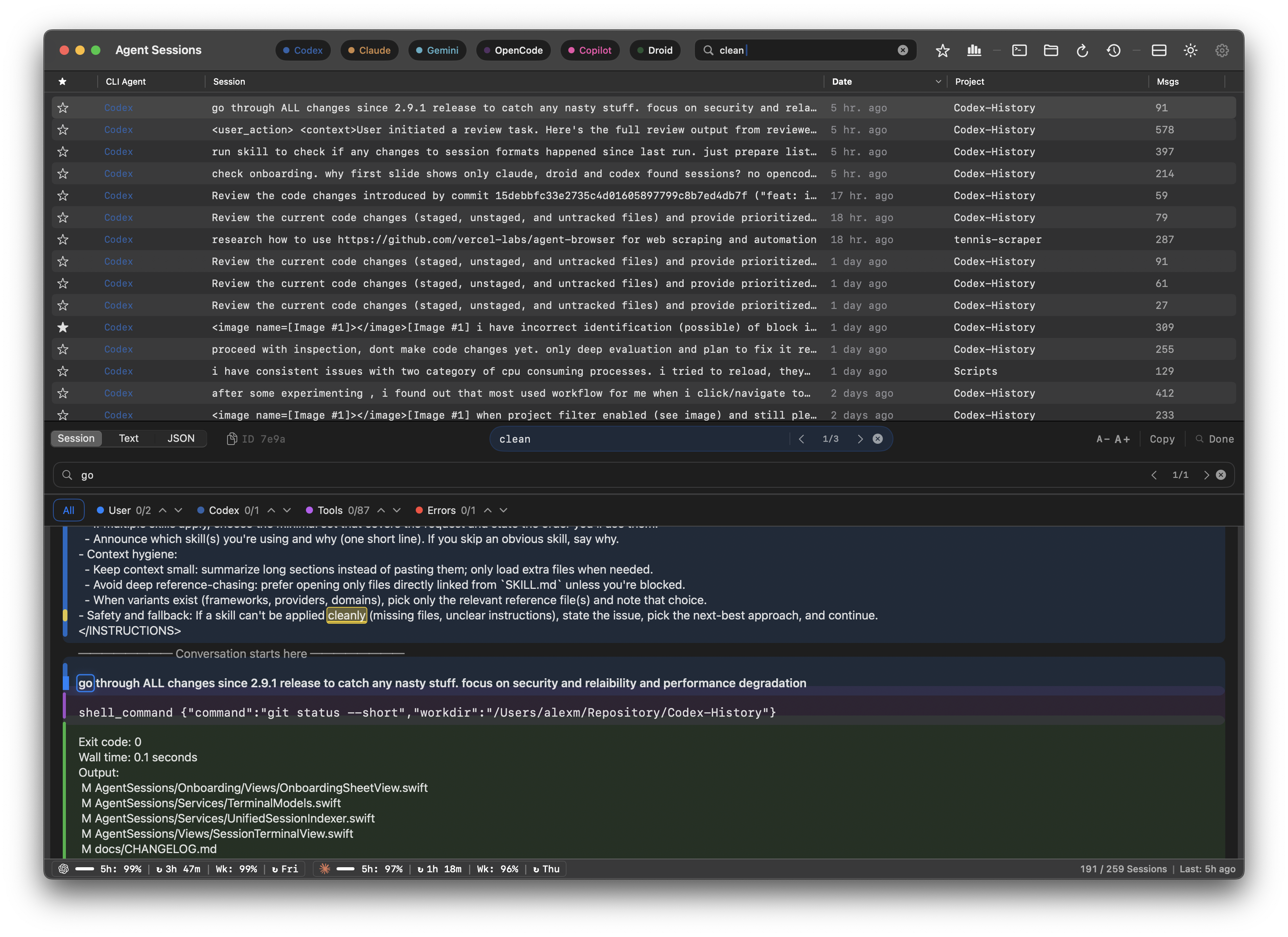
Agent Sessions helps you search across large session histories, quickly find the right prompt/tool output, then reuse it by copying snippets or resuming supported sessions in your terminal.
Transcript view with search (Dark Mode)
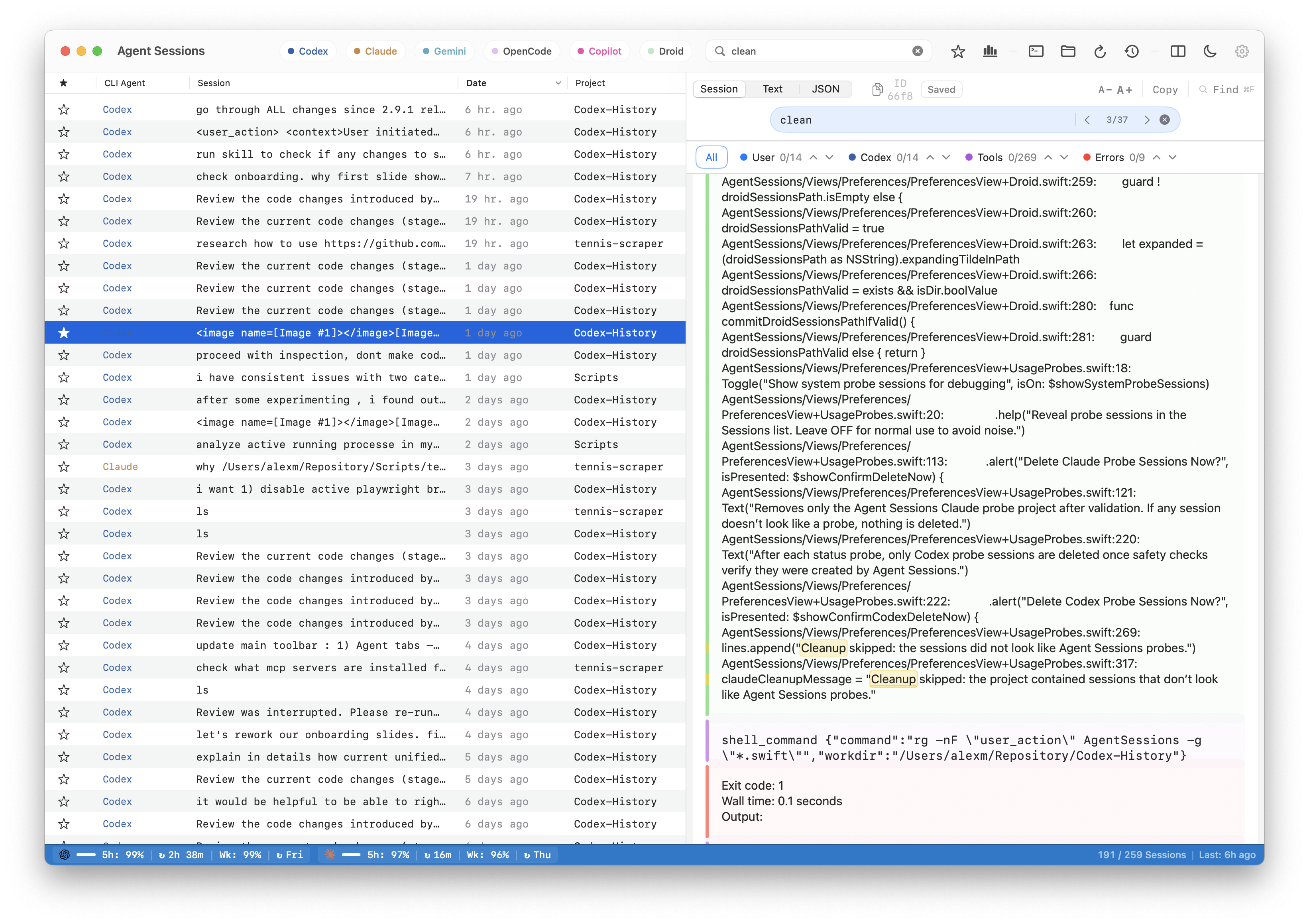
Resume Codex CLI, Claude Code, and OpenCode sessions
What's New in 3.3.3.1
3.3.3.1 — Fixes Codex reset countdown exceeding 5 hours due to a date-rollover bug. Patch release — safe to update immediately.
Highlights: Claude multi-tier usage tracking (OAuth + Web API fallback), Copy Resume Command for all agents (Claude, Codex, OpenCode, Copilot, Gemini), and critical Codex usage tracking fix.
Core Features
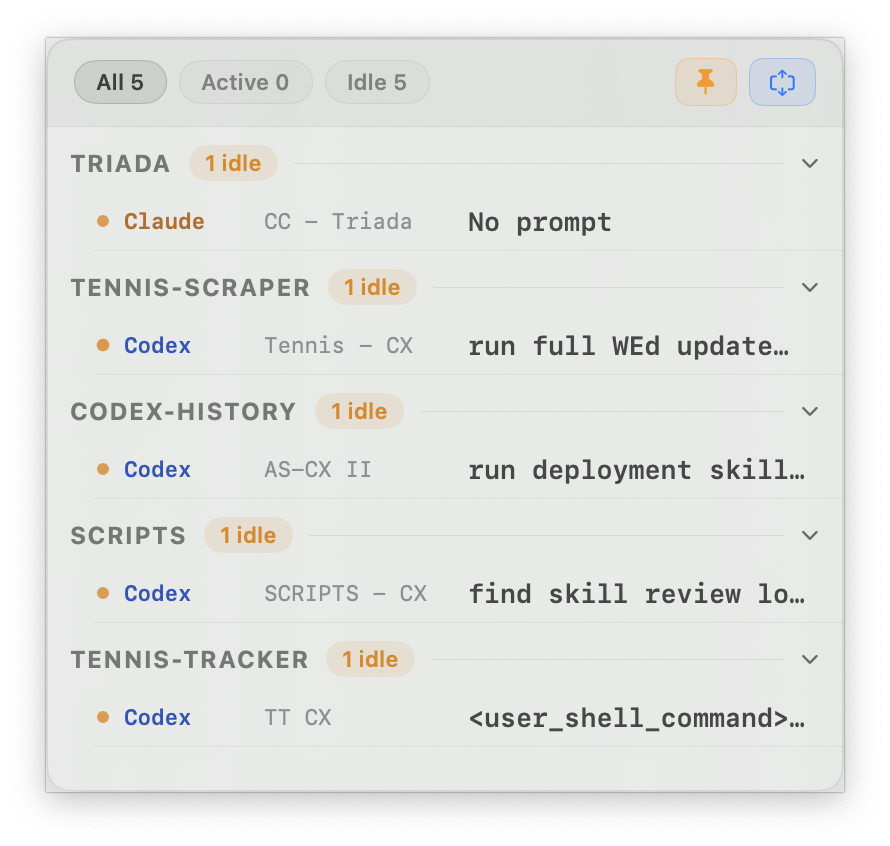
- Agent Cockpit live HUD for active Codex CLI, Claude Code, and OpenCode iTerm2 sessions.
- Unified browsing across supported agents, with strict filtering and a single session list.
- Unified Search and image browsing across sessions, plus in-session Find for fast transcript navigation.
- Readable tool calls/outputs and navigation between prompts, tools, and errors.
- Right-click Copy Resume Command for Claude, Codex, OpenCode, Copilot, and Gemini sessions.
- Local-only indexing designed for large histories.
Agent Cockpit (Beta)
Agent Cockpit is the live command center for active iTerm2 Codex CLI, Claude Code, and OpenCode sessions, with shared active/waiting summaries and live Claude usage tracking.
Agent Cockpit
Agent Cockpit Setup
Prerequisites
- Agent Sessions with Live Sessions enabled
- iTerm2
- Agents running in iTerm2
Ideal Setup
- Set the iTerm window title to the repo name
- Run that repo's agents in that window
- Give each tab/session its own clear name
- Use the same name for the tab, session, and badge
Layout
- One repo per desktop/Space if possible
- Or keep several on one desktop if you prefer
- Keep Agent Cockpit pinned in a corner so you can always see activity
- Click from the cockpit to jump straight to a session
Install
Option A — Download DMG
- Download AgentSessions-3.3.3.1.dmg
- Drag Agent Sessions.app into Applications.
Option B — Homebrew
brew tap jazzyalex/agent-sessions
brew install --cask agent-sessions
Automatic Updates (Sparkle)
Agent Sessions uses Sparkle for automatic updates (signed + notarized).
To force an update check (for testing):
defaults delete com.triada.AgentSessions SULastCheckTime
open "/Applications/Agent Sessions.app"
Documentation
- Release notes:
docs/CHANGELOG.md - Monthly summaries:
docs/summaries/ - Privacy:
docs/PRIVACY.md - Security:
docs/security.md - Maintainers:
docs/deployment.md
Resume Workflows
- Right-click any Claude, Codex, OpenCode, Copilot, or Gemini session and choose Copy Resume Command to get the exact CLI command for that session.
- Open a session in your preferred terminal (Terminal.app or iTerm).
- Use Unified Search (across sessions) and Find (within a session) to jump to relevant tool calls and outputs quickly.
Privacy & Security
- Local-only. No telemetry.
- Reads agent session directories in read-only mode:
~/.codex/sessions~/.claude/sessions~/.gemini/tmp~/.copilot/session-state~/.factory/sessionsand~/.factory/projects~/.local/share/opencode/opencode.dband~/.local/share/opencode/storage/session
- Details:
docs/PRIVACY.mdanddocs/security.md
Development
Prerequisites:
- Xcode (macOS 14+)
Build:
xcodebuild -project AgentSessions.xcodeproj -scheme AgentSessions -configuration Debug -destination 'platform=macOS' build
Tests:
xcodebuild -project AgentSessions.xcodeproj -scheme AgentSessionsTests -destination 'platform=macOS' test
Contributing:
CONTRIBUTING.md
License
MIT. See LICENSE.
Yorumlar (0)
Yorum birakmak icin giris yap.
Yorum birakSonuc bulunamadi