vorn
Health Pass
- License — License: MIT
- Description — Repository has a description
- Active repo — Last push 0 days ago
- Community trust — 24 GitHub stars
Code Fail
- rm -rf — Recursive force deletion command in install.sh
Permissions Pass
- Permissions — No dangerous permissions requested
Vorn is a local command center for managing and orchestrating multiple AI coding agents (like Claude and Copilot) interactively or autonomously via headless workflows. It includes a built-in MCP server to track project tasks and state.
Security Assessment
Overall Risk: Medium. The tool inherently executes shell commands and manages local PTY sessions to run the AI agents on your machine. Its installation method (piping `curl` directly to `sh`) is standard but warrants caution, especially since the automated scan flagged a `rm -rf` recursive force deletion command inside the `install.sh` script. While no dangerous permissions or hardcoded secrets were detected, you should review the installation script before running it to ensure the deletion command safely targets only the intended installation directories.
Quality Assessment
This is a highly active project, having received updates as recently as today. It uses the permissive MIT license and has garnered over 100 GitHub stars, indicating a growing level of community trust. However, the developers explicitly note that the software is currently in the "alpha" stage of development. Users should expect potential bugs or rapid changes as the core features are stabilized.
Verdict
Use with caution: actively maintained and transparently licensed, but the alpha status and presence of `rm -rf` in the installation script mean you should verify the installer before executing.
Vorn - The agent command center

The agent command center
Run agents interactively or let them work autonomously — everything local, everything yours.




Install · Features · Agents · Development
Why Vorn?
Vorn is the agent command center. How you work is up to you.
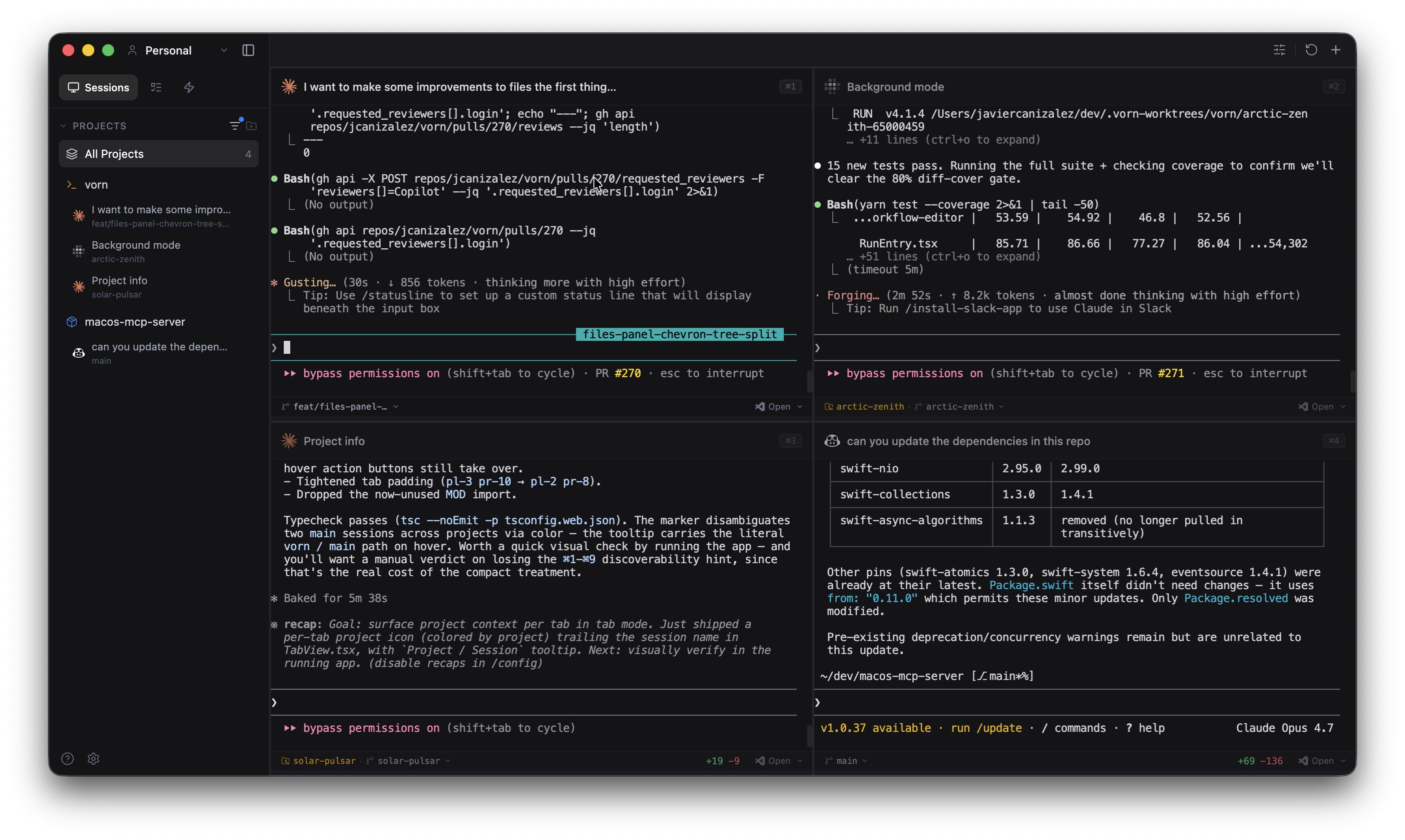
Like vibecoding interactively? Open multiple terminals and pair with several agents at once — Claude on one task, Copilot on another, Codex on a third. Every agent runs in its own PTY with full native output. No wrappers, no API keys, no reimplementation.
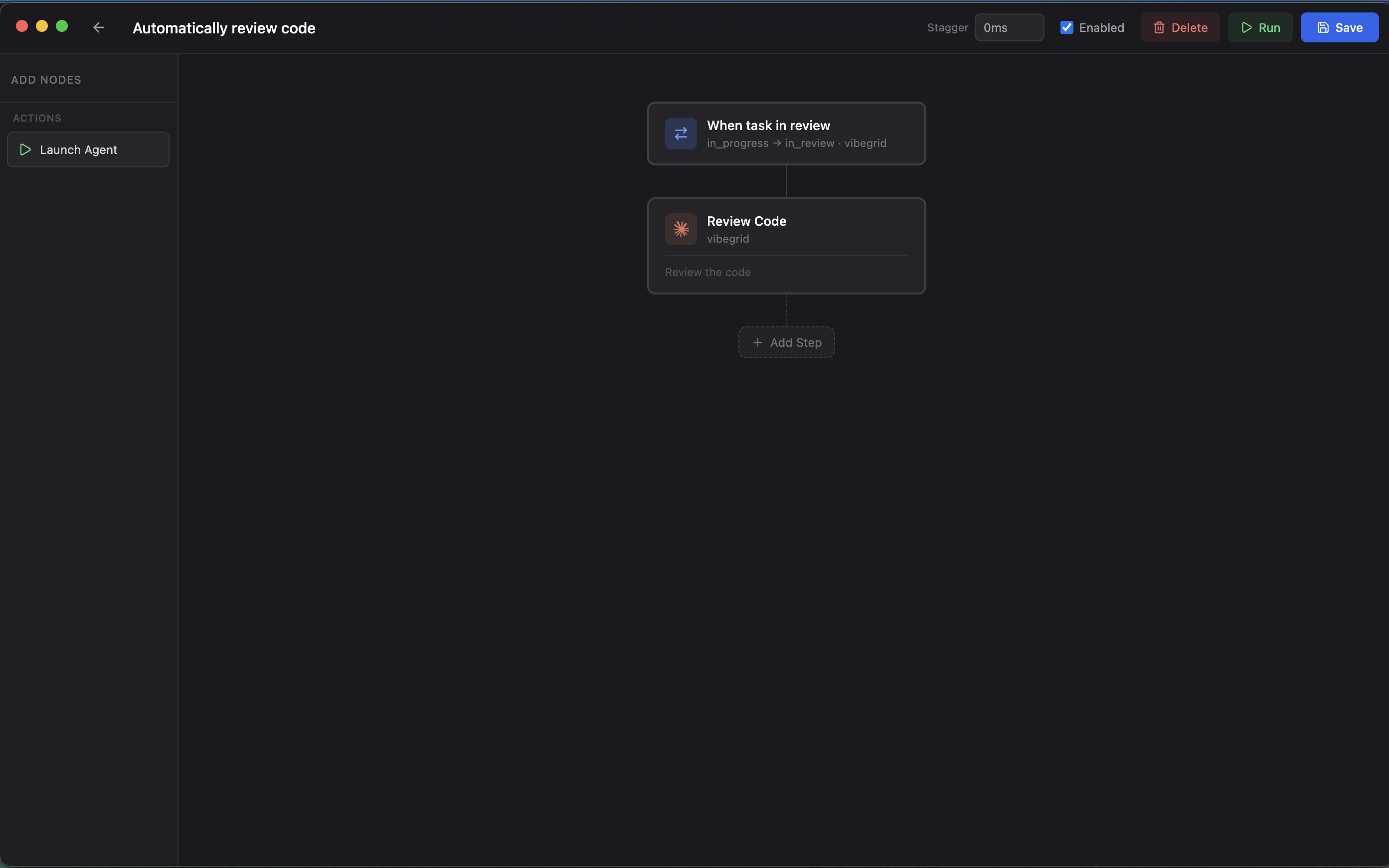
Prefer to stay hands-off? Define your tasks and workflows, then let agents work headlessly in the background. Set up a workflow that automatically reviews code when a task moves to "in review", spins up another agent to generate documentation, runs your test suite after every implementation.
Chain agents together. A workflow can launch an agent to implement a feature, then trigger a second agent to review the diff, then run a script to deploy, all on a schedule or triggered by task status changes. Everything happens on your machine, orchestrated by you.
MCP-powered. Agents can read and write tasks, trigger workflows, and query project state through the built-in MCP server, no extra configuration needed.
Early stages. Vorn is in alpha. The focus right now is stabilizing the core and expanding from there. On the roadmap: SSH remote sessions, shared workspaces for team collaboration, connectors to pull tasks from GitHub Issues, Linear, Jira and more, and a companion web/mobile app so you can monitor your workflows and connect remotely while away from your computer.
Install
macOS / Linux:
curl -fsSL https://raw.githubusercontent.com/jcanizalez/vorn/main/install.sh | sh
Windows (PowerShell):
irm https://raw.githubusercontent.com/jcanizalez/vorn/main/install.ps1 | iex
Homebrew (macOS):
brew tap jcanizalez/tap && brew install --cask vorn
Or download directly from GitHub Releases.
Features
Vorn supports two ways of working. Interactive: open a grid of terminals and pair with agents hands-on. Autonomous: define tasks and workflows, and let agents run headlessly while you focus on something else. Mix both freely — they share the same projects, tasks, and git integration.
Multi-Agent Grid
Run Claude, Copilot, Codex, OpenCode, and Gemini in a responsive grid layout. Resize, reorder, minimize, and filter by status. Focus any terminal fullscreen with one click, or switch to a tab view for sequential browsing. Real-time status detection shows whether each agent is running, waiting, idle, or in an error state.
Task Queue & Kanban Board
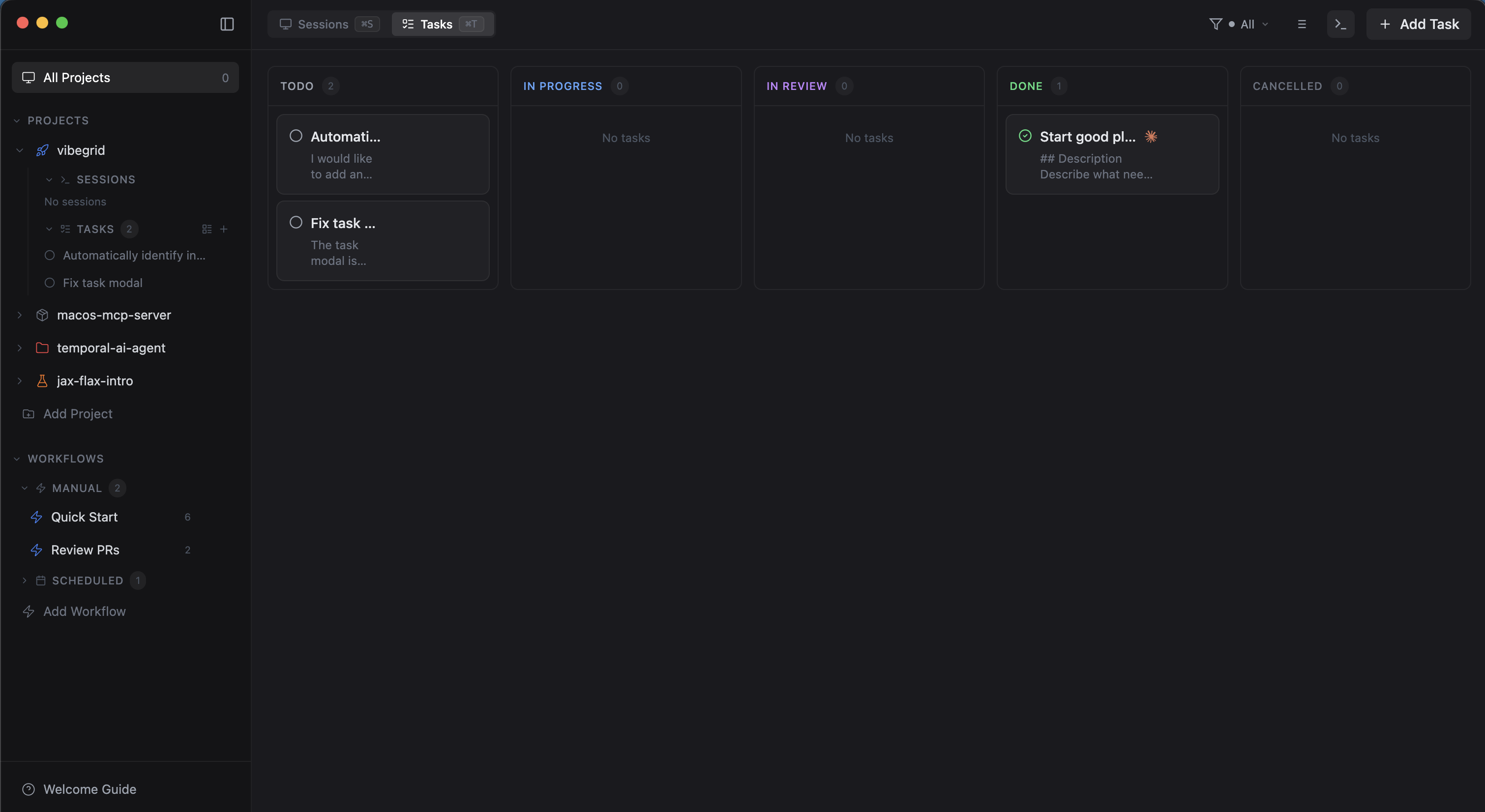
Manage tasks per project with a list view or a drag-and-drop kanban board. Tasks support markdown descriptions, image attachments, git branch targeting, and worktree isolation. Start a task and it launches an agent with the description as the prompt. Tasks can also trigger workflows automatically when created or when their status changes.
Workflow Automation
Create multi-step workflows with a visual node editor. Chain together agent launches, script executions (Bash, Python, Node.js, PowerShell), and task queue operations. Schedule them manually, once at a specific time, or on a recurring cron. Workflows can also trigger automatically when tasks are created or change status.
Headless Execution
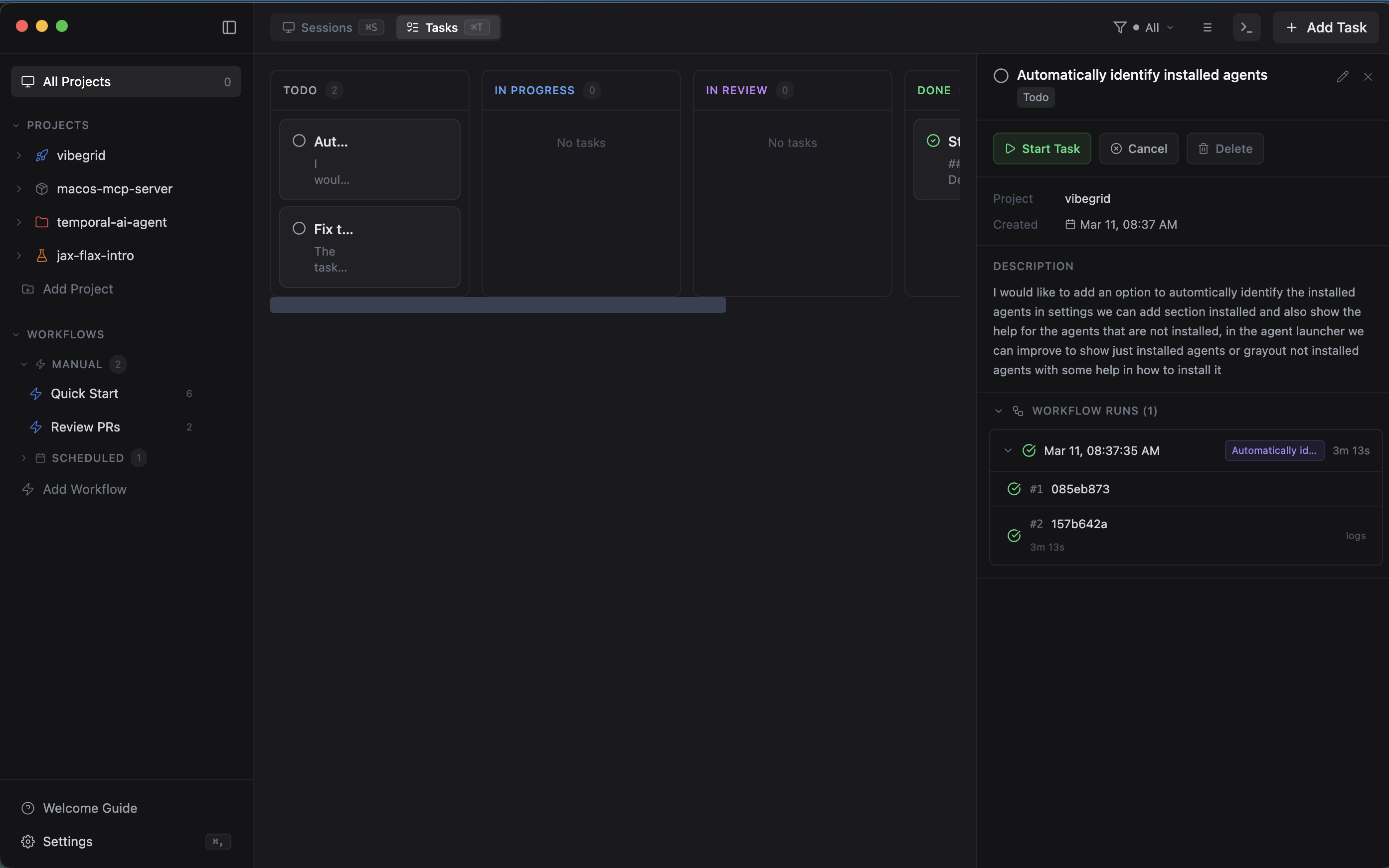
Run agents and scripts in the background without a visible terminal. Headless sessions capture full output logs for later review. Combine with workflow stagger delays to orchestrate multiple agents sequentially, each one picks up where the last left off.
Inline Diff Review & Git Integration
View git changes in a side panel with file-level stats. Click on any changed line to add a review comment, then send all comments to the agent as structured feedback with one click. Stage, commit, and push directly from the terminal session. Full worktree support for safe parallel work on different branches.
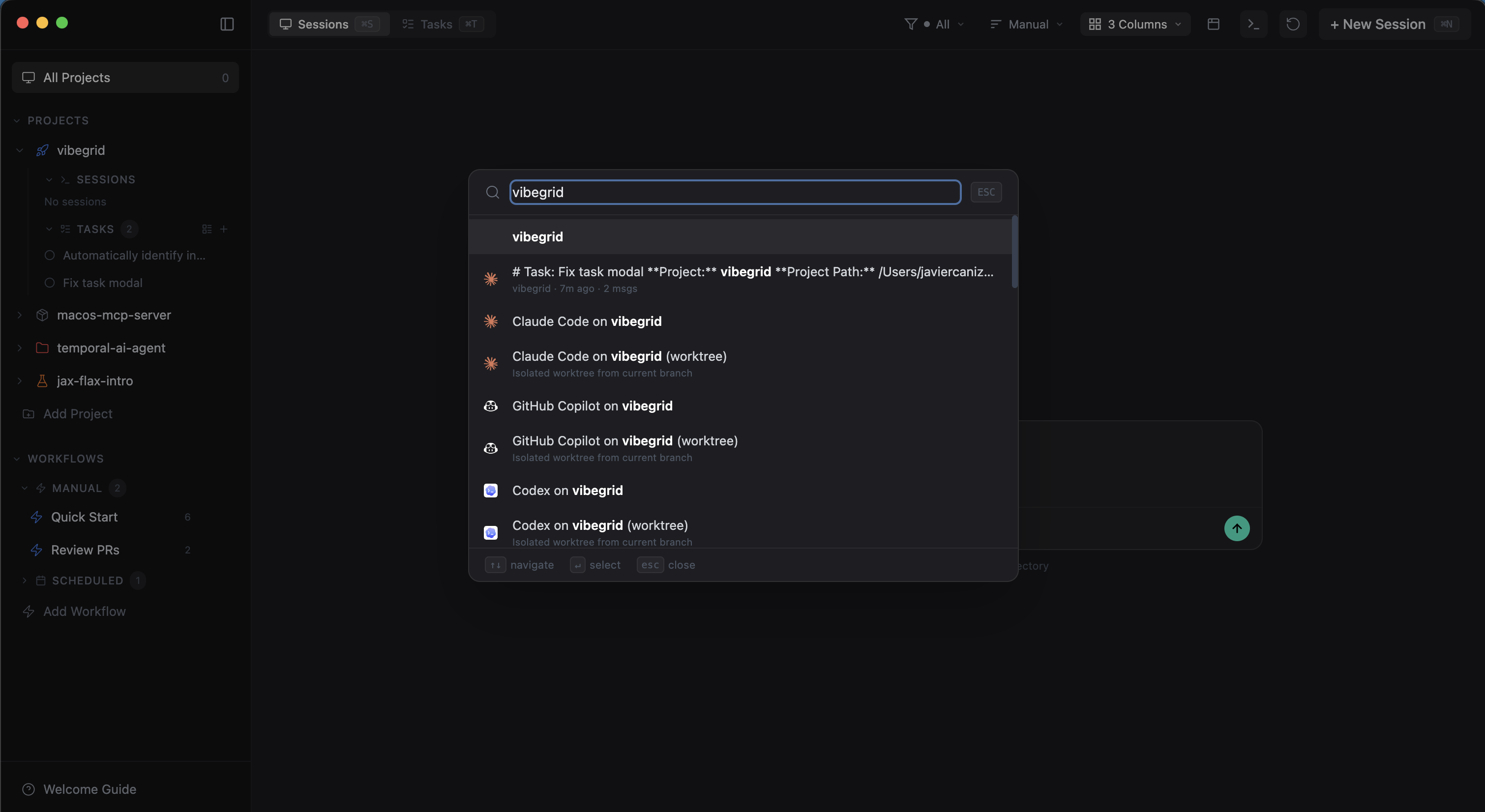
Command Palette
Fuzzy search for actions, terminals, recent sessions, projects, and workflows. Quick-launch agents, run workflows, and navigate the app without leaving the keyboard.
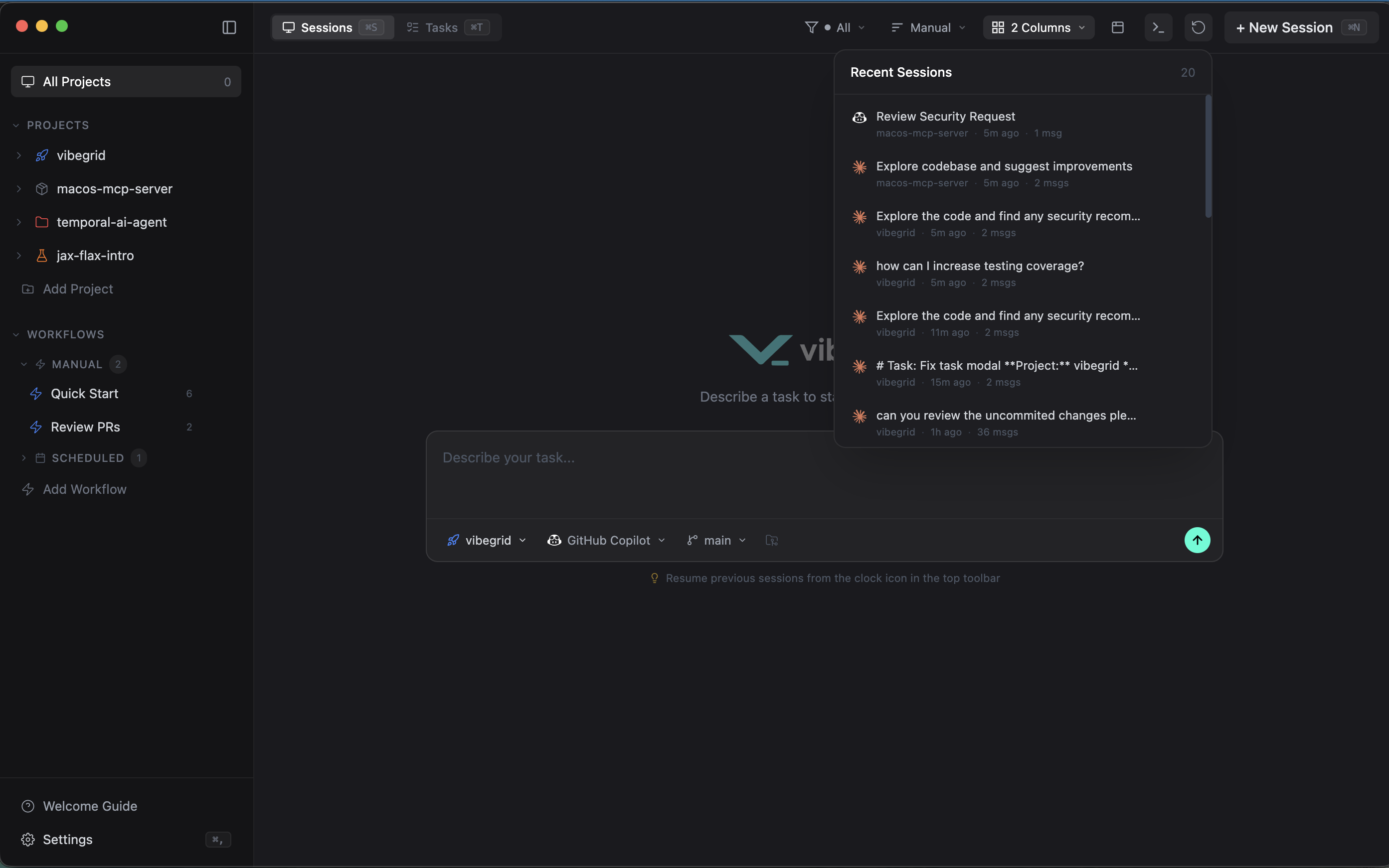
Session Persistence
Restore previous agent sessions on restart. Vorn tracks session history and matches agent sessions for accurate resumption, so you can pick up right where you left off.
MCP Server
Agents running inside Vorn can access tasks, projects, workflows, sessions, and git state through the built-in MCP server. Create and update tasks, trigger workflows, launch new agents, and query configuration — all from within an agent session.
More
- Claude Code Hooks — real-time agent status, permission request handling, and agent question responses
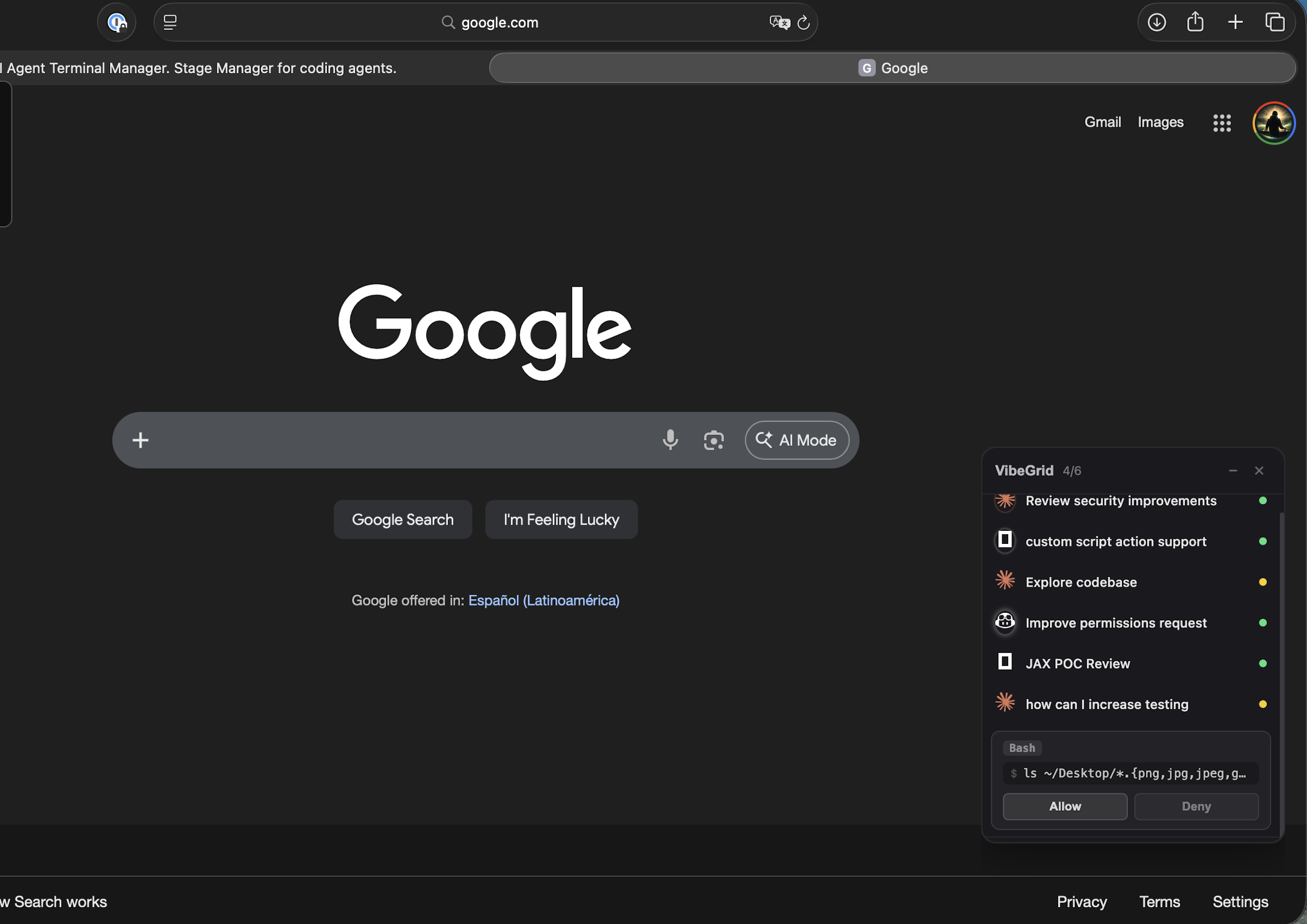
Floating Widget
A minimal always-on-top overlay that stays visible while you work in other apps. See agent status at a glance, get notified on permission requests, and jump back into any session with one click.
More
- Remote Hosts — launch terminals on remote machines via SSH
- Terminal Panel — lightweight shell tabs for quick operations
- Project Management — organize sessions by project with custom icons, colors, and preferred agents
- Auto-Update — built-in update checking and installation
- Cross-Platform — macOS, Windows, and Linux
Supported Agents
| Agent | Command |
|---|---|
| Claude Code | claude |
| GitHub Copilot | gh copilot |
| OpenAI Codex | codex |
| OpenCode | opencode |
| Google Gemini | gemini |
Any CLI tool that runs in a terminal works with Vorn. These are the agents with built-in status detection and icons.
Development
Prerequisites: Node.js 20+, Yarn
# Install dependencies
yarn install

# Start in development mode
yarn dev

# Build for production
yarn build

# Package for your platform
yarn dist
Contributing
Contributions are welcome. Please open an issue first to discuss what you'd like to change.
- Fork the repo
- Create your branch (
git checkout -b feature/my-feature) - Commit your changes
- Push and open a Pull Request
License
MIT - Javier Canizalez
Reviews (0)
Sign in to leave a review.
Leave a reviewNo results found