cc-sessions-viewer
Health Uyari
- No license — Repository has no license file
- Description — Repository has a description
- Active repo — Last push 0 days ago
- Community trust — 368 GitHub stars
Code Basarisiz
- child_process — Shell command execution capability in .github/workflows/release.yml
- execSync — Synchronous shell command execution in .github/workflows/release.yml
- rm -rf — Recursive force deletion command in .github/workflows/release.yml
- fs.rmSync — Destructive file system operation in .github/workflows/release.yml
- process.env — Environment variable access in .github/workflows/release.yml
- fs module — File system access in .github/workflows/release.yml
Permissions Gecti
- Permissions — No dangerous permissions requested
Bu listing icin henuz AI raporu yok.
support cc/codex/grok build/kimicode/pi/antigravity cli/opencode sessions viewer, skills manage, token usage statistics, global search, resume, and export to html
Sessions Viewer







English · 中文 · 日本語 · CHANGELOG
A native desktop browser for Claude Code, Codex, Grok Build, Kimi Code, Pi, Antigravity CLI, and opencode.
Read, search, and manage local session transcripts from all seven in one place.
Plus a tool management page — round up the skills scattered across your agents (duplicates, dead links, the same one stored three times),
and take over MCP servers, hooks, and instruction files. Guide →
https://github.com/user-attachments/assets/9bcb92a8-e5b8-40e5-b492-af252162309b
What it does
Sessions Viewer turns local agent transcripts into a searchable workspace. Open a project, inspect exactly what happened, then continue the work from the same place without manually hunting through JSONL files.
[!TIP]
New — Tool management. Skills, MCP servers, hooks, and instruction files for all seven agents in one place. Find the duplicate skills and broken links on your machine and repair them, see what your MCP servers cost in context before you type, and dry-run a hook before you trust it. Every change previews the exact file edits first.
Read and find context
- Faithful replay — preserve thinking chains, tool-call pairings, structured diffs, and inline screenshots.
- Global search — search across projects and jump to the exact matching message with
⌘⇧F. - Jump to prompt — scan every user prompt in a compact list, then scroll and flash the selected message.
- Views history — revisit recent read and chat views, with per-project search and favorites.
Continue the work
- Built-in chat — start or resume Claude Code and Codex sessions with model, reasoning-effort (including Opus Ultracode), and permission-mode controls.
- One-click resume — open a session in an embedded terminal or in Terminal.app, cmux, iTerm2, Ghostty, or Warp.
- Shell tabs — run regular shell commands beside agent sessions; tabs persist across restarts.
- Launch arguments — configure per-agent CLI flags such as
--dangerously-skip-permissionsfor new and resumed sessions.
Keep projects organized
- Split panes — arrange side-by-side or stacked panes, drag tabs between panes, and keep each project's layout across restarts.
- cmux integration — reuse workspaces by working directory, find running sessions, choose smart split directions, and name tabs after directories.
- Bookmarks — pin frequently used folders to the sidebar for quick access.
- Rename and trash — sync session renames back to the CLI and soft-delete sessions with restore support.
Understand usage and share results
- Stats and pricing — inspect token spend and cost by project, model, or tool using live LiteLLM pricing; macOS menu bar stats show Today / 7d / 30d totals per agent.
- Flexible export — export one session or a batch as offline-readable Markdown, HTML, or lossless JSON.
- Read-only safety — source JSONL files are never modified or removed.
Supported session sources
Claude Code, Codex, Grok Build, Kimi Code, Pi, Antigravity CLI, and opencode. Grok Build, Kimi Code, and Pi provide history, terminal, export, analysis, and resume workflows; their GUI chat is intentionally not included.
Screenshots
Open the visual tour
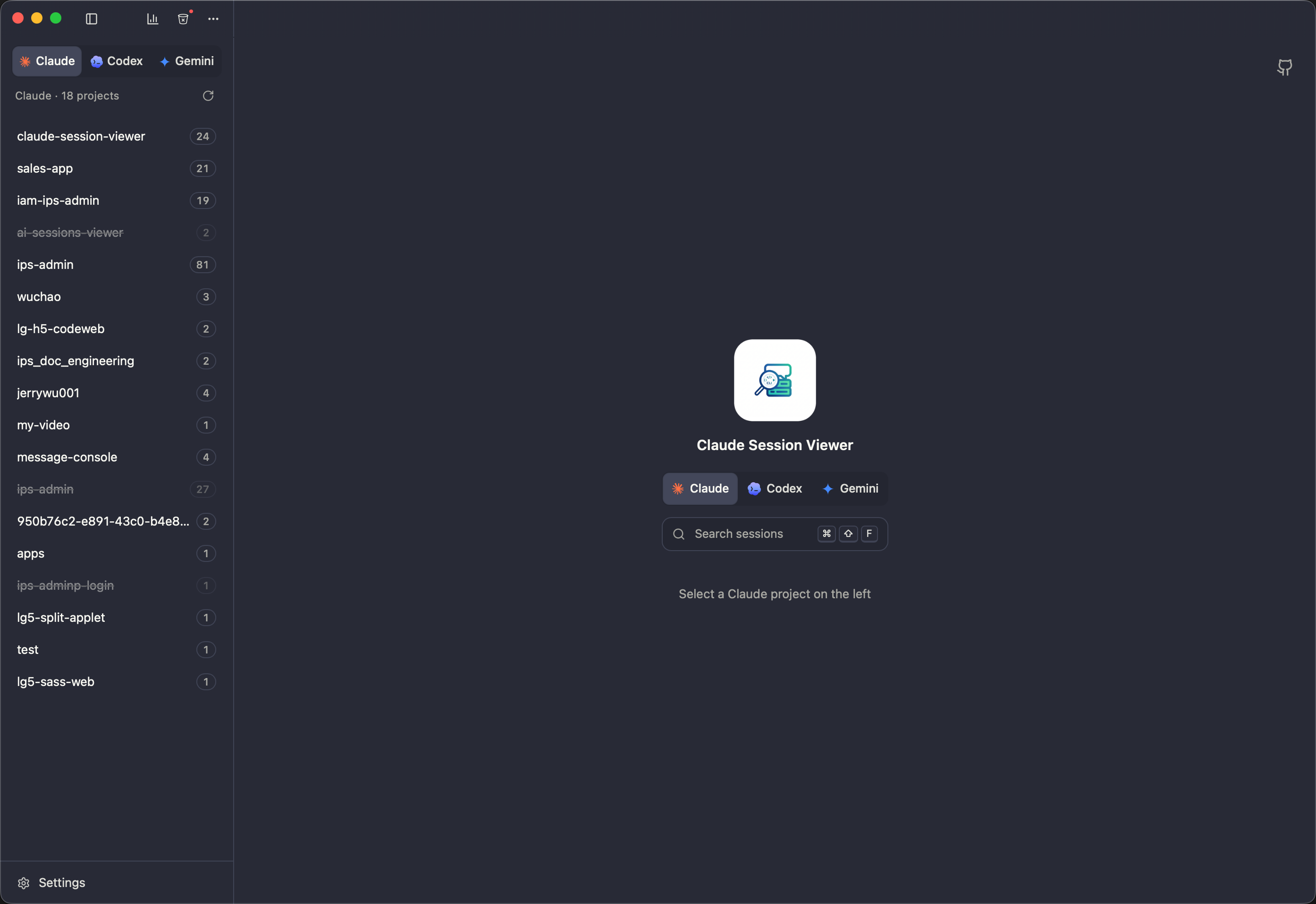
Main view — sidebar, sessions, chat |
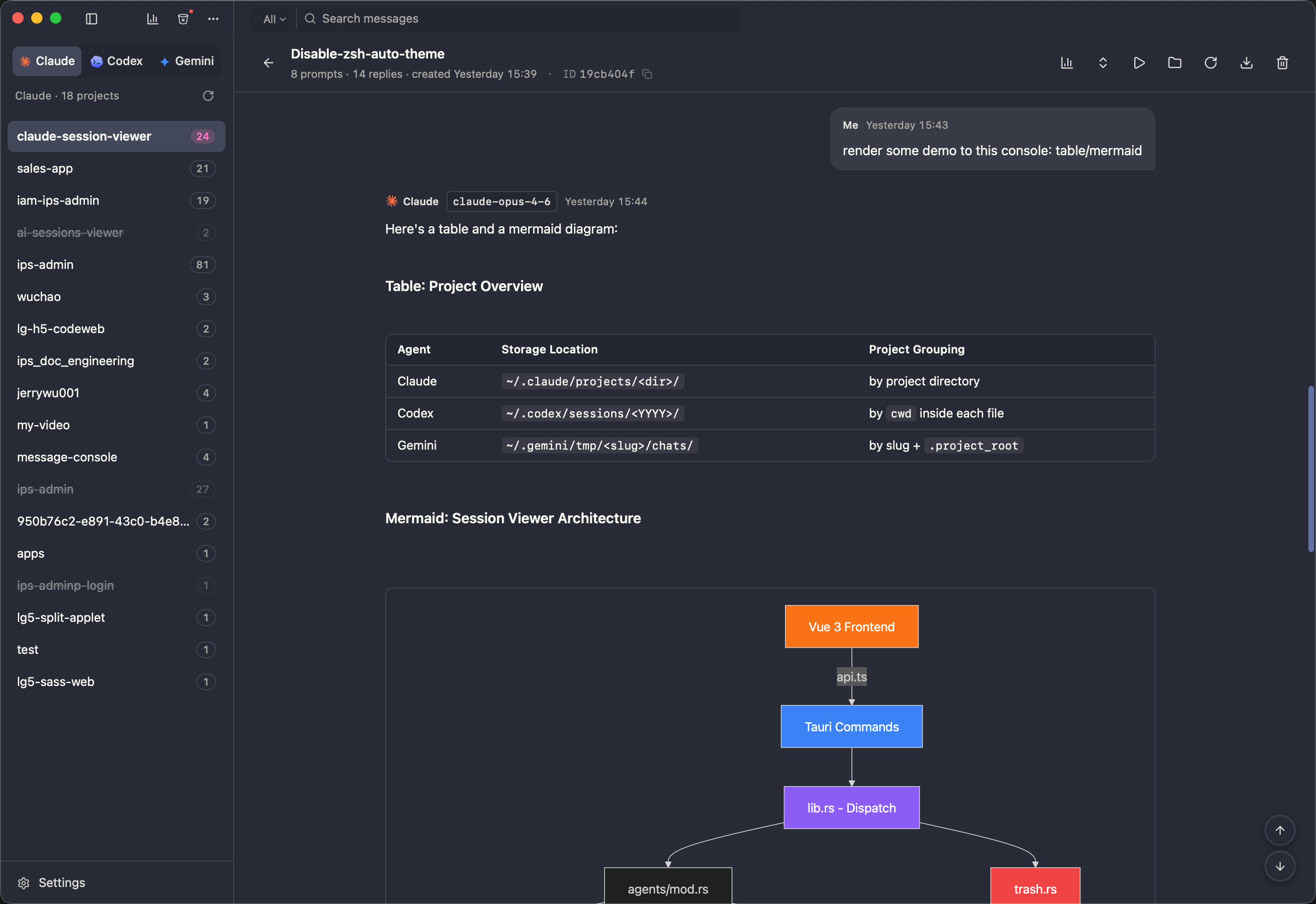
Faithful replay — thinking, tool calls, structured diffs |
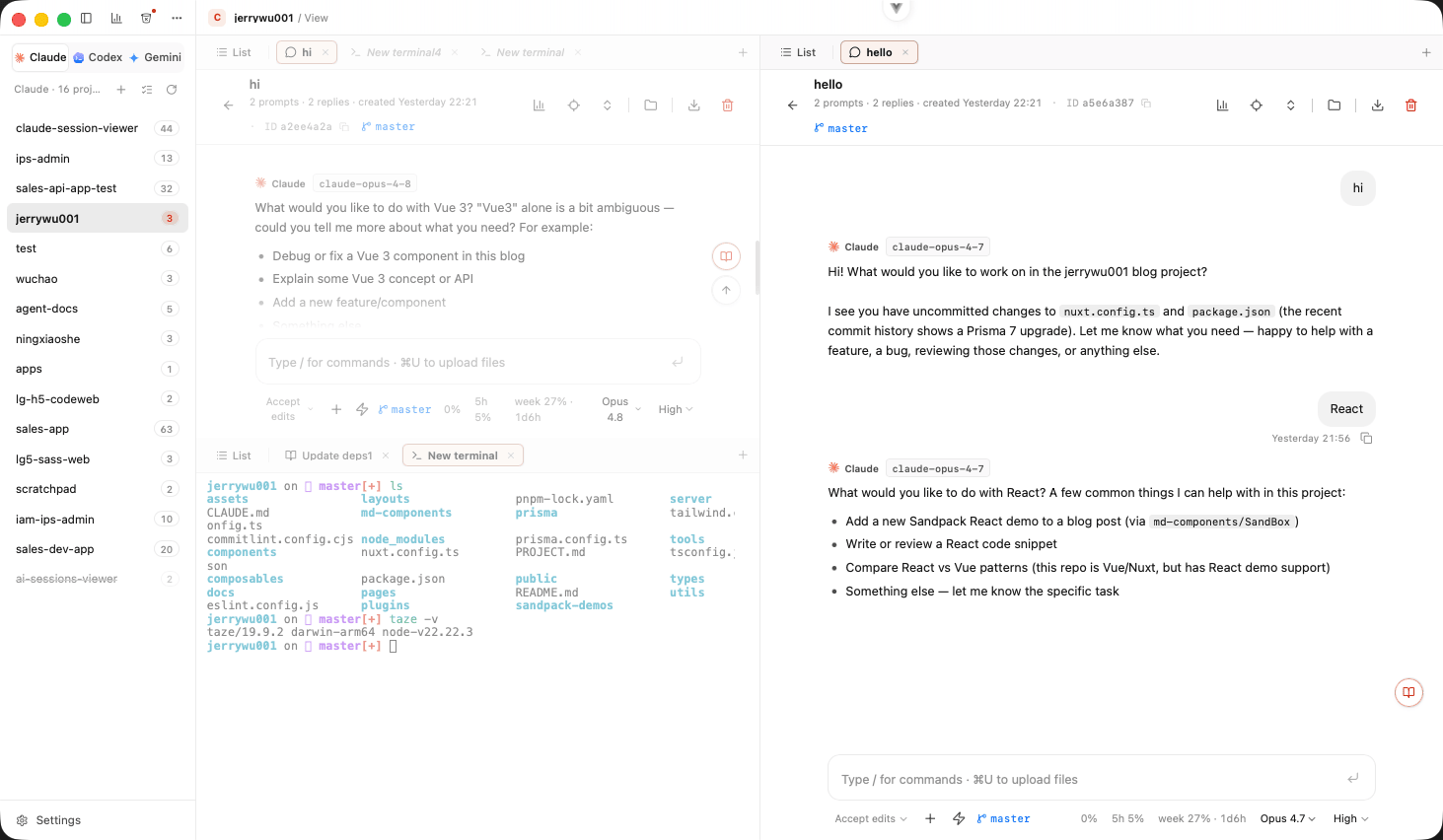
Split panes — multiple sessions side by side, drag tabs between panes |
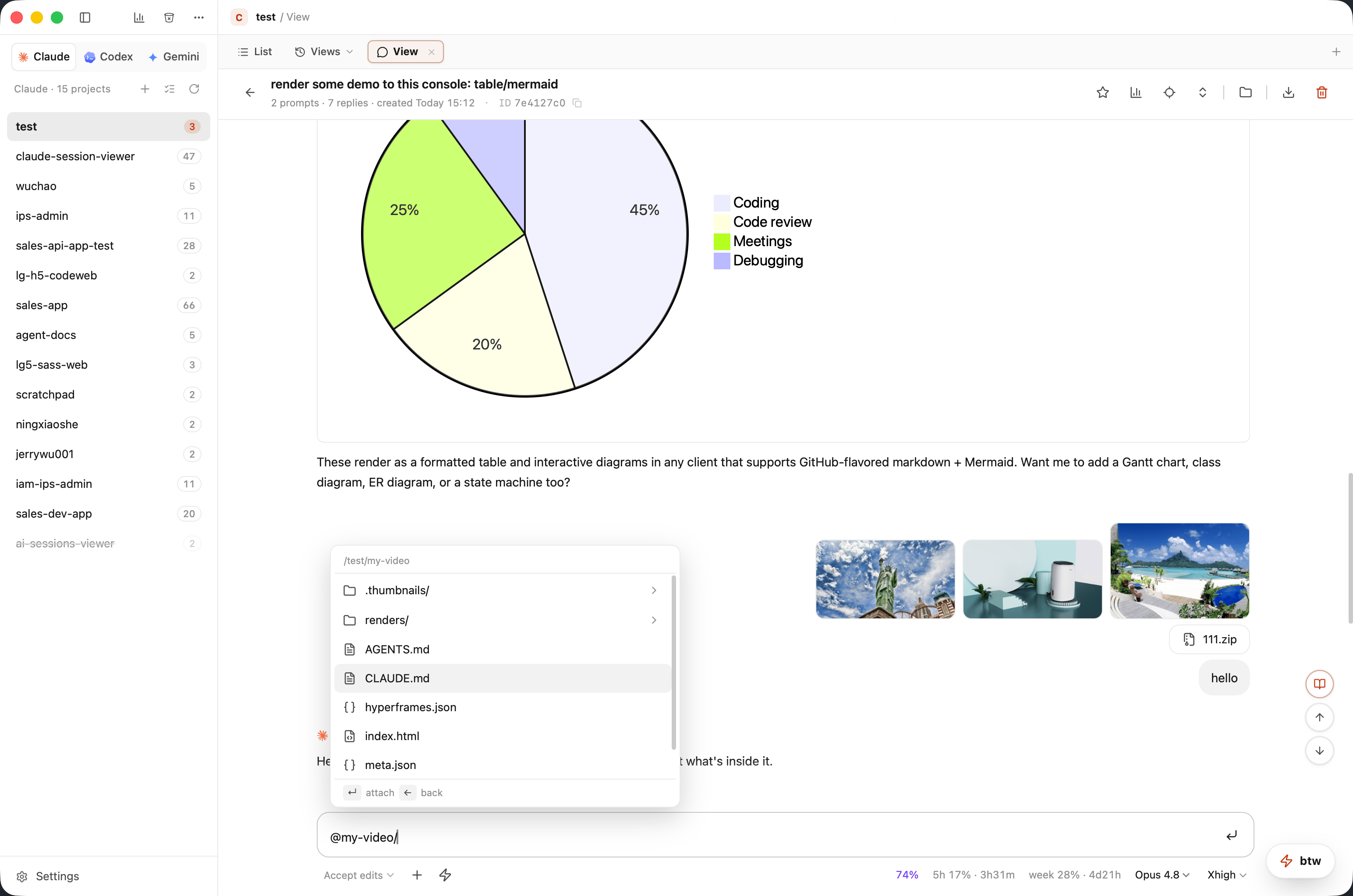
In-app chat — Mermaid & tables, @-mention files, attach images |
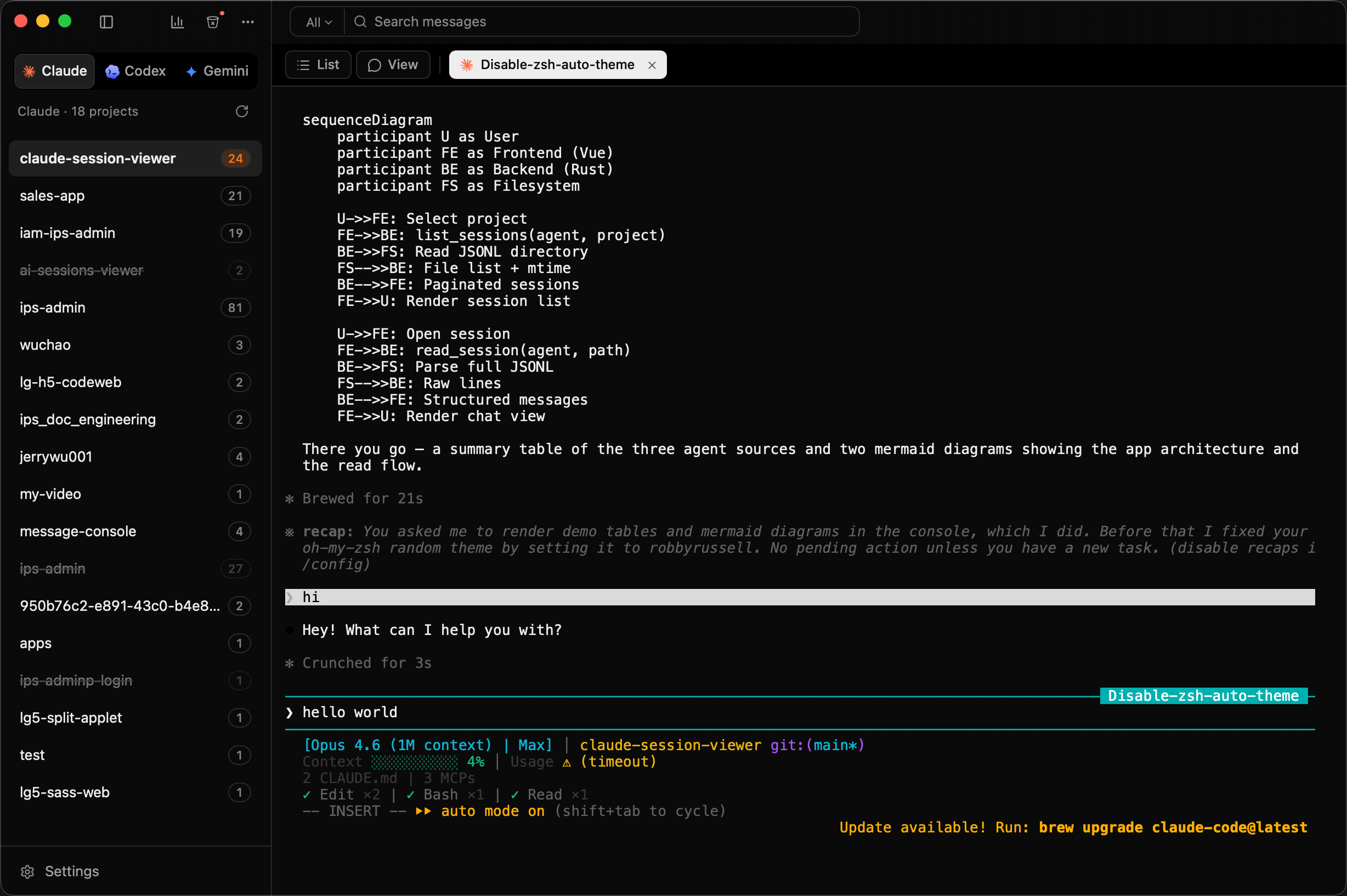
Embedded terminal — one-click resume or new session |
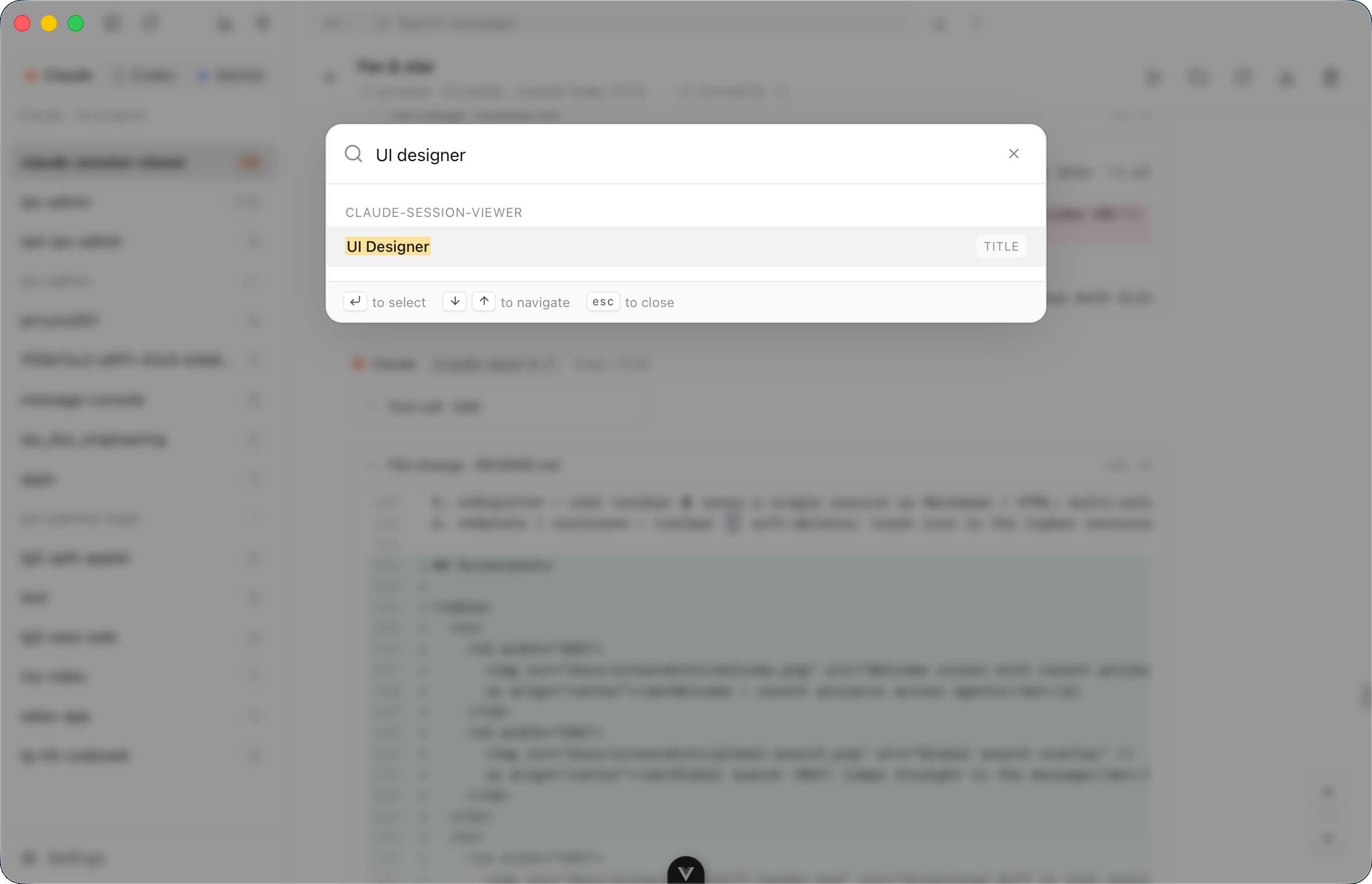
Global search (⌘⇧F) jumps to the message |
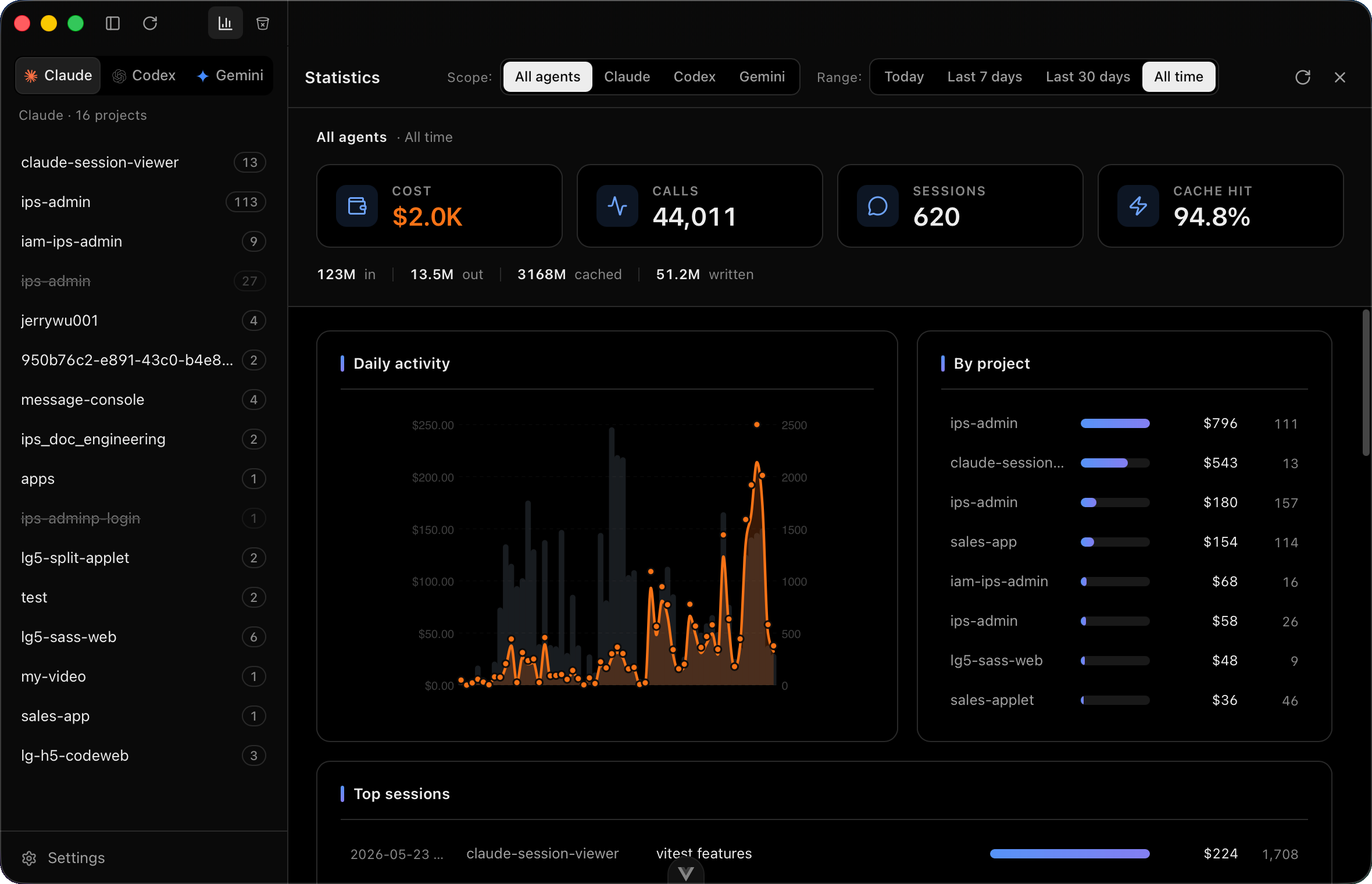
Token & cost analytics by project, model, tool |
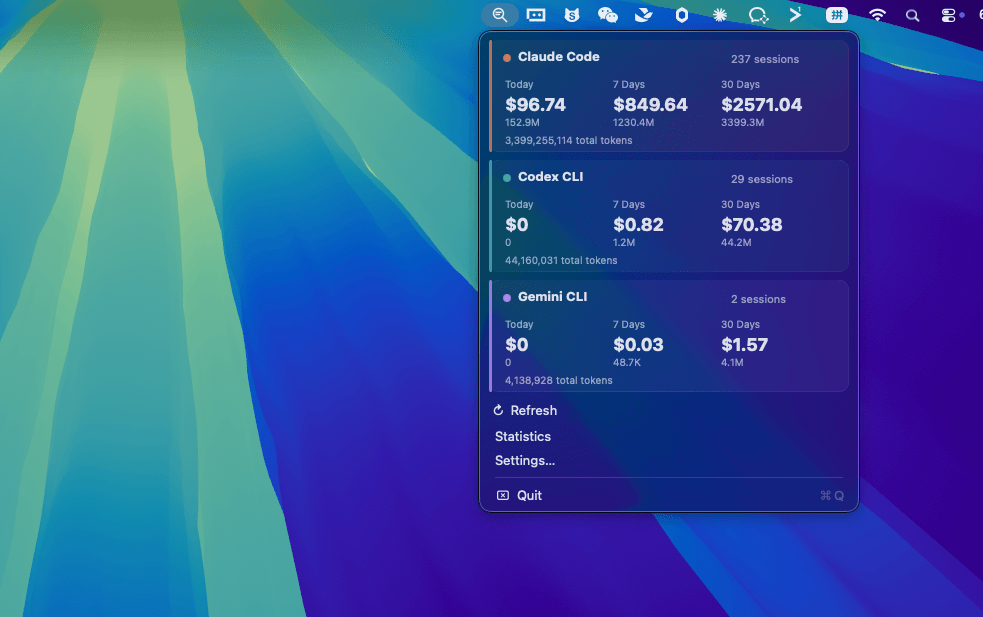
Menu bar stats — per-agent cost & token overview |
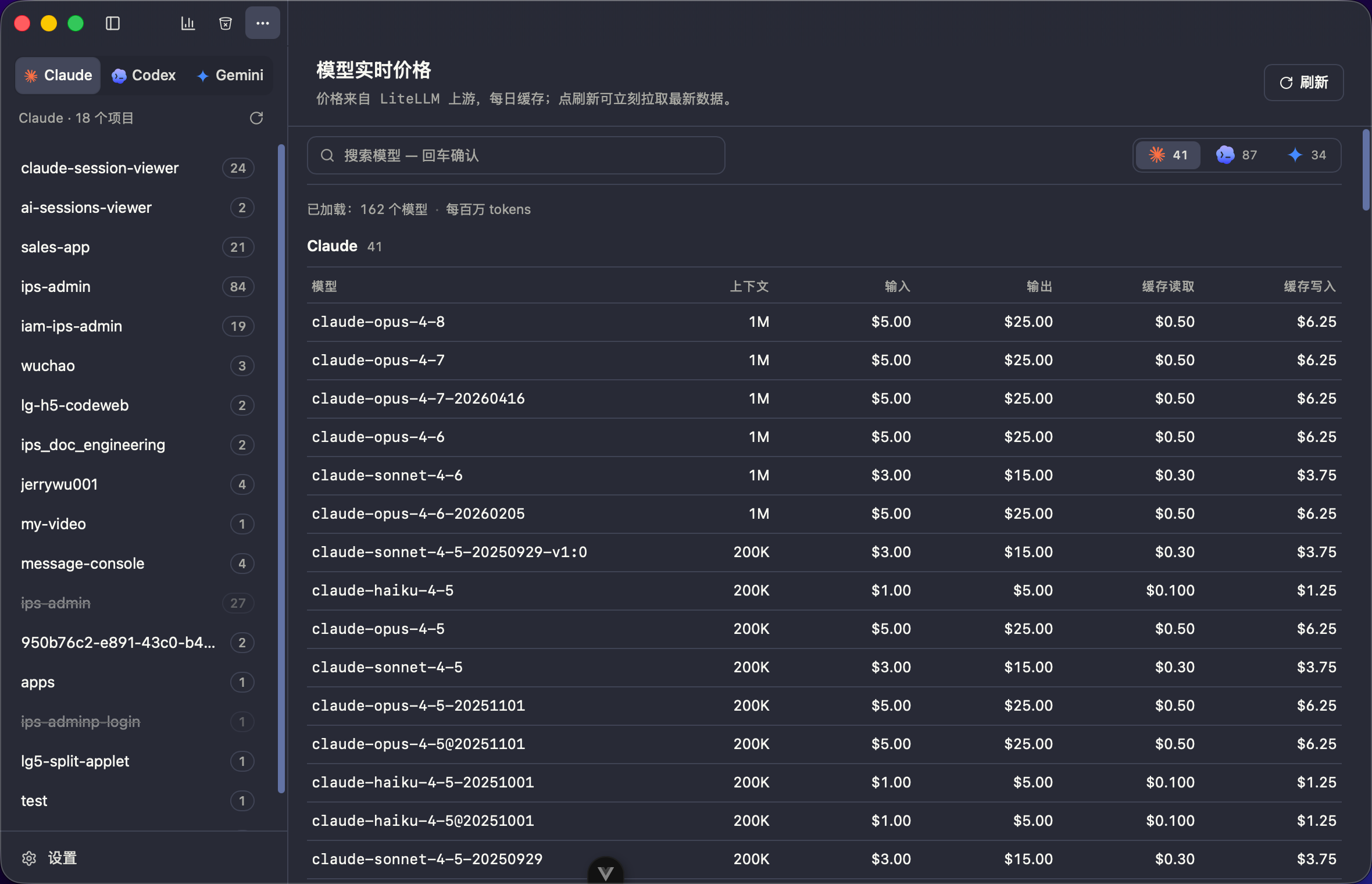
Live model pricing |
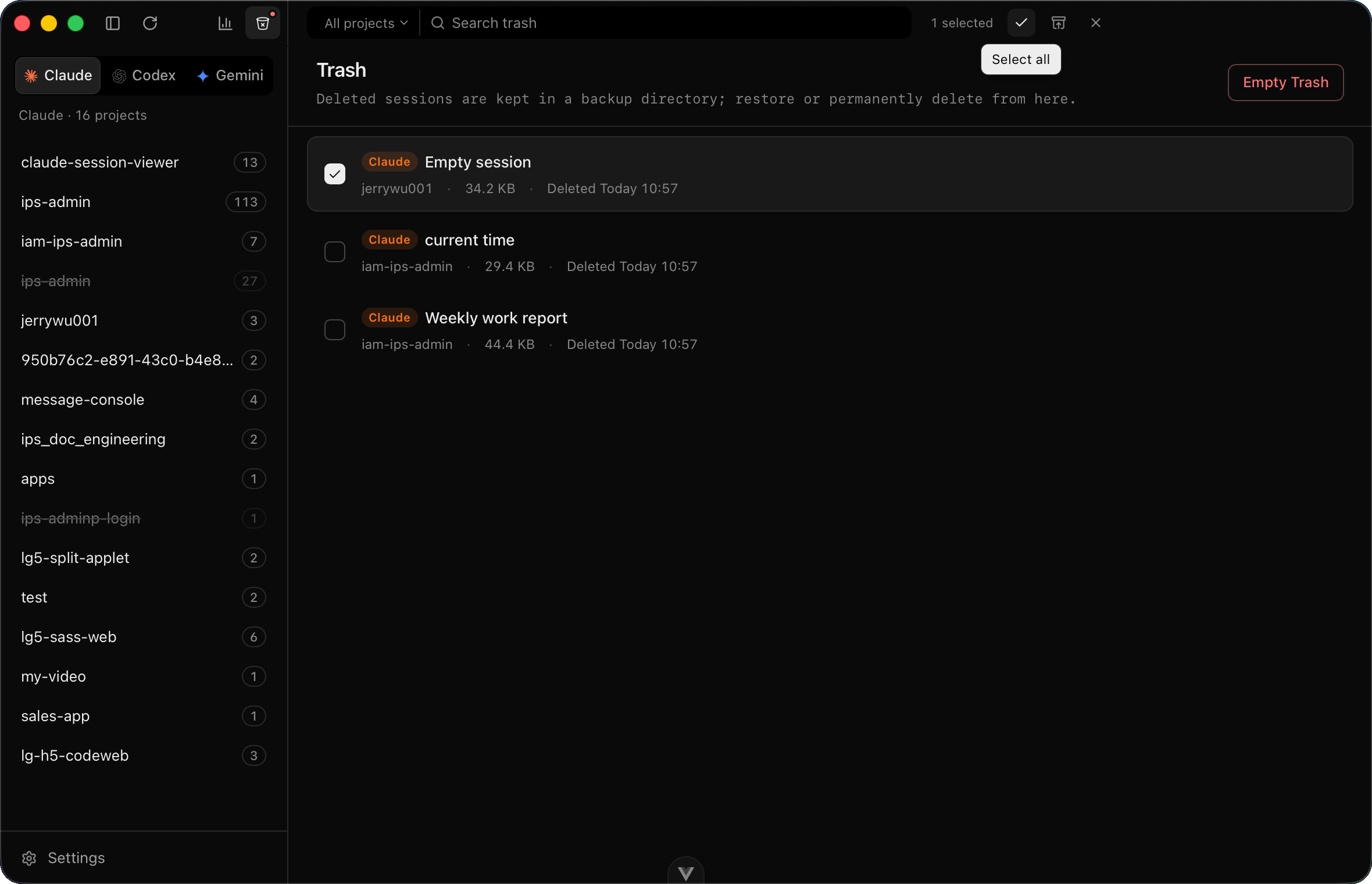
Shared trash — soft-delete with one-click restore |
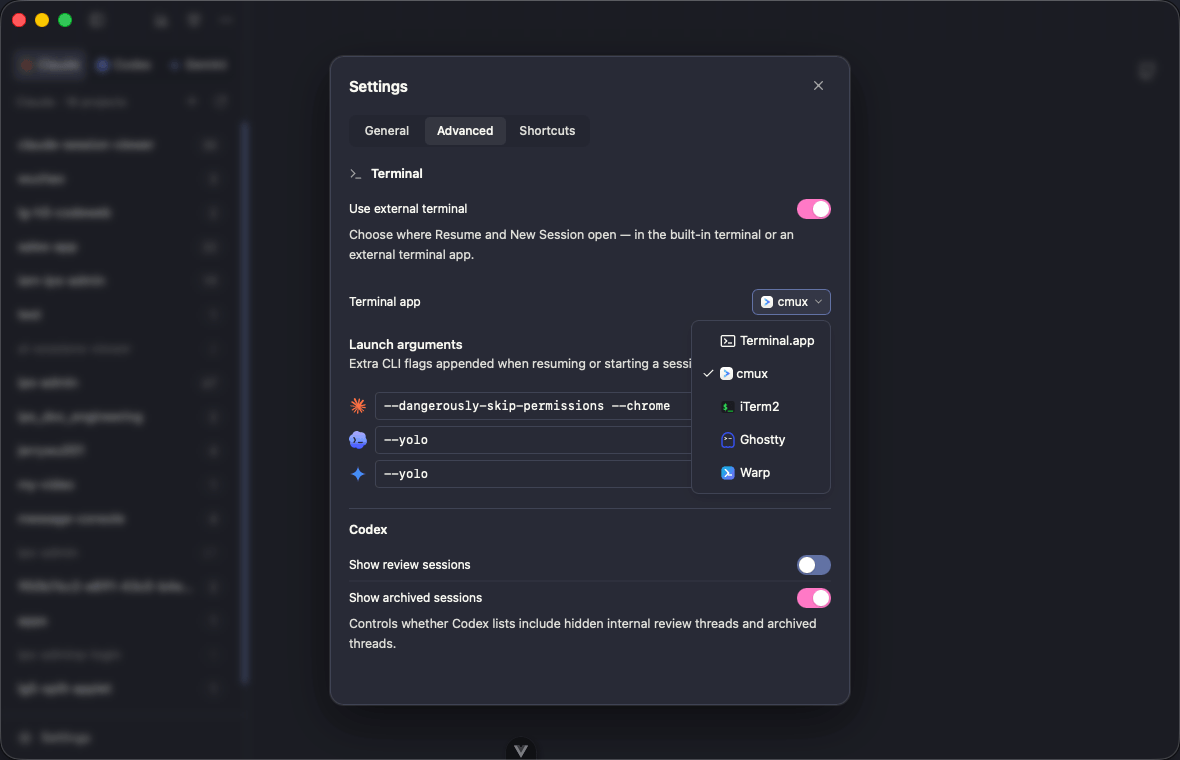
Settings — terminal picker & launch arguments |
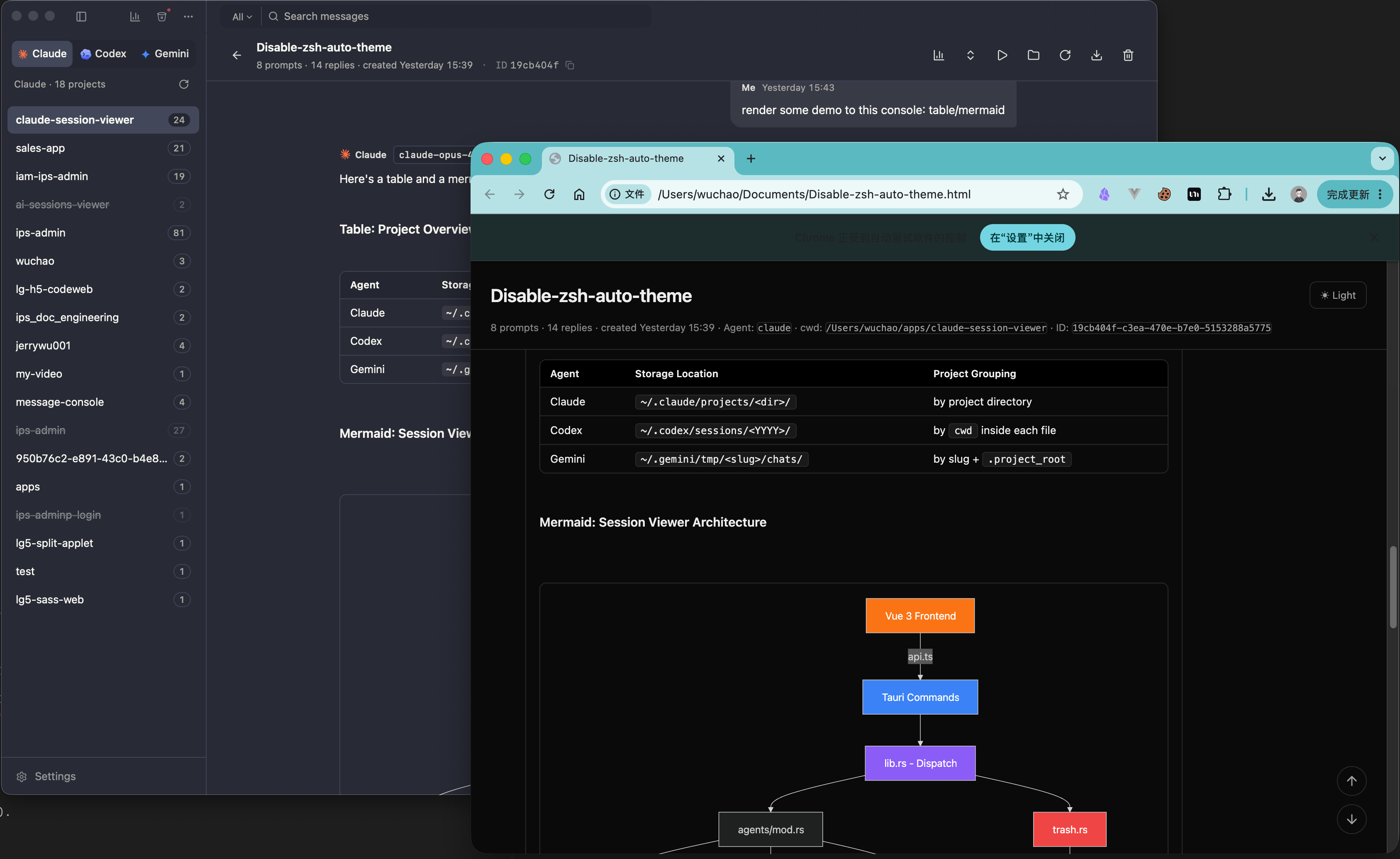
Exported HTML — fully offline, opens in any browser |
Install
Grab the latest installer from Releases:
| Platform | File |
|---|---|
| macOS (Apple Silicon + Intel) | .dmg |
| Windows x64 | -setup.exe / .msi |
| Linux x86_64 | .deb / .AppImage |
On macOS the .app is ad-hoc signed but not notarized, so first launch may show "Apple cannot verify…". Two ways past it:
- Right-click the app in Finder → Open → confirm in the dialog (one-time).
- Or strip the quarantine attribute in Terminal:
sudo xattr -dr com.apple.quarantine "/Applications/Sessions Viewer.app"
On Linux the .AppImage is portable — chmod +x and run. The .deb installs with:
sudo apt install ./cc-sessions-viewer_<ver>_amd64.deb
Development
git clone https://github.com/jerrywu001/cc-sessions-viewer.git
cd cc-sessions-viewer
npm install
npm run tauri dev      # dev mode
npm run tauri build    # bundle
Prereqs: Node 20+, Rust stable. See CLAUDE.md for architecture notes.
Contributing
PRs welcome. Please use Conventional Commits (feat:, fix:, docs:, ...).
Star History
Sponsorship Support
This project is maintained in my spare time. Sponsorship helps cover ongoing development, bug fixes, and documentation.
🛠️ Continuous development and updates
🐛 Swift bug fixes and issue resolution
📚 Documentation improvements and expanded examples
For custom work or other special requests, contact me through one of the sponsorship options below. Requests start at US$50 and depend on current availability.
Ways to contribute:
- GitHub Sponsors
GitHub Sponsors (Recommended · Zero fees)
- Alipay/Wechat

|

|
License
MIT © jerrywu001 · @jerrywu185
Friend link: linux.do
Yorumlar (0)
Yorum birakmak icin giris yap.
Yorum birakSonuc bulunamadi