Aieyes
Health Uyari
- License — License: Apache-2.0
- Description — Repository has a description
- Active repo — Last push 0 days ago
- Low visibility — Only 5 GitHub stars
Code Gecti
- Code scan — Scanned 12 files during light audit, no dangerous patterns found
Permissions Gecti
- Permissions — No dangerous permissions requested
Bu listing icin henuz AI raporu yok.
See AI agent usage, quotas, sessions, and SSH servers at a glance. A cross-platform desktop companion with animated pets.

Aieyes
Your AI agents. One clear view.
A desktop command center for your AI coding workflow.
Usage, quotas, accounts, sessions and remote machines — together.
macOS · Windows · Linux
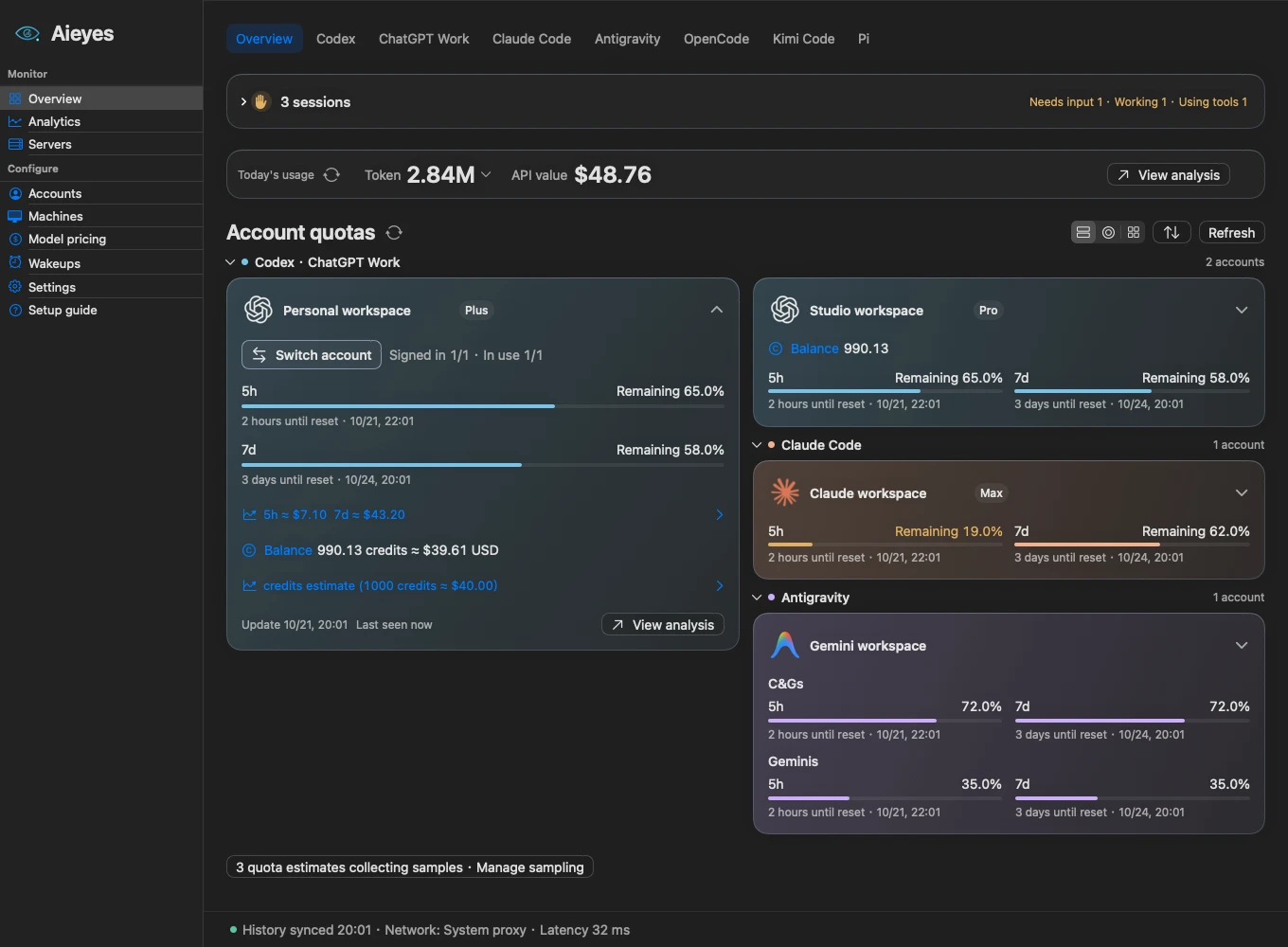
Your agents live in different tools. Their quotas, usage and remote sessions do too. Aieyes gives you a clear place to check them, with a compact desktop panel for the moments when a full window is more than you need.
Keep the whole workflow in sight
- Know what’s left. See supported account quotas, reset windows, credits and balances alongside today’s token usage.
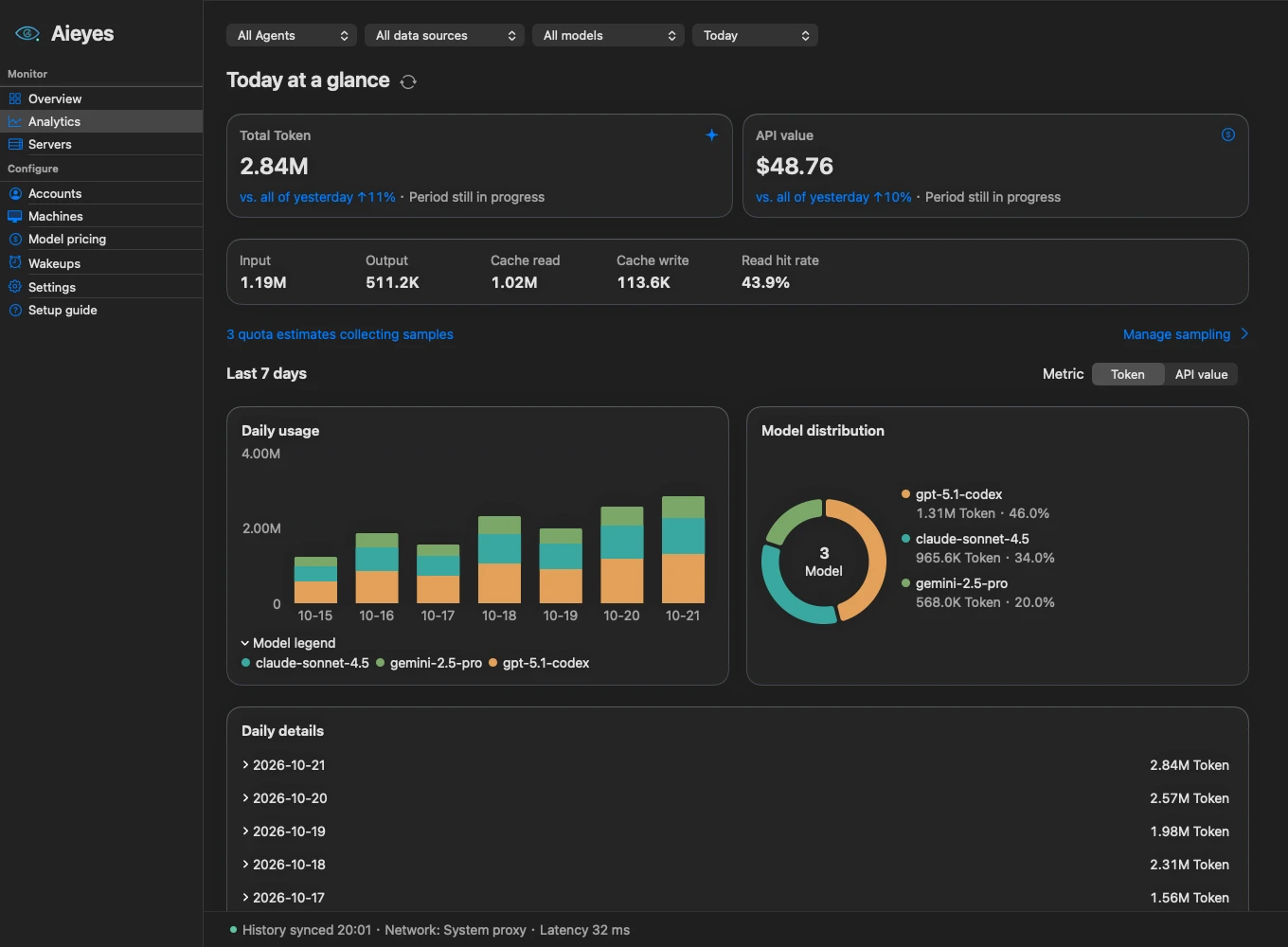
- Understand your usage. Explore daily trends, model breakdowns, cache efficiency and an activity heatmap. Filter by agent, account or machine.
- Bring accounts together. Organize agents and their devices, configure supported APIs, and switch saved Codex accounts or API connections while keeping shared conversation history.
- Notice when you’re needed. Follow local and SSH session states: working, using tools, waiting for input and complete. Use a desktop pet, menu bar or system tray.
- Keep remote machines close. Monitor Linux hosts over SSH: CPU, memory, GPUs, filesystems, disk I/O and network, with the metrics you choose.
- Set a steady rhythm. Schedule model wakeups locally or on SSH Linux hosts, with multiple daily times, deployment status and run results.
Made for your desktop
| Native macOS | Windows |
|---|---|
 |
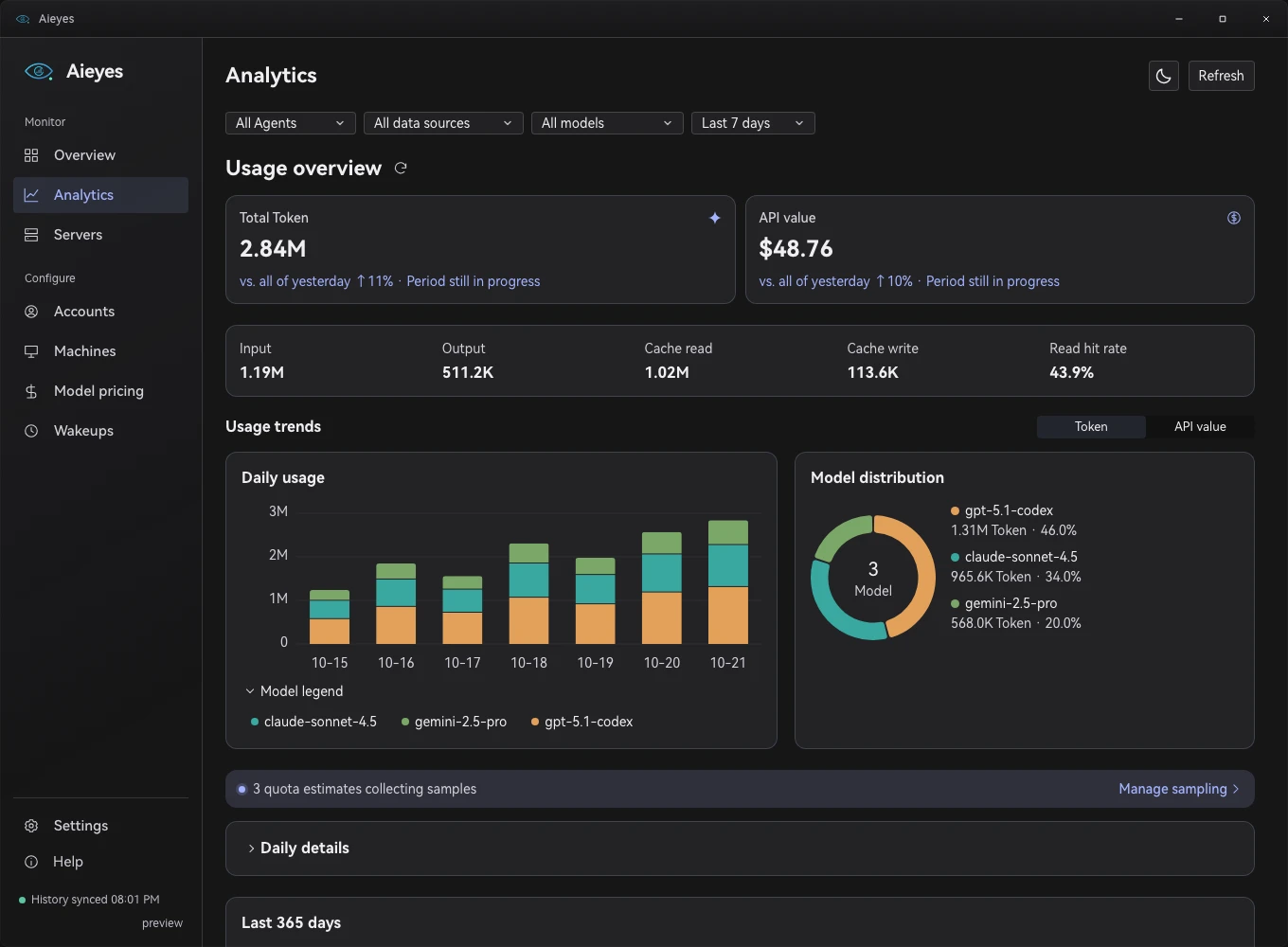 |
macOS uses a native SwiftUI/AppKit interface. Windows and Linux share the Tauri desktop interface and Rust core. Prefer something smaller? Keep the compact panel nearby, or let a desktop pet show your agents’ state. Import a pet from a file, supported resource link or npm package and switch it from your library.
Explore all six features with macOS and Windows previews →
Screenshots use synthetic data and the product’s English interface. Switch between English and Simplified Chinese in Appearance settings or with the panel language button. Windows images render the actual frontend; they do not represent real Windows desktop materials. Featured pet: Yuexinmiao by kiffin.
Bring the tools you already use
Codex · Claude Code · Antigravity · DeepSeek · ZCode · Qoder · Grok · Cursor · OpenCode · Kimi · CodeBuddy · Pi · Oh My Pi
History, quota queries, API setup and session status vary by integration. For example, Cursor’s private request-level token database is not a supported history source. See integration details for the current capabilities.
Get started
- Download the latest release for your system.
- Follow the setup guide to enable your agents and select accounts and data sources.
- Make it yours: connect an SSH host, choose your panel and pick a desktop pet.
| Platform | Packages |
|---|---|
| macOS 14+ | Apple Silicon and Intel DMG |
| Windows x64 | NSIS installer |
| Linux x64 | AppImage, DEB and RPM. Testing across Linux distributions has been limited; support is currently theoretical. If you find any issues or details that affect your experience, please report them. |
Release downloads include SHA256SUMS. Current macOS builds use ad-hoc signing and Windows builds do not have a publisher certificate; your operating system may ask you to allow the first launch. See installation and release details.
A few things to know
Usage history stays in a local SQLite database. Provider queries and SSH connections use the sources you configure. API-equivalent cost estimates help explain usage value; subscription charges and provider invoices are separate. Server monitoring shows current samples, while token history is retained. Scheduled model calls may consume quota and require the target device to be available.
Explore further
- Website · Releases · Report an issue
- Agents and accounts · Desktop pets · Codex API connections
- Development and verification · Architecture · Website maintenance
Contributions, bug reports and integration samples are welcome. Please remove credentials and private account or server information before sharing diagnostics.
Yorumlar (0)
Yorum birakmak icin giris yap.
Yorum birakSonuc bulunamadi