seshka
Health Gecti
- License — License: MIT
- Description — Repository has a description
- Active repo — Last push 0 days ago
- Community trust — 19 GitHub stars
Code Basarisiz
- rm -rf — Recursive force deletion command in scripts/build.sh
- rm -rf — Recursive force deletion command in scripts/make-dmg.sh
- rm -rf — Recursive force deletion command in scripts/release.sh
Permissions Gecti
- Permissions — No dangerous permissions requested
Bu listing icin henuz AI raporu yok.
Kill what Claude Code left behind. A macOS menu bar app.
seshka
Kill what Claude Code left behind.
Claude Code sessions end. The dev servers, watchers and emulators they started don't.
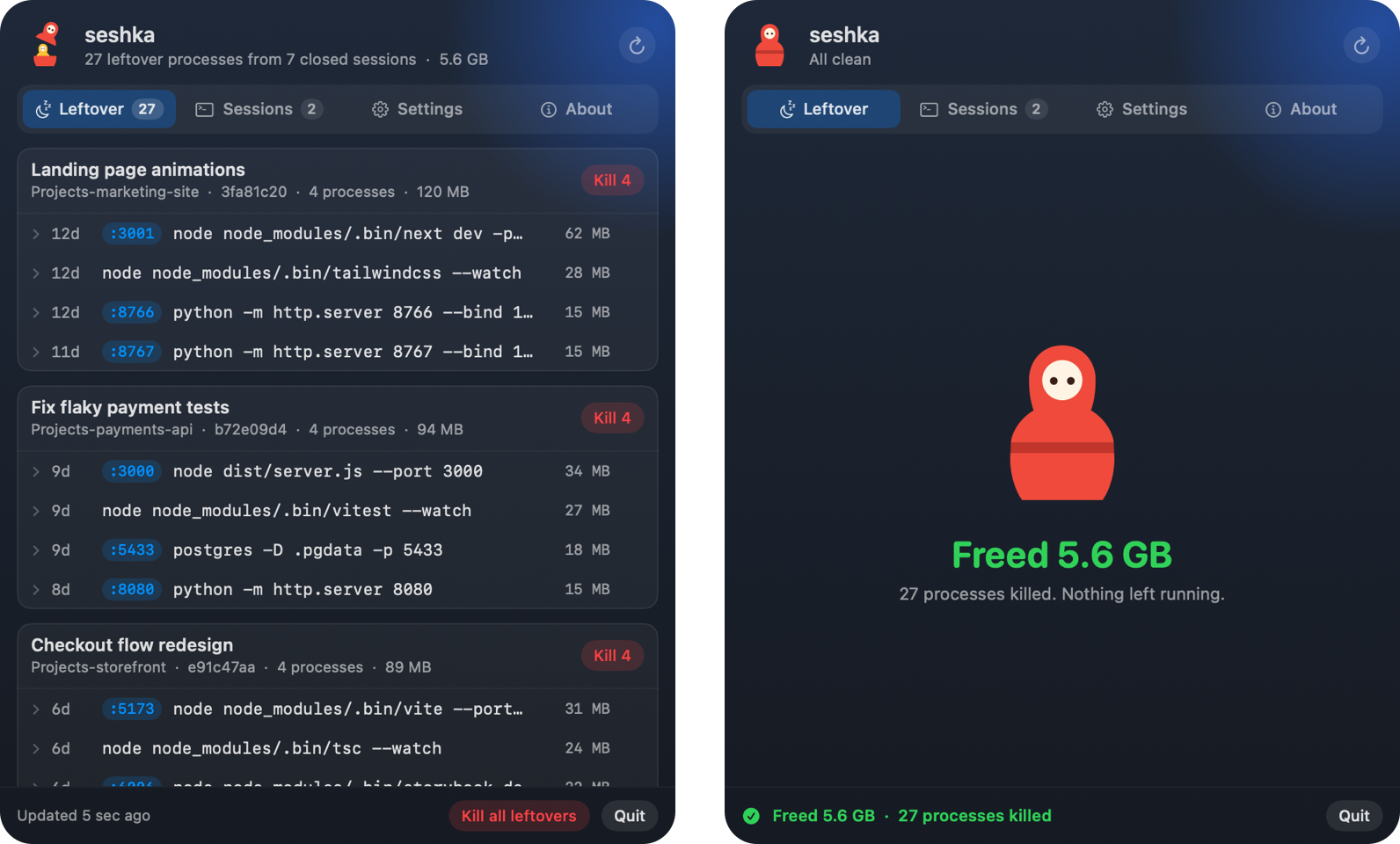
seshka is a macOS menu bar app that finds them and kills them.
What it does
- Finds every process started by a Claude Code session that has since closed.
- Groups them by session, with their ports, memory and age. A session that worked in several git worktrees gets a group for each.
- Catches browsers left open by Playwright and other automation, each as one row.
- Catches what lost its parent on the way (a script that detached itself, an ssh tunnel, a
tail -f), not only what still hangs off the session. - Kills one process, one session's worth, or all of them.
- Tells you how much memory they were holding.
- Shows every open session too: whether it is working or idle, for how long, and what it holds.
- Ends idle sessions in one click, or on its own once they have waited longer than you allow (two hours unless you change it; off until you turn it on).
- Shows what sessions left on disk, and removes it when you click: the worktrees Claude Code made for its agents, the scratch files of closed sessions, and caches that fill up again by themselves (Gradle, pnpm, Yarn, Homebrew downloads and others). Only caches a tool refills on its own are offered, so clearing one never leaves something broken.
The doll in the menu bar is open while something is left behind, and closed when your Mac is clean.
The first time it runs, a short tour shows where it lives and what each tab does. It comes back once after an update that has something new to show.
Install
Download for macOS, open the disk image and drag Seshka to Applications.
Requires macOS 14 or later, on Apple silicon or Intel. The app is signed and notarized, and keeps itself up to date: it downloads a new version in the background, tells you with a notification, and installs it when you click Restart now or the next time it quits.
To build it yourself:
scripts/build.sh
open build/Seshka.app
How it works
Claude Code sets CLAUDECODE=1 in the environment of everything it starts, along with the ID of the session
and of its own process. seshka reads those from your running processes. A process is a leftover once the
Claude Code process that started it is gone.
Some apps keep their environment unreadable, Chrome among them. So seshka also counts whatever a marked
process started: a browser opened by Playwright shows up next to the Playwright process that opened it.
An app's helper processes are folded into one row with the app, and go when you kill it.
macOS hides the environment of its own programs too (/bin/bash, /usr/bin/ssh, /usr/bin/tail). For those,
seshka goes by two other traces. Claude Code sends each command's output to a file in a folder named after the
session, so a process still writing there says whose it is. And the marker is handed down from parent to child,
so a parent whose child shows it had it too: the script that keeps restarting a server is listed with the server.
A process that hides its environment, sends its output elsewhere and has lost its parent cannot be told from any
other, and is not listed.
On disk, nothing is removed without a click, and nothing that is in use is offered: not a worktree a session or
a process runs in, not the scratch files of a session that is open or wrote to them within the hour. A worktree
with uncommitted changes goes to the Trash instead of being deleted, and removing a worktree never removes its
branch.
Nothing leaves your Mac.
License
MIT. Copyright (c) 2026 JigJoy. See LICENSE.
Built by the JigJoy team · Issues: github.com/jigjoy-ai/seshka/issues · Twitter: @lotus_sbc
Yorumlar (0)
Yorum birakmak icin giris yap.
Yorum birakSonuc bulunamadi