reader.md
Health Uyari
- License — License: MIT
- Description — Repository has a description
- Active repo — Last push 0 days ago
- Low visibility — Only 5 GitHub stars
Code Basarisiz
- rm -rf — Recursive force deletion command in .claude/skills/reader-docs/scripts/capture.sh
- rm -rf — Recursive force deletion command in .claude/skills/reader-docs/scripts/fixtures.sh
- rm -rf — Recursive force deletion command in .claude/skills/reader-docs/scripts/test-stills.sh
- rm -rf — Recursive force deletion command in .claude/skills/reader-docs/scripts/test-video.sh
- rm -rf — Recursive force deletion command in .claude/skills/reader-docs/scripts/vendor-skills.sh
Permissions Gecti
- Permissions — No dangerous permissions requested
Bu listing icin henuz AI raporu yok.
A fast, native macOS Markdown reader — Mermaid, LaTeX, annotations, live reload, and local + remote (SSH) folder sync.
Reader.md
Website: reader-md.jnahian.me
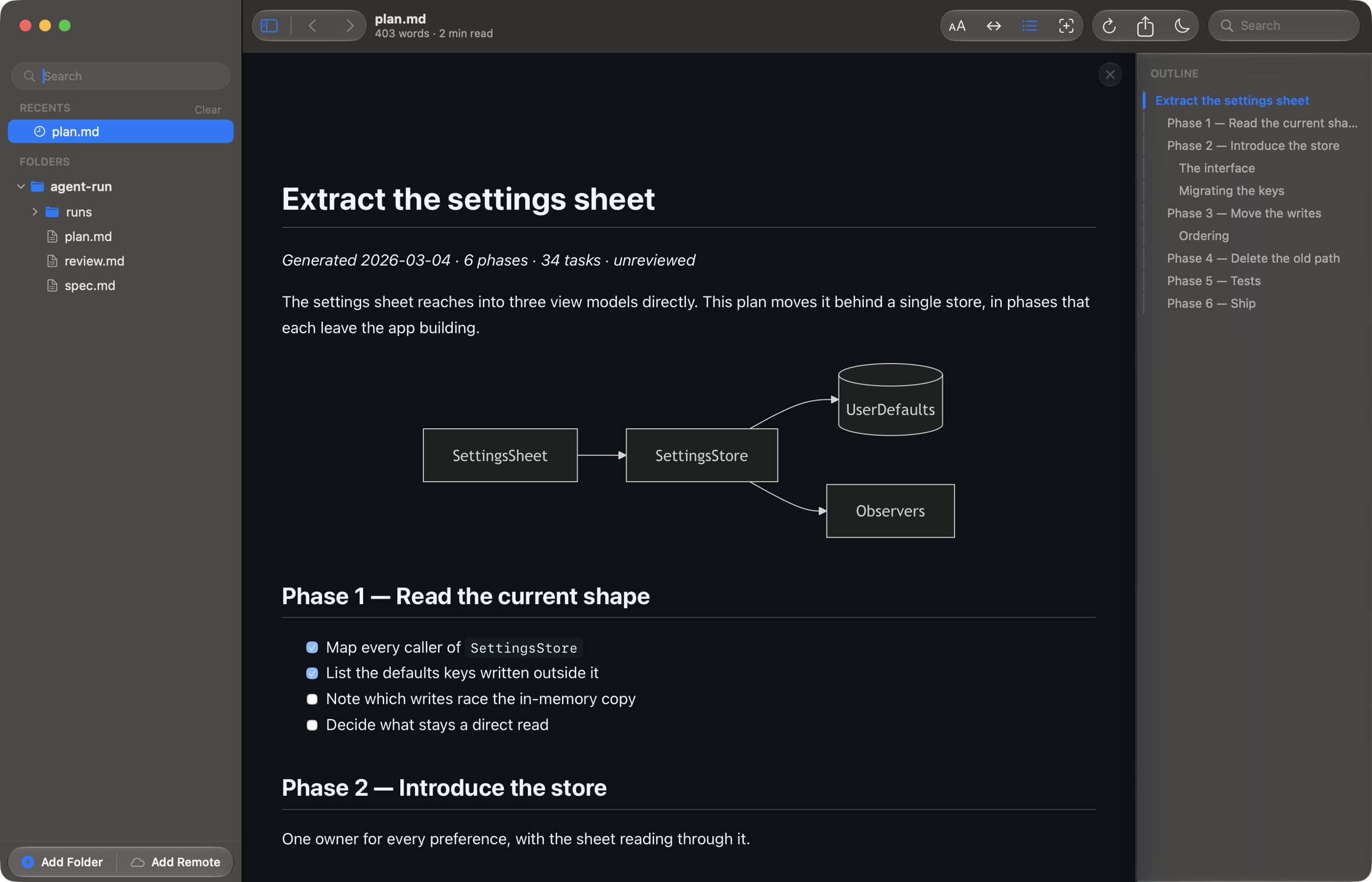
Your agent just wrote 400 lines of markdown. Reader.md opens plans, specs and
READMEs in a real Mac reading window — outline, search, highlights, live
reload — instead of one more tab in your code editor.
Highlights
- Live reload — the open file re-renders with scroll preserved the moment it changes on disk
- Highlights and notes — five highlight colours, notes and comment threads with replies and Resolve, anchored to the words rather than a position and never written into your markdown
- Multi-folder browser with ⌘P fuzzy quick-open across every root, plus a pinned Favorites section (⌘D) and a document that reopens where you left it
- Git-aware — status badges in the sidebar, ⇧⌘D for a side-by-side diff against unstaged / staged / all / any branch, and
.gitignored files kept out of the tree - Mermaid, LaTeX, and syntax highlighting from bundled engines — no network access
- Remote folders —
rsync'd read-only from a VPS or cloned from a git URL, reusing your existing SSH and git credentials, storing none - Hand off to your editor with ⇧⌘E, which turns an editor beside Reader.md into a live preview
- Settings in one window (⌘,) — appearance, Standard / Editorial / Terminal reading themes, typography, and the default PDF layout
- Liquid Glass chrome on macOS 26, falling back to
NSVisualEffectViewon 13–15
Install
brew tap jnahian/reader.md https://github.com/jnahian/reader.md
brew trust --cask jnahian/reader.md/reader.md
brew install --cask reader-md
Or download Reader.md.dmg from the
latest release. macOS 13+,
Apple silicon. Full instructions — including clearing quarantine on a direct
download — are in the install guide.
Documentation
| Features & shortcuts | everything the app does, the keys that do it, and a page with screenshots per feature area |
| Install | requirements, Homebrew, direct download, quarantine |
| Command line | the reader CLI |
| FAQ | what it costs, what it needs, and short answers to the common questions |
| Architecture | how the native shell and web pane fit together |
| Building | run from source, package a .app, cut a release |
| Changelog | release history (also in-app, Help → Release Notes) |
Contributing
Contributions are welcome — see CONTRIBUTING.md for setup,
conventions, and the PR flow. By participating you agree to the
Code of Conduct.
License
MIT © Julkar Naen Nahian
Yorumlar (0)
Yorum birakmak icin giris yap.
Yorum birakSonuc bulunamadi