shorthop
Health Uyari
- License — License: MIT
- Description — Repository has a description
- Active repo — Last push 0 days ago
- Low visibility — Only 5 GitHub stars
Code Basarisiz
- rm -rf — Recursive force deletion command in .github/workflows/update-shorthop.yml
- network request — Outbound network request in scripts/check-slugs.ts
- process.env — Environment variable access in scripts/import.ts
- network request — Outbound network request in scripts/import.ts
- exec() — Shell command execution in scripts/seed-dev.ts
Permissions Gecti
- Permissions — No dangerous permissions requested
Bu listing icin henuz AI raporu yok.
URL shortener with revenue attribution, in one Cloudflare Worker you own: see which link brought each Stripe or Paddle sale. No cookies, fits the free tier.
Shorthop


Short links on your own domain, and the paying customers they bring, in one Cloudflare Worker you own.
Put a link in a LinkedIn post or on a printed QR code, then see the clicks, the visits and the Stripe payment it led to. Shorthop runs in your own Cloudflare account, so no shortener's plan decides whether your links keep working or how much history you keep. It stores no IP addresses and sets no cookies. For most people it fits in Cloudflare's free allowances.
You don't need a terminal: Cloudflare's setup page asks only for an admin password. What each field means · Coming from Bitly, Rebrandly, Short.io or Dub? Bring your links
Why people switch · What's new · Features · Screenshots · Install · Common trip-ups · Documentation · Costs · FAQ
Why people switch to Shorthop
What users of hosted shorteners keep running into, and what Shorthop does instead:
| What happens elsewhere | With Shorthop |
|---|---|
| Links and QR codes stop working when a plan lapses or an account is banned | Links live in your own Cloudflare account, on your domain. No shortener's billing sits between you and them. |
| Free links get ads, or a page before the destination | A plain 302 to the destination, after one KV read |
| Click history cut to 30 days on cheaper plans | Daily statistics stay in your own database until you delete them; individual clicks are kept for 90 days |
| Exports locked to higher plans | Links (with every setting), statistics and payments as CSV or JSON, or everything as one backup, any time |
| A monthly cap on changing where a link goes | Change any link whenever you like (Workers Free allows 1,000 saves a day). Every version is kept and can be restored |
| Revenue tracking only on a top plan, or under a commercial license | Revenue from Stripe, Paddle, Lemon Squeezy, Dodo Payments, Creem, Gumroad, FastSpring and PayPal, matched to the link that brought each buyer. MIT-licensed |
| Priced per seat | Admins, managers and users with their own permissions, at no cost (Cloudflare Access is free for up to 50 users) |
Why Shorthop
- Revenue per link. A short link takes someone to your site, and Shorthop follows that visit to the payment it led to. A link straight to a Stripe, Lemon Squeezy, Dodo, Creem or Gumroad checkout is credited too, with no website in between. Revenue is broken down by link, channel, campaign and landing page.
- Everything in your account. Links live on
go.yourdomain.com, and every number stays in your Cloudflare account. Back it all up as one ZIP whenever you like. - Cookieless. Nothing is stored in the visitor's browser and no IP addresses are kept. Unique visitors are counted with a daily hash that can't be traced back afterwards.
- Reports you can send. Send a sponsor or client a live, read-only page for one link, or a campaign report for a tag or a set of links, with revenue if you choose. They never see your login or your destinations.
- Free to run. One Worker on Cloudflare's free tier covers most personal use (100,000 requests a day). Install it with one button.
What's new in 2.0
- A new admin. Every page is rebuilt: analytics, links, websites, live hits and settings, in light and dark, with ⌘K to jump anywhere,
cto create a link, and a layout made for phones. - Revenue from links straight to a checkout: Stripe Payment Links, Lemon Squeezy, Dodo, Creem and Gumroad.
- Campaign reports: one read-only page for a tag or a set of links, optionally with revenue, for sponsors and clients.
- Leave another shortener in minutes: import from Bitly, Rebrandly, Short.io or Dub by file or straight from their API, and move the links onto your domain.
- Backups: everything in one ZIP, plus a weekly copy to R2.
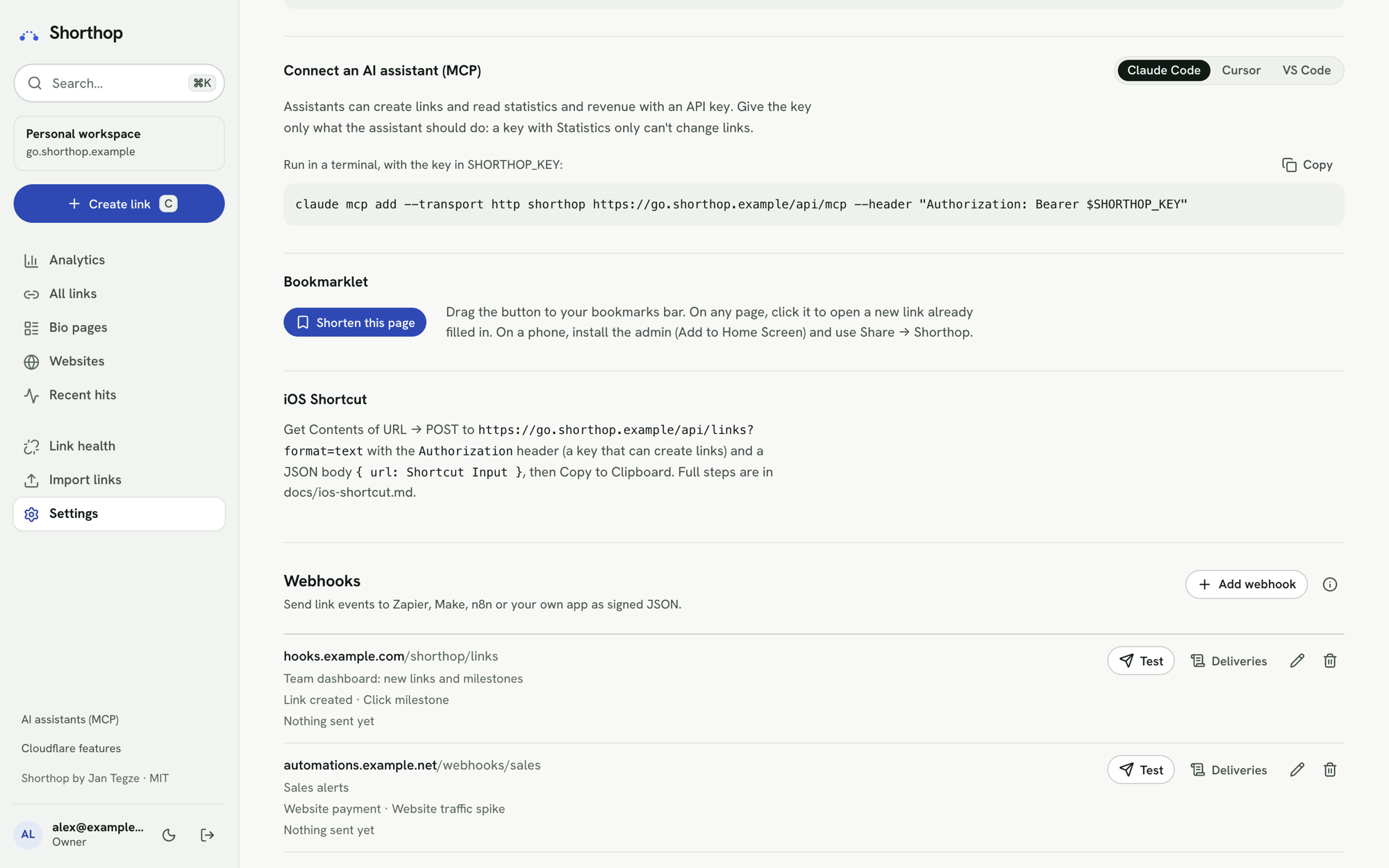
- AI assistants: create links and read statistics from Claude Code, Cursor or VS Code through an MCP server, or install the skill with
npx skills add jntegz/shorthop. The admin also has an API reference, and Workers AI can suggest slugs and previews if you turn it on. - Live map and click heatmap: see where clicks come from right now, and the hours your audience clicks, so you know when to post. A new
link.clickedwebhook sends each click to your own tools. - Bio pages: a link-in-bio page whose buttons are your own short links, so every tap is counted.
- Safety: a warning page before destinations Cloudflare flags as malware or phishing.
- Day to day: bulk actions, a warning when a destination is already shortened, a bookmarklet and a share target, and error messages that say what failed.
Earlier releases are in the changelog.
Features
Links
- Fast redirects: one KV read, then a
302. Analytics is written after the response, so it never slows down or breaks a click. A near miss still arrives: a slug that differs from exactly one link only by case (/talk26for/Talk26), or carries punctuation picked up when pasted (/guide.,/guide)), is sent to the link instead of the not-found page. - Several domains: each short domain has its own slugs and stats. The admin can live on the primary domain or on a separate host.
- Admin at
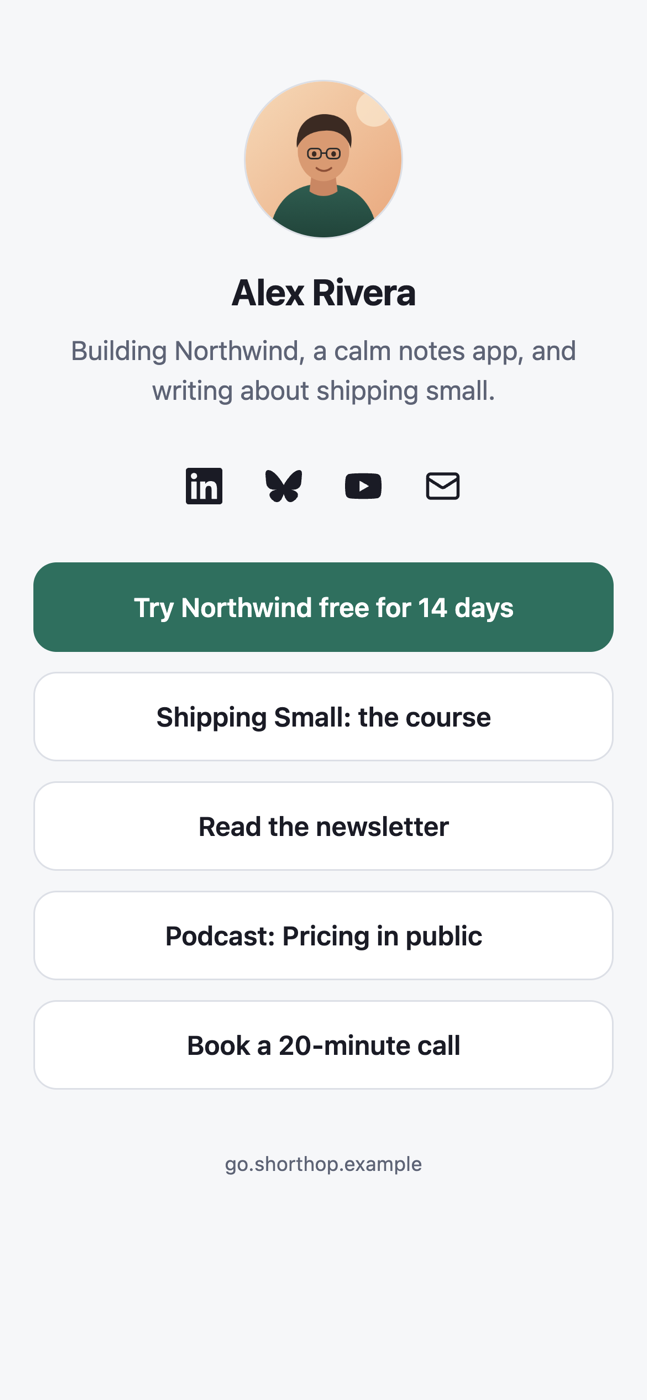
/_admin: create, edit, disable, expire, tag and search links, with custom slugs and a live preview of the short link. Select links to enable, disable, tag or delete them together, and rename or merge tags. - Bio pages: a link can be a link-in-bio page instead of a redirect, with buttons to your own short links or any address, short texts, section titles, social icons, a share panel and your own colours.
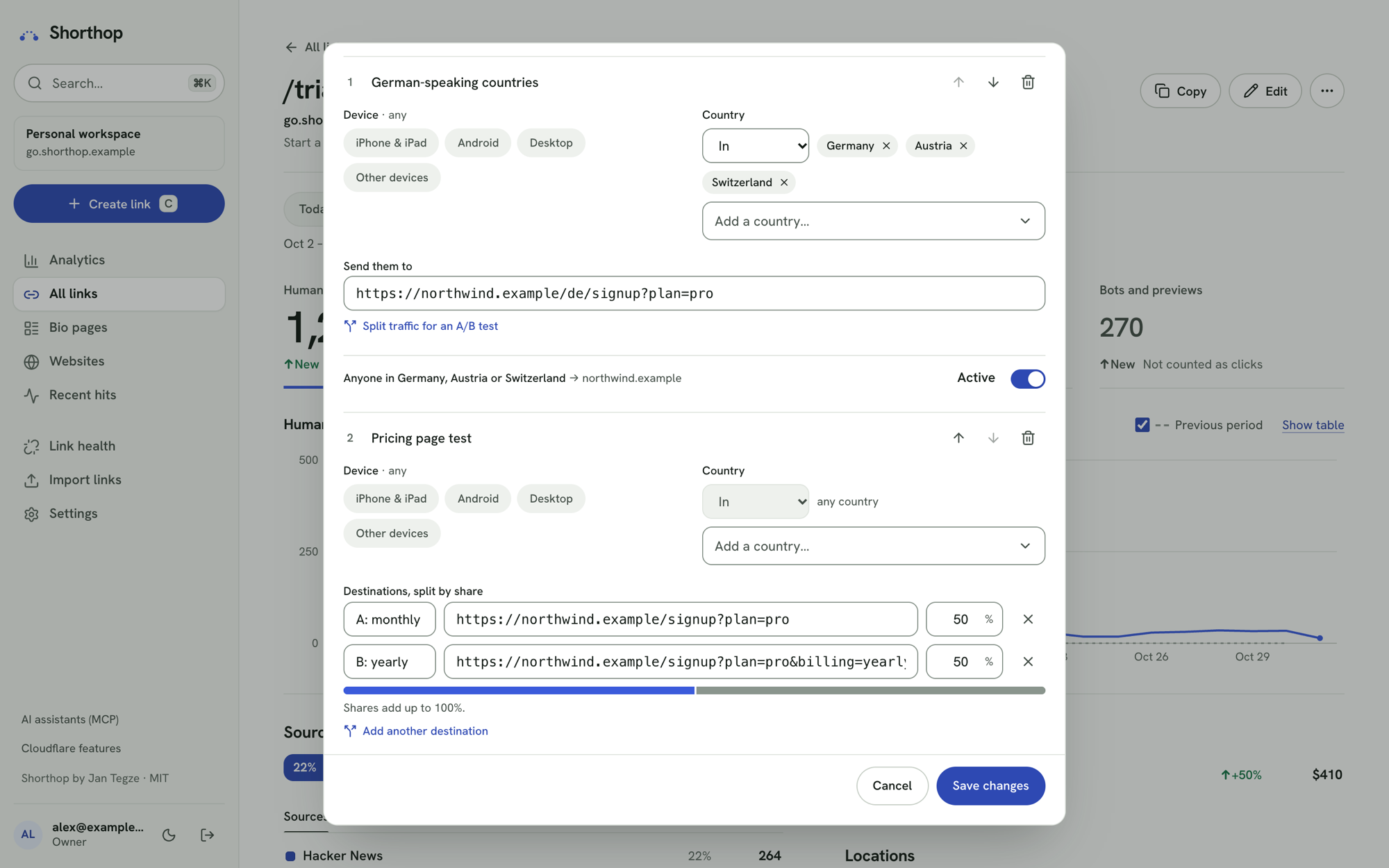
- Smart routing: rules by device (iPhone & iPad, Android, desktop, other) and country, first match wins, with A/B splits across up to 10 weighted destinations. A simulator in the editor, and results per rule and variant on the link page. Bots and previews get the default destination; no cookies.
- Social previews: your own title, description and image for LinkedIn, Slack, X, iMessage and other link previews, with mockups while you edit. Workers AI can suggest slugs and write the preview (optional).
- UTM builder: one field per parameter, saved presets, and a preview of the URL visitors land on.
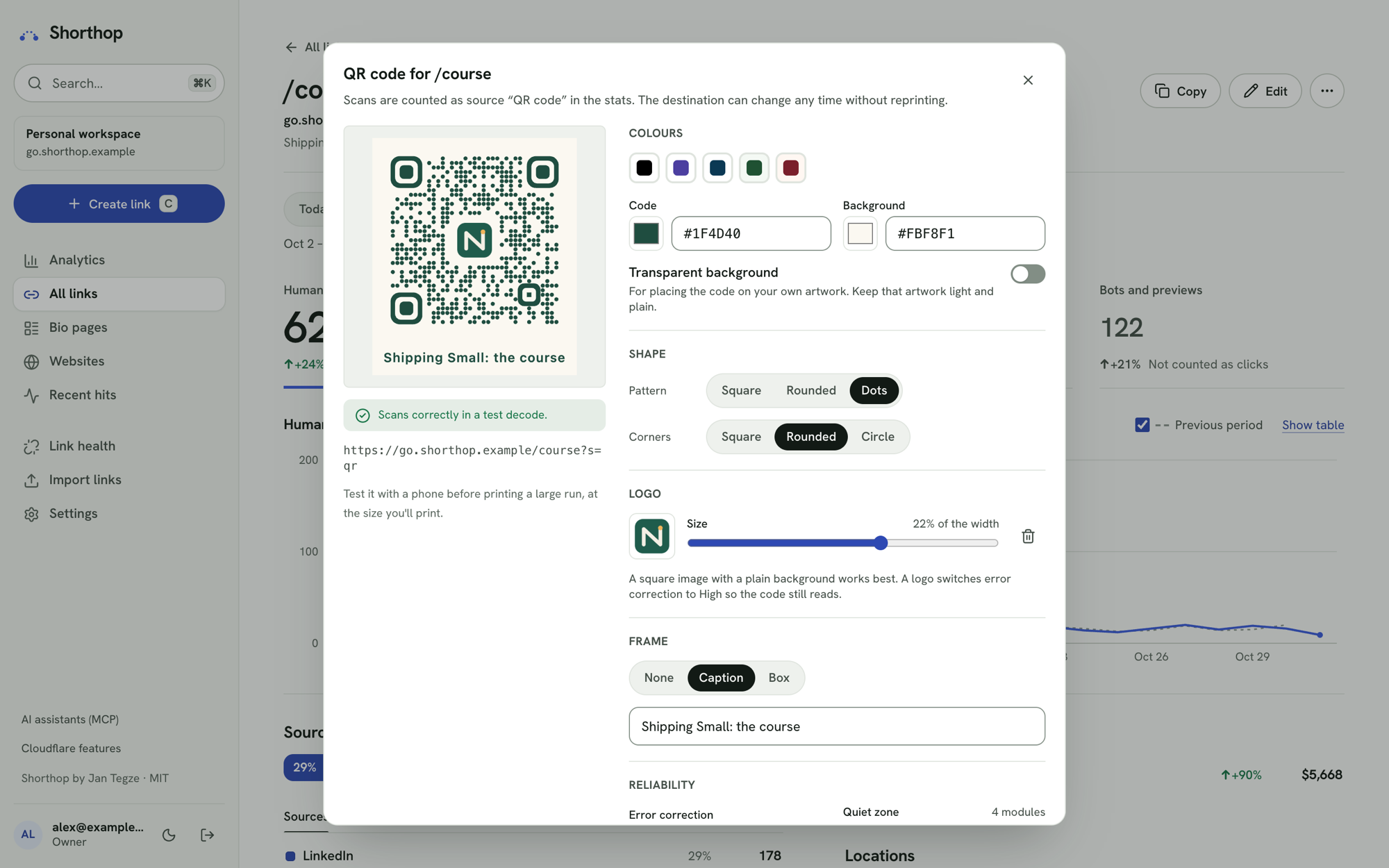
- QR studio: colours with a contrast check, dot and corner shapes, a logo, frames with a caption, a live scan test, SVG or PNG up to 4096 px, print sheets, and a ZIP of every link's code. Scans count as their own source.
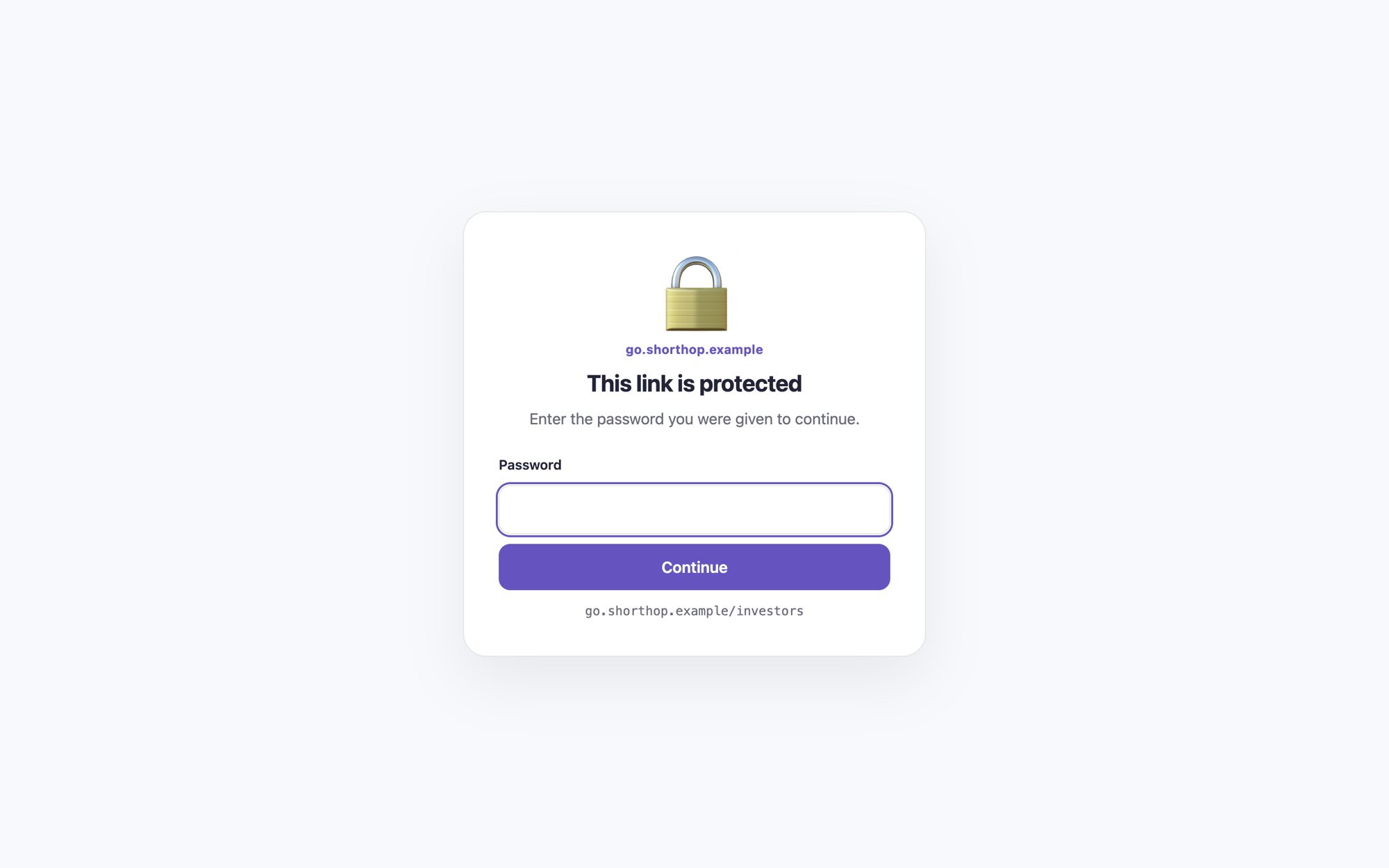
- Password-protected links and click limits: visitors enter a password first, or a link stops after a set number of clicks, counted exactly by a Durable Object. Bots and previews don't count.
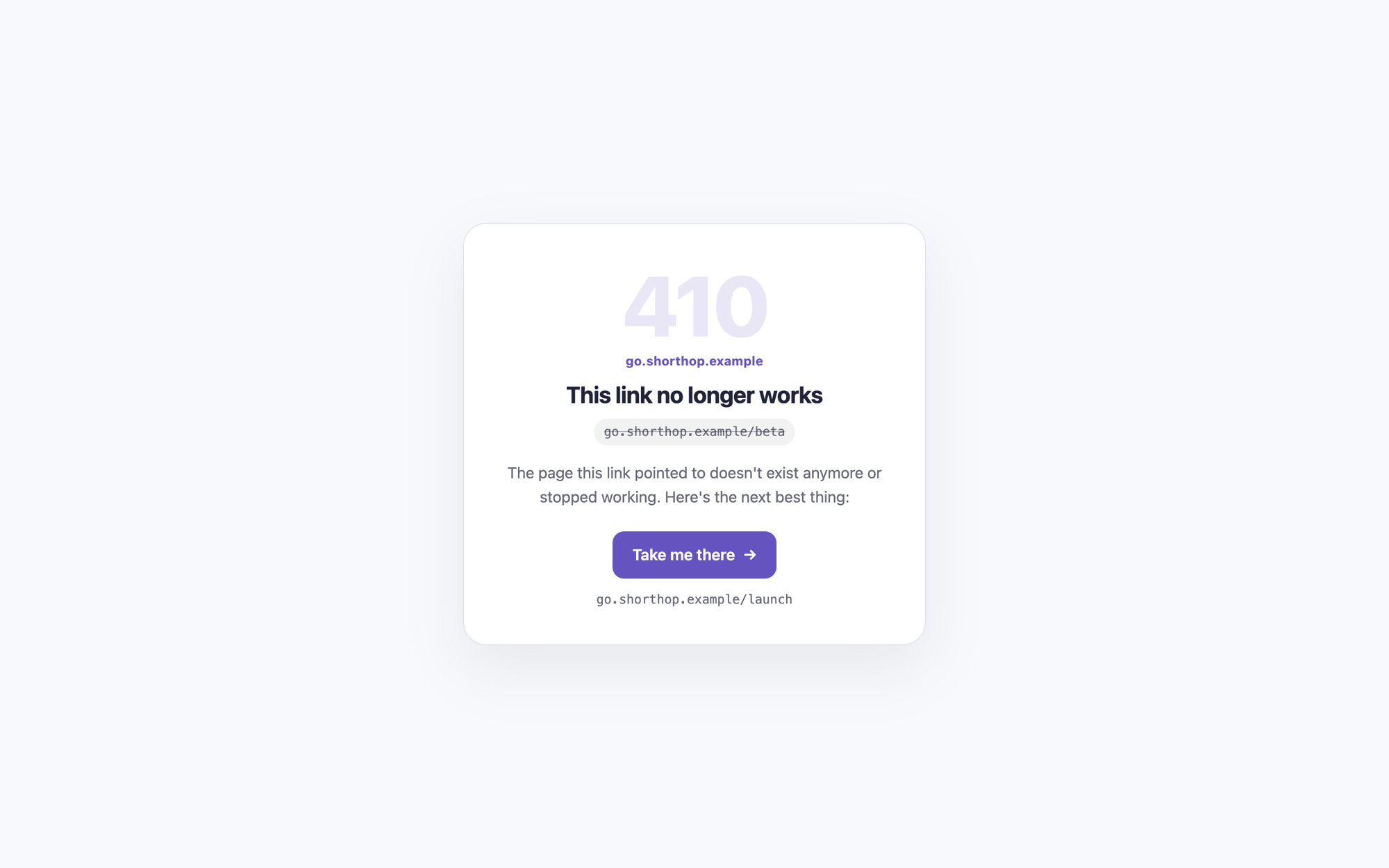
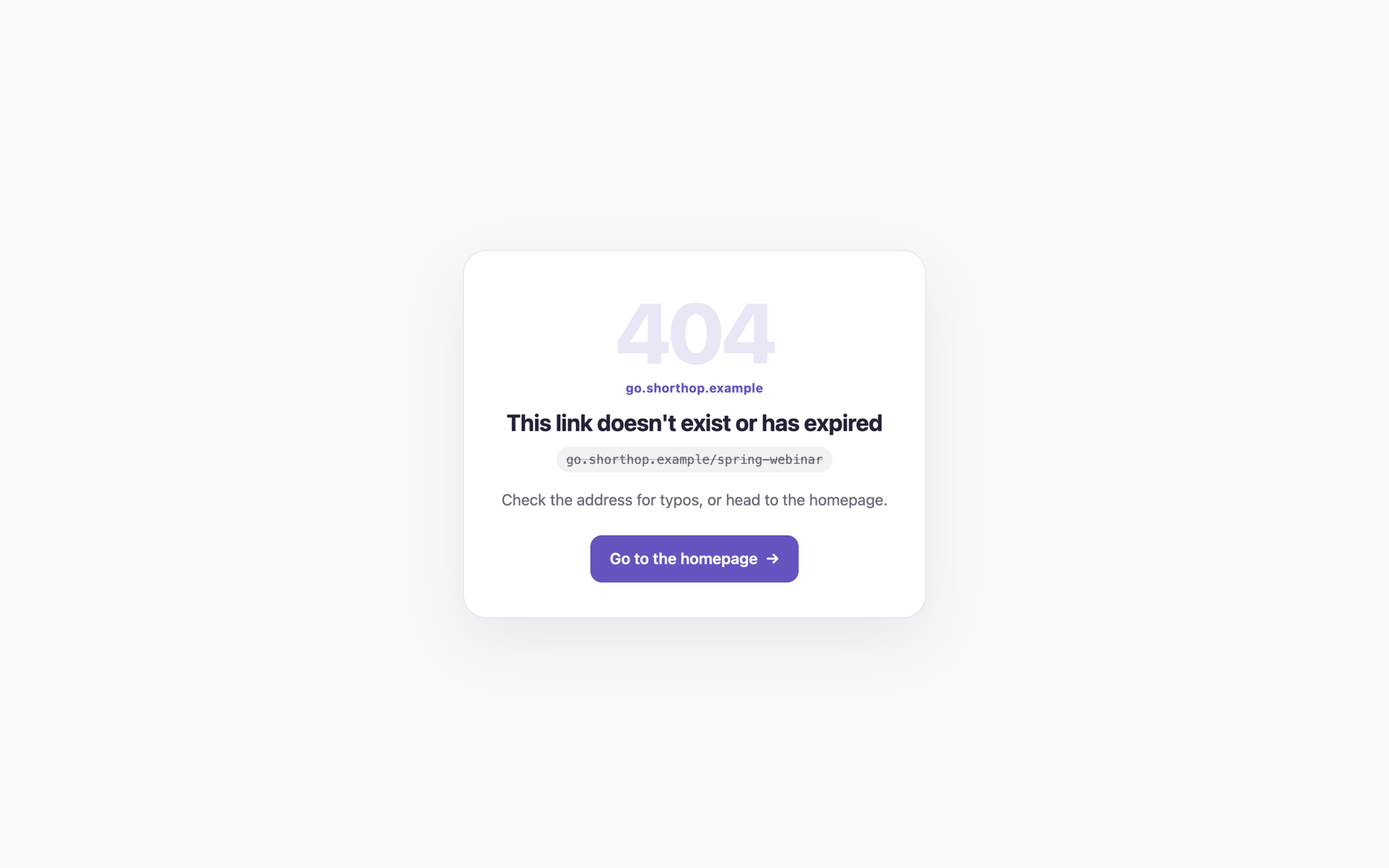
- Links that no longer work: mark one as retired and pick a replacement. Visitors get a page with a button to it, or are sent on to your site after a few seconds. Unknown slugs get your own 404 page, in light and dark.
- Unsafe destinations: a destination Cloudflare's security DNS flags as malware or phishing gets a warning page before the redirect. Every destination counts: the link's own and each one its routing rules send visitors to. "I trust this destination" lifts it.
- Link history: every change is saved as a version with who made it, and any earlier version can be restored. Deleted links can be brought back for 90 days.
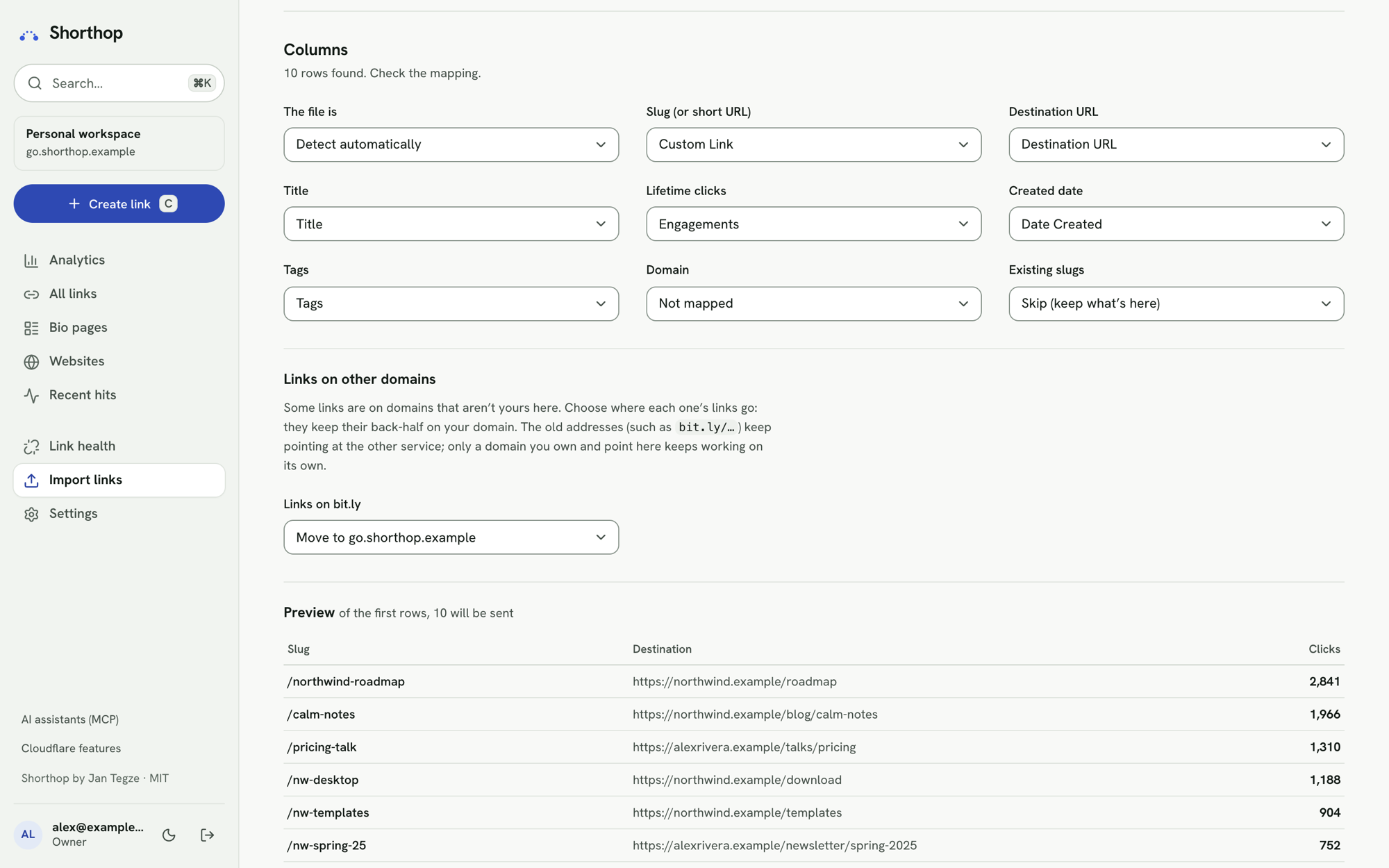
- Import and export: import from Bitly, Rebrandly, Short.io or Dub by their API or their CSV export (old click counts are kept), or any CSV. Export links as CSV, or as JSON with every setting for another Shorthop.
Sharing statistics
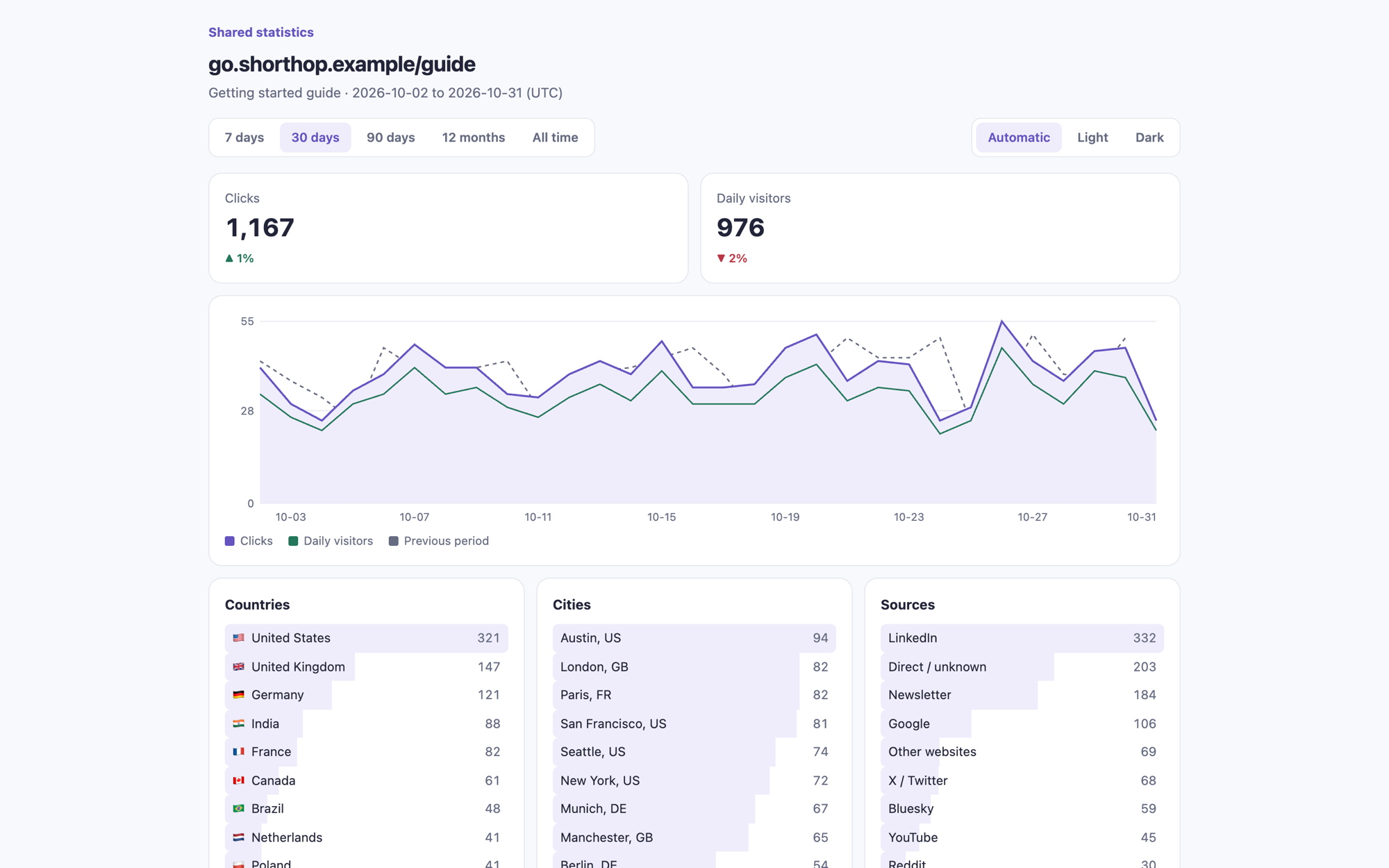
- A public page for one link at
/_share/<id>.<secret>: clicks, daily visitors, countries, cities, sources, devices and more, read-only. Send it to a brand or sponsor as proof of the clicks a post or campaign got. - Campaign reports: the same for a tag (links tagged later join in) or a chosen set of links, with a table per link and, if you turn it on, revenue per currency.
- You decide what they see: an optional end date, password, and the longest period viewers may pick. Viewers can switch between light and dark (or add
?theme=darkto the address). It never shows the destination or the link's history, and you can revoke it at any time.
Analytics
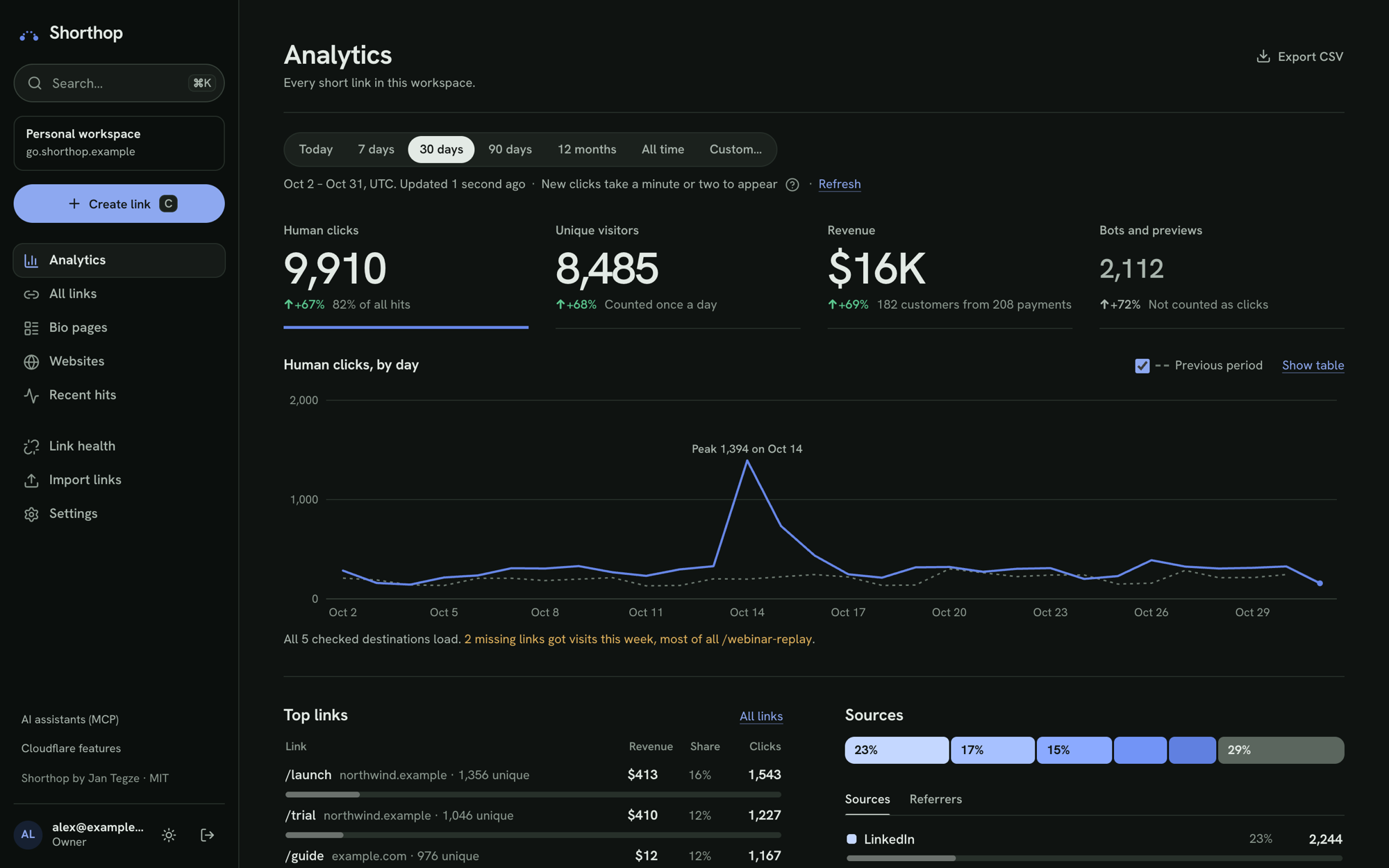
- Per click: country, region, city, device, OS, browser, referrer, source tag and language. Humans, bots and misses are counted separately.
- Live map: a globe of the latest human clicks, at city level, with the top countries and links.
- When people click: a weekday × hour heatmap in your own time zone, per link and for the whole account.
- Private by design: no IP addresses or cookies are stored. Unique visitors are counted with a daily hash whose random salt is deleted once the day is over. See visitor privacy.
- Any period: today, 7, 30 or 90 days, 12 months, all time or any dates, compared with the previous period.
- Kept for good: a daily job saves each day into D1, so stats outlive Analytics Engine's 90-day retention.
Websites
- One script tag:
/_t/script.js(about 8 KB compressed) records visits, sources and channels, pages, goals, scroll goals and outbound clicks. It counts single-page-app navigation too. - Works where your site lives: plain HTML, Next.js, WordPress, Shopify, Webflow, Framer, Wix, Squarespace, Ghost and anything else that lets you add a tag to the page head. The site's setup page shows the exact steps for each, with your values filled in, and checks live that the script arrives.
- Live view: who is on the site right now, where they came from and which pages they're reading, refreshed every 15 seconds.
- Peak hours: a weekday × hour heatmap of visits, sales or revenue in the site's time zone, with the busiest hours named, so you know when to post.
- Reading and scroll depth: median time on each page, average scroll and the share who read 75% or more, for everyone, buyers and non-buyers.
- Page speed: Core Web Vitals (LCP, INP, CLS) from real visits, per page.
- Goals and funnels:
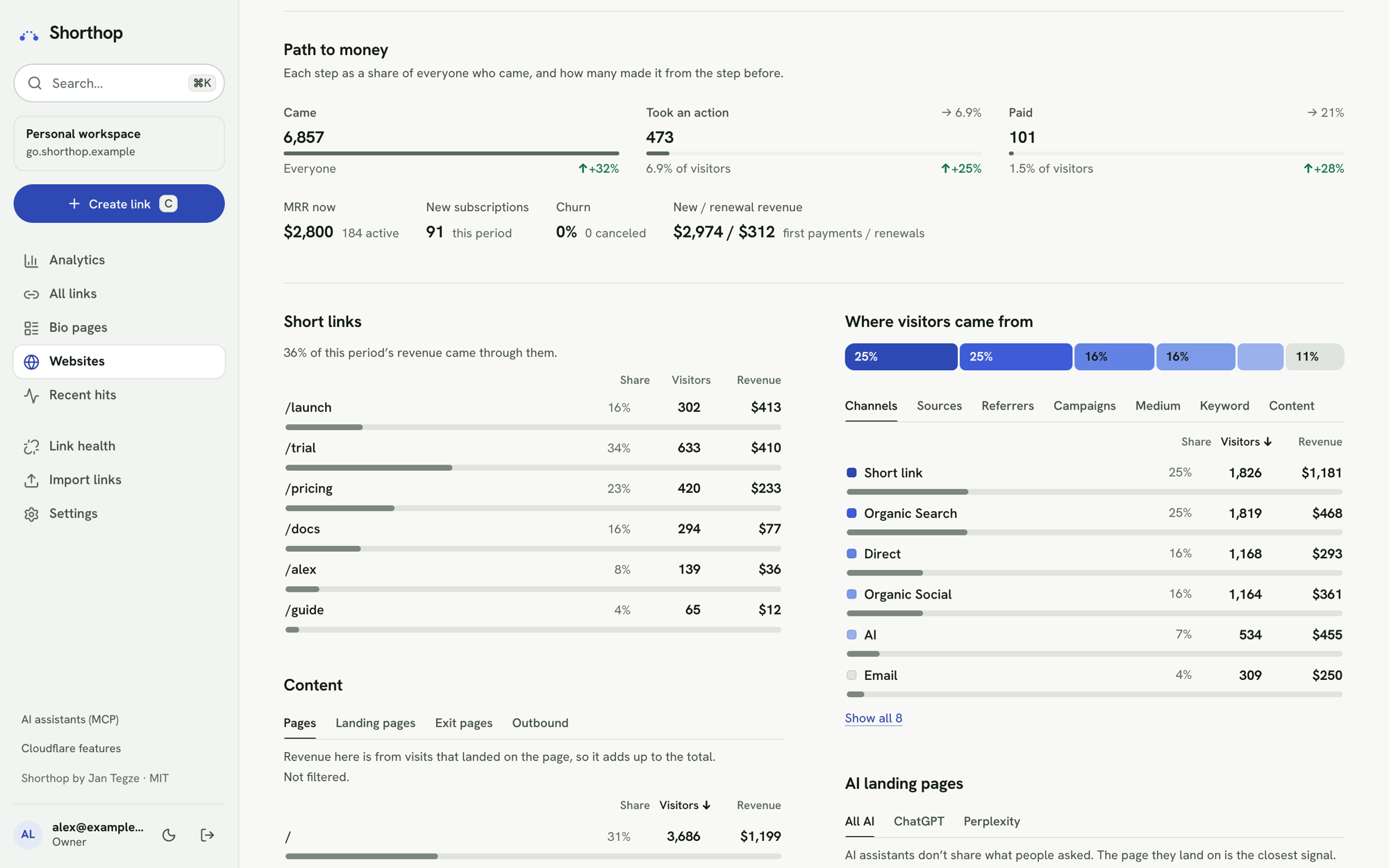
data-sh-goal="signup"on a button,data-sh-scrollwhen a section comes into view, orshorthop("goal", …)from code. Funnels of pages and goals show where people drop off, how long each step takes, and how many who finished went on to pay. - Where visitors come from: channels (search, social, email, AI assistants, paid, referral, short links), sources, campaigns and UTM tags, landing and exit pages, locations, devices, networks and returning visitors. "Direct" is split into in-app browsers, checkout returns, shared links and typed visits.
- Cookieless by default, or recognising returning visitors with a first-party ID after consent, with an optional built-in consent banner. A site can respect Global Privacy Control and Do Not Track.
Revenue
- Payment providers: Stripe, Paddle, Lemon Squeezy, Dodo Payments, Creem, Gumroad, FastSpring and PayPal send verified webhooks; switch on the ones you sell with, follow the steps, and press Check connection. Other billing can send payments through the API.
- Buyers matched to their visit: each payment is tied to the visit that led to it (the checkout reference, the same customer, an email your server reported, or checkout timing), with how sure each match is. Revenue by channel, campaign, short link, landing page, country or device adds up to the total.
- Links straight to a checkout: a short link to a Stripe Payment Link or a Lemon Squeezy, Dodo, Creem or Gumroad checkout carries a random reference, so the sale is credited to the link without a website in between.
- Buyers and non-buyers: follow a customer's journey visit by visit, compare how buyers read your pages, see the path to purchase (time to buy, visits before buying) and customer value by the source that first found them.
- Subscriptions and refunds: MRR, churn, new against renewal revenue; refunds and disputes follow their charge. Amounts are converted to the site's currency at the day's ECB rate. Past payments can be imported (all providers except PayPal).
- Revenue per short link: short links to a tracked site carry a signed click token (
?sh_c=), so each link shows the visits and revenue it brought. - Alerts: an email for each payment, hourly traffic-spike alerts, a daily summary, and
site.payment/site.traffic_spikewebhooks. Seeing revenue needs its own permission. - Privacy requests: find one visitor or customer by email, visitor ID or payment ID, export everything stored about them as JSON, or erase them while their payments' amounts stay in revenue reports. Customer details on payments can expire after 1 to 7 years. See requests from visitors and customers.
Keeping links working
- Link health: destination checks for the links you pick (Check that the destination works, off by default) or for all links, once you turn automatic checking on and choose how often. Never check this link keeps a link out either way. A destination that fails 3 times in a row sends one email and gets a Fix dialog. Sites that refuse automated checks show as "can't check" and never alert; open one yourself and press It works to list it as working.
- Missed visits: a report of slugs people tried that don't exist, with scanners and bots kept apart, so you can create the link someone mistyped, send the path to an existing link, or ignore it for good (the ignored list exports and imports as CSV).
- System status: setup checks for storage, analytics, email, domains and sign-in, each with the command that fixes it, the version you run, and an alert email when something breaks.
- Backups: Settings → General → Backup downloads every table as one ZIP, without secrets; bind an R2 bucket for a copy every week (how).
- Weekly digest and alerts: by Cloudflare Email Service, Resend, Emailit, Postmark, SendGrid, Mailgun, any other JSON email API, or a signed webhook. The digest lists each site's visitors and revenue too.
People, automation and appearance
- People and roles: with Cloudflare Access, add people as admins, managers or users, each with their own password and the permissions you tick. Pause someone until a date, sign them out everywhere, and let them reset a forgotten password by email. An optional Cloudflare Turnstile check guards the password pages.
- API at
/api: personal API keys for scripts, Zapier or Make and an iOS Shortcut. A key does only what it was given, can expire, and stops working when it's revoked. The admin has a searchable API reference, and/api/openapi.jsondescribes every endpoint. - AI assistants: an MCP server at
/api/mcplets Claude Code, Cursor or VS Code create links, read statistics and check revenue with your API key and its permissions. Or install the skill:npx skills add jntegz/shorthop. - Webhooks: signed events for links created, changed or deleted, clicks, destinations down or back, click milestones, payments and traffic spikes, with retries and a delivery log.
- Quick capture: a "Shorten this page" bookmarklet, and Shorthop in your phone's share sheet once you install the admin as an app.
- Light, dark and your colour: the admin follows your system or a switch next to Log out, and each person picks their own accent colour, saved in their browser.
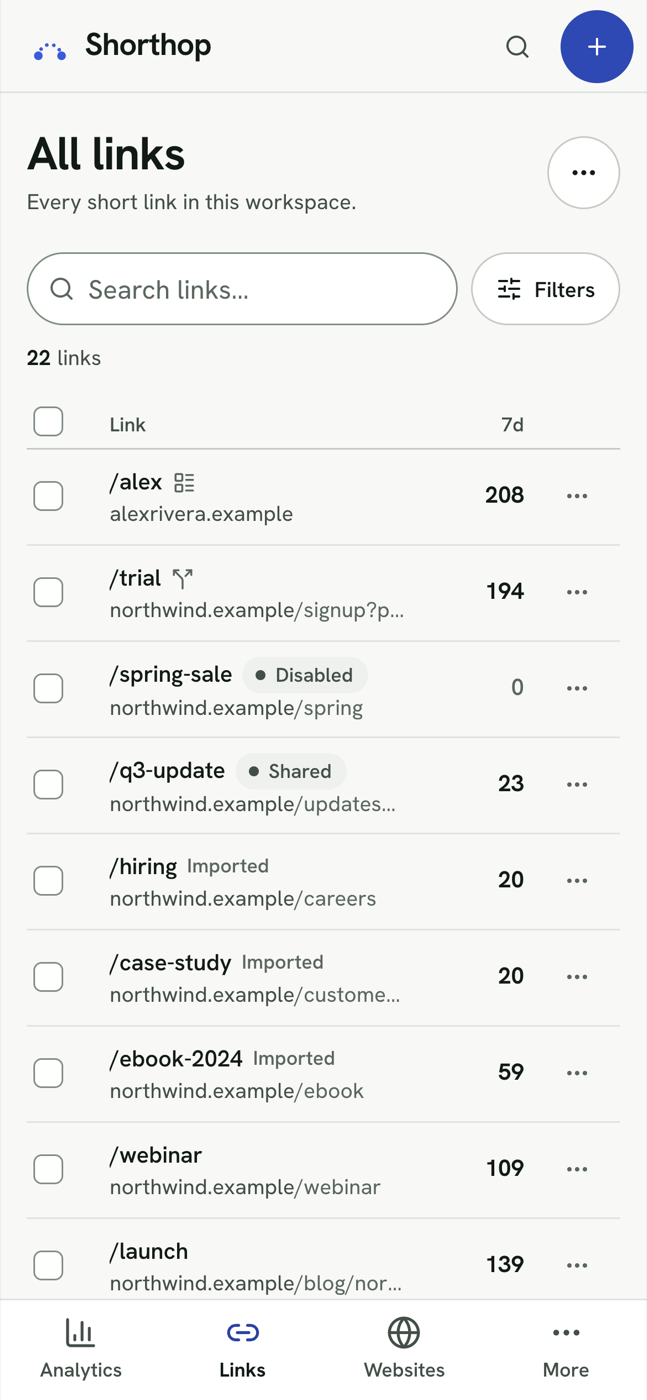
- Works on a phone: the admin is made for small screens too.
Screenshots
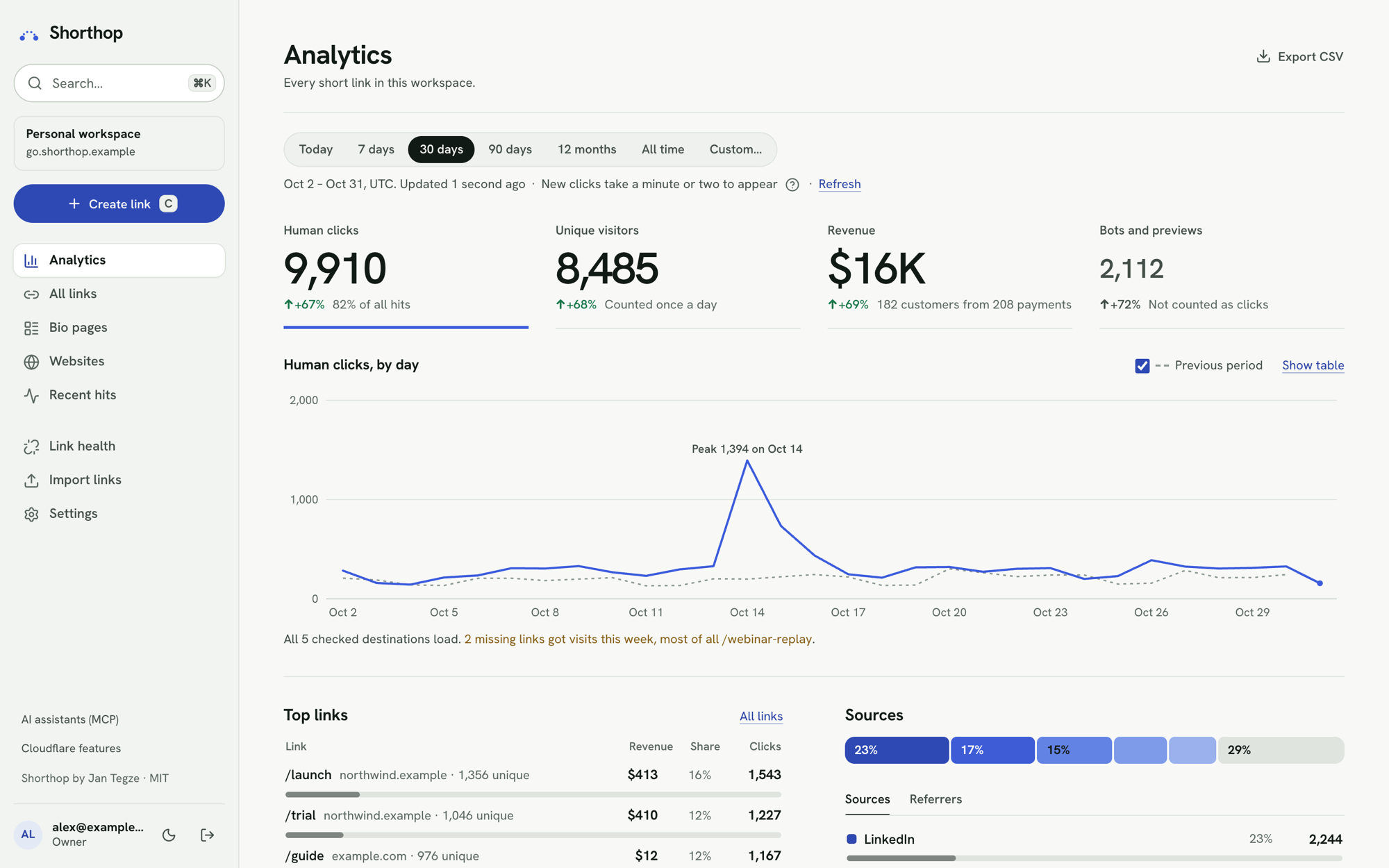
| All links | One link |
|---|---|
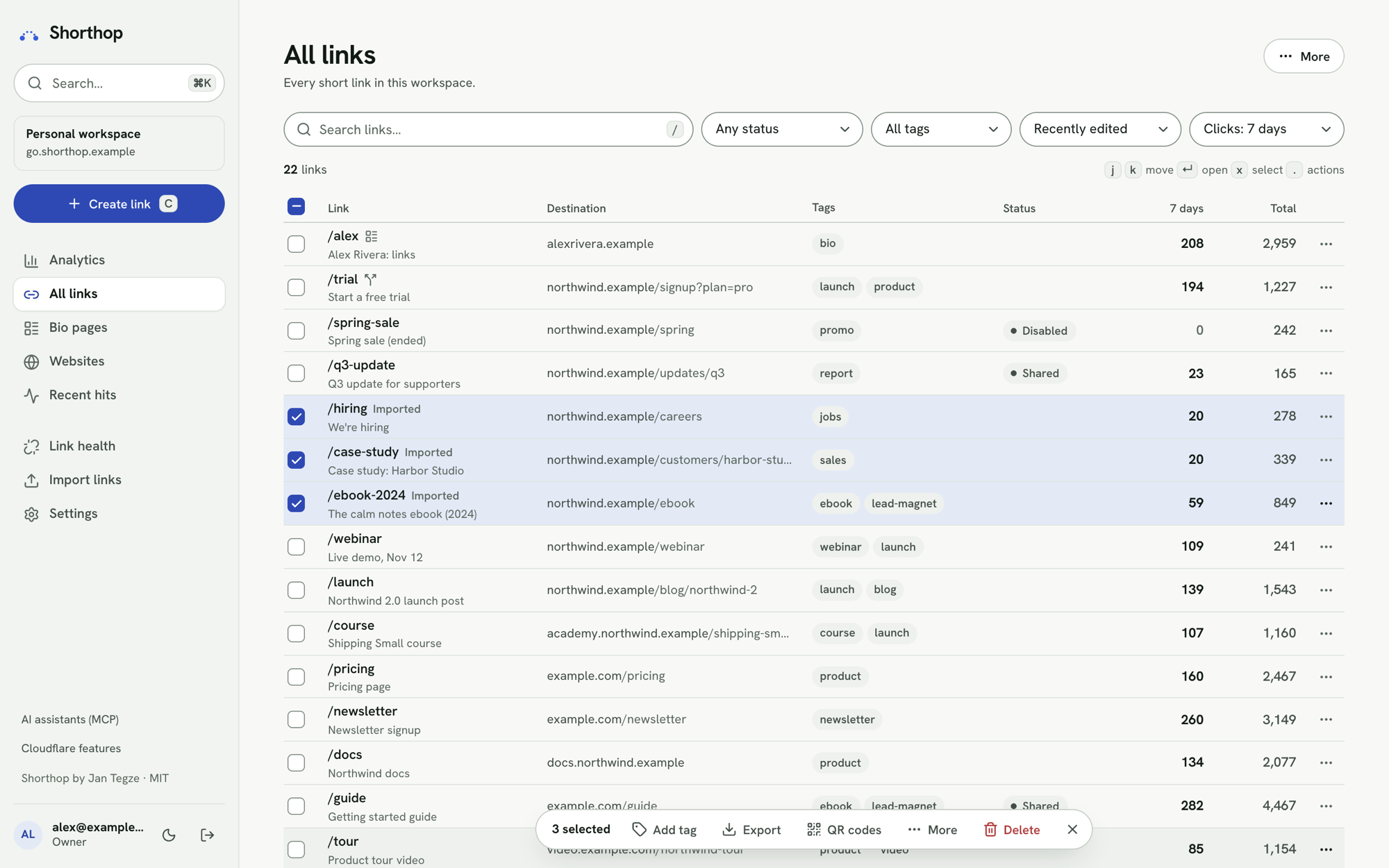 |
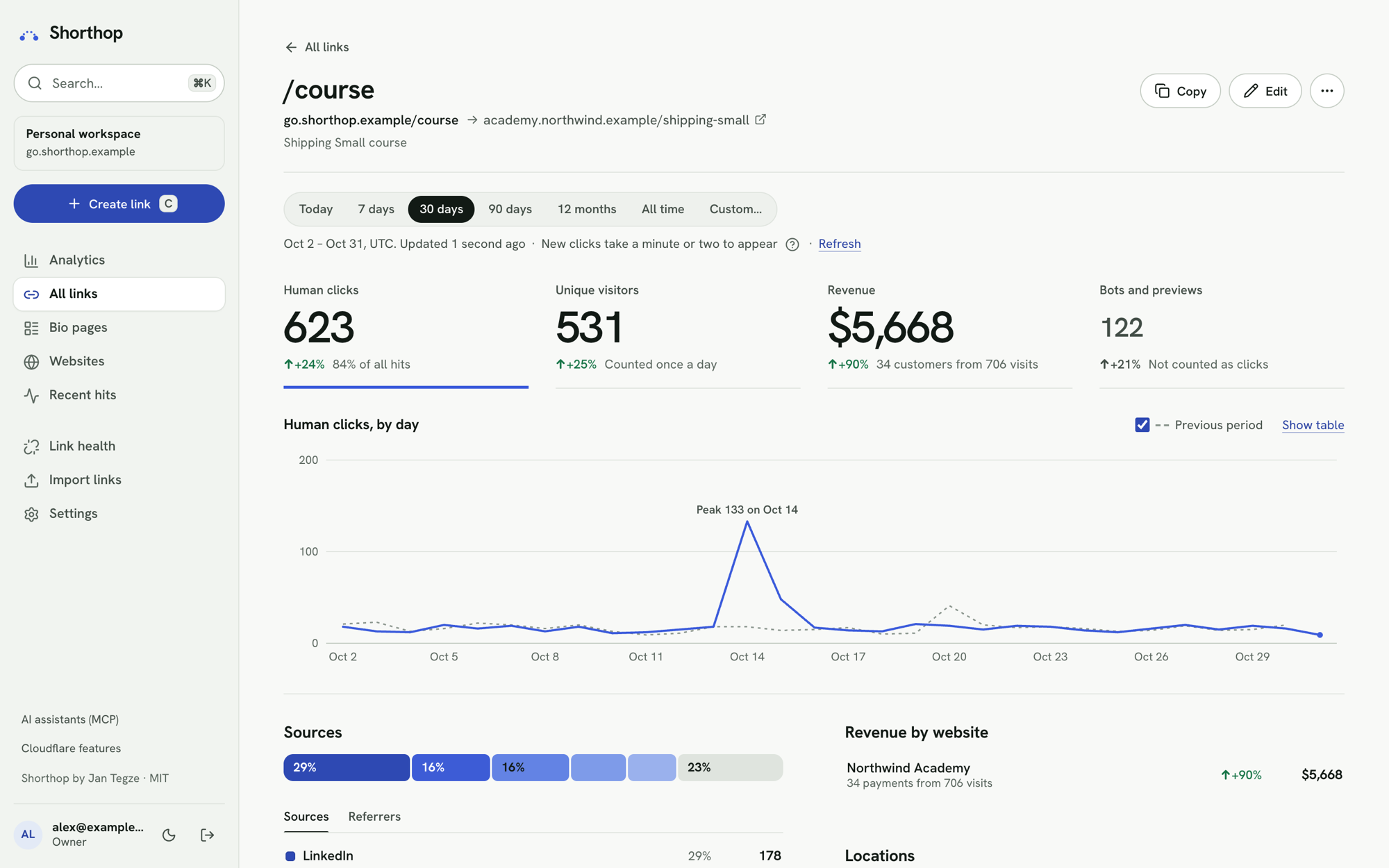 |
| Websites | A site's dashboard |
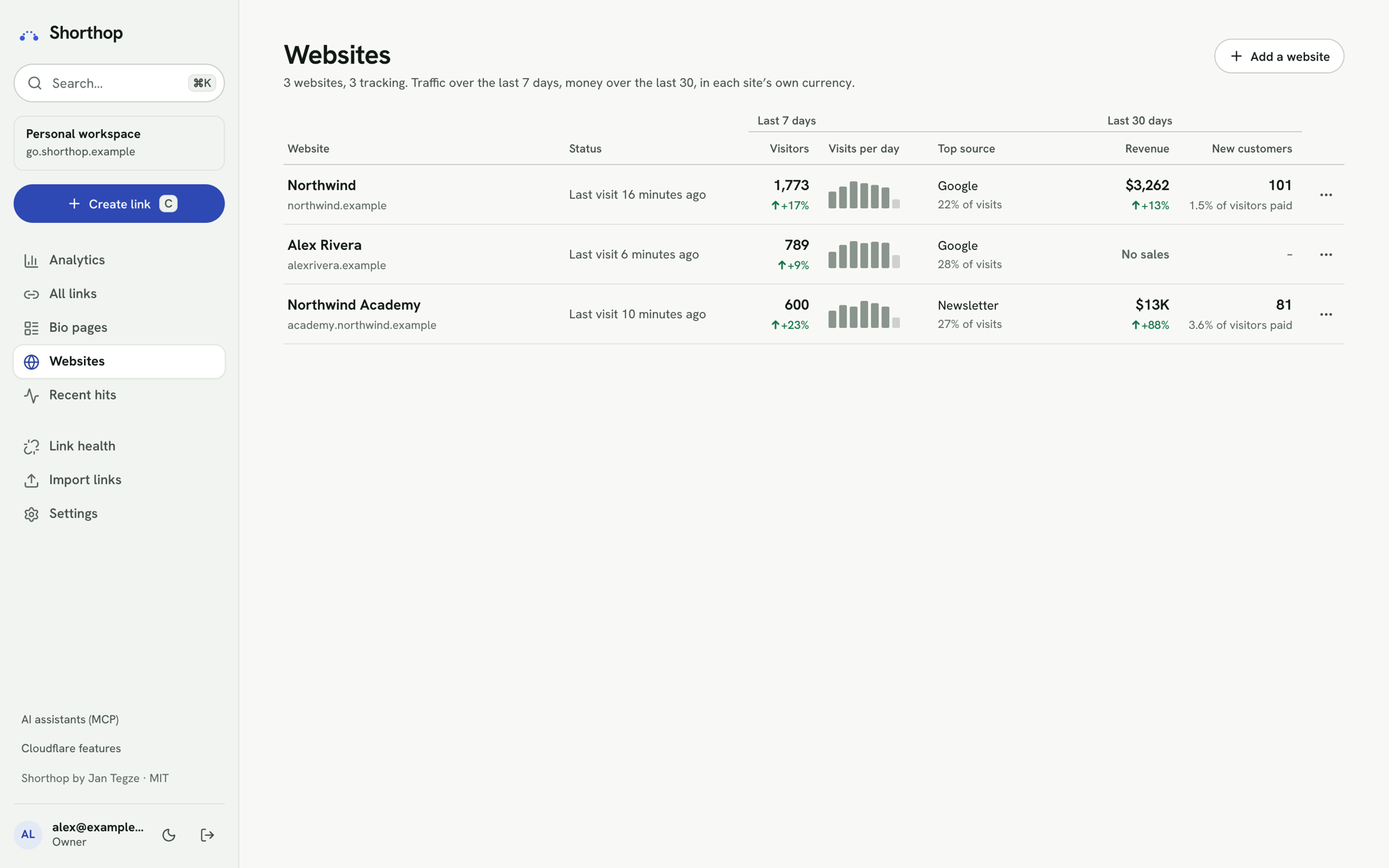 |
 |
| Live map | Campaign report |
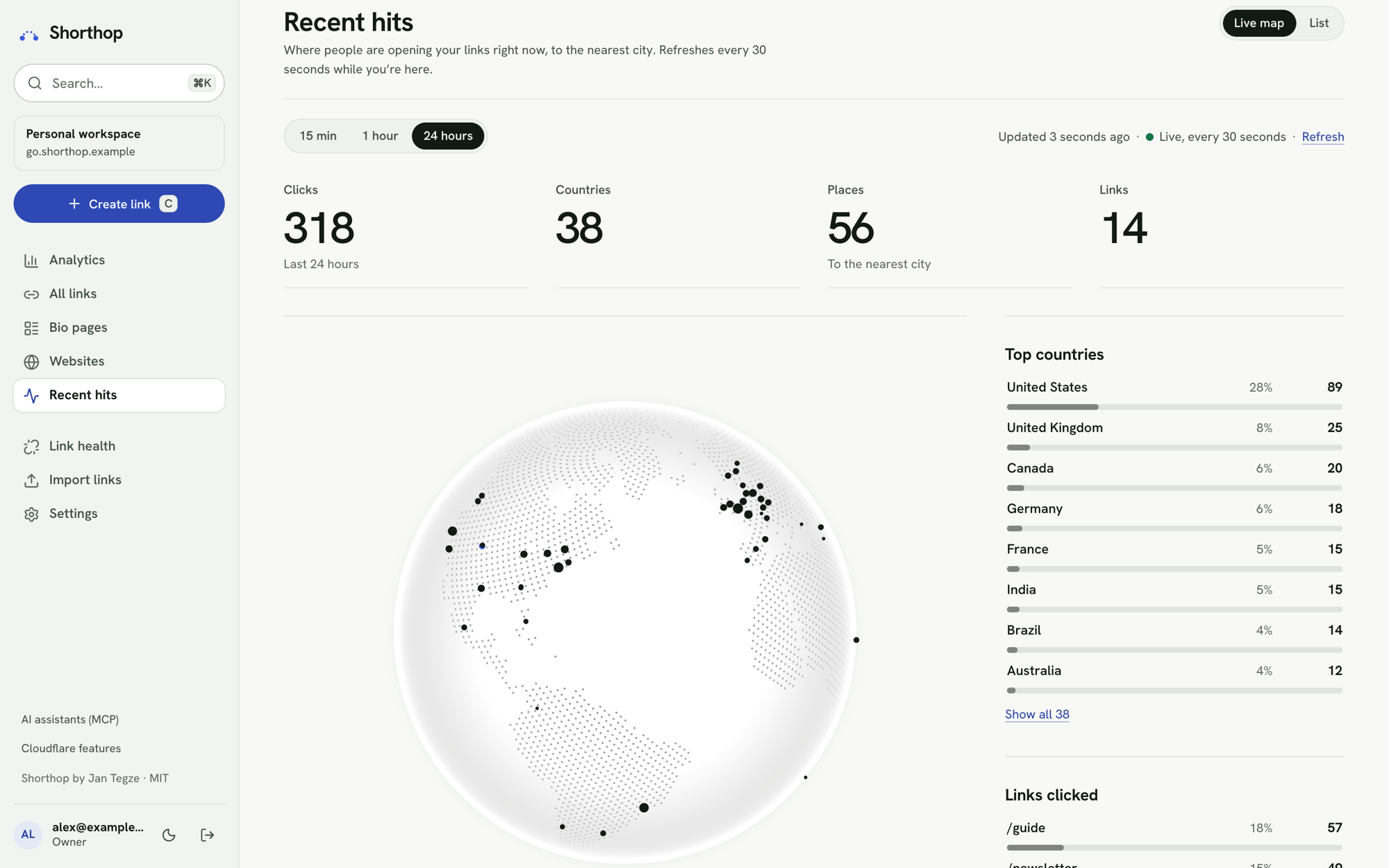 |
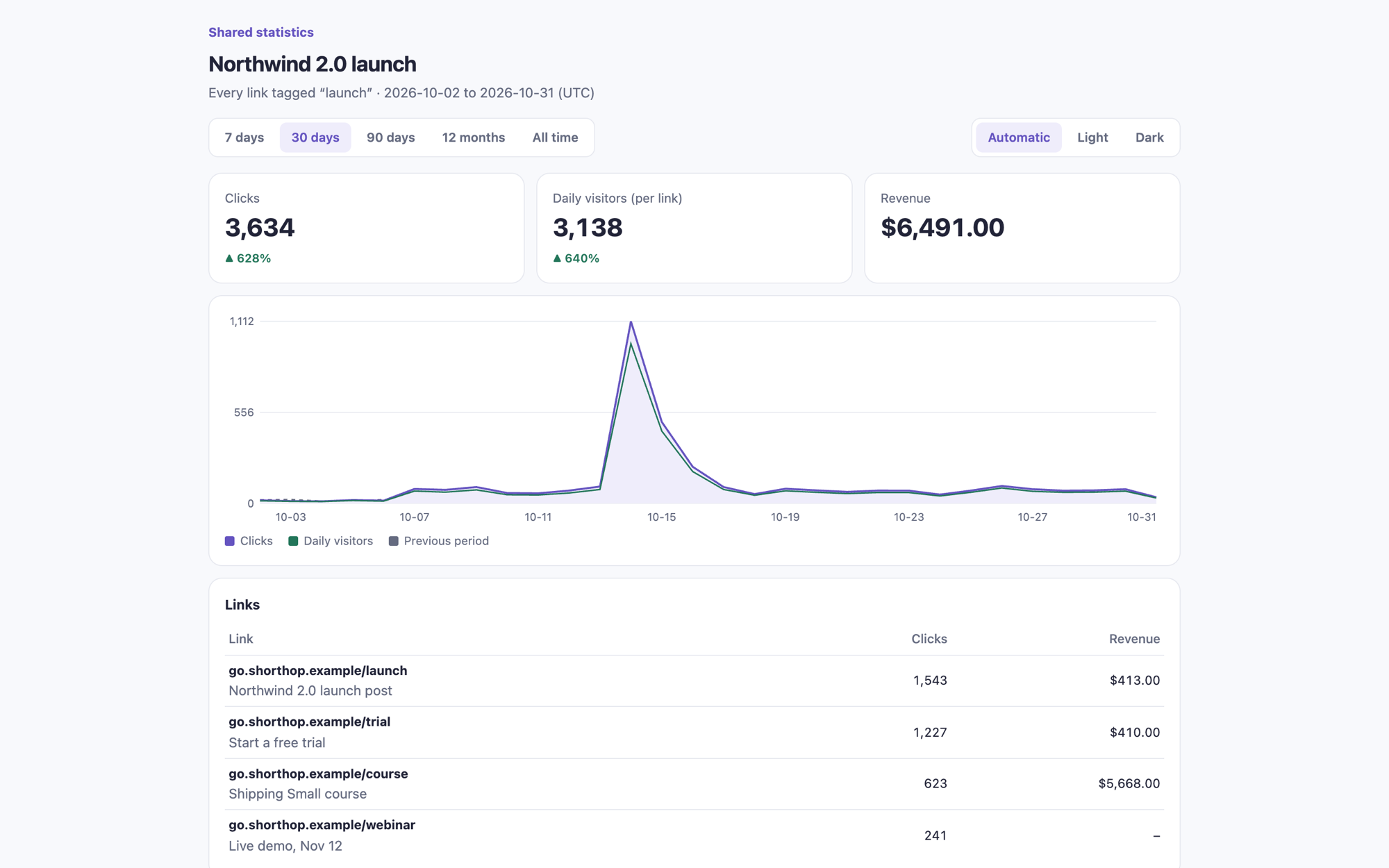 |
| Bio page editor | Import from another shortener |
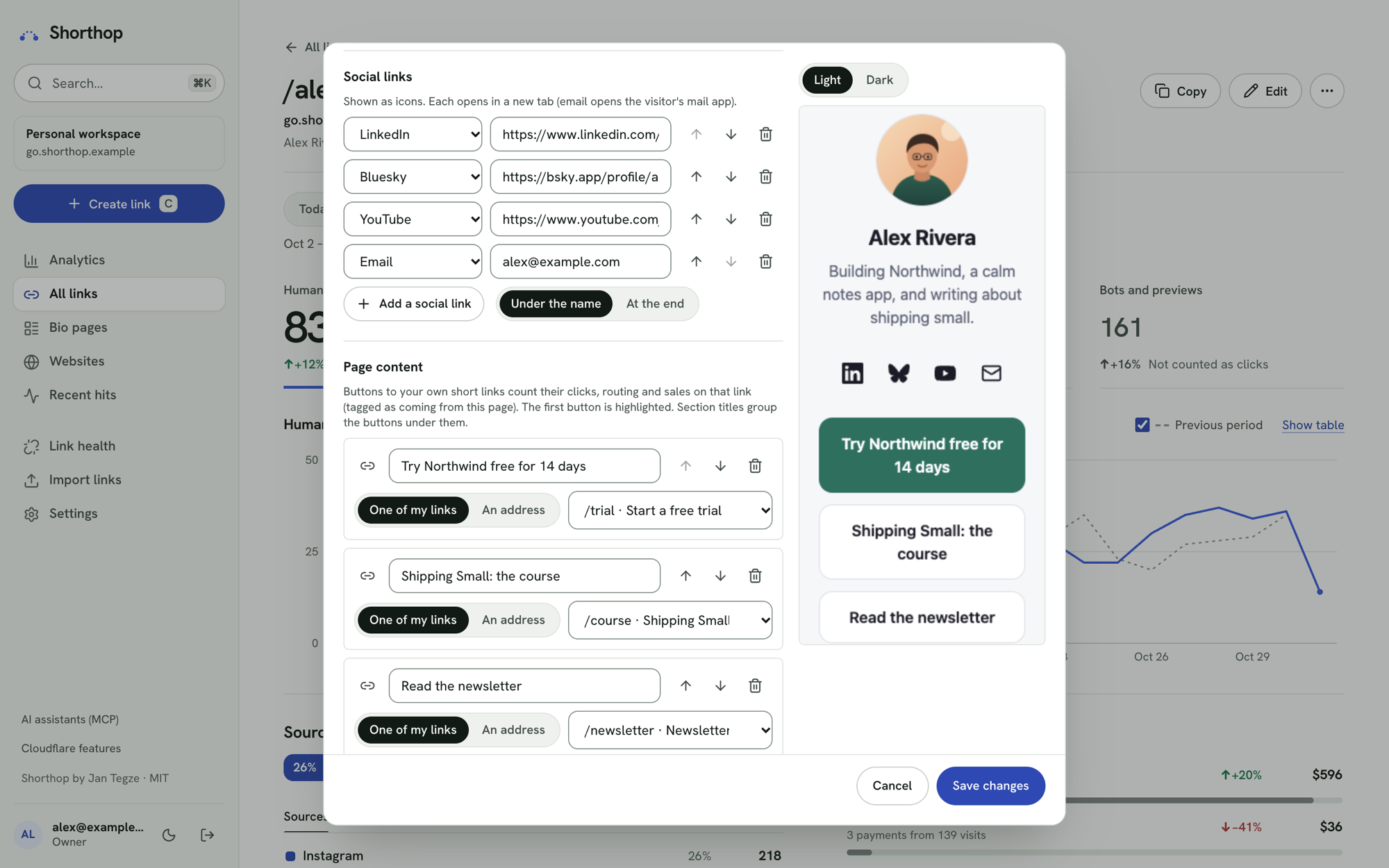 |
 |
| Smart routing | QR studio |
 |
 |
| AI assistants | Dark |
 |
 |
| On a phone | A bio page |
|---|---|
 |
 |
What visitors see:
| Password-protected link | Link no longer working | Unknown slug | Shared statistics |
|---|---|---|---|
 |
 |
 |
 |
Screenshots from local development with made-up sites, links, customers and stats. Every domain is on the reserved .example TLD and every email address is an example.com/.net/.org address.
Install
You need a Cloudflare account (free is fine). To use your own short domain, its DNS must be on Cloudflare, in the same account; a spare subdomain of a domain you already have works too (go.example.com). There are two ways to install.
Path 1: the Deploy to Cloudflare button (no terminal)
- Press the button and sign in to Cloudflare.
- Connect GitHub or GitLab. Cloudflare copies Shorthop into a new repository on your account (it can be private).
- On the setup page, fill in
ADMIN_PASSWORD: a long random password, at least 9 characters. Leave every other field as it is; they already hold working values (what each one means). - Press deploy. Cloudflare creates the KV namespace and the D1 database and deploys with Workers Builds. Both are free.
- Open
https://shorthop.<your-subdomain>.workers.dev/_admin/and sign in with that password. - Add your short domain before creating links: in your copy of the repository, edit
wrangler.toml, setSHORT_DOMAINSand uncomment theroutesline with your domain, and commit. Each push deploys again (the steps).
You start with password-only sign-in and no email. Cloudflare Access, statistics and email can be added later, from the same wrangler.toml and the Worker's secrets.
Path 2: the setup wizard (everything at once)
You need Node.js 22.12+ as well.
git clone https://github.com/jntegz/shorthop.git
cd shorthop
npm ci
npx wrangler login
npm run setup
npm run setup asks for your domains, how to protect the admin, your admin password and how to send email. It then creates the KV namespace and D1 database, writes wrangler.jsonc, uploads the secrets, deploys, and checks the result. It's safe to re-run, and parts of it can be run on their own (npm run setup -- email, -- access, -- password, -- analytics, ...). Add --dry-run to see what it would do without changing anything.
The full manual, including every Cloudflare dashboard step, is in docs/SETUP.md.
Leaving another shortener
- Install Shorthop, and list your branded short domain in
SHORT_DOMAINSwithout adding its route yet, so its DNS stays with the old service. - Import links → Another shortener's API: pick Bitly, Rebrandly, Short.io or Dub and paste an API key. The key is used only while the page reads your links and is never saved. Or upload their CSV export; Shorthop recognises its columns.
- Links on the vendor's own domain (bit.ly, rebrand.ly, short.gy, dub.sh) move to your domain with the same back-half. Their old addresses keep pointing at the vendor.
- Check the destinations in Link health, then add the domain's route and deploy. The domain switches over with every link and printed QR code on it still working, now counted in your statistics.
The order of the switch, and a dry run against your local copy first, are in moving from another shortener.
Things new users commonly trip over
| You see | Why | What to do |
|---|---|---|
| "Add a short domain first" when creating a link | The button installs on workers.dev with no short domain yet |
Add your domain to SHORT_DOMAINS and routes in wrangler.toml and commit (how), or run npm run setup -- domains |
| The domain can't be added, or the setup says it isn't in your account | The domain's DNS isn't on Cloudflare, or it's in another Cloudflare account, or the zone isn't Active yet | Put the domain on Cloudflare in the same account and wait until the zone shows Active |
| Statistics and website dashboards stay empty | Clicks and visits are recorded, but reading them needs Analytics Engine access | Set CF_ACCOUNT_ID and add a CF_ANALYTICS_TOKEN secret with Account Analytics Read (the analytics token), or npm run setup -- analytics |
| The admin is locked: "Admin access is not configured" | ADMIN_AUTH was changed on the setup page, or Access is on without its settings |
Keep ADMIN_AUTH = "password" until you've set up Cloudflare Access; then fill ACCESS_TEAM_DOMAIN, ACCESS_AUD and ADMIN_EMAIL |
| A link you just created shows the 404 page | Someone opened it before it existed, and that miss is cached for up to 60 seconds | Wait a minute, or try from another network |
| "Too many subrequests", or an import or Republish all stops partway | WORKERS_PLAN says paid on a Free account |
Set WORKERS_PLAN = "free" and deploy (Free or Paid) |
| Logins are slow or time out on Workers Free | The password hash is too expensive for 10 ms of CPU | Set the plan to Free in the setup, then npm run setup -- password |
| The API or the iOS Shortcut gets a sign-in page | The Access application protects the whole domain | Protect only the paths _admin and _admin/* (Cloudflare Access) |
| The website script doesn't count visits | A Content-Security-Policy blocks it, the page isn't on one of the site's domains, or an ad blocker drops it | Allow your short domain in script-src and connect-src; check the site's domains; add ?sh_debug=1 to a page to see why in the console; serve the script through your own domain (the site's setup page shows how, also for Next.js) |
| Payments arrive but aren't matched to a visit | The checkout page or the page people return to after paying doesn't have the script, or the checkout doesn't carry the visit reference | Put the script on every page, including checkout and thank-you pages; follow the provider's setup steps for passing the reference, then press Check connection |
| "Hostname already has externally managed DNS records" on deploy | A DNS record already exists for the short domain | Let Wrangler replace it, or delete it in the zone's DNS settings |
| Update Shorthop fails with "GitHub Actions is not permitted to create pull requests" | New repositories don't allow it | Open the pull request from the branch it pushed, or allow it under Settings → Actions → General (updates) |
More in Troubleshooting. Dashboard → System status checks your setup and names what's missing.
Updating
Dashboard → System status shows the version you run and says when a new release is out. On GitHub, Watch → Custom → Releases emails you about each one.
- Installed with the button: in your copy on GitHub, run Actions → Update Shorthop. It opens a pull request with the new version, keeping your
wrangler.tomlids, routes and vars; merging it deploys. (Details, including copies from before 1.2.0.) - Installed with the setup wizard:
git pull,npm ci, thennpm run setup -- upgrade, which updateswrangler.jsonc, applies the database migrations and deploys (updating).
Read the changelog's Upgrading notes for each version first.
Documentation
- Setup manual: requirements, the Deploy to Cloudflare button, domains, Cloudflare Access, email, websites and revenue, troubleshooting, updating, backups, moving from another shortener, uninstalling
- Cloudflare free tier: what each service allows and what Shorthop uses
- iOS Shortcut: shorten a link from the share sheet
- Visitor privacy: what Shorthop records about visitors, for your privacy notice
- Design system: the admin's tokens, components and layout rules, for contributors
- Security: reporting a vulnerability, protections and a hardening checklist
- Contributing: reporting bugs, running it locally and opening a pull request, under the Code of Conduct
Costs
Shorthop doesn't assume a paid plan. On Workers Free you get 100,000 requests a day, 1,000 KV writes a day (each link save is one), and 10 ms of CPU per request; the setup tunes the admin password hash to fit. Cloudflare Access is free for up to 50 users, and Email Service is free when sending to a verified address in your own account. Workers Paid ($5/month) raises the limits. See docs/CLOUDFLARE-FREE-TIER.md for every service and its allowance.
On Free, the daily requests are a hard cap for the whole account: once they're used up, every short link fails until midnight UTC, and anyone can use them up by sending requests. Add a rate-limiting rule (SECURITY.md), and choose Paid if your links must not go down.
Security model
- Admin: Cloudflare Access (verified in the Worker, not only at the edge) plus a password, by default. Password-only sign-in is possible, but only with the exact setting
ADMIN_AUTH="password"; any other gap in the configuration keeps the admin closed. See SECURITY.md. - People: owners (
ADMIN_EMAIL) use the admin password; everyone else has their own, chosen from a one-time invite link (24 hours) or a reset link (1 hour, rate-limited, emailed only to their Access address). Every API route has a permission rule, checked in the Worker, and a route without one is refused. Without Access there's only the owner. - Password login: at least 9 characters (the setup generates a 32-character one by default), PBKDF2-SHA256, a signed
__Host-session cookie bound to the signed-in identity, lockouts per network that double with each lockout, and a global brake. IP addresses are never stored, only a keyed hash. - API: personal API keys, stored only as a SHA-256 hash and limited to what their owner may do; failed attempts lock the network. The older
API_TOKENsecret still works, and by default it can read and create links but not change or delete them (API_TOKEN_SCOPE). - Secrets: stored as Wrangler secrets. The setup sends them to Cloudflare through stdin and never writes them to disk. The admin never displays them. A Deploy to Cloudflare install keeps its generated session secret and visitor salt in D1 until you set your own.
- Redirects: targets must be
https://and can't point back at the shortener.
Local development
npm ci
npm run setup -- local        # writes .dev.vars with random dev secrets
npm run db:migrate:local
npm run seed:dev              # optional: sample links and 120 days of fake stats
npm run dev                   # http://localhost:5173/_admin/
Without wrangler.jsonc, local development uses wrangler.example.jsonc. On localhost, DEV_AUTH_BYPASS=1 skips Cloudflare Access (the password is still asked for if one is set). It's ignored on every other host.
curl -sI 'localhost:5173/guide?s=li'                               # 302 with UTM parameters
curl -sI localhost:5173/nope                                       # the 404 page
curl 'localhost:5173/cdn-cgi/handler/scheduled?cron=15+1+*+*+*'    # run the daily rollup now (a local name: the hourly cron does it at 01:15 UTC)
curl 'localhost:5173/cdn-cgi/handler/scheduled?cron=15+*+*+*+*'    # run the hourly cron: website alerts (the daily rollup when it is 01:xx UTC)
curl 'localhost:5173/cdn-cgi/handler/scheduled?cron=0+7+*+*+MON'   # run the weekly digest
curl 'localhost:5173/cdn-cgi/handler/scheduled?cron=*/30+*+*+*+*'  # run the destination checks (real requests)
Set DEV_AUTH_EMAIL in .dev.vars to see the admin as someone from Settings → People.
Analytics Engine can't be queried locally, so "today" stays empty in dev. Earlier days come from D1, which the seed script fills.
Checks
npm run typecheck        # tsc -b across shared, worker, admin and scripts
npm test                 # Workers-runtime tests (Vitest) and Node tests for the setup
npm run build            # needs wrangler.jsonc, or SHORTHOP_ALLOW_EXAMPLE_CONFIG=1
npm run config:example   # rewrite wrangler.example.jsonc and wrangler.toml after changing the config template
npm run types            # then regenerate worker-configuration.d.ts
Configuration
npm run setup writes wrangler.jsonc (gitignored) from the template in scripts/setup/template.ts; wrangler.example.jsonc shows its shape with placeholder values. wrangler.toml is the Deploy to Cloudflare button's config, from the same template; a wrangler.jsonc wins over it. Vars live in the config; secrets are Wrangler secrets.
| Name | Kind | Purpose |
|---|---|---|
SHORT_DOMAINS |
var | Short domains, primary first (go.example.com,go.example.net). Each has a custom domain route |
ADMIN_HOST |
var | Optional separate host for the admin and the API. Empty: the primary domain |
FALLBACK_URL |
var | Where / goes, and clicks when the link store can't be read. Referrals from its host count as source "site" |
ADMIN_AUTH |
var | access+password (default; empty means the same) or password. Anything else locks the admin |
ACCESS_TEAM_DOMAIN, ACCESS_AUD |
var | Cloudflare Access team domain and application AUD tag |
ADMIN_EMAIL |
var | The Access identities allowed in (comma-separated) |
CF_ACCOUNT_ID |
var | For Analytics Engine SQL queries |
AE_DATASET |
var | The Analytics Engine dataset name (letters, digits, _) |
AE_WEB_DATASET |
var | The Analytics Engine dataset for website visits (the WEB binding; letters, digits, _) |
WORKERS_PLAN |
var | free or paid. Sizes bulk work (republish pages, import batches, destination checks per run) to the plan's 50 or 10,000 calls per invocation, and System status checks the password hash cost against it |
API_TOKEN_SCOPE |
var | create (default): the API token reads, creates links and imports new ones. full: it can also change and delete links and settings. Anything else means create |
KV_CACHE_TTL |
var | Edge cache for slug lookups in seconds (default 60; values under 30 fall back to 60) |
DIGEST_PROVIDER |
var | Default delivery: cloudflare, resend, emailit, postmark, sendgrid, mailgun, custom, webhook or off. Settings → Statistics & email → Weekly digest → Set up email can override it (and DIGEST_FROM) without a deploy |
DIGEST_FROM, DIGEST_TO |
var | Sender and the only recipient of the digest and alerts |
DIGEST_MAILGUN_DOMAIN, DIGEST_MAILGUN_REGION |
var | Mailgun only |
DIGEST_CUSTOM_AUTH, DIGEST_CUSTOM_BODY |
var | Custom email API only, optional: auth header and JSON body template (docs/SETUP.md) |
SAFETY_DNS |
var | off makes no lookups at Cloudflare's security DNS (the unsafe-destination warning). Anything else, or unset: on |
DEV_AUTH_BYPASS |
var | 1 only in .dev.vars: skips Access on localhost. Ignored on any other host |
DEV_AUTH_EMAIL |
var | With DEV_AUTH_BYPASS only: see the admin as this person from Settings → People. Empty: an owner |
API_TOKEN |
secret | Optional, from before personal API keys: a Bearer token for /api, limited by API_TOKEN_SCOPE. New installs don't get one |
VISITOR_SALT |
secret | Mixed into the visitor hash, together with a random salt per day that's deleted once the day is over. Without it, one is generated and kept in D1 |
ADMIN_PASSWORD_HASH |
secret | PBKDF2 hash of the owners' password |
ADMIN_PASSWORD |
secret | The owners' password in plain text, at least 9 characters: what the Deploy to Cloudflare button sets. Used only without ADMIN_PASSWORD_HASH |
SESSION_SECRET |
secret | Signs admin sessions, link-password cookies and webhook secrets; rotating it logs everyone out and makes webhook secrets unreadable. Without it, one is generated and kept in D1 |
CF_ANALYTICS_TOKEN |
secret | Optional: API token with Account Analytics Read, for stats |
TURNSTILE_SECRET |
secret | Optional: the Turnstile widget's secret key, for the bot check on the password pages |
RESEND_API_KEY, EMAILIT_API_KEY, POSTMARK_API_KEY, SENDGRID_API_KEY, MAILGUN_API_KEY |
secret | Each provider's own API key. An older DIGEST_API_KEY still works, for the provider named in DIGEST_PROVIDER only |
DIGEST_CUSTOM_URL, DIGEST_CUSTOM_API_KEY |
secret | Custom email API only: HTTPS endpoint and key |
DIGEST_WEBHOOK_URL, DIGEST_WEBHOOK_SECRET |
secret | Webhook endpoint and its HMAC key |
AI |
binding | Optional Workers AI, for slug and preview suggestions. Commented out in the config template |
BACKUPS |
binding | Optional R2 bucket for the weekly backup. Commented out in the config template |
How requests are routed
| Path | Handled by |
|---|---|
/{slug} |
KV lookup of <domain>/<slug>, then a 302 (to the destination smart routing picks), a bio page, or the 404 page (logged as a miss). A destination Cloudflare flags gets a warning page first. A password-protected link shows its password form first (POST to the same path); a link at its click limit shows a "limit reached" page; preview crawlers get the link's social preview. A link marked "no longer working" gets a 410 page: a button to its replacement link, or, without a usable one, a redirect after a few seconds to the site set in Settings |
/_og/<key> |
An uploaded social-preview image. Also served on ADMIN_HOST, for the editor |
/_t/script.js |
The website analytics script, on every host (CORS *, cached an hour) |
/_t/e |
Its collector: one event per POST. The Origin and page must belong to the site, bots are dropped, and COLLECT_LIMITER brakes floods per network |
/_pay/<provider>/<connection> |
Payment webhooks, checked with the connection's secret; each event is processed once. PUBLIC_LIMITER per network before any lookup |
/_share/<id>.<secret> |
A shared statistics page, on the admin host only. Read-only, optionally password-protected, PUBLIC_LIMITER per network |
/ |
302 to FALLBACK_URL (or to /_admin/ on a separate admin host) |
/_admin |
301 to /_admin/ |
/_admin/login, /_admin/logout |
The password step: a server-rendered form, lockouts, signed session cookie |
/_admin/invite/<token>, /_admin/reset/<token> |
One-time links: an invited person chooses their password, or someone resets a forgotten one |
/_admin/forgot |
"Forgot your password?": emails a reset link to the Access address (not shown without Access) |
/_admin/bot-check |
Turning on the optional Turnstile check, after a test passes |
/_admin, /_admin/** |
Access JWT (unless password-only) and the password session, then the admin app with a strict CSP |
/_admin/assets/*, /robots.txt, /favicon.ico |
Static assets, served without running the Worker |
/_admin/api/* |
The API for the admin app: CSRF check, identity and session |
/api/mcp |
The MCP server for AI assistants: JSON-RPC over HTTP, each tool calling the API with the caller's key |
/api/openapi.json |
The API described as OpenAPI 3.0 |
/api/* |
The same API with a personal API key, or the API_TOKEN secret (read and create only, unless API_TOKEN_SCOPE is full) |
/health |
ok |
Asset routing uses html_handling: "none", not_found_handling: "none" and run_worker_first: ["/_admin/*", "!/_admin/assets/*"]. Don't turn on SPA mode: browser navigations to slugs would stop reaching the Worker.
Project layout
_admin/index.html          admin app entry (builds to dist/client/_admin/)
migrations/                D1 schema
public/                    robots.txt, favicon, brand icon
scripts/setup/             npm run setup: the wizard, config template, deploy guard, button-copy updater
scripts/                   import, check-slugs, seed-dev, hash-password
src/shared/                slug rules, domains, UTM handling, schemas, API types, brand, cron schedule
src/worker/index.ts        entry: request dispatch and cron handlers
src/worker/redirect.ts     the click path
src/worker/auth.ts         Access JWT, sign-in mode, session, API key and token checks
src/worker/permissions.ts  the permission rule for every API route
src/worker/users.ts        people, roles and personal API keys
src/worker/secrets.ts      session secret and visitor salt generated in D1 when unset
src/worker/history.ts      link versions: record, list, restore deleted, prune
src/worker/link-check.ts   destination checks: safe fetching, scheduling, alert email
src/worker/webhooks.ts     signed webhook events, retries and the delivery log
src/worker/click-cap.ts    the click-limit Durable Object
src/worker/health.ts       System status, setup checks and alert emails
src/worker/version.ts      the running version and the newest release (System status)
src/worker/mcp.ts          the MCP server; openapi.ts: the API catalog and openapi.json
src/worker/backup.ts       full backups and the weekly copy to R2
src/worker/safety.ts       the unsafe-destination lookup at Cloudflare's security DNS
src/worker/import/         reading links from Bitly, Rebrandly, Short.io and Dub
src/worker/api/            links, stats, settings, checks, previews, UTM, QR, webhooks, people, keys, shares and sites routes
src/worker/web/            websites: the event collector, sessions, queries, funnels, insights, alerts, privacy requests
src/worker/revenue/        payment webhooks per provider, matching payments to visits, currency rates, imports
src/worker/share.ts        the shared statistics page
src/tracker/tracker.js     the website script served at /_t/script.js
src/client/app/            admin app: shell, pages and the component kit (React, Vite, TanStack Query; docs/DESIGN.md)
src/client/components/     link editor dialogs (link form, routing, previews, QR studio, bio editor; Tailwind)
test/                      Workers-runtime tests; test/node: setup tests
skills/shorthop/           the Agent Skills package (npx skills add jntegz/shorthop)
docs/                      SETUP.md, CLOUDFLARE-FREE-TIER.md, PRIVACY.md, DESIGN.md, ios-shortcut.md, images/ (README screenshots)
Design notes
- 302, not 301: browsers cache 301s, which would skip the Worker on repeat clicks, lose the data, and make links impossible to retarget.
- A 60-second KV cache: a cached value, including a cached "not found", lives until its TTL ends. At 60 seconds, edits reach everyone within about a minute.
- Daily uniques: the visitor hash covers the IP address, user agent and date, with a secret salt and a random salt for that day. The daily job deletes each day's salt once the day is over, so afterwards nobody, the owner included, can work out whose visit a hash was. Hashes can't be followed across days. Stats show the sum of daily uniques.
- Imported links keep
http://targets and get no UTM tags, so they redirect exactly as before. New links must behttps://. - Bots still get the redirect but are counted separately, by user agent, HEAD and prefetch requests, and datacenter networks. iCloud Private Relay is deliberately not flagged. A visitor that misses 5 or more different paths in one UTC day counts as a scanner, and that can include you while you test typos. Chrome prerendering an address as you type it counts as a bot too. The Misses page’s Latest misses, as recorded shows how each recent miss was counted.
FAQ
Why does it redirect with 302 and not 301?
Browsers and some proxies keep a 301 forever. After the first click, the browser would skip Shorthop: changing a link's target, disabling it or letting it expire would no longer reach people who clicked before, and their repeat clicks wouldn't be counted. A 302 keeps every link editable and every click measured. Search engines still follow 302s to the target. There's no per-link 301 option for these reasons.
What does it cost?
Usually nothing. A personal shortener fits inside Workers Free (100,000 requests and 1,000 link saves a day). See Costs and docs/CLOUDFLARE-FREE-TIER.md.
How do I add or remove a domain?
On an install from the Deploy to Cloudflare button, edit wrangler.toml in your copy of the repository: add the domain to SHORT_DOMAINS and a route for it, and commit (details). Otherwise, add one with npm run setup -- domains and deploy; Settings → Short domains walks through the DNS and checks it live. To remove one, use Remove in Settings → Short domains: it deletes the domain's links, stats and missed paths after you type the domain name. Then take it out with npm run setup -- domains (or edit SHORT_DOMAINS and routes in wrangler.jsonc) and deploy. The Worker can't change its own configuration.
What are the password rules?
At least 9 characters. The setup offers a generated 32-character password by default, which is the better choice, especially with password-only sign-in. Wrong passwords are slowed down by per-network lockouts and a global brake.
How long are stats kept?
Analytics Engine keeps raw clicks for about 90 days; a daily job copies each finished day into D1, where it stays until you delete it. "Today" is read live from Analytics Engine.
What is the demo data in my local admin?npm run seed:dev fills your local database with five sample links and 120 days of fake stats, so the admin has something to show. It never touches a deployed Worker. Remove it in Settings → Short domains; it also goes on its own once you configure a real domain.
Can I show a brand or sponsor how many clicks a link got?
Yes. On the link's page, create a shared statistics page and send its address. They see clicks, daily visitors, countries, sources and devices for the period you allow, read-only and without signing in. Add a password or an end date if you like, and revoke it whenever you want. The destination and any revenue stay private.
Does website tracking work with my site builder?
If it lets you add a script to the page head, yes: HTML, Next.js, WordPress, Shopify, Webflow, Framer, Wix, Squarespace, Ghost and others. The site's Settings & setup page shows the steps for each, and tells you live when the first visit arrives.
Can I use it with my AI assistant?
Yes. Settings → API, MCP & webhooks has the setup for Claude Code, Cursor and VS Code: they connect to /api/mcp with a personal API key and can do whatever that key is allowed to. For agents that use Agent Skills, npx skills add jntegz/shorthop installs Shorthop's.
What if Cloudflare flags one of my destinations?
New and changed destinations, including the ones routing rules send visitors to, are checked at Cloudflare's security DNS. Imports are checked as they arrive, as far as the request's share of lookups goes, and the rest in the next half-hourly runs. A flagged one shows visitors a warning page with a "Continue anyway" link instead of redirecting, and the link is marked in the admin. If you know the site is fine, choose I trust this destination in the link form. SAFETY_DNS = "off" turns the lookups off.
Will my Bitly QR codes keep working?
Codes on your own branded domain will. Import the links, point the domain to Shorthop, and the same addresses resolve. Codes that contain a bit.ly address keep pointing at Bitly.
Can I use it without Cloudflare?
No. Shorthop is built on Workers, KV, D1 and Analytics Engine directly.
Author
Built by Jan Tegze.
License
Yorumlar (0)
Yorum birakmak icin giris yap.
Yorum birakSonuc bulunamadi