open-cowork
Health Uyari
- License — License: MIT
- Description — Repository has a description
- Active repo — Last push 0 days ago
- Low visibility — Only 5 GitHub stars
Code Uyari
- process.env — Environment variable access in .github/scripts/release-signing-mode.mjs
- fs module — File system access in .github/workflows/release.yml
Permissions Gecti
- Permissions — No dangerous permissions requested
Bu listing icin henuz AI raporu yok.
Open Cowork is a desktop workspace for OpenCode.
Open Cowork






   ____                        ______                         __
  / __ \____  ___  ____       / ____/___ _      ______  _____/ /__
 / / / / __ \/ _ \/ __ \     / /   / __ \ | /| / / __ \/ ___/ //_/
/ /_/ / /_/ /  __/ / / /    / /___/ /_/ / |/ |/ / /_/ / /   / , <
\____/ .___/\___/_/ /_/     \____/\____/|__/|__/\____/_/   /_/|_|
    /_/
             The desktop workspace for agentic work
Open Cowork is a polished Electron workspace for OpenCode — built for sessions, agents, tools, skills, workflows, artifacts, and branded downstream distributions.
Public preview: the
v0.xline is intentionally unsigned while Apple Developer validation is pending. Expect rapid iteration beforev1.0.0; signed macOS builds are planned before broad distribution.
It brings the power of OpenCode into a desktop experience that developers love and less technical teams can actually use.
Docs • Getting Started • Workflows • Configuration • Downstream • Roadmap
What is Open Cowork?
OpenCode runs the work.
Open Cowork gives that work a home.
It turns OpenCode into a desktop-native AI workspace where developers and teams can manage chat sessions, agents, tools, skills, workflows, approvals, artifacts, and distributions from one clean interface.
Use it as a personal OpenCode cockpit, an internal AI workbench for your company, or the foundation for a branded downstream desktop product.
Built on OpenCode
Open Cowork exists because OpenCode already does the hard part brilliantly.
OpenCode is the open source AI coding agent that powers execution: models, sessions, tools, context, and agentic coding workflows.
Open Cowork is an independent project built on top of OpenCode. It is not built by, sponsored by, or affiliated with the OpenCode team.
Open Cowork is the desktop product layer around it.
It makes OpenCode easier to adopt across real teams by giving people a polished interface, safer defaults, managed tools, reusable skills, and repeatable workflows that non-terminal-native users can understand and trust.
In other words:
OpenCode is the engine. Open Cowork is the cockpit.
Why it exists
AI coding agents are powerful.
But most teams cannot scale them from a terminal alone.
Real work needs more than a prompt box. It needs sessions, context, permissions, tools, skills, durable runs, sandboxes, packaging, and docs. It needs a place where people can see what the agent is doing, approve what matters, and turn repeatable work into saved workflows.
Open Cowork gives OpenCode that product layer.
It helps technical users move faster, while making agentic workflows accessible to product managers, analysts, operators, support teams, and other less technical users who need the outcome — not the terminal ceremony.
Highlights
Desktop-native OpenCode workspace
Chat, sessions, approvals, tools, and sub-agents in one focused app.Agent orchestration that feels visible
See delegation, tool calls, outputs, and review points directly in the transcript.Tools, skills, and agents in one place
Manage built-ins and user-added MCPs, OpenCode skills, and custom agents from the UI.Project and sandbox workflows
Use project threads for real filesystem work, or sandbox threads for private Cowork-managed artifacts.Thread-native workflows
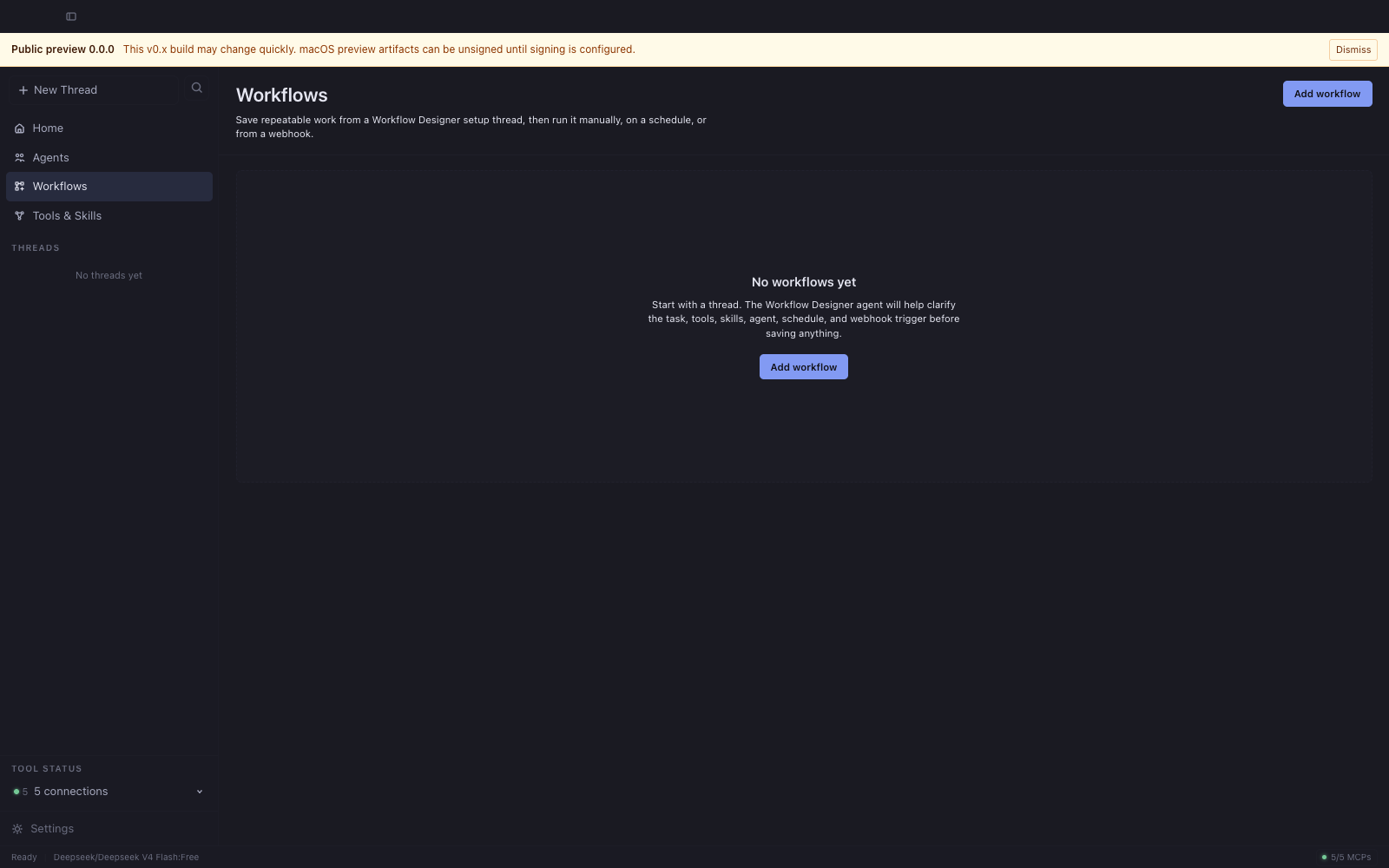
Create repeatable work by talking to Workflow Designer, then run it manually, on a schedule, or from a webhook.Artifact-first experience
Keep generated files, outputs, and workspace artifacts organized instead of buried in chat.Downstream-ready distribution
Configure branding, providers, defaults, bundled tools, bundled skills, docs, and release workflows.Production-grade gates
CI, CodeQL, smoke tests, docs, audits, checksums, SBOMs, and provenance support.
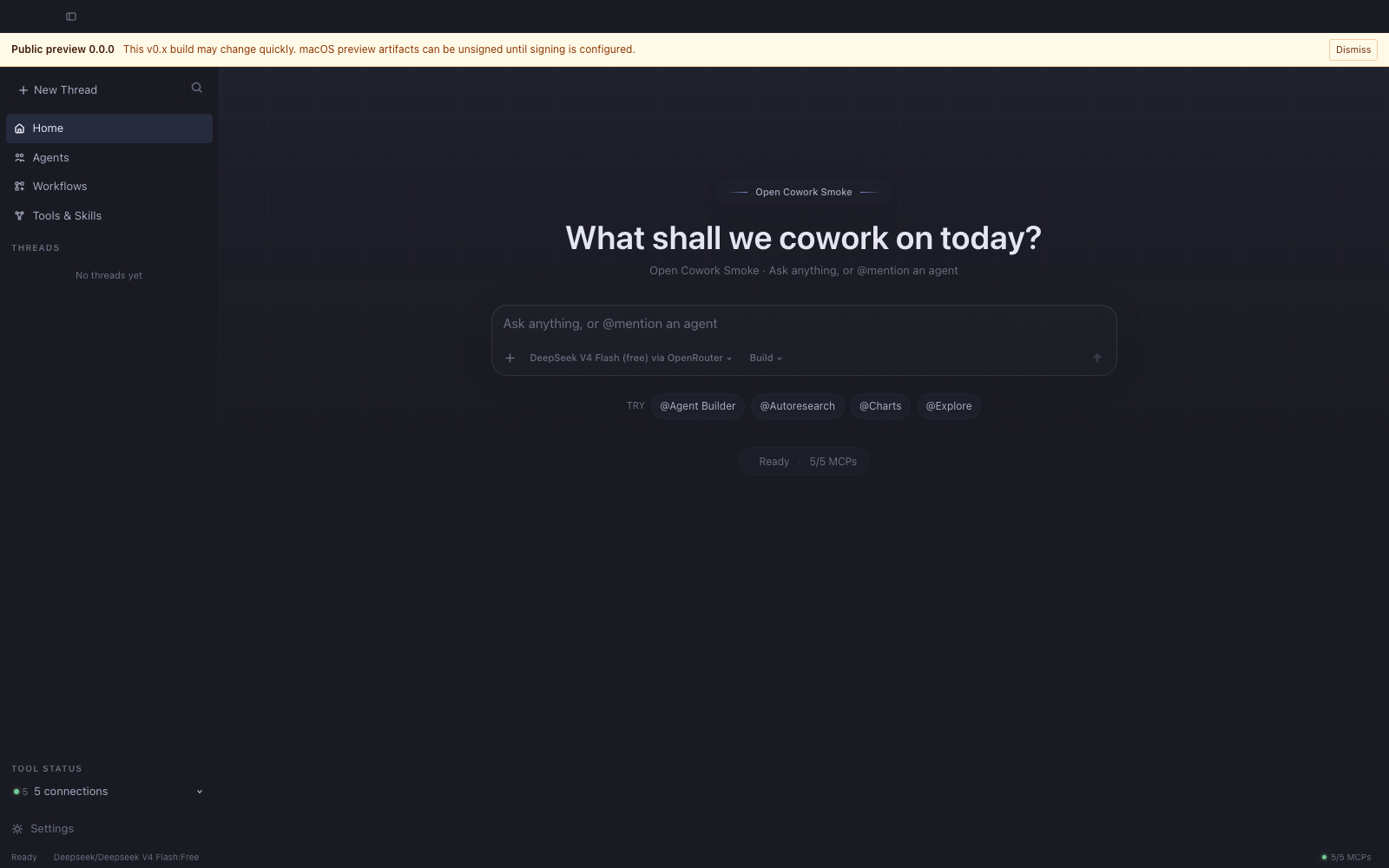
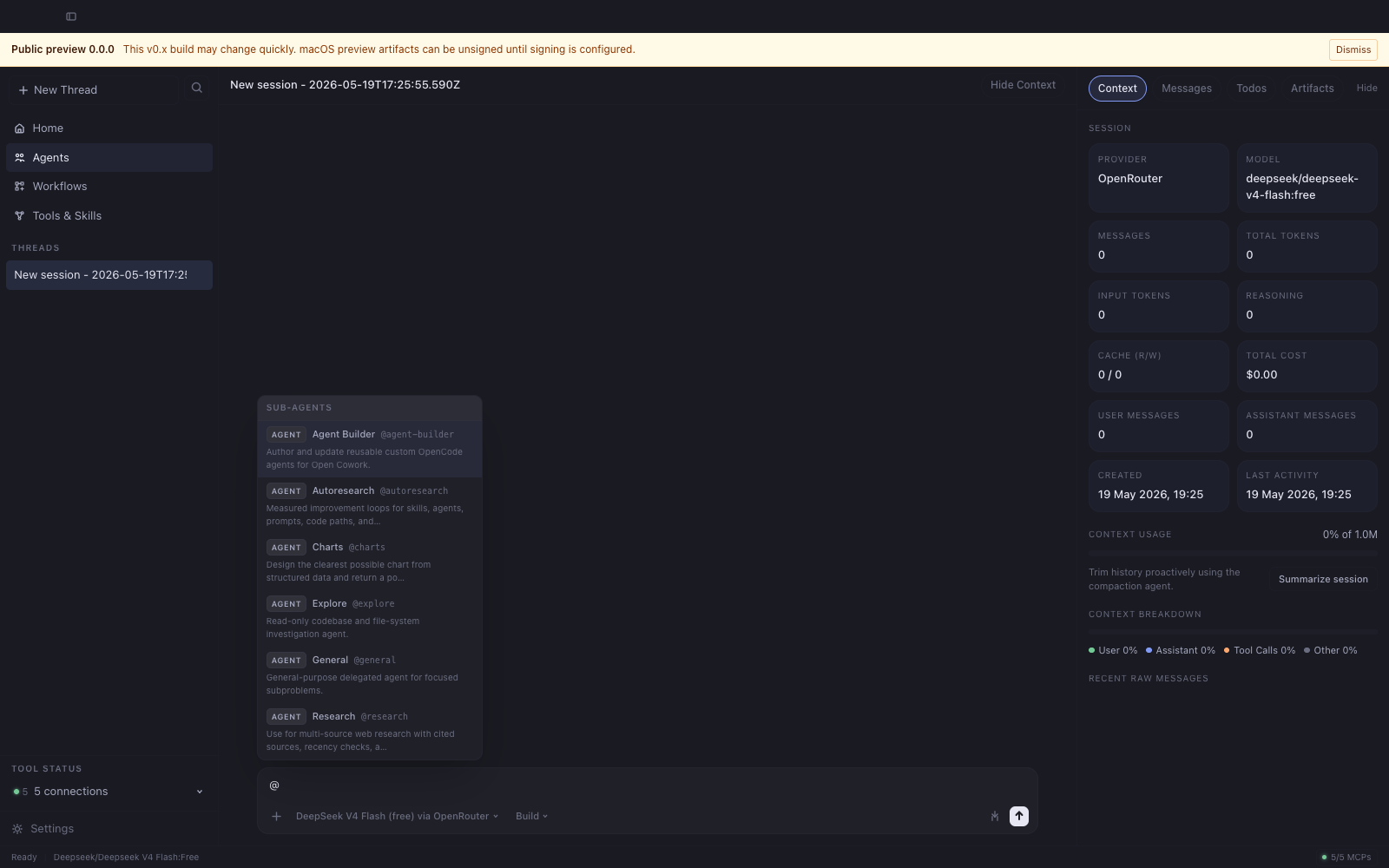
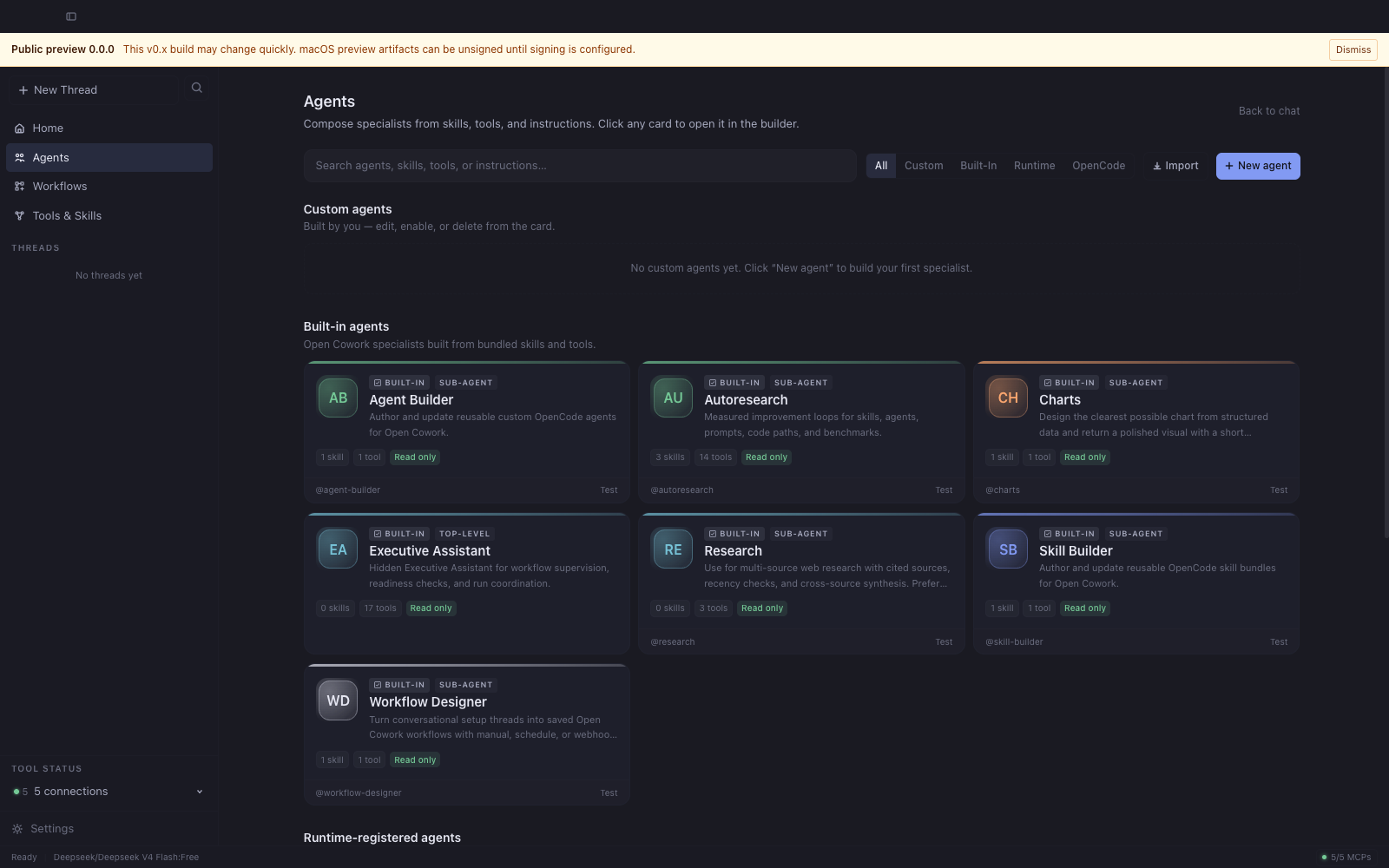
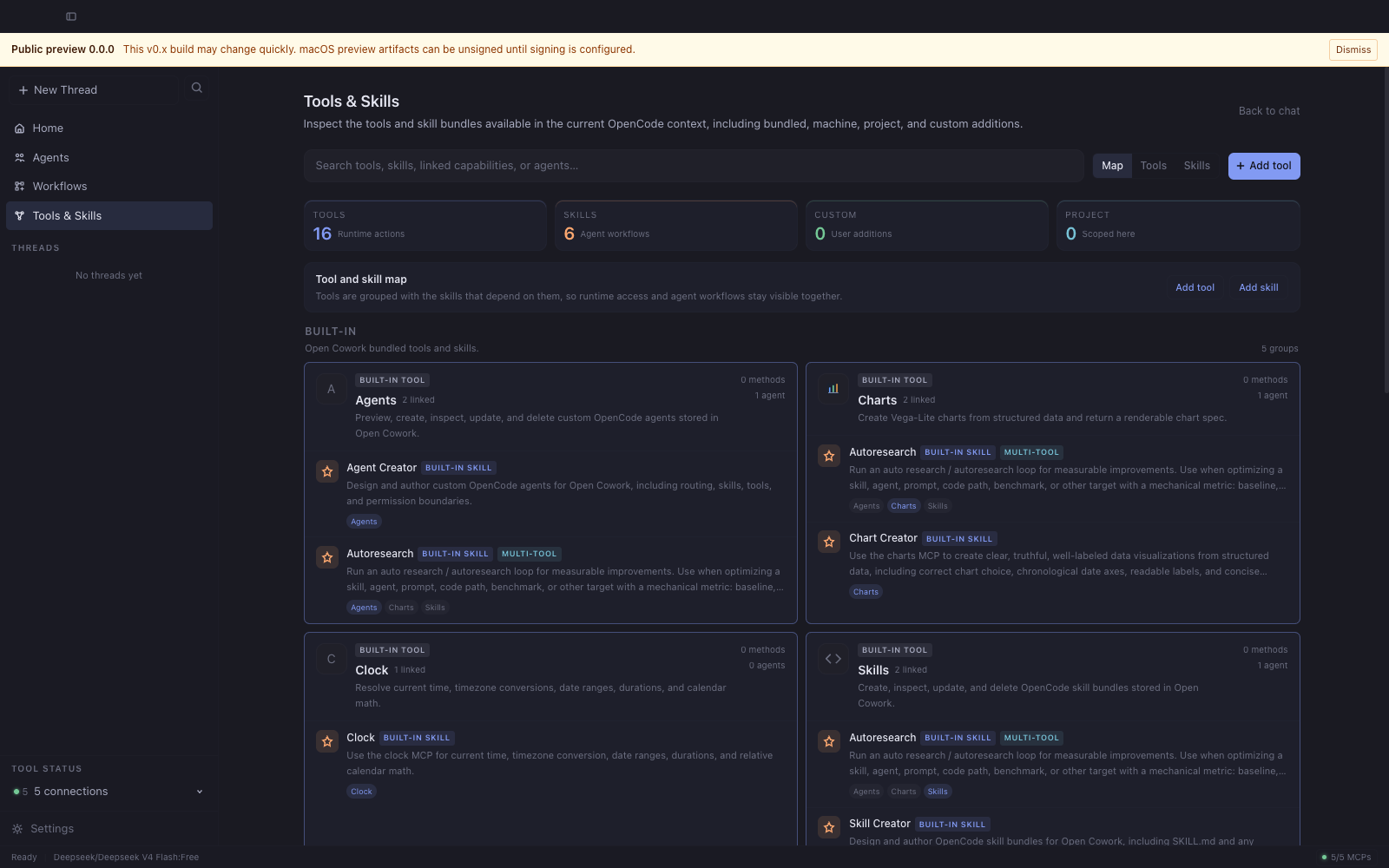
Screenshots
| Home | Chat | Agents |
|---|---|---|
 |
 |
 |
| Composer-first landing surface with @-agent pills. | Sub-agent delegation through @-mentions in chat. |
Built-in + custom agents in one composable grid. |
| Tools & Skills | Workflows | Settings |
|---|---|---|
 |
 |
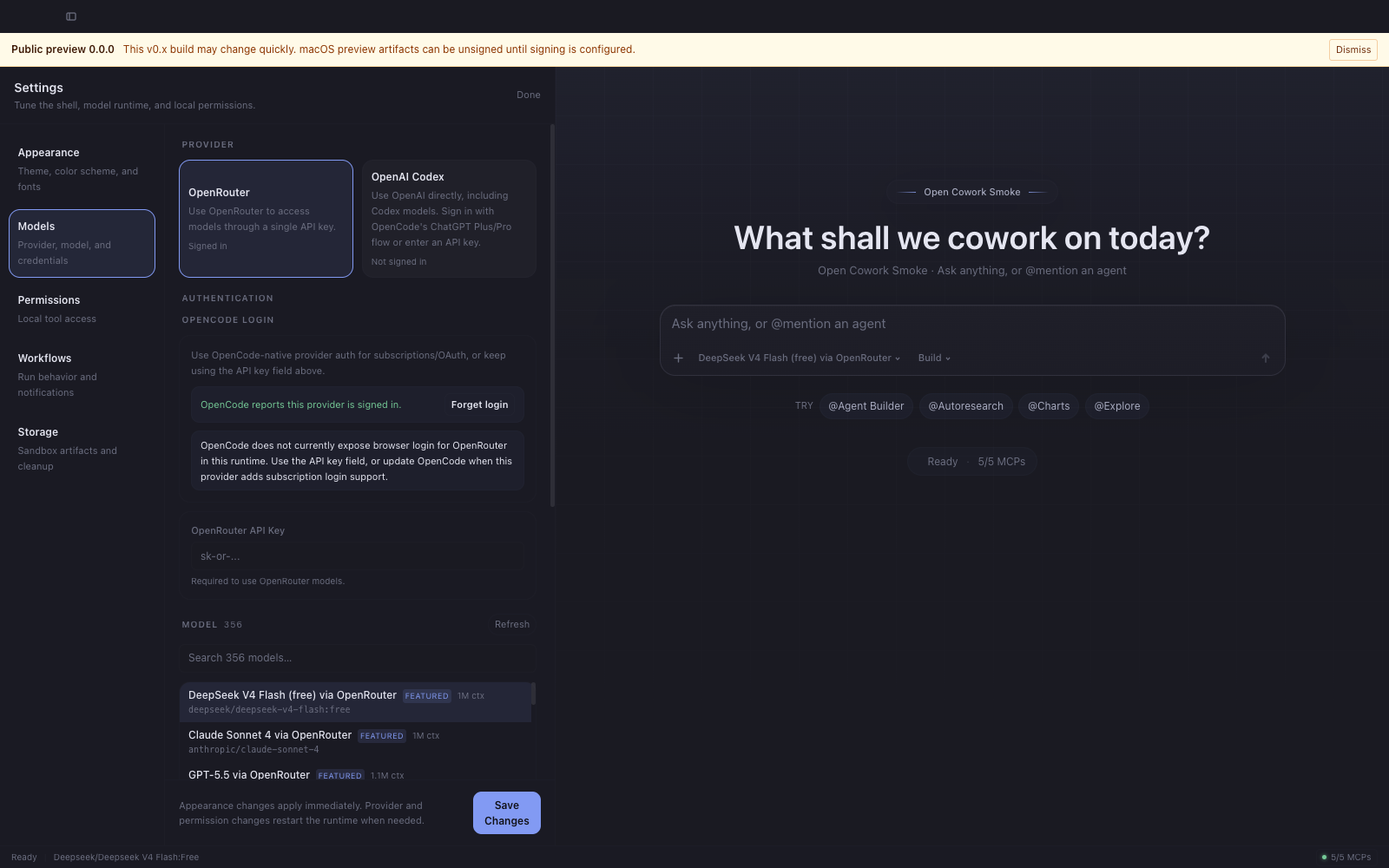 |
| Tools, skills, and MCPs with per-source visibility. | Repeatable work created from setup threads, then run manually, on schedules, or from webhooks. | Provider, model, permission, and storage controls. |
Screenshots are regenerated by
pnpm screenshots— seedocs/assets/README.mdfor capture guidelines.
Built for
Open Cowork is designed for:
- Individual developers who want a better desktop workspace for OpenCode.
- Engineering teams that want a configurable internal AI workbench.
- Less technical teams that need guided access to approved agents, tools, skills, and workflows.
- Platform teams that want to package safe defaults, branded workflows, and curated capabilities.
- Downstream distributors that want branded builds, documentation, and release flows on top of OpenCode.
Core features
- Desktop chat workspace for OpenCode sessions.
- Project threads for real filesystem work.
- Sandbox threads for private Cowork-managed workspaces.
- Built-in and user-added tools powered by MCP, presented in the UI as friendly team capabilities.
- Built-in and user-added OpenCode skill bundles.
- Custom agents with curated tool and skill access.
- Agent delegation from chat using
@agent. - Workflows created from Workflow Designer setup threads, with manual, scheduled, and webhook runs.
- Artifact storage and workspace management.
- Config-driven branding, auth mode, providers, and default capabilities.
- Packaged macOS and Linux desktop builds.
Supported platforms
macOS 11+
arm64x64.zip.dmg
Linux
x64.AppImage.deb
Windows is not currently supported.
Install
Release artifacts are published on GitHub Releases when a tagged build completes.
Signed macOS builds can check and install updates from Settings; downstream
builders can configure private update release sources such as generic HTTPS
feeds or Google Cloud Storage without exposing release credentials to the
renderer.
Important
Thev0.xpublic preview is intentionally unsigned while Apple Developer validation is pending. The release workflow can publish unsignedv0.xartifacts only when the explicit preview override is enabled; macOS will warn on first launch in that mode.To open the preview on macOS: right-click Open Cowork.app, choose Open, then choose Open again in the Gatekeeper dialog. See Apple's Gatekeeper guidance for details, or build locally.
Quick start
- Download a release for your platform, or run from source.
- Launch Open Cowork.
- Complete first-run setup by choosing a provider, model, and whether the managed runtime can reuse standard developer config such as Git, SSH, cloud, Docker, and Kubernetes settings.
- Connect a provider: OpenRouter API key, or OpenAI/Codex via ChatGPT Plus/Pro or API key.
- Start a thread:
- Project thread for real filesystem work in a chosen directory.
- Sandbox thread for private Cowork-managed workspaces and artifacts.
- Use
@agentin the composer to invoke a sub-agent directly, or let the primary orchestrator delegate. - Use Workflows for repeatable work that should be saved from a Workflow Designer setup thread and run manually, on a schedule, or from a webhook.
Local development
Requirements
- Node
>=22.12 - pnpm
>=10 - Python
>=3.11for docs builds
Verify Node and install pnpm via Corepack
node -v
# Expected: v22.12.0 or newer

corepack enable
corepack prepare [email protected] --activate
pnpm -v
Install dependencies
pnpm install
Run the desktop app
pnpm dev
pnpm dev builds the shared workspace package and bundled MCP servers
before launching the desktop app, so fresh clones do not need a separate
bootstrap command.
Core validation
pnpm test
pnpm test:e2e
pnpm typecheck
pnpm lint
pnpm perf:check
Packaged-app smoke tests require a local packaged build first:
pnpm --dir apps/desktop dist:ci:mac
OPEN_COWORK_PACKAGED_EXECUTABLE="$(node scripts/find-macos-packaged-executable.mjs)" pnpm test:e2e:packaged
Package desktop builds locally
pnpm --dir apps/desktop dist:ci:mac
pnpm --dir apps/desktop dist:ci:linux
Build the docs locally
python -m pip install -r docs/requirements.txt
mkdocs build --strict
Documentation
Project docs live in docs/ and are built with MkDocs Material.
The GitHub Pages publish URL follows the current repository name, so the workflow derives it at build time instead of hard-coding a pre-rename path.
Start here:
- Getting Started
- Desktop App Guide
- Glossary
- Threads
- Workflows
- Workflow Recipes
- Agent Authoring
- Skills & MCPs
- Custom MCPs
- Configuration
- Downstream Customization
- Development Environment
- Performance
- Security Model
- Telemetry and Privacy
- Architecture
- Packaging and Releases
- Release Checklist
- Versioning and Cadence
- Troubleshooting
- Roadmap
- First Contribution
- Contributing
- Changelog
Repository layout
apps/desktop     Electron main process, preload bridge, renderer UI, packaging
packages/shared  Shared types, IPC contracts, and shortcuts
mcps/agents      Bundled custom agent authoring MCP
mcps/charts      Bundled charts MCP
mcps/clock       Bundled clock and calendar MCP
mcps/skills      Bundled skill bundle MCP
mcps/workflows   Bundled workflow authoring MCP
skills           Bundled OpenCode skill bundles
docs             MkDocs documentation source
tests            Repo-level Node test suite
Release automation
The repo includes GitHub Actions for:
- CI validation
- documentation deployment to GitHub Pages
- tagged release builds for macOS and Linux artifacts
- monthly maintenance and dependency-drift checks
See Packaging and Releases for the workflow model and release gates.
Contributing
Contributions are welcome.
See CONTRIBUTING.md.
AGENTS.md is for coding agents and automated contributor tooling working in
this repository; human contributors should start with CONTRIBUTING.md.
Security
See SECURITY.md.
Support
See SUPPORT.md.
License
MIT. See THIRD_PARTY_NOTICES.md for bundled production dependencies.
Yorumlar (0)
Yorum birakmak icin giris yap.
Yorum birakSonuc bulunamadi