3dcraft
Health Uyari
- License — License: MIT
- Description — Repository has a description
- Active repo — Last push 0 days ago
- Low visibility — Only 6 GitHub stars
Code Basarisiz
- rm -rf — Recursive force deletion command in .github/workflows/ci.yml
Permissions Gecti
- Permissions — No dangerous permissions requested
Bu listing icin henuz AI raporu yok.
An open-source parametric 3D CAD modeller built with and for AI: every action is a command, and every result is checked. Pure Rust, its own kernel.
3DCraft
3DCraft is an open-source parametric 3D CAD modeller built with and for AI: every action is a command, and every result is checked.
An agent builds. A machine checks. You decide.
3dcraft.dev: the website, with the guide and the examples ·
Try it in your browser ·
Download
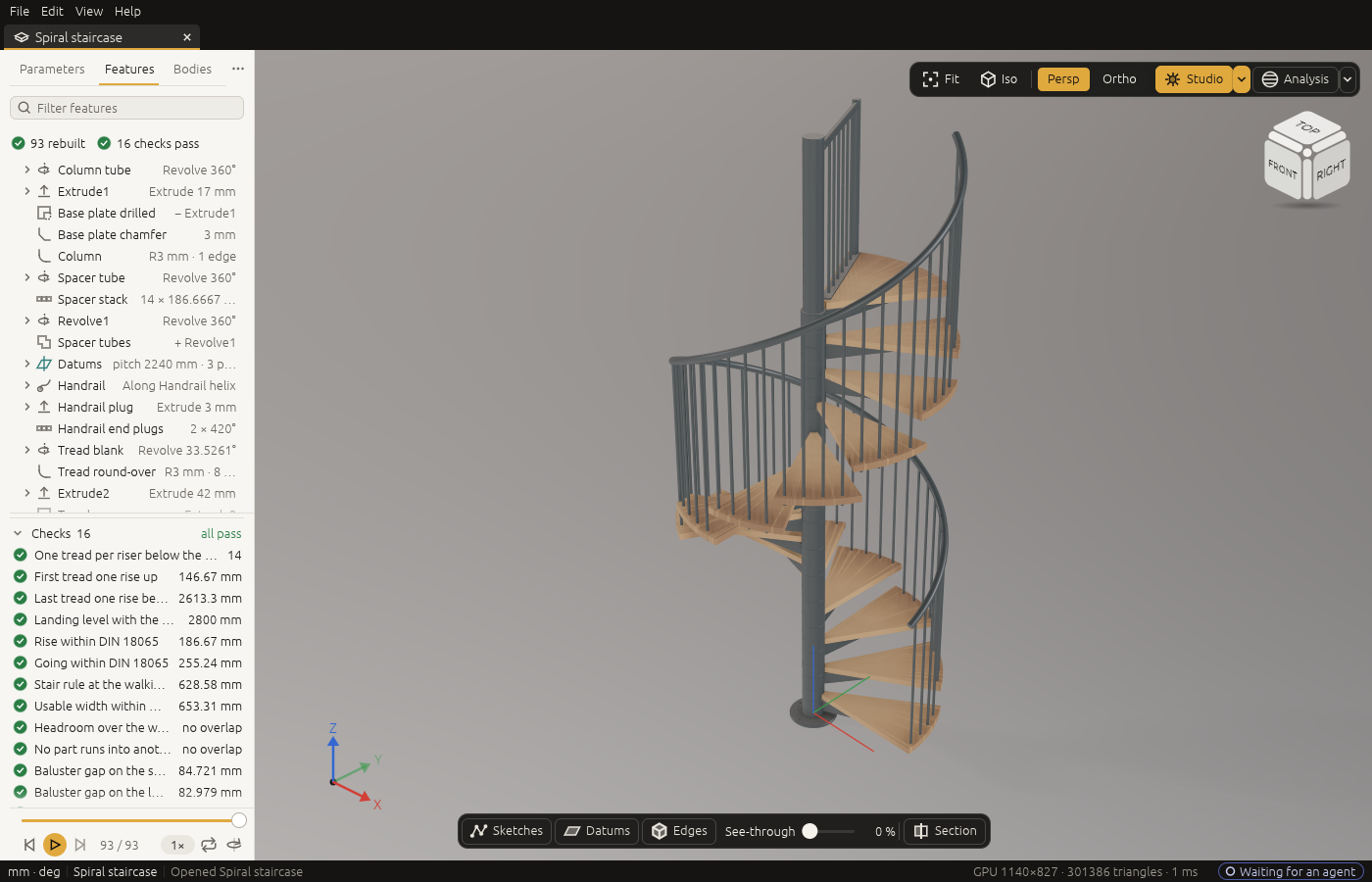
Three ways to use it
- Make models with AI. Describe a part to an AI agent. It builds the part in the window you are watching,
step by step; you point at a face, ask for a change, and check the result. Then export it for a 3D printer,
a laser cutter, a mill or a workshop. - Use a Jig. A Jig is a finished design with a form: the sizes that matter are fields, the rest follows
by formulas, and every result is checked. Take the sundial: choose your place, say whether it lies in the
garden or hangs on a wall and which way that wall faces, and you get a brass dial to laser cut and engrave
that reads the clock time where you live. No AI needed. - Build your own application on it. The engine is a Rust library, and every command is also reachable
from the command line, a JSON control channel and an MCP server. A gear generator, a furniture
configurator, a CAD interface with buttons: each can be a separate program on top of 3DCraft. The licence
is MIT.
3DCraft has no toolbar of modelling buttons. You model through commands: an agent sends them, a Jig's form
sends them, or you write them yourself. The window is there to watch, to point and to check. Whoever wants a
classic interface with buttons can build one on top: it would send the same commands.
It is written in pure Rust, with its own B-rep kernel, constraint solver, tessellator and renderers: no
OpenCascade, no Parasolid, no third-party geometry of any kind. Licence: MIT.
How it started
3DCraft started as an experiment. The occasion was practical: designing a CNC machine, furniture and the
bodies and mechanisms of marionettes, with open software and the help of an AI agent. The open tools of today
did not get there. So the question was turned around: can AI agents write a CAD kernel themselves, if a
machine checks every result?
3DCraft is the answer so far, and it was built the way it works. AI agents wrote it, under tests a machine can
check, while the developer watched. An agent models in it the same way: through commands, under checks, in a
window you are watching. The project is the proof of its own method.
Where it stands
3DCraft is at version 0.1.2. It does not replace professional CAD today. What it cannot do yet, it refuses,
and says so. The experiment goes on: the kernel is its heart and its hardest part, every refusal is work still
owed, and it is being made better step by step.
Get started
0.1.2 is the current release: the first release, 0.1.0, with its first fixes. Its installers are on
the releases page, and the website,
3dcraft.dev, has the guide, the examples and the web version.
- Install 3DCraft: installers for Windows, macOS and Linux (version
0.1.2), or the web version with nothing to install. - Your first five minutes: open an example, play its history, try a
Jig, export for a 3D printer. - The user guide, 22 chapters in six parts: installing and connecting an AI
agent, working with one, the window, Jigs, assemblies and files; modelling, sheet metal, surfaces and
origami; measuring and engineering checks; making Jigs, the command line and programs on 3DCraft;
troubleshooting and a reference of every command. - The guide's lessons, seven parts that check their own volume, and three
collections: finished parts, the
Jigs collection (from a laser-cut box and a GT2 pulley
to a planetary gearbox and a sundial for your place) and
assemblies, all in the website's
galleries. - What changed:
CHANGELOG.md.
What it does
- Works with your AI agent. A built-in MCP server lets Claude or any other MCP client model in the
window you are watching, once you switch on Allow AI agents; the agent reads what you selected, and
can light up faces, fly the camera and play the history for you. - Parametric. Variables with units and formulas drive everything, with conditions, tables and parts
switched on and off; sketches solved by 3DCraft's own constraint solver; curves drawn from formulas, such
as a gear's involute flanks. Change one number and the model rebuilds from the feature it touches. - Features. Extrude, revolve, loft, sweep along a path, a helix or two rails; booleans, mirror and
patterns; fillets and chamfers; shell, draft, offset, move and delete face, thicken; ISO metric threads;
datums and sheets; text to extrude, emboss or engrave, also wrapped onto a cylinder or a cone. - Stable references. Every face, edge and vertex has a persistent name made of where it came from, so
a fillet stays on its edge through upstream edits; a feature that loses its edge fails, names what it
lost and can be repaired, never silently moved. - Checked, not hoped. Volumes, mass, distances, wall thickness and clearances from the exact geometry,
and design rules kept in the document, checked at every change. The boolean kernel is held to a reference
kernel on about twelve thousand booleans (four thousand pairs of solids, each united, cut and intersected)
with none wrong; what it cannot do yet it refuses by name. - Sheet metal. A base with flanges bent by radius and K-factor, reliefs, closed corners, hems and
louvres; the flat pattern with its bend lines; and a press-brake check that finds an order of bends in
which punch and die clear the part. - Plates and cutting. Faces given a thickness, with joints between neighbouring plates; plates and
sheet-metal parts are recognised for cutting, with a cut list and every part's outline on one sheet for
a laser, kerf included. - Unfolding and origami. Developable surfaces between two curves, unfolded flat at true size; crease
patterns folded by angles that follow variables, or folded flat with the order of the layers worked
out, with Kawasaki's and Maekawa's checks. - Freeform surfaces. Surfaces through networks of curves and Coons patches as exact B-splines,
N-sided fills and trimmed faces; seams held tangent or in curvature, their continuity proven; zebra
stripes, a curvature map and a draft check drawn on the exact surfaces. - Assemblies and motion. Parts placed in a
.3dcraftasm, by reference or packed into it, joined by
mates, joints and couplings (gears, racks, screws) solved by 3DCraft's own solver; a mechanism plays
over a timeline with collisions in red, and any assertion can be checked over the whole motion. - Jigs. Publish a design's sizes as parameters and share it as a
.3dcraftjig: anyone sets them in a
form, on the desktop or in the browser, andcheck-rangeproves the design over its whole range. - Files.
.3dcraftholds the history, and every file a released version saves opens in every later
one; STEP import and export, and FreeCAD documents read in; STL, 3MF and OBJ for printing; DXF and SVG
of outlines, flat patterns, whole cut sheets for a laser, and drawings of the model with hidden lines. - A native window and a web version. egui on wgpu (Vulkan, Metal, DX12 or OpenGL) on the desktop,
WebGPU or WebGL2 in the browser; a start screen with twenty examples, tabs, a view cube, section and
see-through, a history player, colours and materials, and a studio look with soft shadows. - Errors, not crashes. A bad file, a bad parameter or a degenerate model gives an error you can act
on, and an autosave brings your work back after a crash.
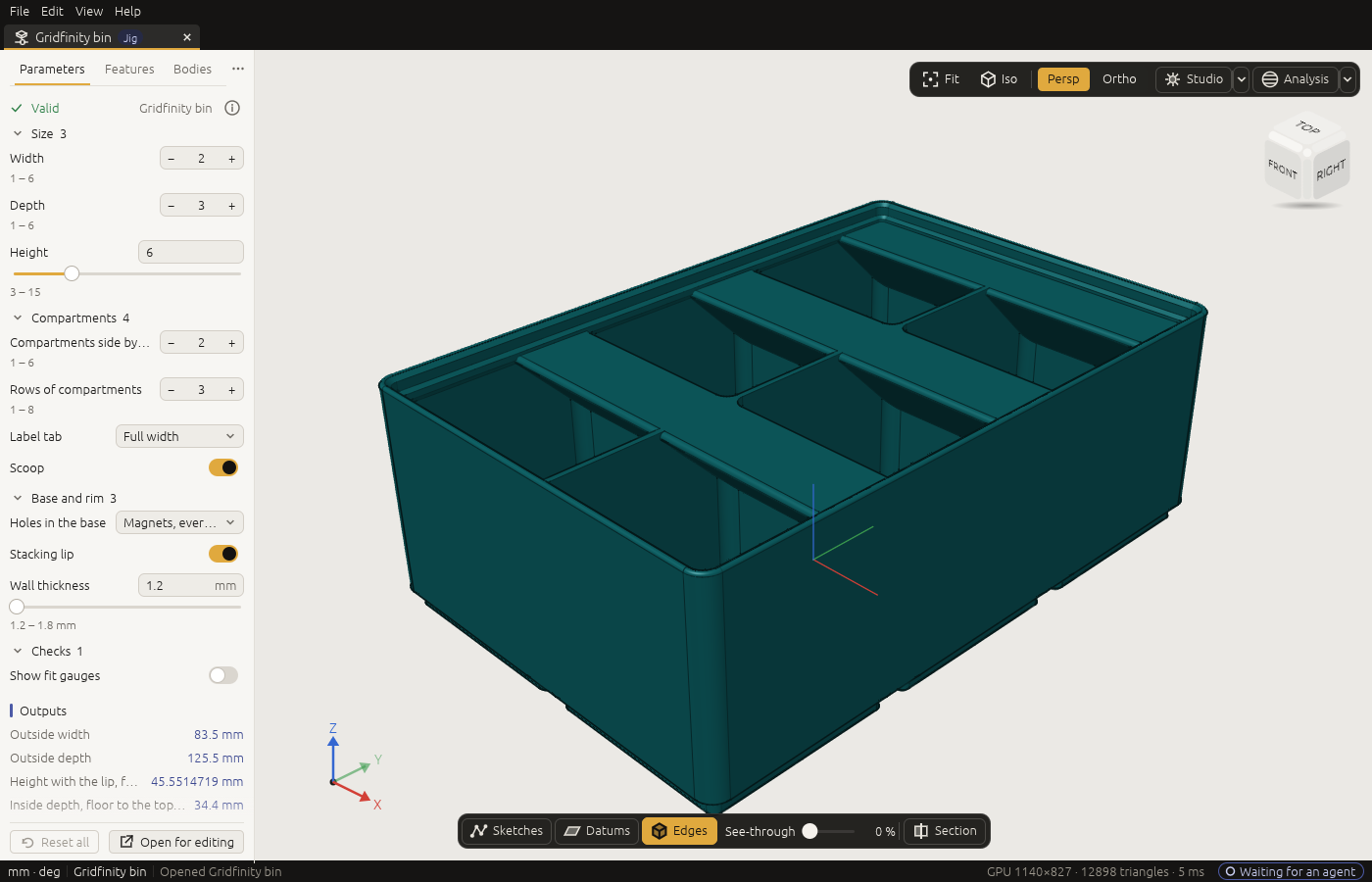
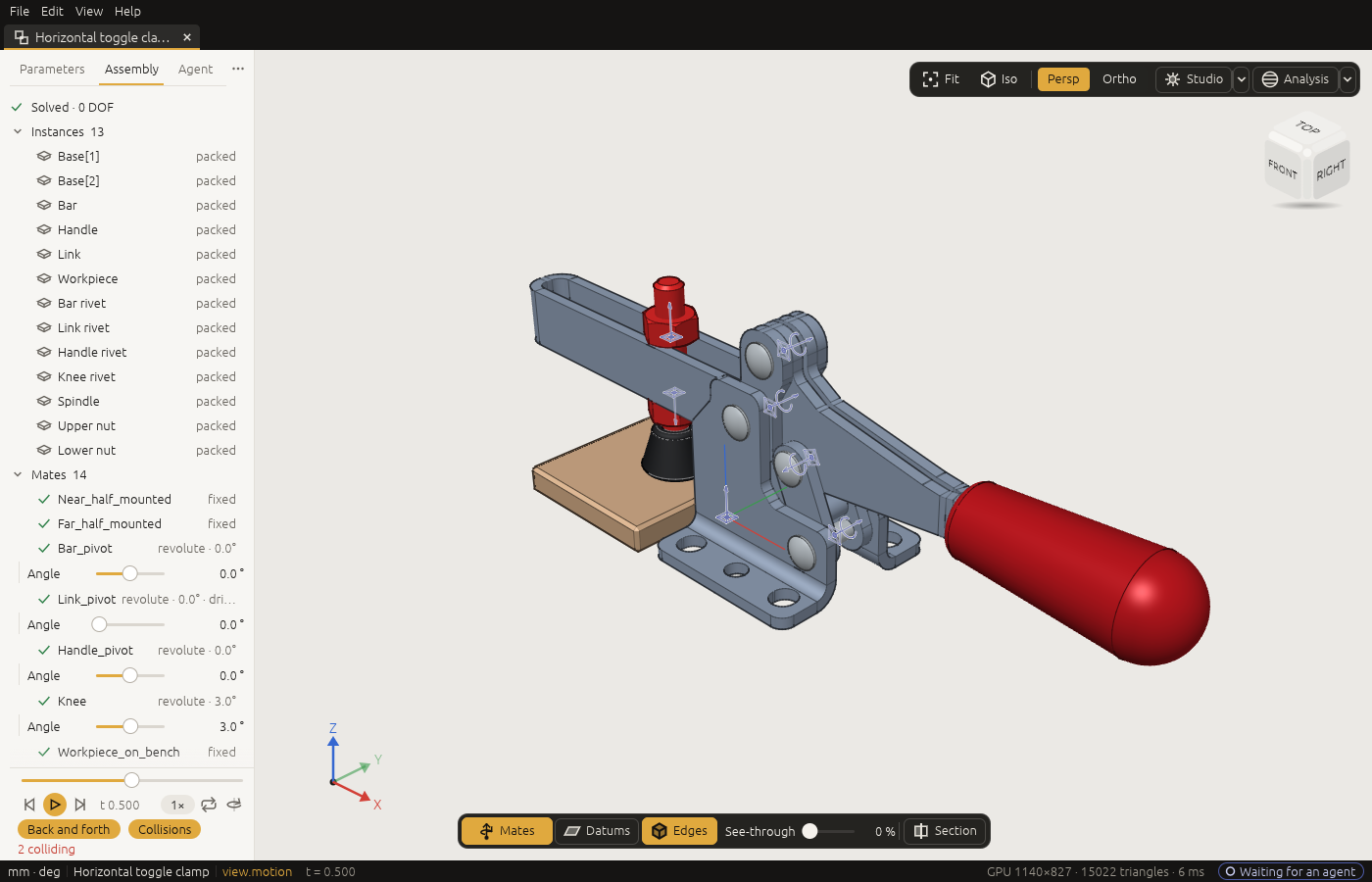
A Jig on its form (the Gridfinity bin), and an assembly playing its motion, collisions in red (the toggle clamp).
Examples
 Moka pot, a part: ten pieces sized by the physics of brewing, its capacities proven |
 Ship propeller, a part: blades lofted from the B-series' published tables, its balance proven |
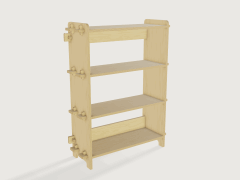 Flat-pack bookcase, a part: plywood plates on one CNC sheet, wedged tenons, a cut list |
 Mailer box, a part: a die-cut blank folded into the box, its cut and crease lines to DXF |
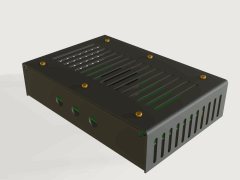 Sheet-metal enclosure, a Jig: a case around your board, flat patterns and bend order proven |
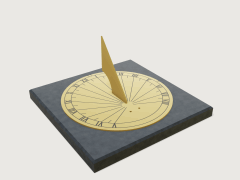 Sundial, a Jig: hour lines for your place, in brass to laser cut and engrave |
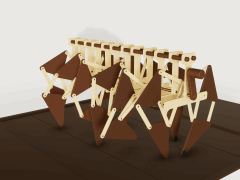 Jansen walker, an assembly: twelve legs on one crank, many closed loops in one solve |
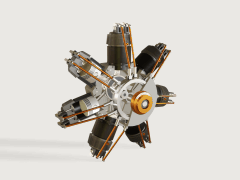 Radial engine, an assembly: seven cylinders and their valve train over one engine cycle |
These eight are among the twenty examples built into 3DCraft (ten parts, six Jigs, four assemblies). Each
opens from the start screen with one click, offline and in the browser too, and is rebuilt from its history
as it opens; the player then shows how it was built, or plays the assembly's motion. The rest are in
3dcraft-examples, 3dcraft-jigs
and 3dcraft-assemblies-examples, and in the
website's galleries. The examples are MIT, the Jigs and assemblies CC BY 4.0
(licences).
How it grew: the first showcase and the field tests of
12 and 22 October 2026.
Build from source
You need Rust and, on Linux, the windowing packages the guide lists
(Build from source). In a clone of this repository:
cargo xtask fonts    # once: fetches the built-in fonts, which are not in the repository
cargo build --release -p craft3d -p craft3d-cli
target/release/craft3d-cli run --new '{"units":"mm"}' \
    --cmd variable.set  --params '{"name":"width","expr":"60 mm"}' \
    --cmd feature.block --params '{"size":["width","width * 2 / 3","8 mm"]}' \
    --out part.3dcraft
target/release/craft3d-cli render part.3dcraft --out part.png
target/release/craft3d part.3dcraft
To let an AI agent model in the window, start target/release/craft3d, switch on Allow AI agents in the
start screen's panel Connect an AI agent, and add 3DCraft to your AI tool once: for Claude Code with this
line, which the panel's Copy command gives with the path filled in (the panel has the configuration for
other MCP clients too, and the guide says more):
claude mcp add 3dcraft -- "$PWD/target/release/craft3d-cli" mcp --bridge
Contributors and agents working on 3DCraft: read CONTRIBUTING.md, AGENTS.md and docs/.
Contributors: CONTRIBUTING.md; agents: AGENTS.md; security: SECURITY.md. Licence: MIT.
Yorumlar (0)
Yorum birakmak icin giris yap.
Yorum birakSonuc bulunamadi