claude-code-prompt-optimizer
Health Gecti
- License — License: MIT
- Description — Repository has a description
- Active repo — Last push 0 days ago
- Community trust — 47 GitHub stars
Code Uyari
- process.env — Environment variable access in src/hooks/optimize-prompt.ts
Permissions Gecti
- Permissions — No dangerous permissions requested
Bu listing icin henuz AI raporu yok.
AI-powered prompt optimization hook for Claude Code. Transforms simple prompts into comprehensive, structured instructions using Claude Opus 4.6's advanced reasoning capabilities.
Claude Code Prompt Optimizer
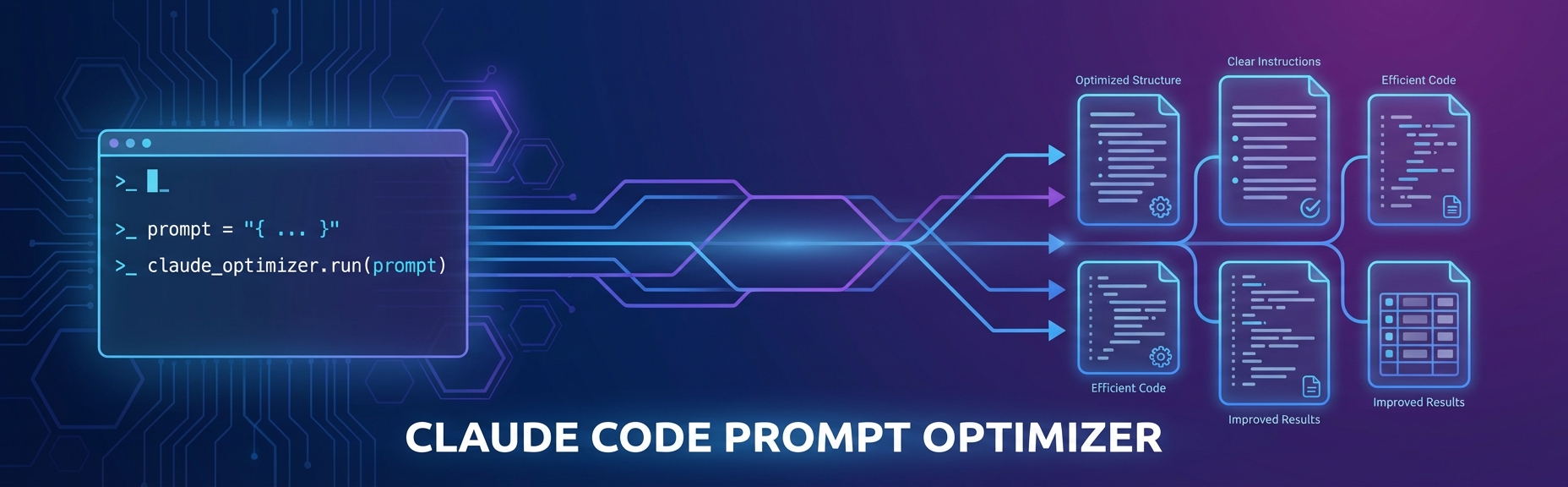



A Claude Code hook that transforms simple prompts into detailed, structured instructions. Add <optimize> to any prompt and it'll expand your request into something Claude can really sink its teeth into.
What It Does
When you tag a prompt with <optimize>, this hook intercepts it and sends it to the same model your session is running, with a rewrite-only system prompt and no tools. The result is a fleshed-out version of your original request with:
- Specific implementation steps
- Error handling considerations
- Testing requirements
- Edge cases to watch for
Basically, it does the prompt engineering for you.
Requirements
- Claude Code CLI installed and logged in (
claude login) - Node.js 18+
API-credit users can use ANTHROPIC_API_KEY instead; see Authentication.
Quick Install
Plugin marketplace (recommended)
In Claude Code:
/plugin marketplace add 0-to-1-Labs/claude-marketplace
/plugin install claude-code-prompt-optimizer@0-to-1-labs
Then restart Claude Code. The plugin registers the hook for you and installs its
dependencies the first time you use <optimize> (about 200 MB, kept across plugin
updates). If you are logged into Claude Code, auth already works.
Keep the plugin updated
Claude Code can update this plugin automatically. Auto-update is off by default for third-party marketplaces, so turn it on once:
- Run
/plugin. - Open the Marketplaces tab and select
0-to-1-labs. - Choose Enable auto-update.
Claude Code then checks for new versions after each session start and installs them. Restart Claude Code to load an update.
To update by hand:
claude plugin marketplace update 0-to-1-labs
claude plugin update claude-code-prompt-optimizer@0-to-1-labs
Alternative: standalone install (no marketplace)
git clone https://github.com/0-to-1-Labs/claude-code-prompt-optimizer.git
cd claude-code-prompt-optimizer
npm run install-hook
The installer installs dependencies, links the repo into ~/.claude/hooks, registers
the hook in ~/.claude/settings.json with the right timeout, and verifies the fast path.
Use one method, not both. The installer refuses to run when the plugin is already
installed, and the hook skips a duplicate run if both copies do fire, but two
registrations still cost a process launch per prompt.
Authentication
The hook runs the Agent SDK, which checks for credentials in this order:
| Priority | Method | Variable | Best For |
|---|---|---|---|
| 1 | OAuth token | CLAUDE_CODE_OAUTH_TOKEN |
Automation outside a login |
| 2 | API key | ANTHROPIC_API_KEY |
API credit users |
| 3 | Stored OAuth | (none — uses claude login) |
Everyone else |
For most users, claude login is all that is needed. Do not paste tokens or keys
into your shell profile for this plugin; a long-lived credential in ~/.zshrc is
exported to every process you start. If you need ANTHROPIC_API_KEY, set it the way
you already do for other tools.
Auth resolution is adaptive and can be forced with OPTIMIZER_AUTH:
OPTIMIZER_AUTH |
Behavior |
|---|---|
auto (default) |
An explicit CLAUDE_CODE_OAUTH_TOKEN wins. Inside a Claude Code session with no token, the (often invalid) parent-injected API key is stripped so the CLI uses your stored claude login. Outside Claude Code, a real ANTHROPIC_API_KEY is honored. |
oauth |
Always strip API keys and use OAuth / stored login. |
apikey |
Always keep ANTHROPIC_API_KEY (for pure API-credit users). |
Manual Setup
If you prefer to configure things yourself instead of using npm run install-hook:
1. Install Dependencies
git clone https://github.com/0-to-1-Labs/claude-code-prompt-optimizer.git
cd claude-code-prompt-optimizer
npm install --omit=dev
2. Configure Auth
Run claude login if you have not already.
3. Configure the Hook
Add the hook to ~/.claude/settings.json. The timeout matters: Claude Code
lowers the UserPromptSubmit default to 30 s, which is shorter than a rewrite on a
large model.
{
  "hooks": {
    "UserPromptSubmit": [
      {
        "hooks": [
          {
            "type": "command",
            "command": "/path/to/claude-code-prompt-optimizer/src/hooks/optimize-prompt.sh",
            "timeout": 120
          }
        ]
      }
    ]
  }
}
4. Make Hook Executable
chmod +x src/hooks/optimize-prompt.sh
Test it:
<optimize> write a function to calculate fibonacci numbers
For detailed setup instructions and troubleshooting, see QUICKSTART.md.
Examples
Before:
<optimize> create a REST API
After:
The optimizer expands this into specs covering architecture, endpoints, error handling, auth, validation, and testing.
Before:
<optimize> refactor this codebase for better performance
After:
You get a structured plan with profiling steps, bottleneck identification, prioritized refactoring targets, and benchmarking criteria.
Configuration
| Variable | Description | Default |
|---|---|---|
OPTIMIZER_AUTH |
Auth strategy: auto, oauth, or apikey |
auto |
OPTIMIZER_MATCH_SESSION_MODEL |
false to always use OPTIMIZER_MODEL / config model instead of the session model |
true |
OPTIMIZER_MODEL |
Model (or alias such as sonnet) used when the session model cannot be detected |
from config |
OPTIMIZER_FALLBACK_MODEL |
Model to retry with if the primary times out or errors | from config |
OPTIMIZER_EFFORT |
Reasoning effort: low, medium, high, xhigh, max |
from config |
OPTIMIZER_MAX_PROMPT_CHARS |
Prompts longer than this pass through unoptimized | from config |
OPTIMIZER_BUDGET_MS |
Override the per-model time budget for the primary attempt | from config |
OPTIMIZER_FALLBACK_TIMEOUT_MS |
Time budget for the fallback attempt | from config |
OPTIMIZER_TOTAL_BUDGET_MS |
Hard ceiling for the whole run; keep it under the hook timeout | from config |
OPTIMIZER_LOG_FILE |
Where the hook writes its log | see Logs |
Config file
Model selection, per-family time budgets, the prompt-size cap, and the system
prompt live in src/hooks/optimizer.config.json and src/hooks/system-prompt.md,
so you can tune behavior without editing TypeScript. Environment variables above
take precedence over the config file.
{
  "matchSessionModel": true,
  "model": "sonnet",
  "effort": "low",
  "maxPromptChars": 12000,
  "fallbackModel": "sonnet",
  "fallbackTimeoutMs": 30000,
  "totalBudgetMs": 100000,
  "defaultBudgetMs": 45000,
  "familyBudgetMs": {
    "fable":  75000,
    "mythos": 75000,
    "opus":   60000,
    "sonnet": 40000,
    "haiku":  40000
  },
  "systemPromptFile": "system-prompt.md"
}
Session-model matching. With matchSessionModel enabled (the default), the
hook reads transcript_path from the hook payload and reuses the model that
produced the most recent assistant turn — so the prompt is rewritten by the
same model that will execute it, and mid-session /model switches are picked up
automatically. UserPromptSubmit carries no model field and there is no$CLAUDE_MODEL, so the transcript is the only source for this. On the first
prompt of a session (no assistant turn yet) it falls back to model. SetOPTIMIZER_MATCH_SESSION_MODEL=false to always use model instead.
model and fallbackModel are floating aliases (sonnet is the current Sonnet),
so nothing here goes stale when a new model ships. The Agent SDK accepts an alias
wherever it accepts a full model id.
Timeouts. Each model gets a budgetMs from familyBudgetMs, keyed on the
model family (claude-fable-5-1 → fable, claude-opus-5-5 → opus), so new
point releases inherit their family's budget. If the primary times out or
errors, the chain advances to fallbackModel with fallbackTimeoutMs; only when
every attempt is exhausted does the hook fail open and pass the prompt through
unmodified. totalBudgetMs caps the whole chain: each attempt gets at most the
time left, and the fallback is skipped when under 15 s remain.
Keep
totalBudgetMsunder the outer hook timeout. Claude Code lowers theUserPromptSubmitcommand-hook default to 30s, sohooks/hooks.jsonsets an
explicit"timeout": 120(the installer and the manual snippet use the same
value). If the outer timeout fires first, Claude Code kills the process and the
fail-open path never runs.
effort defaults to low: prompt optimization is a single-turn rewrite, not a
reasoning task, so minimal thinking keeps latency inside the budget. Raise it if
you want the optimizer to deliberate more.
maxPromptChars (default 12,000) short-circuits very long prompts — a pasted
document cannot be rewritten inside any sane budget, and attempting it was the
most reliable way to burn the entire hook timeout for nothing.
Logs
The hook writes a metadata-only log (model, source, elapsed time per attempt,
cost, timeouts, fail-open reasons — never prompt text or credentials). The file is
created owner-only (mode 600) at:
$CLAUDE_PLUGIN_DATA/optimizer.logfor a plugin install
(~/.claude/plugins/data/claude-code-prompt-optimizer/optimizer.log), or~/.cache/claude-code-prompt-optimizer/optimizer.logfor a script install.
Override with OPTIMIZER_LOG_FILE. Prompts without an <optimize> tag
short-circuit before any logging, so the common path stays free.
2026-09-30T18:02:11Z start session=abc chars=1204 model=claude-fable-5-1 source=session
2026-09-30T18:02:39Z ok model=claude-fable-5-1 effort=low ms=27810 cost_usd=0.0412
Project Structure
claude-code-prompt-optimizer/
├── src/hooks/
│   ├── optimize-prompt.ts     # Core optimization logic (Agent SDK)
│   ├── optimize-prompt.sh     # Shell wrapper (fast path, deps bootstrap, dedupe)
│   ├── optimizer.config.json  # Model matching, per-family budgets, size cap
│   └── system-prompt.md       # Editable optimization system prompt
├── hooks/hooks.json           # Plugin hook registration (timeout 120)
├── scripts/
│   └── install.js             # Standalone installer (symlinks into ~/.claude)
├── examples/                  # Usage examples
└── QUICKSTART.md              # Installation guide
How It Works
- The shell wrapper inspects every prompt and short-circuits in bash when there's no
<optimize>tag — no Node, no SDK load, no added latency on normal prompts - When tagged, it sends your prompt to the session model via the Agent SDK as a single no-tools turn. The prompt is framed as text to rewrite, so the rewriter cannot be steered into doing the task instead
- The rewrite comes back to Claude Code as
additionalContext(and as asystemMessageso you can see it). AUserPromptSubmithook cannot replace the prompt itself: the main model receives your original prompt (tag included) plus the optimized version as context. On timeout or error the hook fails open and your original prompt proceeds unchanged
The optimizer uses the Claude Agent SDK (@anthropic-ai/claude-agent-sdk) which handles authentication automatically — OAuth tokens, API keys, and stored credentials all work seamlessly. The dependency tracks the latest SDK: the SDK bundles its own Claude Code binary, and a bundled binary older than the model your session runs is rejected by the API.
Troubleshooting
Hook not triggering:
- Check your settings.json path (script install) or
/plugin(marketplace install) - Run
chmod +x src/hooks/optimize-prompt.sh - Read the log
Prompt passes through unoptimized:
- The log names the reason: timeout, SDK error, missing Node, or a failed dependency install
does not support this model: the SDK that ran is older than your session model. The next log line (sdk-too-old ... sdk=<version> path=<dir>) names it. Delete thatnode_modulesso the hook reinstalls the latest SDK. As a plugin the hook always runs from the data dir; anode_modules/ordist/in the plugin directory is ignored
Auth errors:
- Verify
claude loginworks - API-key users: export
ANTHROPIC_API_KEYand setOPTIMIZER_AUTH=apikey
Missing deps:
- Run
npm install --omit=dev - Check Node version is 18+
Development
# Type-check and build the bundle
npm run typecheck
npm run build

# Fast path (free): an untagged prompt must exit 0 with no output
npm test

# Full run (calls the model, costs money)
npm run smoke

# Standalone install
npm run install-hook
Contributing
PRs welcome. See CONTRIBUTING.md.
License
MIT. See LICENSE.
Yorumlar (0)
Yorum birakmak icin giris yap.
Yorum birakSonuc bulunamadi