FunNotch
Health Uyari
- License — License: GPL-3.0
- Description — Repository has a description
- Active repo — Last push 0 days ago
- Low visibility — Only 7 GitHub stars
Code Basarisiz
- rm -rf — Recursive force deletion command in Tools/fetch-sparkle.sh
- rm -rf — Recursive force deletion command in Tools/make-appcast.sh
- rm -rf — Recursive force deletion command in build.sh
- network request — Outbound network request in counter/worker.js
Permissions Gecti
- Permissions — No dangerous permissions requested
Bu listing icin henuz AI raporu yok.
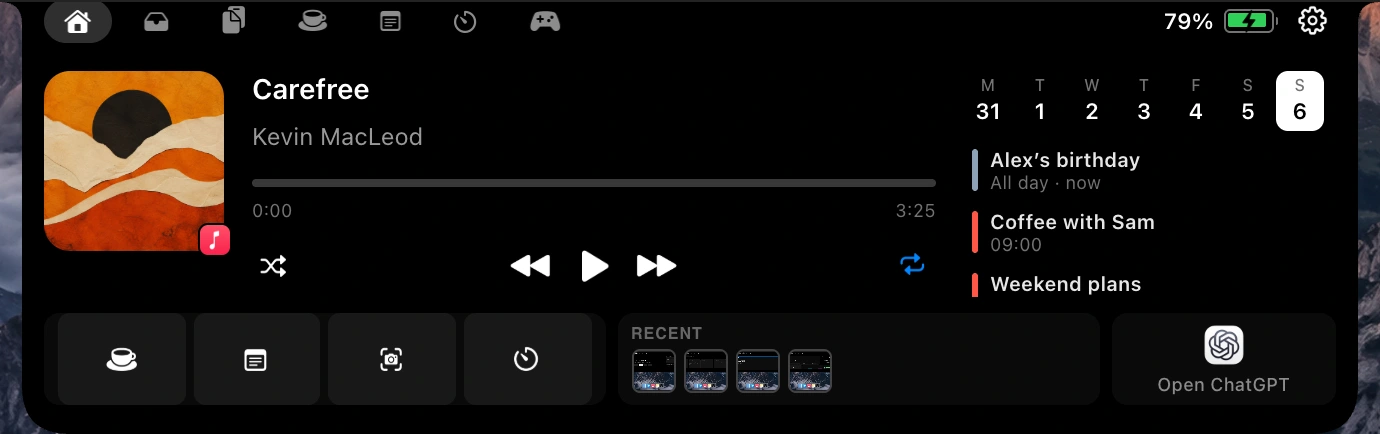
A free, open-source Dynamic Island for the MacBook notch: music controls, a drag-and-drop file shelf, clipboard history, a focus timer that blocks apps and sites, thirteen widgets and Claude Code status. Works without a notch too.
FunNotch
Your MacBook notch, doing something.
Media, a drag-and-drop file shelf, clipboard history, focus sessions, daily
notes, a timer and thirteen widgets — all in the space around the camera.




Download
· funnotch.xyz
· Install guide
· Changelog
Free and open source. No account, no subscription, no telemetry.
What it does
- Home — a grid you compose yourself. Drag widgets in, resize them, and save
layouts. Give a case its own screen: one for when media is playing, one for
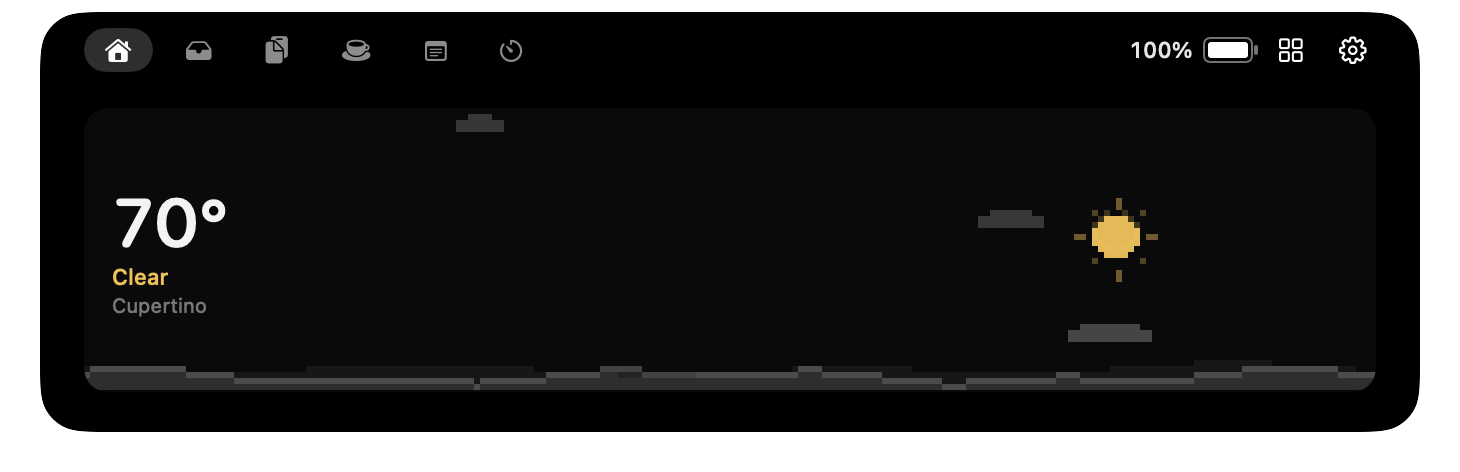
the minutes before a meeting, one for a focus session, one for charging. - Weather — when nothing is playing, the panel shows the forecast as an
animated pixel scene that changes with the weather: sun, rain onto a skyline,
drifting snow, lightning. - Media — now playing from any app — Music, Spotify, browsers, podcast
apps, video players — with artwork, a live spectrum, and a progress bar you
can drag to seek. - Shelf — a drag-and-drop file shelf that opens to meet a drag already in
flight. AirDrop and share straight off it; catches new screenshots and
finished downloads on its own. - Clipboard — searchable history with pinning, and entries that expire after
24 hours by default. Anything a password manager marks concealed is skipped
and never recorded. - Focus & Timer — focus sessions that block websites and apps, with
Pomodoro cycles, a week chart and a streak; plus a countdown and a stopwatch
with laps, all around one dial you drag round to set. - Notes — a scratchpad that starts a new note each day and saves to your
Desktop, with the old ones a menu away. - Battery — charge level, and while charging the actual wattage, with the
meter coloured and animated by state. - Widgets — thirteen of them, any number either side of the camera.
- HUD — volume, brightness and keyboard backlight that replaces the
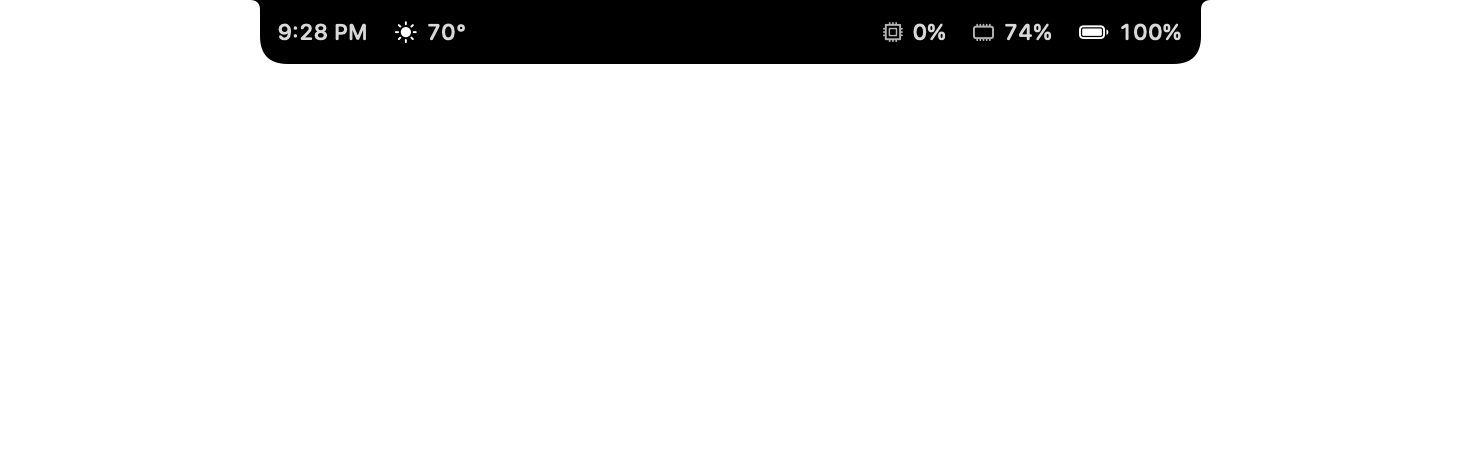
system overlay rather than sitting beside it. - No notch? Still works. On an external display it draws a floating pill in
the same place, like the Dynamic Island. - And — camera mirror, calendar and reminders, meeting-link detection,
custom themes, automatic updates, a diagnostics screen, and two games:
Breakout and Dino Run.
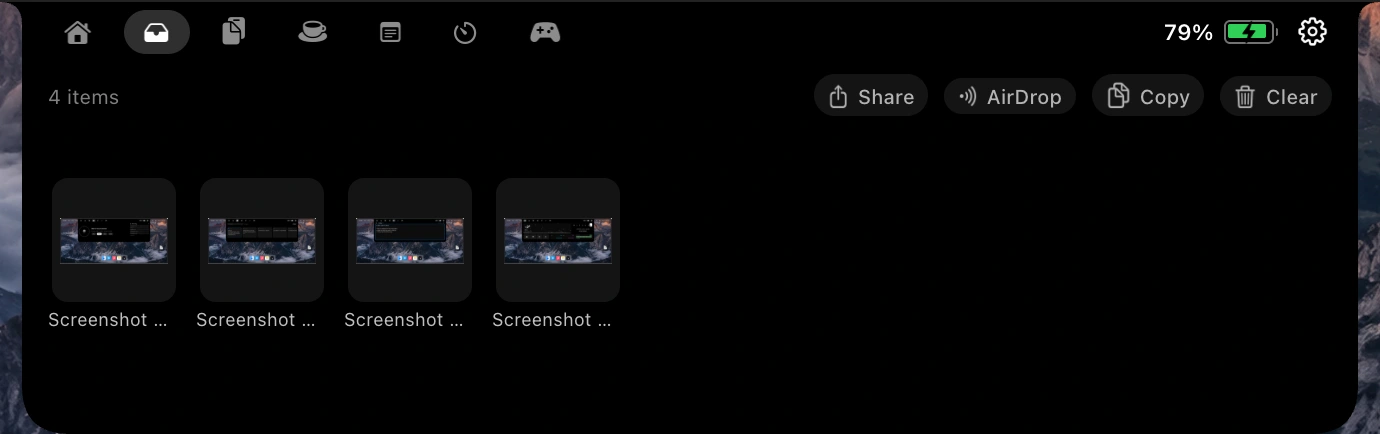 Shelf — drop a file on the notch and it is held until you drag it out. |
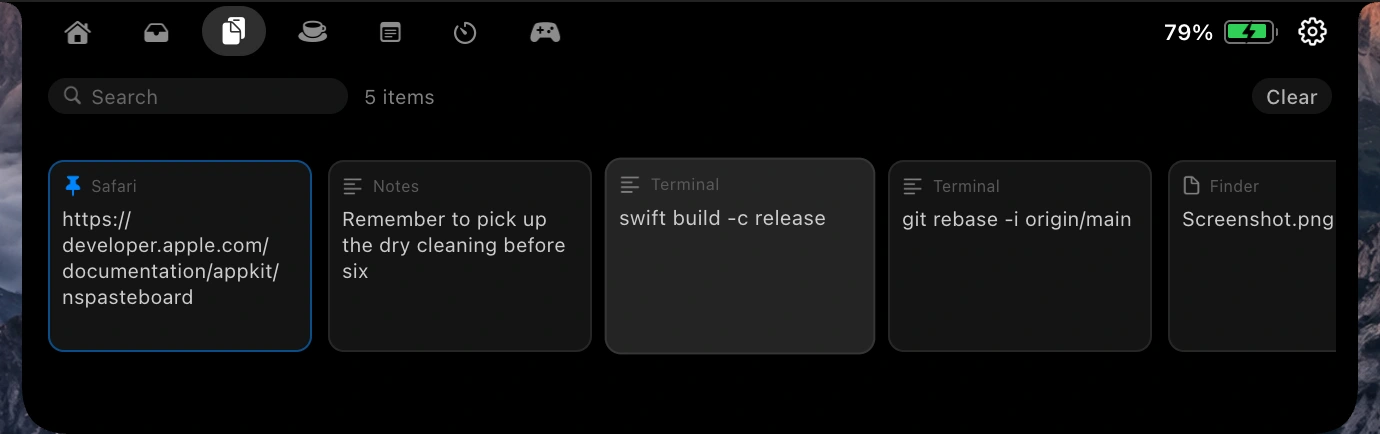 Clipboard — searchable, pinnable, labelled with where each entry came from. |
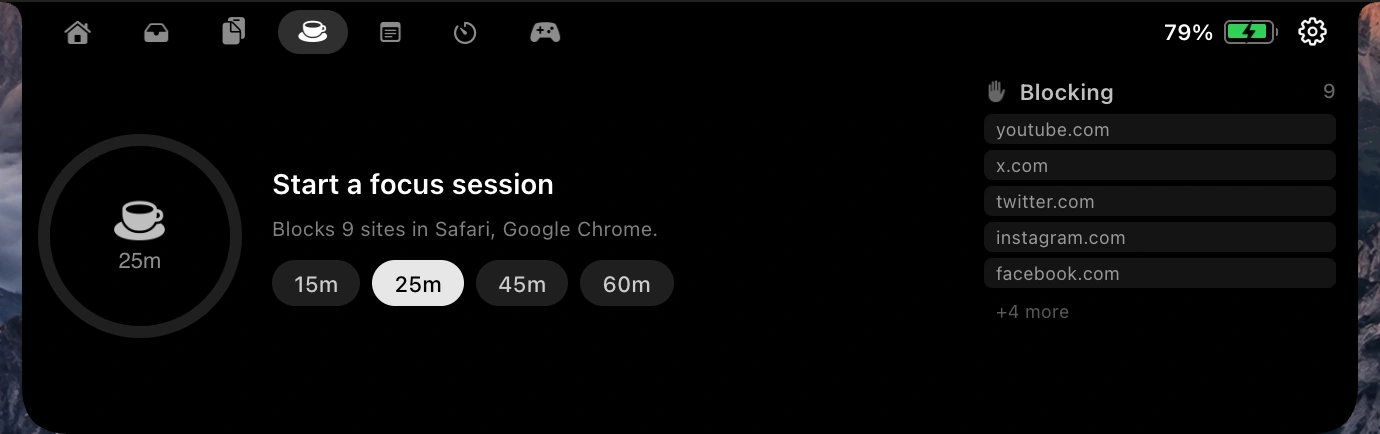 Focus — sessions that actually block apps and sites. |
Also in the box
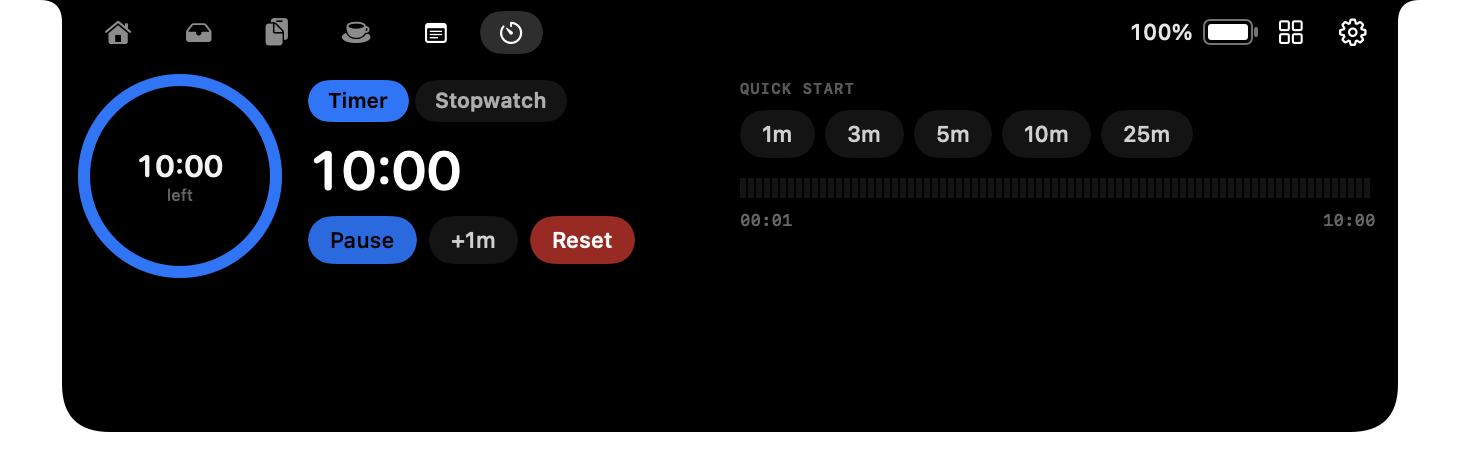 Timer — countdowns and a stopwatch with laps. |
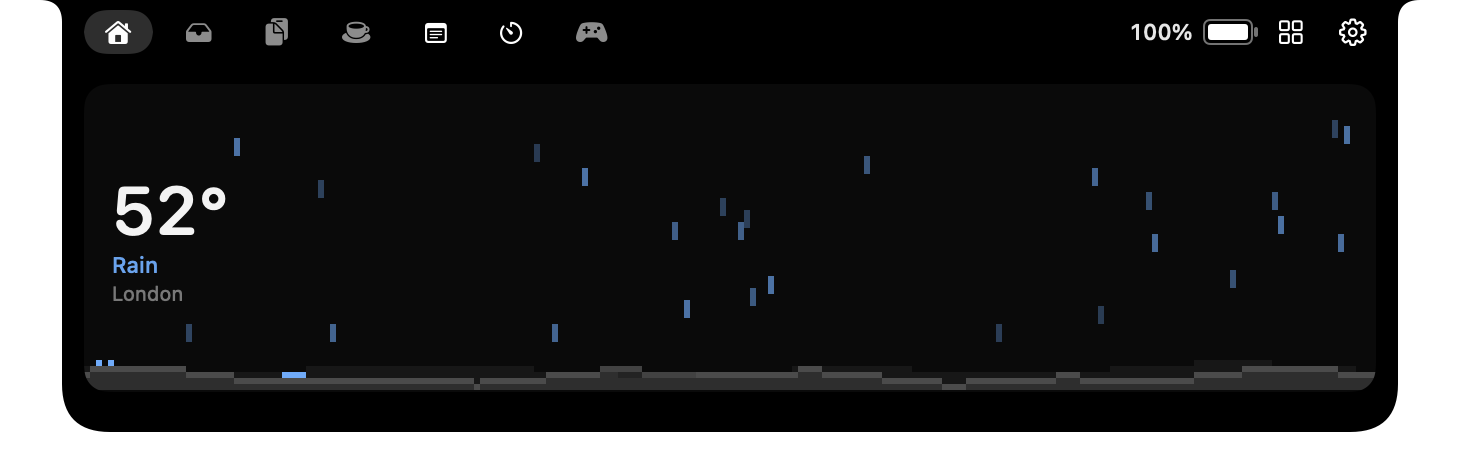 Weather — the pixel scene follows the forecast. |
 No notch? — it becomes a floating island instead. |
 Widgets — thirteen, any number either side of the camera. |
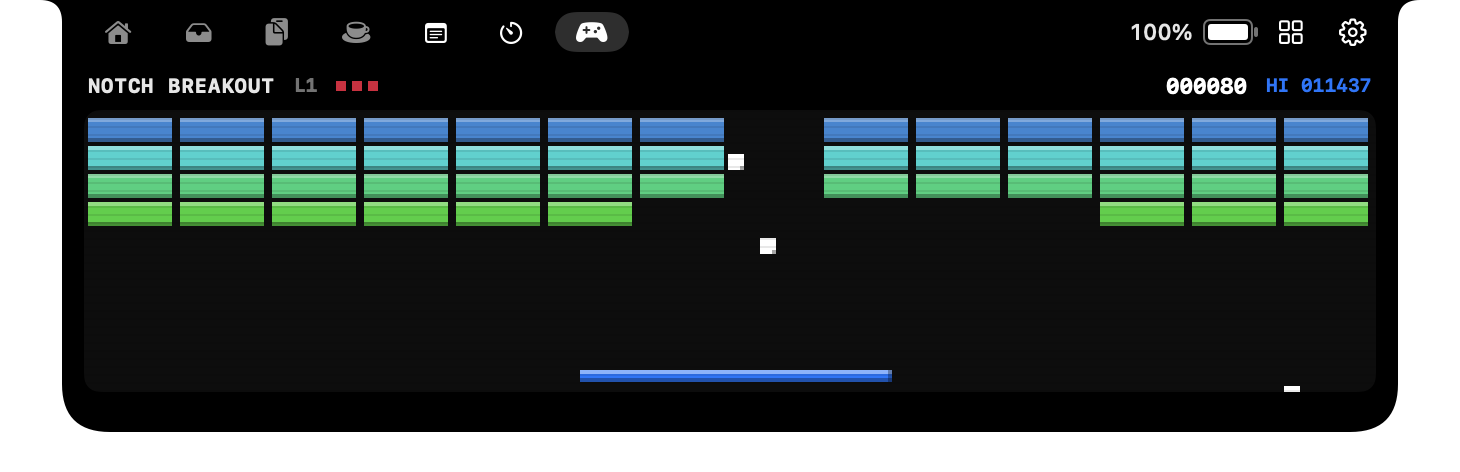 And a game, because the space was there. |
 Sneak peek — track changes announce themselves, then get out of the way. |
Install
Download the
latest .dmg,
drag FunNotch to Applications, and open it.
First launch. Builds are signed ad-hoc rather than with a paid Apple
Developer certificate, so macOS will refuse the first open. Go to
System Settings → Privacy & Security and click Open Anyway, or
right-click the app in Applications and choose Open. After that it opens
normally, and updates arrive in-app.
Full walkthrough: funnotch.xyz/install.
Building
No Xcode project — the app builds with swiftc directly.
./build.sh                       # debug build into build/
./build.sh --universal           # arm64 + x86_64
./build.sh --universal --package # ...and produce dist/*.dmg and dist/*.zip
Requires the Xcode command line tools. Everything under build/ and dist/ is
generated and git-ignored.
Signing
Builds are signed ad-hoc by default, which is why macOS refuses the first
launch. If you have a paid Apple Developer certificate:
./build.sh --universal --package \
  --sign "Developer ID Application: Your Name (TEAMID)" \
  --notarize your-notary-profile
Verifying a change
There is a self-test that drives the real window manager rather than mocking it
— it opens and closes the notch, simulates drags, and checks the panel geometry.
build/FunNotch.app/Contents/MacOS/FunNotch --self-test
It needs a GUI session, so it will not run over plain SSH. There is also a
preview renderer that writes every notch state to PNG, which is how the
screenshots in this README are produced:
build/FunNotch.app/Contents/MacOS/FunNotch --render-preview /tmp/shots
And a diagnostics dump:
build/FunNotch.app/Contents/MacOS/FunNotch --diagnostics
Layout
Sources/
  App/          Lifecycle, status bar, self-test, preview renderer
  Core/         Settings, home-screen layout model, extensions, diagnostic log
  Managers/     Media, shelf, clipboard, focus, notes, timer, calendar,
                battery, weather, HUD, updates
  Settings/     The settings window and the home-screen editor
  Views/        The notch panel and everything drawn in it
Tools/
  MakeIcon.swift    Generates the app icon at build time
  fetch-sparkle.sh  Pins and verifies the Sparkle framework
  make-appcast.sh   Signs a release for the auto-updater
The marketing site at funnotch.xyz is deliberately not
in this repo — it isn't part of the app, and it deploys separately.
Permissions it asks for
None are required; each one only enables the feature that needs it.
| Permission | Used for |
|---|---|
| Accessibility | The HUD — catching the media key before macOS acts on it |
| Calendar & Reminders | The agenda beside the player |
| Camera | The camera mirror, only while open |
| Location | The weather scene, to pick a forecast |
The app makes network requests in exactly three situations: api.open-meteo.com
for the weather, album artwork from whatever URL your media source provides, and
a GitHub check for updates. There is no analytics, no crash reporting and no
telemetry of any kind. See the About page.
Contributing
Issues and pull requests are welcome. A few things worth knowing:
- Match the surrounding code. Comments here explain why, not what —
if a line needs a comment saying what it does, the line is usually the problem. - Run
--self-testbefore opening a PR. If you change window geometry,
drag handling or the HUD, add a check toSources/App/SelfTest.swift. - The notch is a non-activating panel. It never becomes the key window, so
keyboard events go to whatever app is actually in front. Anything interactive
up there has to work from pointer position alone. - Managers are singletons with a
start(). Makestart()idempotent — a
view calling it on everyonAppearshould not stack timers or run-loop
sources. That bug once locked the whole app.
Prior art
FunNotch began as a rebuild of
TheBoringNotch, which got to
the idea first and is a genuinely good app. There is an
honest comparison on the website, including the
things theirs does better.
System-wide Now Playing on macOS 15.4 and later comes from
mediaremote-adapter by
ungive (BSD 3-Clause), vendored in ThirdParty/mediaremote-adapter. BoringNotch
uses it too.
Licence
GPL-3.0. If you distribute a modified version, it has to be open
too.
Yorumlar (0)
Yorum birakmak icin giris yap.
Yorum birakSonuc bulunamadi