cinetty
Health Gecti
- License — License: MIT
- Description — Repository has a description
- Active repo — Last push 0 days ago
- Community trust — 12 GitHub stars
Code Basarisiz
- eval() — Dynamic code execution via eval() in cinetty/expr.py
- eval() — Dynamic code execution via eval() in cinetty/photos.py
Permissions Gecti
- Permissions — No dangerous permissions requested
Bu listing icin henuz AI raporu yok.
Cinematic architecture animations that play in your terminal. Your coding agent fills one YAML file.
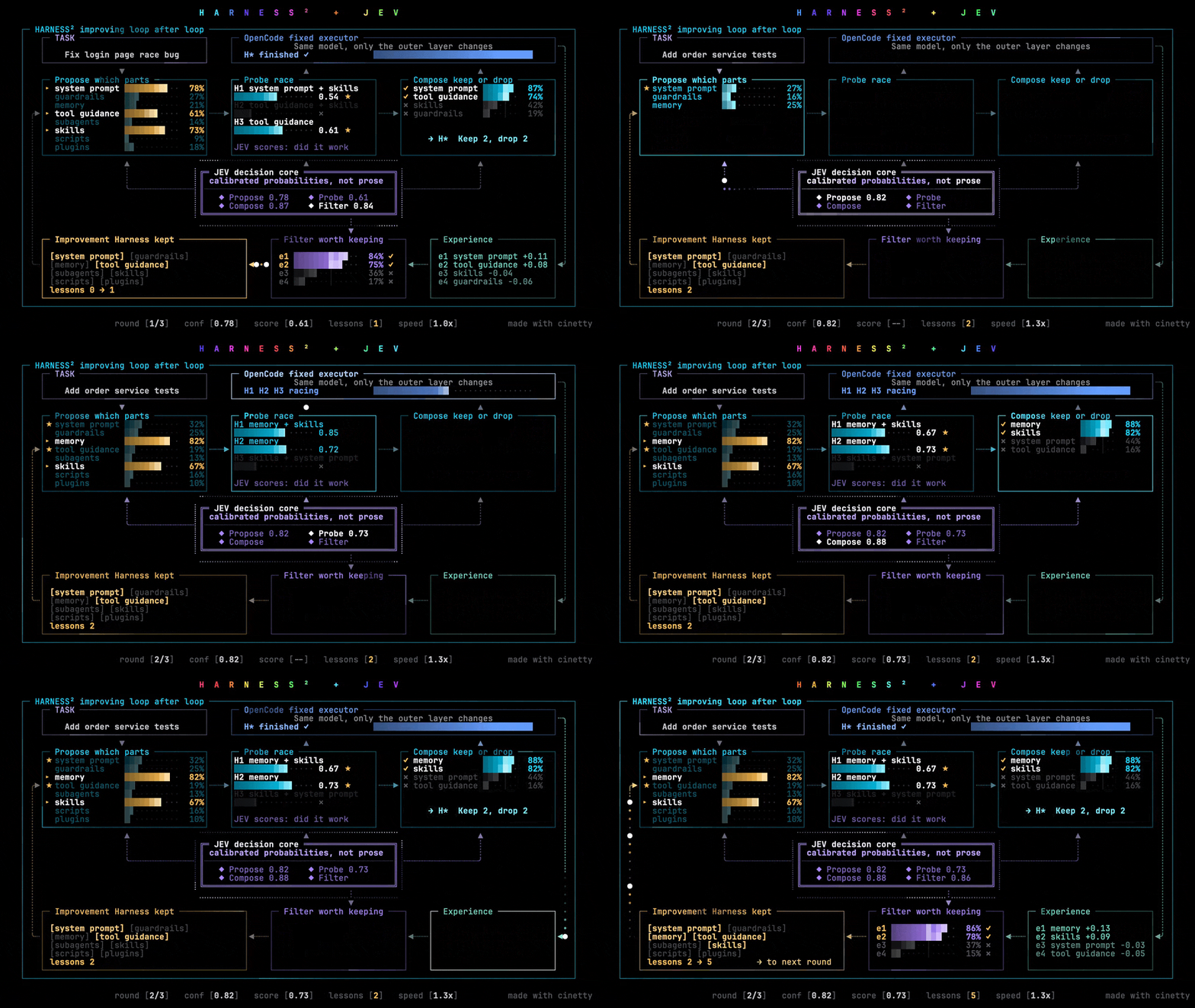
Cinematic architecture animations that play directly in your terminal.




Pick a template, describe your system in a single YAML file, check constraints, and watch your architecture come alive in terminal cells.
Templates Gallery | How It Works | Requirements | Quick Start | Use as a Skill | Make Your Own | License
Templates Gallery
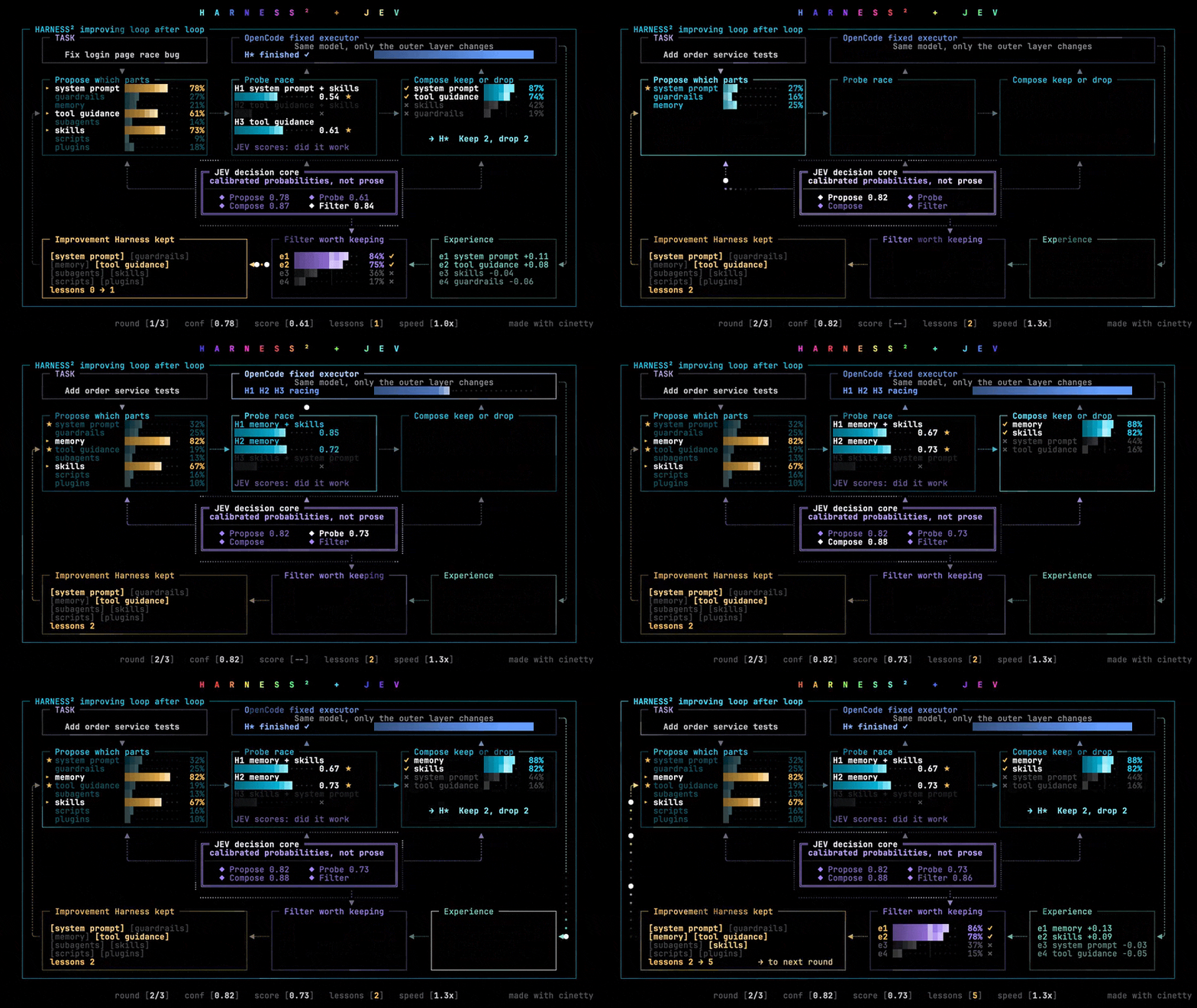
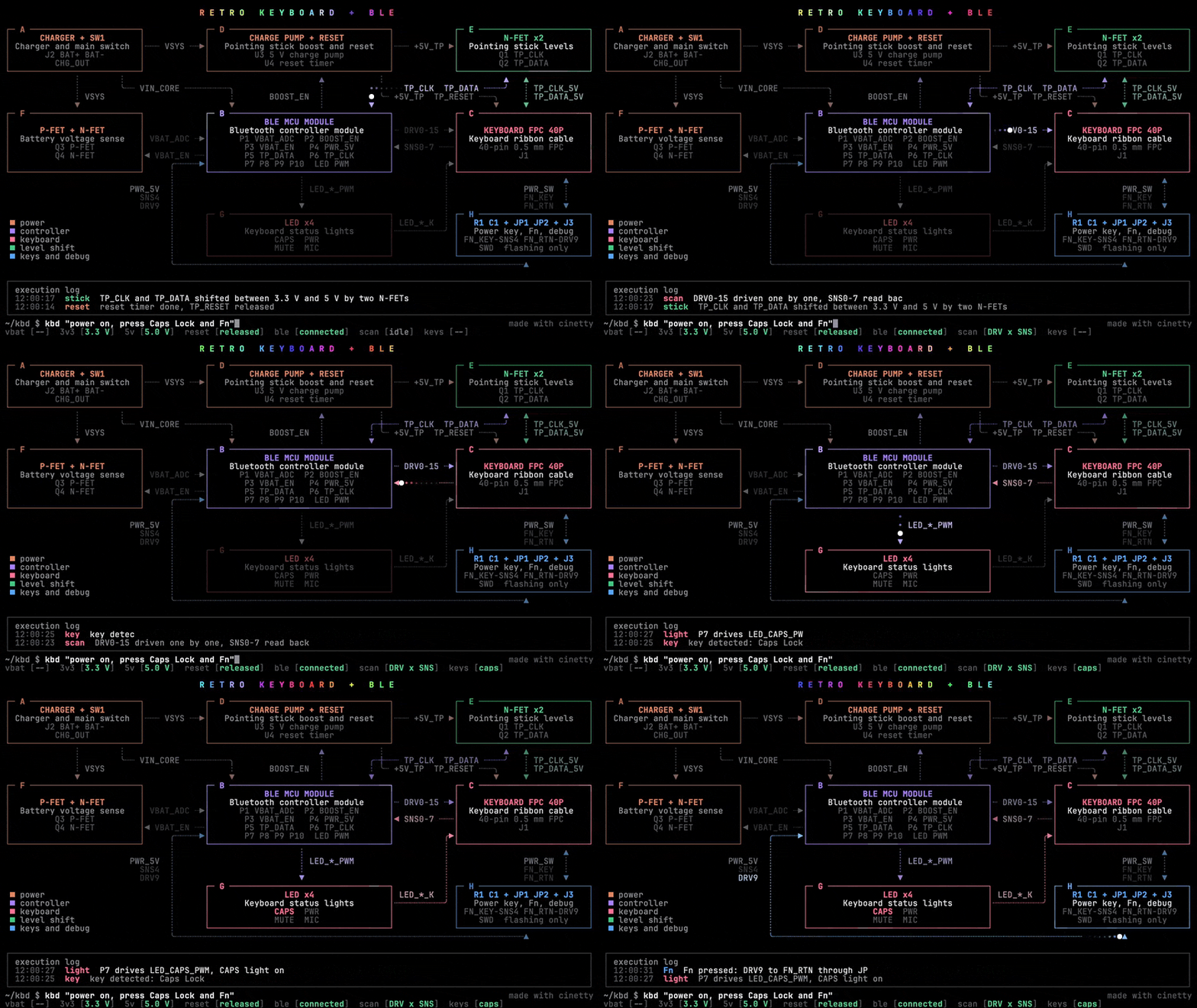
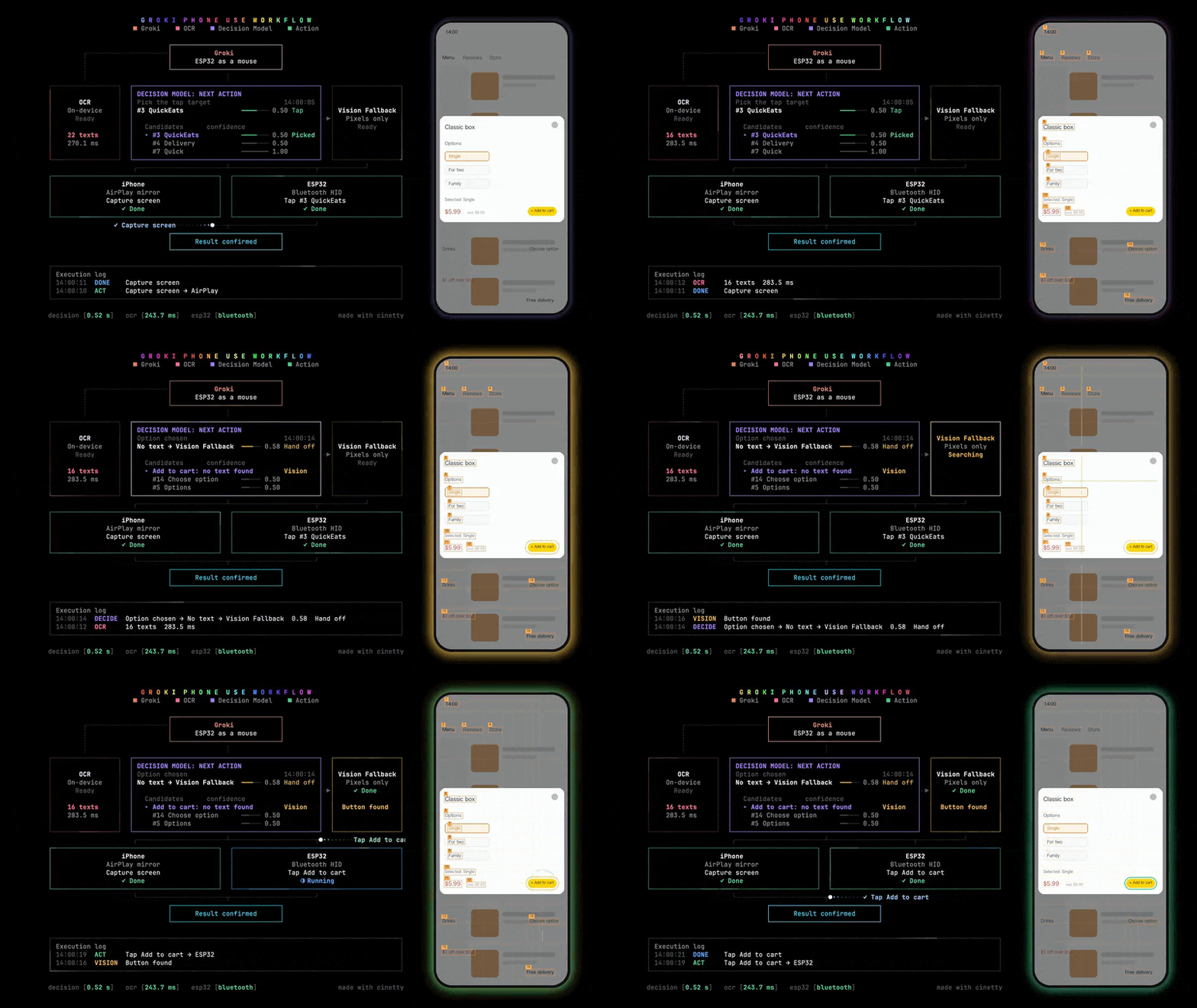
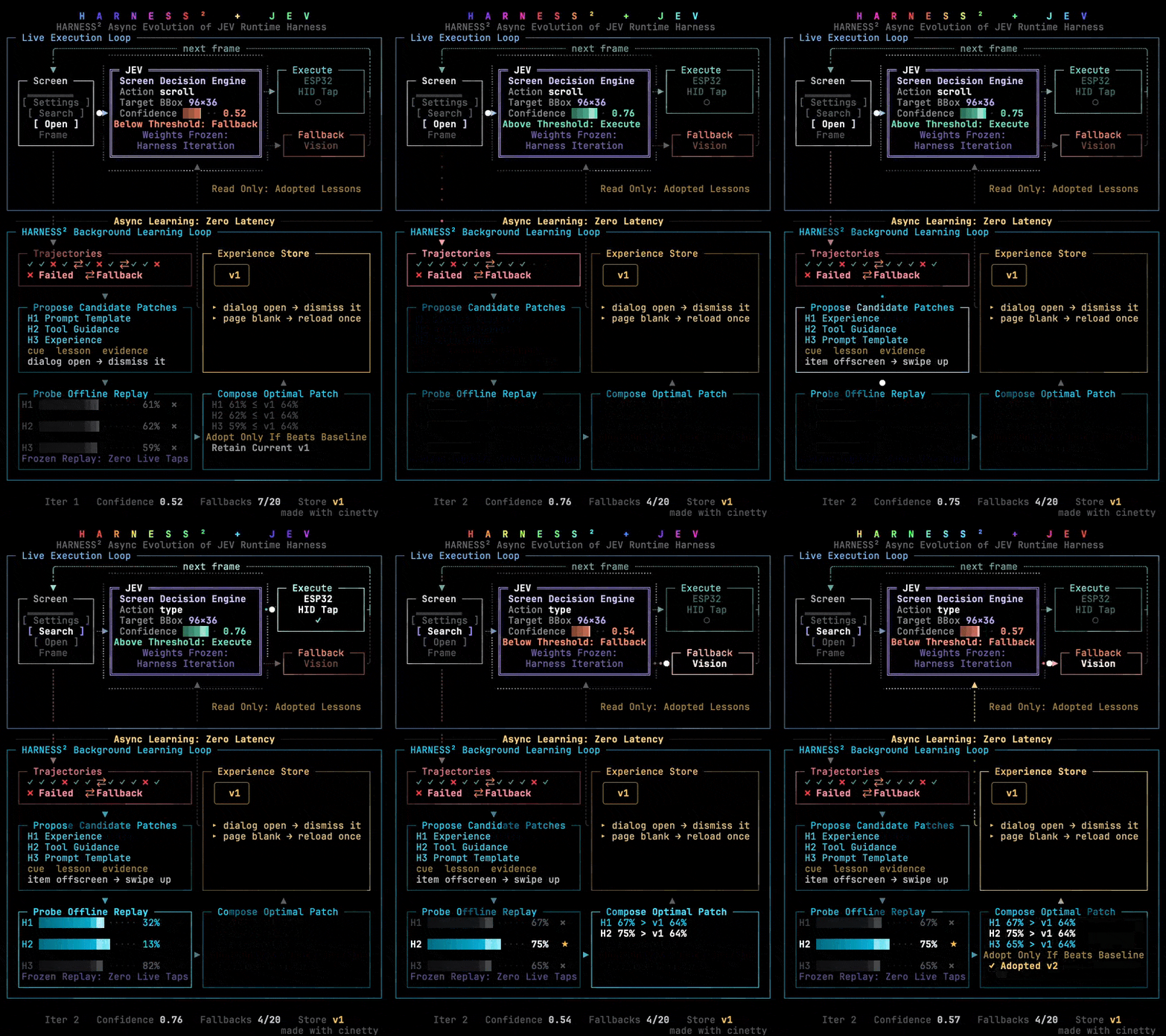
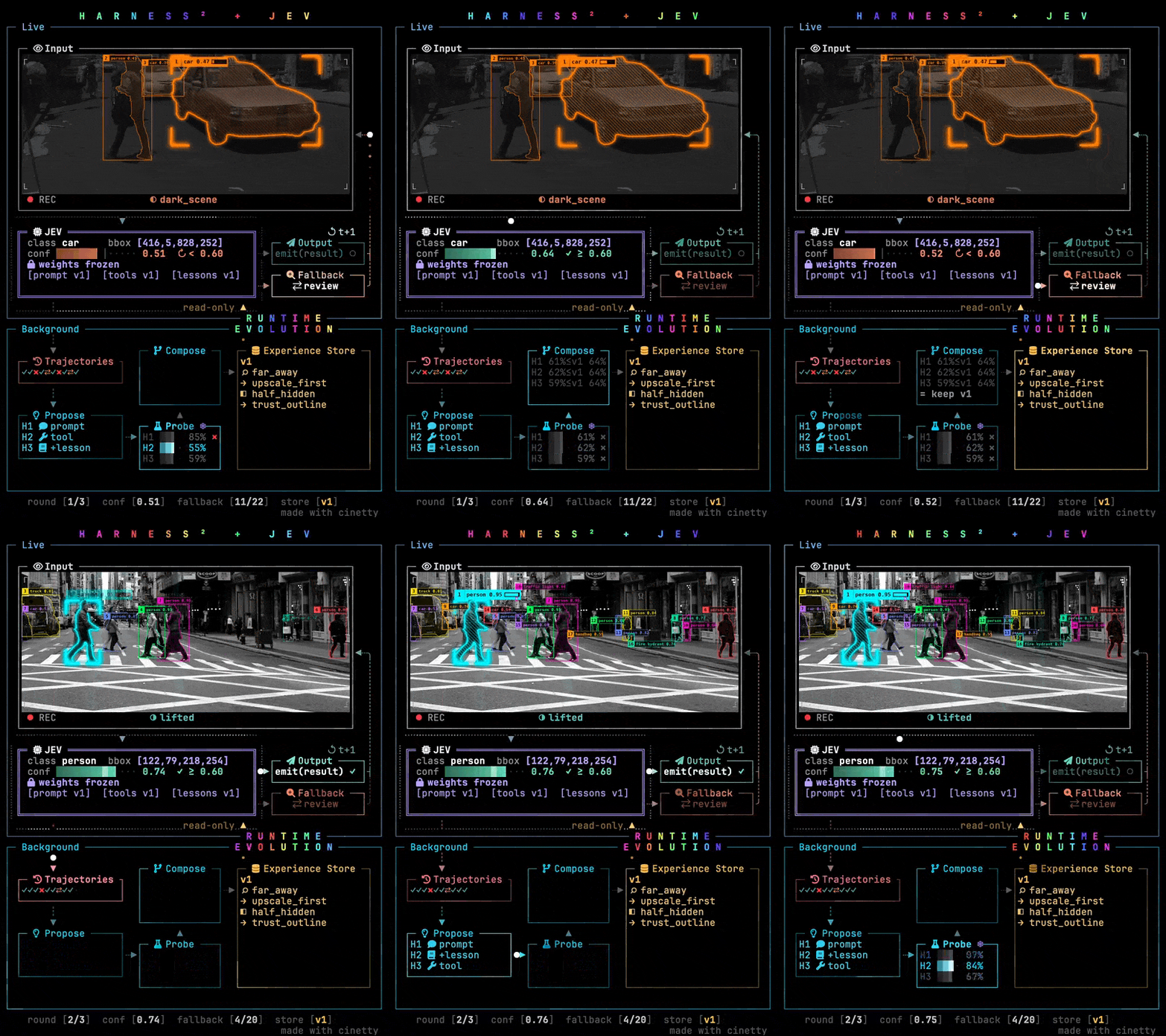
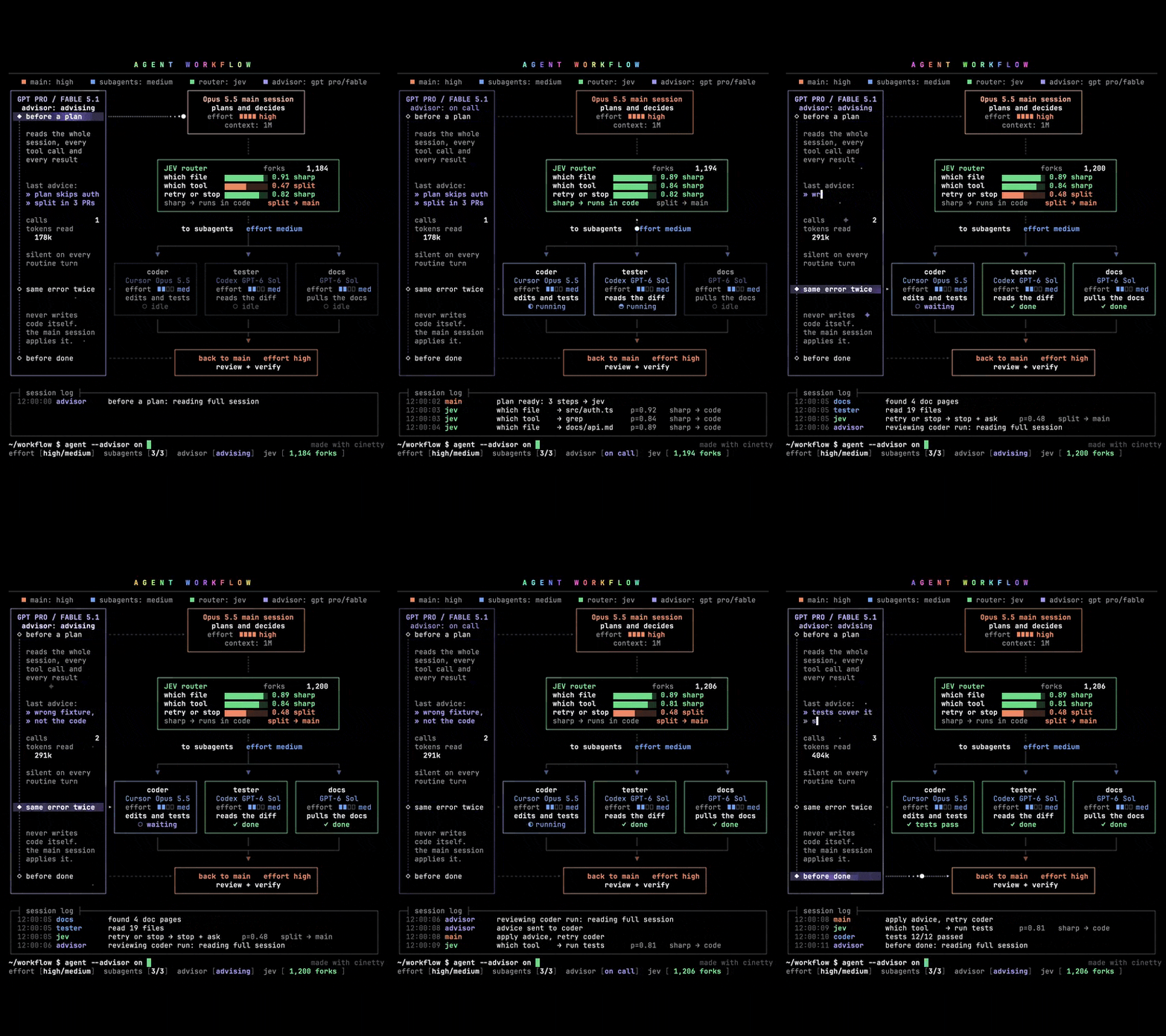
Each preview illustrates the template in action. Click any card to inspect its template schema, scene configuration, and example project.
🎬 10-Second Demo Clip: docs/hero.mp4
How It Works
cinetty is a template library for terminal animations, much like a curated pack of After Effects templates:
- Pre-choreographed Motion: Every template is a finished, polished animation featuring a fixed coordinate grid, cohesive color palette, engineered rhythm, and named content slots.
- YAML-driven: You only define your components, values, and timed events in a single YAML file. The layout stays locked and pixel-perfect.
- Terminal-native & Protocol-aware: The engine renders crisp animations directly onto terminal text cells. Photo templates integrate image assets via the Kitty graphics protocol.
- Agent-first Workflow: The easiest way to create an animation is letting your AI coding agent do the work. The agent inspects your codebase, selects the right template, writes the project YAML, runs
make checkuntil all layout constraints pass, and plays the result. Guidelines for coding agents are documented in AGENTS.md.
Requirements
- Operating System: macOS or Linux, with Bash and Make.
- Terminal Support: Any terminal for standard text templates. A terminal supporting the Kitty graphics protocol (such as Ghostty, Kitty, or WezTerm) is required for the photo template (
photo-loop). - Runtime: Python 3.12 or newer, or uv.
- Disk Space:
- Text templates:
make setupinstalls only the three lightweight packages needed for text rendering (about 73 MB, completed in seconds). - Photo template:
make setup-photoadds PyTorch and two vision models (about 2 GB).
- Text templates:
- Optional Font (for Chinese text): Sarasa Term SC (
brew install --cask font-sarasa-gothic) for optimal CJK terminal cell alignment. Without it, macOS falls back to default system CJK fonts.
Quick Start
# Clone the repository and navigate into it
git clone https://github.com/JosssphZhou/cinetty.git cinetty && cd cinetty

# Fast setup: install text-template dependencies into .venv (about 73 MB)
make setup

# Play an example animation
make play INPUT=examples/circuit-flow/project.en.yaml
For the photo template (photo-loop), download the vision models first:
# Add PyTorch and vision models (about 2 GB)
make setup-photo

# Prepare the photos and play the photo example
make play INPUT=examples/harness-photo/project.en.yaml
Controls & Tips
- Stop Playback: Press
Ctrl-Cat any time. - Looping: Pass
LOOP=1to repeat playback continuously (make play INPUT=... LOOP=1). - Preview Alias:
make previewis an alias formake play. - Terminal Sizing: If the player warns about insufficient terminal cells, maximize your terminal window or decrease font size (
Cmd -). - Screen Recording: Record your terminal window directly using your preferred recording tool to generate video clips or GIFs.
Use It as a Skill
The repository root includes SKILL.md, enabling the entire clone to operate as a native skill for Claude Code and OpenAI Codex. Install it into your tool's skills directory and run make setup; the agent will automatically invoke cinetty whenever you ask for an architecture animation. AGENTS.md contains the equivalent workflow for other agents.
| Environment | All Projects (Global) | Single Project Only |
|---|---|---|
| Claude Code | ~/.claude/skills/cinetty |
.claude/skills/cinetty in project root |
| Codex | ~/.agents/skills/cinetty |
.agents/skills/cinetty in project root |
git clone https://github.com/JosssphZhou/cinetty.git ~/.claude/skills/cinetty && make -C ~/.claude/skills/cinetty setup
Directory structures verified on 2026-10-21 against Claude Code skills and Codex skills.
Templates
Run the following command to view the catalog of all available templates:
make templates
| Template | Concept | Terminal Grid | Duration |
|---|---|---|---|
loop-landscape |
An agent harness that improves itself over three rounds, scored by a decision core | 120 × 40 cells | ~35 s |
loop-portrait |
A fast live decision loop on top, a slow learning loop below that improves it | 66 × 48 cells | ~37 s |
photo-loop |
A vision model reads real photos with live box effects while a background loop improves it | 66 × 48 cells (Kitty images) | ~36 s (28 s with two rounds) |
pipeline |
A main agent plans, a router dispatches to one to three workers, an advisor steps in at three moments | 90 × 46 cells | 15 s per cycle |
screen-flow |
An agent operates a phone: OCR, a decision model, a pixel-only fallback, and two devices | 94 × 37 cells | 26 s |
circuit-flow |
Eight modules light up as signals run along the wires between them | 120 × 40 cells | 44 s |
Each template directory contains:
template.yaml: Field schema, definitions, types, and cell budget limits.scene.yaml: Layout definitions, coordinate bounds, and color slots.preview/: A still frame (still.png) and demo animation clip (clip.gif/clip.mp4).
Every template includes at least one complete example under examples/. See examples/web-service/ for an adaptation of the circuit template to web microservices.
Make Your Own
1. Pick a template
Run make templates and read template.yaml in your chosen template directory.
2. Create your project file
Copy an example project and replace the content with your own system definition:
template: circuit-flow
template_version: 1
name: my-service
credit: false   # Optional: set to false to omit the "made with cinetty" footer
fields:
  title: MY SERVICE
  # ...
events:
  - {t: 3.0, type: light, box: A, until: 7.0}
  # ...
3. Check layout constraints
Validate that your text fits the allocated terminal cell budgets:
make check INPUT=my-service.yaml
Every issue identifies the exact field path and cell overflow:
too_long: fields.modules.B.name (38 > 34): shorten to at most 34 cells (a CJK character counts as 2)
Widths are measured in terminal cells (a Chinese / CJK character counts as two cells). The checker never auto-truncates text for you.
4. Play it
Run the player in your terminal:
make play INPUT=my-service.yaml
Note that screen-flow renders the terminal board alone.
Additional Guides
- Localization: One project file holds one language. To create a second language version, copy the YAML file and translate its string values.
- Custom Layouts: To customize visual layouts rather than content, see docs/scene-reference.md.
- Architecture & Engine: See docs/design.md for how the engine components fit together.
Author
Created by Joseph Zhou (@openmys).
Feedback, issue reports, and template contributions are welcome!
License
- Code and Templates: MIT License (see LICENSE).
- Sample Photos: CC0 (Public Domain).
- Pre-trained Models: Apache-2.0 License.
- Third-Party Assets: Complete list of third-party assets and sources in LICENSES.md.
Yorumlar (0)
Yorum birakmak icin giris yap.
Yorum birakSonuc bulunamadi