openzine
Health Gecti
- License — License: NOASSERTION
- Description — Repository has a description
- Active repo — Last push 0 days ago
- Community trust — 21 GitHub stars
Code Gecti
- Code scan — Scanned 12 files during light audit, no dangerous patterns found
Permissions Gecti
- Permissions — No dangerous permissions requested
Bu listing icin henuz AI raporu yok.
Turn a PDF or a folder of images into a 3D flip book you can page through. A skill for Claude Code and Codex.
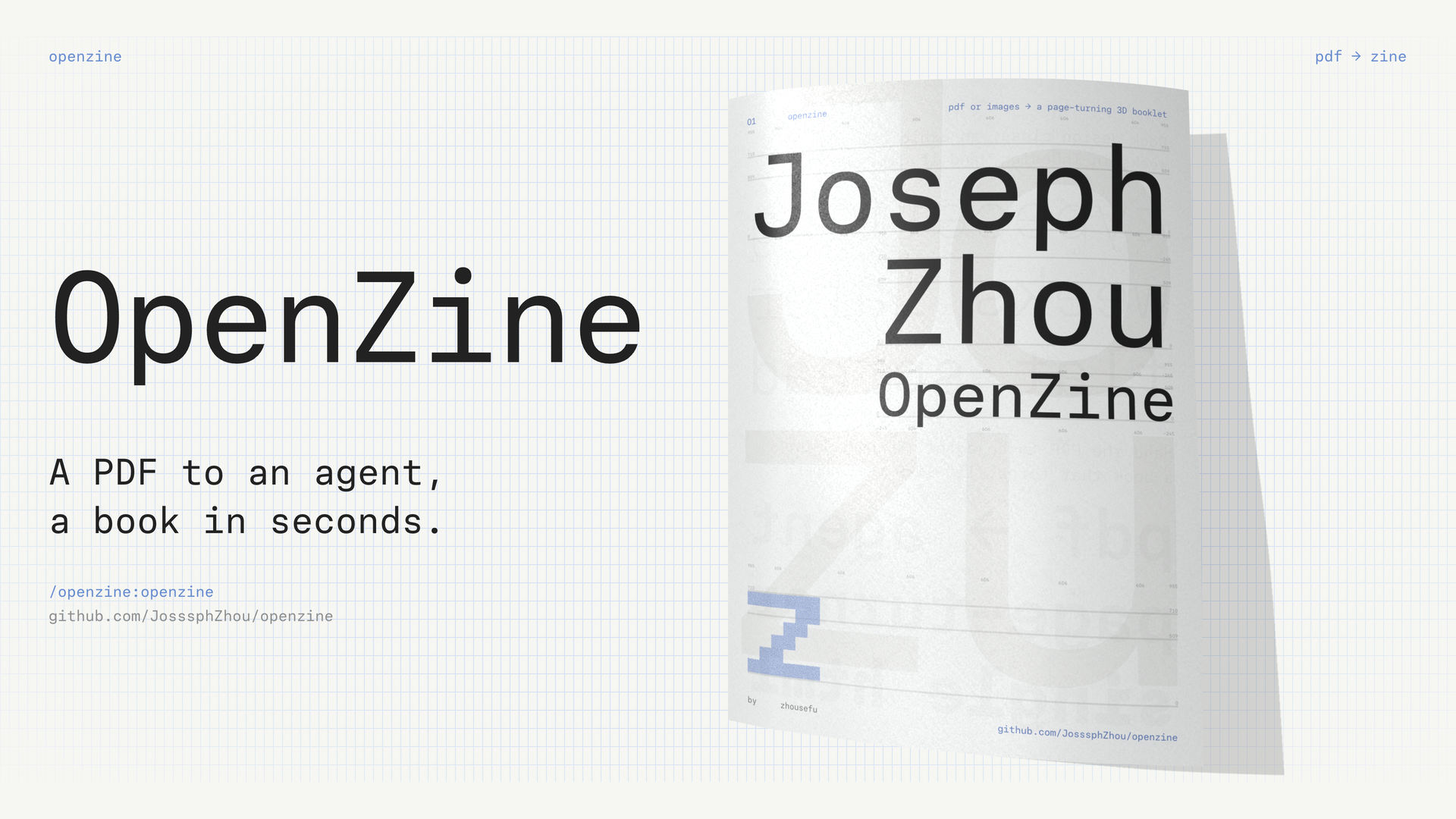
OpenZine is an agent skill that turns a PDF or a folder of page images into a 3D booklet you page through in the browser.
Try it: page through a live booklet. 中文说明
The page-turn renderer, paper shader and paper grain come from Paper's paper.design/mono. They are copyright Paper and are not under this repository's MIT License. See Credits.
What it does
Pages turn like paper
Each page bends as it turns, catches the light, and casts a shadow on the page underneath. The paper has a grain texture.
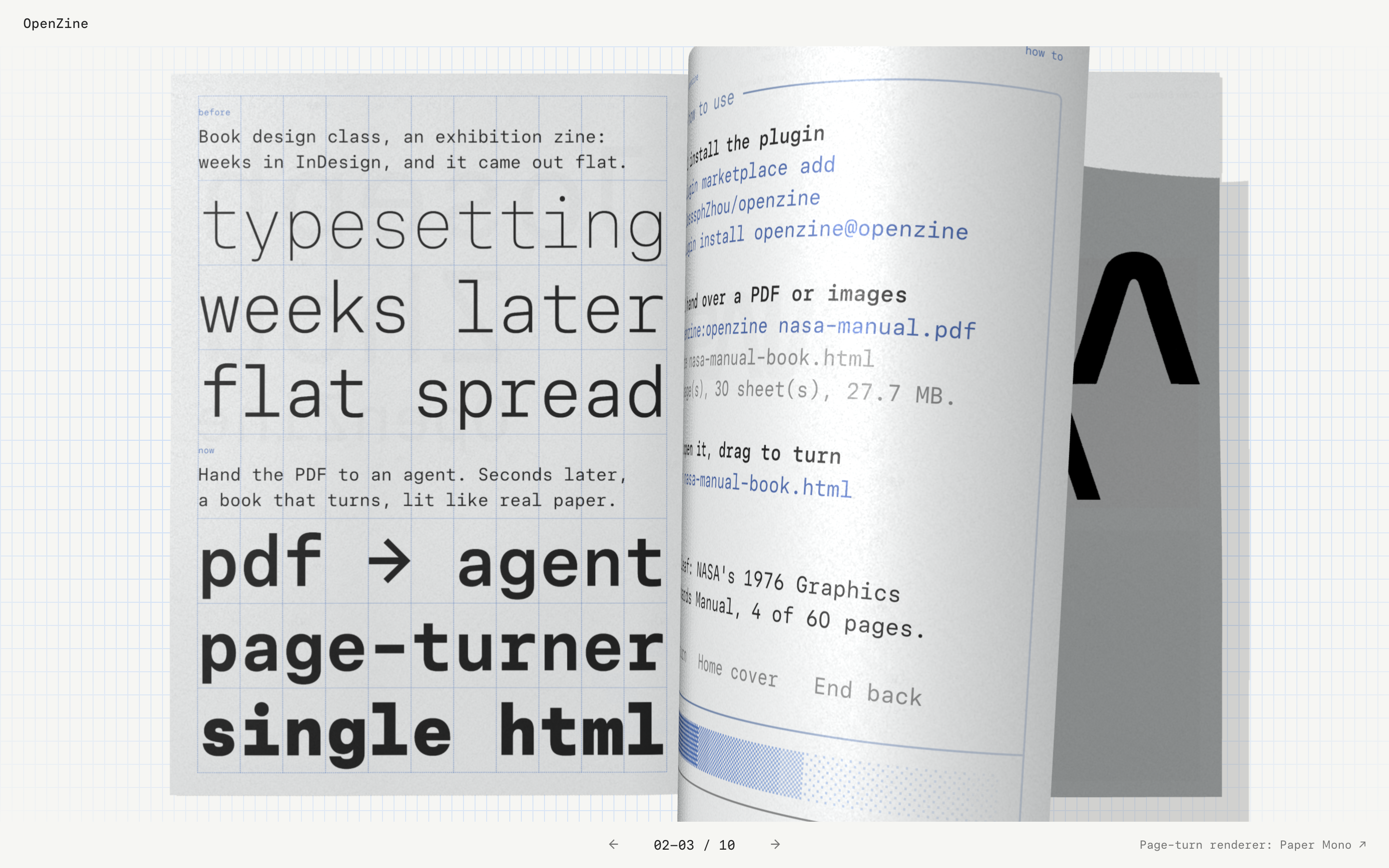
Ways to turn a page
- Drag a page. Let go and it falls the rest of the way at the speed you gave it, or drops back if you did not pull it far enough.
- Click a page to turn it.
- Press and hold on a page to keep turning. Each turn comes faster than the one before.
- Press the left and right arrow keys to turn one page. Press Home for the front cover and End for the back cover.
Covers
The first page is the front cover and opens closed, like a real booklet. The last page is the back cover.
Phones
Portrait screens show one page at a time, using Paper's mobile renderer. A Single / Spread switch sits under the page numbers. Switching keeps you on the page you were reading.
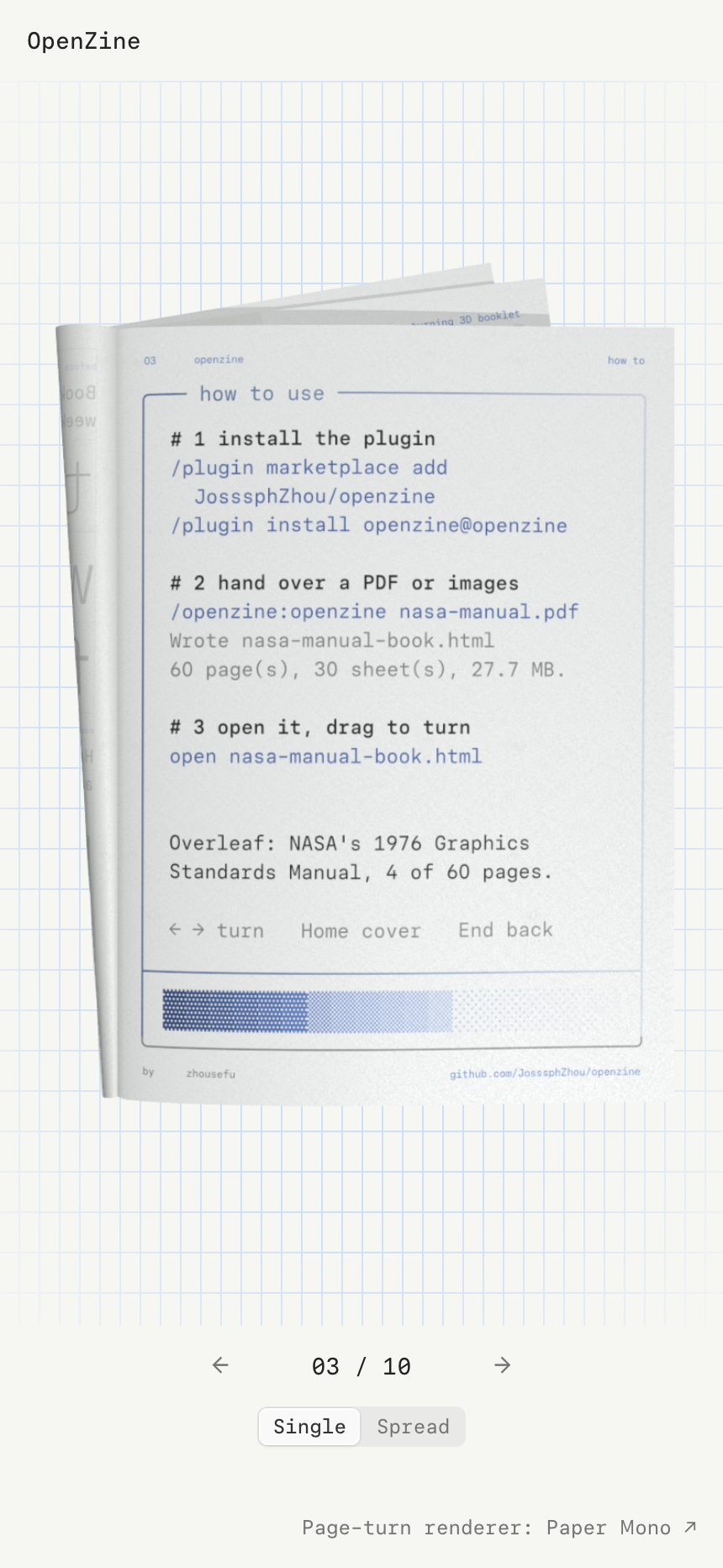
PDFs and image folders
- Give it a PDF, scanned PDFs included, or a folder of PNG, JPG, WebP or AVIF pages.
- Pages in a different shape are shown whole on a paper-coloured margin. They are never cropped or stretched.
- A 60-page NASA graphics standards manual went from PDF to finished booklet in 19 seconds.
Claude Code and Codex
OpenZine installs as a Claude Code plugin or as a Codex skill. Any other agent that can read a SKILL.md and run Node.js can use it too.
The result is one .html file with the pages, renderer and grain inside. It makes no network requests, so you can email it or put it on any static host.
Install
Claude Code
/plugin marketplace add JosssphZhou/openzine
/plugin install openzine@openzine
From a local clone, use the folder path instead: /plugin marketplace add ./openzine. The skill is invoked as /openzine:openzine, and Claude also uses it on its own when you ask for a flipbook, zine or booklet.
Codex
Codex loads skills from ~/.codex/skills. Copy the skill folder there and restart Codex:
git clone https://github.com/JosssphZhou/openzine
cp -R openzine/plugins/openzine/skills/openzine ~/.codex/skills/openzine
Then ask Codex for a flipbook, or mention $openzine.
Other agents, or by hand
The skill is the folder plugins/openzine/skills/openzine. It needs only Node.js 18 or newer. Point your agent at its SKILL.md, or run the command yourself.
Use
Ask your agent "make a flipbook from portfolio.pdf", or run the command:
node scripts/make-book.mjs --input <folder-or-pdf> --out <book.html> [--title "My zine"] [--lang en|zh] [--portrait single|spread]
scripts/make-book.mjs at the repository root forwards to plugins/openzine/skills/openzine/scripts/make-book.mjs. --lang zh shows the viewer interface in Chinese; the default is English. Try it on the bundled demo:
node scripts/make-book.mjs --input examples/demo-pages --out demo.html --title "OpenZine demo"
When something fails, the command prints Error: with the cause and the fix, then exits with code 1.
Page rules
- Order is the file name in natural order (
2.pngbefore10.png). The first page is the front cover, the last is the back cover. - An odd page count gets one blank page at the end.
- PNG, JPG, WebP and AVIF are supported. Other files are skipped and listed.
- The page shape is width : height = 1 : 1.377 (for example 1440 × 1983 px). Other ratios are shown whole on a paper-coloured margin, never cropped or stretched.
- PDF pages are converted to 1440 px wide JPGs with Poppler's
pdftoppmwhen it is installed, otherwise with pdf.js (runnpm installin the skill folder once).--pdf-engine pdftoppm|pdfjsforces one. - Landscape screens show the two-page spread. Portrait screens open with Paper's single-page mobile renderer and show a Single / Spread switch under the page numbers;
--portrait spreadopens portrait screens on the spread instead.
Limits
- Needs WebGL. Very old browsers or browsers with hardware acceleration turned off show a load error.
- Every page is embedded, so a 60-page book of large PNGs can pass 100 MB. JPG pages around 1440 px wide keep it small.
Repository layout
.claude-plugin/marketplace.json     Claude Code marketplace entry
plugins/openzine/                   the installable plugin
  .claude-plugin/plugin.json
  skills/openzine/
    SKILL.md                        instructions for the agent
    scripts/make-book.mjs           the command (no dependencies)
    runtime/openzine.js             prebuilt viewer: Paper renderer + Three.js + viewer shell
    runtime/grain.webp              Paper's paper grain texture
    runtime/PAPERMONO-OFL.txt       licence of the Paper Mono typeface used by the viewer
    package.json                    optional pdf.js fallback dependencies
renderer/                           sources for runtime/openzine.js
  src/book.js, loader.js, performance.js   extracted from paper.design/mono (two-page spread)
  src/mobile-book.js                extracted from paper.design/mono (single page, portrait)
  src/viewer.js                     OpenZine viewer shell
  vendor/three.module.min.js        Three.js r162 from the same Paper bundle
  vendor/PaperMono.woff2            Paper Mono typeface (SIL OFL 1.1), embedded in the viewer
  reference/                        Paper's published files, for verification
examples/demo-pages/                eight demo pages
evidence/                           screenshots and source verification
Rebuild the viewer
npm install
npm run verify:source   # checks book.js and mobile-book.js against Paper's published code
npm run build           # writes plugins/openzine/skills/openzine/runtime/openzine.js
verify:source parses both files and confirms that the extracted renderer differs from Paper's published function only in four documented places: the configurable first spread, the local grain texture URL, a page-change callback, and a controller object in place of the cleanup function. All 16 shader template strings match exactly, and the grain texture matches its recorded SHA-256. It checks mobile-book.js the same way against Paper's mobile function: all 14 shader template strings match, and the only differences are the local grain texture URL, one added page-change call, and the controller object. The mobile camera frame constant is compared with Paper's published value.
Credits
The page-turn renderer, paper shader and paper grain texture are extracted from Paper's paper.design/mono page. They are copyright Paper and are not covered by this repository's MIT License. Three.js r162 is bundled under the MIT License, and the Paper Mono typeface under the SIL Open Font License 1.1. Every generated book links to paper.design/mono in its footer. See LICENSE for which files are under which terms.
License
Mixed. OpenZine's own code is MIT. The Paper renderer, shader and texture are copyright Paper. Three.js is MIT. The Paper Mono typeface is SIL OFL 1.1. LICENSE lists the files under each.
Yorumlar (0)
Yorum birakmak icin giris yap.
Yorum birakSonuc bulunamadi