flint
Health Warn
- License — License: Apache-2.0
- Description — Repository has a description
- Active repo — Last push 0 days ago
- Low visibility — Only 5 GitHub stars
Code Pass
- Code scan — Scanned 12 files during light audit, no dangerous patterns found
Permissions Pass
- Permissions — No dangerous permissions requested
No AI report is available for this listing yet.
Flint: a local-first agentic workspace, a fork of Jan
Flint
A local-first AI workspace for your desktop. Chat with models on your own computer, let an agent work on your files and projects with your approval, and see exactly what it used and changed.
Flint is an independent fork of the open-source Jan app, with its own design and features. Your existing Jan data carries over (see Migrating from Jan).
Install · Getting started · Highlights · Screenshots · All features · Build from source
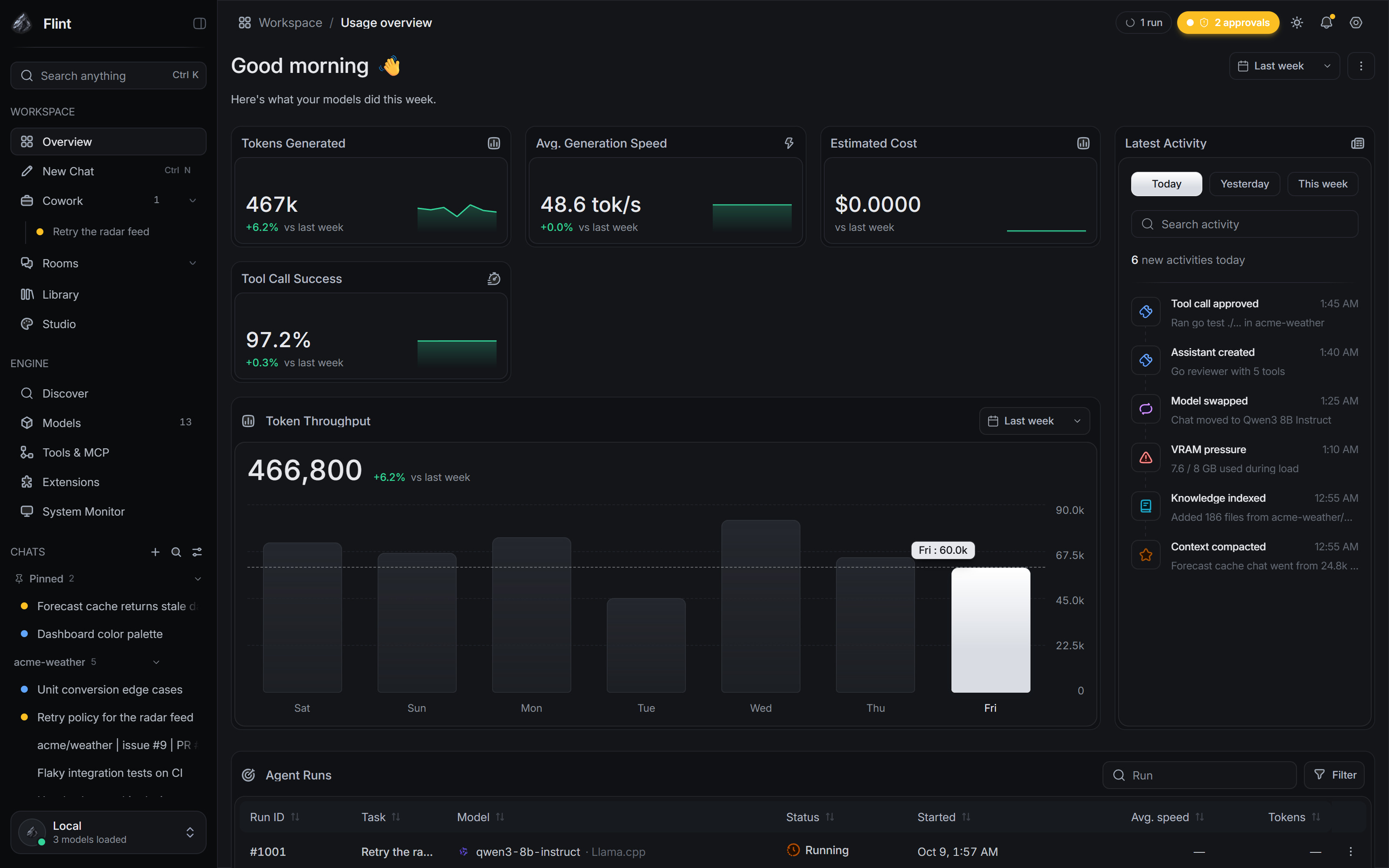
What Flint is
- Chat for questions, writing and documents. Conversations stay on your computer, can be grouped into projects, and can run side by side in a split view.
- Cowork for tasks that touch files. An agent reads, writes and runs commands in a sandbox or a managed copy of your project, asks before doing anything you have not allowed, and ends every run with a plain summary of what it did, what it checked and what is left to review.
- Local-first by design. No telemetry, analytics or automatic update checks. Flint does not discover or download models in the background. Network access happens only for features you explicitly use: Hugging Face Discover, a cloud provider, a remote MCP server, or web search.
Highlights
- Discussion Rooms: several models from different providers discuss a topic in one room, with a moderator, budgets,
@mentions, optional file and tool access, and a final synthesis. - Agents that work together: parallel sub-agents, six built-in roles (explorer, planner, implementer, reviewer, tester, security), teams, and sessions that can message one another.
- Review before anything changes: a diff before every write, per-hunk apply, managed Git worktrees, checkpoints and rewind, and flags on risky changes such as dependencies, lock files and migrations.
- Permissions in plain language: each prompt says what will happen and what denying does. "Allow once" is never saved, and every standing grant can be revoked.
- "What Flint is using": for every reply, you can see which model, instructions, memory, tools and attachments applied.
- Honest run records: a live tool timeline, replay, audit export, and summaries that only count real test, build and lint commands as checks.
- Usage and cost: token and prompt-cache counts per message and session, spend budgets, and a dashboard.
- Your models: browse and download GGUF models directly from Hugging Face in Discover, use MLX repositories on Apple silicon, import local files manually, or connect any OpenAI- or Anthropic-compatible provider with your own key. Keys are stored in the OS keyring.
- Sandboxed shell commands on every OS: bubblewrap on Linux, Seatbelt on macOS, AppContainer on Windows.
- A command line for headless agent runs, a JSON-lines API and background jobs.
See docs/FEATURES.md for the full list and for what is not finished yet.
Screenshots
All screenshots use an invented example project ("acme-weather") and made-up data.
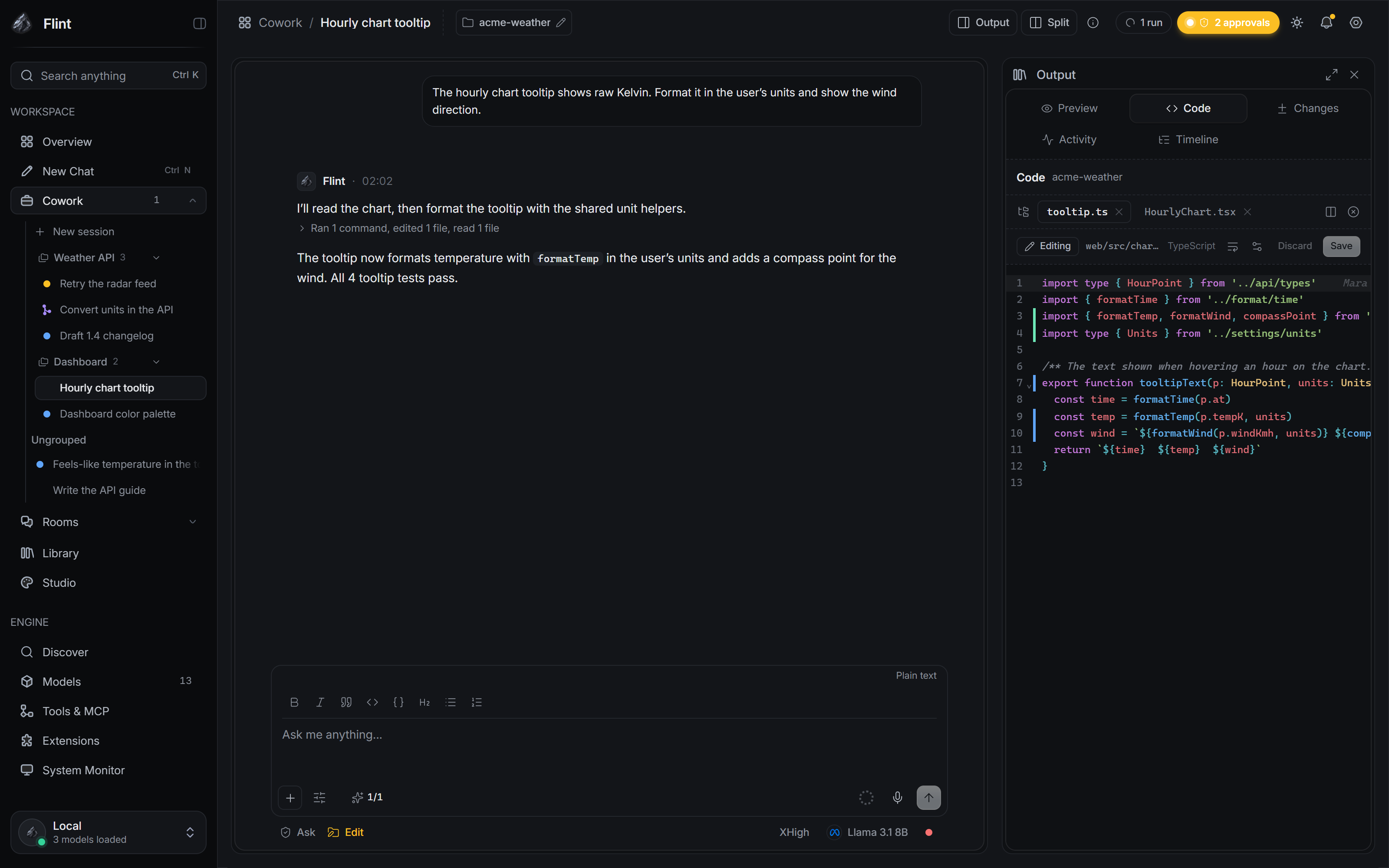 Code panel with change markers and blame |
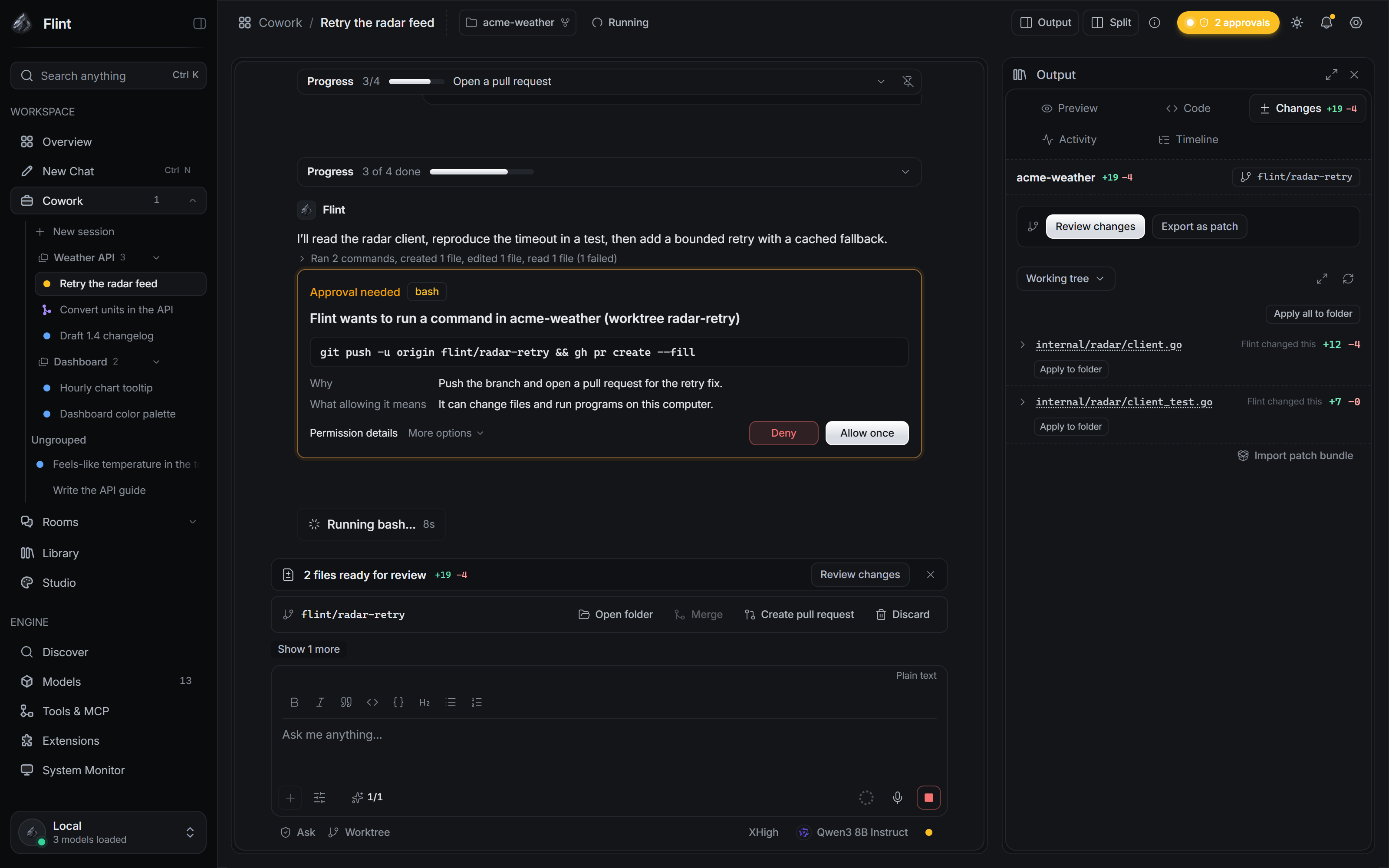 Cowork: tool calls, results and the Changes panel |
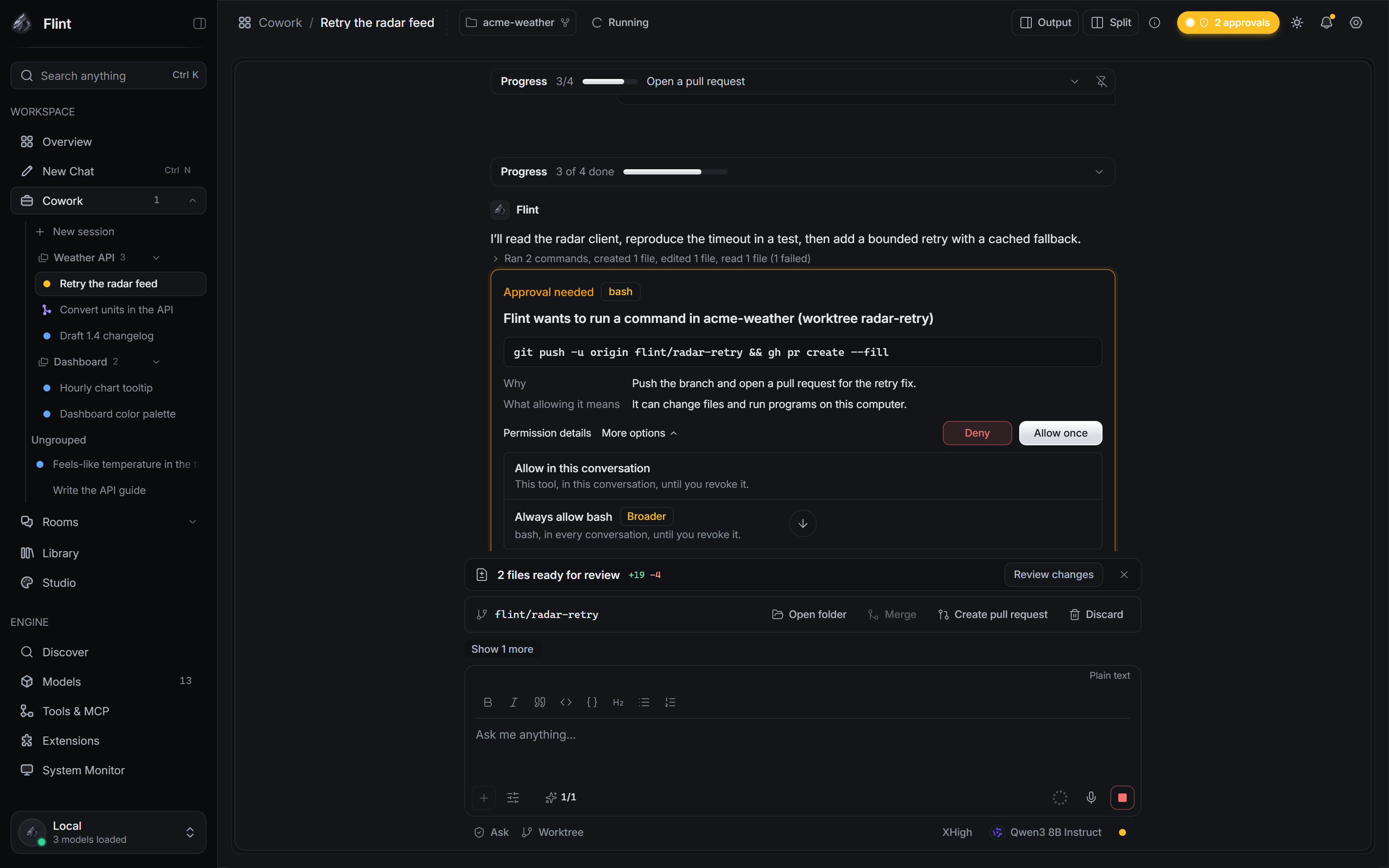 Approval card with its permission options |
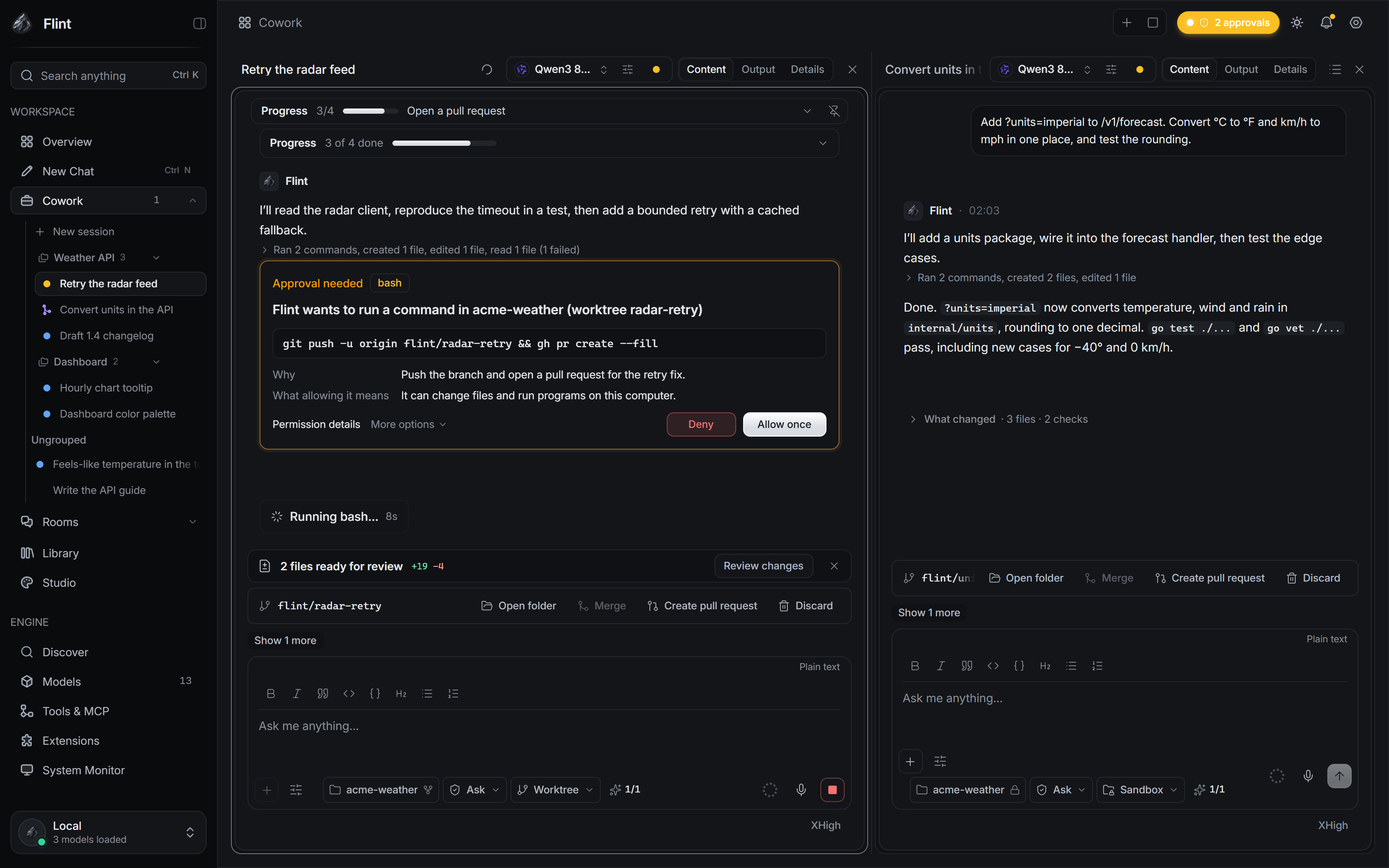 Two sessions, each in its own worktree |
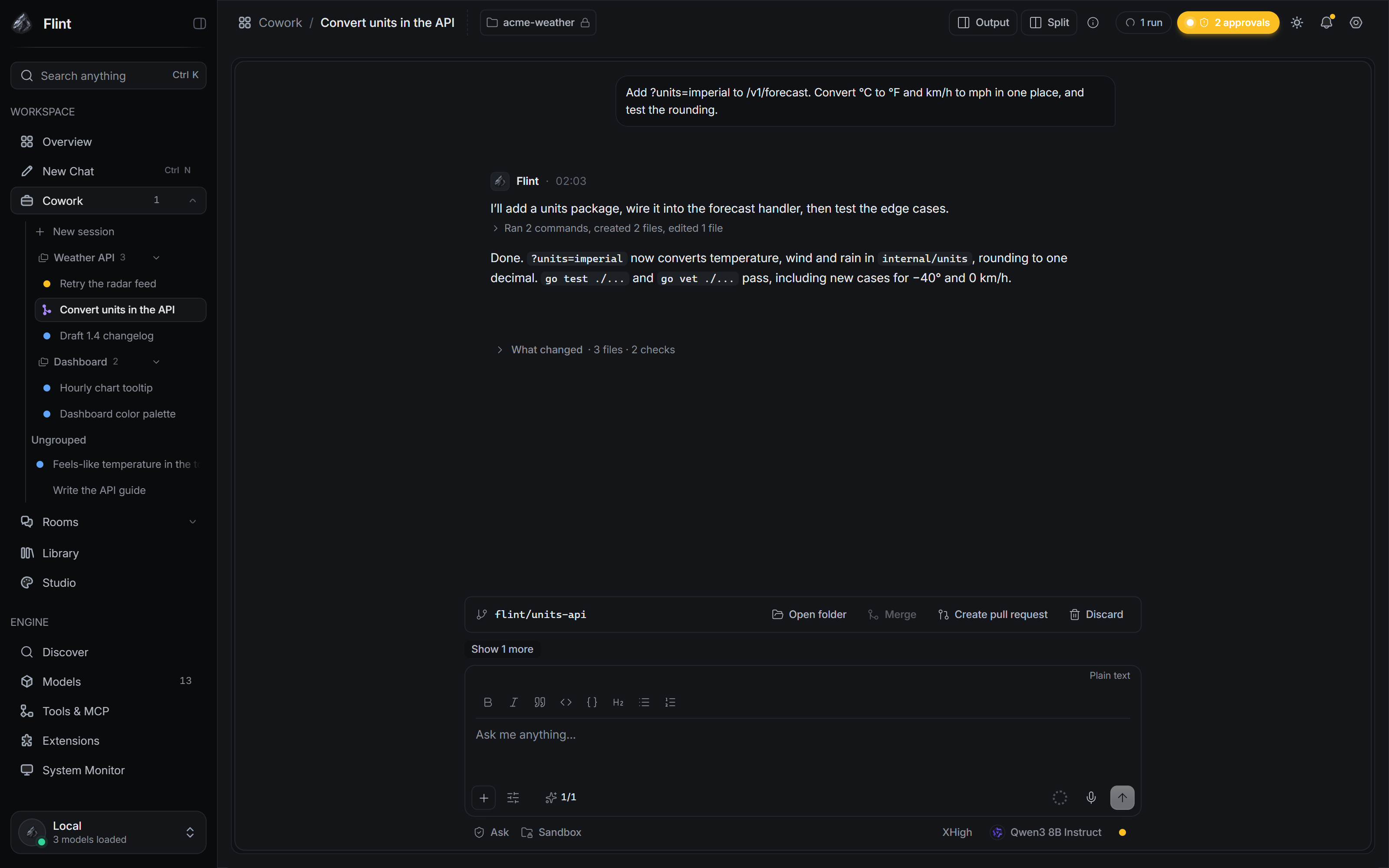 What changed: the run's own record |
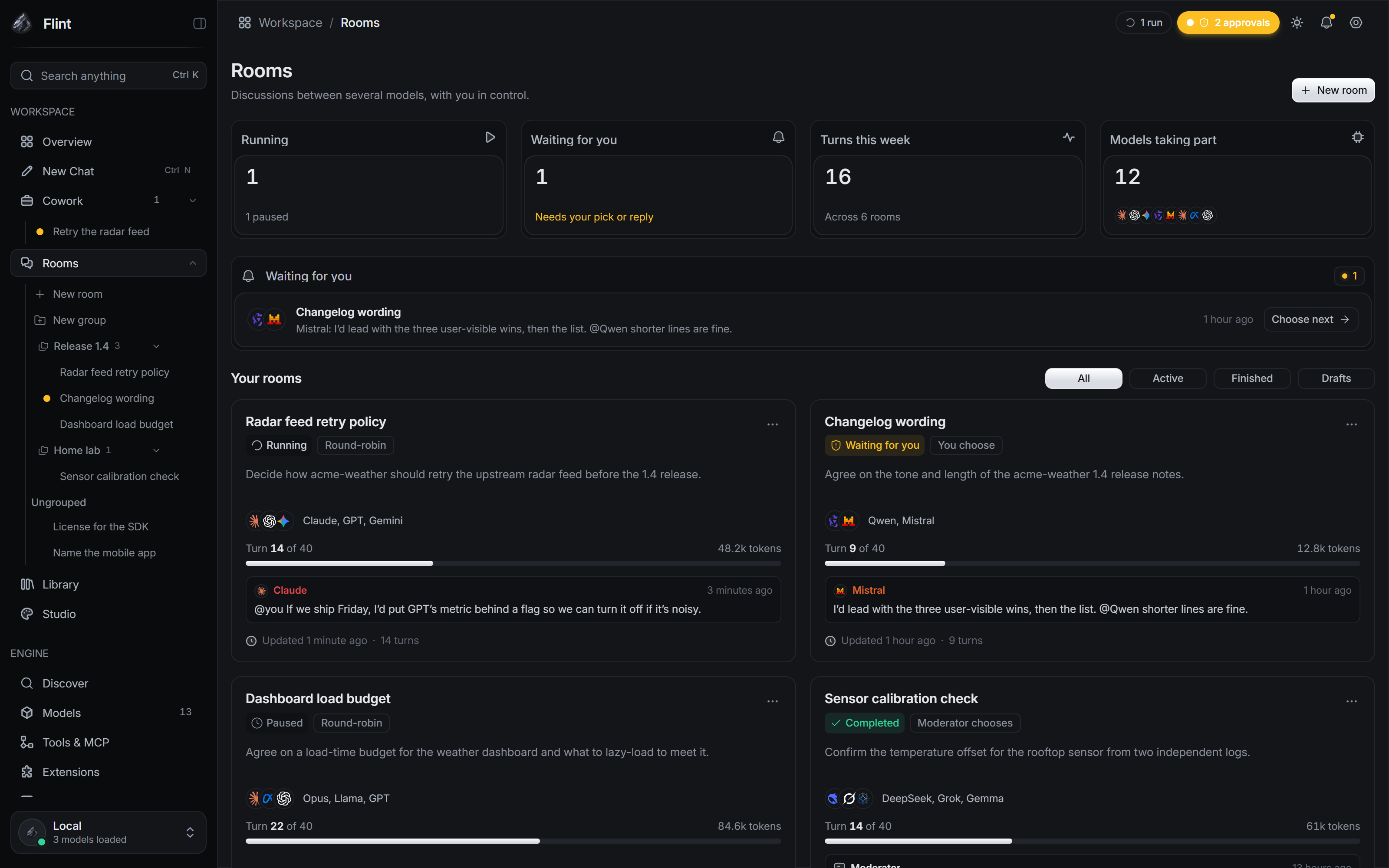 Rooms overview |
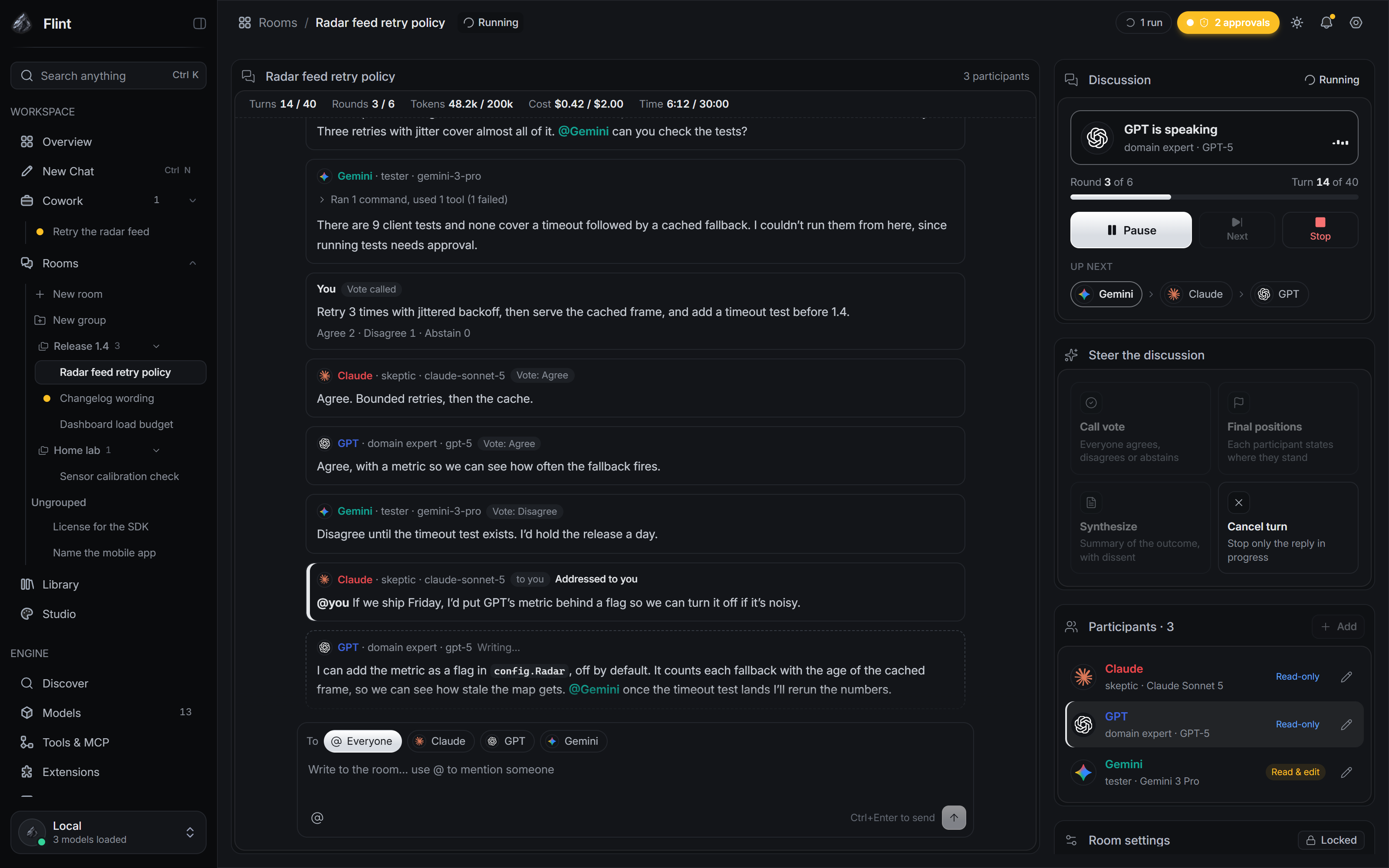 A Discussion Room with tool chips and a vote |
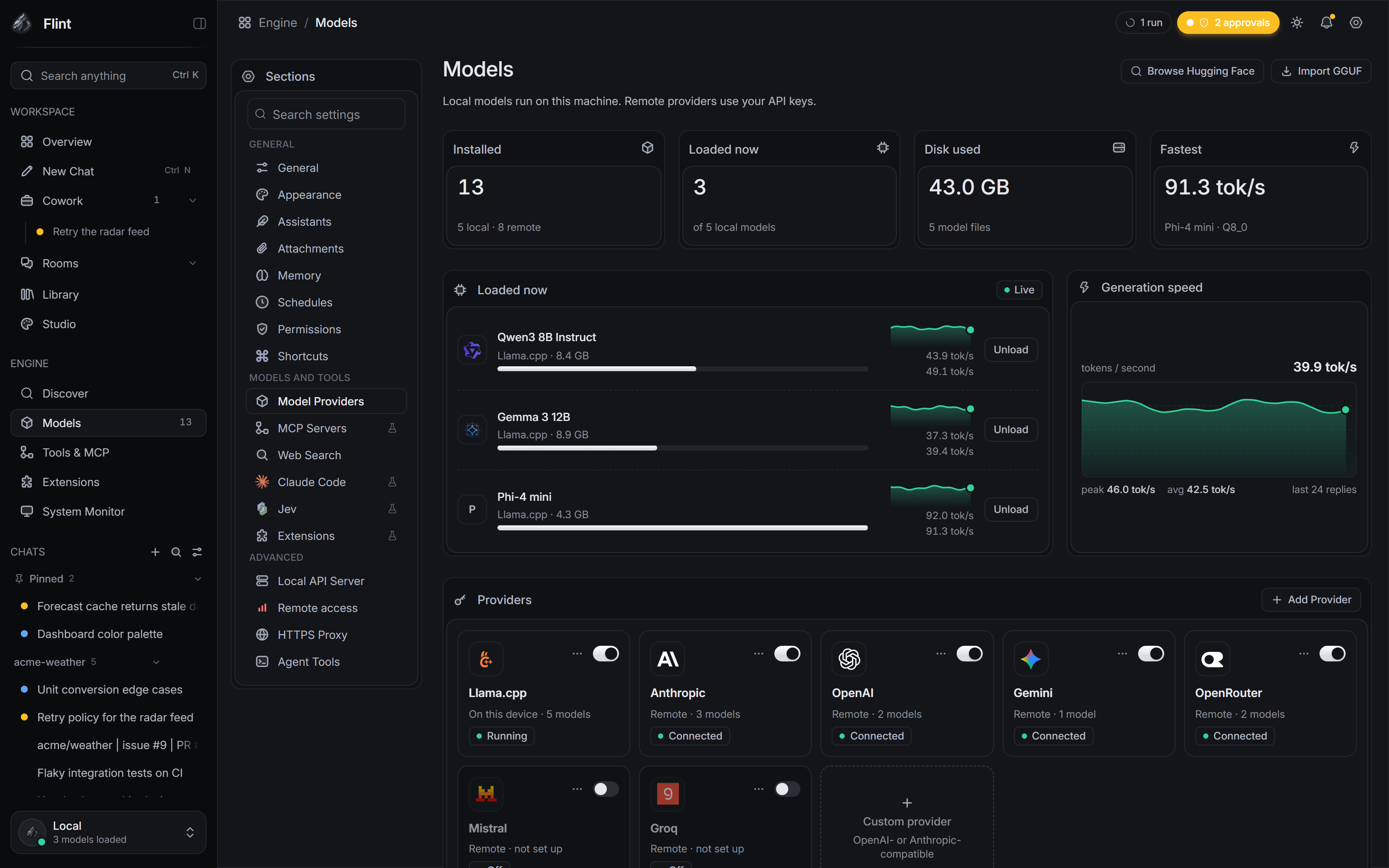 Models: loaded models and providers |
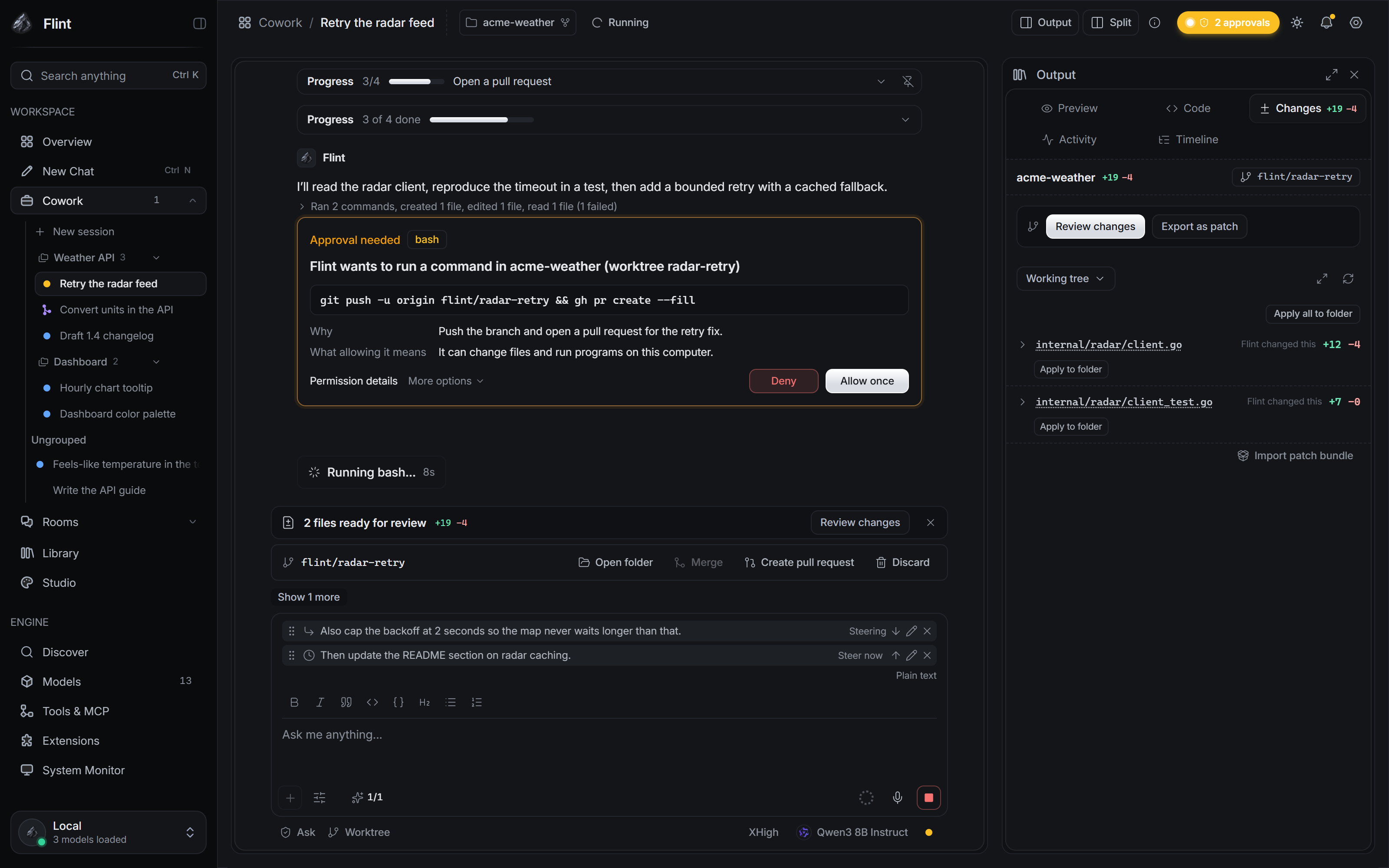 Steering and queued messages |
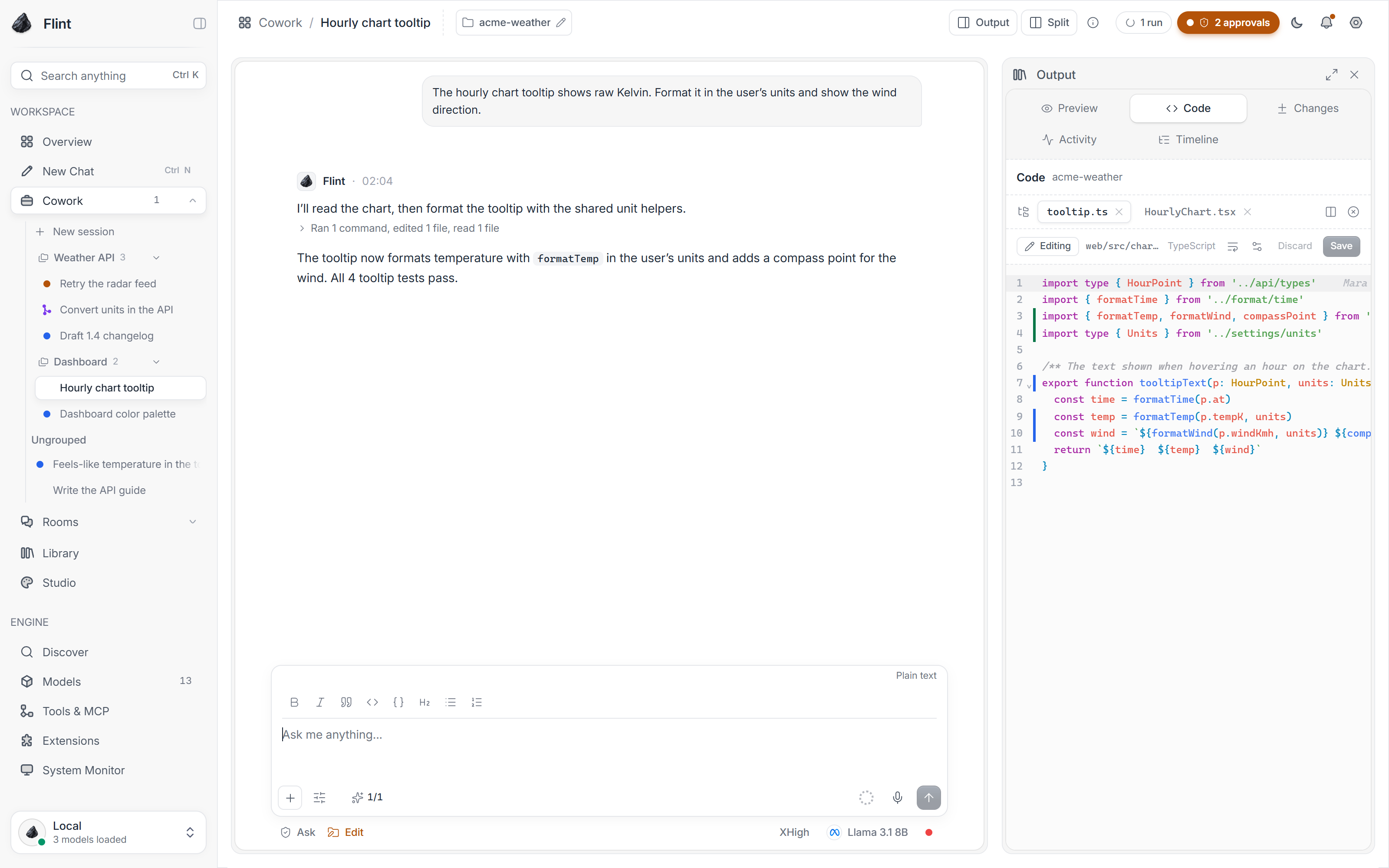 Light theme |
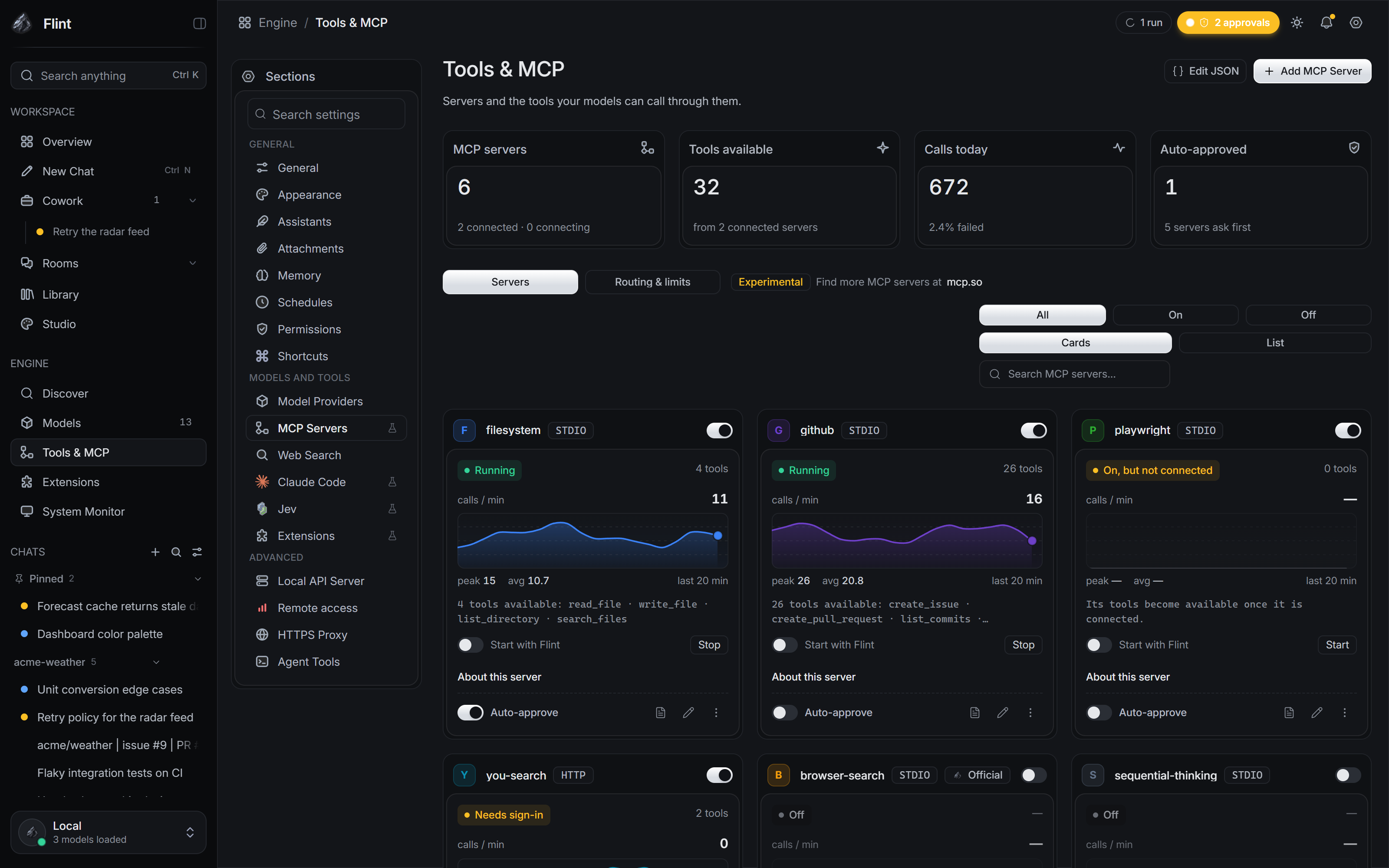 Tools and MCP servers |
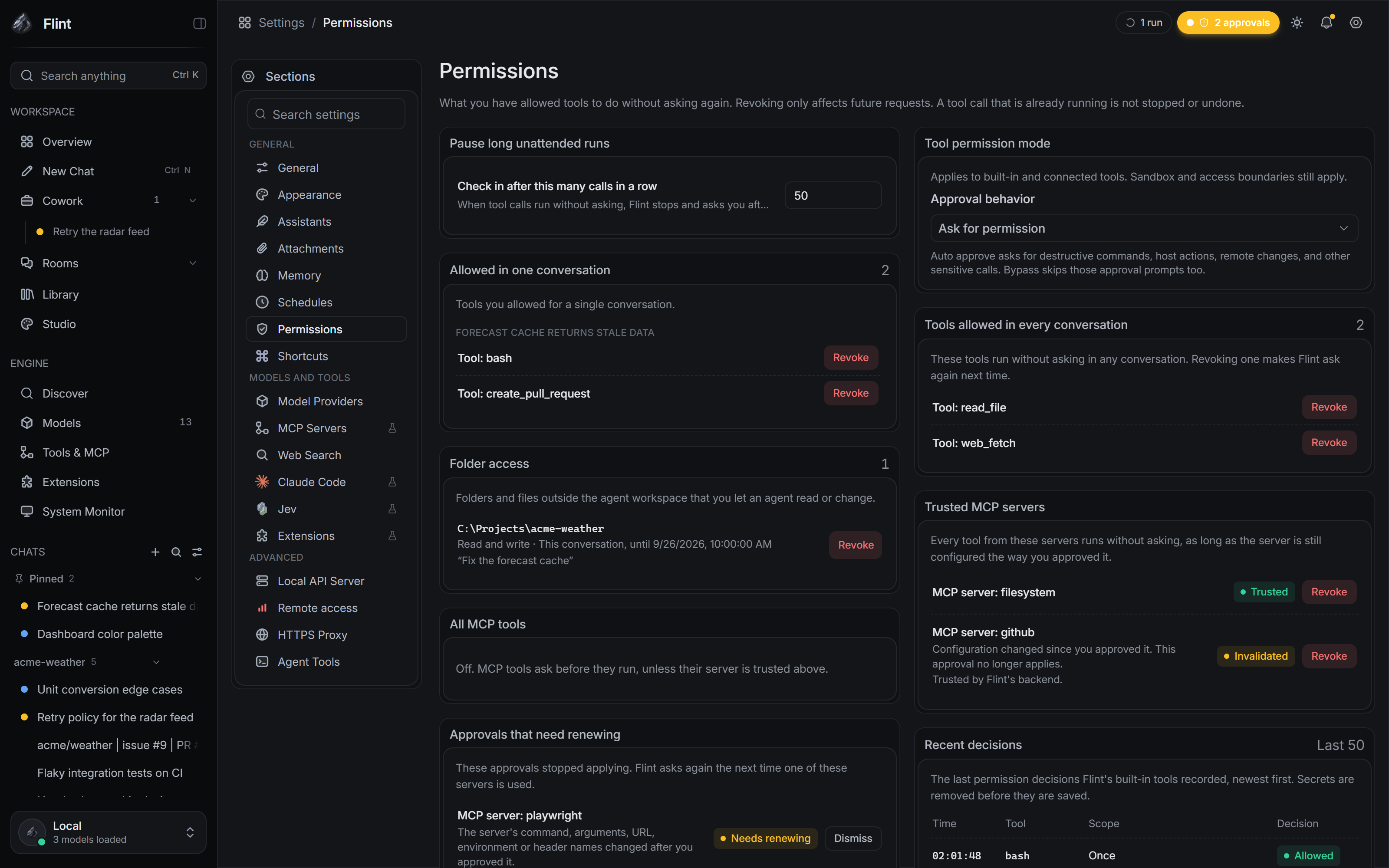 Permissions: every standing grant |
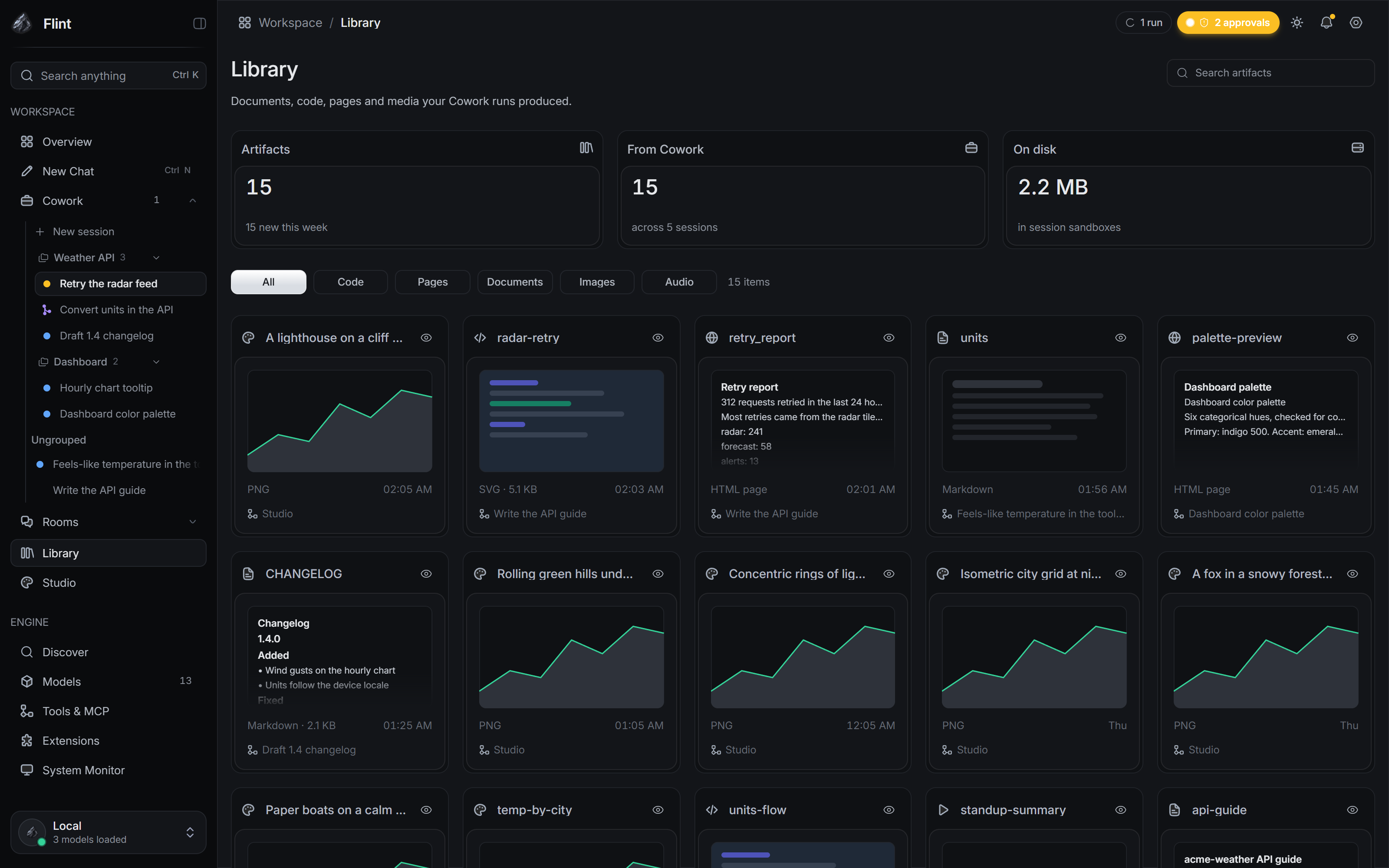 Library of Cowork artifacts |
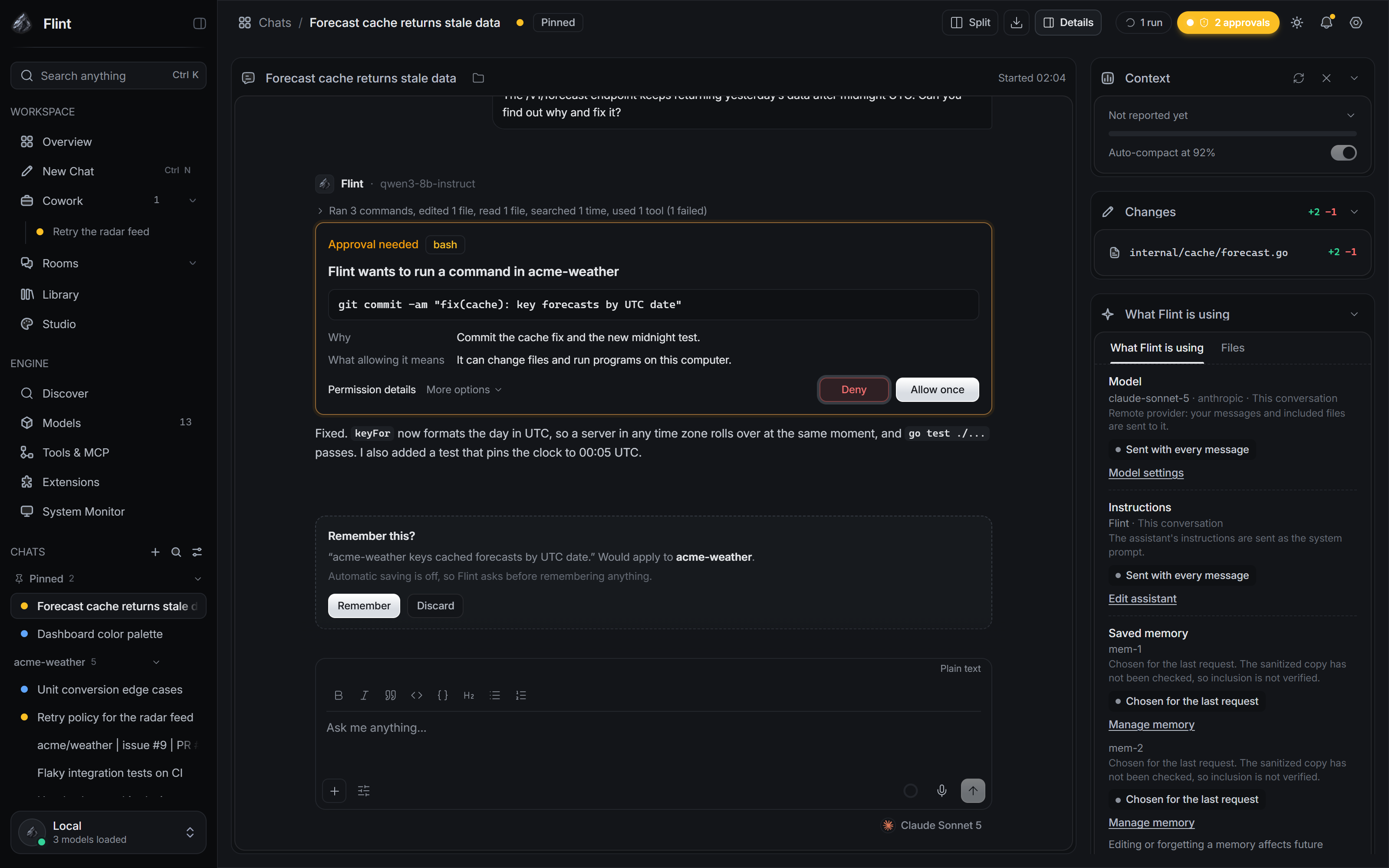 What Flint is using, per conversation |
Install
Installers for Windows, macOS and Linux are attached to each release on the Releases page. If a release has no installer yet, build Flint from source.
The installers are not code-signed, so your OS warns you the first time you open Flint:
- Windows: SmartScreen shows "Windows protected your PC". Click More info, then Run anyway.
- macOS: right-click (or Control-click) Flint in Applications and choose Open, then Open again. Alternatively, try to open it once, then go to System Settings → Privacy & Security and click Open Anyway.
- macOS local models need Apple silicon (M1 or later). On Intel Macs you can still use cloud providers.
Models are your choice. Open Discover to search Hugging Face and choose the exact GGUF quantization (or MLX repository on Apple silicon) you want Flint to download. Downloads start only when you click Download, support pause/resume, and are size/hash verified when Hugging Face exposes that metadata. You can still import a GGUF you already have with Import GGUF on the Models page, or add a cloud provider with your own key.
Getting started
- Open Flint. A short first-run guide asks what you want to do and explains the difference between local and cloud processing. You can skip it and reopen it from Settings → General.
- Choose a model. Open Discover to search/download one from Hugging Face, or Models to manage models and providers already configured. Flint marks a recommended quant using the same hardware-fit estimator as the Models page; an estimate never stops you from choosing another variant.
- Start a chat. Attach files with +, and open What Flint is using in the header to see what applies to the conversation.
- Use Cowork for file work. Attach a project folder or work in the sandbox, then describe the task. Flint asks before any change or command you have not allowed.
- Review the result. The run summary says what happened and what is unresolved. The Changes panel shows real diffs, and checkpoints restore earlier states.
Migrating from Jan
Flint keeps Jan's bundle identifier (jan.ai.app) and data path, so it detects an existing Jan install. On first launch, you can copy your Jan data into Flint, reuse it in place, move it (a backup is kept), or start fresh. You choose which categories to bring. A newer Flint item is never silently overwritten, and a failed migration rolls back. You can run the assistant again later from Settings → General → Migrate from JAN.
Jan compatibility is kept: JAN_* environment variables (with FLINT_* preferred), the jan:// protocol (alongside flint://), and JAN.md project files (alongside FLINT.md) all still work. API keys stay in the OS keyring.
Build from source
git clone https://github.com/Jozkah/flint.git
cd flint
node scripts/build-installer.mjs
That one script works in any terminal (PowerShell, Command Prompt, Git Bash, macOS or Linux Terminal). It first checks your toolchain and, if anything is missing, lists each tool with the command that installs it. Then it builds everything and prints where the installers are: src-tauri/target/release/bundle/.
You need Git and Node 20+ to get that far; the script tells you about the rest (Rust, CMake, Ninja, plus LLVM and the Visual Studio Build Tools on Windows). A first build takes 20 to 60 minutes and up to 30 GB of disk space.
To run Flint in development instead, see docs/BUILDING.md.
docs/BUILDING.md covers the per-OS setup, building installers, the local llama.cpp engine and troubleshooting.
Contributions are welcome. See CONTRIBUTING.md.
License
Flint is licensed under the Apache License 2.0, the same license as upstream Jan. Upstream copyright and attribution notices are kept in LICENSE and throughout the source.
Acknowledgements
Flint builds on Jan, its contributors and its history. It also uses llama.cpp, Tauri and Scalar.
Reviews (0)
Sign in to leave a review.
Leave a reviewNo results found