redhound-arsenal
Health Warn
- License — License: MIT
- Description — Repository has a description
- Active repo — Last push 0 days ago
- Low visibility — Only 6 GitHub stars
Code Warn
- Code scan incomplete — No supported source files were scanned during light audit
Permissions Pass
- Permissions — No dangerous permissions requested
No AI report is available for this listing yet.
76 AI-agent security skills for Kali Linux tools — pentest, red team, forensics, OSINT, and more. Machine-readable skill definitions by Red Hound InfoSec.
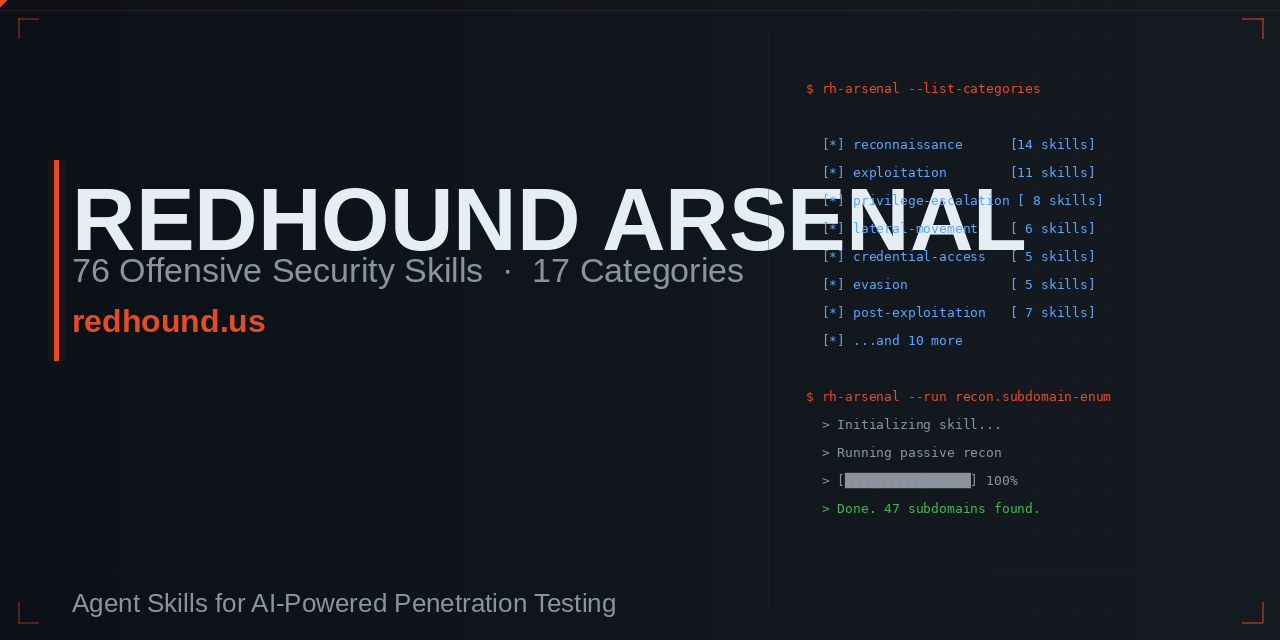
redhound-arsenal
The largest open-source Agent Skill library for offensive security and penetration testing.
Operator-grade intelligence, delivered as machine-readable skills that activate automatically inside your AI agent. Built for red teamers, pentesters, CTF players, and security researchers who want their AI tools to think like practitioners — not generalists.
Built by Red Hound InfoSec — 20+ years of Fortune 500 offensive security experience, now available to SMBs.
Penetration testing, attack surface analysis, and security consulting.
Authorized Use
This repository is intended for legal, authorized security testing and defensive research only.
Use these skills only on systems and networks you own or where you have explicit written permission.
You are responsible for complying with all applicable laws, contracts, and rules of engagement.
Stats
| Metric | Value |
|---|---|
| Total Skills | 76 |
| Categories | 17 |
| Tools Analyzed | 95+ |
| Depth | Operator-grade (300-500 lines per skill) |
| Maintained by | Red Hound InfoSec |
Table of Contents
- Installation
- Tool Index by Category
- How Skills Activate
- Skill Coverage
- From the Blog
- Ranking Methodology
- For AI Agent Developers
- Contributing
- License
Installation
Each skill is a folder at the root of this repository containing a single SKILL.md file. The file follows the agentskills.io format with YAML frontmatter and structured markdown content.
Perplexity Computer
- Navigate to perplexity.ai/computer/skills
- Click Upload Skill
- Select the
SKILL.mdfile from any skill folder - The skill becomes available immediately in your Computer workspace
Repeat for each skill you want to install. Skills activate automatically when your prompt matches the description field.
Claude Code
Place individual skill files in your project's .claude/skills/ directory or your global ~/.claude/skills/ directory:
# Single skill
cp nmap/SKILL.md .claude/skills/nmap.md

# Bulk install — all 76 skills
git clone https://github.com/redhoundinfosec/redhound-arsenal.git
cd redhound-arsenal
for dir in */; do
  [ -f "$dir/SKILL.md" ] && cp "$dir/SKILL.md" ~/.claude/skills/"${dir%/}.md"
done
Cursor
Place skill files in your project's .cursor/skills/ directory or the global ~/.cursor/skills/ directory:
# Single skill
cp sqlmap/SKILL.md .cursor/skills/sqlmap.md

# Bulk install — all 76 skills
git clone https://github.com/redhoundinfosec/redhound-arsenal.git
cd redhound-arsenal
mkdir -p ~/.cursor/skills
for dir in */; do
  [ -f "$dir/SKILL.md" ] && cp "$dir/SKILL.md" ~/.cursor/skills/"${dir%/}.md"
done
Codex CLI and Other Agents
Most agents that support custom context files or skill injection accept a raw markdown file. Point your agent's skill loader at the SKILL.md path of any skill:
# OpenAI Codex CLI (custom context)
codex --context nmap/SKILL.md "scan 192.168.1.0/24 for web services"

# Any agent with a --system-file or --context flag
your-agent --skill metasploit-framework/SKILL.md
Consult your agent's documentation for the exact flag. Skills are plain markdown — they work anywhere a system prompt or context file is accepted.
Manual Installation
Copy the contents of any SKILL.md directly into your agent's system prompt, custom instructions, or context window. Every skill is self-contained and requires no external dependencies.
Bulk Clone
git clone https://github.com/redhoundinfosec/redhound-arsenal.git
cd redhound-arsenal
ls -d */ | wc -l   # Should output 76
All 76 skills are immediately available at the root level. Use your agent's skill-loader path to point at individual SKILL.md files, or automate loading with the shell loops shown above.
Tool Index by Category
Skills are linked to their folder in this repository. Tool names link to the upstream GitHub project or official source.
Information Gathering
| Skill | Tool | GitHub Stars | Score |
|---|---|---|---|
| nmap | Nmap | 12.6k | 30.8 |
| masscan | Masscan | 24.5k | 24.4 |
| rustscan | RustScan | 19.5k | 21.4 |
| theharvester | theHarvester | 12.2k | 20.7 |
| autorecon | AutoRecon | 5.6k | 20.1 |
| recon-ng | Recon-ng | 5.8k | 17.1 |
Reconnaissance
| Skill | Tool | GitHub Stars | Score |
|---|---|---|---|
| gitleaks | Gitleaks | 18.5k | 26.4 |
| subfinder | Subfinder | 13.4k | 26.3 |
| httpx | httpx | 8.8k | 25.9 |
| sherlock | Sherlock | 62k | 25.2 |
| katana-crawler | Katana | 16.4k | 23.6 |
| amass | Amass | 12.8k | 23.3 |
| spiderfoot | SpiderFoot | 13.8k | 17.9 |
Web Application
| Skill | Tool | GitHub Stars | Score |
|---|---|---|---|
| payloads-all-the-things | PayloadsAllTheThings | 76.6k | 35.0 |
| sqlmap | SQLMap | 37k | 33.2 |
| burpsuite | Burp Suite | commercial | 27.5 |
| ffuf | ffuf | 15.9k | 26.6 |
| wpscan | WPScan | 8.8k | 25.4 |
| owasp-zap | OWASP ZAP | 14.9k | 23.5 |
| gobuster | Gobuster | 13.6k | 20.9 |
| nikto | Nikto | 9.2k | 20.4 |
| xsstrike | XSStrike | 13.5k | 20.4 |
| feroxbuster | Feroxbuster | 6.7k | 20.2 |
| commix | Commix | 4.8k | 19.5 |
| arjun | Arjun | 4.8k | 19.5 |
Vulnerability Analysis
| Skill | Tool | GitHub Stars | Score |
|---|---|---|---|
| nuclei-scanner | Nuclei | 27.7k | 30.3 |
Password Attacks
| Skill | Tool | GitHub Stars | Score |
|---|---|---|---|
| seclists | SecLists | 61k | 33.6 |
| john-the-ripper | John the Ripper | 12.9k | 30.8 |
| hydra | Hydra | 10.5k | 30.6 |
| hashcat | Hashcat | 25.7k | 30.1 |
| cewl | CeWL | 2.7k | 19.3 |
| crunch | Crunch | — | 16.5 |
Active Directory
| Skill | Tool | GitHub Stars | Score |
|---|---|---|---|
| responder | Responder | 6.1k | 30.1 |
| netexec | NetExec | 4.2k | 29.9 |
| mimikatz | Mimikatz | 21.4k | 29.6 |
| impacket | Impacket | 15.6k | 29.1 |
| bloodhound | BloodHound | 10.7k | 28.6 |
| evil-winrm | Evil-WinRM | 4.8k | 25.5 |
| kerbrute | Kerbrute | 3.2k | 22.3 |
Exploitation
| Skill | Tool | GitHub Stars | Score |
|---|---|---|---|
| metasploit-framework | Metasploit | 37.8k | 33.3 |
| exploitdb | ExploitDB | 12.2k | 25.7 |
| beef-xss | BeEF | 10.1k | 22.5 |
Post-Exploitation
| Skill | Tool | GitHub Stars | Score |
|---|---|---|---|
| peass-ng | PEASS-ng | 19.6k | 29.5 |
| gtfobins | GTFOBins | 11.6k | 28.7 |
| pspy | pspy | 5.3k | 22.5 |
Reverse Engineering
| Skill | Tool | GitHub Stars | Score |
|---|---|---|---|
| ghidra-re | Ghidra | 66.5k | 34.1 |
| jadx | JADX | 43k | 28.8 |
| frida-instrumentation | Frida | 20.2k | 26.5 |
| apktool | Apktool | 21k | 26.6 |
| pwntools | Pwntools | 13.4k | 25.8 |
| binwalk | Binwalk | 11.2k | 25.6 |
| radare2 | Radare2 | 23.4k | 24.3 |
| gdb-gef | GDB+GEF | 7.1k | 22.7 |
Sniffing & Spoofing
| Skill | Tool | GitHub Stars | Score |
|---|---|---|---|
| wireshark | Wireshark | 9.1k | 30.4 |
| bettercap | Bettercap | 17.5k | 26.2 |
| mitmproxy | mitmproxy | 38.5k | 25.9 |
| scapy | Scapy | 11.2k | 25.6 |
| tcpdump | tcpdump | 2.8k | 25.3 |
Wireless Attacks
| Skill | Tool | GitHub Stars | Score |
|---|---|---|---|
| aircrack-ng | Aircrack-ng | 6k | 30.1 |
| wifite | Wifite | 6.8k | 17.2 |
Forensics
| Skill | Tool | GitHub Stars | Score |
|---|---|---|---|
| yara | YARA | 8.5k | 28.4 |
| volatility3 | Volatility3 | 3.4k | 27.8 |
| cyberchef | CyberChef | 30.5k | 27.6 |
| autopsy | Autopsy | 3.5k | 24.9 |
| chainsaw | Chainsaw | 3.4k | 22.3 |
Social Engineering
| Skill | Tool | GitHub Stars | Score |
|---|---|---|---|
| evilginx2 | Evilginx2 | 12.1k | 25.7 |
| set-toolkit | SET | 11.2k | 25.6 |
C2 Frameworks
| Skill | Tool | GitHub Stars | Score |
|---|---|---|---|
| sliver-c2 | Sliver | 9.9k | 23.0 |
| havoc-c2 | Havoc | 7.8k | 17.3 |
Pivoting & Tunneling
| Skill | Tool | GitHub Stars | Score |
|---|---|---|---|
| chisel | Chisel | 14.5k | 26.4 |
| ligolo-ng | Ligolo-ng | 3.8k | 22.4 |
| proxychains | Proxychains | 3.2k | 19.8 |
Cloud Security
| Skill | Tool | GitHub Stars | Score |
|---|---|---|---|
| scoutsuite | ScoutSuite | 6.8k | 25.2 |
| pacu | Pacu | 4.7k | 25.0 |
Evasion
| Skill | Tool | GitHub Stars | Score |
|---|---|---|---|
| veil | Veil | 4.2k | 19.4 |
Reporting
| Skill | Tool | GitHub Stars | Score |
|---|---|---|---|
| eyewitness | EyeWitness | 5.3k | 22.5 |
How Skills Activate
Skills use keyword and semantic matching on the description field in the SKILL.md frontmatter. When your prompt contains language that matches a skill's description, the agent automatically loads and applies that skill's knowledge — no manual invocation required.
Example Prompts by Category
| Category | Example Prompts | Skill Activated |
|---|---|---|
| Information Gathering | "Scan this subnet for open ports and service versions" | nmap |
| Information Gathering | "I need to do host discovery across a /16 as fast as possible" | masscan |
| Information Gathering | "Find subdomains and email addresses for target.com" | theharvester |
| Reconnaissance | "Enumerate all subdomains for this domain passively" | subfinder |
| Reconnaissance | "Check if any secrets or API keys are leaked in this GitHub org" | gitleaks |
| Reconnaissance | "Find all social media accounts associated with this username" | sherlock |
| Web Application | "Test this login form for SQL injection" | sqlmap |
| Web Application | "Brute-force directories and files on this web server" | ffuf / gobuster |
| Web Application | "Scan this WordPress site for vulnerabilities" | wpscan |
| Vulnerability Analysis | "Run a vulnerability scan against this host using templates" | nuclei-scanner |
| Password Attacks | "Crack these NTLM hashes from the SAM database" | hashcat |
| Password Attacks | "Brute-force SSH with a wordlist" | hydra |
| Password Attacks | "Generate a wordlist from this company's website" | cewl |
| Active Directory | "Enumerate AD attack paths and find paths to Domain Admin" | bloodhound |
| Active Directory | "Perform a Kerberoasting attack against the domain" | impacket / kerbrute |
| Active Directory | "Poison LLMNR and capture NTLMv2 hashes" | responder |
| Exploitation | "Generate a reverse shell payload and set up a listener" | metasploit-framework |
| Exploitation | "Search for public exploits for this CVE" | exploitdb |
| Post-Exploitation | "Run privilege escalation checks on this Linux box" | peass-ng |
| Post-Exploitation | "Find SUID binaries I can abuse for privesc" | gtfobins |
| Post-Exploitation | "Monitor running processes without root for cron jobs" | pspy |
| Reverse Engineering | "Decompile this APK and inspect the source" | jadx / apktool |
| Reverse Engineering | "Set up a Ghidra project and analyze this binary" | ghidra-re |
| Reverse Engineering | "Hook this Android app's SSL pinning function dynamically" | frida-instrumentation |
| Sniffing & Spoofing | "Capture and filter HTTP traffic on this interface" | wireshark / tcpdump |
| Sniffing & Spoofing | "Perform an ARP spoofing MitM attack on the local network" | bettercap |
| Wireless Attacks | "Capture a WPA2 handshake and crack the passphrase" | aircrack-ng |
| Forensics | "Analyze this memory dump for malware artifacts" | volatility3 |
| Forensics | "Write a YARA rule to detect this malware family" | yara |
| Forensics | "Hunt through Windows event logs for lateral movement" | chainsaw |
| Social Engineering | "Set up a phishing page that bypasses 2FA and captures session cookies" | evilginx2 |
| C2 Frameworks | "Generate a Sliver implant and set up an mTLS listener" | sliver-c2 |
| Pivoting & Tunneling | "Tunnel traffic through this compromised host to reach an internal network" | chisel / ligolo-ng |
| Cloud Security | "Audit this AWS account for misconfigurations" | scoutsuite / pacu |
| Evasion | "Generate an AV-evading payload for this engagement" | veil |
| Reporting | "Take screenshots of all discovered web services for the report" | eyewitness |
Skills can be stacked. A prompt like "enumerate AD, dump hashes, and crack them offline" can simultaneously activate bloodhound, mimikatz or impacket, and hashcat.
Skill Coverage
Every skill in this library covers the following areas with engagement-grade depth:
| Section | What It Covers |
|---|---|
| Installation | Package manager commands, build-from-source steps, Docker alternatives, version pinning, dependency setup |
| Core Concepts | How the tool works internally, protocol-level mechanics, attack surface it addresses, mental model for operators |
| CLI Reference | Full flag breakdown for the most critical options, annotated with real-world context, not just the man page |
| Common Workflows | Step-by-step operator playbooks for the 5-10 most common engagement use cases |
| Advanced Techniques | Evasion tuning, chaining with other tools, custom module/script writing, edge cases, rate limiting, detection avoidance |
| Integration | How to pipe output to downstream tools (e.g., nmap → Metasploit, Subfinder → httpx → Nuclei), output format handling |
| Troubleshooting | Common error messages, permission issues, network-level failures, OS-specific quirks, and their fixes |
Skills are 300-500 lines of content each. Entries are not summaries of documentation — they encode practitioner knowledge: the flags operators actually use, the workflows that work against hardened targets, and the gotchas that only surface in real engagements.
From the Blog
Deep-dive articles from Red Hound InfoSec that complement the skills in this library:
More at redhound.us/blog.html.
Ranking Methodology
Each tool in this library received a composite score used to prioritize inclusion and ordering. The scoring is multi-dimensional, reflecting real-world operational value rather than raw popularity.
Score Formula
Score = (real_world_usage × 3.0)
      + (uniqueness × 2.5)
      + (normalized_stars × 1.5)
      + (kali_top10_bonus × 2.0)
Dimensions
| Dimension | Weight | Description |
|---|---|---|
| Real-world usage | 3.0 | How commonly the tool appears in actual pentest engagements, CTF writeups, red team reports, and professional toolkits. Highest-weight factor — a tool used on every engagement scores higher than a niche tool with more stars. |
| Uniqueness | 2.5 | How irreplaceable the tool is within its category. A tool that is the only viable option for its task (e.g., Mimikatz for Windows credential extraction) scores higher than tools with multiple close equivalents. |
| GitHub Stars | 1.5 | Community adoption as a proxy for maturity and trust. Star count is normalized to a 0–5 scale relative to the highest-starred tool in the dataset, then multiplied by the weight. Commercial tools without a public repo receive a moderate baseline. |
| Kali Top 10 Bonus | 2.0 | Tools included in Kali Linux's curated top-10 list receive a flat bonus. This list reflects the Kali team's assessment of the tools most essential to a practicing pentester. |
Score Ranges
| Score Range | Interpretation |
|---|---|
| 30+ | Tier 1 — Essential tools found in virtually every professional toolkit |
| 25–29 | Tier 2 — High-value tools used regularly across most engagement types |
| 20–24 | Tier 3 — Specialized tools valuable in specific scenarios or environments |
| Below 20 | Tier 4 — Niche or supporting tools; useful but not universally required |
For AI Agent Developers
This repository is designed to be programmatically integrated into any AI agent that supports skill injection or context loading.
Recommended Integration Pattern
1. Index the description fields
Parse the YAML frontmatter of each SKILL.md and index the description field. This is the field used for semantic routing — it describes exactly when the skill should activate and what operator tasks it covers.
import os
import yaml

skills = {}
for folder in os.listdir("redhound-arsenal"):
    skill_path = os.path.join("redhound-arsenal", folder, "SKILL.md")
    if os.path.exists(skill_path):
        with open(skill_path) as f:
            content = f.read()
        # Parse YAML frontmatter between --- delimiters
        parts = content.split("---", 2)
        if len(parts) >= 3:
            meta = yaml.safe_load(parts[1])
            skills[folder] = {
                "description": meta.get("description", ""),
                "path": skill_path,
                "repo": meta.get("metadata", {}).get("repo", ""),
            }
2. Route prompts to skills using semantic similarity
Embed the description fields and the incoming prompt, then load the top-k matching skills into context before generating a response:
from sentence_transformers import SentenceTransformer, util

model = SentenceTransformer("all-MiniLM-L6-v2")
desc_embeddings = {
    name: model.encode(skill["description"])
    for name, skill in skills.items()
}

def get_relevant_skills(prompt, top_k=3):
    prompt_emb = model.encode(prompt)
    scores = {
        name: util.cos_sim(prompt_emb, emb).item()
        for name, emb in desc_embeddings.items()
    }
    ranked = sorted(scores.items(), key=lambda x: x[1], reverse=True)
    return [skills[name]["path"] for name, _ in ranked[:top_k]]
3. Load SKILL.md content into context
Once matched, read the full SKILL.md and inject it as a system-level context block or skill slot before the user's message:
def load_skill_content(skill_path):
    with open(skill_path) as f:
        return f.read()

relevant = get_relevant_skills(user_prompt)
skill_context = "\n\n---\n\n".join(load_skill_content(p) for p in relevant)
# Prepend skill_context to your system prompt or context window
4. Allow multi-skill activation
Several offensive security workflows span multiple tools. Do not restrict routing to a single skill. A prompt describing an Active Directory attack chain may legitimately activate bloodhound, impacket, responder, and hashcat simultaneously. Set top_k based on your context window budget — at 300–500 lines per skill, loading 3–5 skills typically fits within standard context windows.
Frontmatter Fields
| Field | Type | Description |
|---|---|---|
name |
string | Machine-readable skill identifier, matches the folder name |
description |
string | Activation trigger text — index this field for routing |
license |
string | License of the upstream tool |
metadata.author |
string | Skill author (redhoundinfosec) |
metadata.version |
string | Skill version |
metadata.repo |
string | Upstream tool repository URL |
metadata.language |
string | Primary implementation language of the tool |
Hosting and Serving Skills
To serve skills via an API for dynamic loading:
# Serve the repository over HTTP for remote agents
cd redhound-arsenal
python3 -m http.server 8000

# Agents can then fetch skills on demand
curl http://localhost:8000/nmap/SKILL.md
For production deployments, push the repository to a CDN or object store and fetch SKILL.md files by skill name at inference time.
Contributing
Contributions are welcome. To add a new skill:
1. Create a folder at the repository root using the tool's lowercase, hyphenated name:
mkdir my-tool
touch my-tool/SKILL.md
2. Follow the frontmatter format:
---
name: my-tool
description: >
  Operate my-tool for [task type]. Use when [specific operator scenario].
  Covers [key capabilities]. Source: https://github.com/owner/my-tool
license: MIT
metadata:
  author: your-github-handle
  version: '1.0'
  repo: https://github.com/owner/my-tool
  language: Python
---
3. Write 300–500 lines of content covering the seven standard sections: When to Use, Core Concepts, Installation, CLI Reference, Common Workflows, Advanced Techniques, and Troubleshooting.
Quality bar: Skills must reflect practitioner knowledge, not documentation summaries. Include real flags used in engagements, common failure modes and their fixes, and integration points with other tools in the arsenal.
4. Open a pull request with:
- The new skill folder and
SKILL.md - A one-line addition to the relevant category table in this README
- Evidence that the tool is used in real engagements (CVEs, CTF writeups, public red team reports)
Skills that duplicate existing coverage without meaningfully extending it will not be merged. If you believe an existing skill is incomplete or outdated, open an issue or submit a targeted improvement to the relevant SKILL.md.
License
The skill content in this repository is licensed under the MIT License.
Each tool covered by these skills has its own license. Refer to the license field in each skill's frontmatter and the upstream repository for terms governing the tool itself. Nothing in this repository grants permission to use any tool against systems you do not own or have explicit written authorization to test.
About Red Hound InfoSec
Red Hound InfoSec is a cybersecurity consultancy that brings 20+ years of Fortune 500 offensive security experience to small and mid-size businesses. We do penetration testing, attack surface analysis, and security consulting.
This arsenal is a reflection of the tools and techniques we use in real engagements. If you find these skills useful, check out our blog for practitioner-grade articles, or book a consultation to discuss your security posture.
Other open-source projects by Red Hound InfoSec:
| Project | Description |
|---|---|
| scopecheck | Pentest scope validation CLI (Go) |
| portdiff | Network scan diff and attack surface monitoring (Go) |
| authlog | Authentication log triage and brute force detection (Go) |
Built by Red Hound InfoSec. Use responsibly, with authorization.
Reviews (0)
Sign in to leave a review.
Leave a reviewNo results found