jsm-hq
Health Uyari
- License — License: MIT
- No description — Repository has no description
- Active repo — Last push 0 days ago
- Community trust — 39 GitHub stars
Code Uyari
- network request — Outbound network request in scripts/smoke-test.mjs
- process.env — Environment variable access in scripts/workspace-test.ts
Permissions Gecti
- Permissions — No dangerous permissions requested
Bu listing icin henuz AI raporu yok.
JSM HQ
Run a team of AI coding agents on your repo, and watch them work in a pixel-art office.


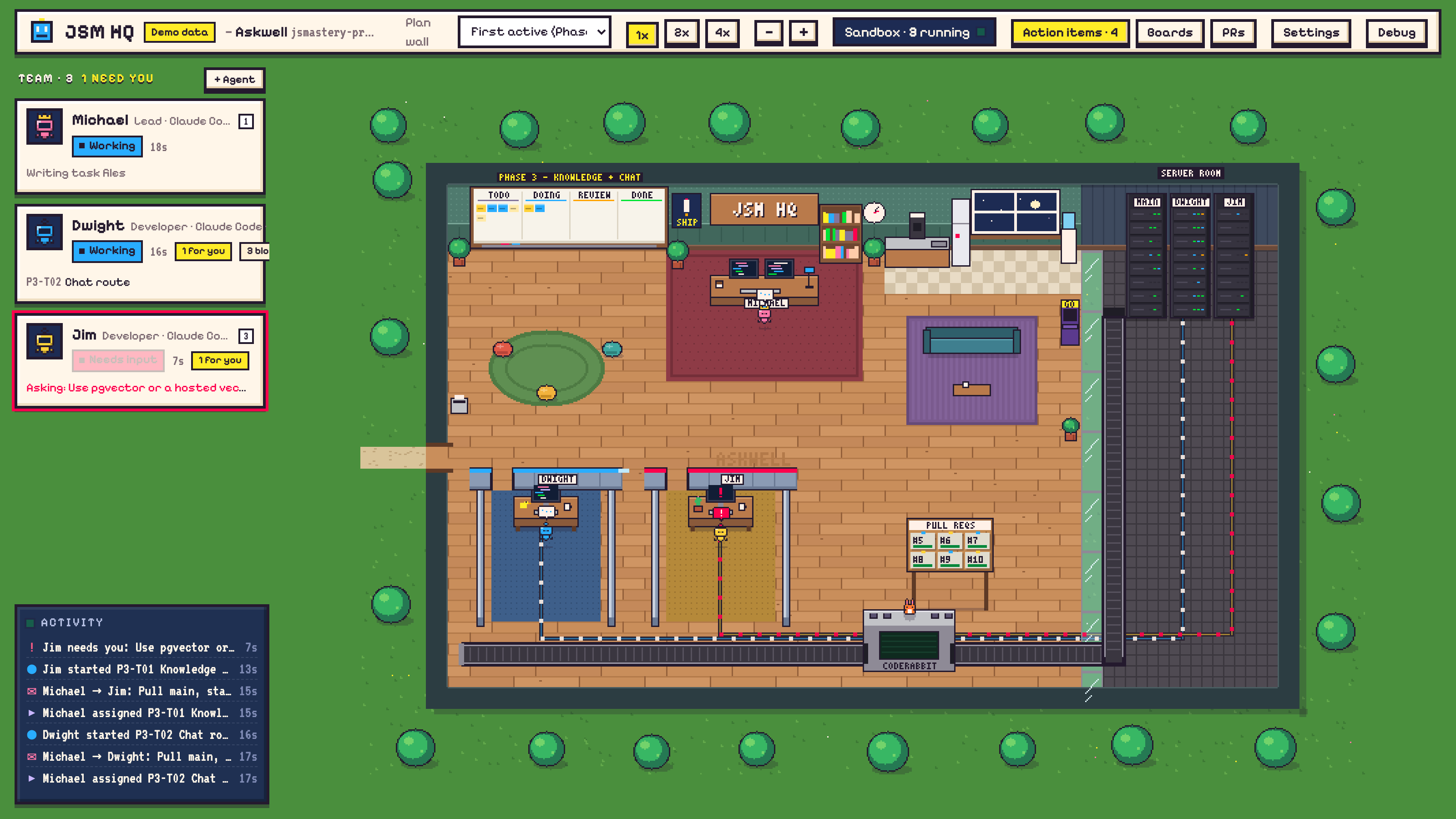
One lead agent plans the work and hands out tasks. Each worker gets its own desk, its own copy of your repo and its own Docker Sandbox, then opens a pull request. You see it all happen: the plan on the wall, agents at their desks, PRs moving through review.
Agents run Claude Code or Codex. Everything runs on your machine.
Why use it
- A real team, not one chat. The lead splits the work into small tasks (one task, one branch, one PR) and assigns them. Agents message each other through HQ.
- Safe by default. Each agent works in its own Docker Sandbox, a small VM that can't touch the rest of your computer. Websites are blocked until you allow them.
- You stay in charge. Anything an agent needs from you (a decision, an API key, a blocked website) shows up in Action items. HQ never merges for you.
- Your workflow. Pull requests on GitHub, reviewed by CodeRabbit, Greptile, Copilot or you.
- Knows your stack. Pick your tools (Next.js, Clerk, Stripe, Supabase…) and agents get their official agent skills and docs access.
Quick start
From inside a git repo that has a GitHub remote:
npx @therealjsmastery/jsm-hq@latest
HQ opens in your browser and walks you through the rest:
- Welcome: name the project and pick a lead and workers (Claude Code or Codex for each).
- Setup checklist: anything missing on your machine is listed with the command to fix it.
- Start team in the top bar, then message the lead, for example: "Plan two small tasks for Dwight and assign the first one."
First time? The getting-started guide takes you from a fresh machine to a working team in about 15 minutes, on macOS, Linux and Windows.
Just trying it? Use a throwaway repo:
mkdir hq-test && cd hq-test
git init -b main && echo "# HQ test" > README.md && git add . && git commit -m init
npx @therealjsmastery/jsm-hq@latest
Options
jsm-hq --repo <path>   the repo to manage (default: current folder)
       --port <n>      HQ port (default: 7420)
       --no-open       don't open the browser
       --version, --help
Use it often? npm install -g @therealjsmastery/jsm-hq, then run jsm-hq in any repo.
Requirements
| What | Why |
|---|---|
| Node.js 20+ | Runs HQ |
| git and a GitHub repo | Each agent clones it, pushes a branch and opens a PR |
GitHub CLI (gh) |
Reads PRs and reviews |
Docker Sandboxes (sbx) |
Each agent runs in its own VM |
| tmux (macOS, Linux) | Agents keep running if you close HQ |
| A Claude or ChatGPT account | For the agents themselves |
Sandboxes need macOS 14+ on Apple silicon, Windows 11, or Ubuntu 24.04+. On other machines, set agents to Local in Settings → Team: they run Claude Code or Codex directly on your machine, with permission prompts on.
You don't need to install these by hand first. HQ checks for each one and shows the exact command. The getting-started guide has every step.
How it works
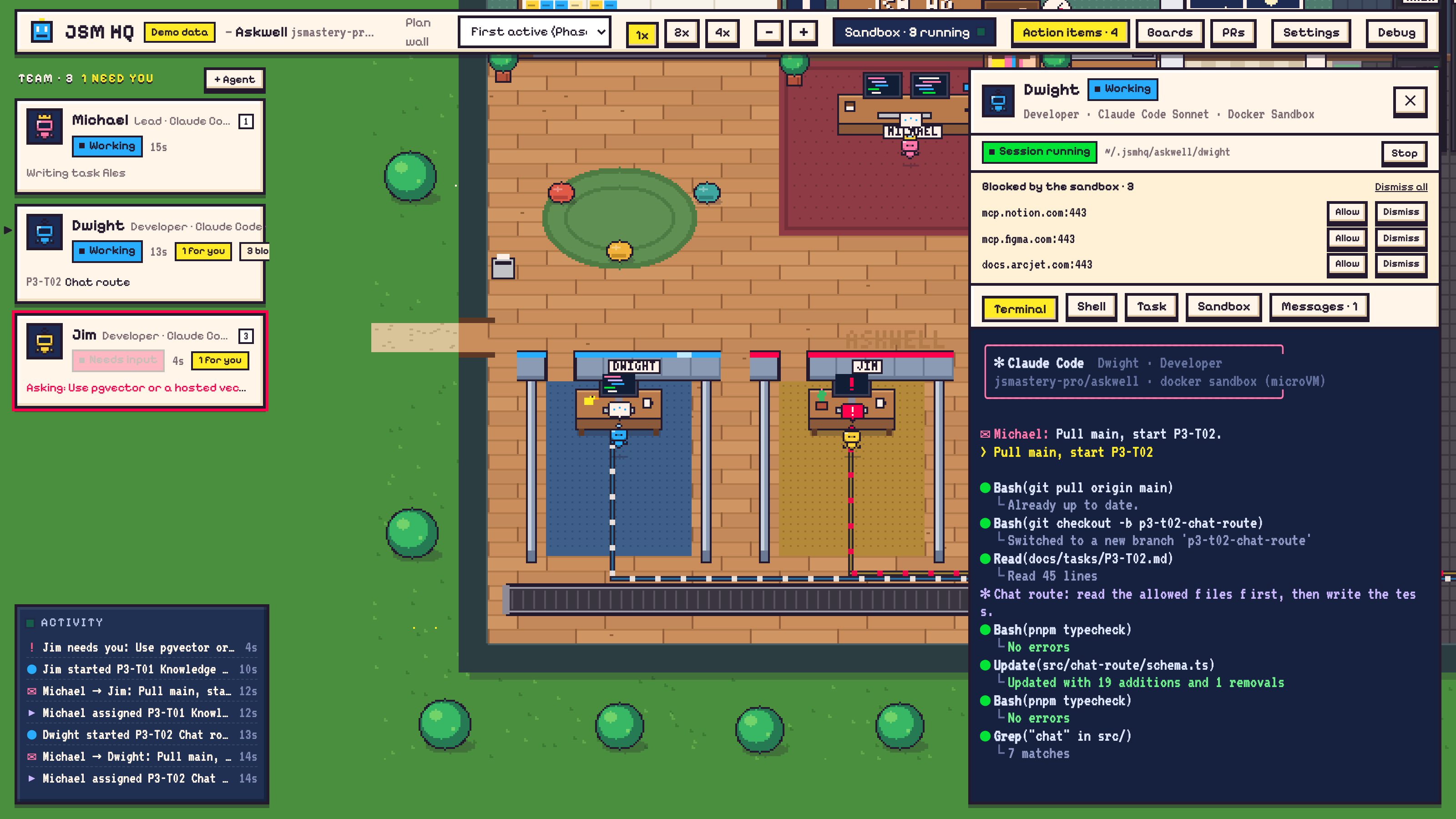
- You tell the lead what to build. It creates a board of small tasks, each with the files it may touch, and assigns them.
- Workers build in their own sandboxes. Each one pulls
main, makes a branch, writes the code and opens a PR titled[TASK-ID] …. - HQ follows the PRs on GitHub. Review comments go back to the author; a passing PR is reported to the lead; a merged PR marks the task done.
- Agents ask when they're stuck. A question, a blocked website or a missing key shows up in Action items and on the agent's card.
- You review and merge.
Click any agent to open its drawer: its live terminal, a shell inside its sandbox, its task, its messages, and the websites it tried to reach. Drag the drawer's edge to make it wider, or maximize it. Terminal in the top bar opens your own shell in the repo or any agent's folder.
More detail on workspaces, sandboxes, MCP servers, app variables and what HQ saves: How it works.
Troubleshooting
| Problem | Fix |
|---|---|
| A setup check shows "!" but the tool works | You may be on an old HQ. Run npx @therealjsmastery/jsm-hq@latest (npx can keep an old version cached). |
| Start fails: "network policy has not been initialized" | A new Docker Sandboxes install needs a base policy once: sbx policy init balanced. |
| Agents fail to start with a sign-in error | Your Docker sign-in expired. Run sbx login, then Check again in the setup checklist. |
| Agents can't push or open PRs | Run sbx secret set github --command "gh auth token", and check the repo has a GitHub origin. |
| A Codex agent waits on "Do you trust this folder?" | Answer it once in the agent's terminal. HQ never answers trust prompts for you. |
A CLI sign-in in a sandbox opens the browser, then fails on localhost:<port> |
Press Forward port in the agent's drawer, then reload the page. |
| An agent's state never changes | The sandbox can't reach HQ. sbx policy ls should show localhost:<port> and host.docker.internal:<port> allowed; HQ adds them on start. |
| "Port 7420 is in use" | Another HQ is running. Stop it, or use --port 7421. |
Windows: listen EACCES on start |
Windows reserved that port. Use --port 8420. |
posix_spawnp failed when opening a terminal |
Run npx clear-npx-cache, then npx @therealjsmastery/jsm-hq@latest. |
Remove a project: delete each agent in Settings → Team (this removes its sandbox and, if you choose, its folder), then delete ~/.jsmhq/<project>.
Docs
- Getting started: install everything and run your first team.
- How it works: workspaces, sandboxes, GitHub, MCP, settings and files.
- Contributing: run HQ from source and release it.
License
Code: MIT. The JSM HQ name and logo are not covered by the license; see TRADEMARKS.md.
Yorumlar (0)
Yorum birakmak icin giris yap.
Yorum birakSonuc bulunamadi