flowmux
Health Gecti
- License — License: GPL-3.0
- Description — Repository has a description
- Active repo — Last push 0 days ago
- Community trust — 10 GitHub stars
Code Uyari
- fs module — File system access in .github/workflows/license-audit.yml
Permissions Gecti
- Permissions — No dangerous permissions requested
Bu listing icin henuz AI raporu yok.
flowmux — Agent Workflow Multiplexer Terminal. Go with the agents' flow.

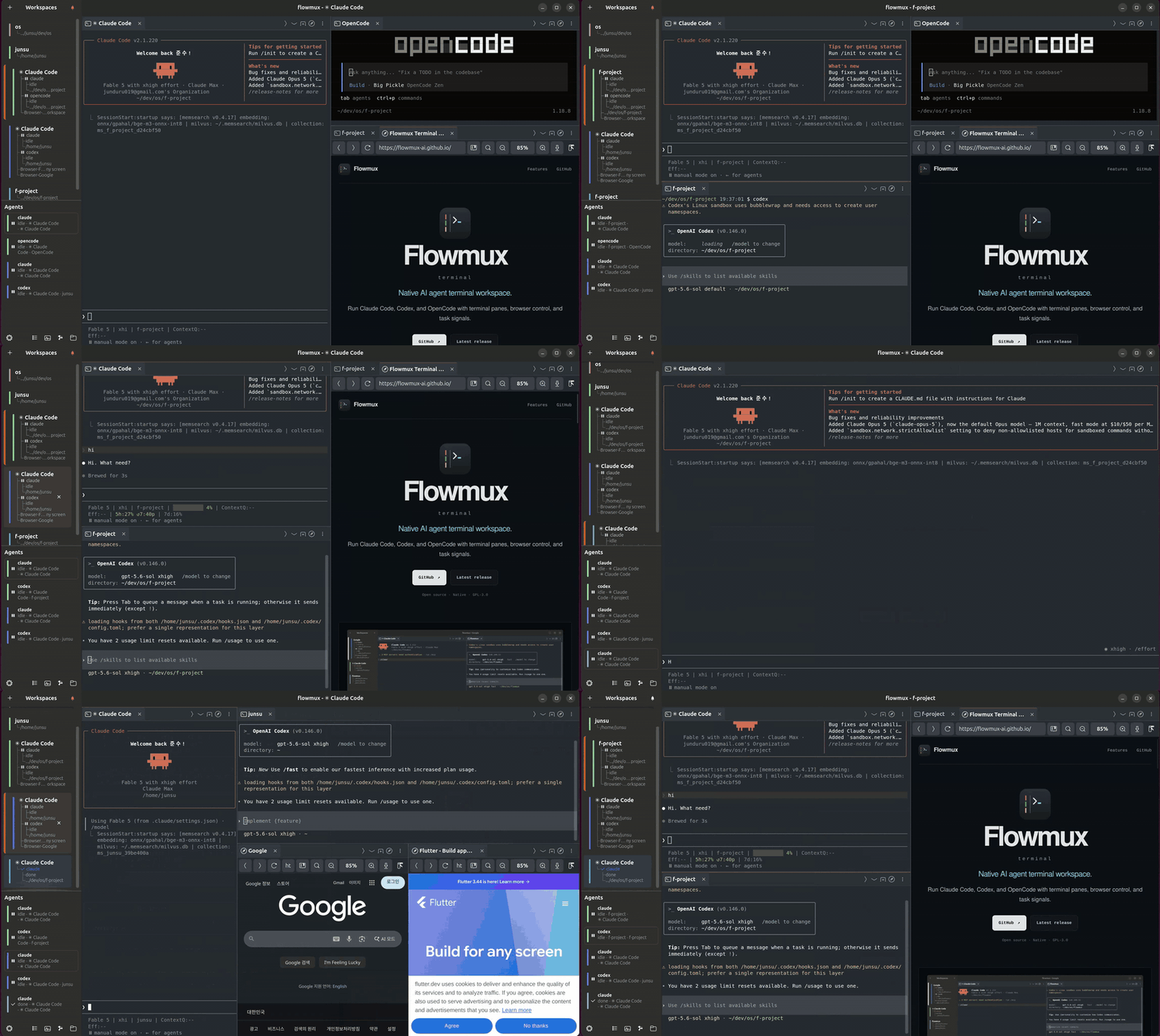
A terminal for AI agent workflows, browser control, and task signals.
flowmux is a Linux/GTK4 terminal for AI coding agents. The terminal pane uses
the system VTE widget for terminal emulation, flowmux-owned PTYs, and GTK integration.
Supported on Ubuntu 24.04 and later.
Unofficial GPL-3.0-or-later reimplementation inspired by cmux, a macOS/AppKit app. Not affiliated with cmux.
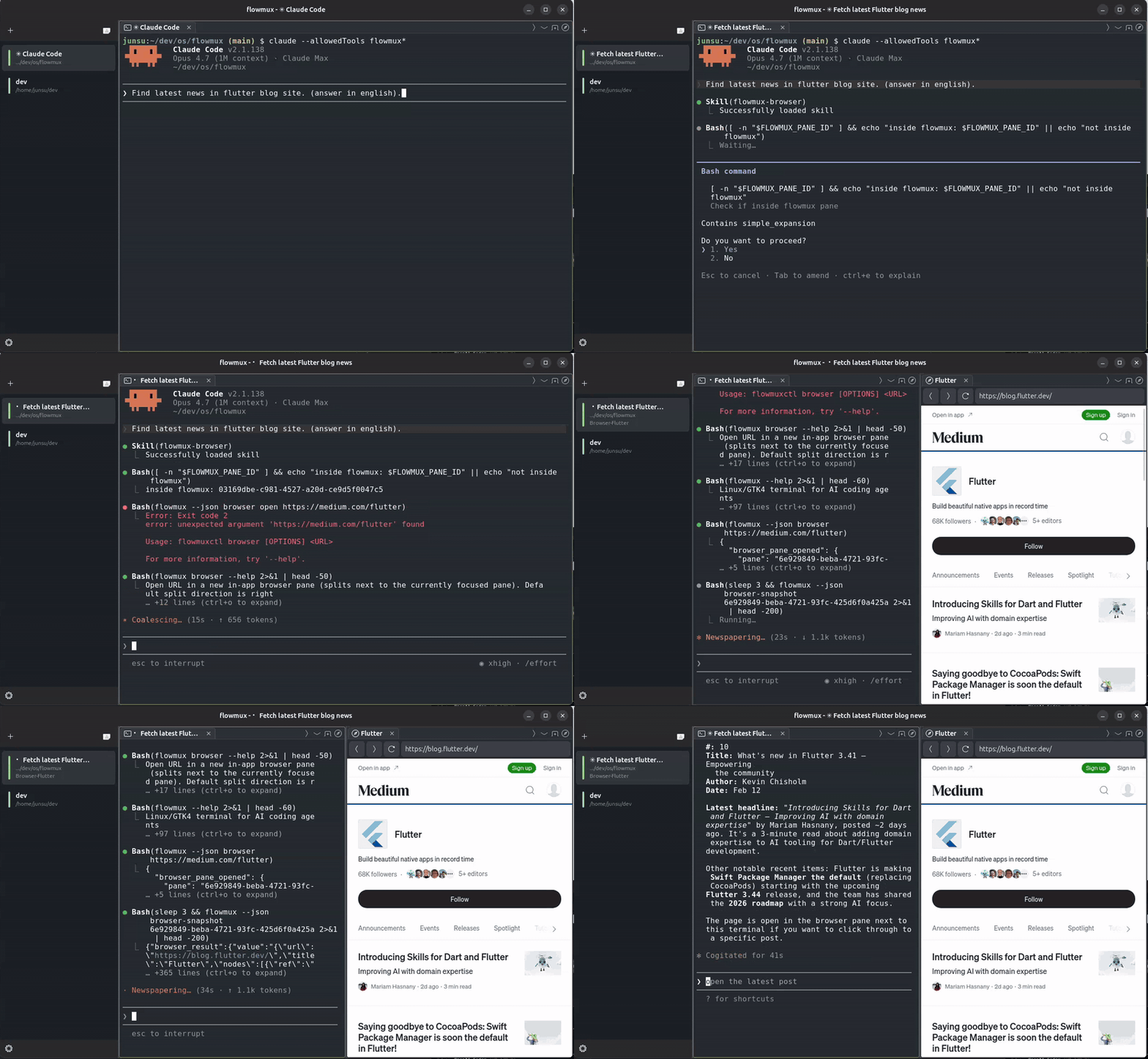
Control internal browser
A WebKitGTK 6.0 browser tab lives next to terminal tabs in the same pane tree.
The clip shows an AI agent driving the page over flowmux's IPC socket —
snapshot the DOM, click, type, read state back — with no system Chromium and
no separate driver.
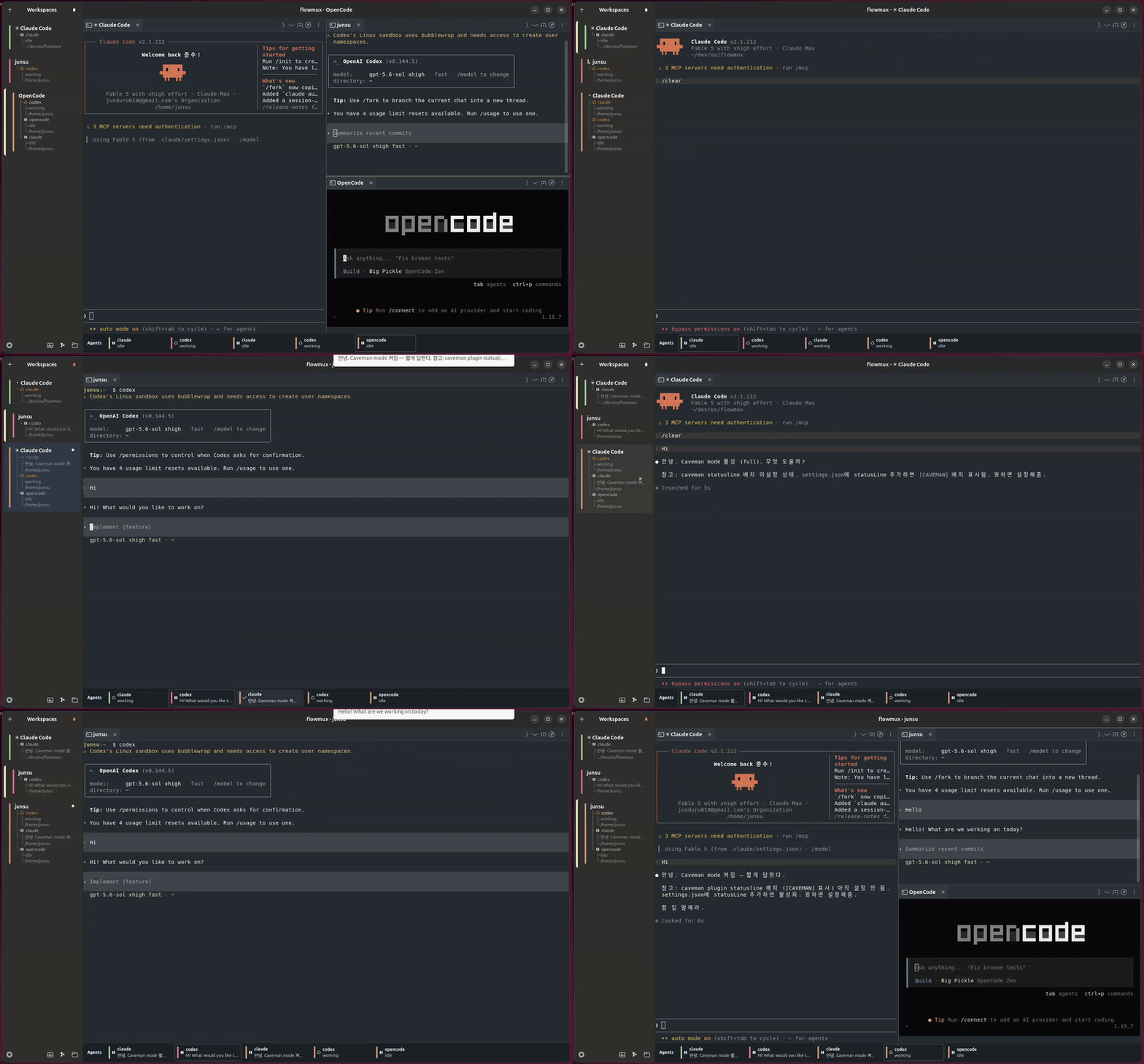
AI Agent notification (Claude, Codex, OpenCode)
flowmux installs lifecycle hooks into Claude Code, Codex, and OpenCode so
task complete, needs approval, and error events surface as native
desktop notifications — routed to the workspace that fired them, suppressed
while that surface is focused, and isolated per window.
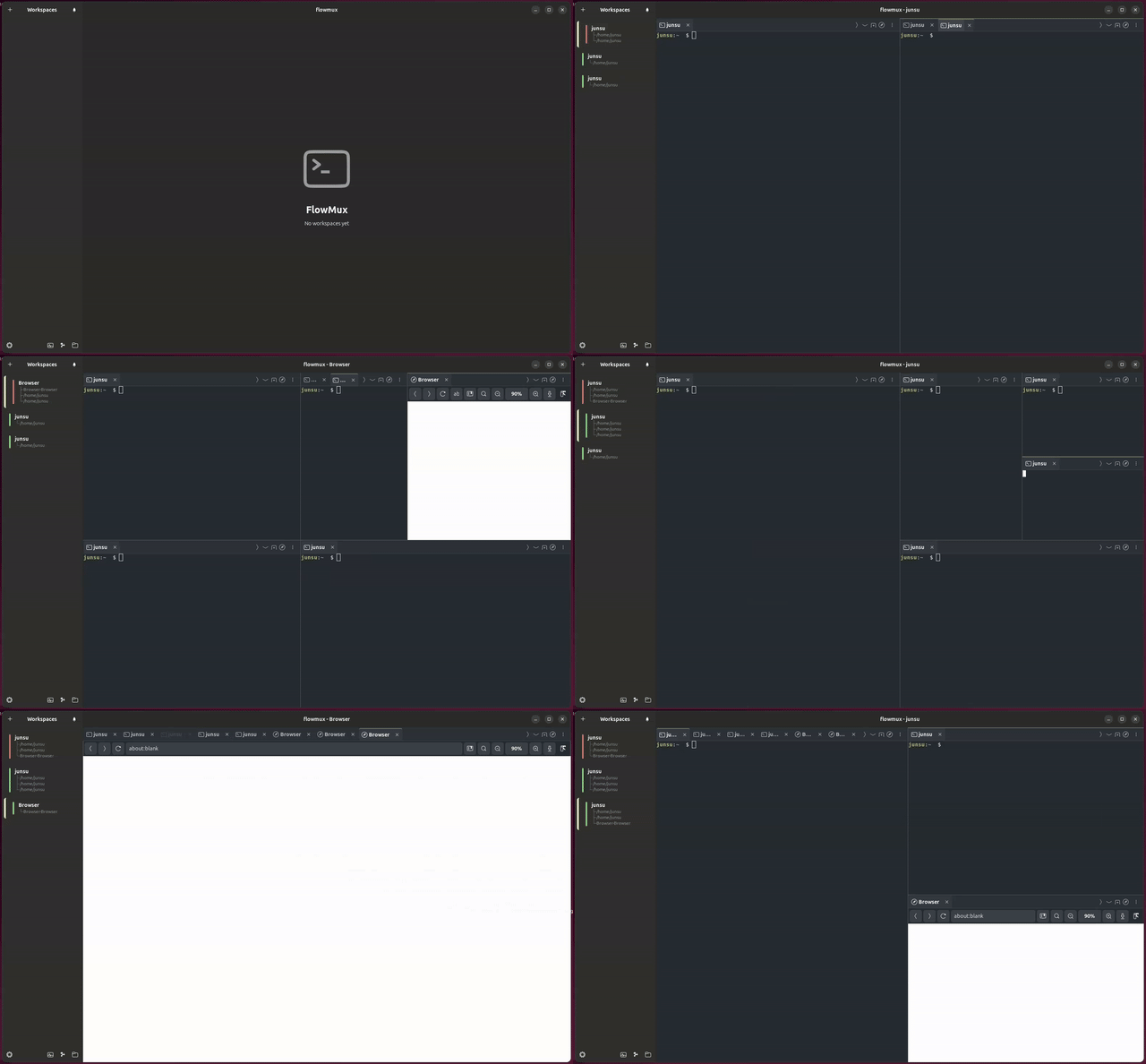
Split panes
Split a pane horizontally or vertically and drag the divider to resize. Mix
terminal and browser tabs across panes, and navigate between them from the
keyboard.
File and worktree views
Open the Files and Worktrees sidebars to browse the current repository,
inspect Git worktree status, and remove worktrees without leaving the terminal.
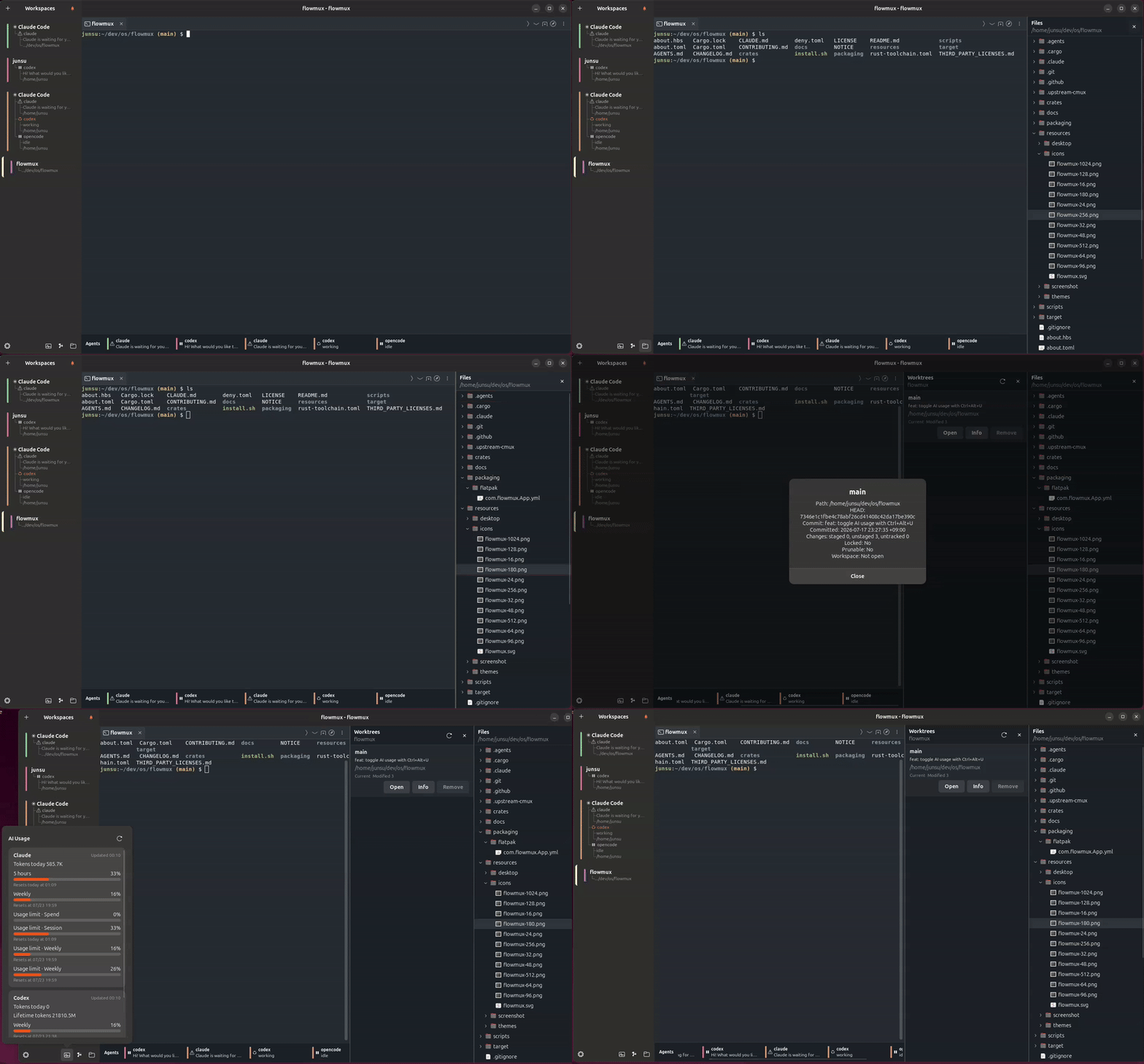
Themes
Choose a built-in light or dark theme in Options → Theme, or customize the
terminal and editor background, text, cursor, selection, and font.
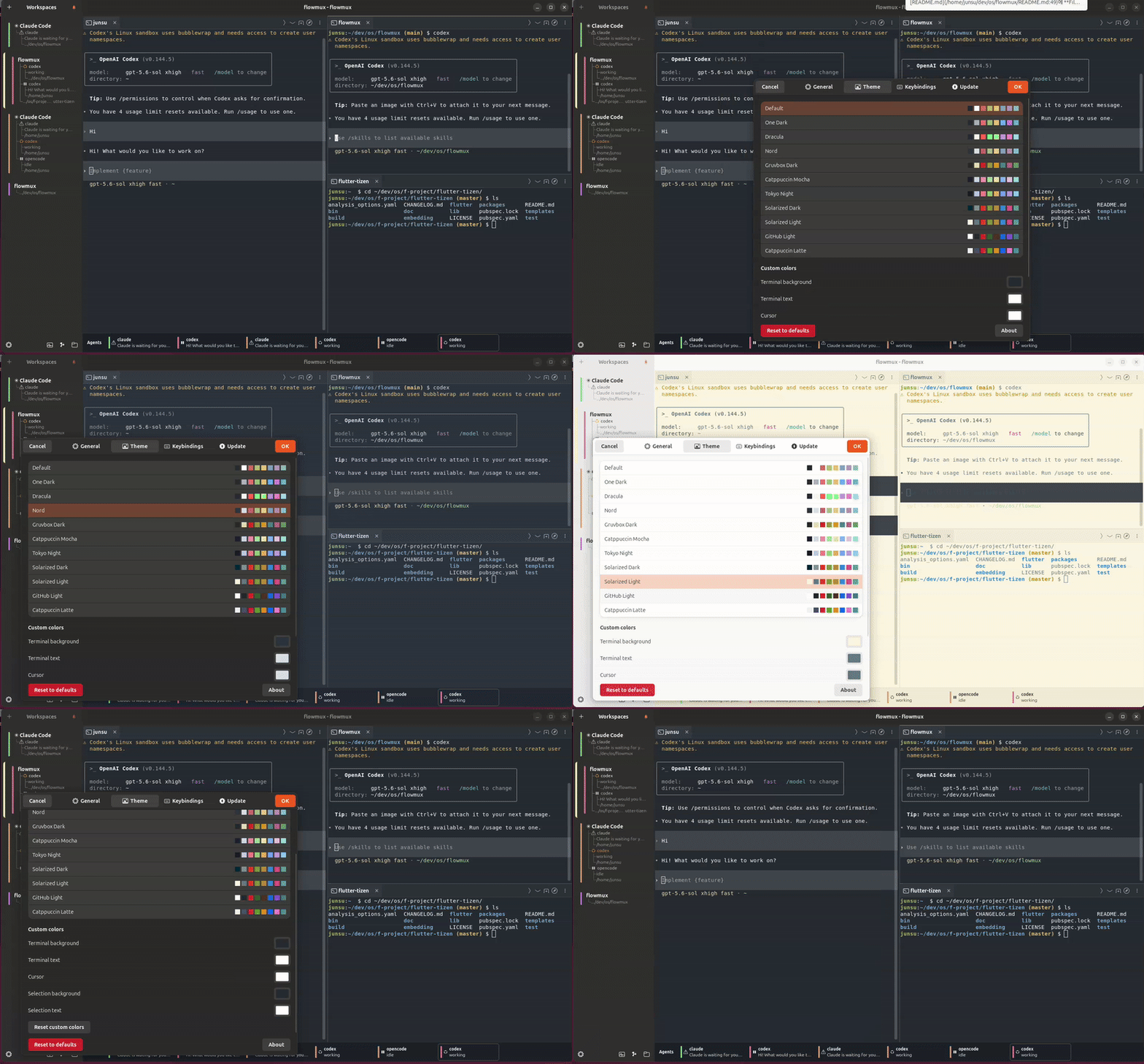
Image viewer
Ctrl+click an image path in a terminal pane to preview it inline without
leaving flowmux. Supports PNG, JPEG, WebP, GIF, SVG, and Lottie
(.lottie / .json). Everything is drawn by
ThorVG: PNG / JPEG / WebP / SVG are decoded and
rendered by ThorVG's own loaders, Lottie plays back frame by frame, and GIF
(which ThorVG has no loader for) is decoded with the Rust image crate and
then handed to ThorVG to render. ThorVG is an optional runtime dependency — see
ThorVG (image viewer — optional).
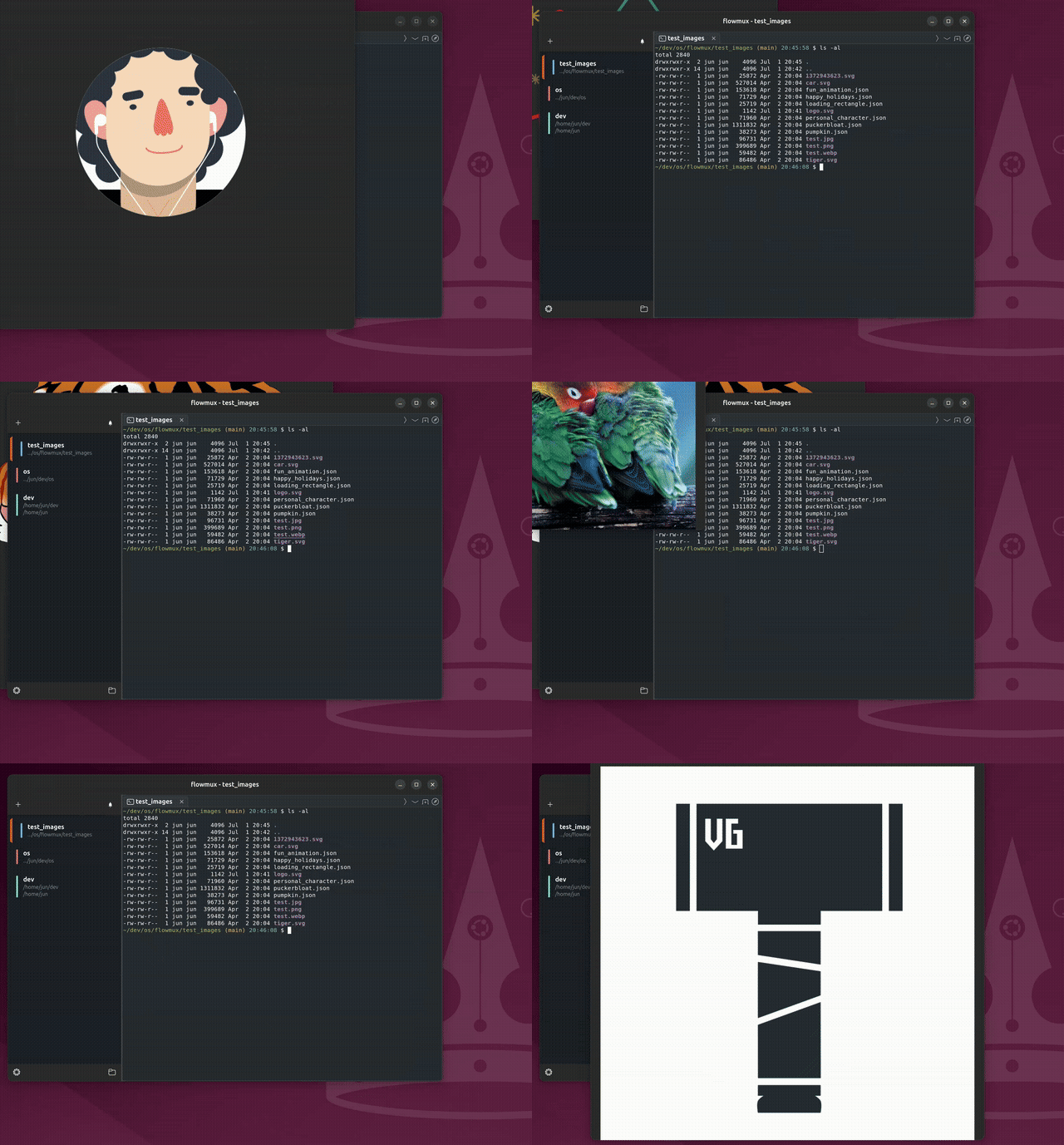
Markdown viewer
flowmux-md-viewer renders Markdown files in a WebKit view for a formatted,
scrollable preview.
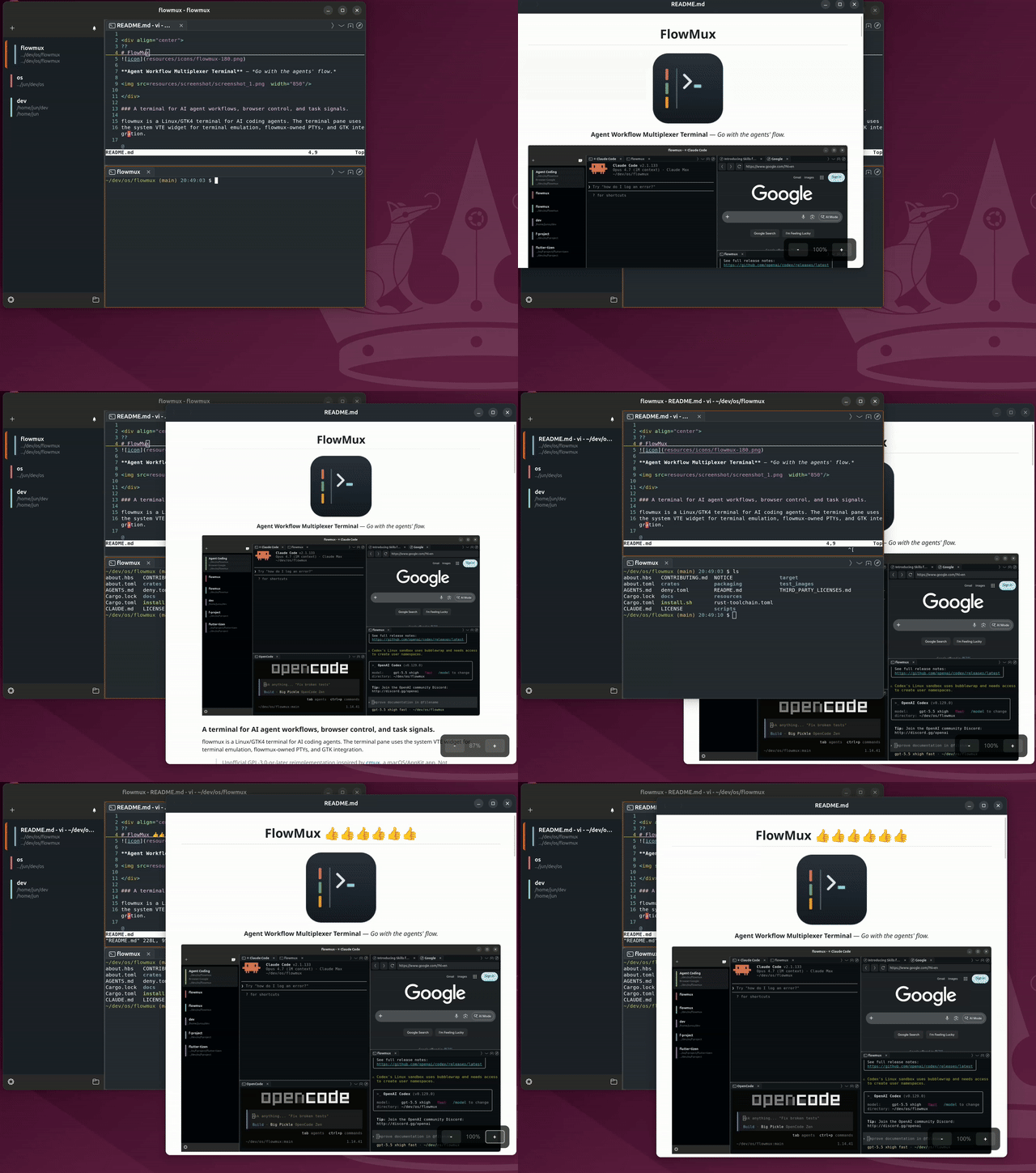
File and worktree views
Open the Files and Worktrees sidebars to browse the current repository,
inspect Git worktree status, and remove worktrees without leaving the terminal.
Open the AI Usage popover from the workspace controls to review current agent
token and activity totals without interrupting running sessions.
Features
- Workspaces & panes — side-panel workspaces hold tasks side by side, each
split into multiple keyboard-navigable panes mixing terminal and browser
tabs.Ctrl+Shift+Kcopies the focused cwd; right-click for Copy path / URL. - In-app browser — a WebKitGTK tab next to your terminals, drivable by
agents in a neighbouring pane (snapshot, click, type, read state). Import a
session from Firefox / Chrome / Chromium / Brave / Edge / Arc; Web
Inspector opens WebKit dev tools. - Embedded editor — single-click a text file in Files to edit it in the
selected pane. Supports multilingual text and paths, atomic save, find and
replace, Quick Open, workspace search, conflict comparison, close guards,
and crash recovery without a separate editor runtime. - Notifications — terminal "task complete" / "needs attention" signals
become desktop notifications, routed to the firing workspace and quiet while
focused. Bell popover All Clear clears all entries and toasts at once. - AI agent integration — Claude Code, Codex, OpenCode work out of the box;
sessions persist across restarts.claude-teamsopens a workspace pre-split
into per-Claude panes.flowmux doctor/fixaudit and repair wiring. - Agent CLI — scripts and agents drive flowmux over its socket:
flowmux browser <op>(snapshot / click / fill / type / press /
is-visible / count / …),flowmux identifyandcapabilitiesfor context
discovery,flowmux treeto inspect the workspace → pane → tab structure,workspace current|focus,focus-pane|close-pane,focus-tab|close-tab,send-keys, andread-screen(terminal buffer dump). Pane args acceptpane:<uuid>or fall back to$FLOWMUX_PANE_ID;--jsoneverywhere. Full contract inAGENTS.md. - Customizable keybindings — Options → Keybindings rebinds any shortcut
(applies on OK, no restart), saved to$XDG_CONFIG_HOME/flowmux/options.json. IME/scroll terminal shortcuts
(Shift+Enter Hangul flush, smart PgUp/PgDn) are fixed and not editable. The
AI Usage popover opens and closes with Ctrl+Alt+U by default
(Cmd+Alt+U on macOS;toggle-usage-popoverin the Keybindings options).
Ctrl+Alt+G openstigin a new tab in the focused pane
(Cmd+Alt+G on macOS;open-tigin the Keybindings options).
See the keyboard shortcut reference and
configuration reference.
Layout
flowmux/
├── crates/
│   ├── flowmux-core/       Domain types: Workspace, Surface, Pane, Notification
│   ├── flowmux-config/     cmux.json + ~/.config/ghostty/config readers
│   ├── flowmux-state/      Persistent workspace/session state on disk
│   ├── flowmux-terminal/   VTE terminal integration + PTY env helpers
│   ├── flowmux-browser/    WebKitGTK 6.0 browser surface + scriptable refs
│   ├── flowmux-editor/     Safe UTF-8 document I/O, versioning, and atomic saves
│   ├── flowmux-cookies/    Browser cookie/session import (libsecret + sqlite)
│   ├── flowmux-notify/     OSC 9/99/777 parser + libnotify D-Bus sender
│   ├── flowmux-ipc/        Unix-socket IPC (cmux socket-API compatible)
│   ├── flowmux-daemon/     Background daemon orchestrating IPC and panes
│   ├── flowmux-procmon/    PID-tree process / listening-port monitor
│   ├── flowmux-vcs/        Git/PR sidebar integration
│   ├── flowmux-cli/        `flowmuxctl` helper for CLI subcommands
│   └── flowmux/            GTK4 + libadwaita main app and public `flowmux` binary
├── editor/flowmux-editor-web/  Monaco editor source + committed web assets
├── packaging/{debian,flatpak}/  Distro packaging metadata
├── resources/             .desktop file, icons, screenshots, themes
├── LICENSE                GPL-3.0-or-later (verbatim from gnu.org)
├── THIRD_PARTY_LICENSES.md  Third-party dependency license inventory
└── NOTICE                 Copyright + attribution
Build prerequisites (Ubuntu 24.04 native)
sudo apt install \
    build-essential pkg-config git \
    libgtk-4-dev libadwaita-1-dev libvte-2.91-gtk4-dev \
    libwebkitgtk-6.0-dev libssl-dev \
    libdbus-1-dev libsecret-1-dev
# rustup (Rust 1.93+) required.
curl --proto '=https' --tlsv1.2 -sSf https://sh.rustup.rs | sh
ThorVG (image viewer — optional)
The image viewer loads ThorVG at runtime (dlopen). It is optional —
flowmux builds and runs without it; only the image viewer needs it, and shows a
"ThorVG is not installed" message until it is present (no rebuild needed).
On macOS, install the Homebrew package and restart flowmux:
brew install thorvg
Ubuntu does not package ThorVG, so install it with the helper script (needsmeson + ninja-build):
sudo scripts/install-thorvg.sh # ThorVG v1.0.6 → /usr/local, then restart flowmux
ThorVG must be built with the C API and all loaders; the script does that
(meson -Dbindings=capi -Dloaders=all). Where a distro packages such a build
you can use it instead — e.g. Debian libthorvg-dev, Fedora thorvg.
Optional — full media playback in tab browser
WebKitGTK decodes media via GStreamer. Without these plugins pages still load,
but YouTube / Twitch / <video> may stall, miss subtitles, or fail on DRM:
sudo apt install \
    gstreamer1.0-plugins-good \
    gstreamer1.0-plugins-bad \
    gstreamer1.0-plugins-ugly \
    gstreamer1.0-libav
Build
cargo build --release --workspace
Produces two binaries under target/release/:
flowmux— GTK4 GUI; also forwards CLI subcommands toflowmuxctl.flowmuxctl— CLI helper invoked by the GUI and by agent hooks.
flowmux read-screen (terminal buffer dump) reads the viewport straight from
the VTE terminal buffer, so it works in every build.
For development:
cargo run -p flowmux           # debug GUI
cargo check --workspace        # type-check everything
scripts/check-ubuntu-compat.sh # Docker smoke check for 24.04/26.04
The Monaco editor bundle under editor/flowmux-editor-web/dist is committed,
so regular flowmux builds and installs do not require Node.js. Only developers
who change the editor frontend need Node.js 20 or newer and npm. Rebuild and
verify the locked assets with:
scripts/build-editor-assets.sh
The script uses npm ci, runs the TypeScript and multilingual path tests,
builds the worker bundles, and checks the distributable asset set. Commit the
updated dist directory and package-lock.json together.
macOS local install
The macOS build uses Homebrew GTK / libadwaita and the system
WebKit.framework for the browser pane. It installs a
regular app bundle plus CLI binaries:
brew install pkg-config gtk4 libadwaita
scripts/install-macos.sh --check
scripts/install-macos.sh
open "$HOME/Applications/FlowMux.app"
The script installs FlowMux.app under ~/Applications and copies flowmux,flowmuxctl, and flowmux-md-viewer to ~/.local/bin.
Install to the host
./install.sh # release-builds flowmux → installs binaries + app icon
This installs flowmux, flowmuxctl, and flowmux-md-viewer binaries to~/.local/bin and ~/.cargo/bin, plus the desktop entry
(~/.local/share/applications/com.flowmux.App.desktop) and the app icons
(~/.local/share/icons/hicolor/…) so flowmux appears in the app launcher.
It is a plain cargo build --release using
the system VTE library; no Zig toolchain or vendored terminal backend is
required. ThorVG (image viewer) is optional and loaded at runtime, so the build
does not depend on it; install.sh only prints a note if it is missing.
After installing, fully restart any running flowmux GUI to pick up the new
binary.
Verify & repair
flowmux wires into host pieces: agent SKILL files, agent hooks, the browser
data dir, host browsers for the cookie importer, and the daemon socket.
flowmux doctor   # read-only audit; non-zero exit if anything needs fixing
flowmux fix      # re-install / refresh what doctor flagged
doctor prints one row per check with a status badge (ok / fix / warn /info); NO_COLOR=1 or piping disables colour. Run it after a flowmux
install/upgrade and after installing a new agent. fix is idempotent and
never clobbers hand-edited entries lacking the flowmux marker. Add --json to
either for machine-readable output.
Troubleshooting
Set FLOWMUX_LOG=/path/to/flowmux.log for a persistent diagnostic log.
Crash diagnostics are stored under $XDG_STATE_HOME/flowmux/crashes (usually~/.local/state/flowmux/crashes). Start with flowmux doctor; it is read-only,
while flowmux fix repairs marked integration entries.
WSL / WSLg
Ubuntu 24.04 and 26.04 on WSLg follow the native host path above:
install the build prerequisites, run ./install.sh, then startflowmux from the Linux side so GTK connects to WSLg's Wayland display. The
runtime detects WSL and enables the terminal key/resize workarounds that differ
from a regular GNOME session.
To verify a real WSLg session end to end on 24.04 or 26.04:
scripts/check-wslg-runtime.sh
That script installs the native host build if needed, launches the GUI through
WSLg, creates a workspace, and verifies send-keys / read-screen against the
live terminal pane. It uses a temporary FLOWMUX_RUNTIME_DIR for the smoke
run while leaving WSLg's XDG_RUNTIME_DIR alone, so it will not steal the
socket from an existing flowmux session or hide the Wayland socket. Use--no-install to test an already-installed binary, or --keep-open to leave
the smoke GUI running and print the matching env for manual CLI checks.
License
GPL-3.0-or-later. See LICENSE and NOTICE.
Contributions accepted under the same license; seeCONTRIBUTING.md.
Yorumlar (0)
Yorum birakmak icin giris yap.
Yorum birakSonuc bulunamadi