gitrespect
Health Uyari
- License — License: MIT
- Description — Repository has a description
- Active repo — Last push 0 days ago
- Low visibility — Only 7 GitHub stars
Code Gecti
- Code scan — Scanned 2 files during light audit, no dangerous patterns found
Permissions Gecti
- Permissions — No dangerous permissions requested
Bu listing icin henuz AI raporu yok.
Respect your git work with real metrics - A CLI tool for developer productivity analysis
gitrespect
Respect your git work with real metrics
A fast CLI tool that analyzes git repositories and provides comprehensive developer productivity metrics. Measure the real impact of AI tools on your productivity, track team contributions, and benchmark against your own personal baseline.
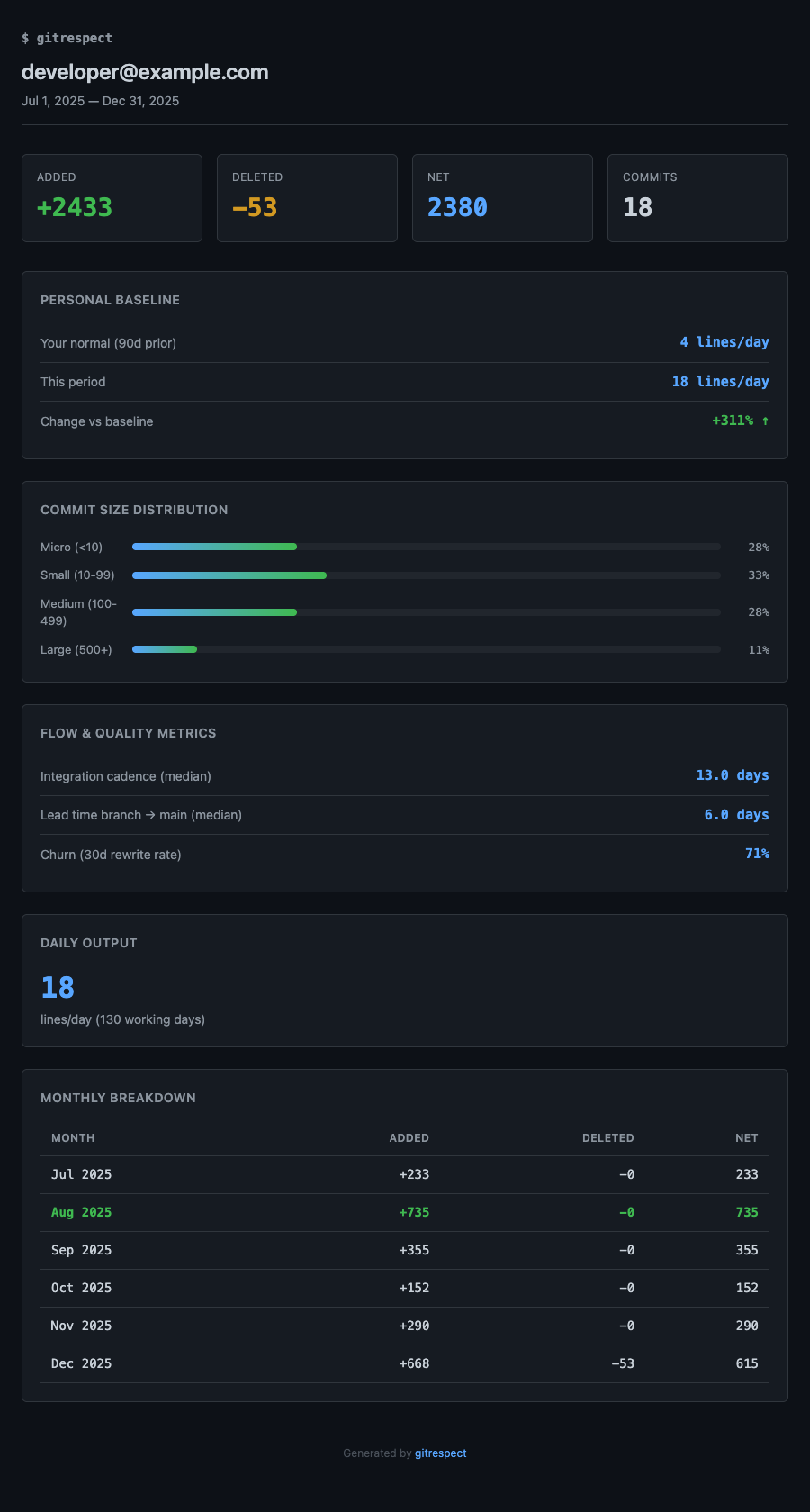
Why gitrespect?
Measure AI Impact on Productivity
The rise of AI coding assistants (Copilot, Claude, Cursor) is changing how we write code. But how do you know if it's actually making you more productive? gitrespect lets you:
- Compare your output before vs after adopting AI tools
- Quantify the productivity multiplier with real data
- Track team-wide AI adoption impact
- Generate shareable reports for stakeholders
Features
- AI Productivity Comparison - Measure before/after impact of AI tools on your workflow
- Personal Baseline - Compare this period against your own normal output (no arbitrary industry numbers)
- Flow & Quality Metrics (opt-in) - Commit size distribution, integration cadence, lead time (branch → main), and churn
- Team Analysis - Analyze multiple contributors as a team or organization
- Lines of Code - Track added, deleted, and net lines across repositories
- Multi-repo Support - Analyze multiple repositories at once
- Multiple Output Formats - Terminal, HTML reports (dark/light themes), JSON export
- AI Agent Skill - Bundled skill so Claude Code / Codex can run gitrespect for you
Installation
Homebrew (macOS/Linux)
brew install juangracia/gitrespect/gitrespect
Using Go
go install github.com/juangracia/gitrespect@latest
Download Binary
Download the latest release from GitHub Releases.
macOS
# Apple Silicon (M1/M2/M3)
curl -L https://github.com/juangracia/gitrespect/releases/latest/download/gitrespect-darwin-arm64.tar.gz | tar xz
sudo mv gitrespect /usr/local/bin/

# Intel Mac
curl -L https://github.com/juangracia/gitrespect/releases/latest/download/gitrespect-darwin-amd64.tar.gz | tar xz
sudo mv gitrespect /usr/local/bin/
Linux
# x86_64
curl -L https://github.com/juangracia/gitrespect/releases/latest/download/gitrespect-linux-amd64.tar.gz | tar xz
sudo mv gitrespect /usr/local/bin/

# ARM64
curl -L https://github.com/juangracia/gitrespect/releases/latest/download/gitrespect-linux-arm64.tar.gz | tar xz
sudo mv gitrespect /usr/local/bin/
Windows
# Download from GitHub Releases
# Extract gitrespect-windows-amd64.zip
# Add to PATH or move to a directory in your PATH
Build from Source
git clone https://github.com/juangracia/gitrespect.git
cd gitrespect
go build -o gitrespect ./cmd/gitrespect
Usage
Basic Analysis
Run in any git repository to see your contribution stats for the last 30 days:
gitrespect
Output:
 gitrespect - [email protected]
my-project (Dec 4 2025 to Jan 3 2026)
──────────────────────────────────────────────────

  Added       Deleted     Net         Commits
  ────────────────────────────────────────────
  2,847       312         2,535       47

  Daily avg: 127 lines/day (22 working days)

  Baseline (90d prior):
  └── Your normal: 84 lines/day → this period: 127 (+51% ↑)
By default gitrespect compares this period against your own baseline computed
from the prior 90 days of history (configurable via --baseline-window). Add--metrics to opt into deeper flow and quality metrics (see Opt-in Metrics).
Measure AI Impact (Before/After Comparison)
The killer feature: measure how AI tools have changed your productivity.
gitrespect compare --before=2025-01:2025-07 --after=2025-08:2025-12
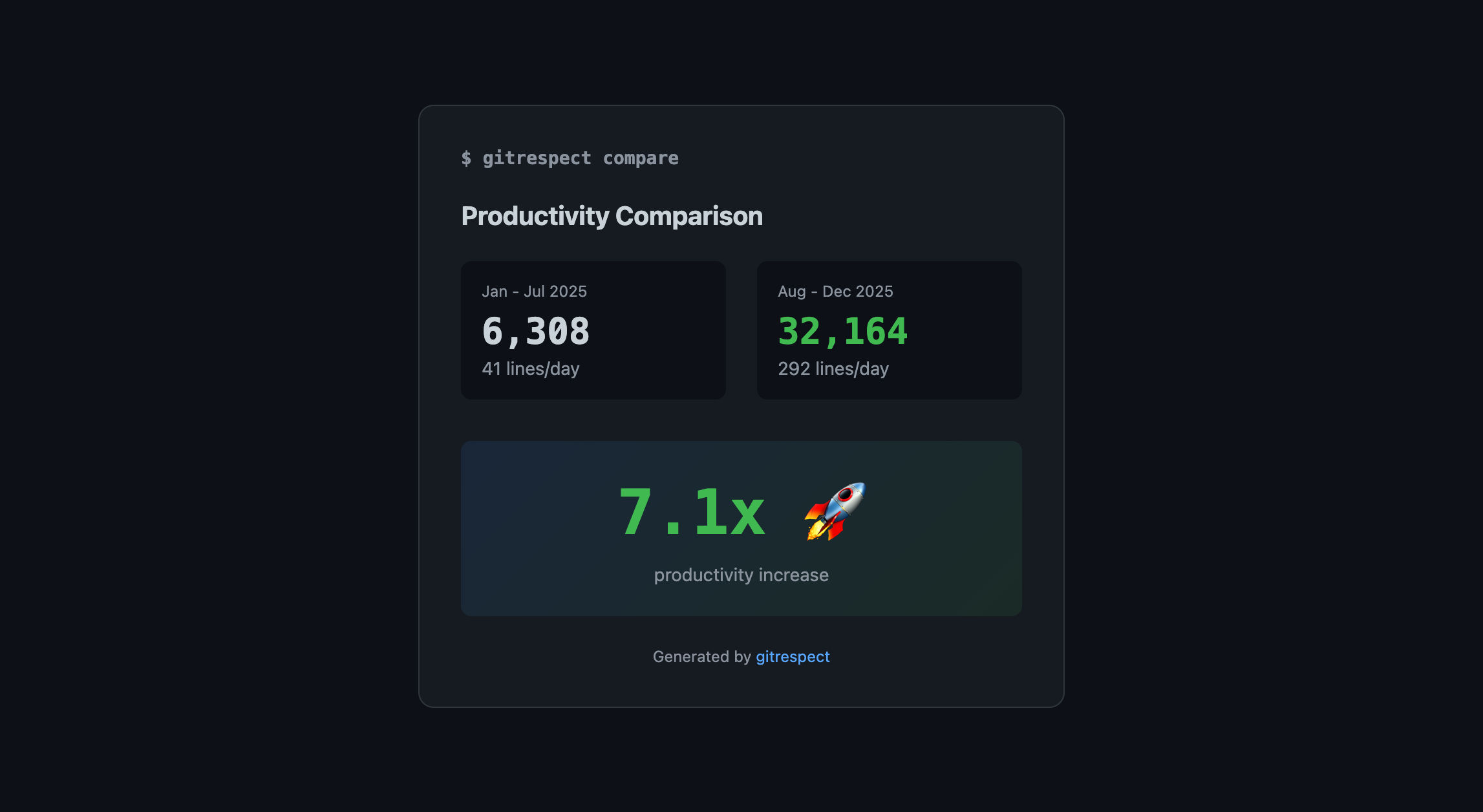
Output:
 gitrespect - Period Comparison
──────────────────────────────────────────────────

  Period           Net Lines   Days    Per Day
  ─────────────    ──────────  ──────  ────────
  2025-01:2025-07  6,308       154     41
  2025-08:2025-12  32,164      110     292

  Change: +7.1x productivity increase 🚀
Use cases:
- Before/after adopting GitHub Copilot
- Before/after switching to Claude or Cursor
- Comparing productivity across different project phases
- Quantifying the ROI of AI tools for your team
Team Analysis
Analyze contributions across your entire team:
gitrespect [email protected],[email protected],[email protected] --year=2025
Output:
 gitrespect - Team Report
Jan 1 2025 to Dec 31 2025
────────────────────────────────────────────────────────────

  Team Totals
  Added       Deleted     Net         Commits
  ────────────────────────────────────────────
  45,230      3,127       42,103      312

  Team daily avg: 162 lines/day (260 working days)

  Team Members
  Contributor                         Net       Commits  /day
  ────────────────────────────────────────────────────────
  [email protected]                    18,450    128      71
  [email protected]                    15,230    98       59
  [email protected]                    8,423     86       32
Team mode also honors --metrics and --breakdown: add --metrics=all to get
each member's commit-size distribution and flow metrics (cadence, lead time,
churn) computed individually, and --breakdown=monthly for a team-wide monthly
table. This works in terminal, HTML, and JSON:
gitrespect repo1 repo2 [email protected],[email protected] \
  --year=2025 --breakdown=monthly --metrics=all --output=html --file=team.html
Analyze Specific Path
gitrespect /path/to/repo
Multiple Repositories
gitrespect ./api ./frontend ./gateway
Scan Directory for Repos
Analyze all git repositories in a folder:
gitrespect -r ~/projects
Filter by Year
gitrespect --year=2025
Monthly Breakdown
gitrespect --year=2025 --breakdown=monthly
Custom Date Range
gitrespect --since=2025-01-01 --until=2025-06-30
Filter by Author
gitrespect --author="[email protected]"
Export to HTML
gitrespect --year=2025 --breakdown=monthly --output=html --file=report.html
HTML Theme Options
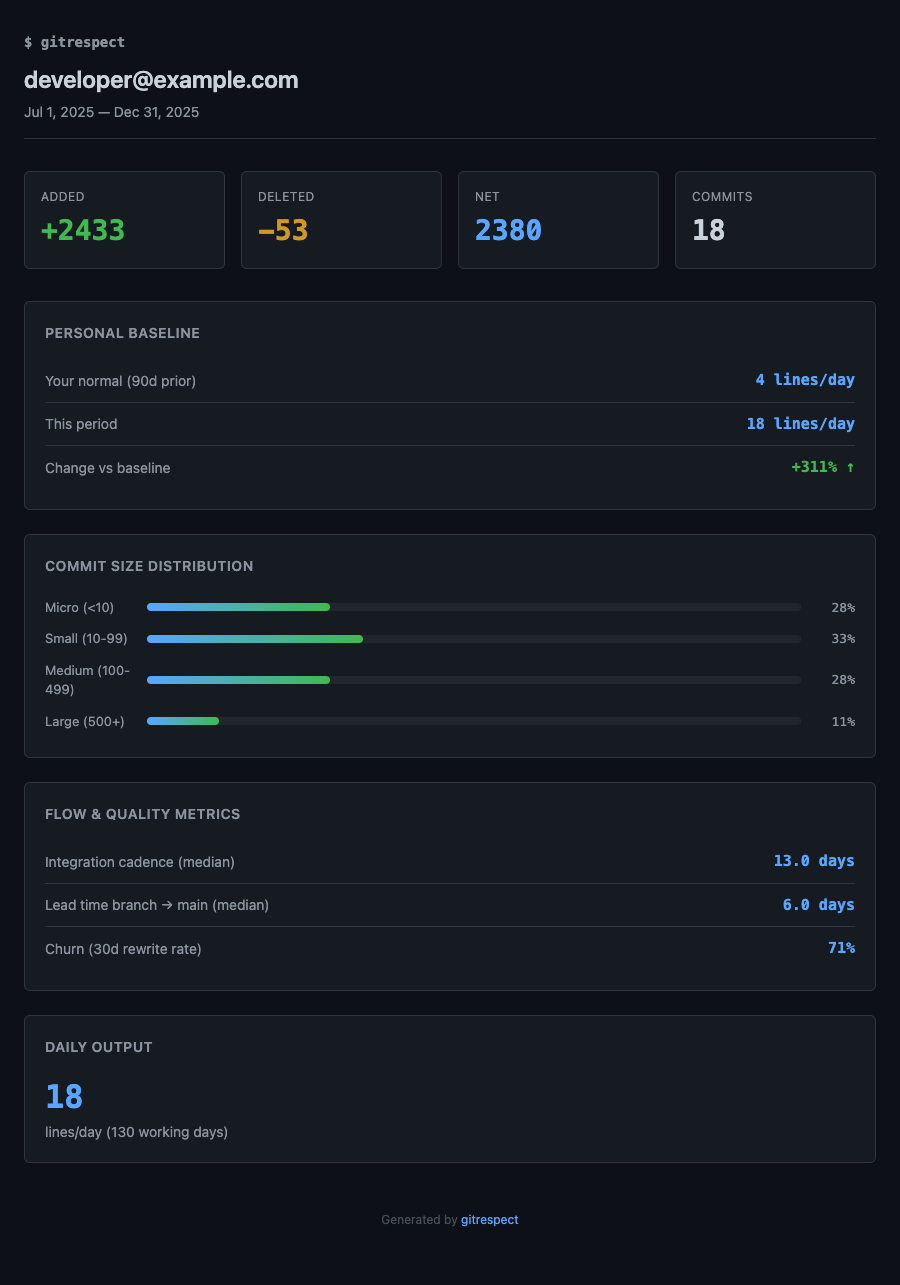
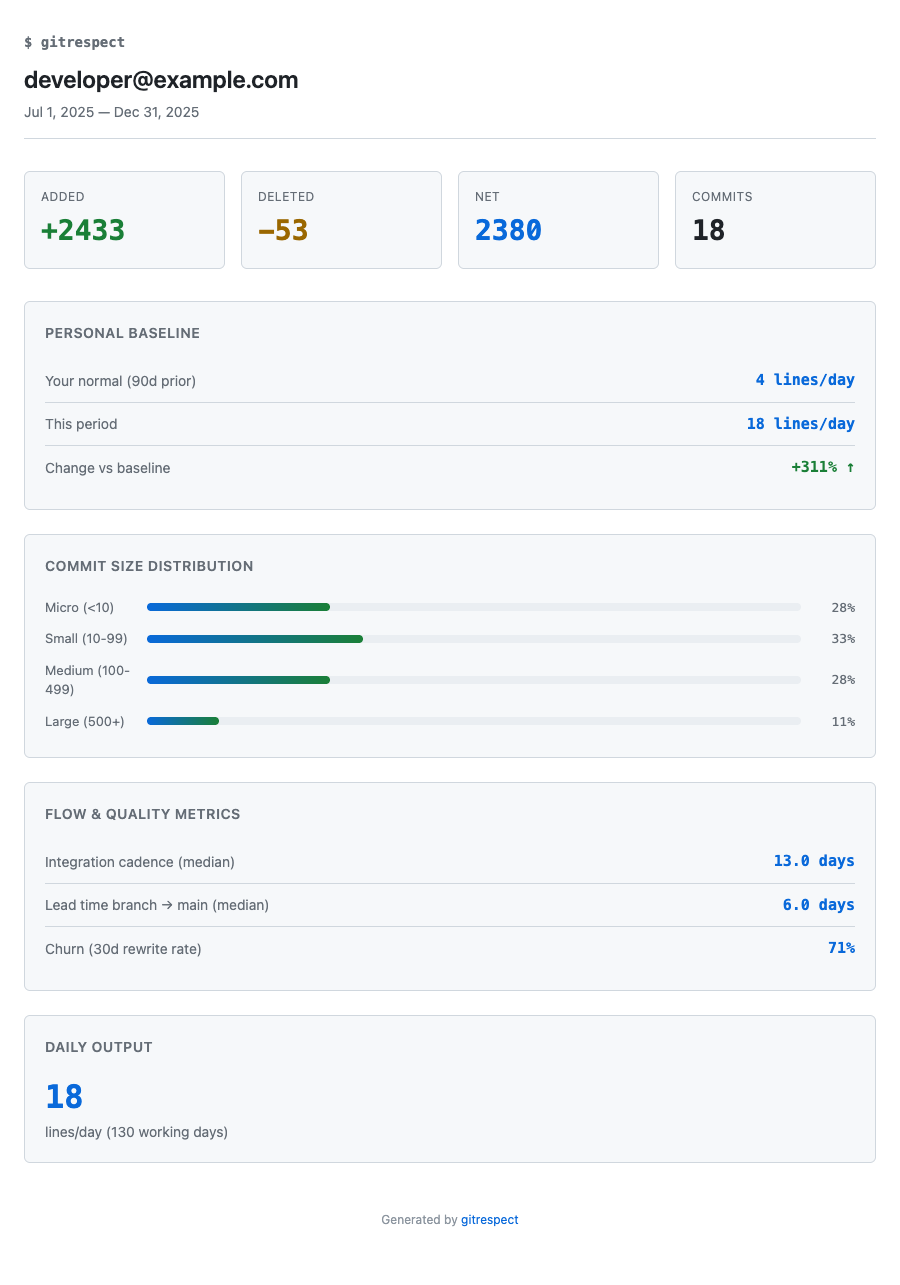
Choose between dark (default) and light themes:
Dark theme (default):
gitrespect --output=html --theme=dark --file=report.html
Light theme:
gitrespect --output=html --theme=light --file=report.html
Opt-in Metrics
Beyond lines of code and the personal baseline, gitrespect can compute deeper
flow and quality metrics. These are opt-in (they run extra git queries) via
the --metrics flag, which takes a comma-separated list or all:
# Everything
gitrespect --metrics=all

# Just the ones you want
gitrespect --metrics=commit-size,churn

# Full HTML report with every section
gitrespect --year=2025 --breakdown=monthly --metrics=all --output=html --file=report.html
| Metric | Flag value | What it shows |
|---|---|---|
| Commit size distribution | commit-size |
% of commits that are micro (<10), small (10-99), medium (100-499), large (500+) |
| Integration cadence | cadence |
Median days between commits on the main branch |
| Lead time | lead-time |
Median days from a feature branch's first commit to its merge into main |
| Churn | churn |
% of recently added lines rewritten within the churn window (--churn-window, default 30d) |
The personal baseline window is controlled with --baseline-window (e.g. 30d,90d, 6m, 1y). To bring back the deprecated Senior/Avg/Junior comparison,
pass --legacy-benchmark.
Export to JSON
gitrespect --output=json --file=stats.json
Team HTML Report
gitrespect [email protected],[email protected] --output=html --file=team-report.html
All Options
gitrespect [paths...] [flags]

Flags:
  -a, --author string        Filter by author email (default: git config user.email)
  -t, --team strings         Team mode: analyze multiple authors (comma-separated emails)
  -r, --recursive            Scan subdirectories for git repositories
      --per-repo             Show breakdown by repository when analyzing multiple repos
  -s, --since string         Start date (YYYY-MM-DD or "30 days ago") (default: "30 days ago")
  -u, --until string         End date (default: now)
      --year int             Filter by year (e.g., --year=2025)
  -b, --breakdown string     Show breakdown: monthly, weekly, or daily
  -e, --exclude strings      Exclude files matching glob patterns (e.g. -e 'vendor/*')
      --metrics string       Opt-in metrics: comma list of churn,lead-time,commit-size,cadence, or 'all'
      --baseline-window str  Personal baseline window (e.g. 30d, 90d, 6m, 1y) (default: "90d")
      --churn-window string  Churn detection window (default: "30d")
      --legacy-benchmark     Show deprecated Senior/Avg/Junior comparison instead of personal baseline
  -o, --output string        Output format: terminal, json, or html (default: terminal)
  -f, --file string          Output file path (for html/json)
      --theme string         HTML theme: dark or light (default: dark)
  -h, --help                 Show help

Commands:
  gitrespect compare       Compare two time periods
  gitrespect version       Show version info
Personal Baseline
Instead of comparing you against arbitrary industry numbers, gitrespect compares
this period against your own normal output. It computes a baseline from the
prior --baseline-window (default 90 days) of your commit history and reports how
this period stacks up:
Baseline (90d prior):
└── Your normal: 84 lines/day → this period: 127 (+51% ↑)
If there isn't enough prior history (under ~30 days of activity in the window),
gitrespect says so rather than inventing a comparison.
The old Senior/Avg/Junior industry benchmark is deprecated but still available
via--legacy-benchmarkfor anyone who relied on it.
Note: Lines of code is just one metric. Quality, architecture decisions, code reviews, and mentoring are equally important contributions that aren't captured here. The opt-in flow metrics (cadence, lead time, churn) give a fuller picture.
For AI Agents
gitrespect ships with a skill that teaches AI
coding agents (Claude Code, Codex, and compatible tools) how to run it: which
flags to use, how to opt into metrics, and how to read the output. Clone the repo
and the skill is picked up automatically, or point your agent at.claude/skills/gitrespect/SKILL.md.
How It Works
gitrespect uses git log --numstat to count lines added and deleted per commit, filtered by author and date range. It calculates working days (approximately 5/7 of calendar days) for daily averages.
Use Cases
For Individual Developers
- Track your personal productivity trends
- Measure impact of new tools or workflows
- Generate reports for performance reviews
- Compare productivity across different projects
For Engineering Managers
- Understand team contribution patterns
- Measure team-wide AI tool adoption impact
- Identify productivity trends
- Generate reports for stakeholders
For Organizations
- Quantify ROI of AI coding tools
- Compare team productivity metrics
- Track productivity before/after process changes
Contributing
Contributions welcome! Please open an issue or submit a PR.
See CONTRIBUTING.md for guidelines.
Author
Created by Juan Gracia
License
MIT License - see LICENSE file.
Use it freely, modify it, share it. No attribution required, but a star is always appreciated!
Yorumlar (0)
Yorum birakmak icin giris yap.
Yorum birakSonuc bulunamadi