Kubeast
Health Uyari
- License — License: MIT
- Description — Repository has a description
- Active repo — Last push 0 days ago
- Low visibility — Only 8 GitHub stars
Code Gecti
- Code scan — Scanned 12 files during light audit, no dangerous patterns found
Permissions Gecti
- Permissions — No dangerous permissions requested
Bu listing icin henuz AI raporu yok.
Open-source multi-cluster Kubernetes console with an AI assistant that works within each user's permissions. Alert investigation, secret masking, audit log, MCP server, one-line Helm install.
 Kubeast
English | 한국어
A multi-cluster Kubernetes operations platform with a built-in AI assistant. In the web UI you can view and manage resources across multiple clusters (Workloads, Network, Storage, RBAC, GPU, Helm, etc.), and use LLM-based chat to view, diagnose and change resources.
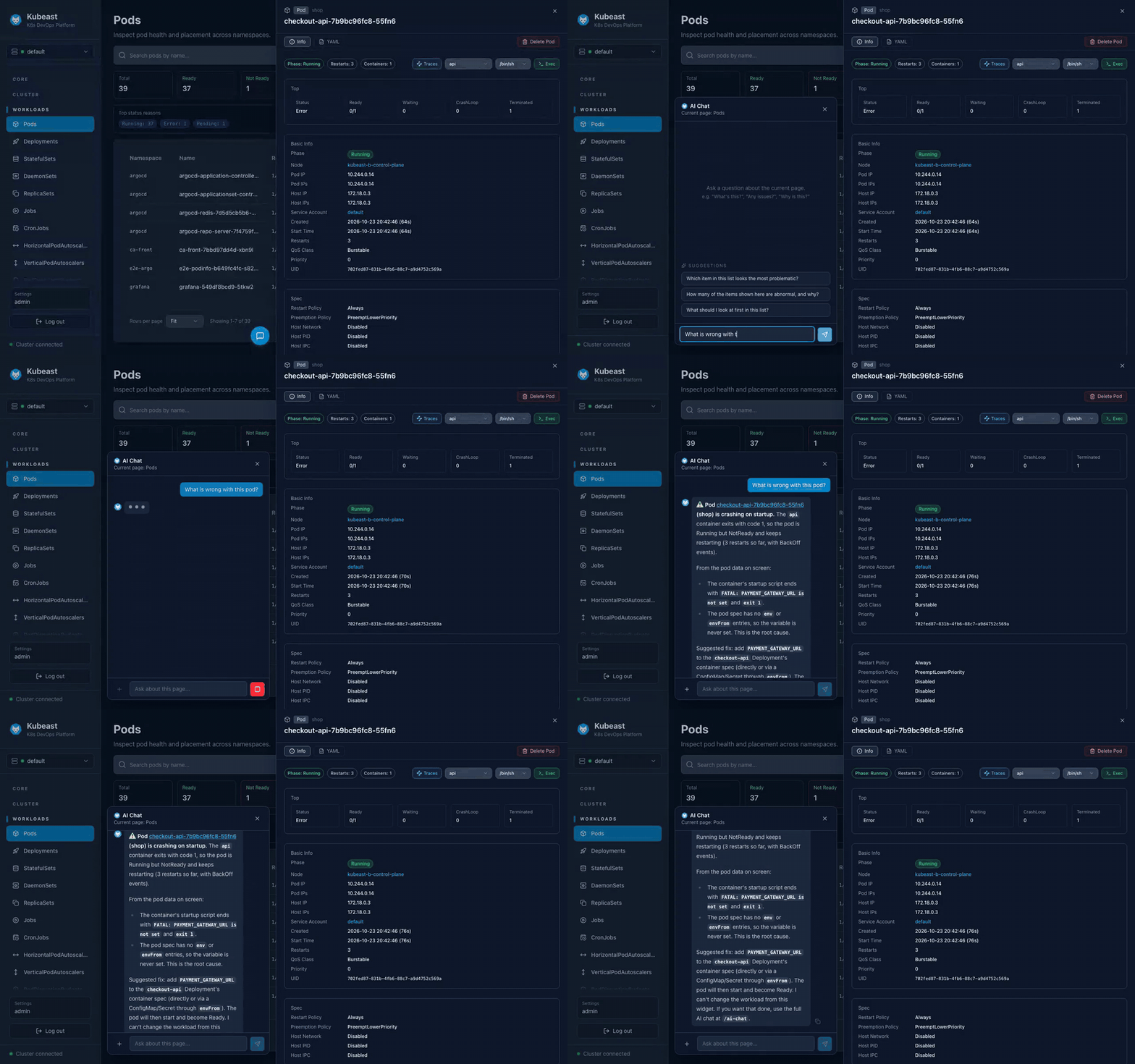
Project site (feature clips): https://junginho0901.github.io/Kubeast/
Key features:
- AI assistant with multiple LLMs (OpenAI, Anthropic, Gemini, Azure OpenAI, Ollama) that operates clusters through tool calling
- When an alert from Alertmanager or Grafana arrives, the AI investigates it with read tools and leaves a report
- Multi-cluster management, RBAC per user and per cluster, and temporary access requests with approval
- Helm release management (rollback, upgrade, uninstall, test)
- GPU and DRA monitoring, Prometheus metrics, log search (Loki), topology visualization, Node Shell
- Audit log (hash chain) for every write and sensitive operation, and terminal session recording
- Passwords, keys and tokens in what the AI's tools read are masked before they reach the model
- MCP server for external AI agents
- One-line install from public container images on ghcr.io, for Kubernetes or Docker
- Korean and English support
Quick start
helm install kubeast oci://ghcr.io/junginho0901/charts/kubeast --version 0.7.0 \
  --namespace kubeast --create-namespace
The install script, Docker Compose, uninstalling, finding the admin password, connecting a cluster and turning on AI are covered in Installation and first setup.
Documentation
| Document | Contents |
|---|---|
| Installation and first setup | 3 install methods, uninstall, first access, connecting a cluster, turning on AI |
| Features at a glance | AI assistant, multi-cluster with roles and permissions, resource management, Helm, GPU, observability, authentication and audit |
| AI and alerts | MCP server, alert → AI investigation, Alerts inbox, reading traces and alerts, AI analysis evaluation |
| Security and audit | API keys, access review, dormant account lockout, audit sinks, audit log integrity, session recording |
| Operations features | Policy reports, cluster hygiene check, Argo CD guard, dashboard quick actions, log files, log search, trace links, trusted CAs |
| Cluster requirements | What the clusters you manage must have (RBAC, metrics-server, Prometheus, OpenCost, etc.) and how to check |
| SSO (OIDC) setup | Connecting Keycloak, Google, Entra ID or Okta |
| Architecture | Services, container images, resource usage |
| Configuration (values.yaml) | Chart values explained |
| Database: TLS, backup and restore | DB connection TLS, backup and restore, retention |
| Console metrics | Kubeast's own /metrics |
| Supply chain | Image scanning, SBOM, provenance attestation, signing |
| Audit log plan | Audit action catalog and permission mapping |
| Development | Directory layout, kind dev loop, E2E, per-service development, tech stack |
License
MIT License
Yorumlar (0)
Yorum birakmak icin giris yap.
Yorum birakSonuc bulunamadi