jutsu-studio
Health Gecti
- License — License: MIT
- Description — Repository has a description
- Active repo — Last push 0 days ago
- Community trust — 31 GitHub stars
Code Gecti
- Code scan — Scanned 12 files during light audit, no dangerous patterns found
Permissions Gecti
- Permissions — No dangerous permissions requested
Bu listing icin henuz AI raporu yok.
The open-source Higgsfield desktop app for Mac (macOS 14+, Apple silicon and Intel). Unofficial native client for 14 video models, including Genjutsu, Seedance 2.5, Kling 4.0 and Wan 3.0: a background queue, the price before every job, every result saved to your disk. Free, no markup. Not affiliated with Higgsfield AI.
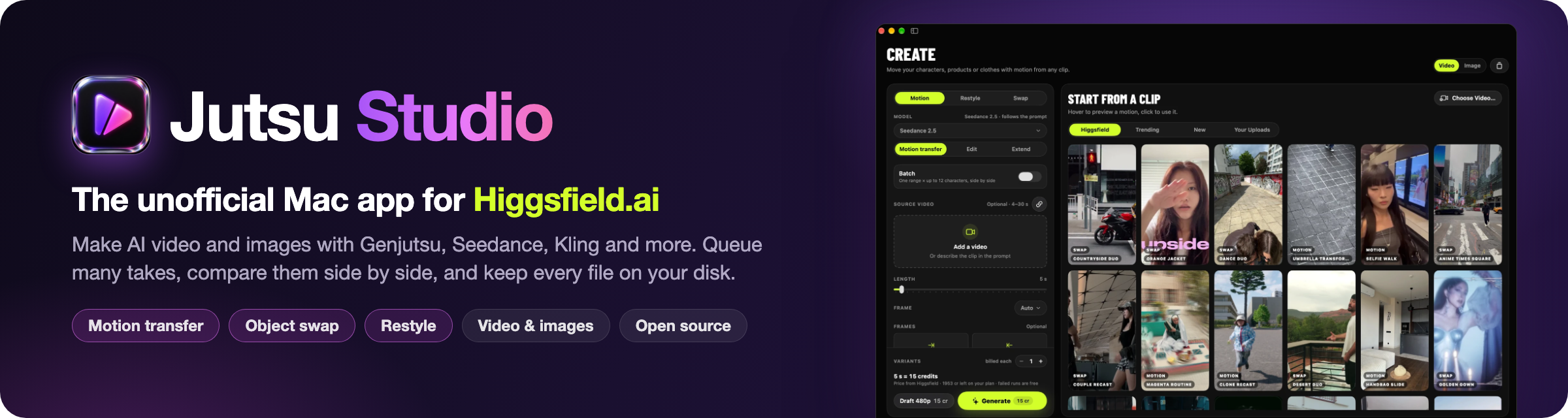
Jutsu Studio is the open-source Higgsfield desktop app for Mac. Unofficial. It is free, for macOS 14+ on Apple silicon and Intel; Higgsfield itself has no standalone desktop app. It runs 14 Higgsfield video models, including Genjutsu, Seedance 2.5 and Kling 4.0, and saves every result to your disk.

brew install jutsuhq/tap/jutsu-studio
Quick start · Features · Website · Higgsfield prices





At a glance
| Platform | macOS 14 Sonoma or later, Apple silicon and Intel. Signed DMG, 25 MB (0.2.6) |
| Requirements | A Higgsfield account (plan credits) or a Higgsfield API key (pay as you go). Generation runs on Higgsfield's servers, not on your Mac |
| License | MIT |
| Price | The app is free and adds no markup. Higgsfield bills your own account at its prices: Genjutsu by API key is $0.318 a second at 480p, $0.681 at 720p and $1.632 at 1080p (list price, 2026-10-13) |
| Models | 14: Genjutsu, Genjutsu Lite, Seedance 2.5, Kling 4.0, Kling 3.0 Motion Control, Kling O3 Edit, Kling O3 video reference, Kling 2.6 Motion Control, Wan 3.0, Wan 3.0 Prime, Wan 2.7, Cinema Studio 4.0, MiniMax H3, MiniMax H3 Max. Some need an account, some an API key: features |
| Input and output | A 4–30 s range of any video; only that range is uploaded and billed. Results land in ~/Movies/Jutsu Studio/Videos; export as ProRes 422 or H.264 |
| Install | brew install jutsuhq/tap/jutsu-studio |
| Download | Latest release |
| Website | jutsustudio.com |
Compared with the Higgsfield web app
| Jutsu Studio | Higgsfield web app | |
|---|---|---|
| Runs as | A native Mac app | A browser tab, on any OS |
| Price | Higgsfield's own prices, no markup | Higgsfield's prices |
| Results | Downloaded to your disk with source, prompt and cost; the library opens offline | Higgsfield's links expire |
| Source | MIT, on GitHub | Closed |
What Jutsu Studio does not do: run on Windows, Linux or iPhone, or generate video on your Mac. Every generation runs
on Higgsfield's servers and is billed to your Higgsfield account; only smoothing, slow motion, upscaling and subtitles
run on the Mac, for free. It is not made or endorsed by Higgsfield.
Demo
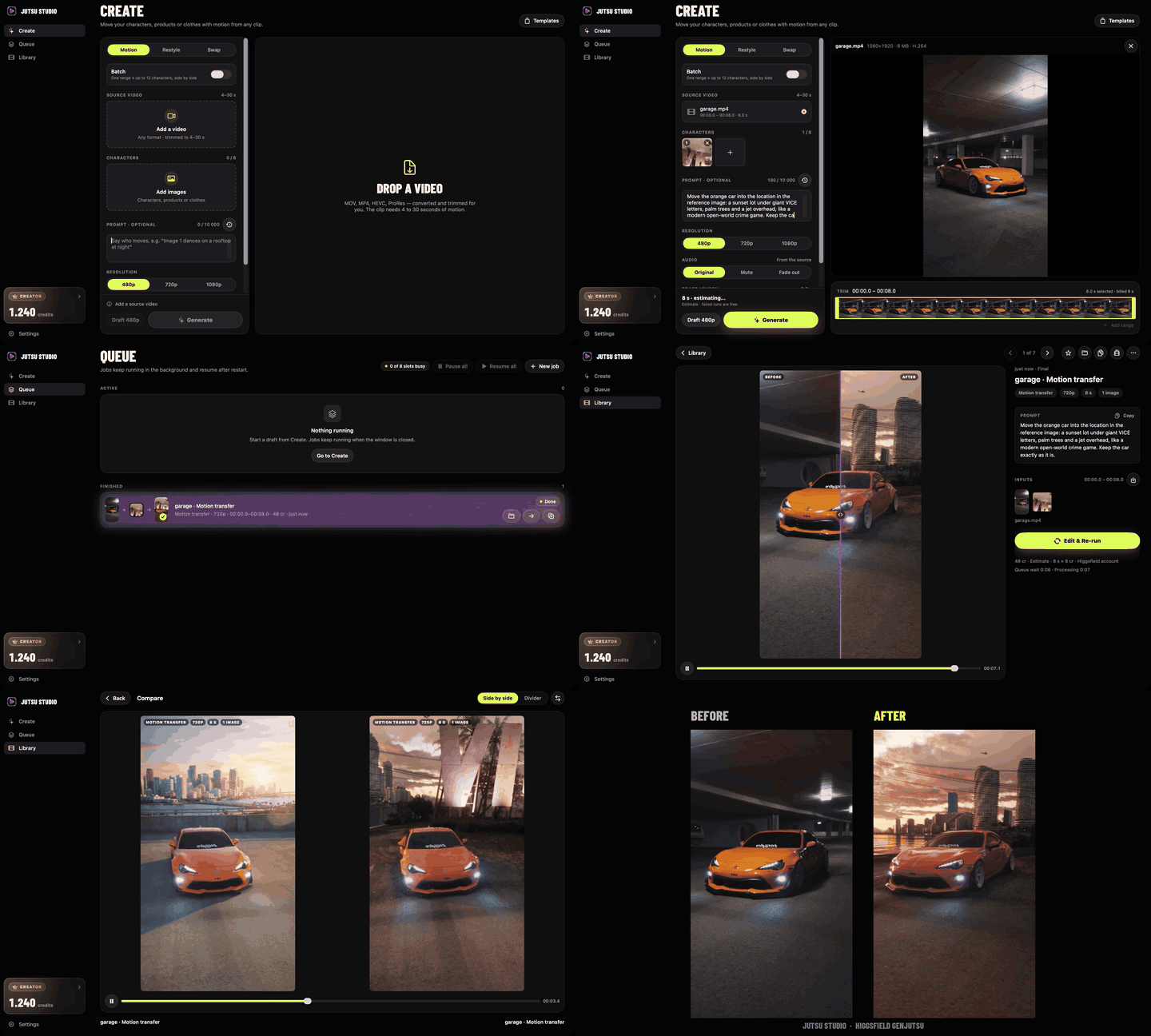
Motion transfer with a location reference: drop the clip, add the image, write the prompt, generate. The queue shows each step, the result opens next to the source with a draggable before/after divider, and Compare plays two takes of the same clip side by side. Full 53-second demo (MP4)
Why Jutsu Studio
Higgsfield's web app is made for one generation at a time in a browser tab. Jutsu Studio is a native Mac app made for working through a project: many clips, many takes, and a library you keep.
- Your files, on your disk. Every result is downloaded to
~/Movies/Jutsu Studio/Videosas soon as it's ready, with its source, references, prompt and cost. Higgsfield's links expire; your library doesn't, and it opens offline. - Any video, straight from Finder. Drop a MOV, HEVC or ProRes file, or paste a link. The app transcodes and trims it on your Mac and uploads only the range you pick, so you never pay for seconds you cut.
- Close the window, not the work. Queue as many jobs as you like. They keep running in the background, show in the menu bar, notify you when they're done, and pick up again after a restart or a dropped connection, without ever paying twice.
- Built for many takes. Cut several ranges from one clip in one go, make cheap 480p drafts before the final, compare takes side by side, and keep a character, preset and prompt as a template.
- The price before the click. Every button shows what the job costs, and an optional daily cap guards your budget.
- Straight into your editor. One click exports ProRes 422 or H.264 for Premiere Pro, DaVinci Resolve or Final Cut Pro, with take names that sort in order.
- Nothing in between. No Jutsu server, no account of ours, no markup, no telemetry. The app talks to Higgsfield directly with your API key or your Higgsfield sign-in and keeps the credentials in the macOS Keychain.
What it does
- Genjutsu: motion transfer, object swap and restyle of any video.
- Seedance 2.5: motion transfer, a clip from a prompt and images alone, start and end frames, and Edit or Extend of an existing video.
- Kling 4.0: a clip from a prompt, start and end frames or references, and Edit of an existing video.
- Kling 3.0 Motion Control and, with an API key, Kling O3 video reference.
- Kling O3 Edit, Wan 3.0 and Wan 3.0 Prime, and Cinema Studio 4.0; with an API key also Kling 2.6 Motion Control and Wan 2.7.
- On a Higgsfield account: Upscale, Reframe, Remove Background, Dub and Change Voice for a result; the Motion Library; your reference elements; your plan's unlimited generations.
Quick start
1. Install with Homebrew:
brew install jutsuhq/tap/jutsu-studio
or grab Jutsu-Studio-<version>.dmg from the latest release, open it and drag Jutsu Studio to Applications. (macOS 14 Sonoma or later, Apple silicon and Intel.)
2. Connect Higgsfield. Either Connect your Higgsfield account to spend your plan's credits (OAuth in your browser through Higgsfield's MCP server; the app never sees your password), or paste an API key from the Higgsfield console to pay as you go. Tokens and keys live in your macOS Keychain. Generations are billed to your own Higgsfield account; Jutsu Studio is free and takes no cut.
3. Drop a video. Pick a 4–30 s range, add a character image (or choose a restyle preset), check the price tag and hit Draft 480p. A couple of minutes later the result is in your library and in ~/Movies/Jutsu Studio/Videos.
Privacy & safety
- No backend, no accounts of ours, no telemetry. The app talks straight to
api.higgsfield.ai/mcp.higgsfield.aiwith your key or sign-in, and togithub.comfor updates. - Bring your own account: no key ships with the app. Your own API key or sign-in tokens are stored only in the macOS Keychain; logs redact credentials and signed URLs.
- Generation runs on Higgsfield's servers, not on your Mac. The source video, any reference images and the prompt are uploaded to Higgsfield for each job, and the results are downloaded back.
- Your library, history and settings stay on your machine (a local SwiftData store and your Movies folder).
- Open source under MIT, so you can audit every line yourself.
- Found a vulnerability? Report it privately as described in SECURITY.md.
Guides
- Is there a Higgsfield desktop app?: the official options and where an unofficial Mac app fits
- Higgsfield credits explained: what a credit buys on each model and plan
- Higgsfield API vs MCP vs CLI: which one to use and how each is billed
- Higgsfield price table and calculator: per-second rates for every video model
- All guides
Related
Other open-source projects from Jutsu Studio:
- Swapjutsu: free character swap for Mac, no watermark · jutsustudio.com/swapjutsu
- Kawarimi: free local AI character swap for Windows and Linux, no cloud · jutsustudio.com/kawarimi
- Content Factory: open-source faceless video generator for Shorts, TikTok and Reels · jutsustudio.com/content-factory
- EdgeTAM Core ML: EdgeTAM video object tracking in Core ML, on the Apple Neural Engine
- edgetam-onnx: the same tracker in Rust on ONNX Runtime CUDA, for Windows and Linux
- Higgsfield Gateway: a budget-capped Higgsfield API gateway on Cloudflare Workers · jutsustudio.com/blog/higgsfield-api-production
- Seedance 2.5 Prompt Skill: a Claude skill that writes Seedance 2.5 prompts for Higgsfield · jutsustudio.com/blog/seedance-prompt-skill
- AI video API prices: what one second of AI video costs at 30+ providers, updated daily · jutsustudio.com/video-api-pricing
- Open Source Higgsfield: every #OpenSourceHiggsfield challenge project, by category · jutsustudio.com/open-source-higgsfield
- awesome-higgsfield: tools, SDKs, agent skills and apps for Higgsfield
Contributing
Issues and PRs are welcome. Read CONTRIBUTING.md for setup, lint and code rules and ARCHITECTURE.md for how the app is put together, and keep the app's principles: bring-your-own-account, local-first, never surprise with cost.
Disclaimer
Jutsu Studio is an unofficial, community-built tool. It is not affiliated with, endorsed by, or connected to Higgsfield AI in any way. Higgsfield, Genjutsu, Seedance, Kling and other model names are trademarks of their respective owners. All generation costs are billed to your own Higgsfield account at list prices.
Credits
- Barlow Condensed by The Barlow Project Authors, used unmodified under the SIL Open Font License 1.1.
- Sparkle for Software Update, under the MIT License.
- FluidAudio runs Parakeet Ultra, under the Apache License 2.0.
- The Parakeet Ultra speech model, downloaded only when you ask in Settings: NVIDIA Parakeet TDT 0.6B v3, post-trained by moondream, Core ML build by FluidInference, under CC BY 4.0.
License
MIT © Jutsu Studio contributors
Yorumlar (0)
Yorum birakmak icin giris yap.
Yorum birakSonuc bulunamadi