agent-fleet
Health Uyari
- License — License: Apache-2.0
- Description — Repository has a description
- Active repo — Last push 0 days ago
- Low visibility — Only 5 GitHub stars
Code Basarisiz
- rm -rf — Recursive force deletion command in .github/actions/setup-agent-cli/action.yml
Permissions Gecti
- Permissions — No dangerous permissions requested
Bu listing icin henuz AI raporu yok.
Self-hosted web console for running AI coding agents (Claude Code, Codex, Copilot, Antigravity, Cursor, Kiro, OpenCode) as a managed fleet: isolated per-user workspaces, git/SVN working copies, scheduling and usage accounting.
Agent Fleet — a self-hosted console for running AI coding agents as a fleet
English | 日本語
Close your laptop. The agents keep working.
Agent Fleet lets a team share AI coding agents — Claude Code, Codex CLI, GitHub Copilot
CLI, Antigravity CLI, Cursor CLI, Kiro, OpenCode — from one browser console. Each member
gets an isolated per-user environment (a Docker container with cgroup CPU/memory quotas,
or a bubblewrap sandbox in the Docker-less native edition) with a persistent home and its
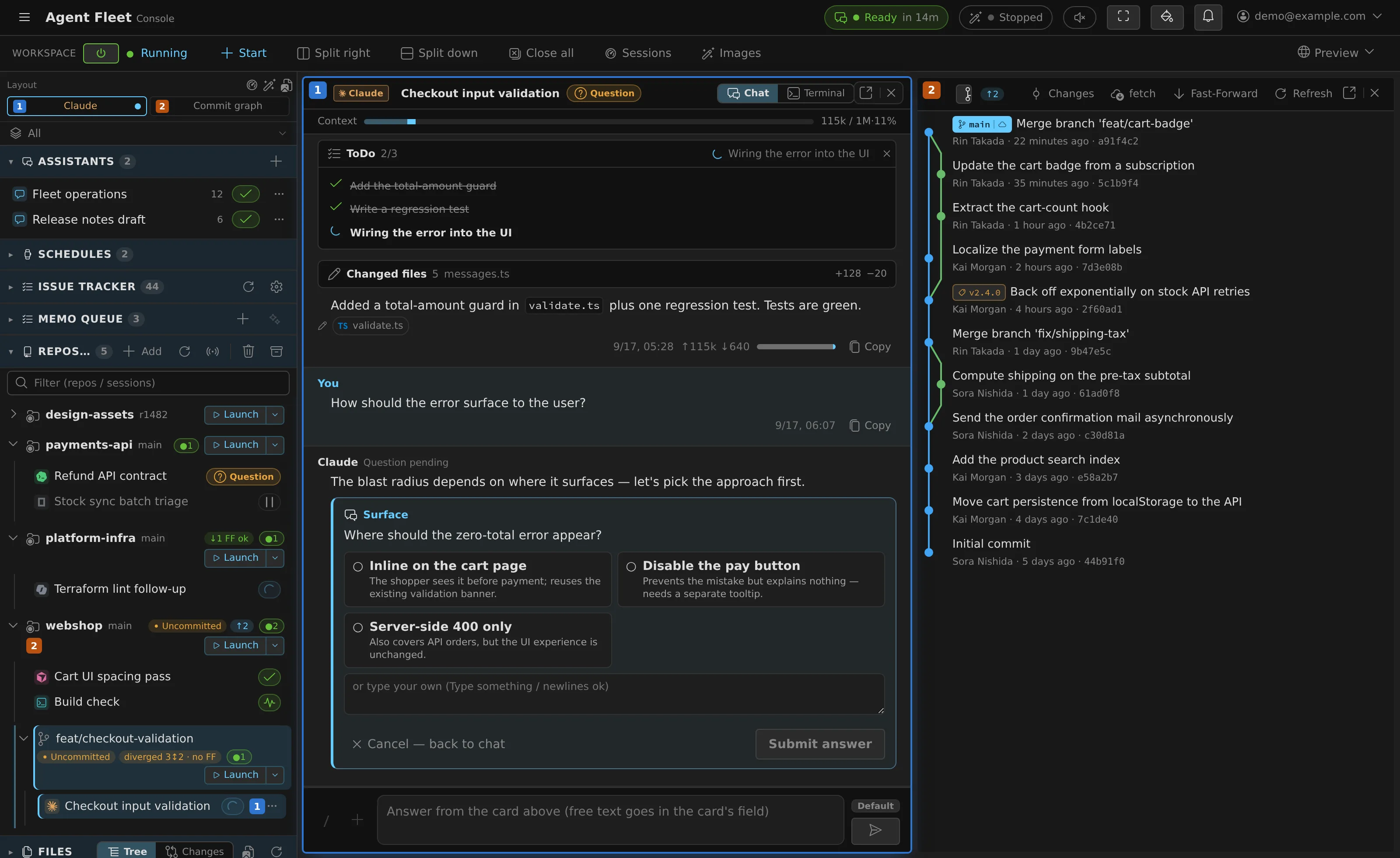
own git working copies, and starts, follows and steers agent sessions from the browser.
There is no need to sit in front of a terminal: check progress and send the next
instruction from Discord, Slack, or a phone.
It is self-hosted. One company runs one deployment on its own infrastructure, so the
credentials, the source and the conversations stay inside it. The same core runs on a
single Linux host with Docker Compose and on AWS ECS.
A look around
 |
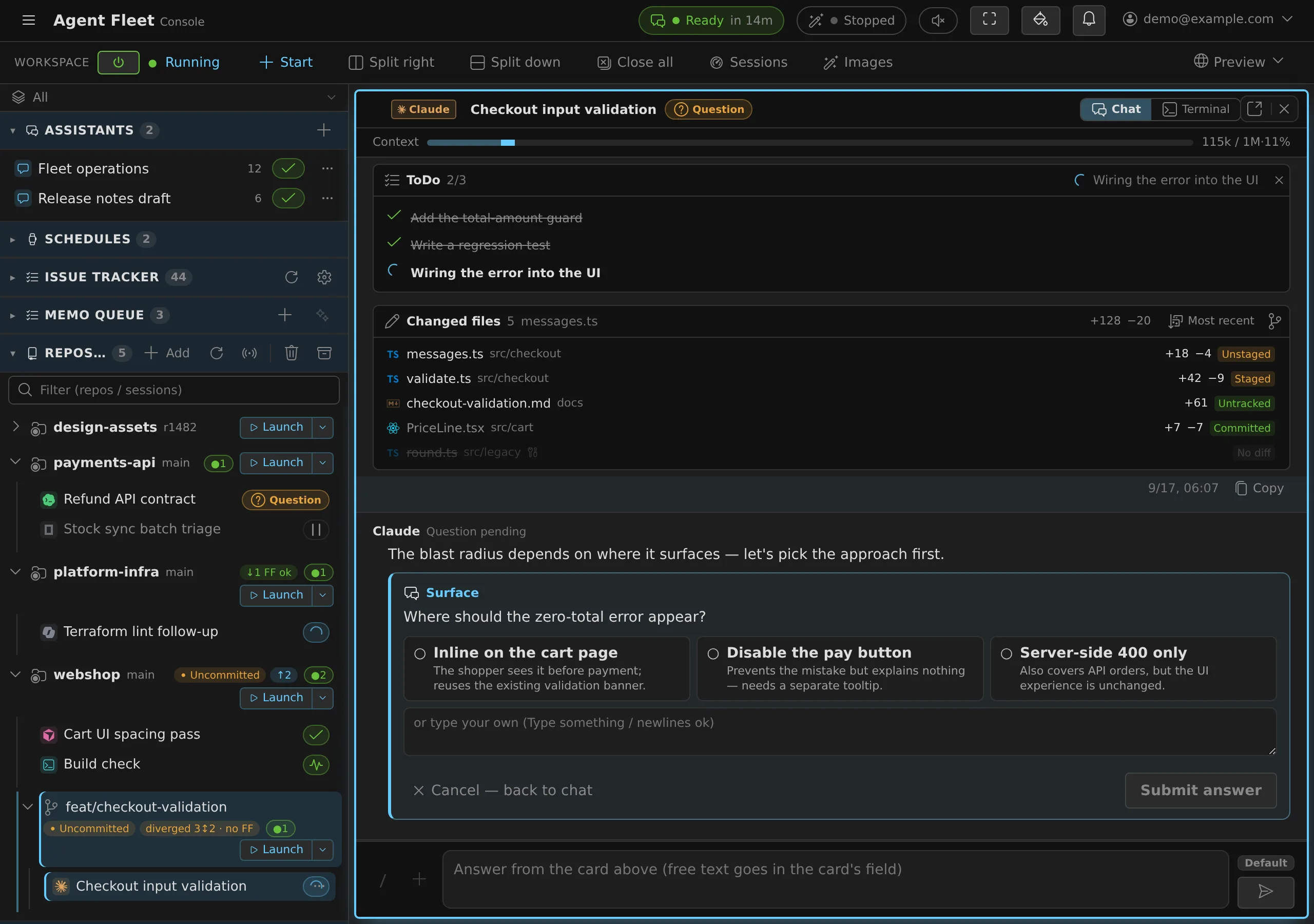 |
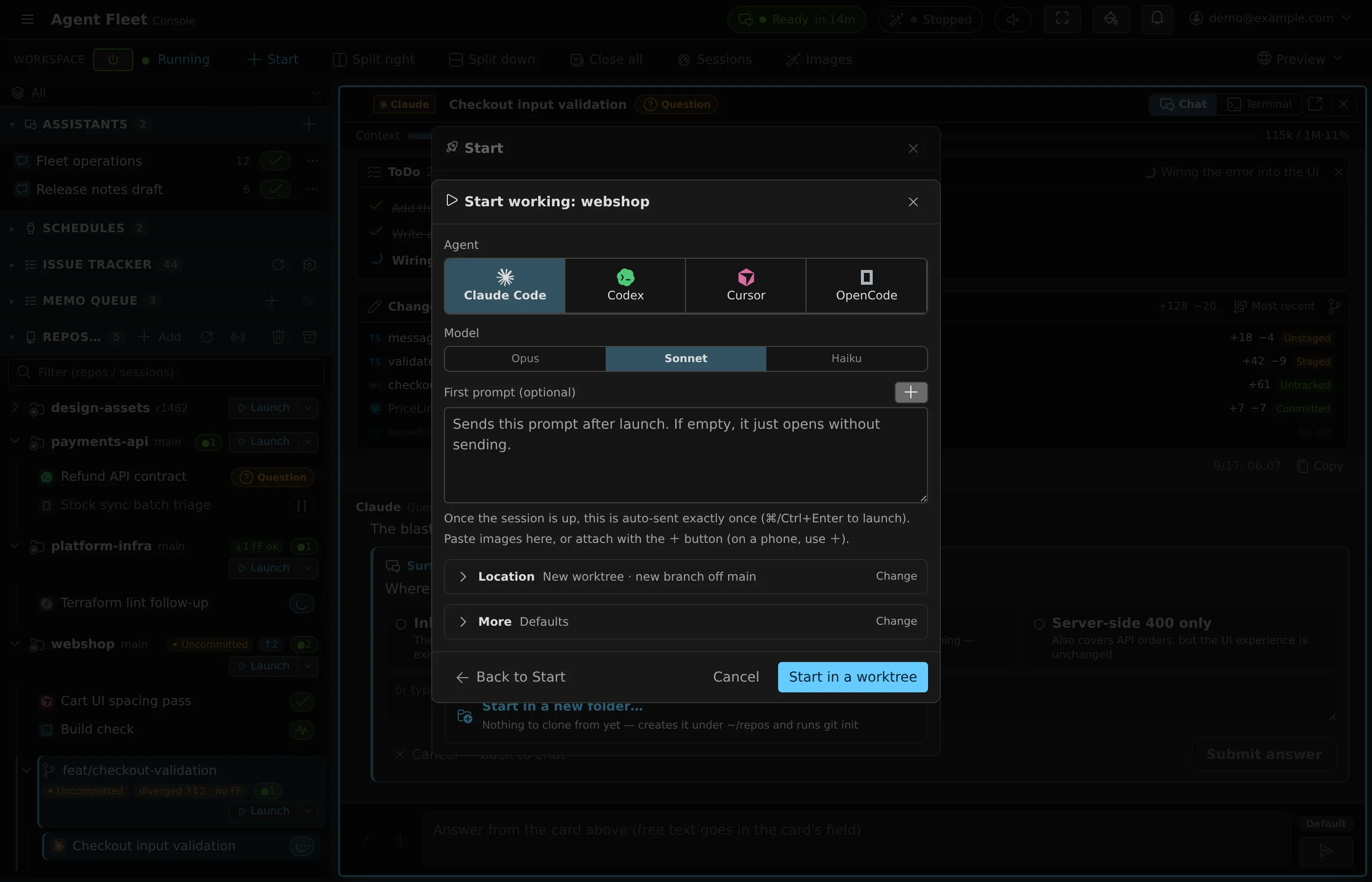
| Start anything from one dialog — agent, model, reasoning effort, start mode, and a fresh git worktree or the working copy as-is. | Follow and steer from the browser — questions, plans and permission prompts arrive as cards you answer in place. |
 |
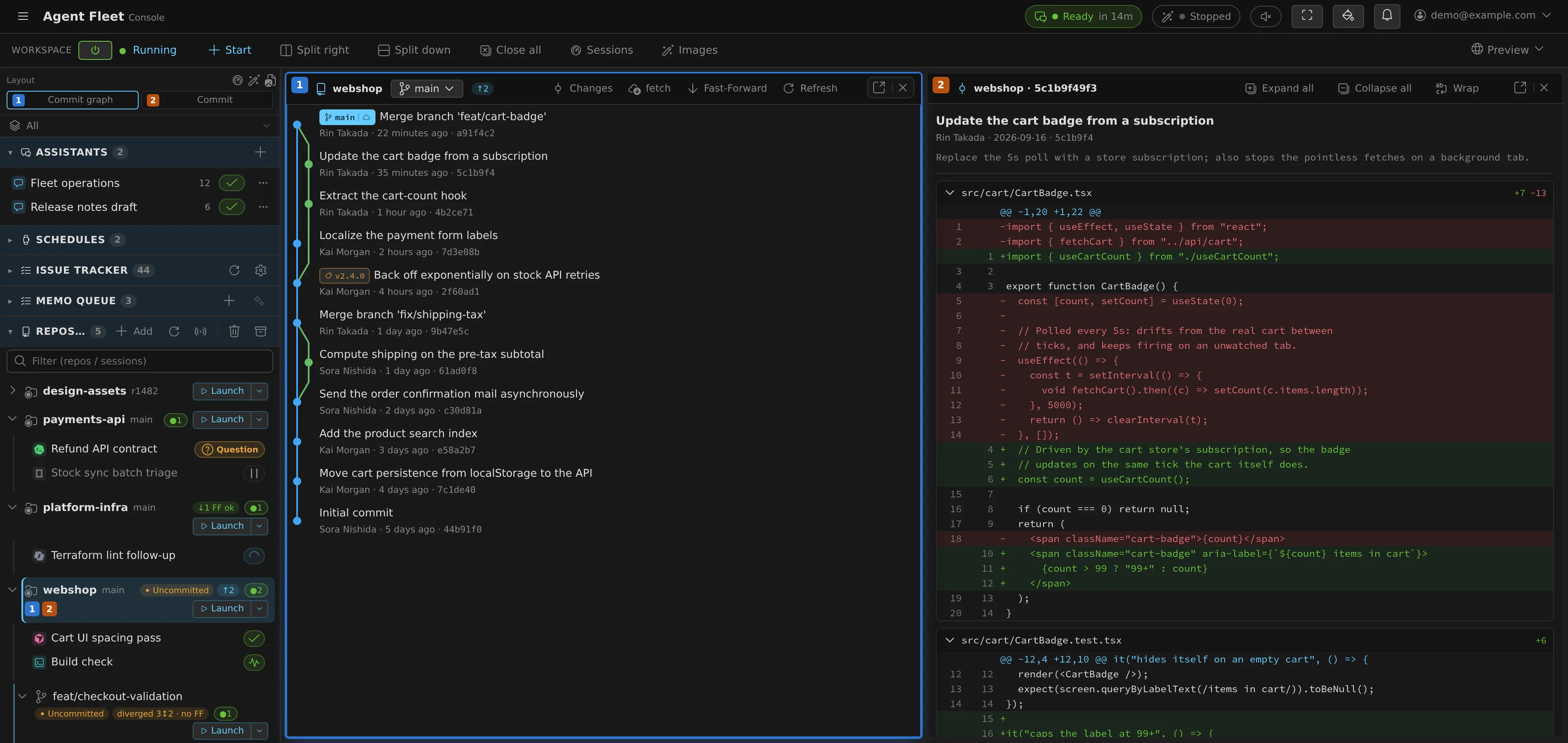 |
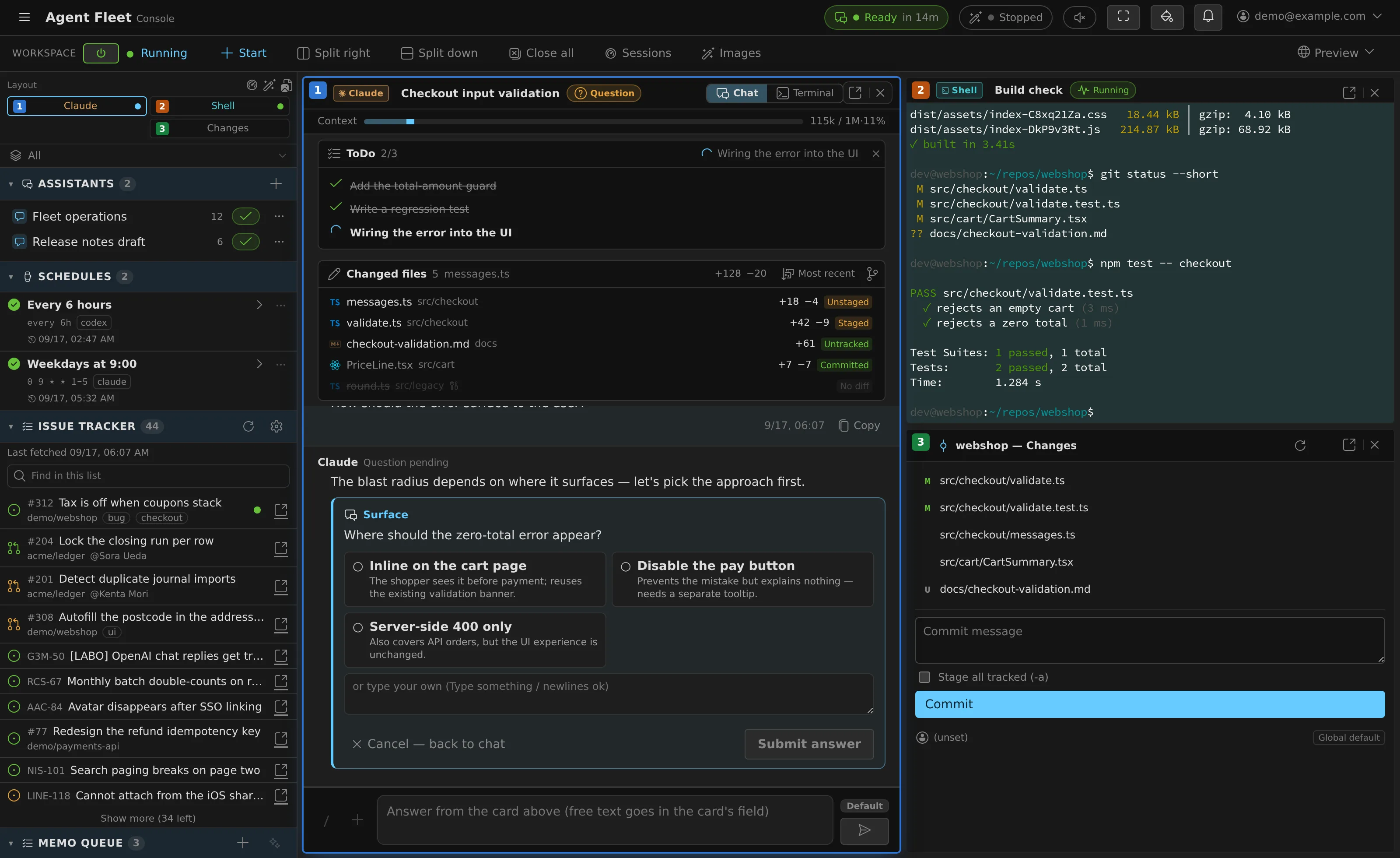
| Split panes — mirror, live terminal and working-tree changes side by side; each pane can also pop out into its own tab. | Real git, in the console — commit graph beside the selected commit's diff, plus staging and commit, per working copy and worktree. |
 |
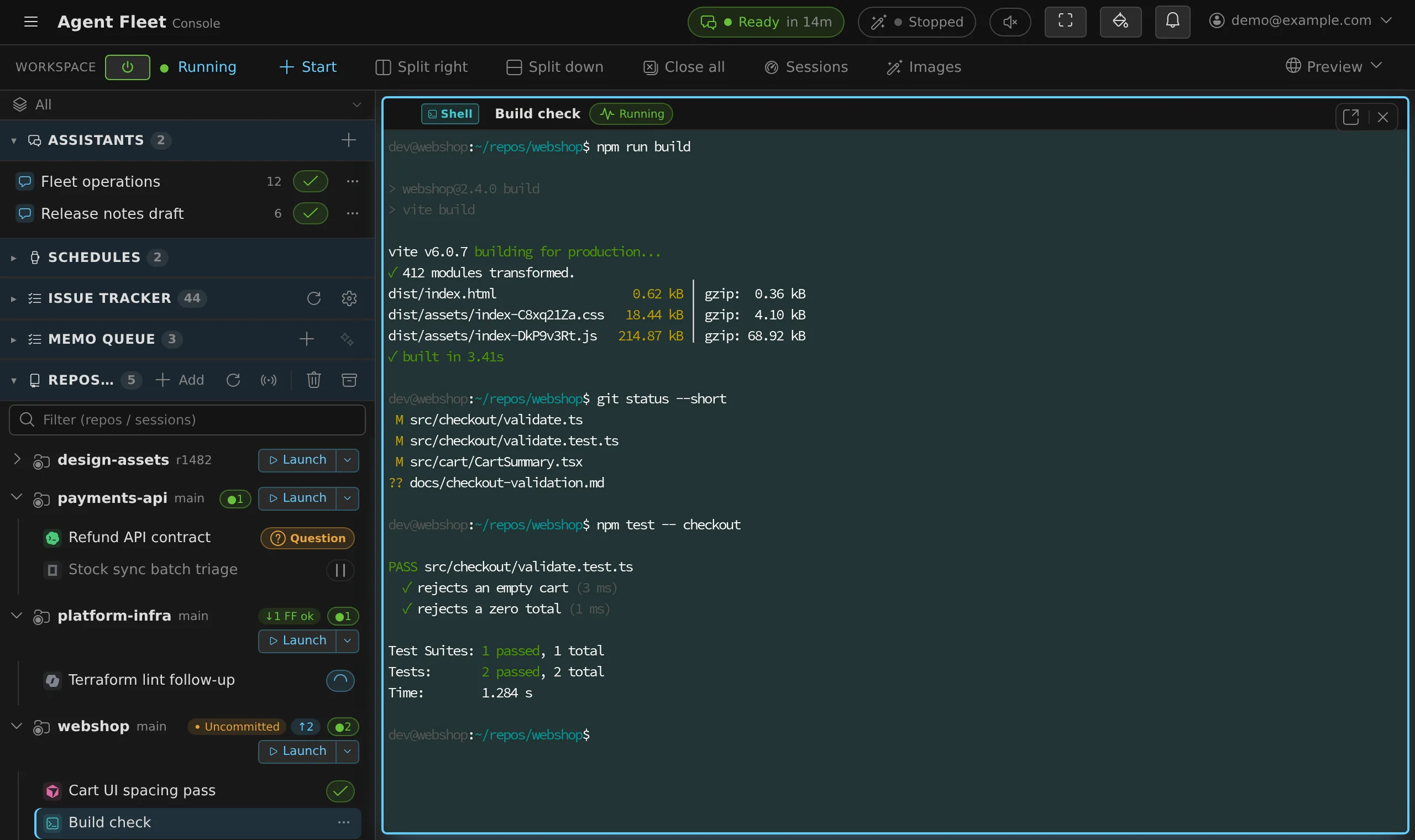 |
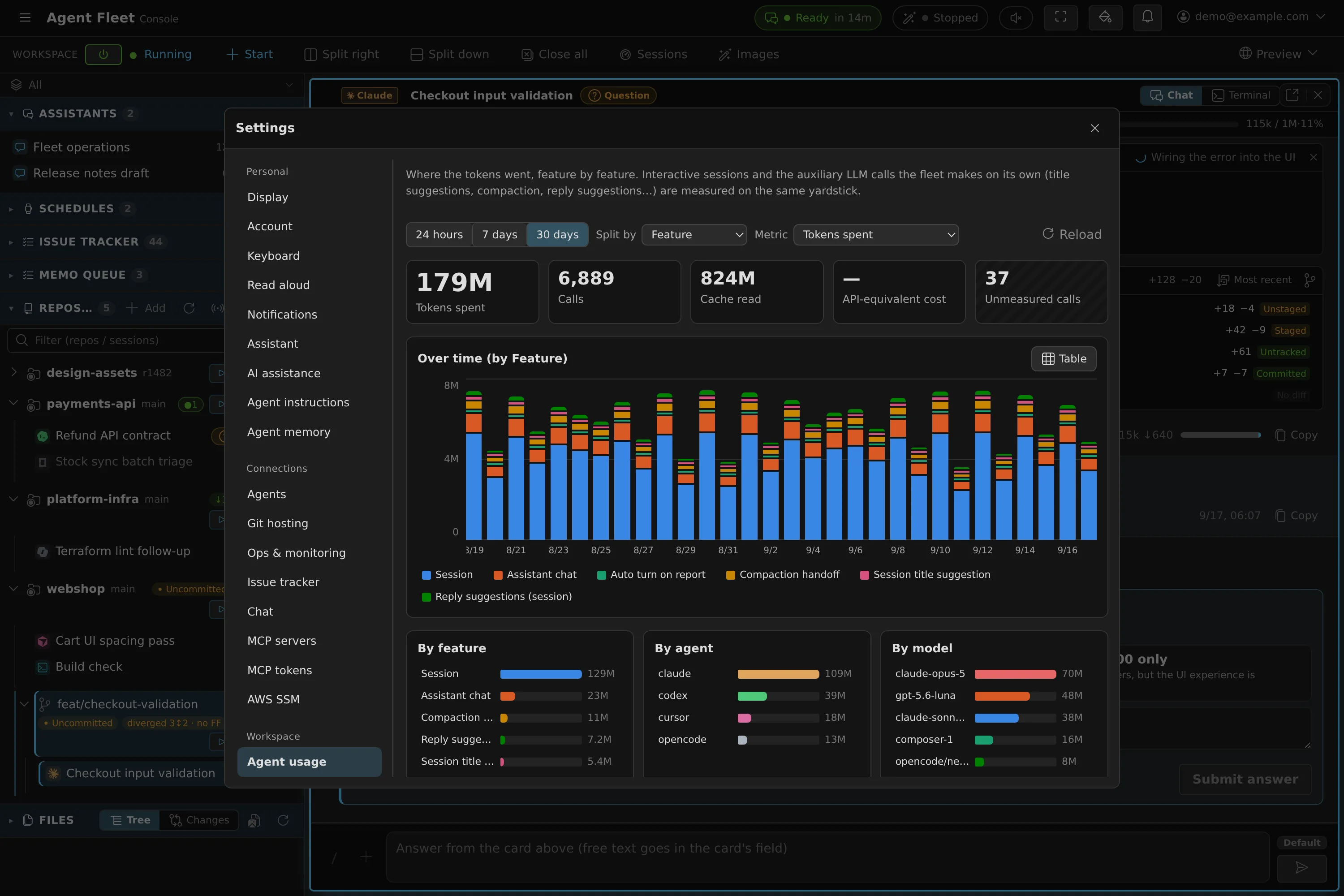
| See where the tokens went — per feature, per agent and per model, over 24h / 7d / 30d. Calls that report no tokens are counted separately, never as zero. | A real terminal, too — every session (agent or plain shell) is attachable as a live PTY. |
The UI is English or Japanese, switched per user in ⚙ Settings — every view above also
exists in Japanese (docs/img/*-ja.webp, e.g. the console).
Trying it
Which edition suits you is a twenty-minute decision, laid out in
Choosing a deployment target:
| Edition | For |
|---|---|
| compose | the default — a team, on one Linux host with Docker |
| native | no Docker available; single user (WSL2, a personal Linux box) |
| ecs / ecs-ec2 | AWS, when you want task-level isolation |
| ec2-single | AWS, small team — compose on one VM |
Released bundles pull pinned images from GHCR and are published to the
distribution repository; the command
procedures live next to what they operate (compose,
native, AWS). To build the images
from this tree instead — which is what you want while developing:
cd deploy/compose
cp .env.example .env     # generate and fill in secrets (AF_MASTER_KEY etc.)
docker build -t agent-fleet/workspace:dev ../../workspace   # per-user workspace image
docker compose up -d --build
Caddy handles TLS via Let's Encrypt; sign-in uses the control plane's own OAuth. What
each step decides, and what to watch out for afterwards, is in
Operating a deployment.
Documentation
Documents are split by reader, and the split is also how they ship.
| You are | Read |
|---|---|
| Using Agent Fleet | guide/ — how to do things. This is the tree that ships into every workspace container, and the Console opens it from "User guide" |
| Changing the code | docs/ — how it works, and why it is like this |
The code is workspace/ (the agent and its image),control-plane/ and console/; a local dev stack starts
with deploy/local/run-dev.sh (local = Docker, wsl, native,reset), described in 10 Development.
Terminology
- Workspace — the persistent container environment for one user, with a home
volume and running processes. - Working copy — the working directory of a git repository cloned inside a
Workspace. - Session — the logical unit of a conversation, its settings and execution state,
tied to a working copy. It does not imply a terminal: Codex / OpenCode / Copilot /
Cursor / Kiro default to a managed execution method driven from the chat view
(Codex and OpenCode run on a shared runtime with no per-session CLI process at all),
while Claude / Antigravity and the plain shell / SSM sessions use a terminal.
License
Apache License 2.0 (permissive, with a patent grant). Publishing the source of
a credential-handling tool so each company can audit the crypto and isolation
implementation is part of the pitch. Contributions: CONTRIBUTING.md;
vulnerability reports and the threat model: SECURITY.md.
Yorumlar (0)
Yorum birakmak icin giris yap.
Yorum birakSonuc bulunamadi