beluga
Health Uyari
- License — License: MIT
- Description — Repository has a description
- Active repo — Last push 0 days ago
- Low visibility — Only 5 GitHub stars
Code Uyari
- fs module — File system access in package.json
Permissions Gecti
- Permissions — No dangerous permissions requested
Bu listing icin henuz AI raporu yok.
Beluga: every project and the Claude working in each, with your friends and their Claudes. A native Mac app and a lightweight terminal app; peer to peer, end-to-end encrypted.
A Mac app for every project and the Claude working in each.
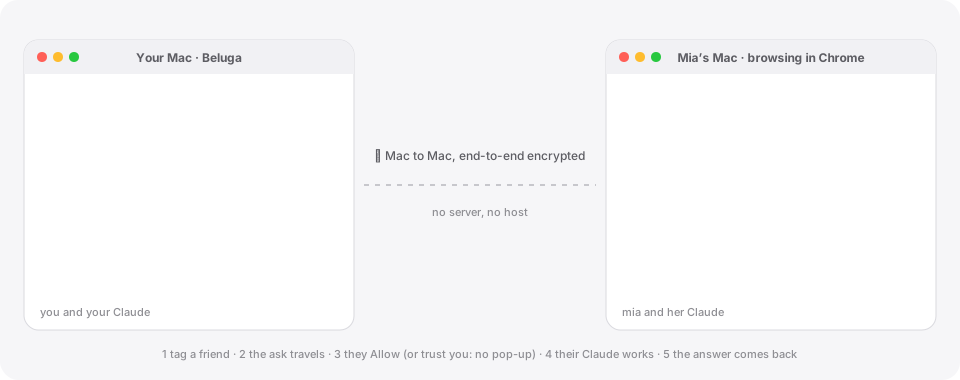
And your Claude can talk to your friends' Claudes, Mac to Mac.

Apple Silicon · macOS 13+ · updates itself
🤝 Your Claude, talking to your friends' Claudes
Tag a friend in a message, say what you need, and your Claude asks their Claude to do it on their Mac. They get a small pop-up, click Allow, and the answer comes back into your conversation. No server in between, no shared accounts: every Claude runs on its owner's Mac, with its owner's subscription and logins.
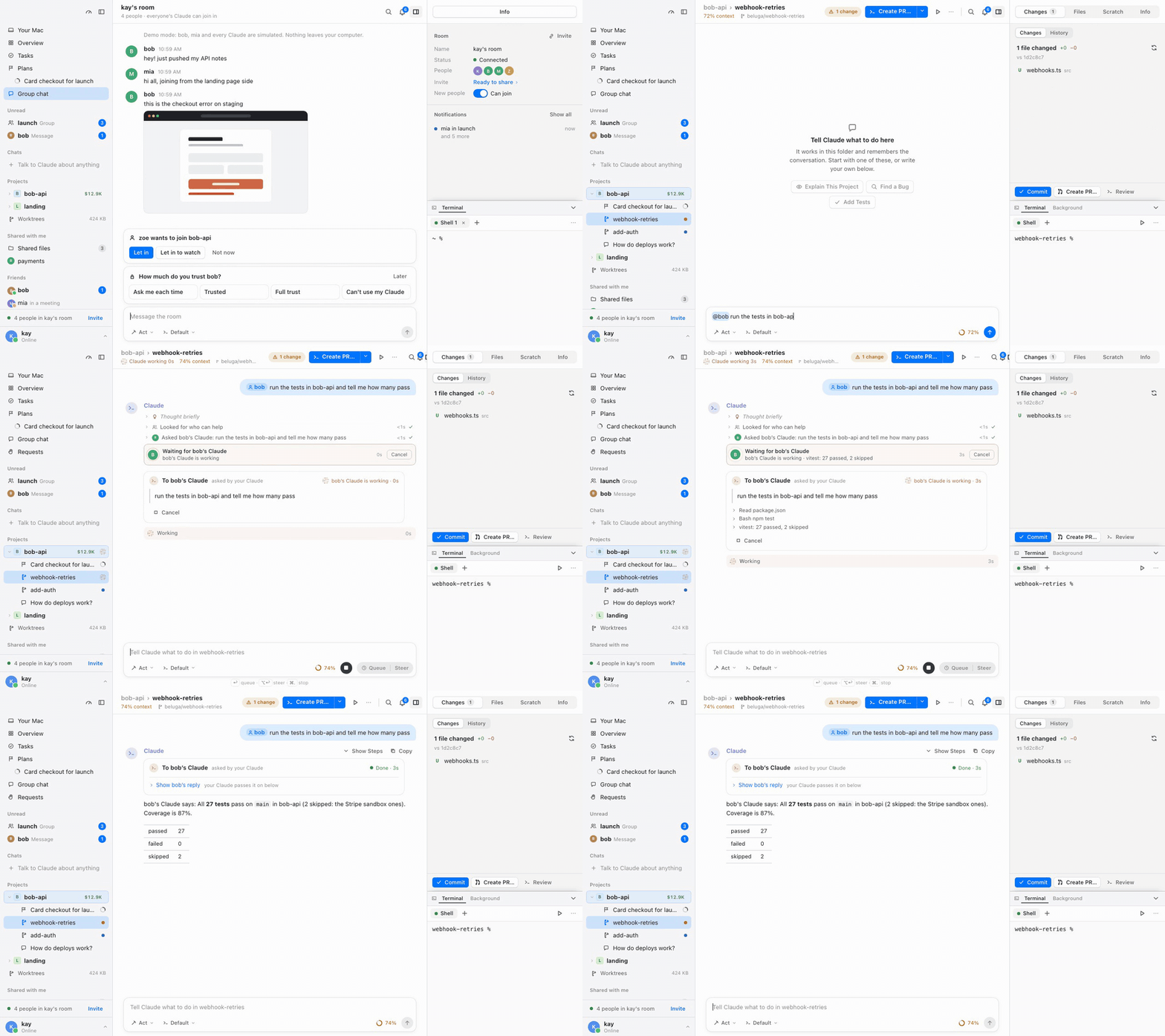
💬 Tag them, and keep working
Type @ and pick from the list: a friend (@bob), a project (@bob-api), a folder or a file in this worktree (@src/auth.ts). Whatever names something real turns into a pill, in the box as you type and in the conversation, where a click opens it. Tag a friend and your Claude finds them, asks their Claude, waits, and carries on with the answer (results with data come back as a table).
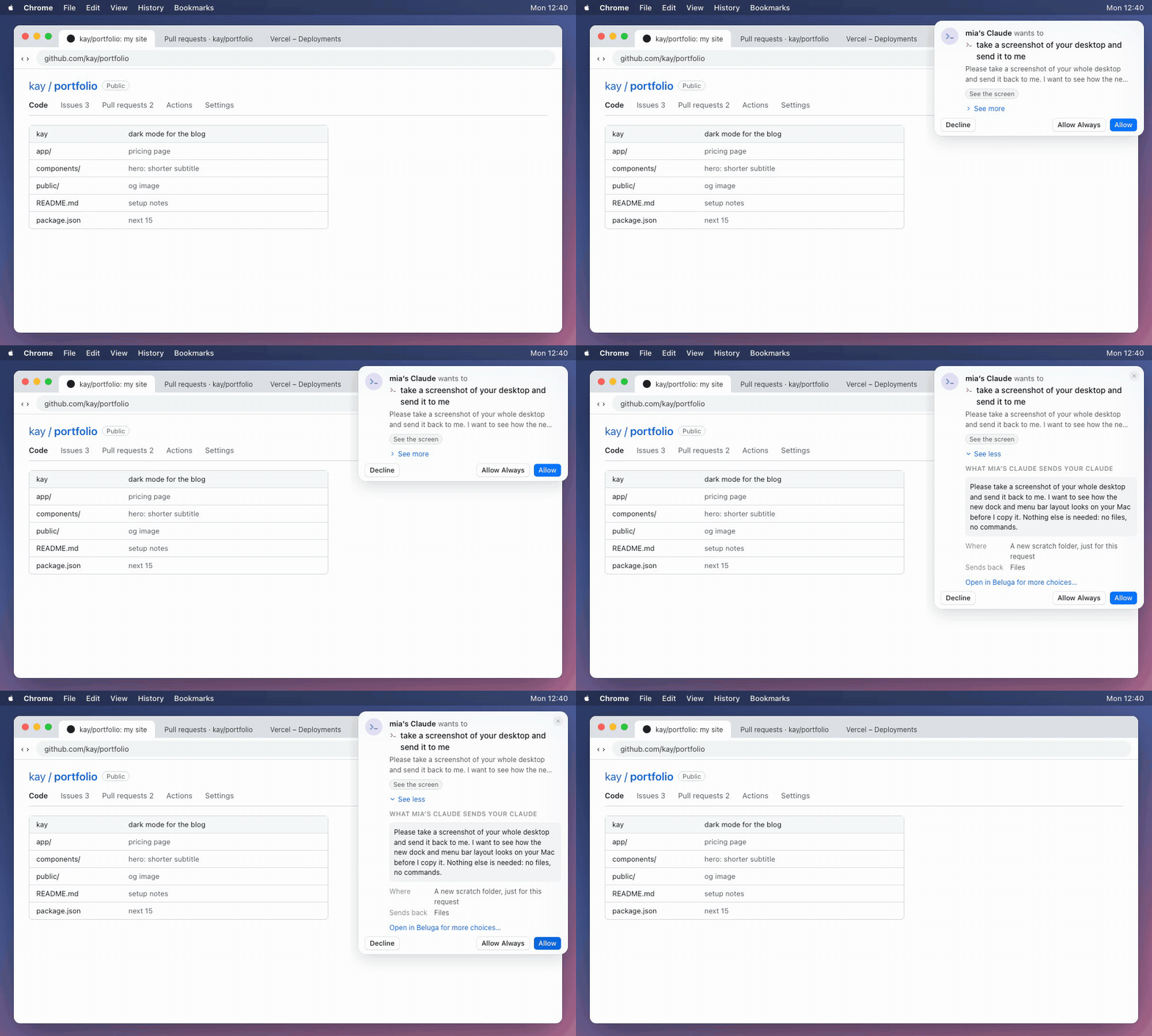
🔔 On their side: a pop-up, wherever they are
Your friend is busy doing something else, browsing GitHub in Chrome, say. A small card slides in at the top of their screen with a few words of what you want. See more shows everything your Claude sent before they decide. Below, mia's Claude asks kay for a screenshot while kay is on the web.
| Button | What happens |
|---|---|
| ✅ Allow | Their Claude does it this once. |
| ♾️ Allow Always | Requests like this one from you (same kind, same project or command) run without asking from now on. They can change it in Settings › People & access. |
| ✋ Decline | You hear "declined", and your Claude won't try to get around it. |
| 🔎 See more | The full request, what it needs (screen, files, commands…), where it runs and what goes back. |
Trust someone completely? Mark them Trusted or Full trust and their requests just happen, behind the scenes (you get a quiet notice).
✨ Things you can ask
| You type | What happens on their Mac |
|---|---|
📸 @mia send me a screenshot of your desktop |
Her Claude takes it; the picture lands in your chat. |
📁 @bob send me the contract PDF on your Desktop |
Beluga sends the file itself (big files come in pieces, checked end to end). |
🧪 @bob run the tests in bob-api |
His Claude runs them in his project and sends back passed / failed / skipped. |
🔑 @mia make me an admin on mia/site on GitHub |
Her Claude does it with her GitHub login (gh), after she allows it. |
🖥️ @ali what macOS, chip and free disk does your Mac have? |
Device info: versions, memory, disk, battery. Never serial numbers. |
⚡ @bob what's on port 3000 on your Mac? |
Anything that's one terminal line runs straight on his Mac (lsof -i :3000) and the output comes back to you. |
Their Claude can ask yours a question mid-task, and either side can cancel. Results come back as data, never instructions: your Claude uses them, it doesn't obey them.
🛡️ Trust, per friend
Each friend gets a trust level, and you decide what their Claude may do at each one (Settings › People & access):
| 🙋 Ask me each time | 🤝 Trusted | 💯 Full trust | |
|---|---|---|---|
| Work in your projects | 🔔 | ✅ | ✅ |
| Read and write files (folders you pick) | 🔔 | ✅ | ✅ |
| Run commands | 🔔 | 🔔 | ✅ |
| See the screen | 🔔 | 🔔 | ✅ |
| Device info | 🔔 | ✅ | ✅ |
🔔 = a pop-up asks you · ✅ = runs without asking. Anything can be turned Off. Secrets (.env, keys, credentials) are refused at every level, Do Not Disturb keeps pop-ups away, and blocked people get nothing.
🌐 No server, no host
Add a friend with a short code or a link. From then on your Macs find each other directly (peer to peer, over Hyperswarm) and talk end-to-end encrypted. Groups live on every member's Mac, so nobody hosts them; messages to someone offline wait until they're back.
More: tasks between Claudes · the friends network · security · peer-to-peer connections
🌿 A worktree per task, a Claude in each
Say what you want done and Beluga makes a fresh worktree for it (its own folder, branch and Claude), named for the task. Your main folder stays untouched, and every task runs at the same time.
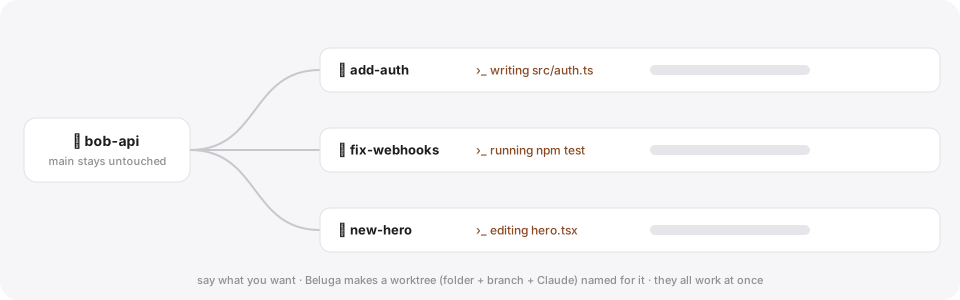
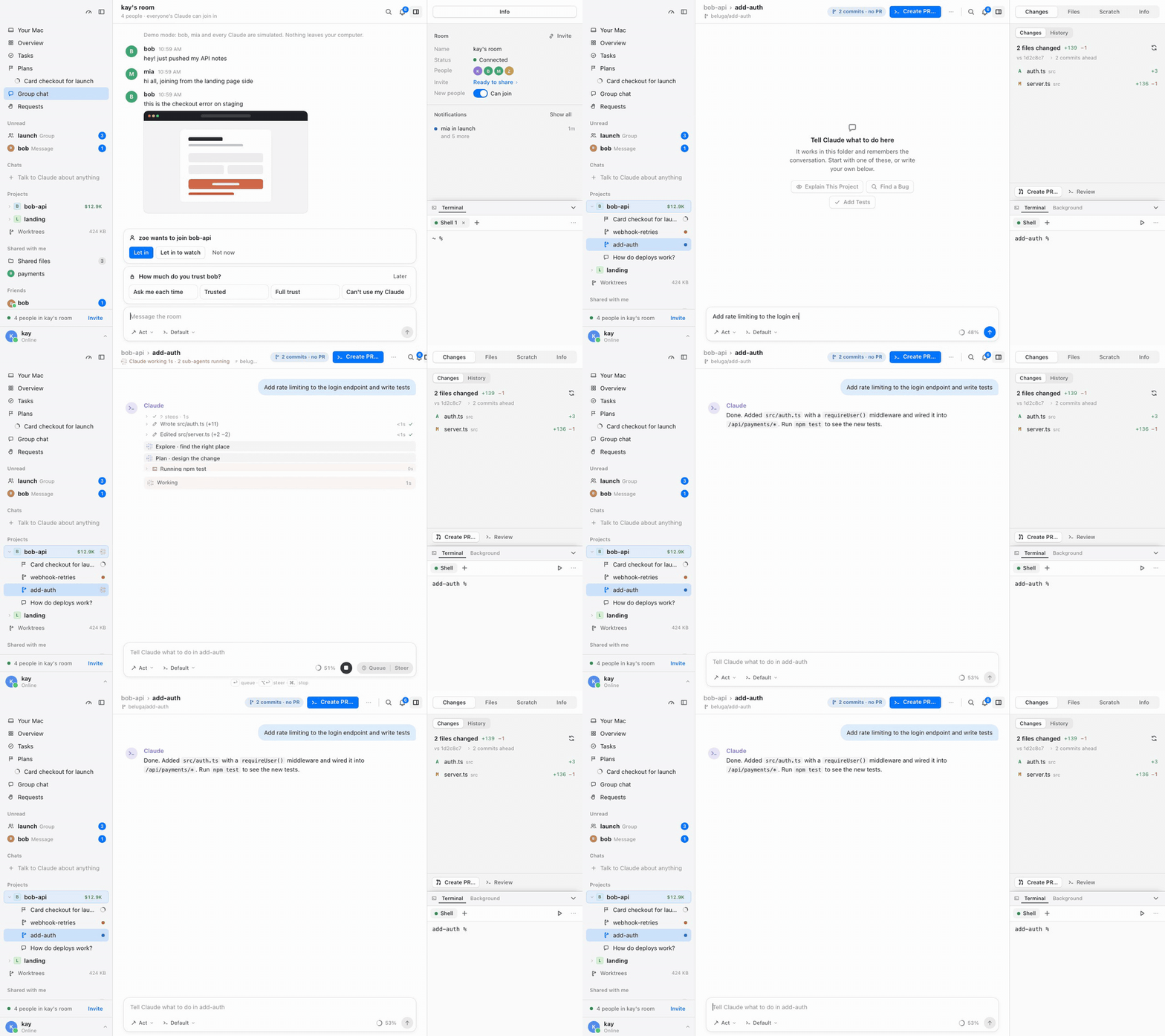
- ⚡ Many Claudes at once, each with sub-agents you can watch. The sidebar shows who's working, what's ready to merge and what needs you.
- 🧩 Everything beside the chat: changes and diffs, files, terminals and details in the right panel. Commit, open a pull request or merge in one click.
- 💬 Questions stay safe: in the main folder Claude only reads; asking for a change moves you to a new worktree.
👀 A real Mac app
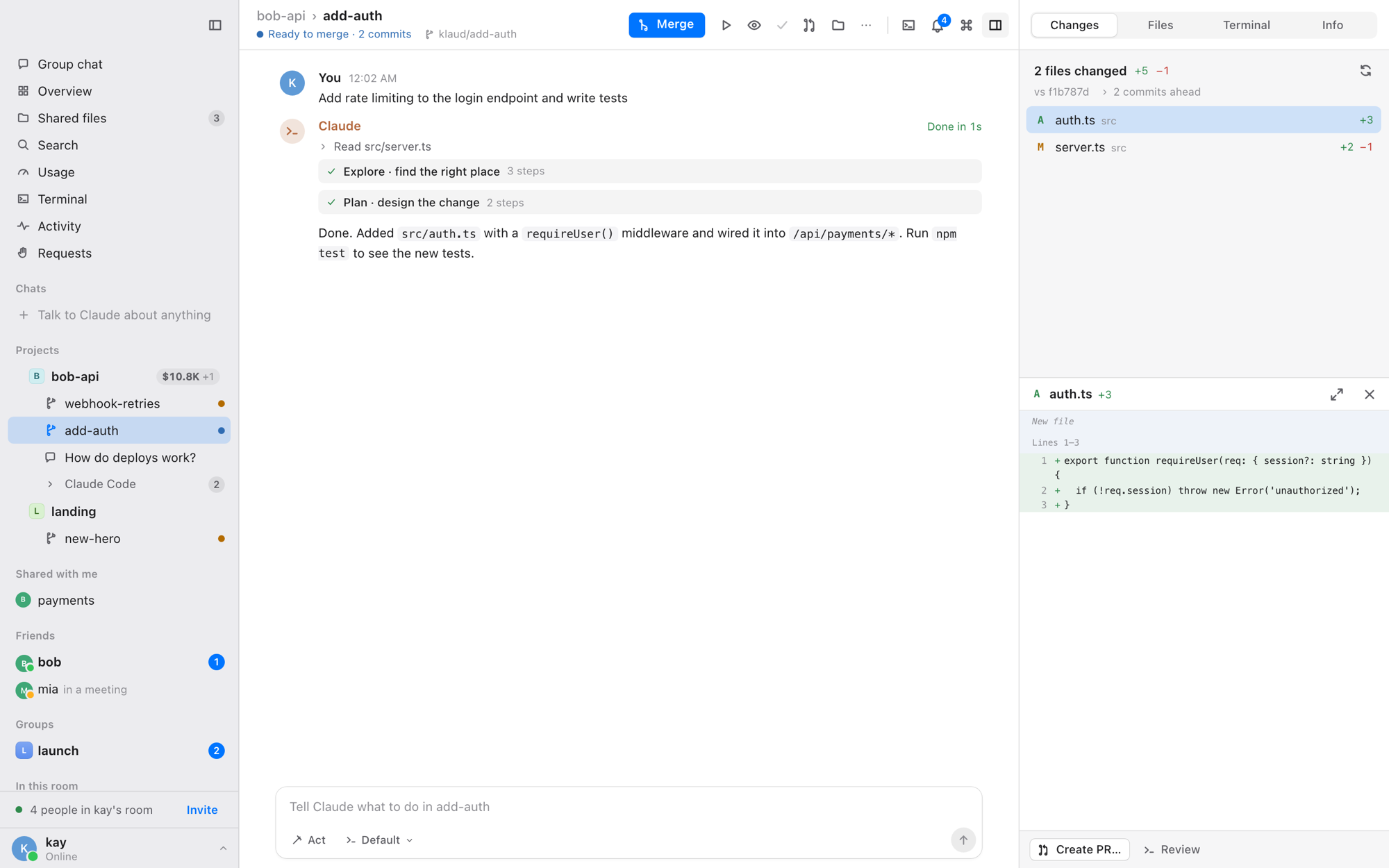
The conversation in the middle, the changes on the right, projects and friends on the left.
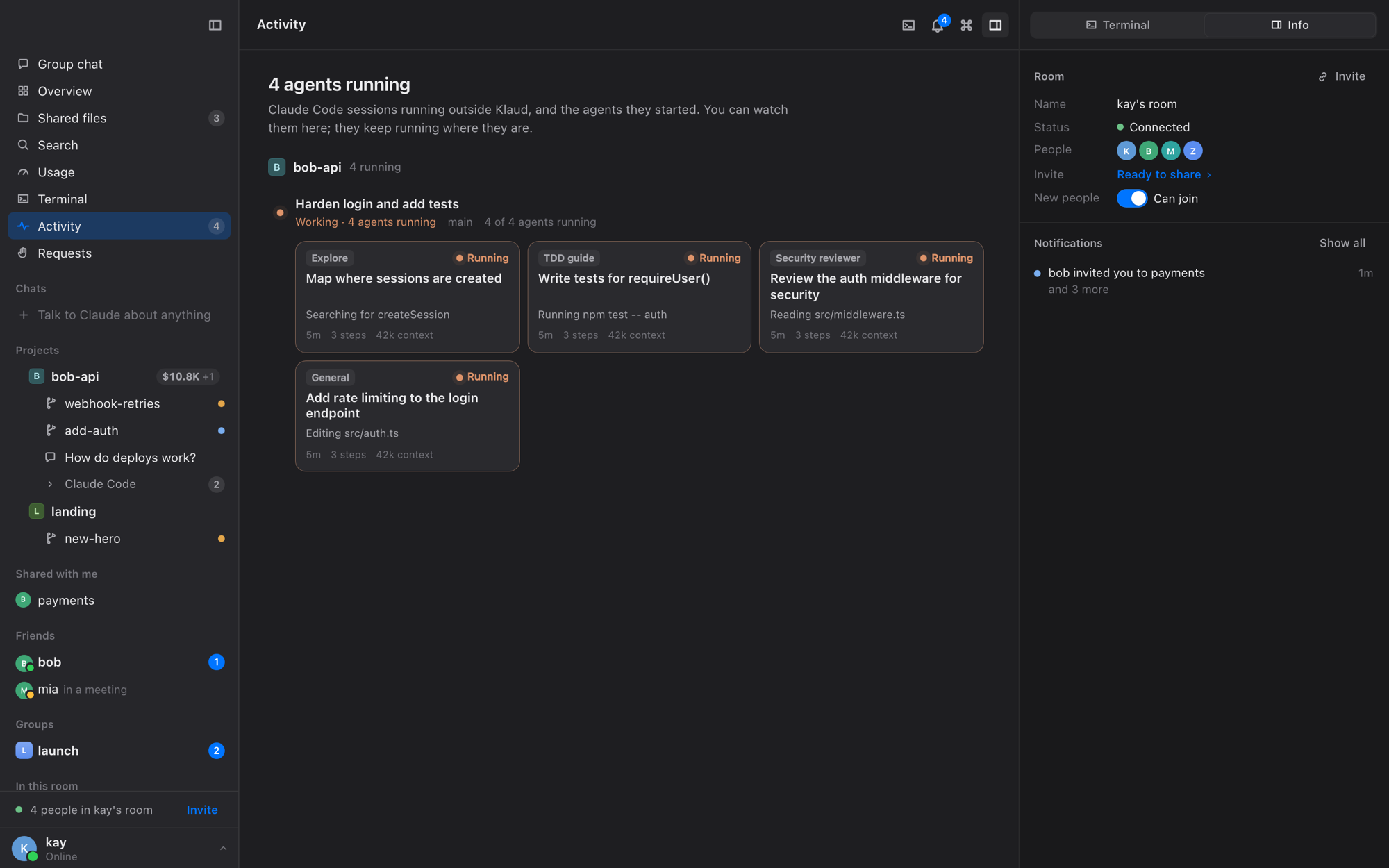
👀 Activity: every Claude Code session on your Mac (Conductor's too) and the background agents they started, live.
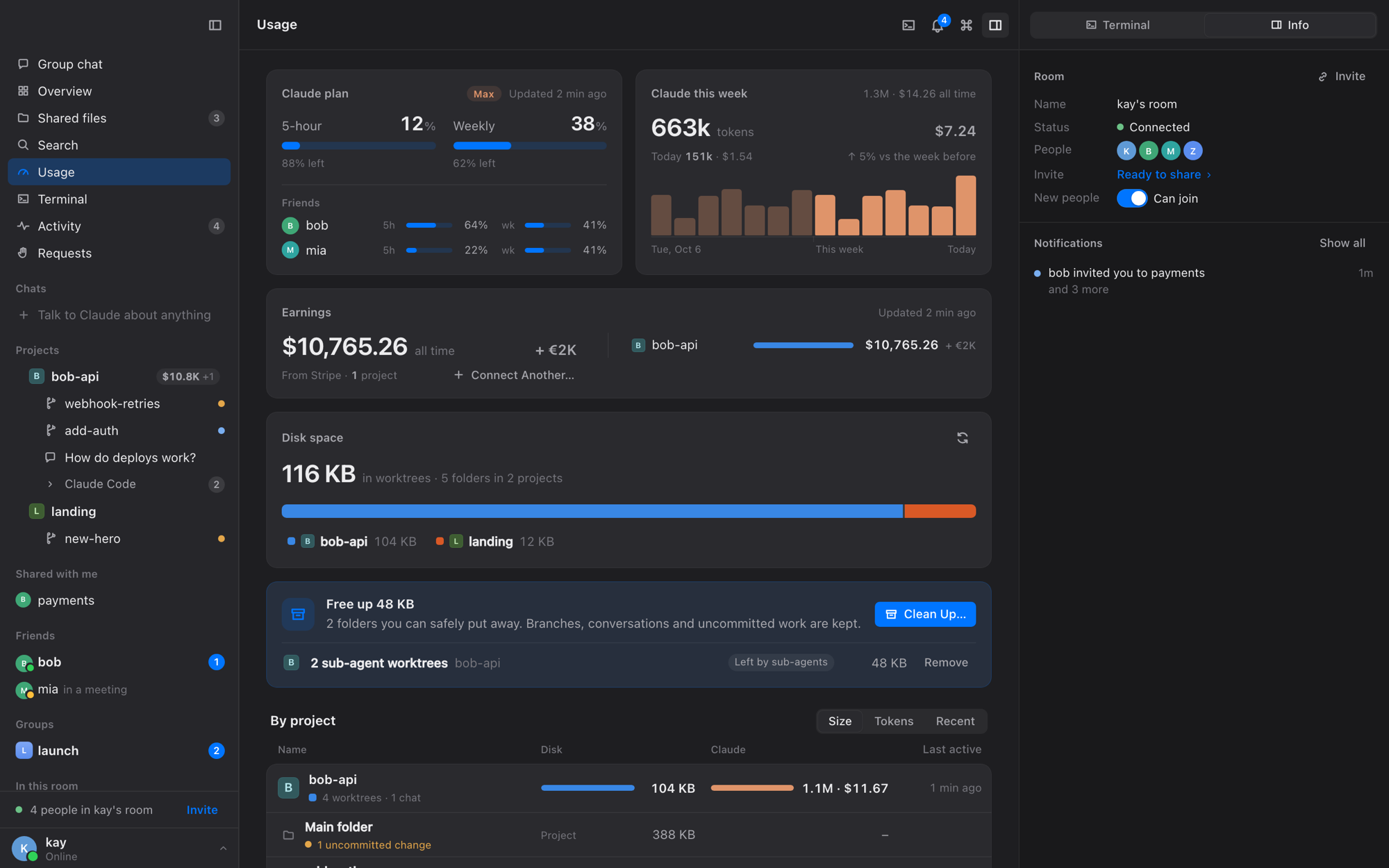
📊 Usage: your plan's limits, tokens and cost per day, disk per project with one-click clean up.
More screenshots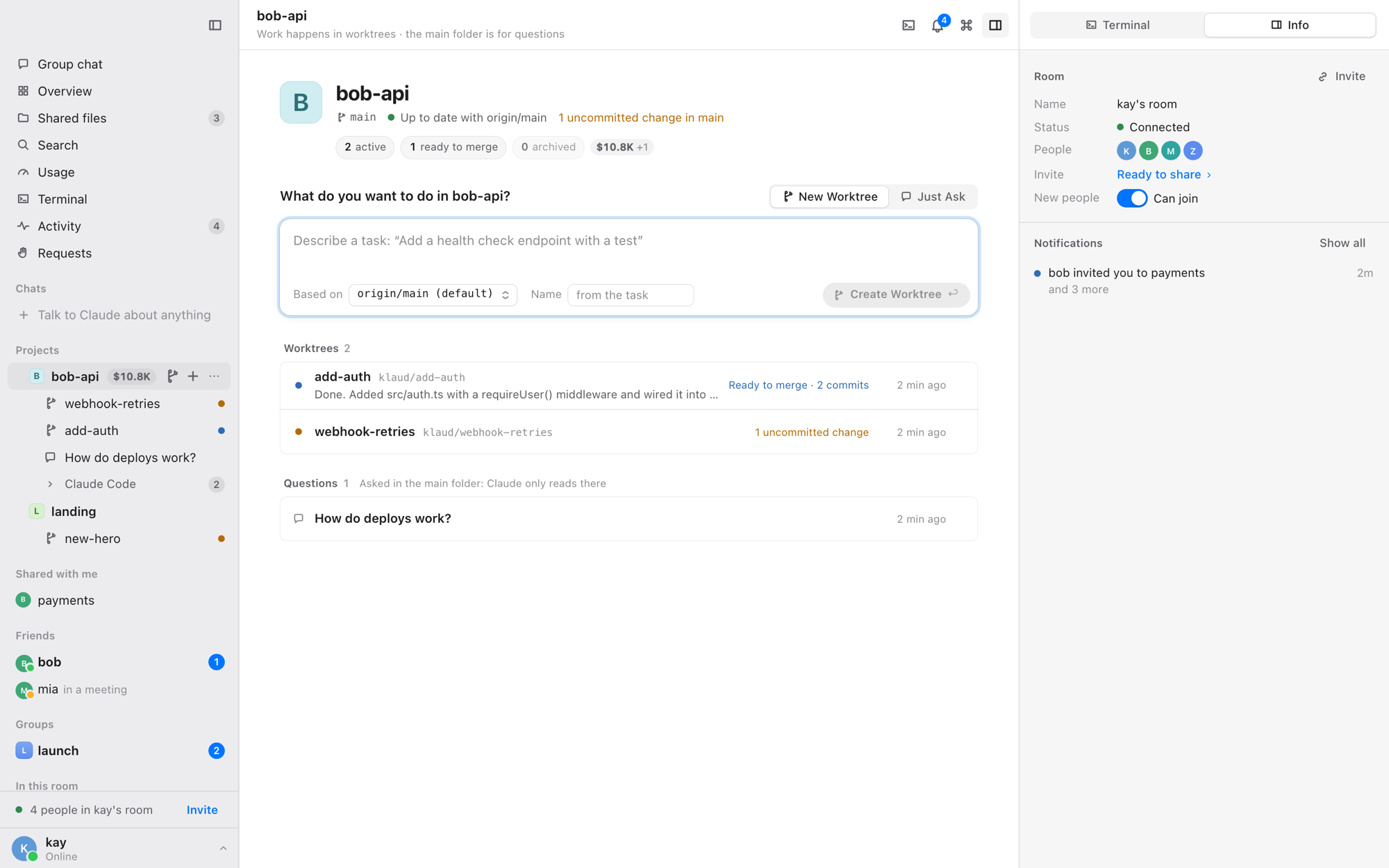
🏠 Project home: describe a task and Beluga makes the worktree, or just ask about the code.
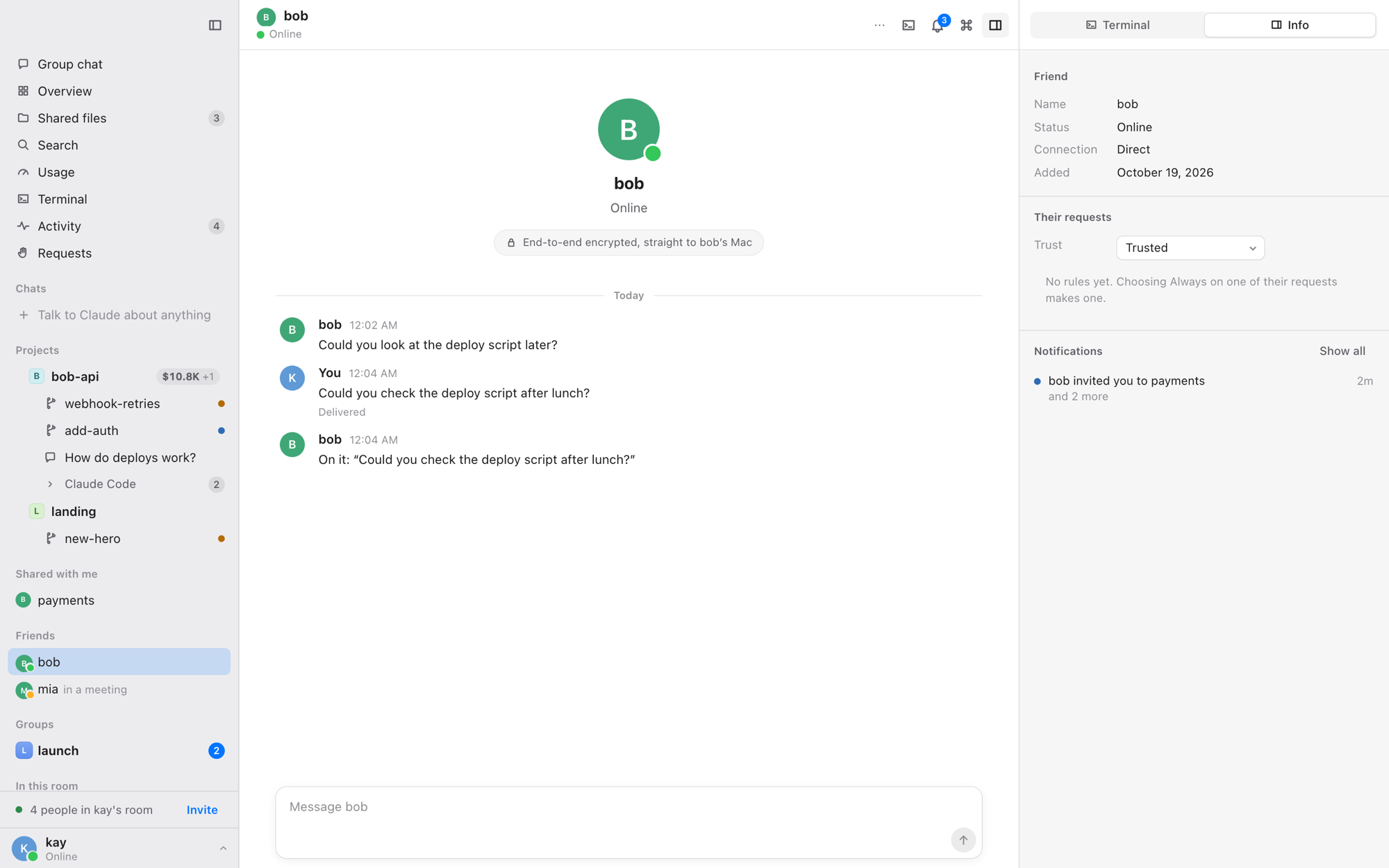
💬 Friends: direct, end-to-end encrypted, no server.
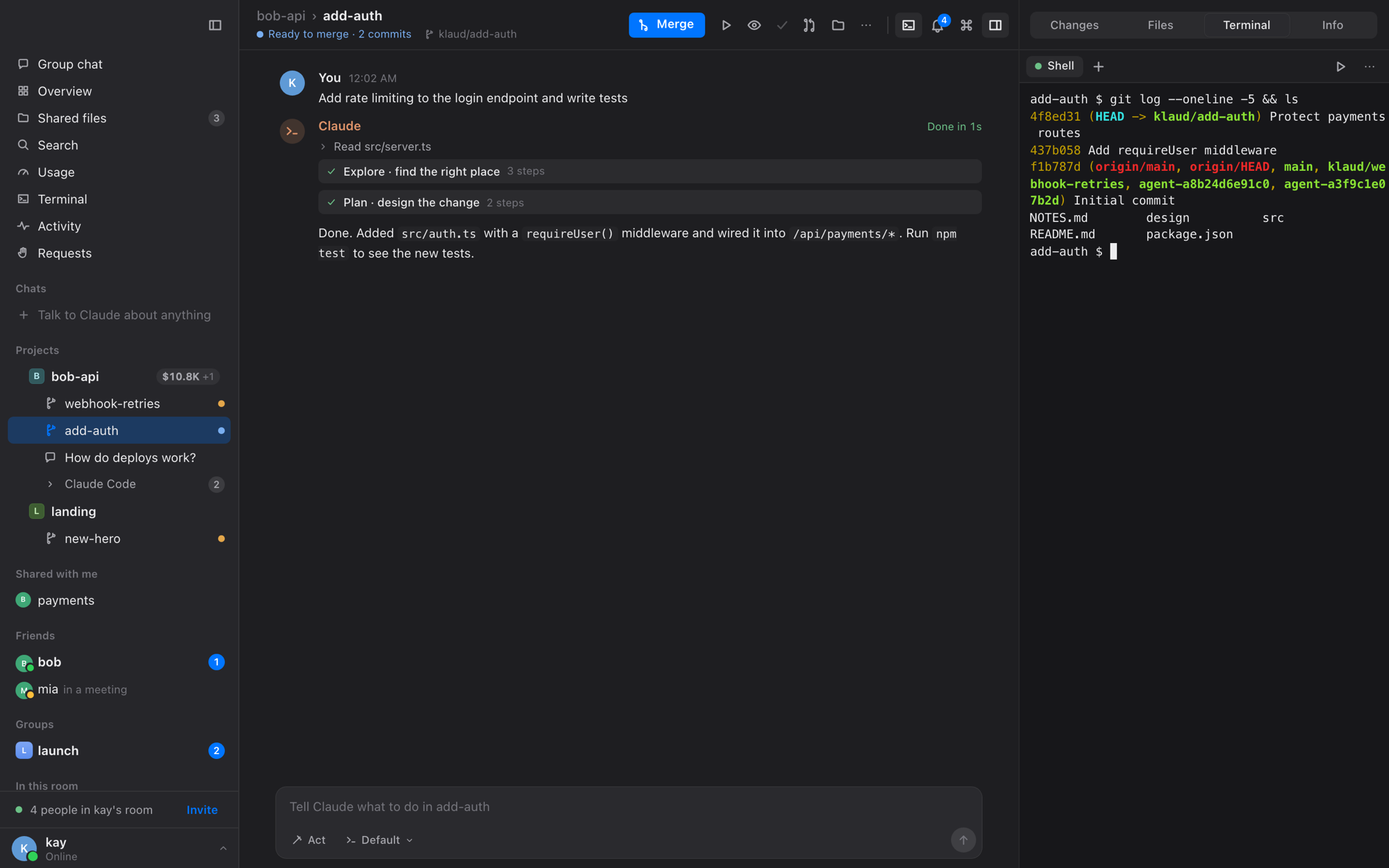
🖥️ Terminals beside the chat, or in a drawer with ⌘J.
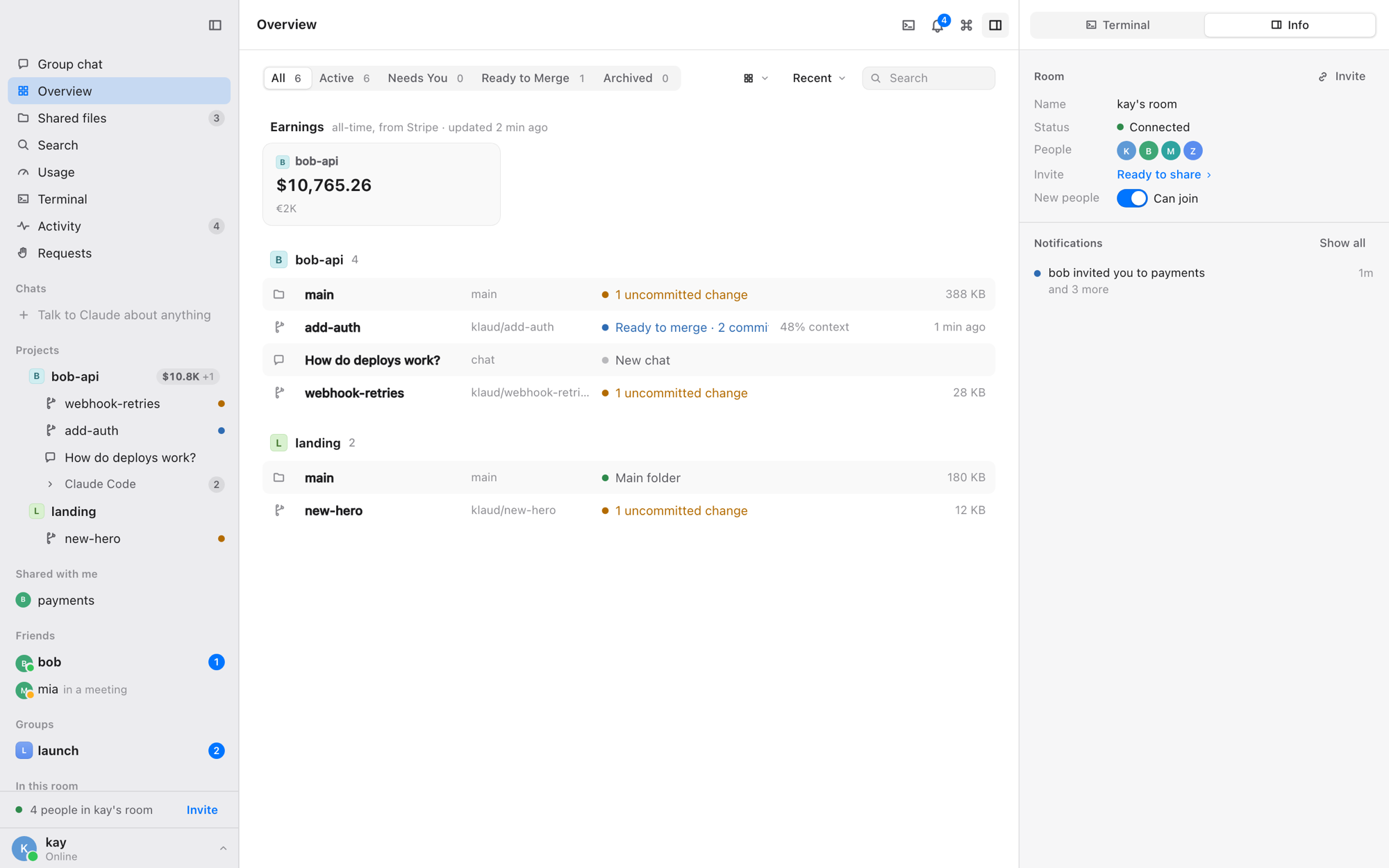
🗂️ Overview: every worktree and chat, filtered by what needs you.
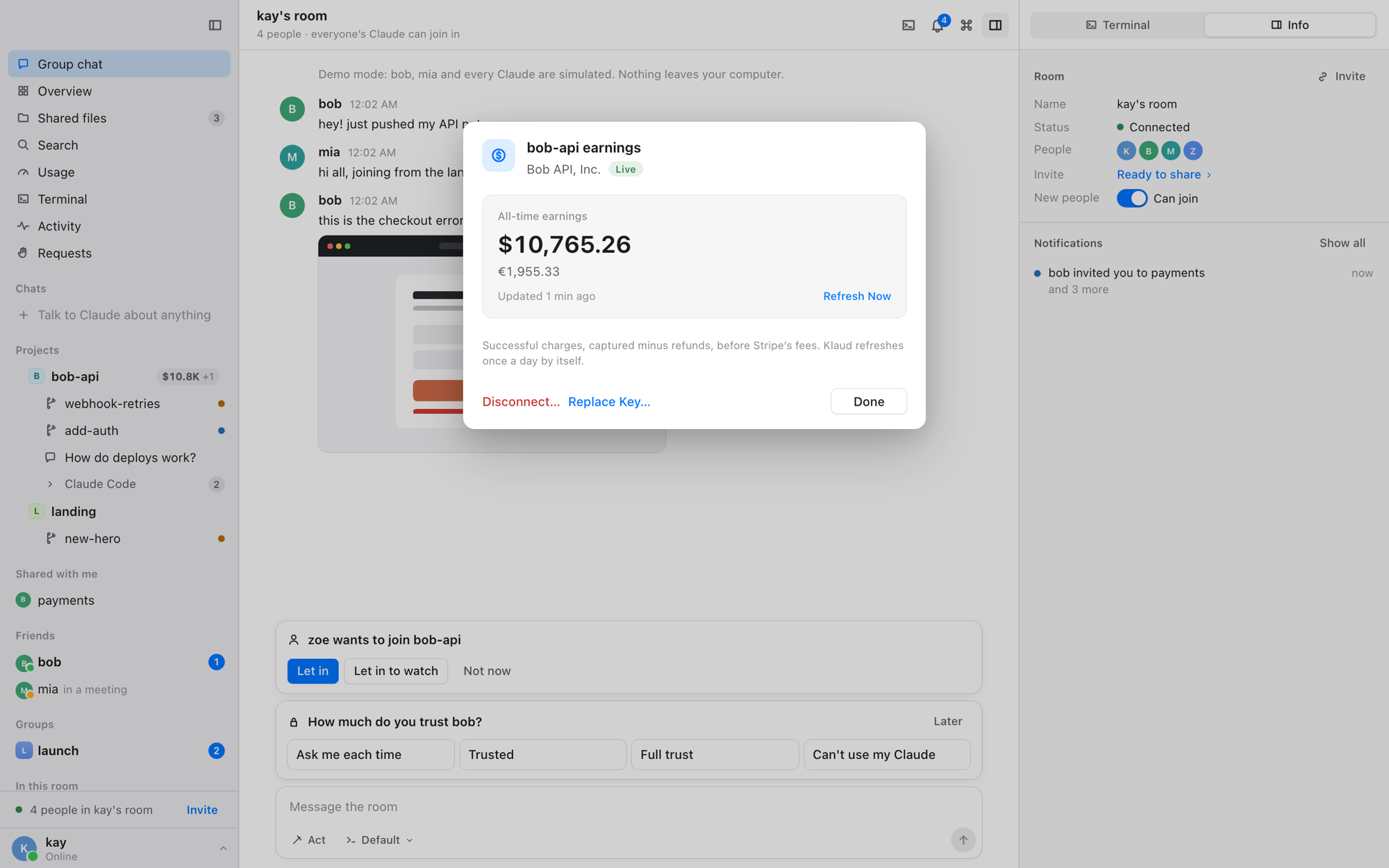
💰 Earnings: a project's all-time Stripe earnings.
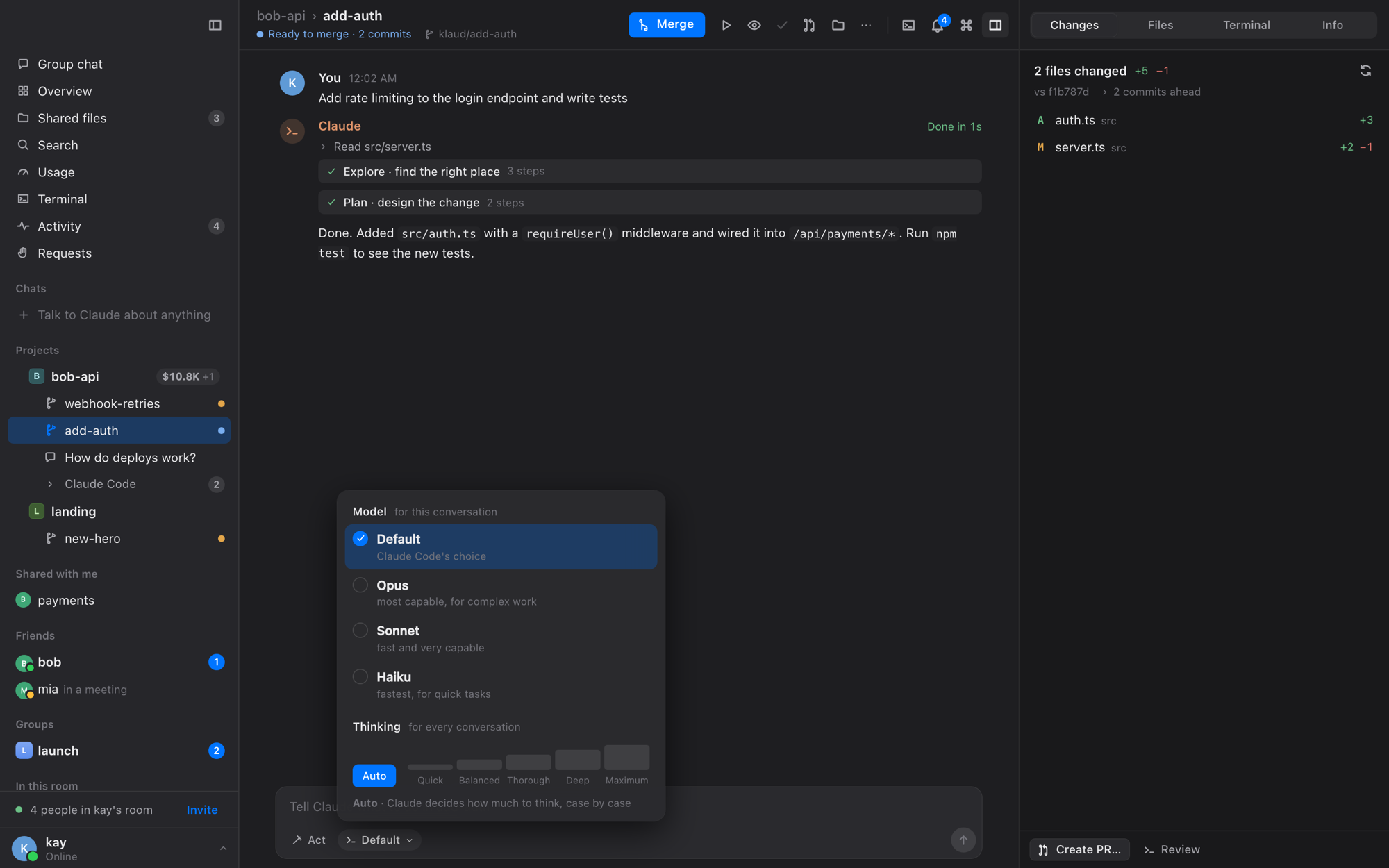
🧠 Model and thinking per conversation, in plain words.
Light and dark, your accent colour, right-click everywhere, drag and drop, ⌘K for anything, a menu-bar icon, notifications with your own sounds, and it updates itself.
📦 Install
- Download Beluga, open the
.dmgand drag Beluga into Applications. - The first time, open Beluga, click Done on the warning, then go to System Settings › Privacy & Security and click Open Anyway (Beluga isn't notarized by Apple yet).
If macOS says Beluga "is damaged" (older downloads), run this once in Terminal, then open it again:xattr -dr com.apple.quarantine /Applications/Beluga.app - Sign in to Claude Code if you haven't (
claude, then/login). Beluga brings everything else. - To work with friends: Friends › Turn On, then Add a Friend and send them the code.
⚙️ How it works
The engine (projects, Claude, terminals, friends) runs in the background on your Mac, and the app is the window onto it. Each Claude runs on its owner's computer through the Claude Agent SDK, with their own subscription.
More: how it works · security · peer-to-peer connections · the friends network · updates · every action and where it is.
🛠️ Development
git clone https://github.com/kayraucklnc/beluga.git && cd beluga
npm install && npm test

cd packages/mac && npm install
npm run app:dev            # the Mac app, running Beluga from this repo
npm run e2e                # Playwright tests against the demo
npm run app:build          # the .app and the designed .dmg
npm run release            # build, sign and publish a release (see docs/updates.md)
node scripts/gifs.mjs      # re-record the README's GIFs (vite + the demo daemon, needs ffmpeg)
packages/mac/   the Mac app (React UI in src/, the native shell in src-tauri/)
src/            the engine (core, friends network, Claude, terminals) and the app's shared models (src/ui)
docs/           guides and design notes
scripts/readme/ the README's animated diagrams (python3 scripts/readme/*.py)
License
MIT
Yorumlar (0)
Yorum birakmak icin giris yap.
Yorum birakSonuc bulunamadi