agent-graph
Health Gecti
- License — License: Apache-2.0
- Description — Repository has a description
- Active repo — Last push 0 days ago
- Community trust — 193 GitHub stars
Code Gecti
- Code scan — Scanned 12 files during light audit, no dangerous patterns found
Permissions Gecti
- Permissions — No dangerous permissions requested
This tool provides a visual platform for building, testing, and deploying complex multi-agent applications, integrating context engineering principles with sub-agents, long-term memory, and workflows.
Security Assessment
The automated code scan across 12 files found no dangerous patterns, no hardcoded secrets, and no excessive permission requests. Because it is a locally deployed platform utilizing Docker (spawning MongoDB and MinIO containers), users inherently allow significant system access and local network requests during setup. While the core framework appears safe from malicious intent, deploying it requires exposing local ports (like 9999, 8081, and 9011) and managing login credentials. Overall risk: Low to Medium (solely dependent on how safely you configure your local network and Docker environment).
Quality Assessment
The project is licensed under Apache-2.0 and has solid community engagement with 193 stars. It features clear documentation and a detailed deployment guide. However, the most critical factor is its project status: the creator has officially paused development. There are no active feature updates, and the online demo has been discontinued. While the code is recent, you will be relying on an unmaintained tool if you encounter bugs or need future compatibility updates.
Verdict
Use with caution: safe to deploy locally, but expect no future updates or active support from the developer.
Agent Graph is a Multi-Agent System built on the principles of Context Engineering
English | 中文
⚠️ Project Status: This project is currently on pause and will not receive new feature updates. The online demo service has been discontinued.
⚠️ 项目状态:本项目目前处于暂停更新状态,不会再更新新功能。在线体验服务已下线。
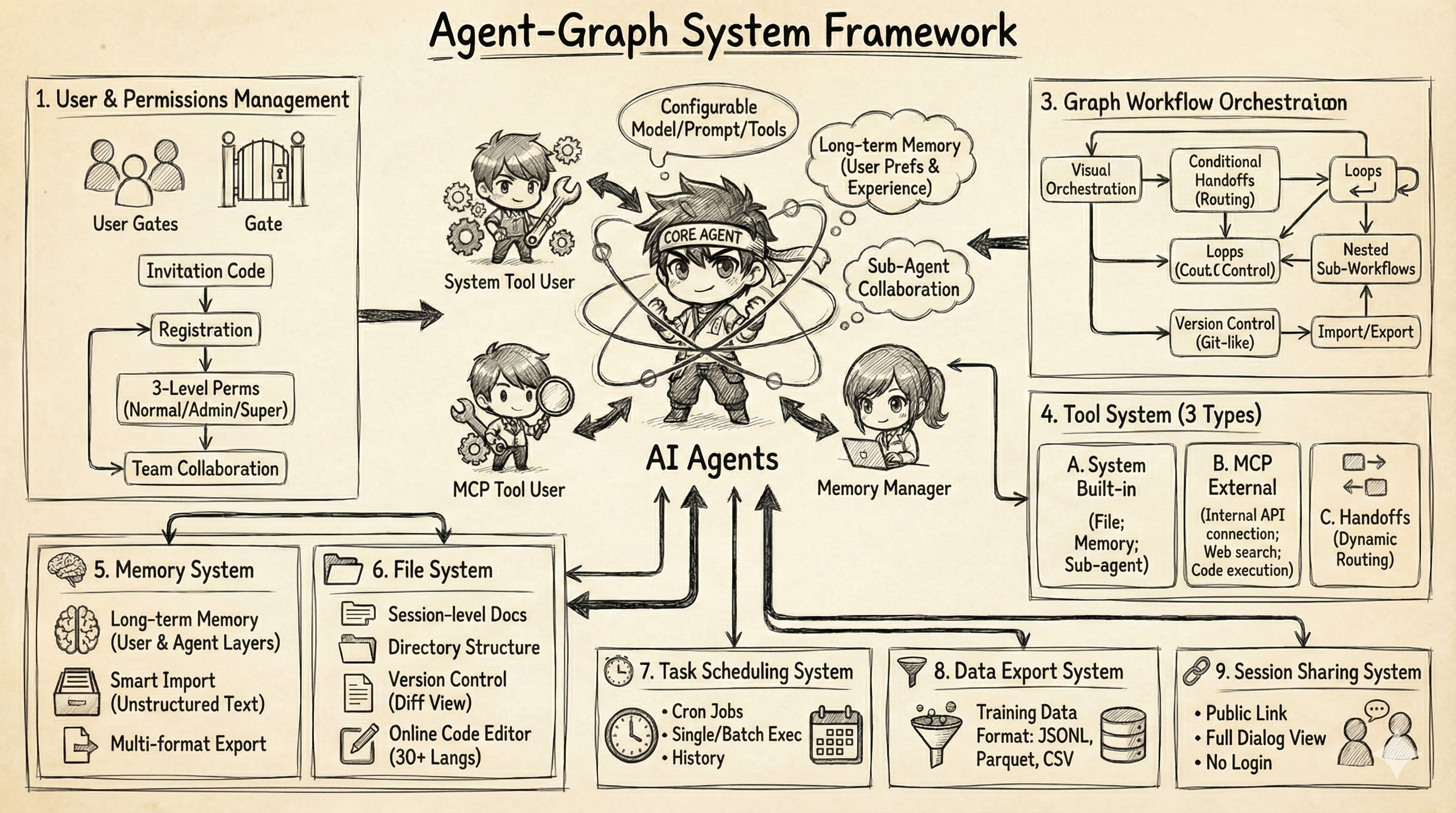
Agent-Graph is a Multi-Agent System built on the principles of Context Engineering. It integrates Sub-agent, Long-term Memory, MCP, Agent-based Workflow, and other capabilities. By integrating Context Engineering best practices into a visual development experience, Agent-Graph enables developers to rapidly build, test, and deploy complex multi-agent applications.
| Documentation | https://keta1930.github.io/agent-graph/ |
Table of Contents
- Framework
- Deployment Guide
- Core Features
- Future Roadmap
- Frontend Feature Showcase
- Citation
- WeChat Group
1. Framework
System Architecture
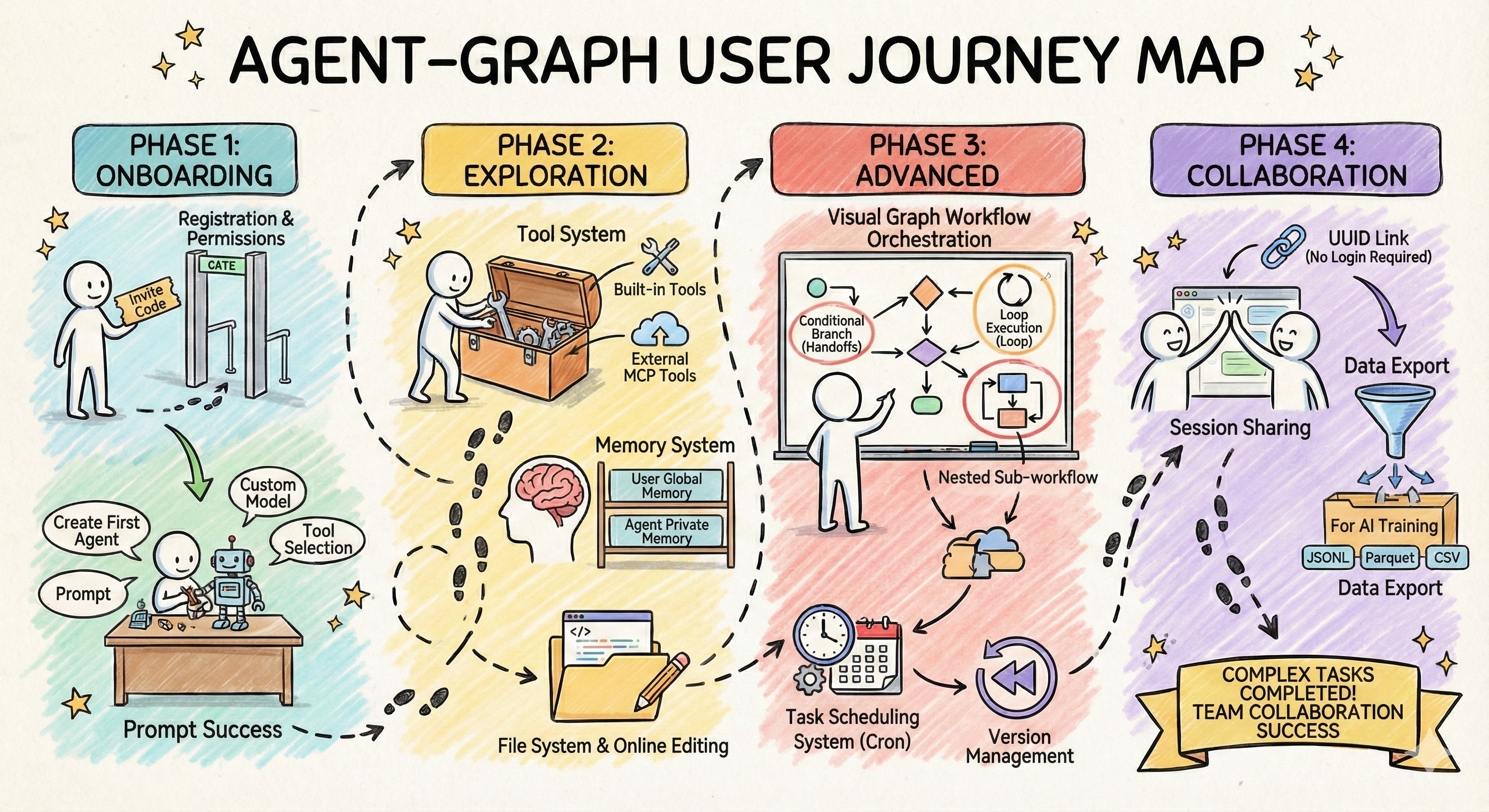
User Journey
2. Deployment Guide
📖 Detailed Installation Documentation: docs/first-steps/install.md
System Requirements
| Component | Requirement |
|---|---|
| Operating System | Linux, macOS, or Windows (requires WSL2) |
| Docker | Version 20.10+ with Docker Compose |
| Python | Version 3.11+ |
| Memory | Minimum 4GB (8GB recommended) |
| Storage | At least 10GB available space |
Quick Start
2.1. Clone Project
git clone https://github.com/keta1930/agent-graph.git
cd agent-graph
2.2. Configure and Start Docker Services
cd docker/agent_graph_services
cp .env.example .env
# Edit .env file to configure necessary parameters (see installation documentation)
docker-compose up -d
Service Addresses:
- MongoDB Express (Database Management): http://localhost:8081
- MinIO Console (File Storage): http://localhost:9011
2.3. Deploy Backend
Using uv (Recommended):
cd ../..  # Return to project root
uv sync
cd agent_graph
uv run python main.py
Using pip:
cd ../..  # Return to project root
pip install -r requirements.txt
cd agent_graph
python main.py
Run in Background:
nohup python main.py > app.log 2>&1 &
2.4. Access Application
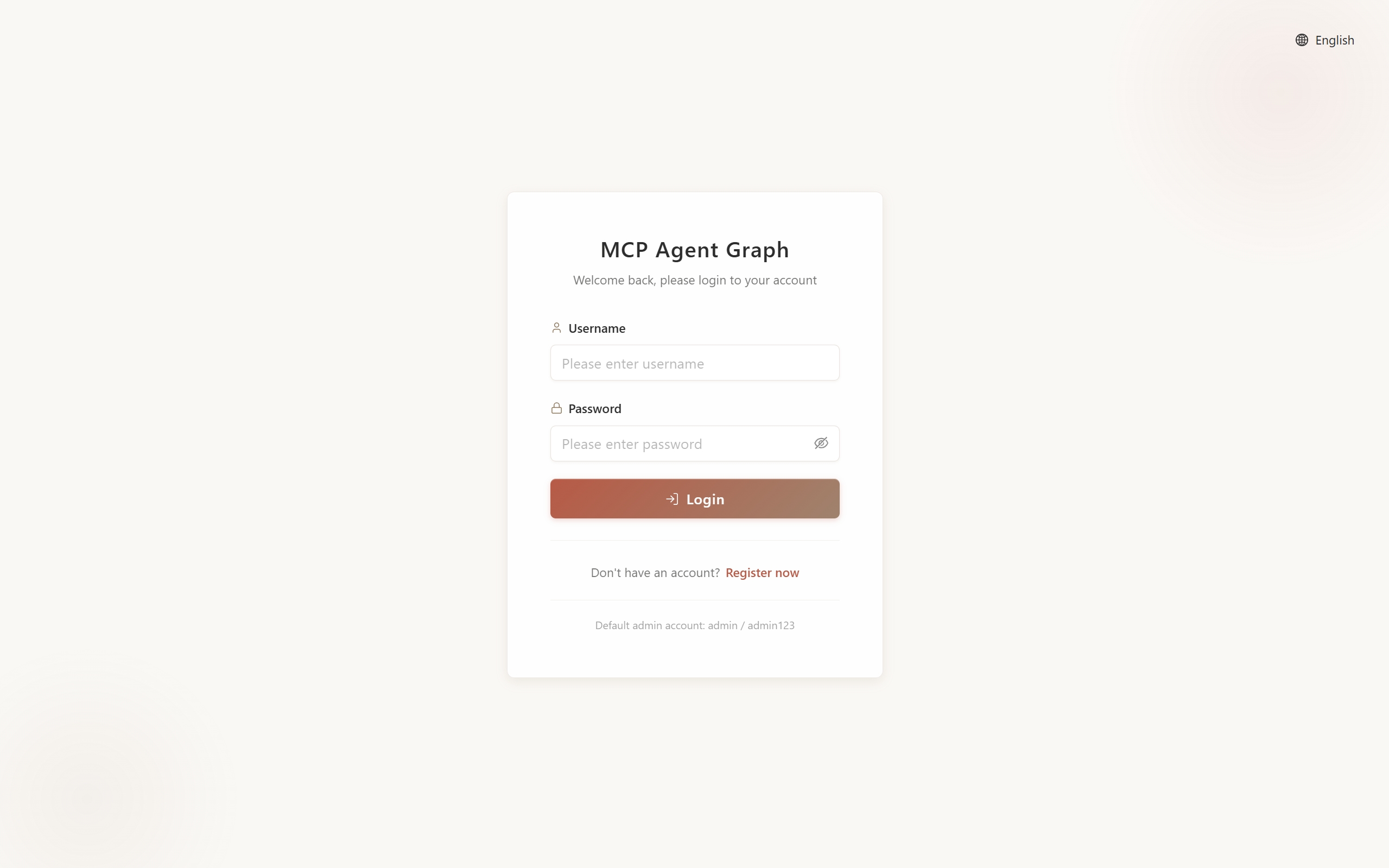
Open browser and visit: http://localhost:9999
Login Page (Admin login with username and password configured in .env):
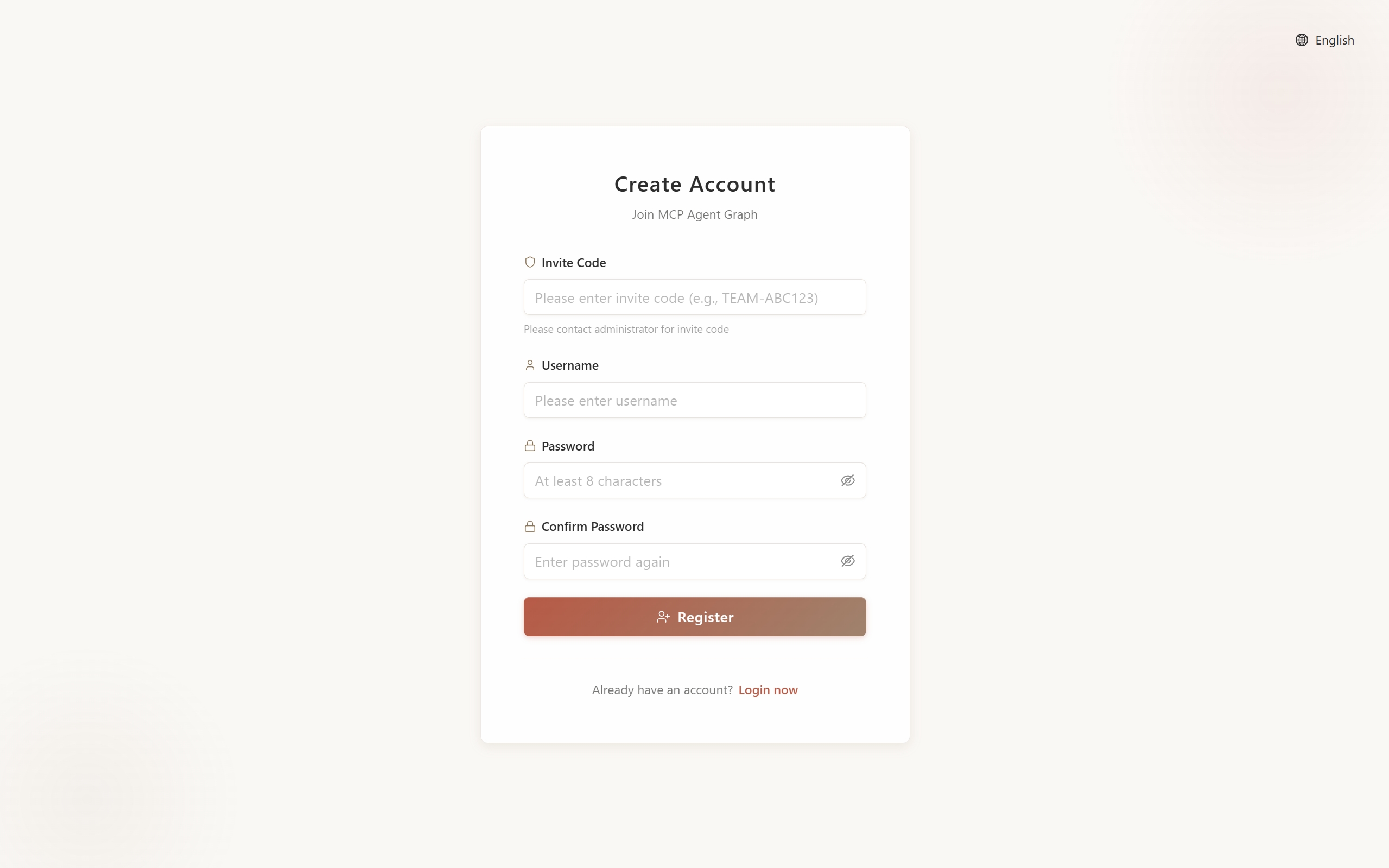
Registration Page (New users can register with invitation code):
Other Access Endpoints:
- API Documentation: http://localhost:9999/docs
- Health Check: http://localhost:9999/health
Frontend Development (Optional)
If you need to modify frontend code:
cd frontend
npm install
npm run dev  # Development server: http://localhost:5173
npm run build  # Build production version
Note: The repository includes pre-built frontend files. This step is only needed when developing or customizing the frontend.
3. Core Features
Core Components
| Feature | Description | Documentation |
|---|---|---|
| Agent | AI entities with capabilities to understand goals, use tools, iterate optimization, maintain context and long-term memory, solving open-ended tasks through autonomous action execution | Agent Docs |
| Graph (Workflow) | Orchestrate multiple agents into structured workflows, defining execution flow through nodes and edges, suitable for predictable multi-stage tasks | Graph Docs |
| Model | Support for LLM and VLM models (OpenAI compatible), flexible API Key configuration | Model Docs |
| Memory | Short-term memory maintains conversation context, long-term memory stores user preferences and Agent knowledge base across sessions | Memory Docs |
| Prompt Center | Centralized management of reusable Prompt templates, supporting categorization, import/export, and cross-project references | Prompt Docs |
| Projects | Organize conversations into collections with shared files | Projects Docs |
Workflow Capabilities
| Feature | Description | Documentation |
|---|---|---|
| Visual Graph Editor | Frontend drag-and-drop workflow design, supporting linear, parallel, conditional, and nested graph types, WYSIWYG | Graph Docs |
| Subgraph Nesting | Use entire Graphs as single nodes for nesting, enabling modular, reusable, and hierarchical workflow construction | Subgraph Docs |
| Handoffs (Smart Routing) | Nodes dynamically select next execution node, supporting intelligent decisions, conditional branching, and iterative optimization loops | Handoffs Docs |
| Task (Scheduling) | Scheduled or periodic automatic Graph execution, supporting cron expressions, concurrent instances, and execution history tracking | Task Docs |
Extension Capabilities
| Feature | Description | Documentation |
|---|---|---|
| MCP Protocol Integration | Connect external tools and data sources (databases, APIs, file systems, cloud services, etc.) through standardized protocol, connect once and use everywhere | MCP Docs |
| Built-in Tool Set | Provides resource creation (Agent Creator, Graph Designer, MCP Builder, Prompt Generator, Task Manager), collaboration (Sub-agent, File Tool), and query (Memory Tool, System Operations) system tools | Tools Docs |
Collaboration & Management
| Feature | Description | Documentation |
|---|---|---|
| Team Collaboration | Admins create invitation codes, manage team members, assign role permissions (Super Admin, Admin, Regular User) | Team Management |
| Conversation Management | Support conversation history viewing, file attachment management, and session context maintenance | Quick Start |
4. Future Roadmap
📖 Complete Roadmap: docs/roadmap/index.md
The platform continues to evolve, bringing more powerful Agent capabilities and better collaboration experiences to users.
Recently Implemented
The following features have been recently implemented and are now available:
| Feature | Core Value | Documentation |
|---|---|---|
| Multimodal Support | VLM gives Agents visual understanding capabilities | Details |
| Projects | Organize conversations into collections with shared resources | Details |
Coming Soon
The following features are coming soon or actively under development:
| Feature | Core Value | Documentation |
|---|---|---|
| Team Resource Sharing | Share Agents, workflows, and Prompts within teams | Details |
| Agent Skills | Progressive context engineering to improve efficiency and capabilities | Details |
Future Plans
These features are under continuous exploration and planning:
| Feature | Core Value | Documentation |
|---|---|---|
| External Agent API | Open Agents to external calls, building a service ecosystem | Details |
| User Analytics | Effect evaluation and team insights | Details |
5. Frontend Feature Showcase
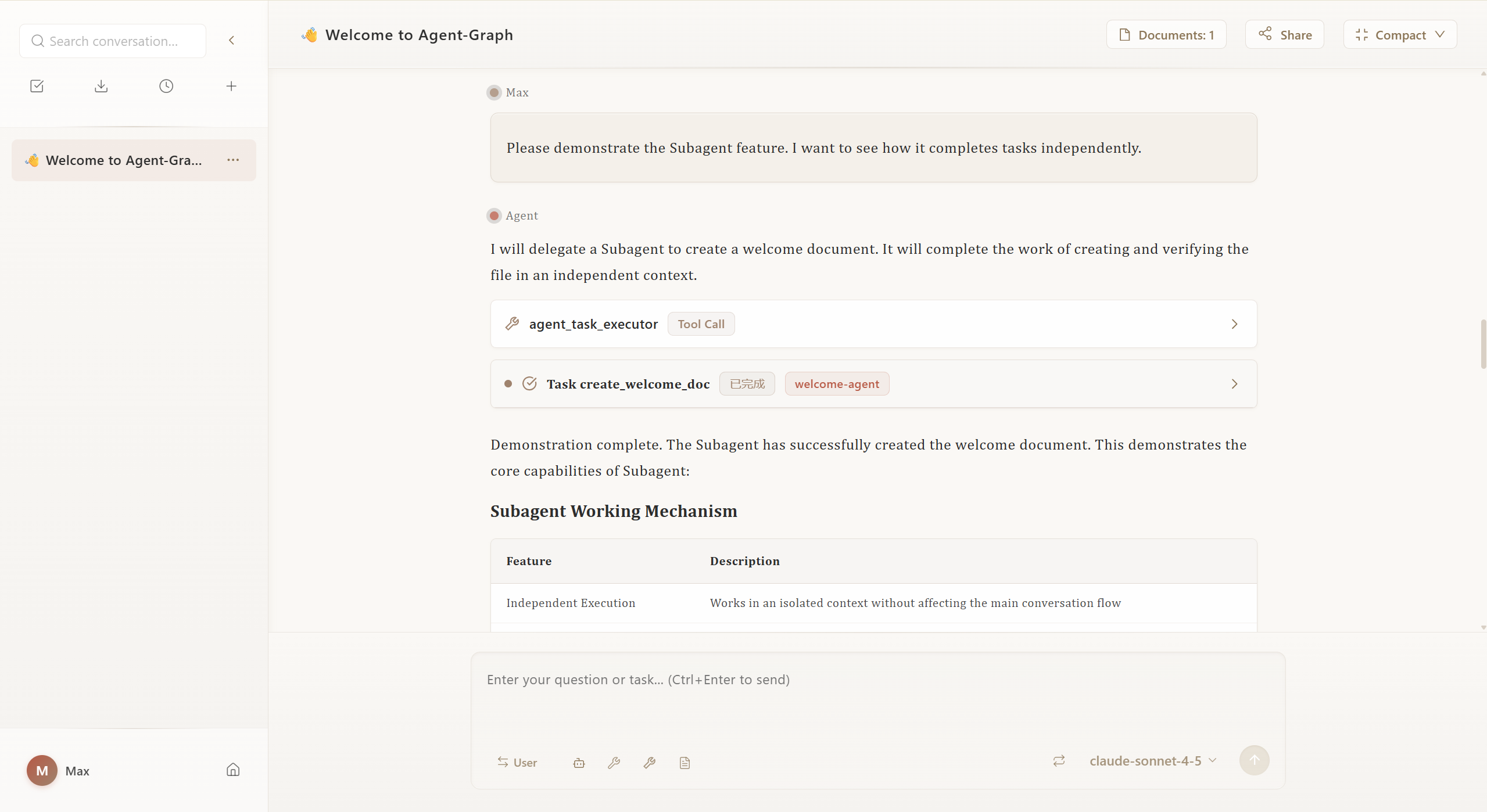
5.1. Chat Welcome Page
Entry interface for starting conversations with Agents, supporting quick selection of preset Agents or creating new conversations.
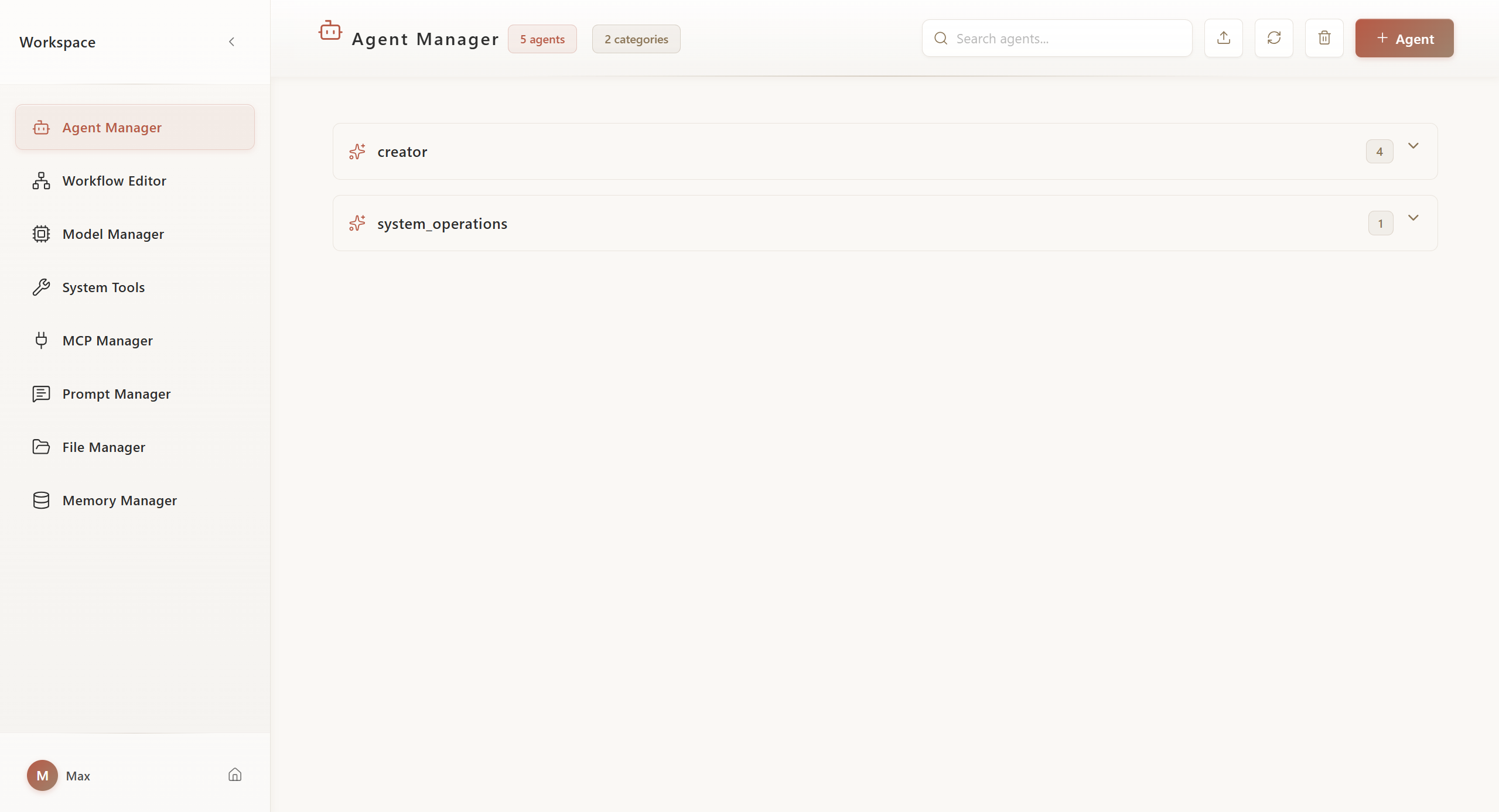
5.2. Workspace - Agent Management
Create, configure, and manage agents, set system prompts, tools, and model parameters.
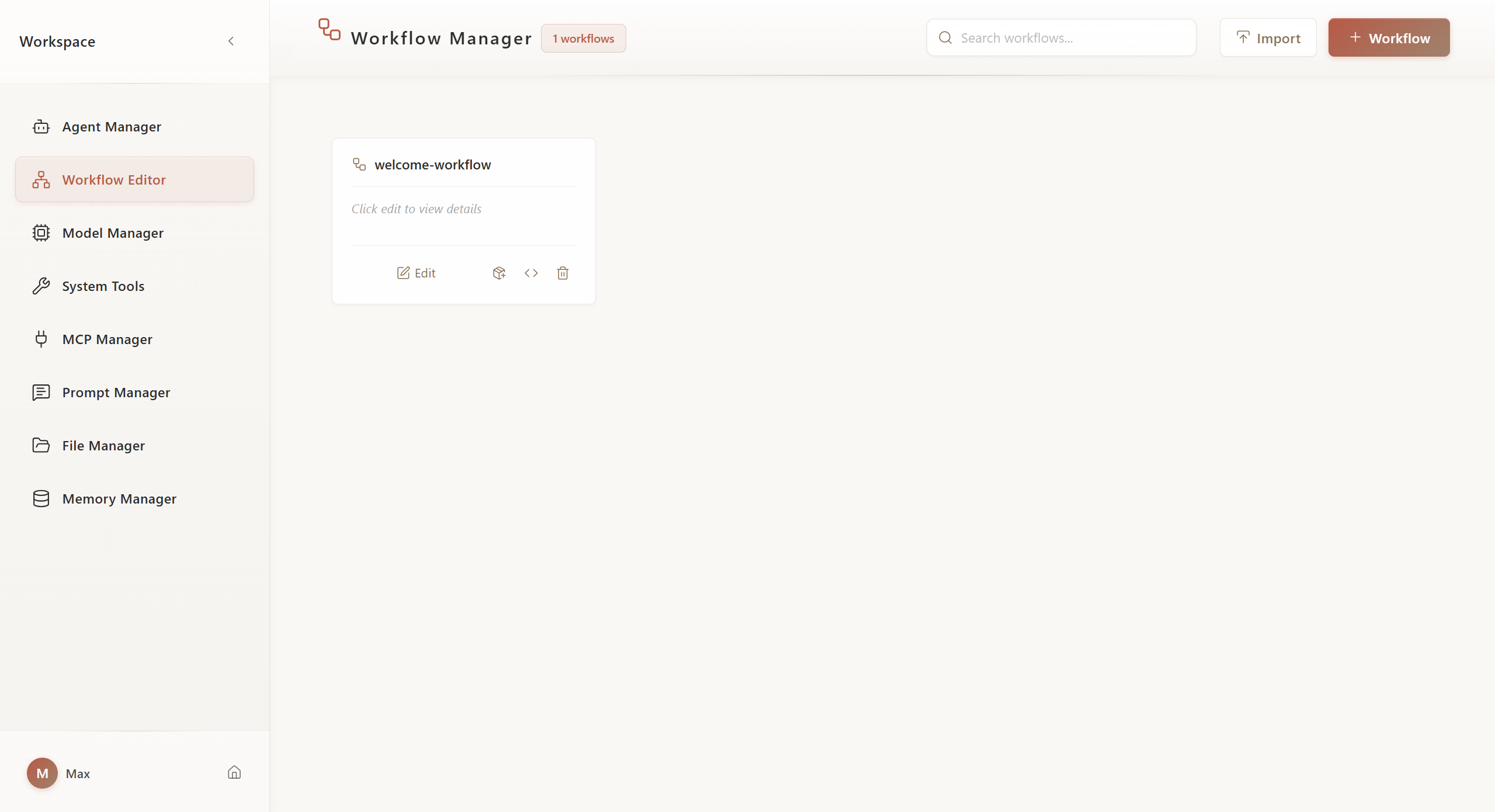
5.3. Workspace - Workflow Management
Visual drag-and-drop workflow designer, supporting multiple node types and complex process orchestration.
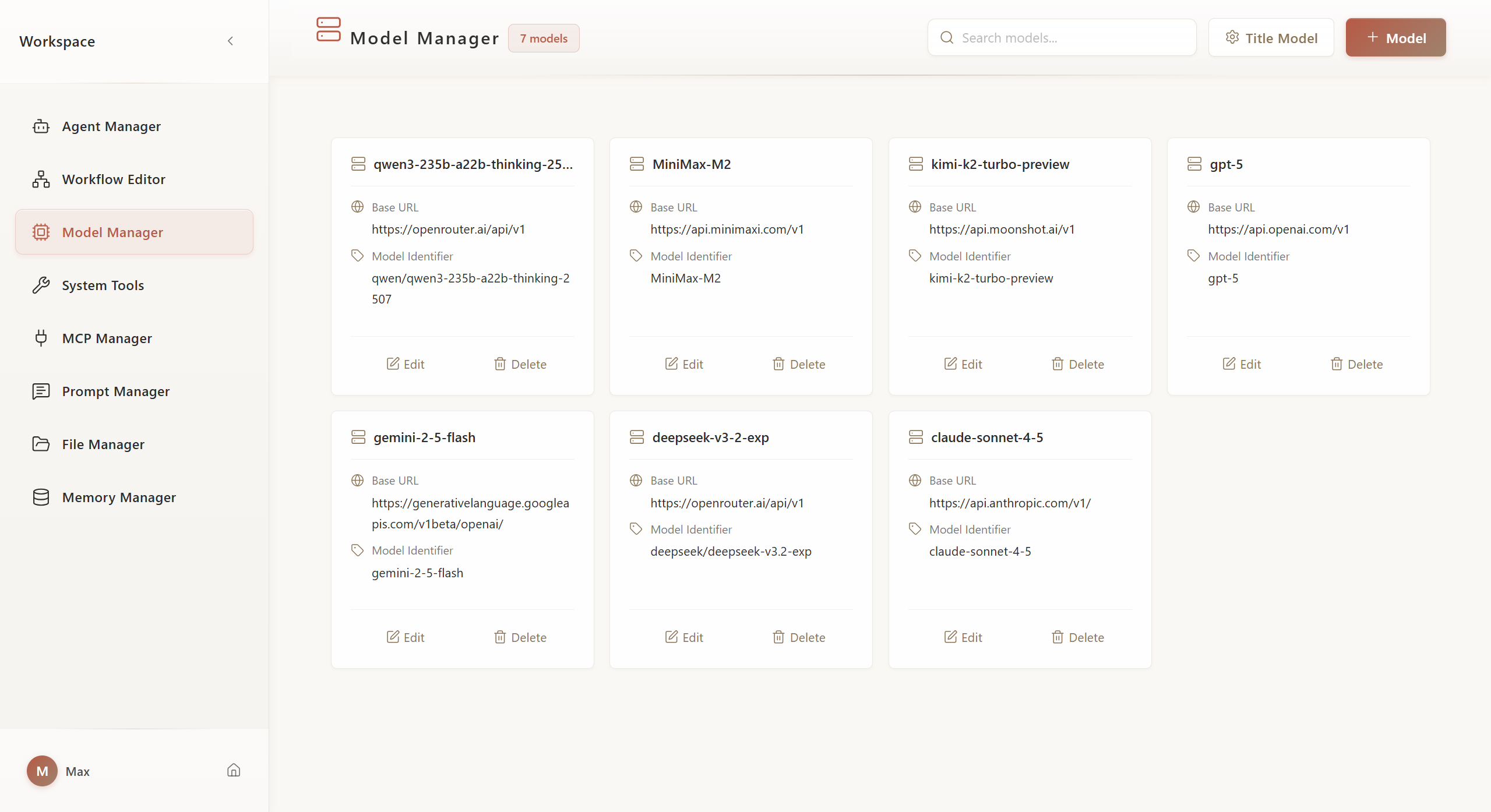
5.4. Workspace - Model Management
Configure and manage multiple LLM models, set API Keys and model parameters.
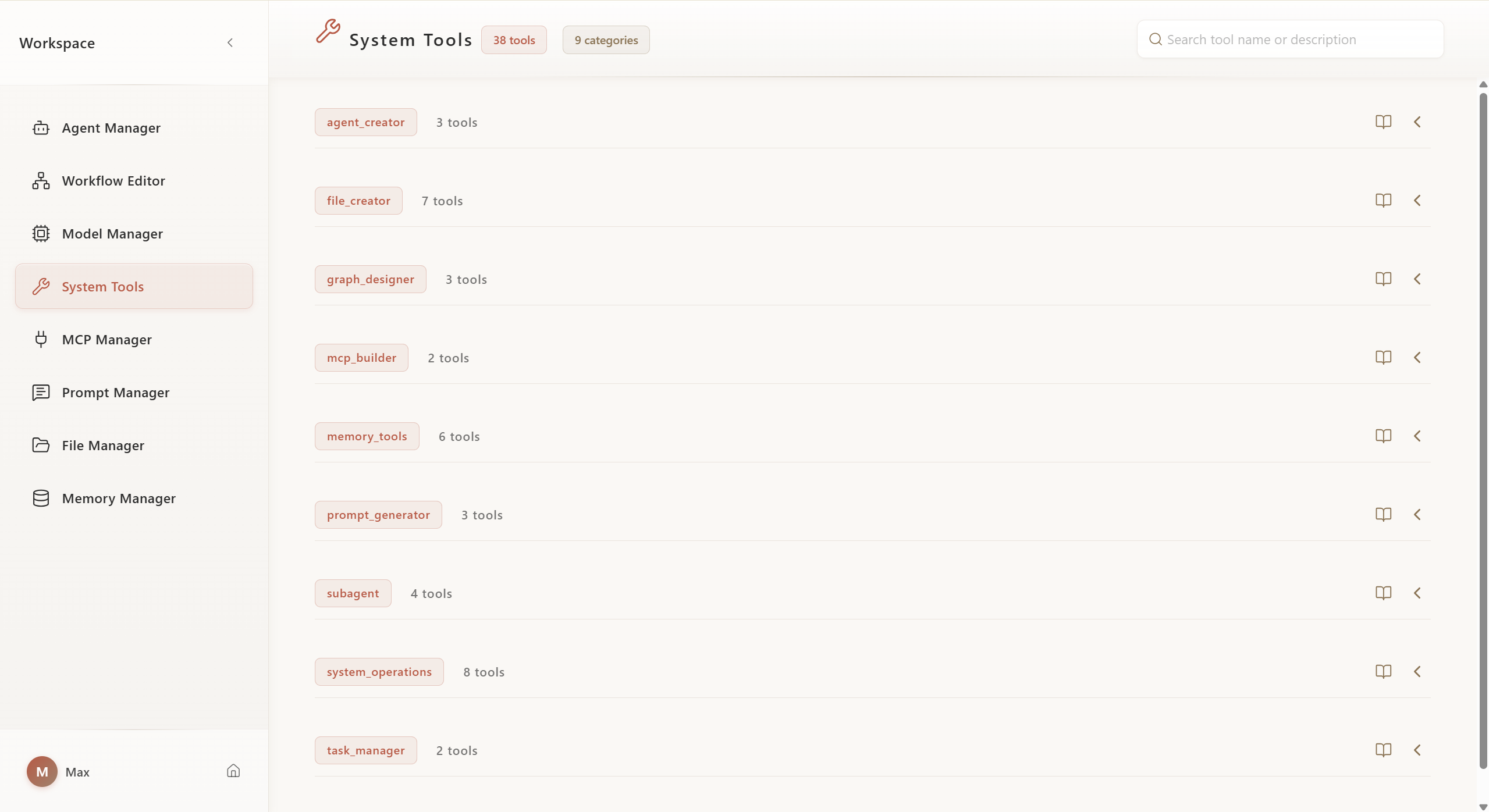
5.5. Workspace - System Toolbox
View and configure built-in system tools, including resource creation and collaboration tools.
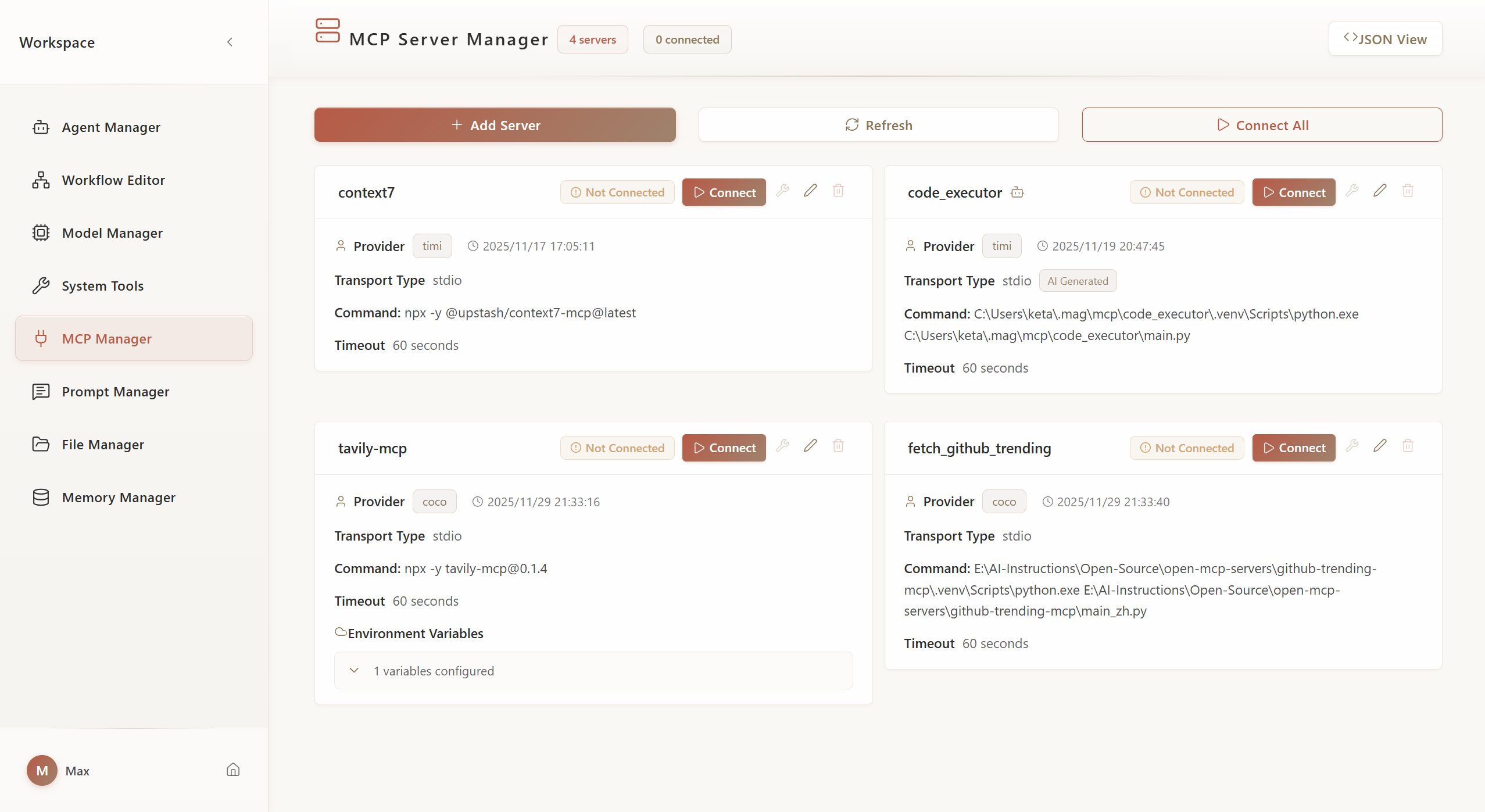
5.6. Workspace - MCP Management
Manage MCP server connections, configure external tool and data source integrations.
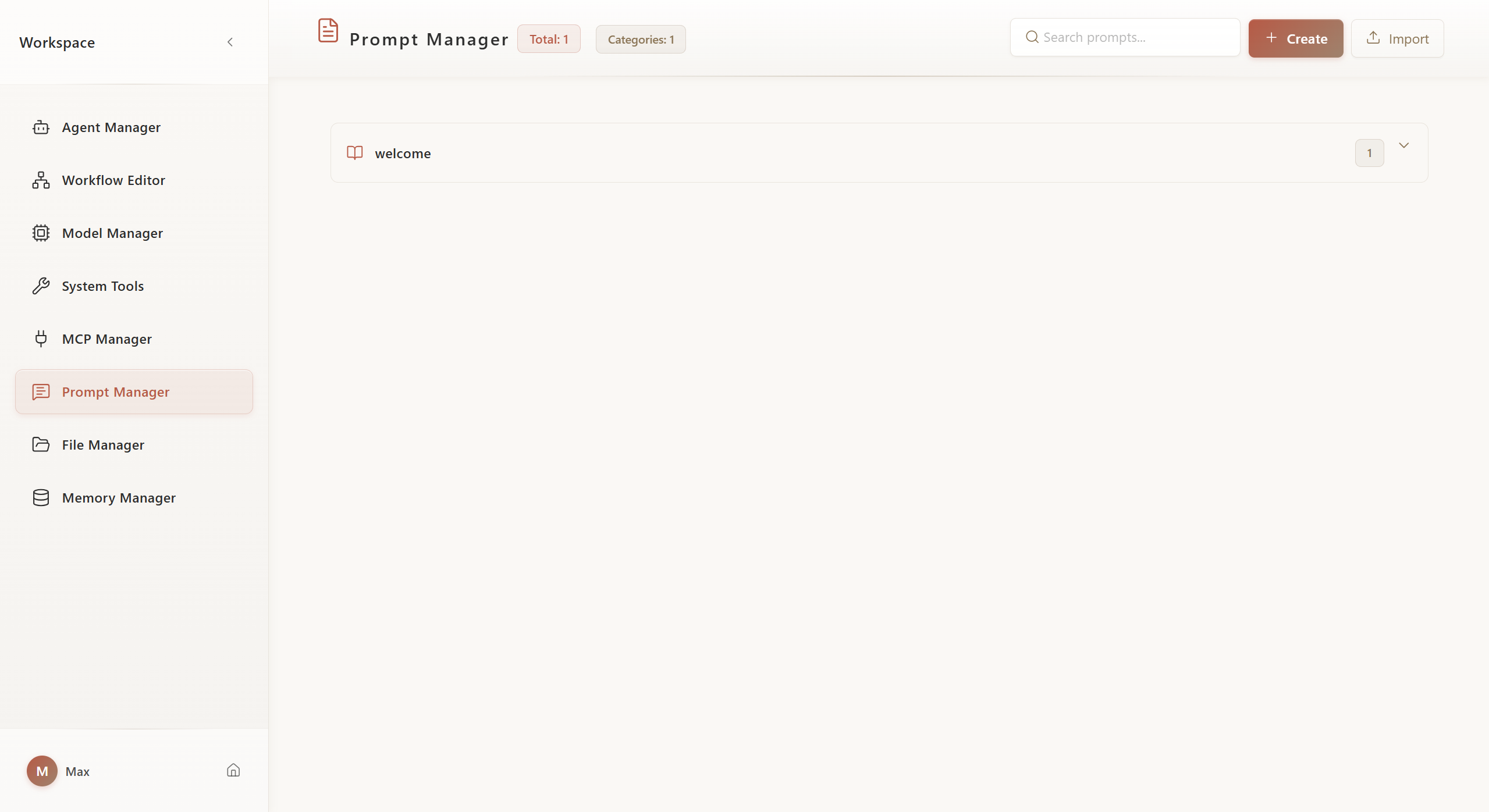
5.7. Workspace - Prompt Management
Centrally manage reusable Prompt templates, supporting categorization and version control.
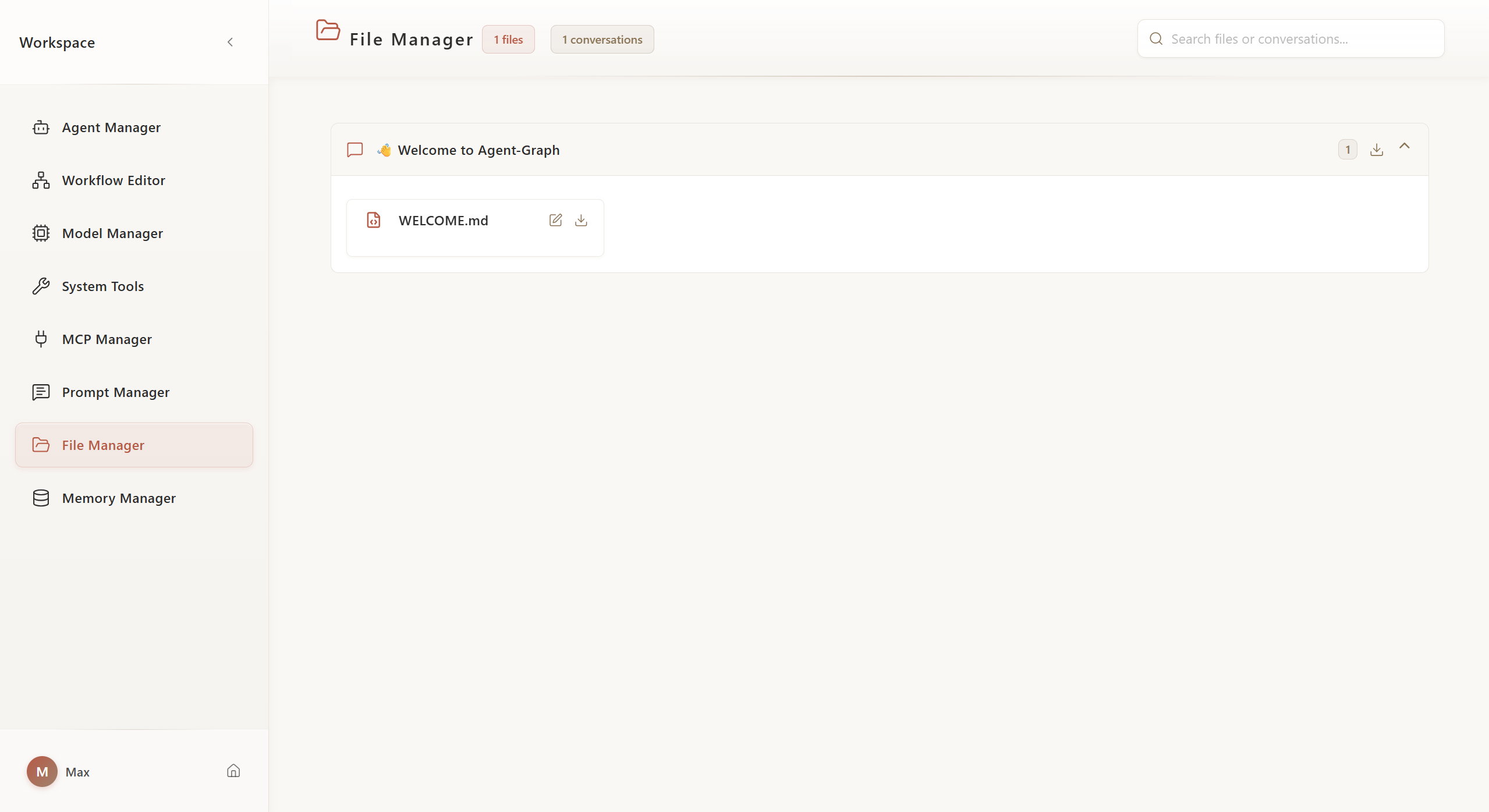
5.8. Workspace - File Management
Manage uploaded files and attachments, supporting file preview and organization.
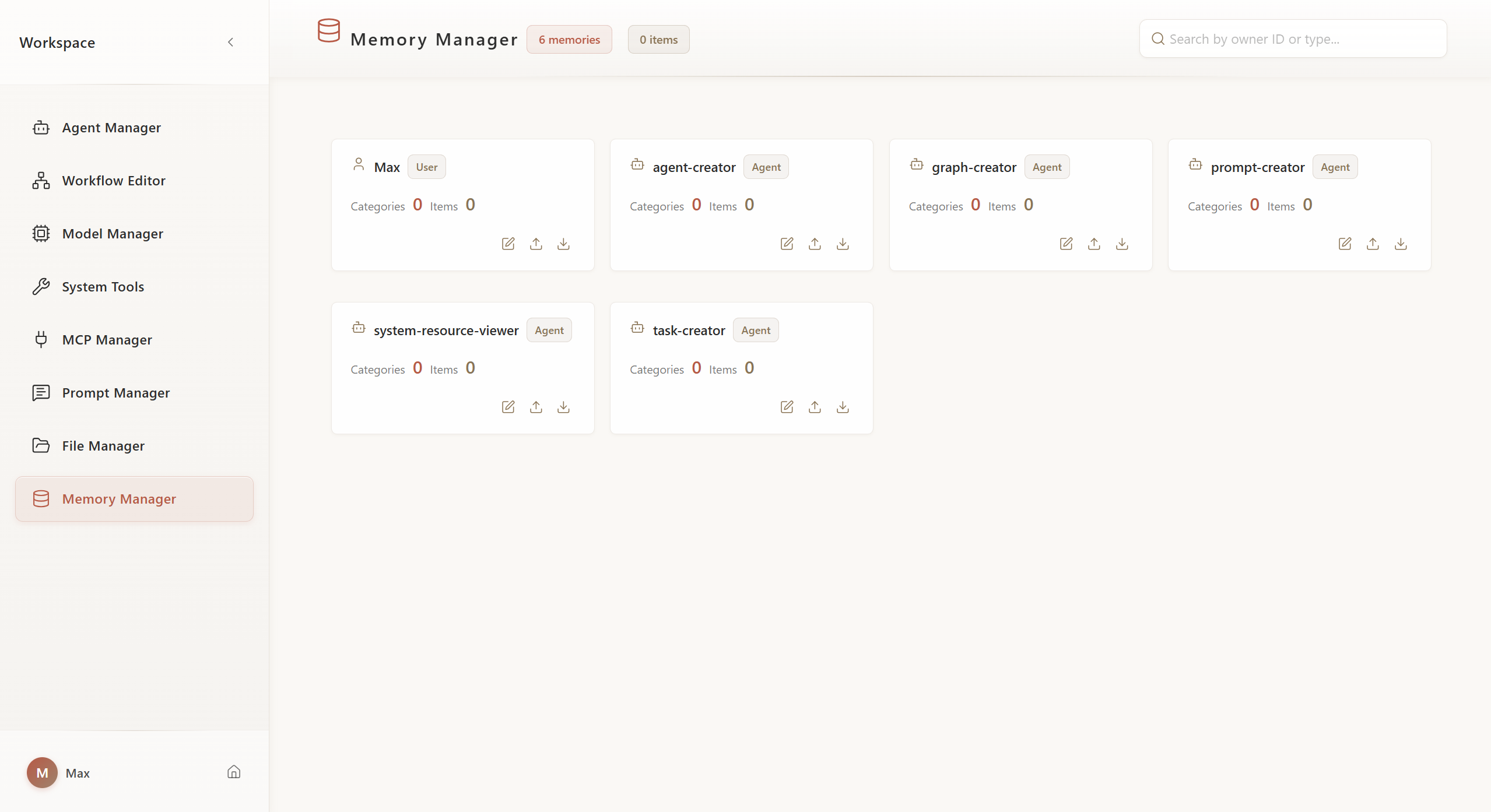
5.9. Workspace - Memory Management
View and manage Agent's long-term memory and knowledge base.
6. Citation
If you find Agent-Graph helpful for your research or work, please consider citing it:
@misc{agent_graph_2025,
  title        = {agent-graph},
  author       = {Yan Yixin},
  howpublished = {\url{https://github.com/keta1930/agent-graph}},
  note         = {Accessed: 2025-04-24},
  year         = {2025}
}
7. Contact
For questions, suggestions, or collaboration inquiries, feel free to reach out:
📧 Email: [email protected]
Yorumlar (0)
Yorum birakmak icin giris yap.
Yorum birakSonuc bulunamadi