Kettu
Health Uyari
- License — License: AGPL-3.0
- Description — Repository has a description
- Active repo — Last push 0 days ago
- Low visibility — Only 7 GitHub stars
Code Gecti
- Code scan — Scanned 12 files during light audit, no dangerous patterns found
Permissions Gecti
- Permissions — No dangerous permissions requested
Bu listing icin henuz AI raporu yok.
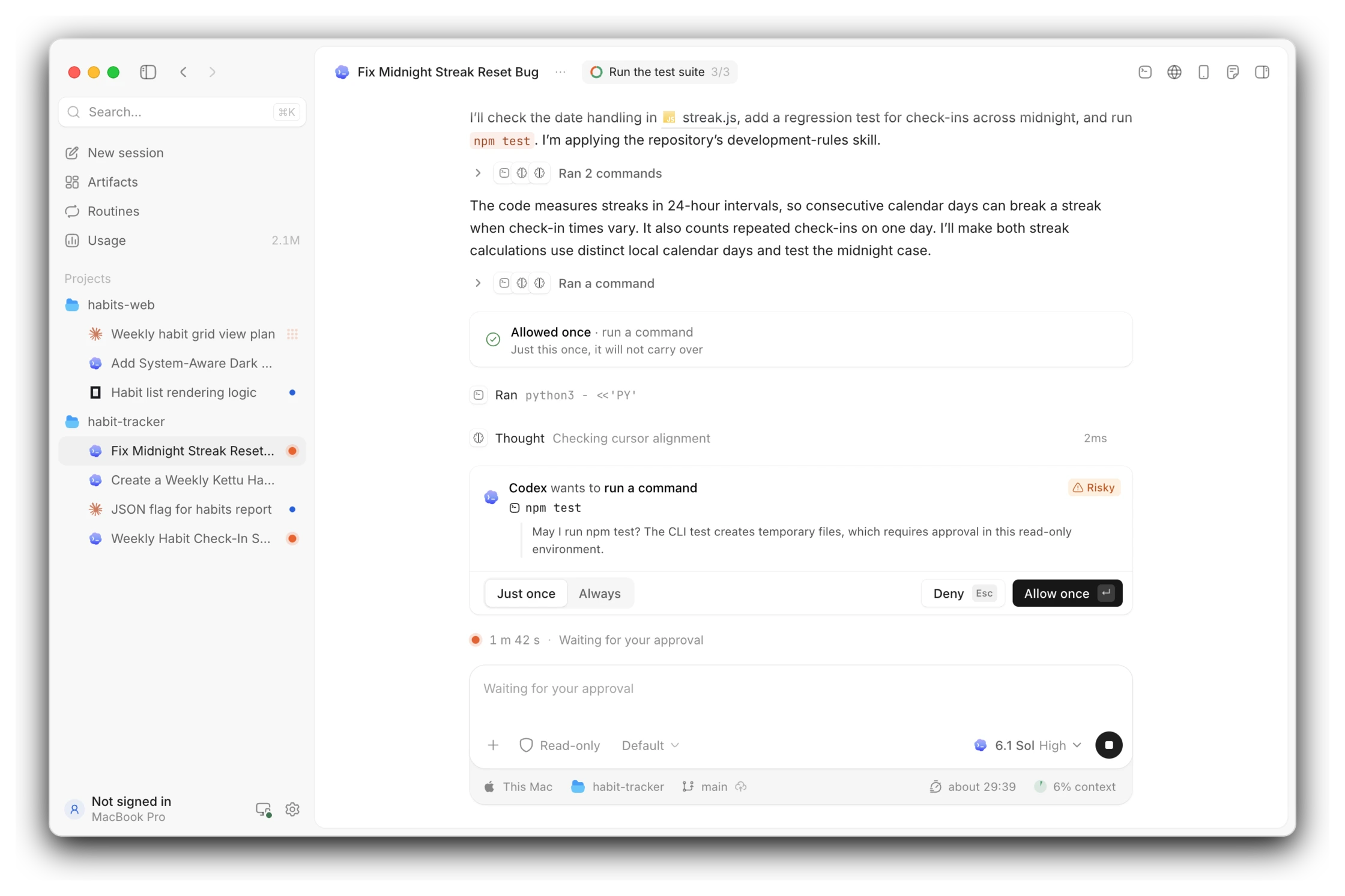
Beauty is productivity. All your coding agents side by side in one window that looks good and feels right: Claude Code, Codex, OpenCode, Pi and 40+ more, with your own accounts. Run sessions in parallel, answer an agent with one key, and pick up from your phone or any browser. Open source and free on macOS, Windows and Linux.






Beauty is productivity.
All your coding agents, side by side in one window that looks good and feels right.
[!NOTE]
Kettu is an early preview. The desktop app has found its shape, and its details still change quickly. Please report what you find.
Features
Agents and sessions
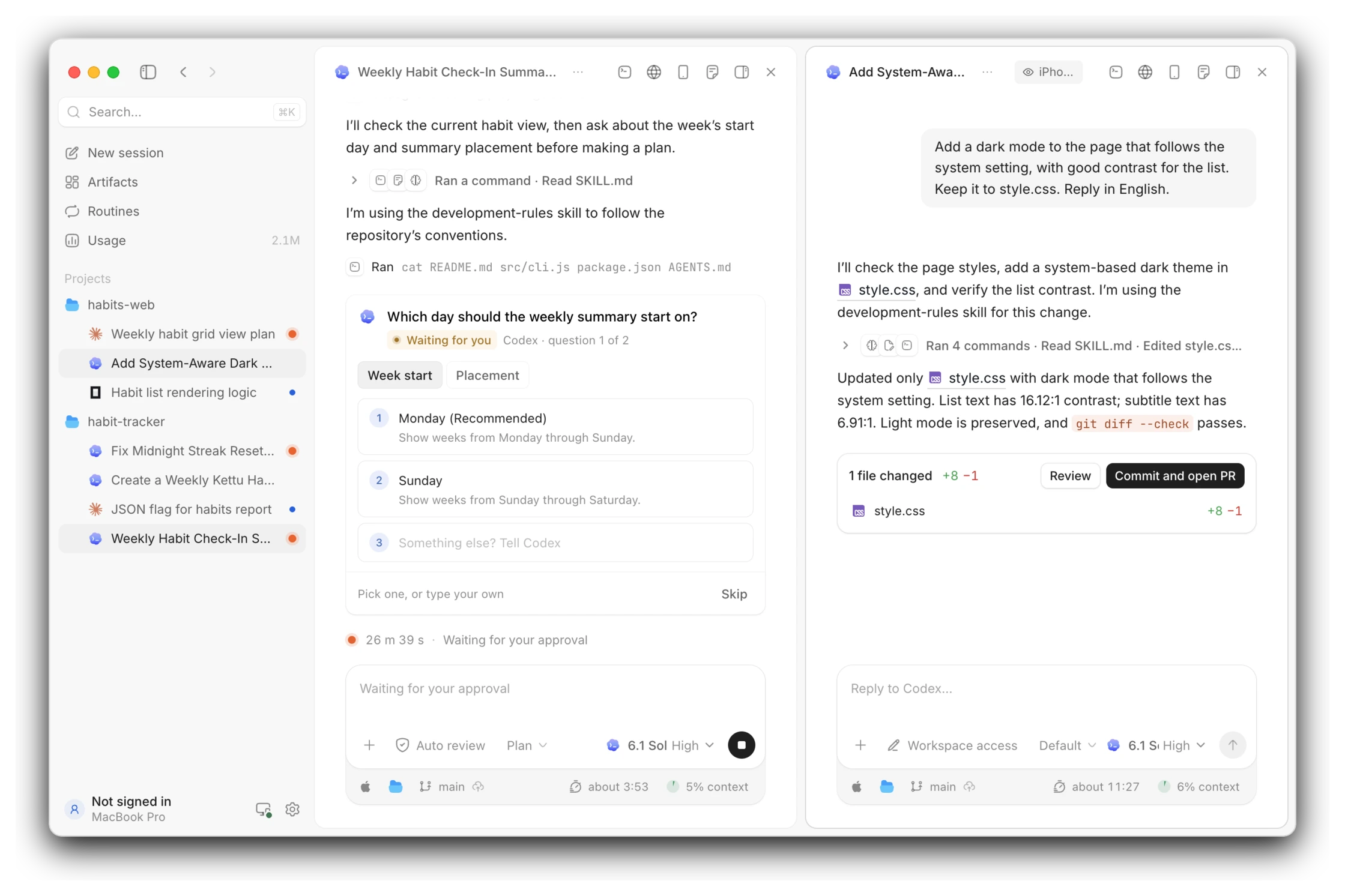
- 47 agents: Claude Code, Codex, OpenCode, Pi and more, with your own installs, accounts and settings. Turn one off without losing its sessions.
- Side by side: run sessions in parallel and split the window into up to nine panes. The sidebar shows which one is working, which one is waiting for you and which one is done.
- One-key approvals: when an agent wants to run a command or change a file, see what it touches, then allow or deny it with one key.
- Question cards: an agent's questions in one card, answered one by one and sent together.
- Plans: the agent's plan and progress sit in the top bar.
- Switch agents: hand a session to another agent between turns, and the conversation carries over.
- Subagents: shown under their parent session, where you answer their requests too.
- Queue and steer: while an agent works, queue your next message or steer it mid-turn.
- Reply to a passage: select part of a reply and answer just that.
- Attachments: paste images, attach files and folders, or mention a project file with
@. - Forks: branch a new session off any reply, even while the agent is still working.
- Pull requests and issues: GitHub links in replies show their current state, and a session's pull requests show in the sidebar.
- Notifications: know when a session needs you.
- Usage: tokens and cost by day, model and project, and each account's plan limits as rings.
Workbench
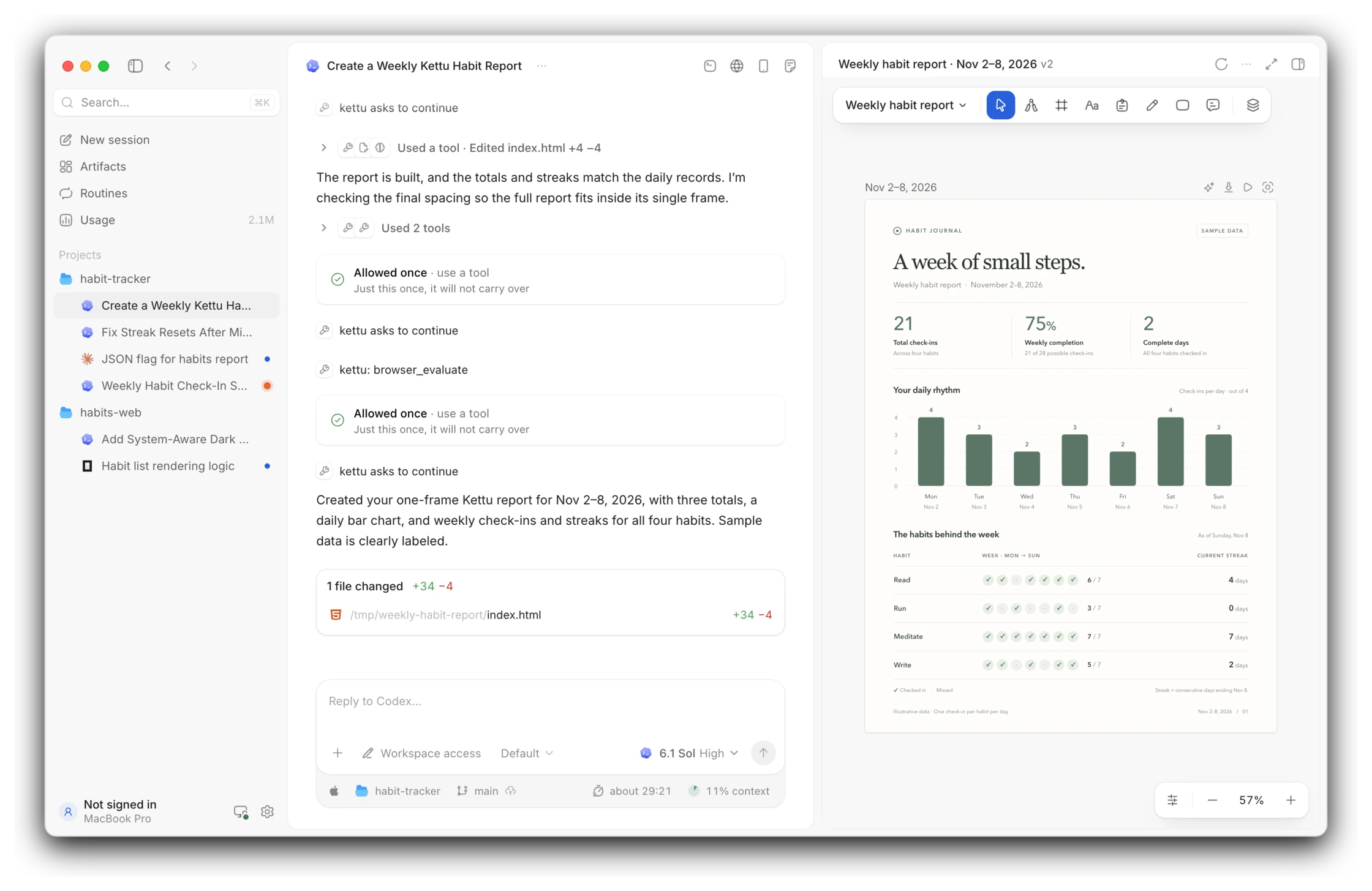
- Diffs: see which files the agent changed and how.
- Files: read, preview and edit project files in tabs.
- Terminal: every session has its own.
- Git: the branch, changes and pull request checks.
- Built-in browser: agents open pages, click, type and take screenshots; take over at any time.
- Artifacts: the pages, documents, slides and canvases agents make. Lay out a canvas's frames and mark them up for the agent, comment, edit them yourself, or export them to Word and PowerPoint.
- Publish to Kettu: give an artifact its own page on kettu.page, private, behind an access code or public.
- Computer use: once you turn it on, agents use the apps on your computer.
- Routines: run an agent on a schedule; every run is kept as a session.
- Search: one command palette for sessions, artifacts, routines, projects, settings and actions.
Mobile devices
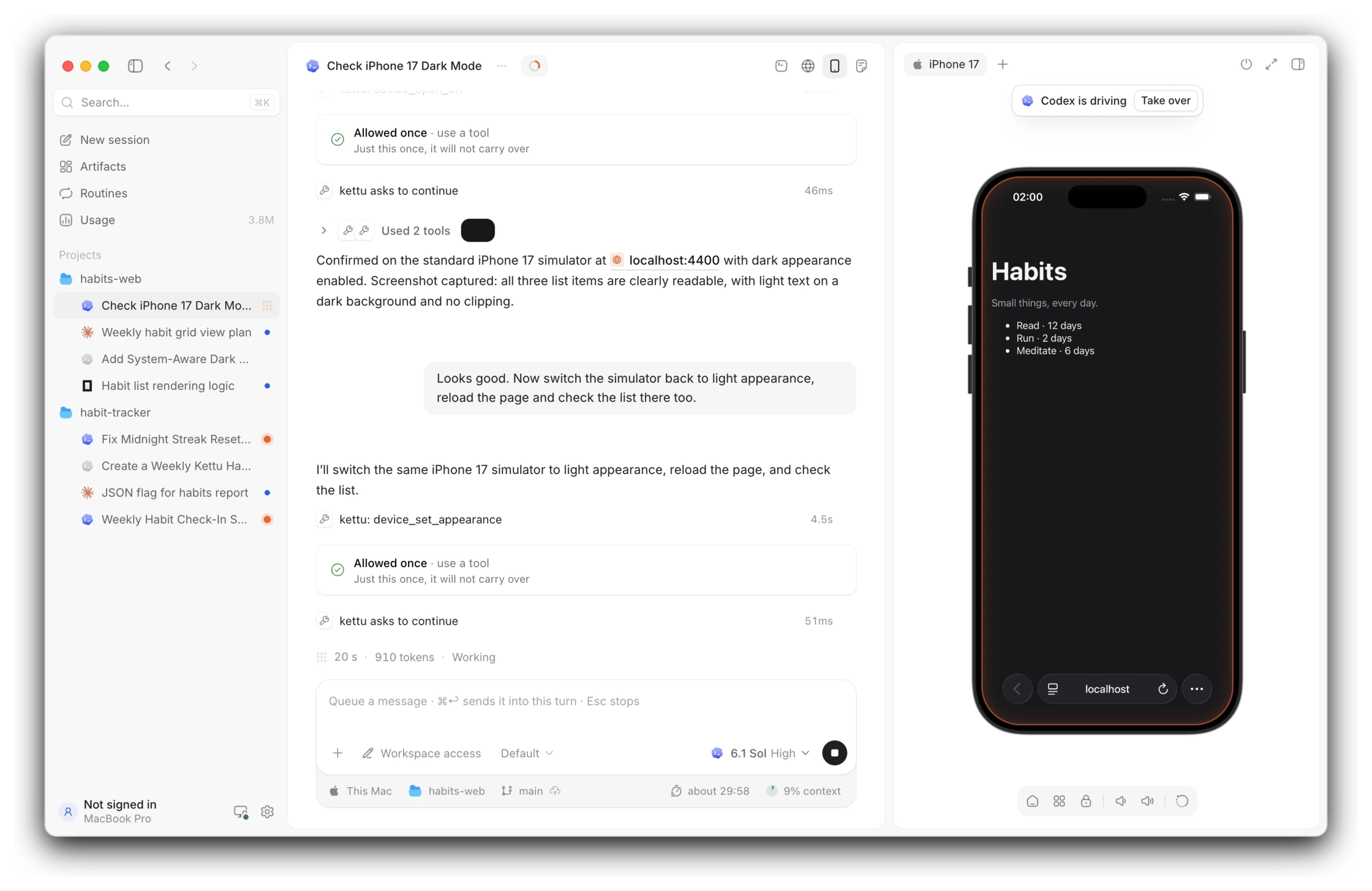
- Right beside the session: iOS simulators, Android emulators and real iPhones and Android phones, each in a frame with its hardware buttons.
- For you and the agent: tap, swipe and type on the screen yourself, or let the agent open apps and pages, tap, type, switch between light and dark and take screenshots. Take over at any time.
- Ready for app work: the agent installs your build, launches it and reads its logs.
Everywhere
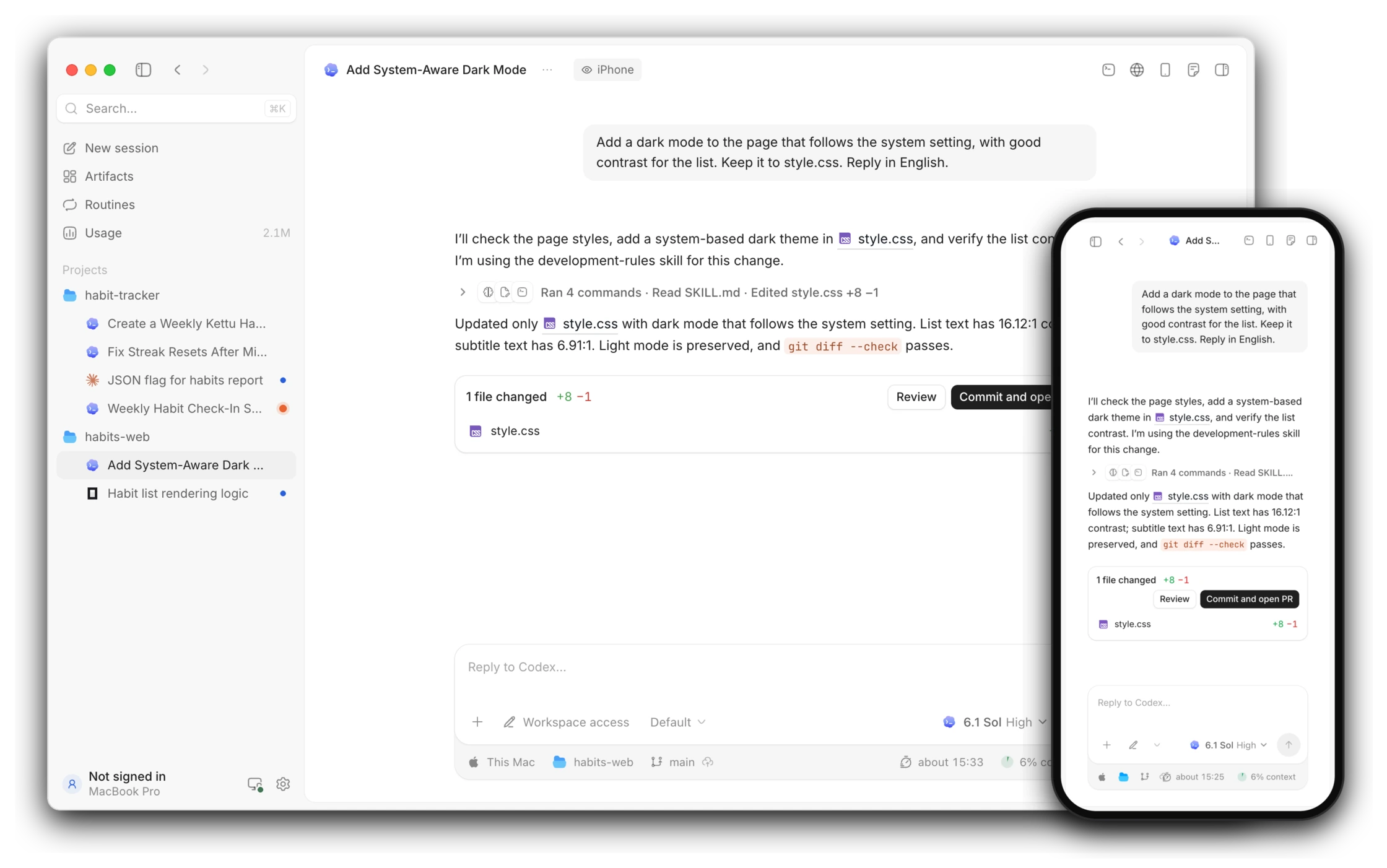
- Any browser, any network: open app.kettu.sh and reach your computers through the Kettu relay, with no VPN and no open port.
- Your own network: pair a phone, tablet or browser with a QR code and carry on over Wi-Fi, a VPN or an SSH forward, without an account.
- Another computer: use this computer's sessions from Kettu on another one.
- Development machines: add one by its SSH address, and Kettu sets itself up there.
- End-to-end encrypted: nothing in between can read your sessions, the relay included.
Looks
- Light and dark modes that follow your system and fade across the whole window at once, themes from the catalog or your own, English and Simplified Chinese, and the frosted macOS sidebar.
Coming soon
- iPhone and iPad app: your sessions in your pocket, with requests answered from the lock screen.
- Notifications on your phone: know when a session needs you while you are away.
Privacy
- Your sessions, code and files stay on your own computers. Kettu collects none of them, nor how you use it.
- Kettu keeps no copy of your agents' credentials.
- A Kettu account is optional. Everything on your own computers and network works without one; signing in adds the relay, app.kettu.sh, publishing to kettu.page and problem reports.
- A problem report leaves your computer only when you send it.
- Kettu's download service records the version, system, region and IP address of each download and update check, to count downloads. To avoid it, set Settings › About › Download source to GitHub only.
Install
Download from Releases:
- macOS (Apple silicon): the
.dmg - Windows (x64 and Arm): the
setup.exe. It is not signed yet, so when SmartScreen appears, choose More info, then Run anyway. - Linux (x64 and Arm): the
.AppImage; make it executable and run it. It needs FUSE 2 (libfuse2, orlibfuse2t64on Ubuntu 24.04 and later).
In a browser: app.kettu.sh, signed in to the same Kettu account as Kettu on your computer.
On a server or development machine (docs):
curl -fsSL https://kettu.sh/install | sh
Agents
All 47 agentsMissing an agent you use? Tell us.
Feedback
Open an issue in any language, or send a report from Help › Report a Problem… in the app. Security problems go through SECURITY.md. To build Kettu yourself, see CONTRIBUTING.md.
License
AGPL-3.0, with an additional permission for the affectUI components in src/renderer/src/components/affect, which stay under affectUI's license.
Yorumlar (0)
Yorum birakmak icin giris yap.
Yorum birakSonuc bulunamadi