wkappbot-sdk
Health Warn
- License — License: MIT
- Description — Repository has a description
- Active repo — Last push 0 days ago
- Low visibility — Only 5 GitHub stars
Code Pass
- Code scan — Scanned 12 files during light audit, no dangerous patterns found
Permissions Pass
- Permissions — No dangerous permissions requested
No AI report is available for this listing yet.
Computer Use, App Use, AppBot — give AI agents real eyes and hands on Windows. Open-source RPA where humans, the app ecosystem, and AI share one keyboard. Focusless. Self-healing. Multi-AI.
# WKAppBot ??Computer Use, App Use, AppBot



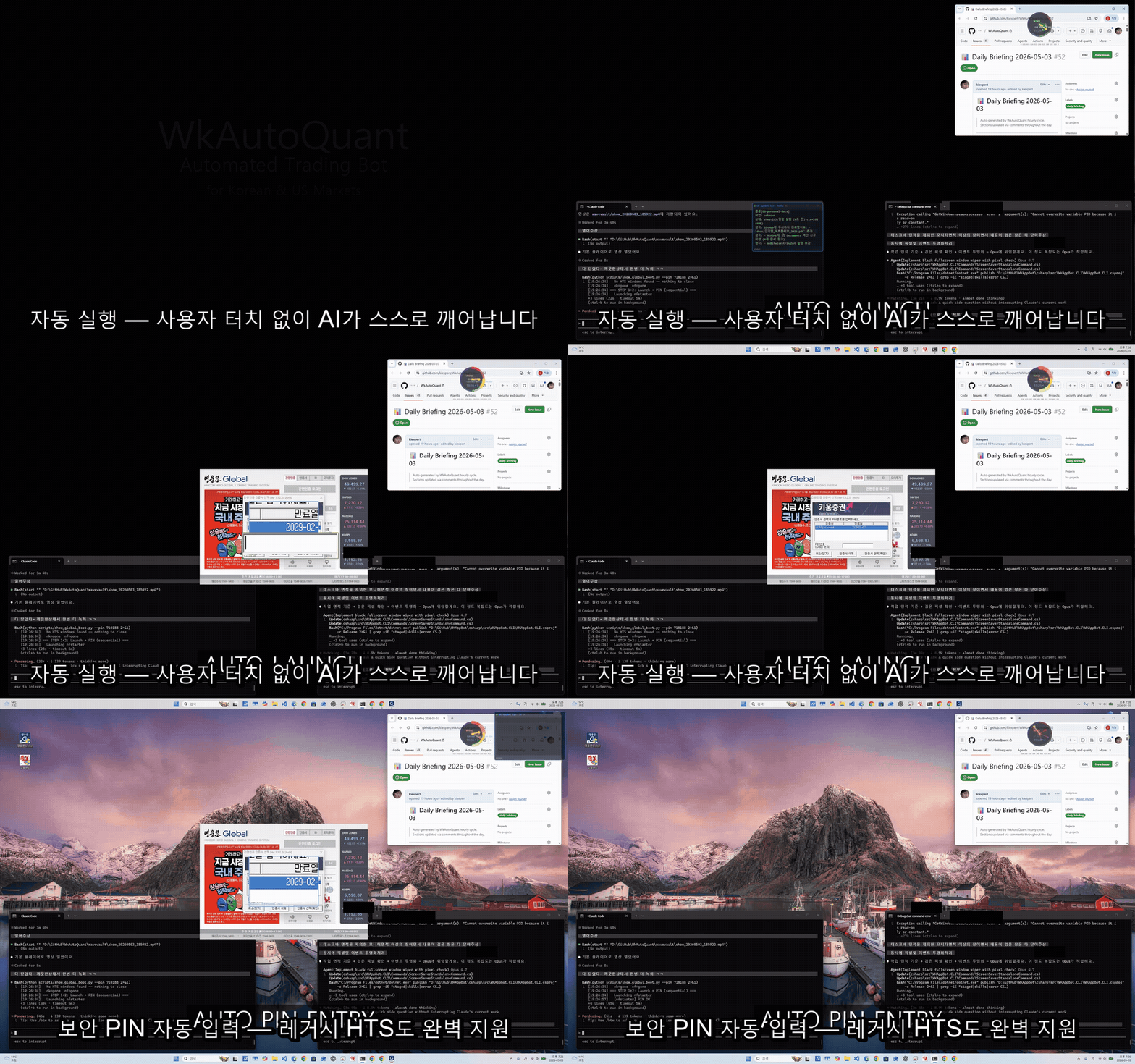
??[?꾩껜 ?곸긽 蹂닿린 ??(https://kiexpert.github.io/wkappbot-sdk/) 쨌 Sudo ?쇱씠?좎뒪濡??대윴 遊뉗쓣 留뚮뱾 ???덉뒿?덈떎





Windows + Android UI automation for Claude, GPT, Gemini, Copilot, and any AI agent.
Focusless. Self-healing. AI-native. The open-source bridge between LLMs and the apps humans already use.
?쨼 Let your AI agent control any Windows app ??without screen takeover.
?뵦 Self-healing UIA + Vision fallback ??works even when the DOM lies.
??Multi-AI triad (GPT + Gemini + Claude) in one command.
Why this exists
Computer Use lets an AI click, type, and read the screen. App Use is the layer above: agents that drive specific applications the way a power user does ??focuslessly, alongside the human, without seizing the screen.
WKAppBot gives AI agents:
- Eyes ??read any UI, extract text, recognize controls
- Hands ??click, type, scroll, invoke ??without stealing focus
No app rewrite. No vendor API. If a human can use it, WKAppBot can automate it.
Free tier covers all base automation. CDP browser automation, multi-AI delegation (
ask triad), and--sudoadmin access are paid Pro tiers. See PRICING.md.
Why WKAppBot?
Most automation tools steal focus, break on owner-drawn controls, and go silent when the DOM changes. WKAppBot is built around three hard-won principles:
Focusless-first -- UIA Invoke/Value/Toggle/Select never steal focus. Win32 PostMessage handles legacy MFC. SendInput is the last resort, used only when nothing else works. The user keeps working while the AI operates in the background.
Self-healing -- When UIA fails on owner-drawn controls (MFC/HTS), CCA segmentation + OCR triple cross-validation + Gemini Vision inference recover element identity automatically and cache results in an Experience DB for next time.
AI-native -- The same binary that runs automation also delegates to GPT, Gemini, and Claude in parallel, streams prompts into live browser AI sessions via CDP, and manages its own context handoff when token budgets run low.
How it stacks up
| Feature | WKAppBot | Playwright | PyAutoGUI | AutoHotkey |
|---|---|---|---|---|
| Focusless operation | ?? | ?? | ?? | ?? |
| UIA + Win32 + CDP unified | ?? | Web only | Mouse/KB only | Win32 only |
| Self-healing Vision fallback | ?? | ?? | ?? | ?? |
| AI-native (LLM delegation) | ?? | ?? | ?? | ?? |
| Android via ADB | ?? | ?? | ?? | ?? |
| MFC/HTS owner-drawn support | ?? | ?? | ?? | Partial |
What's New in v7.5
wkask.shstreaming fix (CRITICAL) -- a stray\nliteral in theexecline broke the bash relay entirely. Restored to a single-lineexec powershell ... -File wkask.ps1 "$@".wkask.ps1colour-helper cleanup -- mojibake??prefixes replaced with clean ASCII tags ([OK]/[INFO]/[WARN]/[ERR]/==) so codex/bash streaming stays readable.wkcdp-mon.ps1multi-monitor off-screen detection --Invoke-KillIdlenow usesMonitorFromPoint(WkWin32::IsOnAnyMonitor) instead of a negative-coord regex, eliminating false positives on left-monitor setups.wkzombie.ps1null-StartTime guard -- Access-Denied processes returnage=-1and are skipped, not killed.- Chrome multiplication SDK-side mitigation --
MyCdpContext.ChromeHealthCheck.CleanExcessiveChromeProcesses()auto-cleans duplicate Chrome processes when more than 5 are detected, preserving the 2 oldest. Integrated withgg-main-enhanced.ps1.
v7.4 highlights (still active)
wkdoctorflutter-doctor-style SDK health check (10 checks, self-healing,-Json).- Bootstrap auto-build --
setup.ps1auto-builds the launcher from source on first clone. cdp openauth-wall hang fixed (CRITICAL) --NavigateAsynccapped at 3s, no more 6-minute stalls on auth-wall sites.
??Full notes: Releases
OS Support
| OS | Status |
|---|---|
| Windows 11 | ??Fully supported |
| Windows 10 22H2+ | ??Fully supported |
| Windows 10 < 22H2 | ?좑툘 Untested |
| Windows Server 2019+ | ??Headless mode (no GUI a11y) |
| macOS / Linux | ??Not supported |
What It Automates
| Target | Method |
|---|---|
| Modern Windows apps (WPF, UWP, Electron) | UIA Invoke / Value / Toggle / Select patterns |
| Legacy MFC / HTS trading terminals | Win32 PostMessage, WM_CHAR, CMaskEditEx path |
| Web apps (Chrome / Edge) | CDP -- click, type, eval JS, read DOM text |
| Browser AI (Claude, GPT, Gemini) | CDP prompt pump, cross-prompt chunking, attachment lock |
| Android apps | ADB + Accessibility tree (adb://device/... grap) |
| Owner-drawn controls with no UIA | CCA segmentation -> OCR -> Vision API fallback chain |
Real-World Use Cases
These are the kinds of jobs WKAppBot was actually built to handle ??not theoretical demos:
?쨼 AI Trading Bot ??Built with Sudo License
| ?뵍 AUTO PIN ENTRY | ?뱤 ALL SYSTEMS READY | ?쭬 PORTFOLIO ANALYSIS |
|---|---|---|
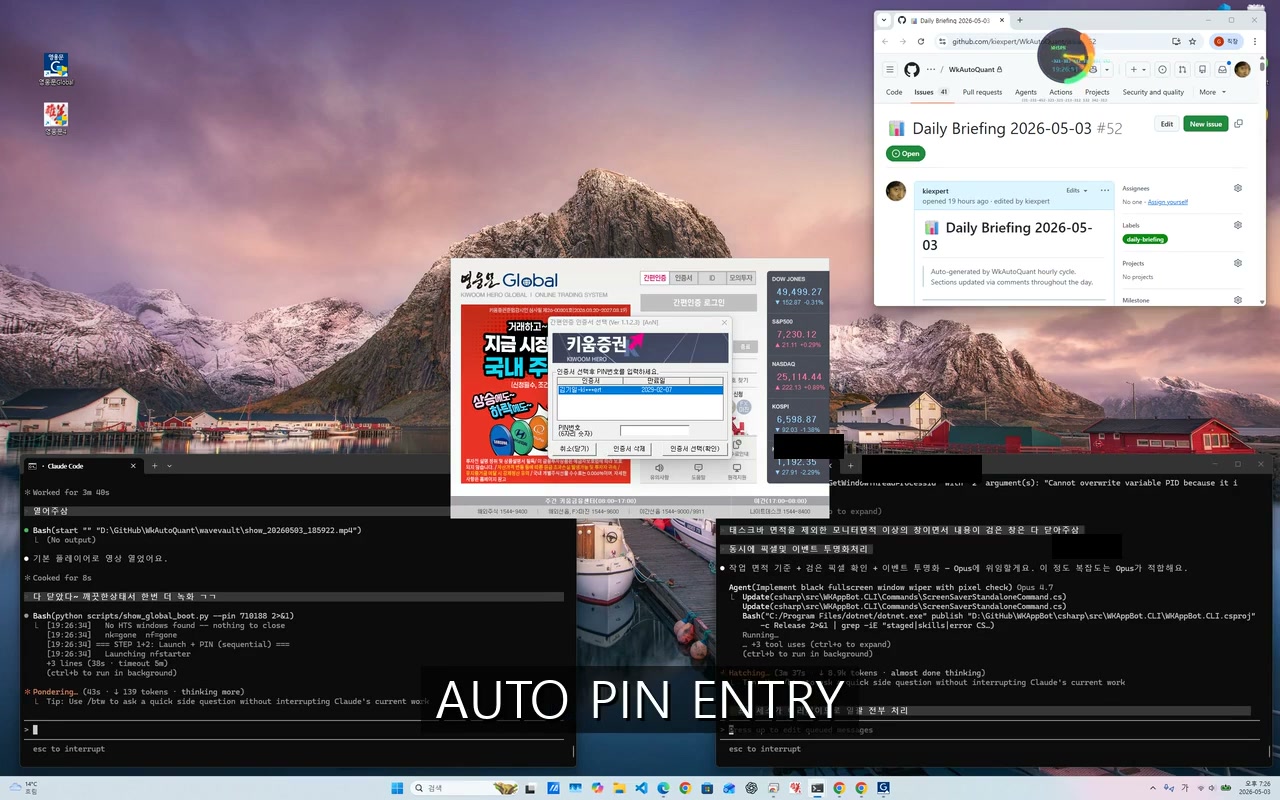 |
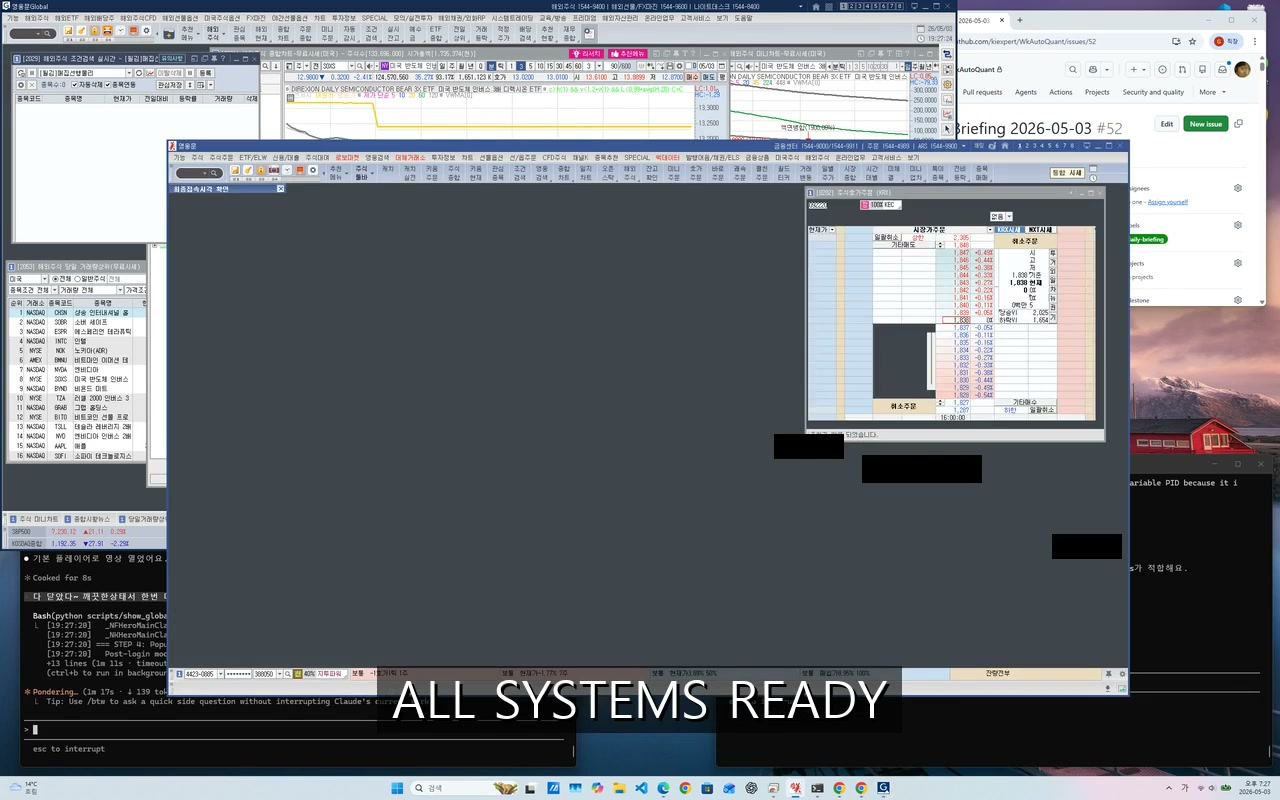 |
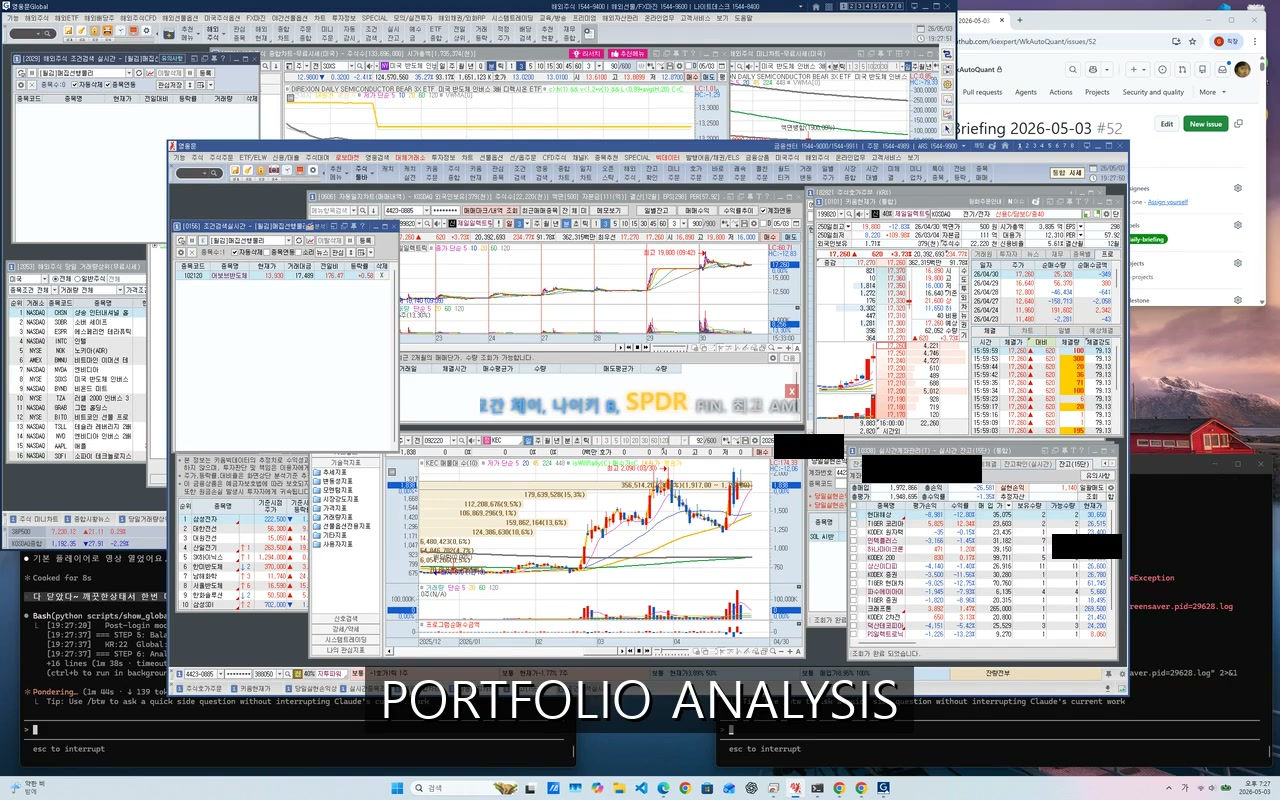 |
| Legacy HTS??蹂댁븞 PIN ?먮룞 ?낅젰 | 紐⑤뱺 李??먮룞 諛곗튂 ??以鍮??꾨즺 | AI媛 22醫낅ぉ 留ㅼ닔/?쒖쇅 ?먮룞 ?먮떒 |
Sudo ?쇱씠?좎뒪濡??대윴 遊뉗쓣 吏곸젒 留뚮뱾 ???덉뒿?덈떎 ???쇱씠?좎뒪 蹂닿린
- AI-driven trading on Korean HTS terminals. LS利앷텒 HTS ?ы샎 is built on MFC owner-drawn controls that no UIA tool can see. WKAppBot's CCA + OCR + Vision fallback locks onto chart panels, order forms, and balance grids, so an AI agent can read positions, place orders, and verify fills without screen scraping.
- Browser AI session automation. Pump prompts straight into a live Claude / ChatGPT / Gemini browser tab over CDP ??no copy-paste, no clipboard race, no losing the conversation. Cross-prompt chunking handles long inputs; attachment lock prevents stray drops.
- Multi-monitor focusless automation. UIA Invoke / Value / Toggle never steal focus. The user keeps typing in another app on another monitor while WKAppBot drives a headless workflow in the background.
- Android app control via ADB.
adb://device/...graps reach into the accessibility tree of any phone or emulator, including foldables (Galaxy Fold5 tested), with the same command surface as Windows automation. - Auto-dismiss Hancom / Office popups.
wkappbot dismissplus a handler YAML eats save-prompt, license-nag, and "do you want to update?" dialogs across ?쒖뺨?ㅽ뵾?? MS Office, and updater stacks ??keeping batch jobs from stalling overnight.
Core Features
grap (Grab Accessible Pattern) -- Universal Element Address
Human sees windows; AI points with grap.
Every UI element gets a single address that works across Win32, UIA, web, and Android:
{proc:'chrome', domain:'claude.ai'}#main textarea   # CSS inside a browser window
heroes#realtime-account                             # UIA scope inside a window grap
adb://Fold5/*heromts*#balance                       # Android element
hwnd:0x010B084A                                     # Direct Win32 handle
*notepad*;*calc*                                    # OR pattern
a11y find <grap> prints a verified # TARGET "hwnd:0x..." line -- copy-paste ready for the next command.
Auto-Pipeline on Every Action
Every a11y action runs a smart pre-flight before executing:
blocker dismiss -> minimize restore -> tab activate
  -> zoom/magnifier -> execute (3-tier) -> result feedback -> fade
No manual "wait for window" boilerplate. Blocking dialogs, minimized windows, and wrong-tab states are handled automatically.
5-Tier Element Search
UIA -> Vision Cache -> Simple OCR -> Vision API (Claude) -> Coordinate-based.
Each tier auto-logs hits to an Experience DB; repeat runs skip expensive tiers.
AppBot Eye -- Always-On Daemon
A single background process combining:
- Slack daemon (Socket Mode) -- live command delivery, thread-slot dashboard
- MCP broker -- exposes all CLI commands as JSON-RPC tools for Claude/Codex
- Hot-swap watchdog -- detects
wkappbot-core.new.exe, drains in-flight requests, renames atomically. Zero downtime ondotnet publish. - Watchdog VBS -- if Eye itself dies for 2+ minutes, kills orphan cores and restarts.
Multi-AI Delegation
wkappbot ask triad "is this approach correct?"      # GPT + Gemini + Claude in parallel
wkappbot ask claude "explain this chart" chart.png  # vision-capable single ask
Triad runs thesis-antithesis-synthesis debate. Useful for architecture decisions, bug root causes, and code review -- anything where one model's blind spot is another's strength.
Skill System
Accumulated operator knowledge lives in versioned skills, queryable at any time:
wkappbot skill list
wkappbot skill read focusless-first-principle
wkappbot skill read grap
Skills capture per-project knowhow ??UIA quirks, CDP gotchas, owner-drawn-control workarounds ??so every session starts informed instead of exploring from scratch.
Suggest-Driven Backlog
wkappbot suggest "title: description"              # queue a bug or improvement mid-task
wkappbot suggest list                              # review the backlog
wkappbot suggest resolve <ts> "note" --i-completed-... evidence.sh
AI agents queue findings without interrupting the current task. Evidence scripts are required to close a suggest -- no unverified resolves.
Architecture
?뚢????????????????????????????????????????????????????????????? Your terminal / Claude Code / Codex / any AI agent ???붴????????????????????????р??????????????????????????????????? ??wkappbot <command>
???뚢????????????????????????????????????????????????????????????? wkappbot.exe (MIT launcher, ~1 MB, AOT) ???? ??routes CLI args ??core via named pipe ???? ??hot-swap: detects .new.exe, drains, renames atomic ???? ??license check via GitHub collaborator API ???붴????????????????????????р??????????????????????????????????? ??named pipe wkappbot_eye_ipc_{hash}
???뚢????????????????????????????????????????????????????????????? wkappbot-core.exe (closed, ~25 MB, single-file) ???? ??all CLI commands: a11y, ask, skill, eye, file, ?? ???? ??AppBot Eye daemon: Slack socket + MCP broker ???? ??UIA / Win32 / CDP / ADB automation engines ???? ??Vision / OCR pipeline + Experience DB ???붴??????????????????????????????????????????????????????????? ??UIA / Win32 ??CDP (DevTools)
?? ?? Windows apps Chrome / Edge
(WPF, MFC, UWP) (web apps, AI chat)
Per-repo isolation: each git clone gets its own Eye instance and DataDir ({root}/.wkappbot/hq/).
?뱴 Documentation
??kiexpert.github.io/wkappbot-sdk
| ?ㅼ튂 媛?대뱶 | ?대줎쨌鍮뚮뱶쨌PATH ?ㅼ젙 |
| 鍮좊Ⅸ ?쒖옉 (10遺? | 泥??먮룞?붽퉴吏 |
| CLI 紐낅졊???덊띁?곗뒪 | ?꾩껜 紐낅졊 + 異쒕젰 ?섑뵆 |
| grap ?⑦꽩 | Grab Accessible Pattern 臾몃쾿 |
| [?몃윭釉붿뒋??(https://kiexpert.github.io/wkappbot-sdk/guide/troubleshooting) | ?먯< 寃る뒗 臾몄젣 ?닿껐 |
60-second quickstart
git clone https://github.com/kiexpert/wkappbot-sdk %USERPROFILE%\Documents\wkappbot
cd %USERPROFILE%\Documents\wkappbot
build.cmd
Then add bin\ to PATH (see INSTALL.md), open a new terminal, and:
wkappbot --version              # verify install
wkappbot windows                # list open windows
wkappbot skill list             # browse built-in knowhow
wkappbot a11y find "*Notepad*"  # resolve a window element
Installation
Clone = install. That's it.
git clone https://github.com/kiexpert/wkappbot-sdk %USERPROFILE%\Documents\wkappbot
cd %USERPROFILE%\Documents\wkappbot
build.cmd
Pre-built binaries are also available if you prefer not to build:
| Latest Release | wkappbot-X.Y.Z.zip ??extract anywhere |
| CI Artifacts | Every build ??wkappbot-bin-{run_id} (90-day retention) |
Recommended layout ??clone under Documents\ so your personal automation data (experience DB, logs, skills) stays in your home directory and is easy to find, back up, or exclude from sharing:
Why Documents? WKAppBot learns from your usage and stores UI experience data under
bin\wkappbot.hq\. Keeping this under your personal Documents folder protects your privacy ??it stays separate from shared or version-controlled paths.
%USERPROFILE%\Documents\wkappbot\  ??recommended clone location (easy to find in Explorer)
  bin\
    wkappbot.exe                 ??launcher / busybox entry point
    wkappbot-core.exe            ??core worker (hot-swapped on update)
    wkappbot.hq\                 ??runtime data: skills, logs, experience DB (auto-created)
  csharp\
  handlers\
  skills\
  ...
Add bin\ to your PATH so wkappbot is available in any terminal:
# PowerShell (permanent, current user)
[Environment]::SetEnvironmentVariable(
  'PATH',
  "$env:USERPROFILE\Documents\wkappbot\bin;$([Environment]::GetEnvironmentVariable('PATH','User'))",
  'User'
)
Build from source (requires .NET SDK 8+):
build.cmd
Verify the install:
wkappbot --version
wkappbot skill list
Requirements: Windows 10 22621+ (64-bit). No separate .NET runtime needed ??the binary is self-contained.
Activate License
Free tier works out of the box ??no signup. To unlock CDP browser automation,
multi-AI ask, schedule, or --sudo admin access:
gh auth login              # authenticate with GitHub
wkappbot license status    # confirms current tier (Free until you subscribe)
Then follow SUBSCRIBE.md ??KIS bank transfer with your GitHub
username as the memo, accept the GitHub collaborator invite, and the same binary
unlocks Pro features within 1 hour. See PRICING.md for tier details.
CLI at a Glance
# Discovery
wkappbot a11y inspect <grap>           # dump UIA tree
wkappbot a11y find <grap>              # resolve + print # TARGET
wkappbot a11y highlight <grap>         # visualize with zoom overlay
wkappbot windows [grap]                # list matching top-level windows
wkappbot scan <window-title>           # scan app structure, build Experience DB

# Interaction (focusless where possible)
wkappbot a11y click  <grap>
wkappbot a11y type   <grap> "text"
wkappbot a11y read   <grap>            # CDP-first on browser windows, UIA fallback
wkappbot a11y scroll <grap> down 3
wkappbot dismiss "<window-title>"      # auto-dismiss popups (OCR importance check)

# Browser / CDP
wkappbot a11y read   "{proc:'chrome'}"                   # full page text via CDP
wkappbot a11y click  ".submit-btn"                       # CSS selector
wkappbot a11y read   "{proc:'chrome'}" --eval-js "document.title"

# Scenarios & high-level automation
wkappbot run scenario.yaml             # run a YAML test scenario
wkappbot do "<window>" <form> <button> # full combo-select + click + dialog flow

# AI delegation
wkappbot ask triad  "is this lock-free?"
wkappbot ask claude "explain this chart" chart.png

# Daemon & context
wkappbot eye tick                      # one-shot status + ctx%
wkappbot newchat "continue from: ..."  # handoff to fresh session
wkappbot claude-usage                  # JSONL size + context %
YAML Scenarios
Describe multi-step test flows in plain YAML:
scenario: { name: "Order placement" }
app: { launch: "trading.exe", wait_for_window: { title_contains: "HTS" } }
steps:
  - { name: "Enter stock code", target: { automation_id: "codeEdit" }, action: type_text, params: { text: "005930" } }
  - { name: "Click buy",        target: { name: "留ㅼ닔" },               action: click }
  - { name: "Verify",           target: { automation_id: "resultLabel" }, action: assert,
      params: { type: text_contains, expected: "二쇰Ц?꾨즺" } }
Architecture
WKAppBot.CLI        CLI entry, command routing, grap resolution
WKAppBot.Core       ScenarioRunner, ActionExecutor, AAR readiness
WKAppBot.Win32      NativeMethods, WindowFinder, UiaLocator, SendInput tiers
WKAppBot.Vision     ChartAnalyzer, SimpleOcrAnalyzer, VisionCache, CCA
WKAppBot.WebBot     CdpClient, ChromeLauncher, SlackSocketClient
WKAppBot.Android    AdbClient, AndroidA11yTree
WKAppBot.Launcher   Hot-swap staging, pipe relay, admin elevation
Eye (always-on) ??MCP worker (Core) over JSON-RPC named pipe.
UIA isolated in a separate MCP worker process -- prevents ConPTY LPC deadlock.
Runtime
bin/wkappbot.exe          official launcher  (alias: a11y.exe)
bin/wkappbot-core.exe     core worker        (auto hot-swapped on publish)
bin/wkappbot.hq/          runtime HQ -- experience DB, skills, sessions, logs
.NET 8.0 쨌 net8.0-windows10.0.22621.0 쨌 Korean UI support
Trademark
"WKAppBot" and the AppBot Eye logo are trademarks of kivilab.co.kr.
You may use the name to accurately describe the software (e.g. "built with WKAppBot").
Do not use the name to imply endorsement or affiliation without written permission.
References
- CLAUDE.md -- detailed operational guidance for AI agents
- AGENTS.md -- shared AI engineering rules
wkappbot skill list??accumulated knowhow: grap syntax, UIA quirks, CDP gotchas, and more
Support This Project
If WKAppBot saves you time, consider buying me a coffee ??

狩?Star History & Community


- ?뮠 Questions or design discussions? Join us on GitHub Discussions.
- ?맀 Found a bug or have a feature request? Open an issue.
- ?썱 Built something with WKAppBot? Open a PR to add your project to a community showcase ??we'd love to feature it.
- 狩?Liking the project? Drop a star ??it genuinely helps surface this work to other developers.
Encoding Policy
Repository text assets should be treated as UTF-8 by default.
- Prefer UTF-8 when creating or updating
.md,.txt,.html,.json,.yml,.xml, and other text-based files. - If an imported source arrives in another encoding such as CP949, keep the original file for archival purposes and also store a UTF-8 converted copy for reading and editing.
- Use file-editing tools that preserve encoding correctly. If a tool may re-encode content incorrectly, prefer
wkeditor another UTF-8-safe path. - Binary files such as
.pdf,.mp4, images, and archives should be preserved as-is and not text-converted. - Multibyte filenames are allowed, but repository writes should still use UTF-8 so downstream tools and web viewers can read them reliably.
Reviews (0)
Sign in to leave a review.
Leave a reviewNo results found