duology
Health Uyari
- License — License: MIT
- Description — Repository has a description
- Active repo — Last push 0 days ago
- Low visibility — Only 5 GitHub stars
Code Gecti
- Code scan — Scanned 12 files during light audit, no dangerous patterns found
Permissions Gecti
- Permissions — No dangerous permissions requested
Bu listing icin henuz AI raporu yok.
Claude Code skills for designing, building, testing and shipping apps on iPhone Duo and iOS 27. Layout patterns, app recipes, a fold linter and pose checks.
Duology
Claude Code skills for designing, building, testing and shipping apps on iPhone Duo.
Your agent learned iOS before the iPhone Duo existed. Duology teaches it the rest.









Quick start · What's inside · Patterns · Recipes · Proof · FAQ · Roadmap
/plugin marketplace add Kimeur/duology
[!IMPORTANT]
v0.2 is out (19 October 2026): 18 skills,/duo-doctor,/duo-new,/duo-audit,/duo-poses,/duo-reviewand a design review agent, checked on Xcode 27.1 and the iPhone Duo simulator. Checks on a real iPhone Duo and published test results come next. Duology is built in the open: the full pack of 36 skills is planned for v1.0 in January 2027. Star or watch the repo to follow along. See the roadmap and the release notes.
[!NOTE]
Duology is a community project. It is not affiliated with, endorsed by or sponsored by Apple Inc.
iPhone is a trademark of Apple Inc. Every API claim links to Apple's own documentation inreference/sources.md.
The problem
iPhone Duo is in stores from 23 October 2026. It has a 5.4″ outer display, a 7.6″ inner display and a fold. Coding agents were trained before it existed, so when you ask one to "make this work on Duo" it writes code Apple tells you not to write:
- it measures
UIScreen.main.bounds, which is ambiguous on a phone with two displays; - it branches on device orientation or
userInterfaceIdiomand treats "regular width" as "iPad"; - it puts buttons and text where the phone folds;
- it rebuilds the screen when you unfold, so you lose your scroll position, your typing or your video;
- it designs one screen and stretches it, instead of a layout for each way people hold the phone.
Apple published the rules in six Tech Talks, a HIG page and the iOS 27.1 SDK. Duology turns them, plus what we learned shipping a real Duo app, into skills Claude Code loads when it needs them.
How Duology fixes it
- It knows the device. Size classes, reserved regions,
ArrangementView, vertical bars and the hinge. Each fact is checked against the iOS 27.1 SDK. Scenes and windows have their own skill (v0.2); the cameras get one in v0.3. - It designs, not just compiles. Eight named layout patterns, state that survives fold and unfold, and two people on one screen, each with SwiftUI code. v0.2 adds design tokens, guidance for each pose, fold transitions, thumb reach and accessibility on both displays.
- It builds whole apps. A recipe creates a project that builds and runs on the iPhone Duo simulator. v0.1 has the first one, a two-player game. Seven more are planned.
- It checks its own work.
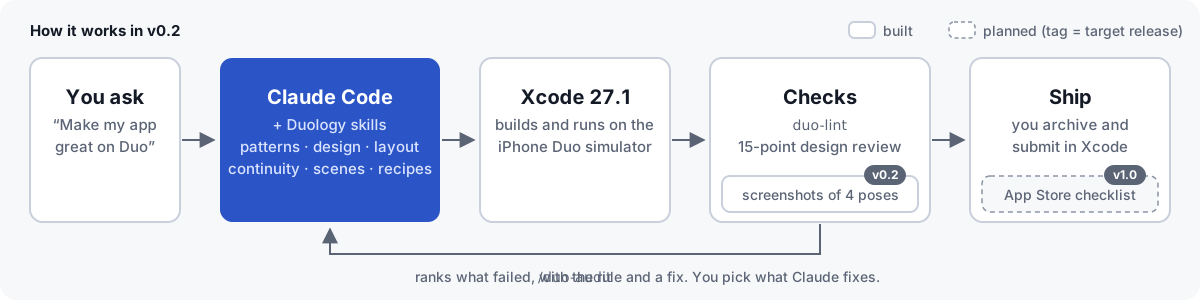
duo-lintfinds code Apple warns against./duo-auditadds a 15-point design checklist on screenshots from the simulator./duo-poses(v0.2) screenshots your app closed, open, in book pose and in tabletop, and/duo-reviewhands those frames to a design review agent.
Quick start
Claude Code · plugin marketplaceYou need: a Mac with Apple silicon, Xcode 27.1 (27A9275 or later) and Claude Code.
/plugin marketplace add Kimeur/duology
/plugin install duology@duology
Add the other plugins when you need them:
/plugin install duology-design@duology
/plugin install duology-recipes@duology
/plugin install duology-ship@duology
duology-recipes and duology-ship need duology, which gives them /duo-doctor. A fifth plugin, duology-features, is planned for v0.3.
Restart Claude Code, then check your setup:
/duo-doctor
It checks macOS, Xcode 27.1, the iOS 27.1 simulator runtime, an iPhone Duo simulator, Xcode's agent bridge (xcrun mcpbridge) and Python for duo-lint. It tells you how to fix anything that fails, and it changes nothing on its own.
npx skills add Kimeur/duology
The CLI finds your agent and puts the skills where it looks. You get every skill. Slash commands and the lint hook are Claude Code features, so on other agents ask for them in plain words ("run the Duo audit"). AGENTS.md lists the script behind each command.
One skill only:
npx skills add Kimeur/duology --skill duo-layout
Each skill works on its own: links that point outside its folder go to this repo on GitHub.
ManualEach skill is a folder with a SKILL.md. Copy the ones you want into .claude/skills/ (project) or ~/.claude/skills/ (everyone on this Mac).
Ask Claude
Make my app work well on iPhone Duo. Start with an audit, fix what it finds,
then run it on the Duo simulator.
/duo-new recipe-two-player-game TapDuel
A reaction game: each player taps their own targets, first to ten wins.
Review these Figma frames for iPhone Duo and tell me what breaks when the phone is half folded.
What's inside
v0.2: 18 skills in 4 plugins, 5 commands and 1 review agent. The full pack plans 36 skills in 5 plugins, 6 commands and 2 review agents. Rows marked planned aren't built yet; the roadmap says when they land. Claude loads a skill only when the task needs it, so the pack costs almost nothing while it sits unused.
duology · foundation: setup, layout, continuity, scenes| Skill | Status | Use it when |
|---|---|---|
duo-start |
v0.1 | You're not sure where to begin. Works out SwiftUI or UIKit, new or existing app, and picks the right skills. |
duo-setup |
v0.1 | Setting up Xcode 27.1 next to an older Xcode, Device Hub, Xcode's agent connection, Swift 6 project settings. |
duo-layout |
v0.1 | Content lands in the fold. Size classes, uneven safe areas, reserved regions, ArrangementView and when to use your own split instead. |
duo-navigation |
v0.1 | Toolbars and tab bars. Vertical bars, tabs that become a sidebar, NavigationSplitView, sheets, overflow. |
duo-continuity |
v0.1 | Something resets when you fold. Scroll, playback, typed text, selection and navigation survive fold, unfold, rotate and resize. |
duo-scenes |
v0.2 | Several windows, Split View, and showing something on the outer display while the inner one is in use. |
| Skill | Status | Use it when |
|---|---|---|
duo-design-system |
v0.2 | Setting up spacing, grids (even column counts), type for both displays, Liquid Glass, corners, colour and contrast, touch targets. |
duo-patterns |
v0.1 | Choosing a layout. List-detail, supporting pane, two-page, dual view, extended canvas, feed reflow, tabs to sidebar, displacement. |
duo-postures |
v0.2 | Designing for closed, open, book, tabletop, standing and flipped. The hinge as an effect, used sparingly. |
duo-transitions |
v0.2 | The move from closed to open should feel like one app, not a reload. |
duo-ergonomics |
v0.2 | Two-handed grip, thumb reach, controls on the side edge. |
duo-shared-screen |
v0.1 | Two people use one phone: games, teaching, showing something to a customer. |
duo-accessibility |
v0.2 | VoiceOver order across panes, Dynamic Type on both displays, Reduce Motion, hardware keyboard. |
duo-design-review |
v0.1 | Reviewing screenshots or Figma frames against the 15-point Duo checklist. |
| Skill | Status | Use it when |
|---|---|---|
duo-intelligence |
planned (v0.3) | Adding Foundation Models: an AI pane when open, a short summary when closed. |
duo-app-intents |
planned (v0.3) | Siri, app actions and onscreen awareness with App Intents. |
duo-camera |
planned (v0.3) | Capture apps. Each camera by the way it faces, the virtual front camera, a preview on the outer display. |
duo-media |
planned (v0.3) | Video and audio. Tabletop player, Picture in Picture, "up next". |
duo-reading |
planned (v0.3) | Books and documents. Two pages in book pose, notes beside the text. |
duo-games |
planned (v0.3) | Games. Fill the screen in every pose, keep touch controls off the fold. |
duo-swiftui-27 |
planned (v0.3) | The iOS 27 SwiftUI changes that matter on Duo: reordering, swipe actions on any view, the @State macro, new toolbar APIs. |
duo-system-surfaces |
planned (v0.3) | Widgets, Live Activities, StandBy and Controls on either display. |
See App recipes.
duology-ship · testing and App Store| Skill | Status | Use it when |
|---|---|---|
duo-testing |
v0.1 | Writing tests that hold up on the Duo simulator: logic tested on the Mac, launch switches, UI tests that really reach SwiftUI gestures. |
duo-pose-matrix |
v0.2 | Screenshots of your app closed, open, in book pose and in tabletop, by pressing Device Hub's pose buttons (with your Accessibility permission) or with poses you set by hand. |
duo-lint |
v0.1 | Finding code Apple warns against before it ships. |
duo-performance |
planned (v1.0) | Resizing smoothly at 120 Hz when the phone opens. |
duo-app-store |
planned (v1.0) | Duo screenshots (required from April 2027), metadata, App Review notes, privacy manifest. |
duo-migrate |
planned (v1.0) | Bringing an existing app over: which SDK you build with changes how it looks on Duo. |
Commands and agents
| Command | Status | What it does |
|---|---|---|
/duo-doctor |
v0.1 | Checks the Mac: Xcode 27.1, the iOS 27.1 runtime, an iPhone Duo simulator, Xcode's agent bridge and Python. |
/duo-new <recipe> <AppName> |
v0.1 | Creates a new app from a recipe, tests its rules on the Mac, builds it and runs it on the Duo simulator. |
/duo-audit |
v0.1 | Runs duo-lint and the 15-point checklist on your app and lists what to fix, most serious first. |
/duo-poses |
v0.2 | Runs your app closed, open, in book pose and in tabletop, saves a screenshot of each, and puts the simulator back. |
/duo-review |
v0.2 | Design critique of screenshots or Figma frames by the duo-design-reviewer agent. Reads only. |
/duo-ship |
planned (v1.0) | App Store checklist for Duo: screenshots, metadata, review notes. |
| Agent | Status | What it does |
|---|---|---|
duo-design-reviewer |
v0.2 | Reviews a screen the way a Duo design lead would, with the rule behind each comment. |
duo-pose-tester |
planned (v1.0) | Runs the pose check and reports each failure with its screenshot. |
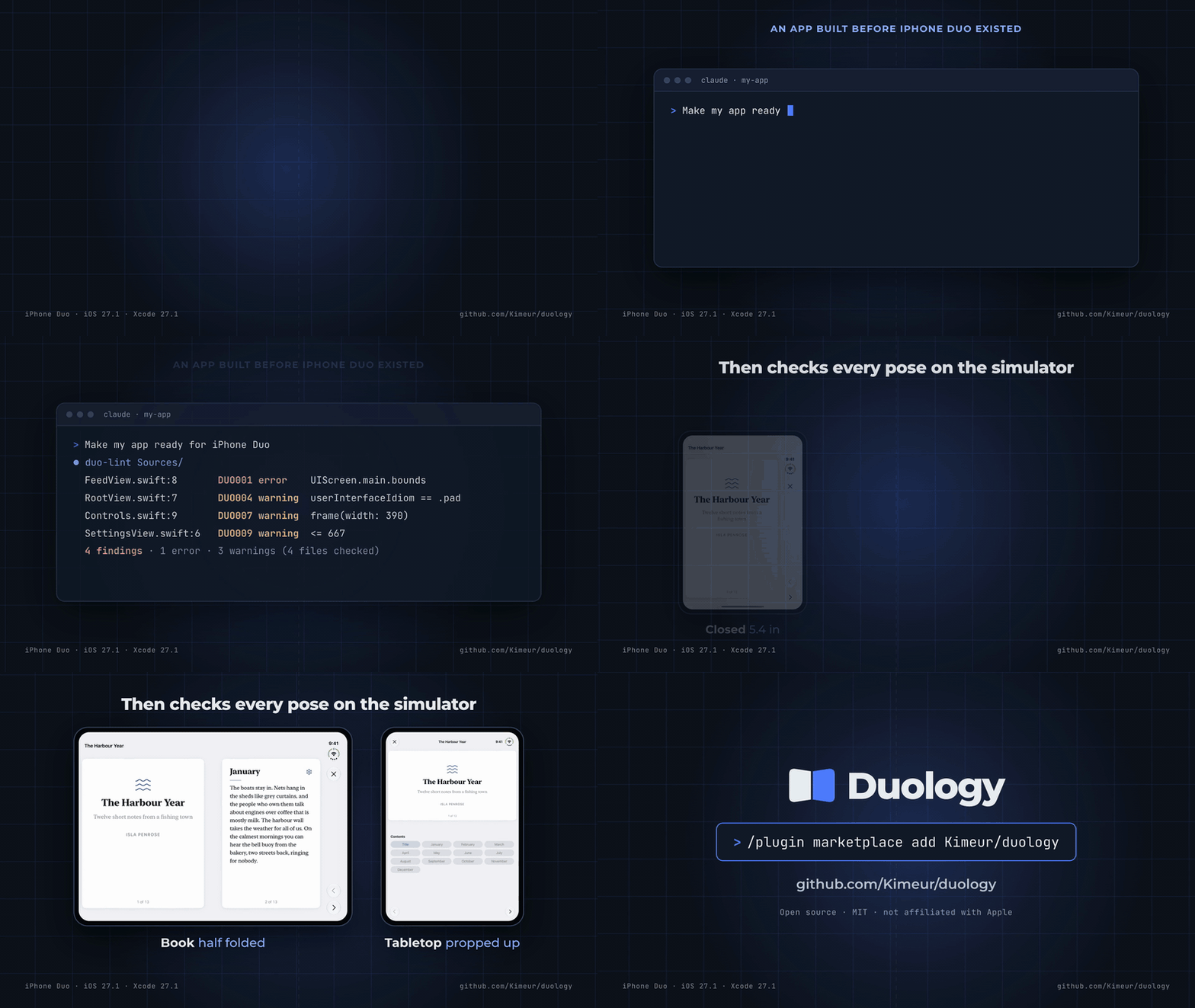
Real output on a four-file sample, tests/fixtures/sample in the skill, run from that folder:
$ duo-lint Sources/
Sources/App/RootView.swift:7           DUO004  warning  userInterfaceIdiom == .pad  layout picked by device type; pick it by size class or space
Sources/Feed/FeedView.swift:8          DUO001  error    UIScreen.main.bounds        your window is not the screen on a two-display phone; size from the view or window
Sources/Player/Controls.swift:9        DUO007  warning  frame(width: 390)           fixed width of 320 pt or more; let the container size it
Sources/Settings/SettingsView.swift:6  DUO009  warning  <= 667                      GeometryReader size compared to a device size; use size class or ViewThatFits
4 findings · 1 error · 3 warnings (4 files checked)
Each line gives the place, the rule, the severity, the code and what's wrong. An error is an API the SDK already deprecates; a warning is a pattern that is almost always wrong on iPhone Duo. Add -v to print the fix and the Apple source under each finding. It has nine rules (DUO001 to DUO009) and prints text, JSON or GitHub annotations.
With duology-ship installed, Claude Code runs it as duo-lint. If you installed the skill on its own, run <skill-folder>/scripts/duo-lint . from your app's folder. <skill-folder> is the folder that holds the skill's SKILL.md. Turn on the optional hook (export DUOLOGY_LINT_HOOK=1 before you start Claude Code) and Claude sees these findings right after it edits a Swift file. The hook never blocks an edit.
Layout patterns
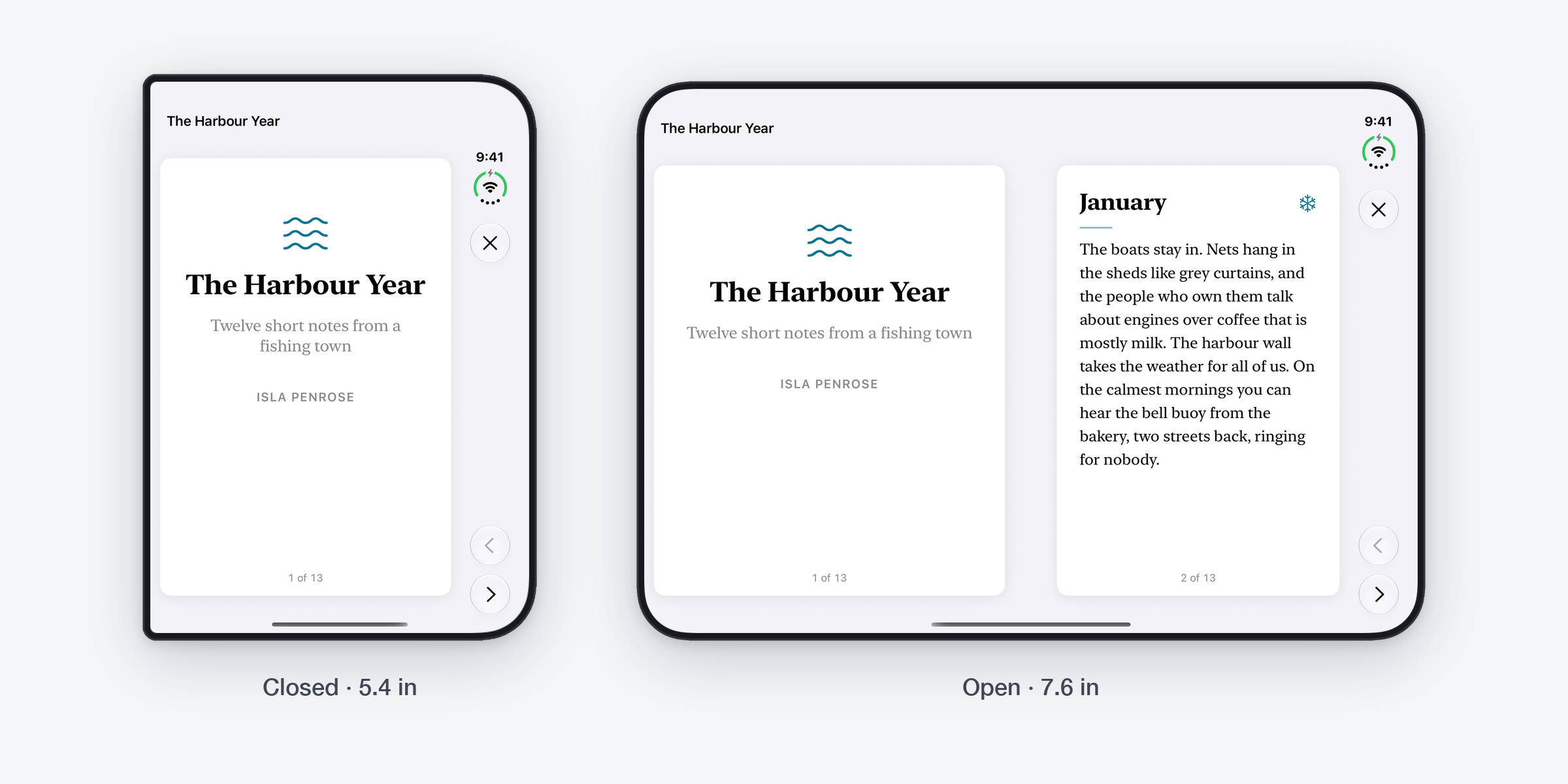
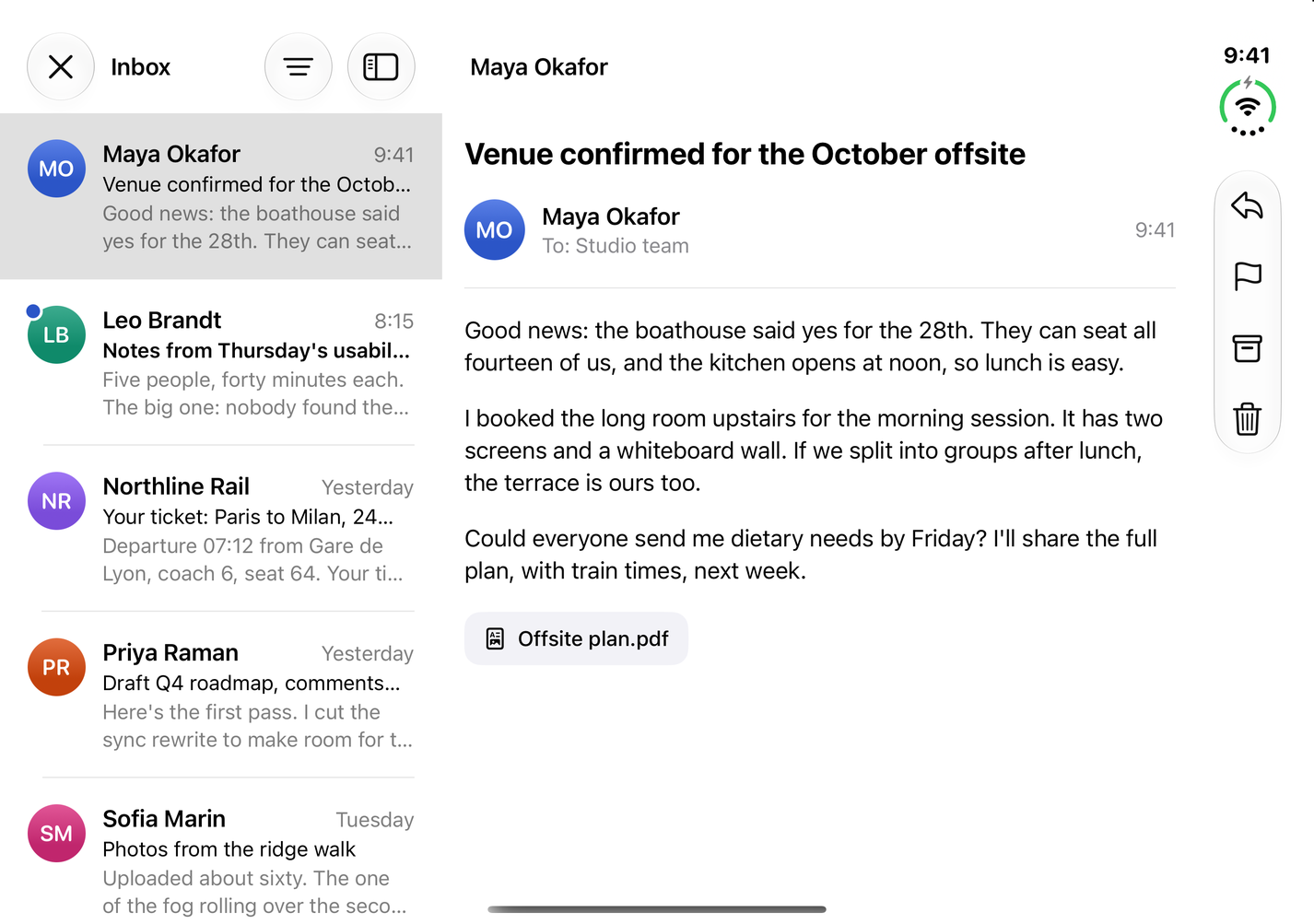
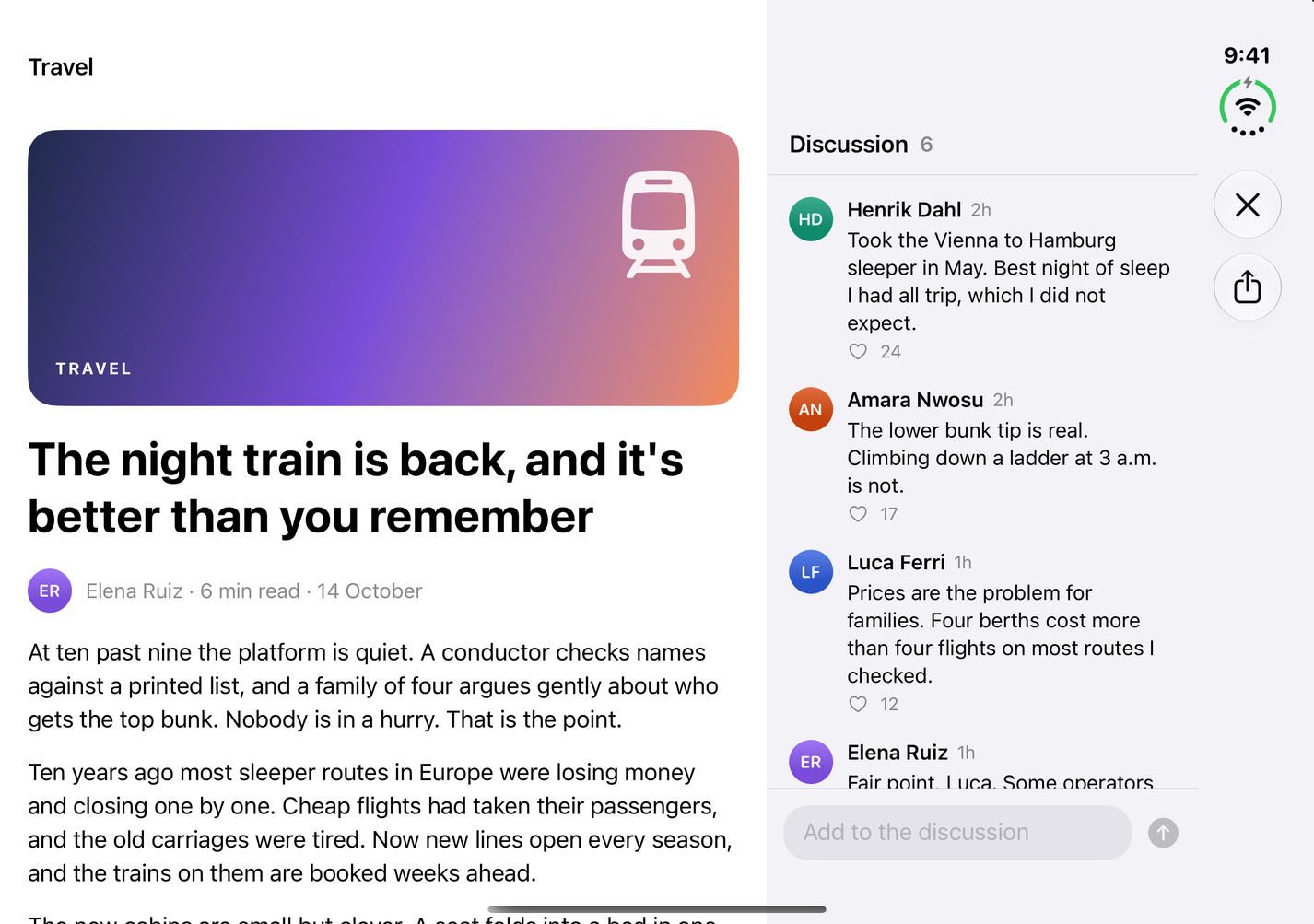
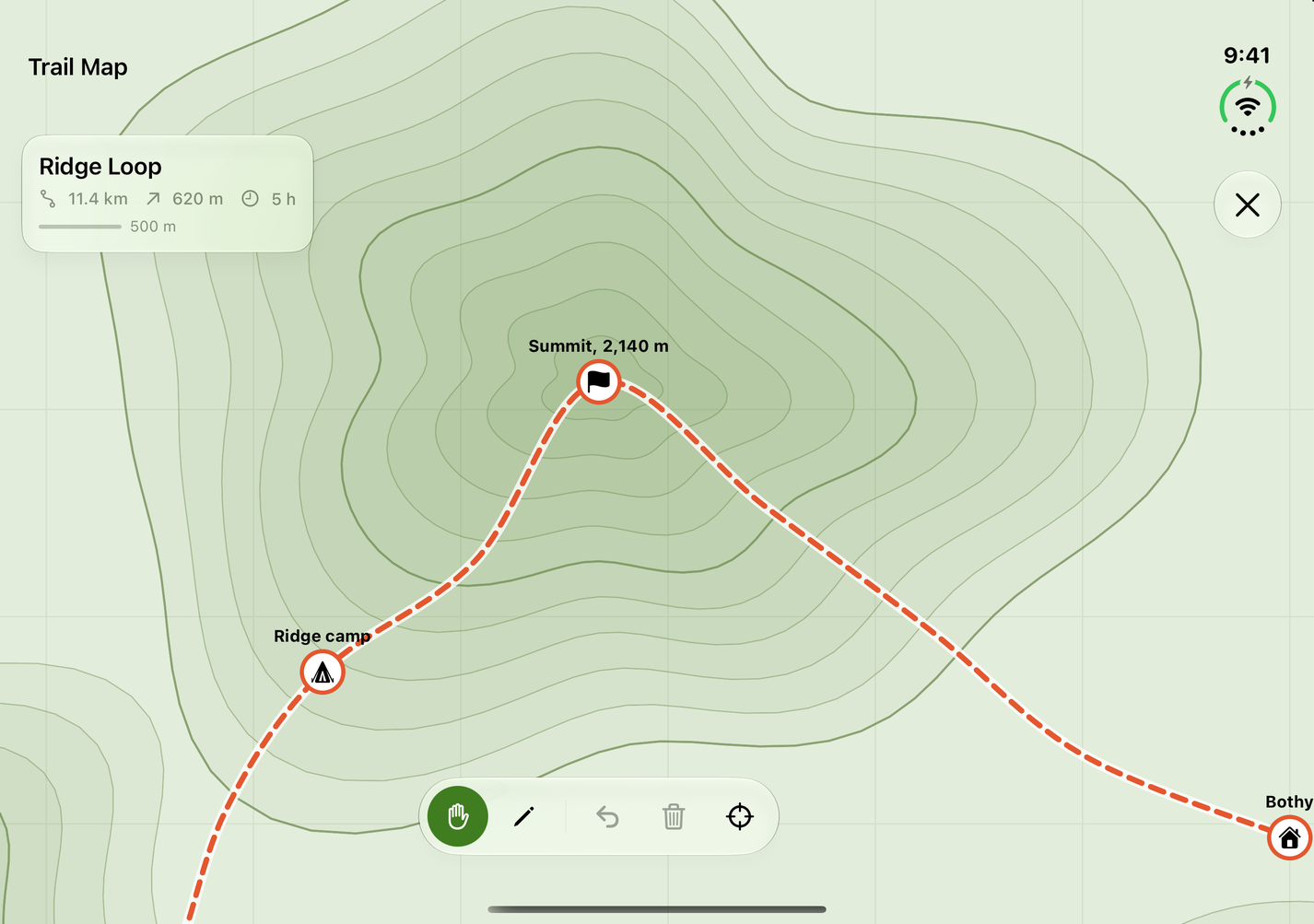
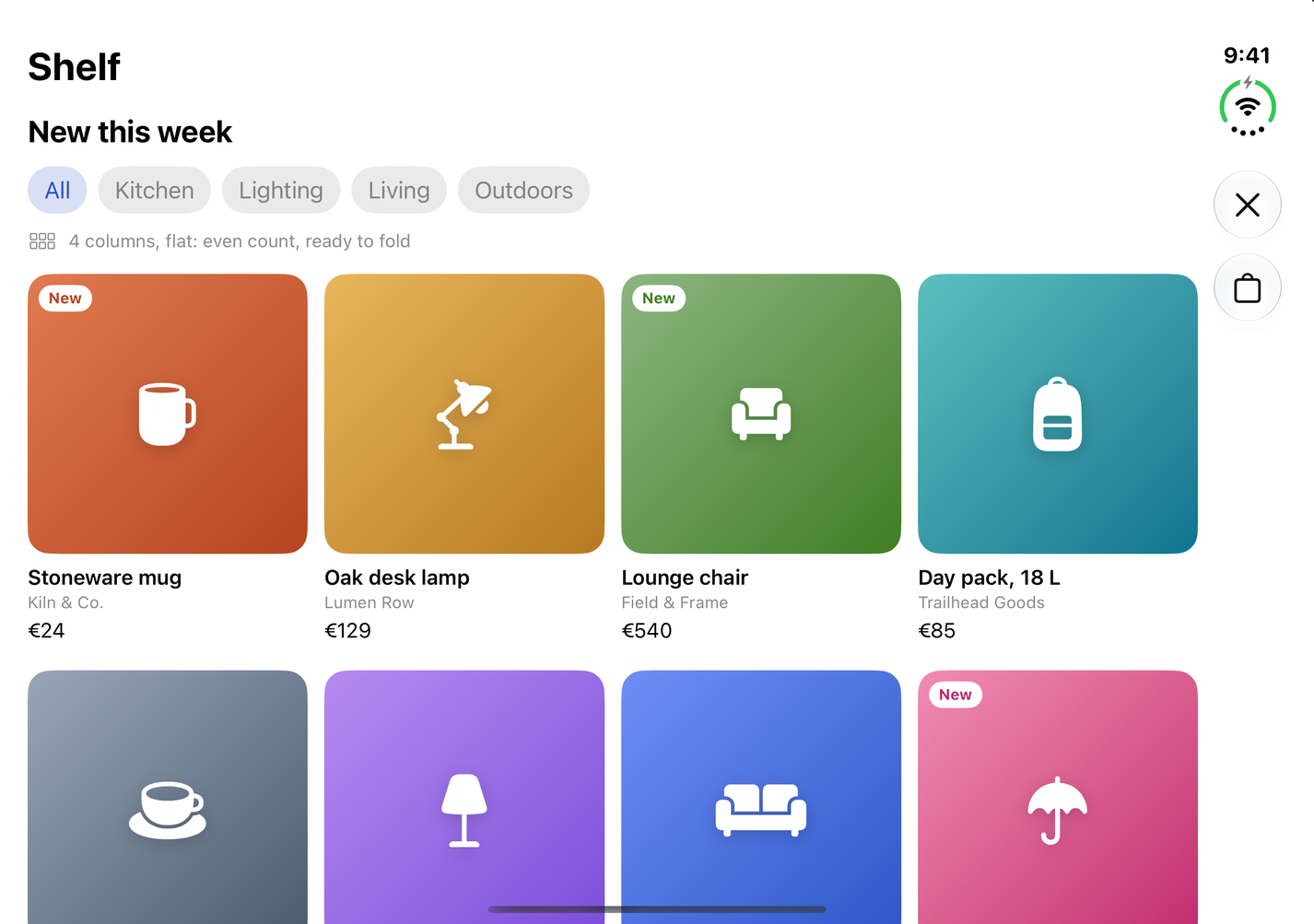
Real screenshots of the gallery app on the iPhone Duo simulator (iOS 27.1), drawn at the same scale.
Every pattern in duo-patterns comes with a SwiftUI recipe and a screen in the gallery app (samples/DuologyGallery).
| Pattern | Closed | Open | Good for |
|---|---|---|---|
| List-detail | list, then detail | both side by side | mail, messages, settings |
| Supporting pane | main content, pane in a sheet | main content with a narrower pane | comments, tools, "up next" |
| Two-page | one page | two pages, one per side | books, documents, slides |
| Dual view | one view, toggle | the same data two ways | list and map, text and preview |
| Extended canvas | canvas | the canvas spans the fold, tools stay clear of it | maps, drawing, big tables |
| Feed reflow | 1 or 2 columns | an even number of columns | photos, shops, news |
| Tabs to sidebar | tab bar on the side | sidebar | apps with many sections |
| Displacement | n/a | controls move off the fold, scrolling content stays put | any screen with controls near the middle |
The gallery app on the iPhone Duo simulator (iOS 27.1): closed on the outer display, open on the inner display. The gallery README also shows each screen in book and tabletop poses.
| Pattern | Closed | Open |
|---|---|---|
| List-detail | 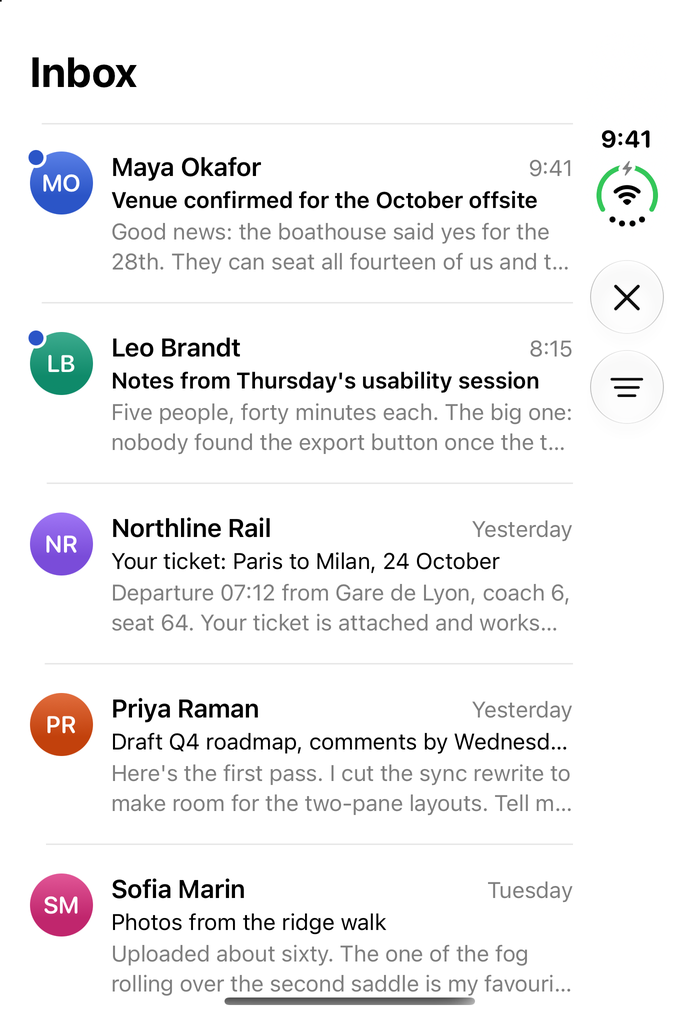 |
 |
| Supporting pane | 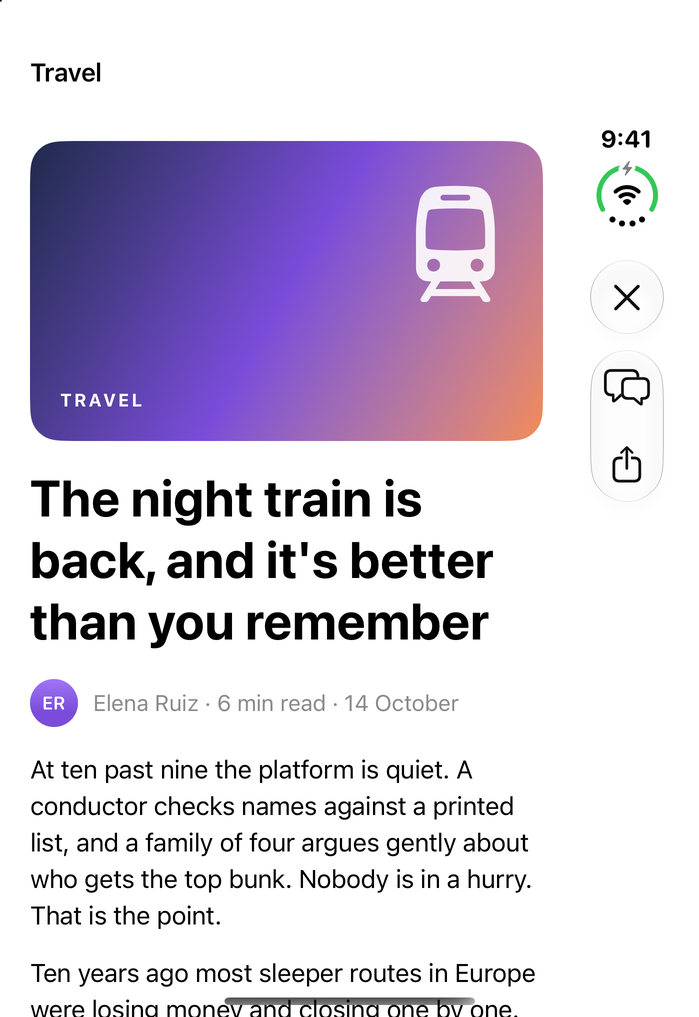 |
 |
| Two-page | 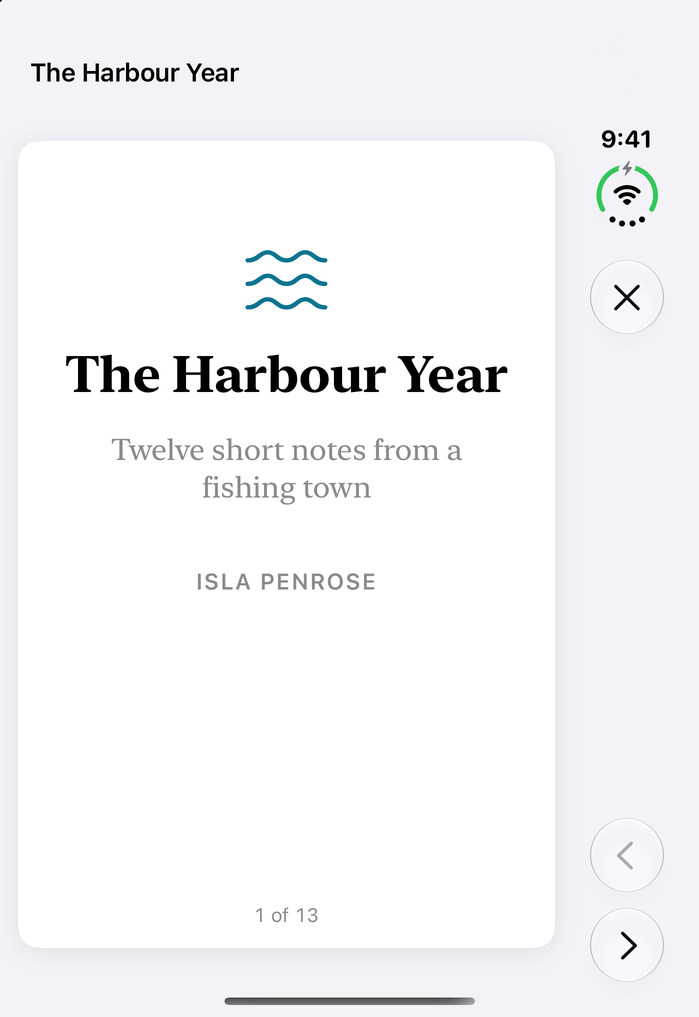 |
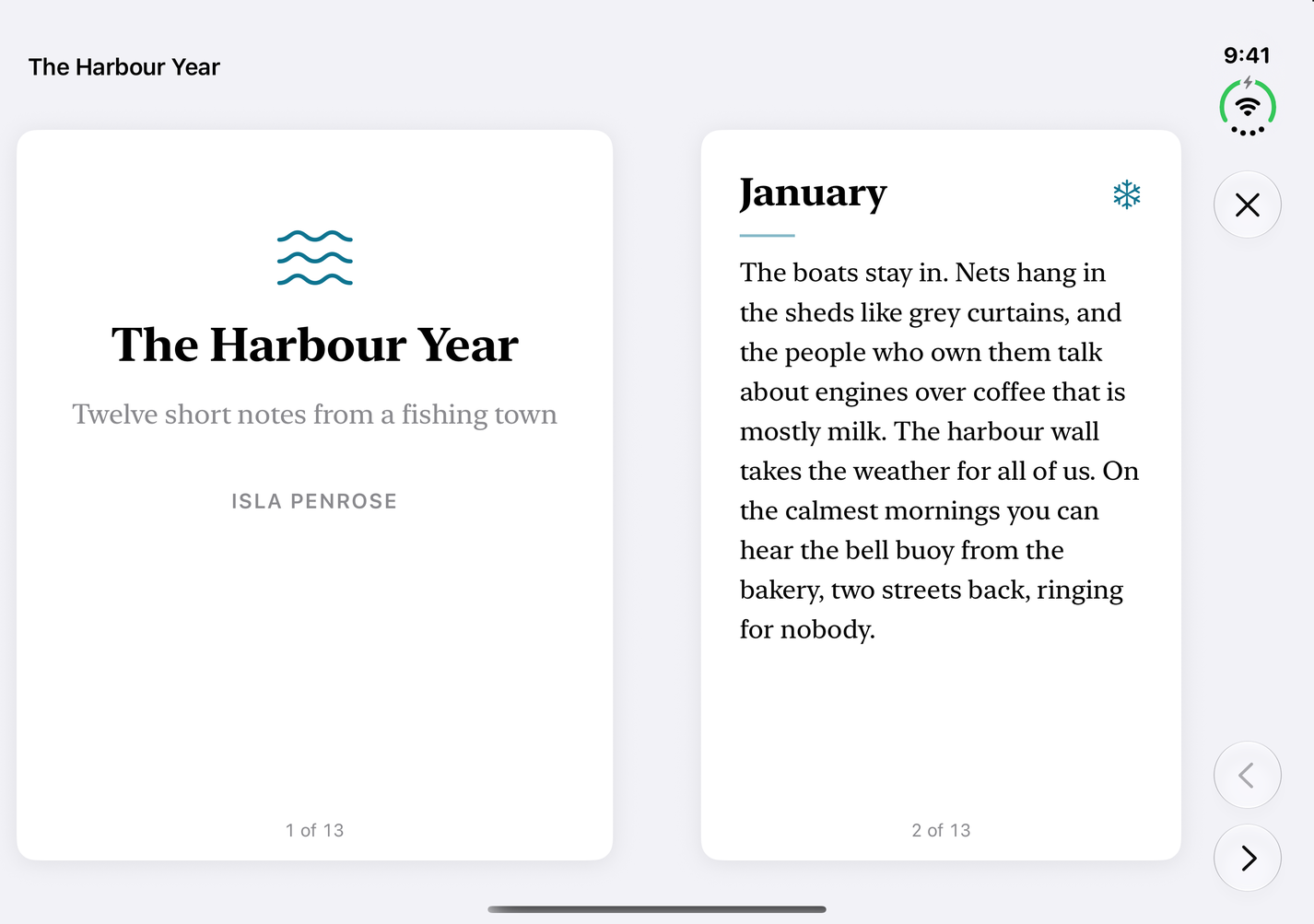 |
| Dual view | 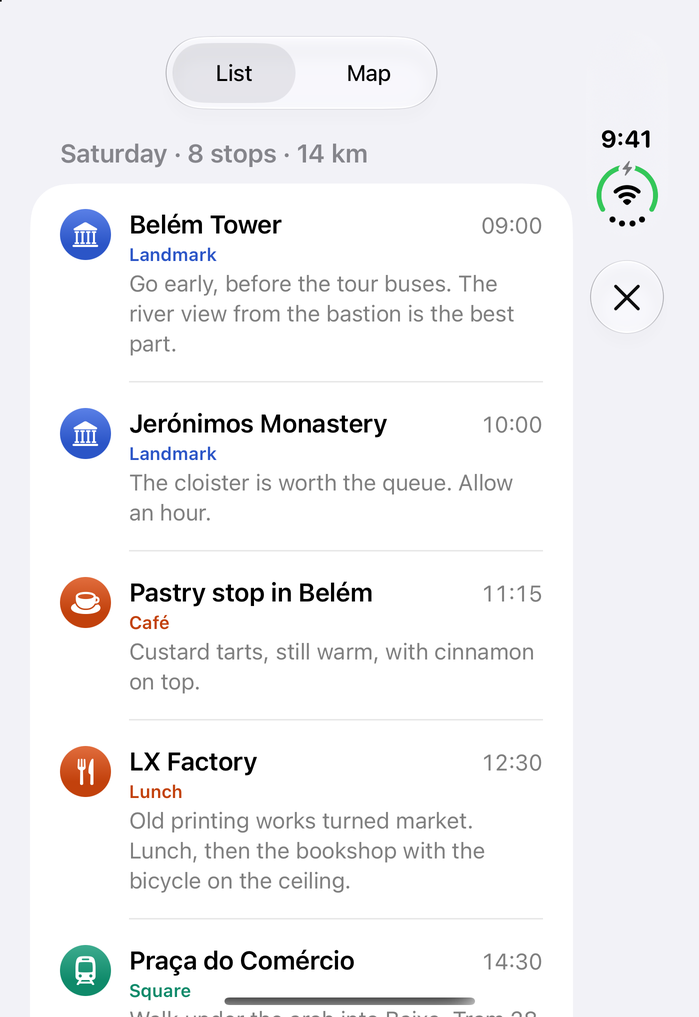 |
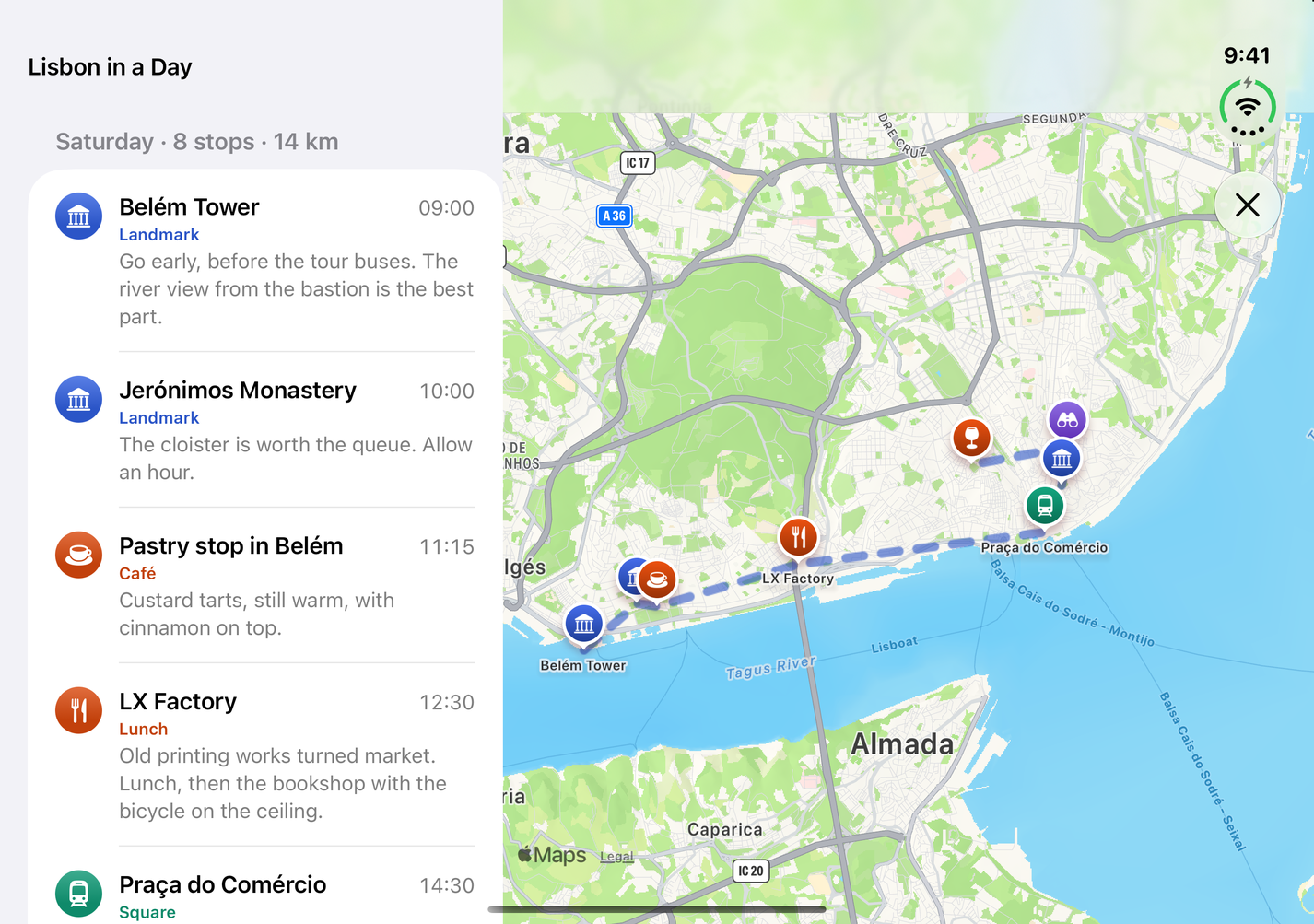 |
| Extended canvas | 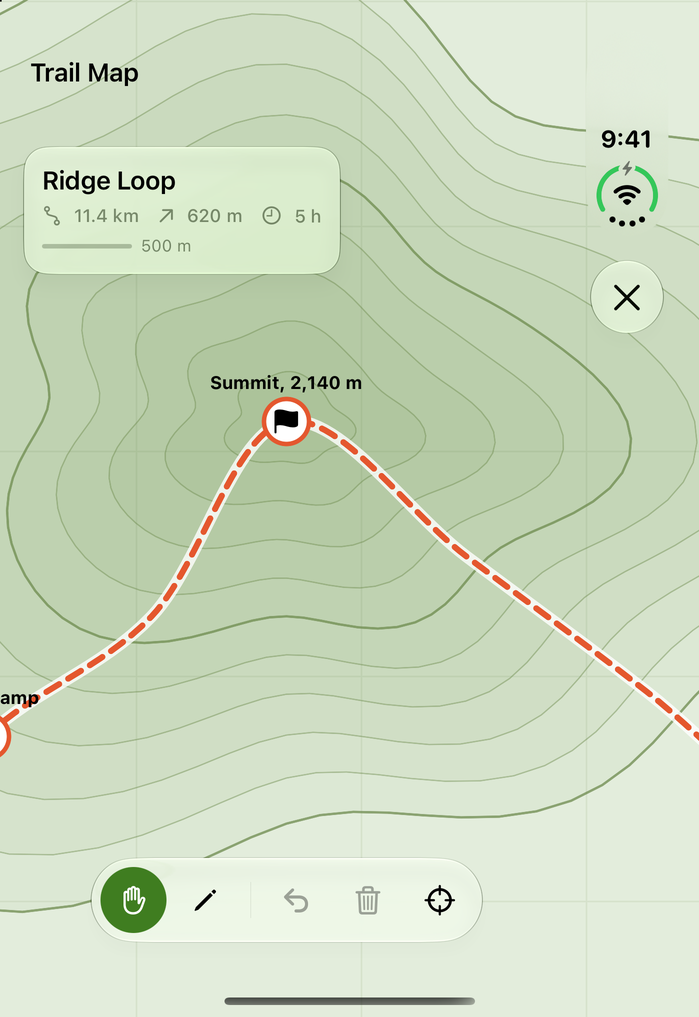 |
 |
| Feed reflow | 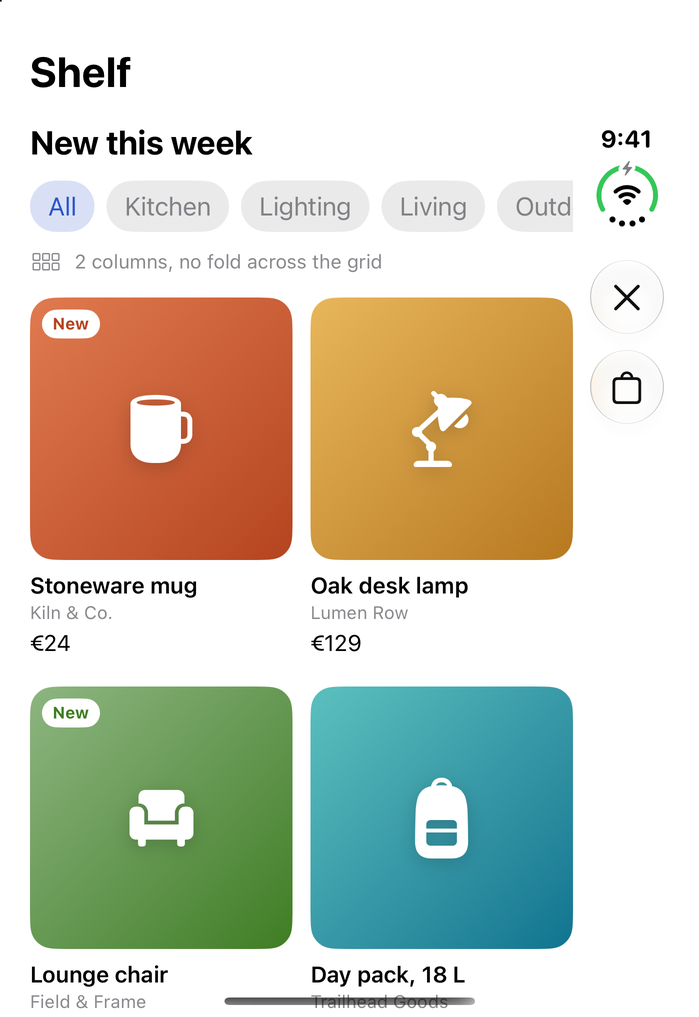 |
 |
| Tabs to sidebar | 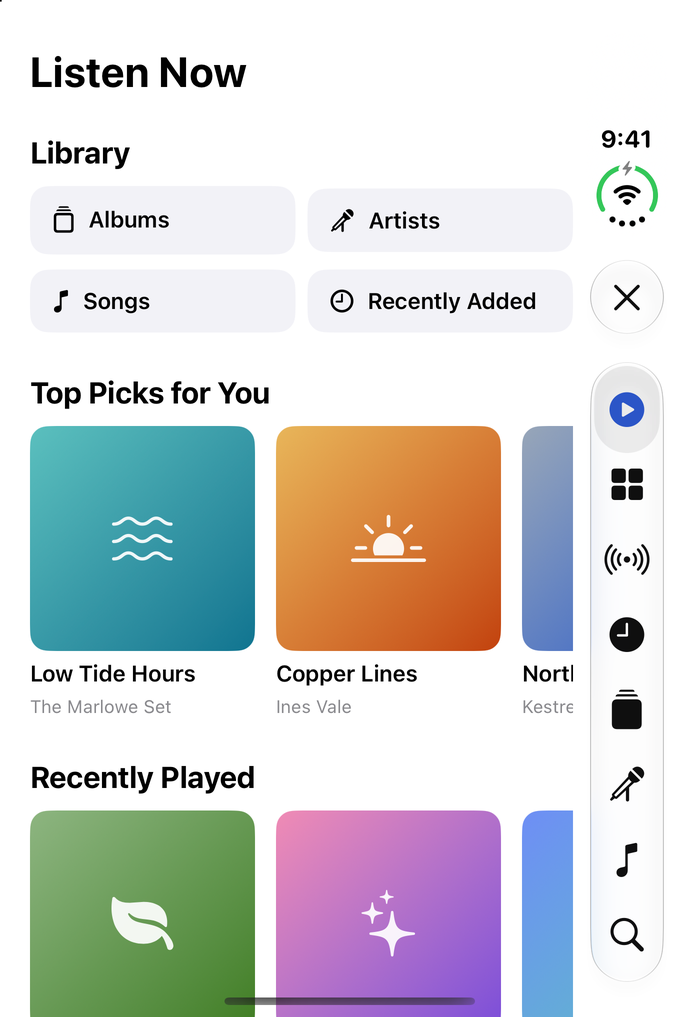 |
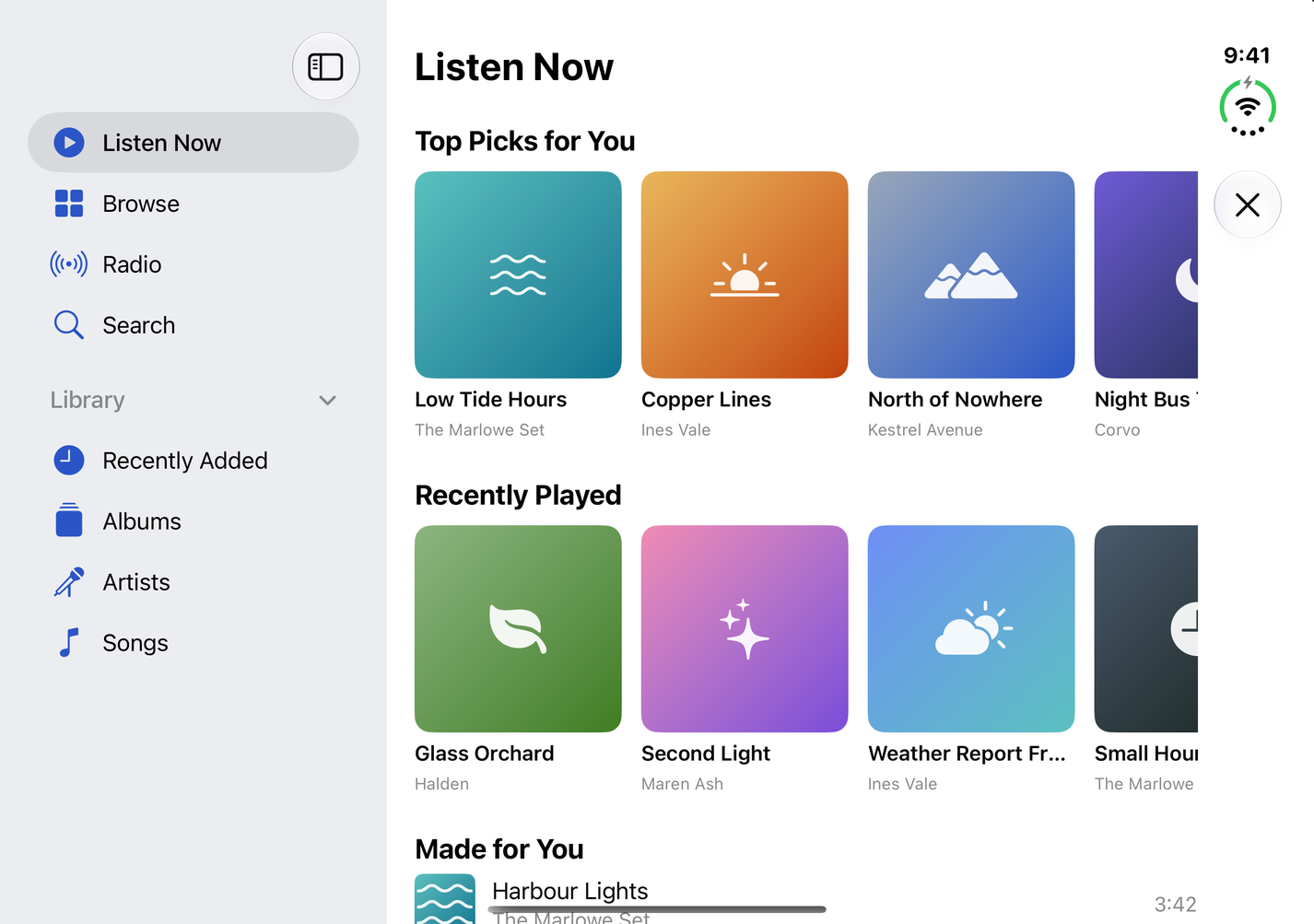 |
| Displacement | 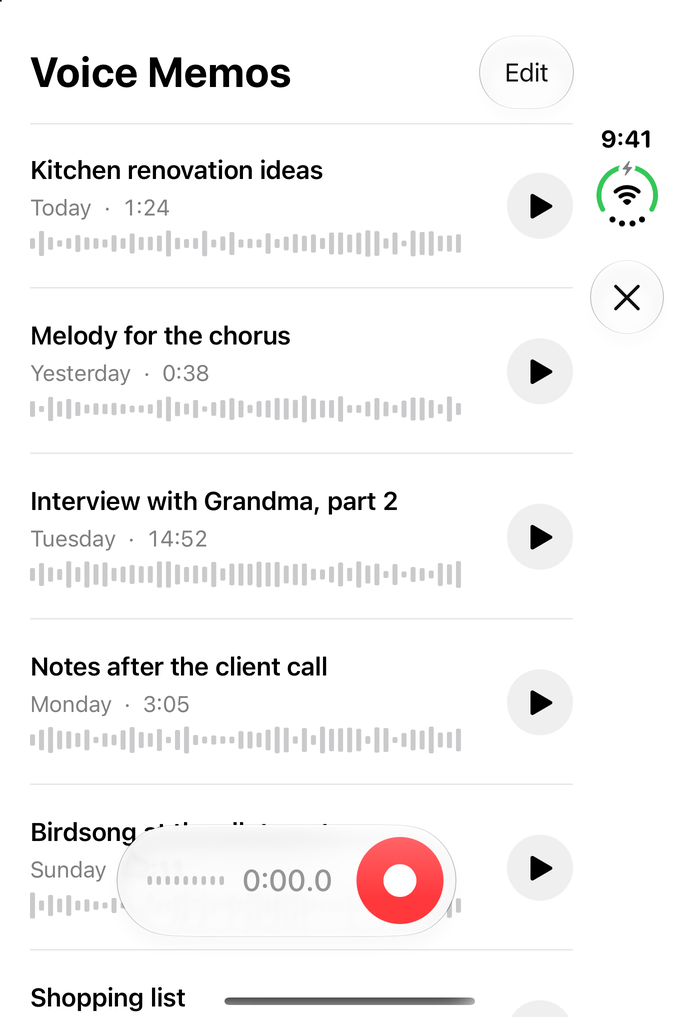 |
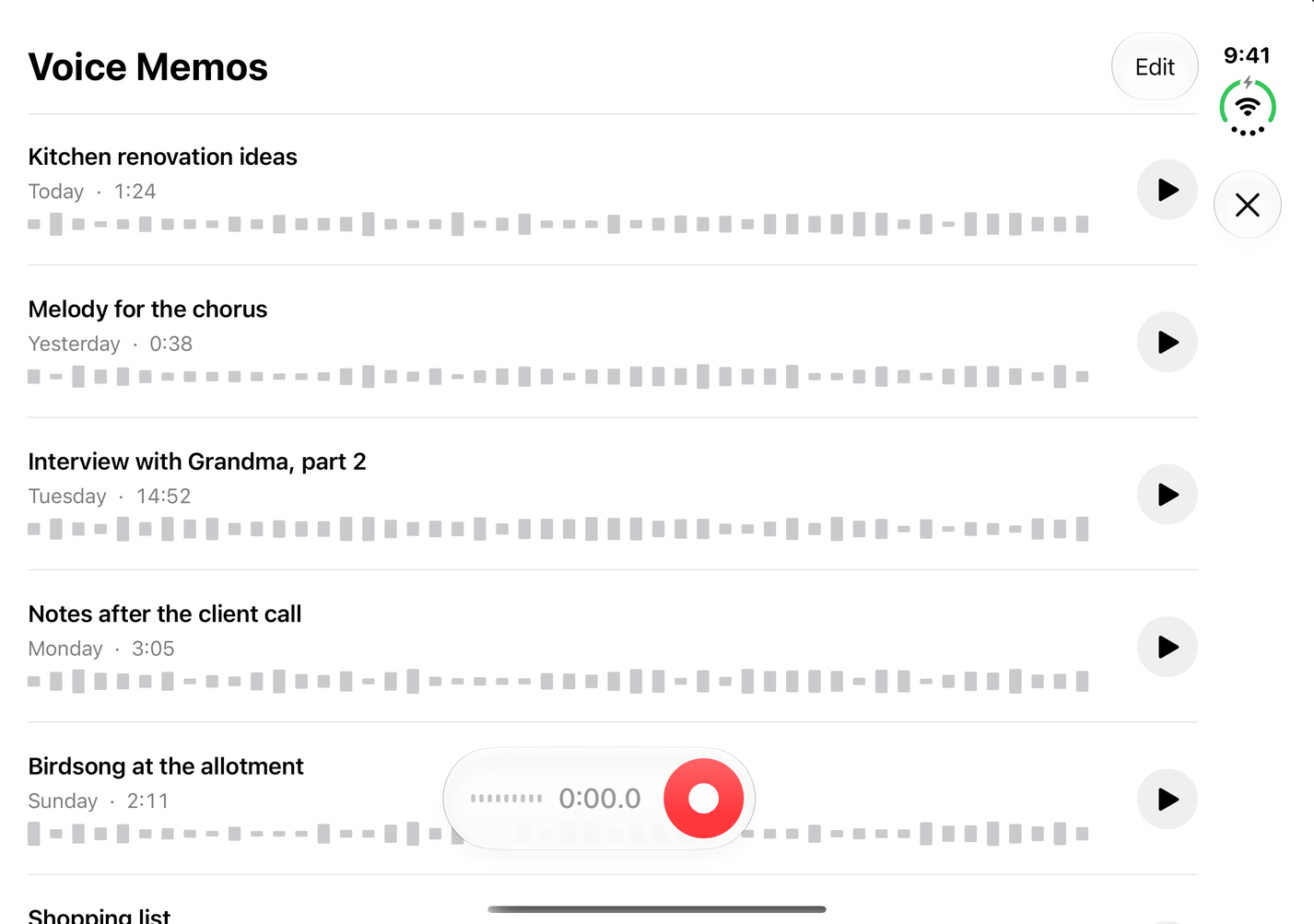 |
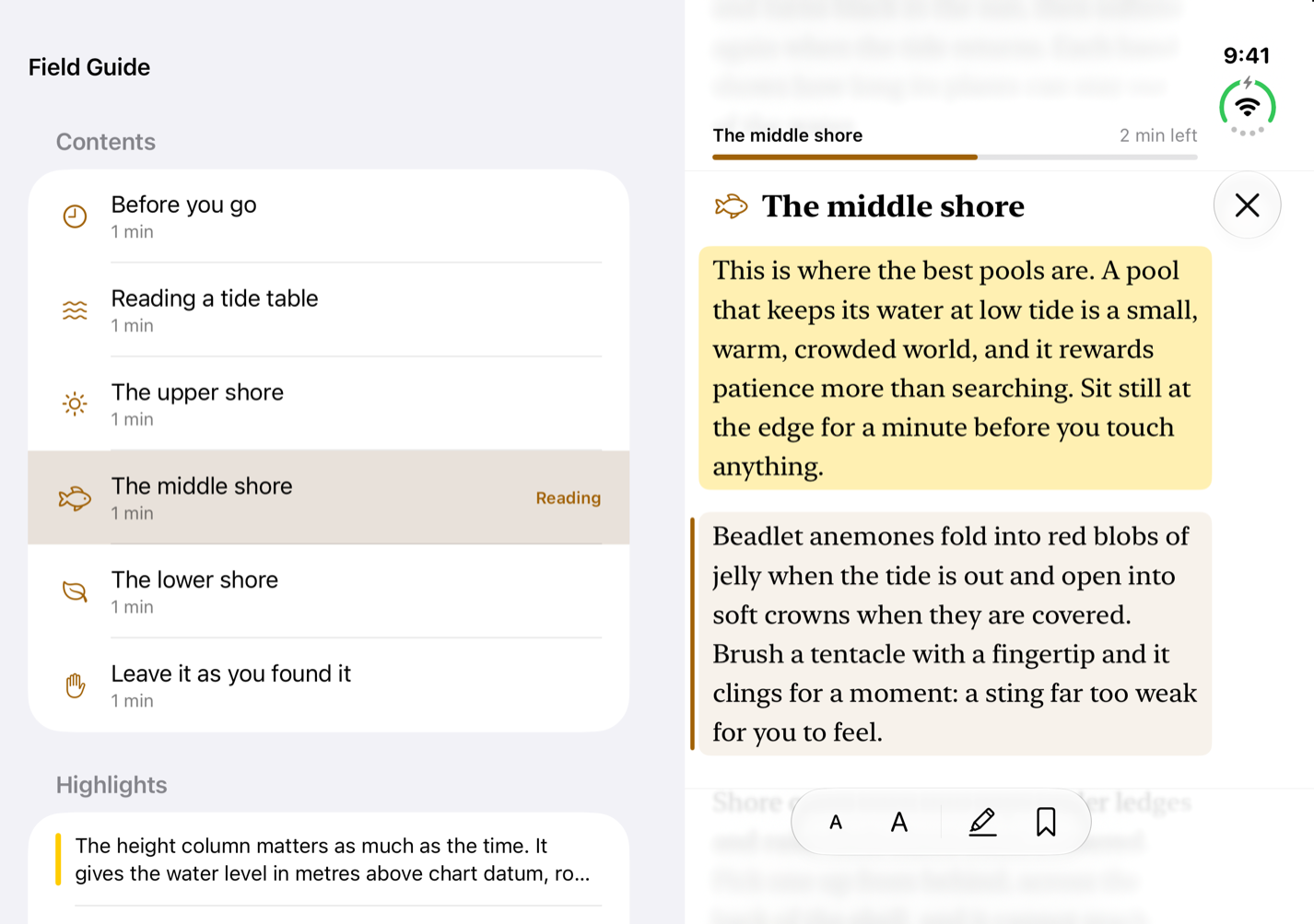
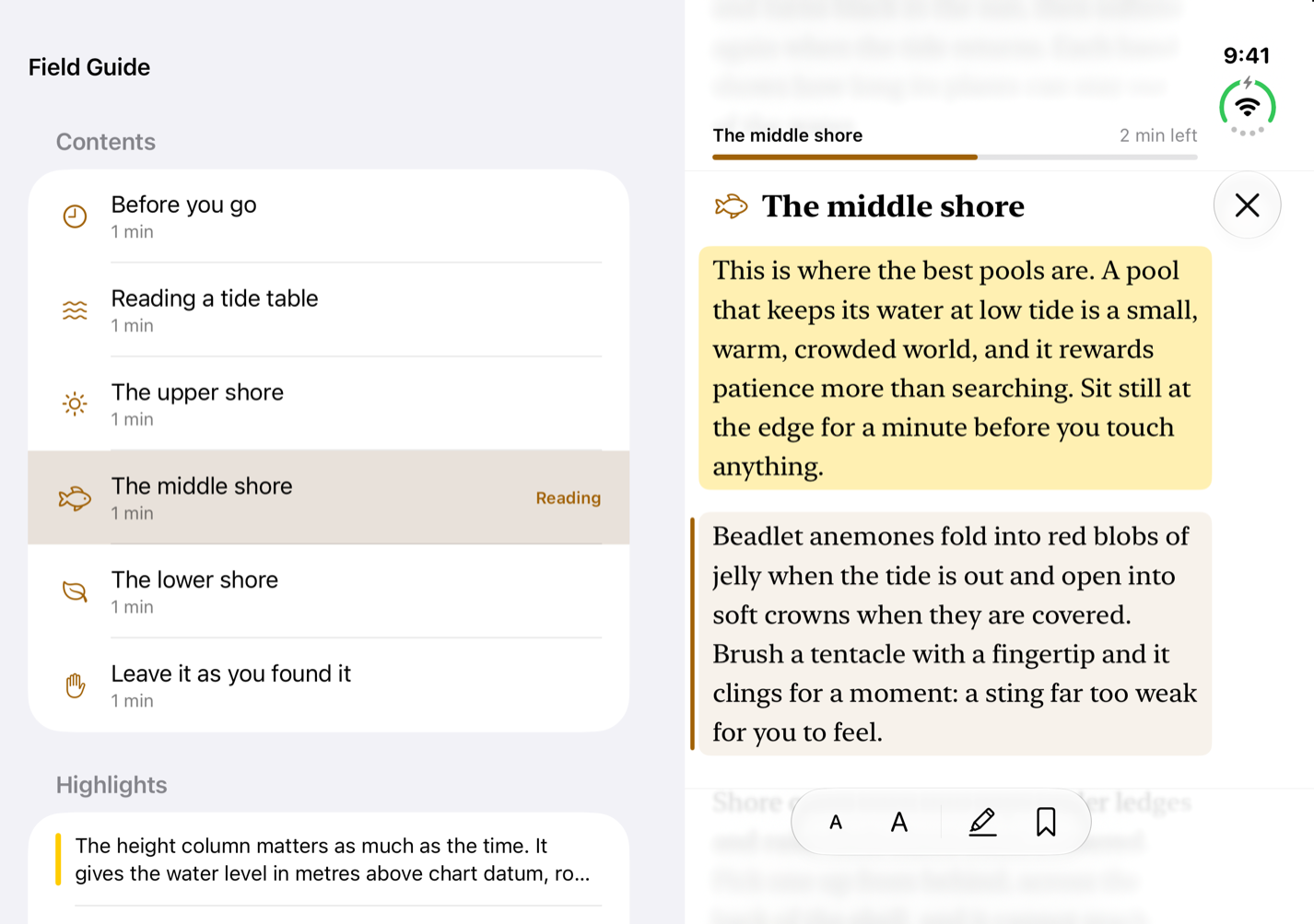
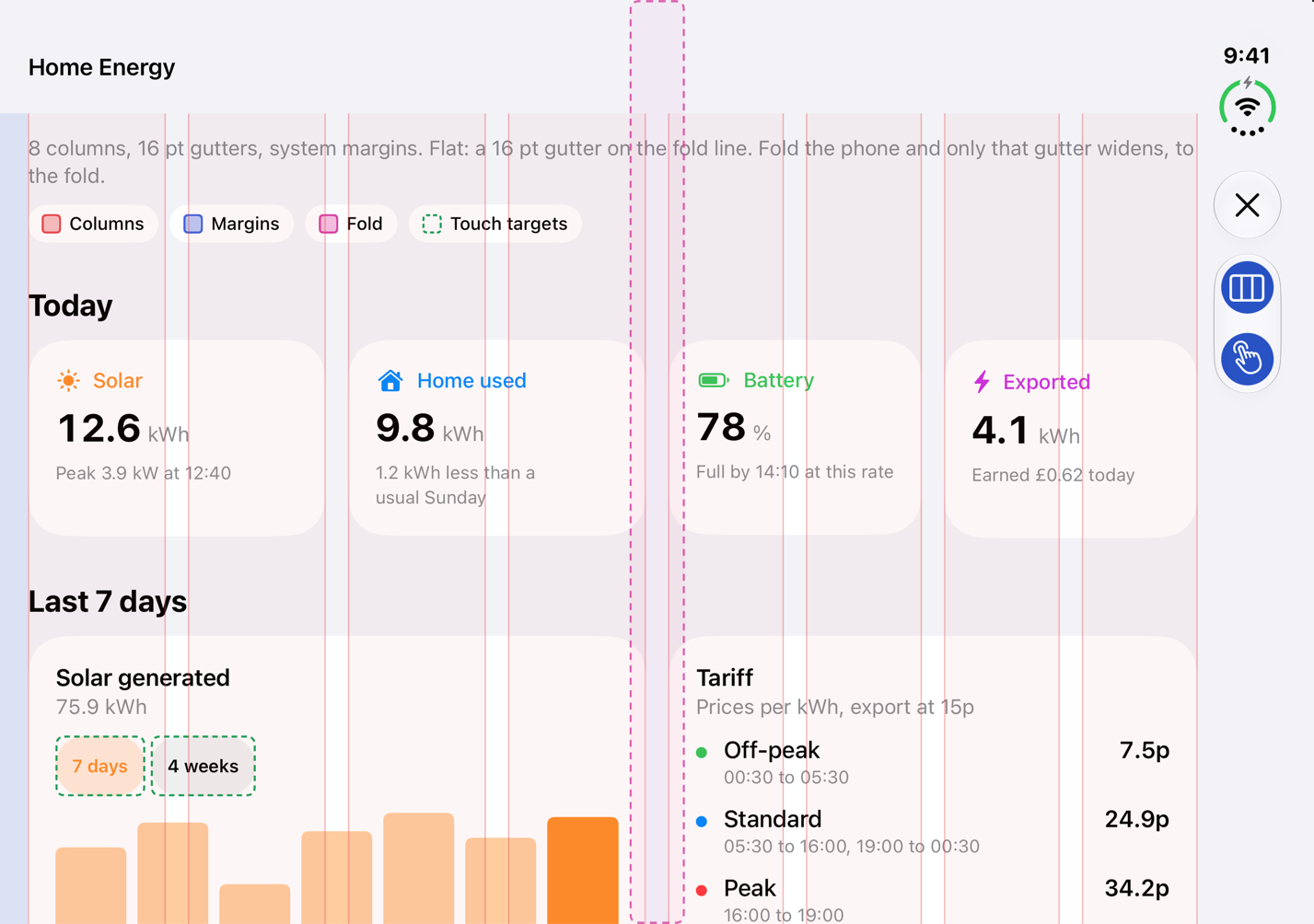
v0.2 adds three screens, one for each of duo-postures, duo-transitions and duo-design-system. The last column shows the pose each one is about.
| Screen | Closed | Open | Folded |
|---|---|---|---|
| Tabletop player | 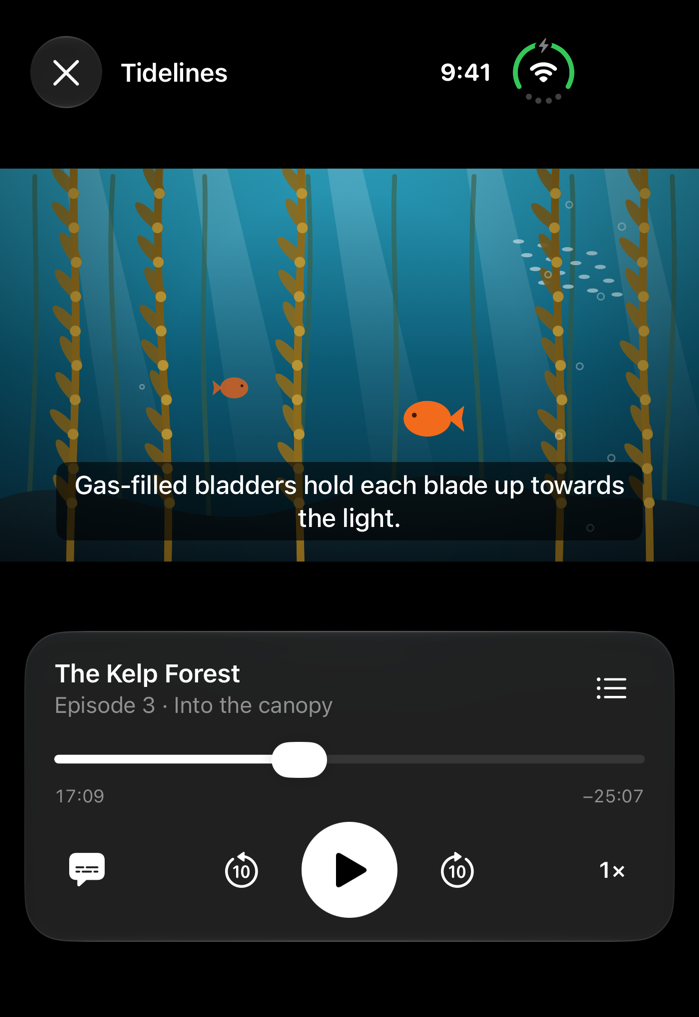 |
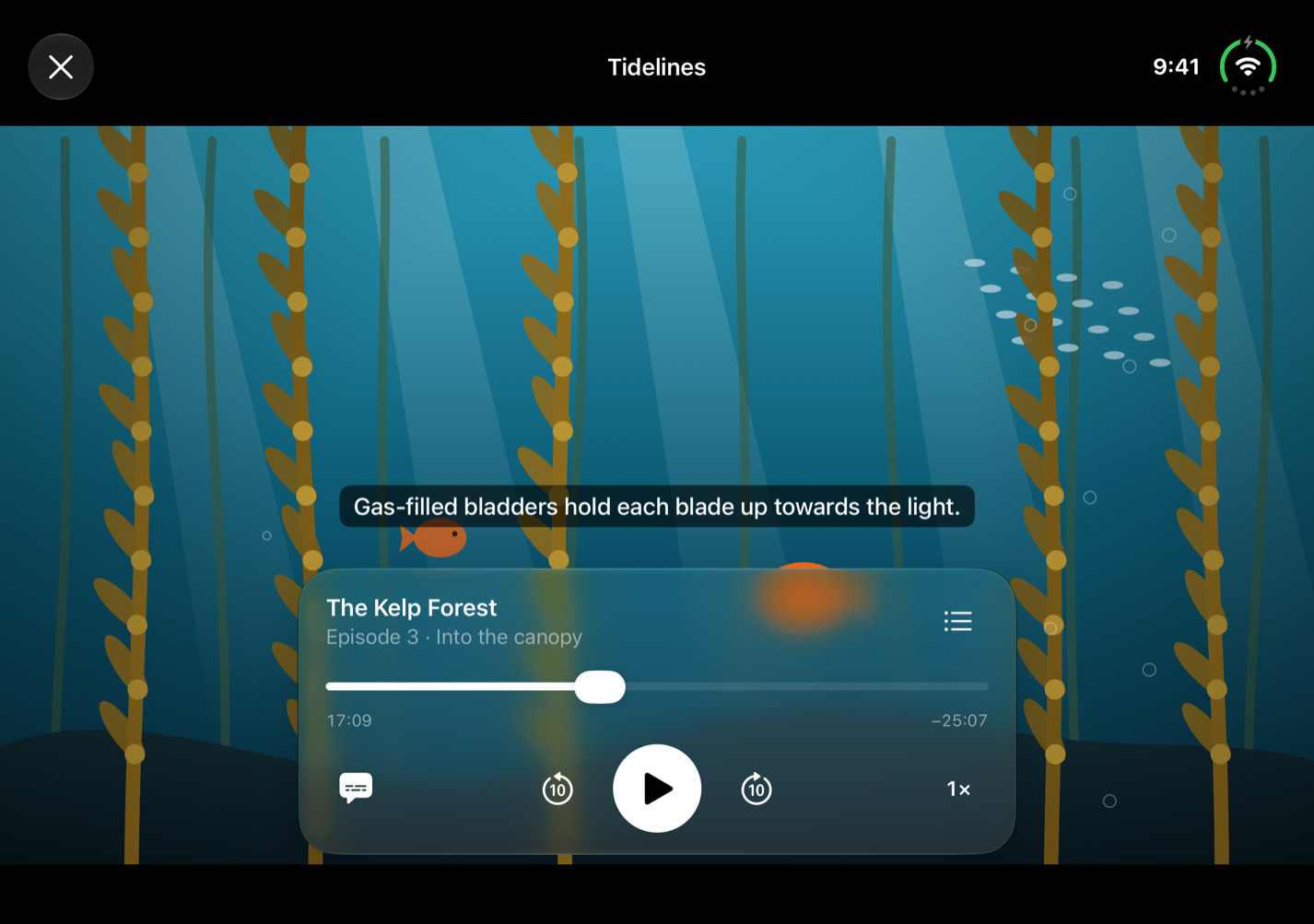 |
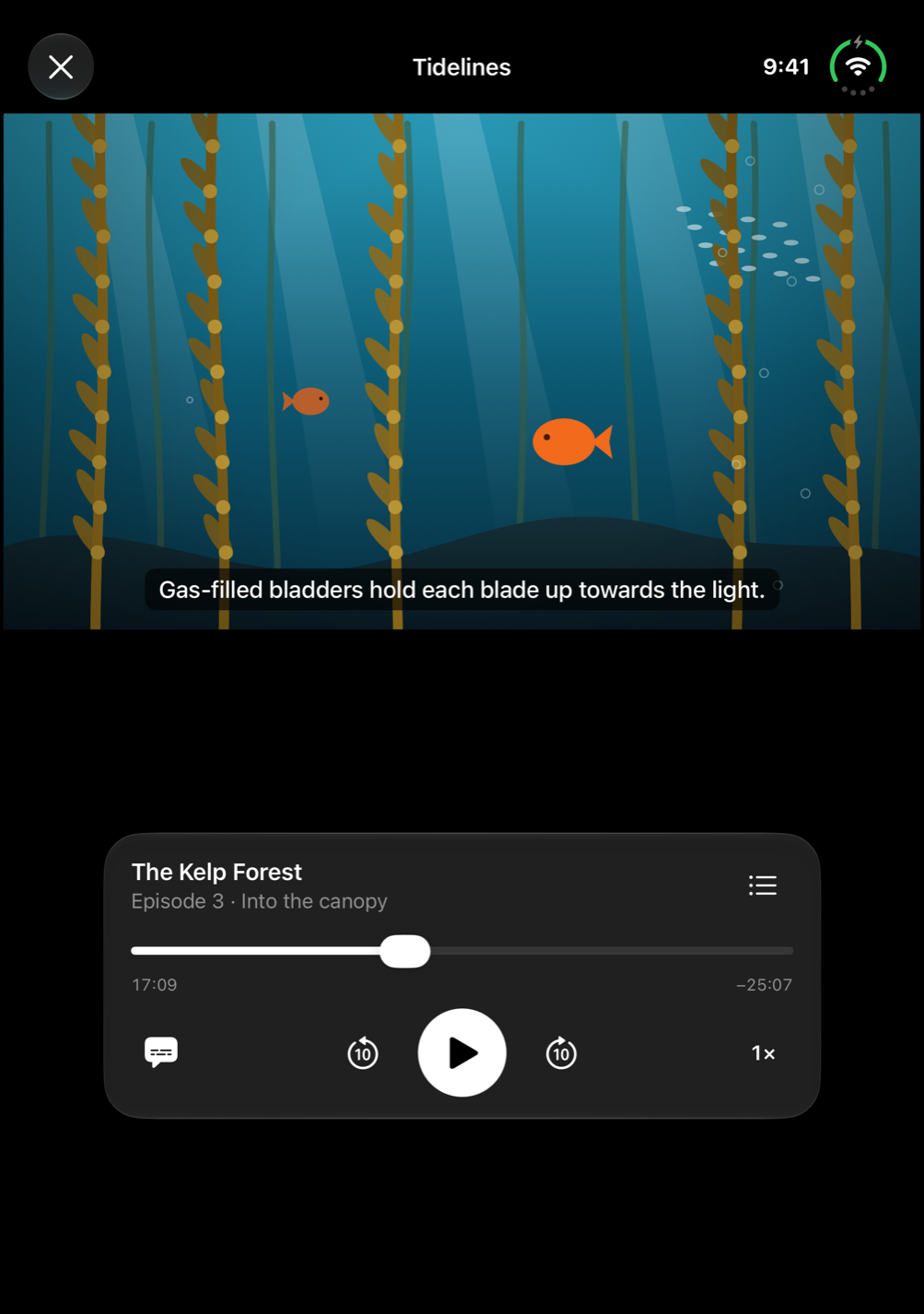 |
| Fold transition | 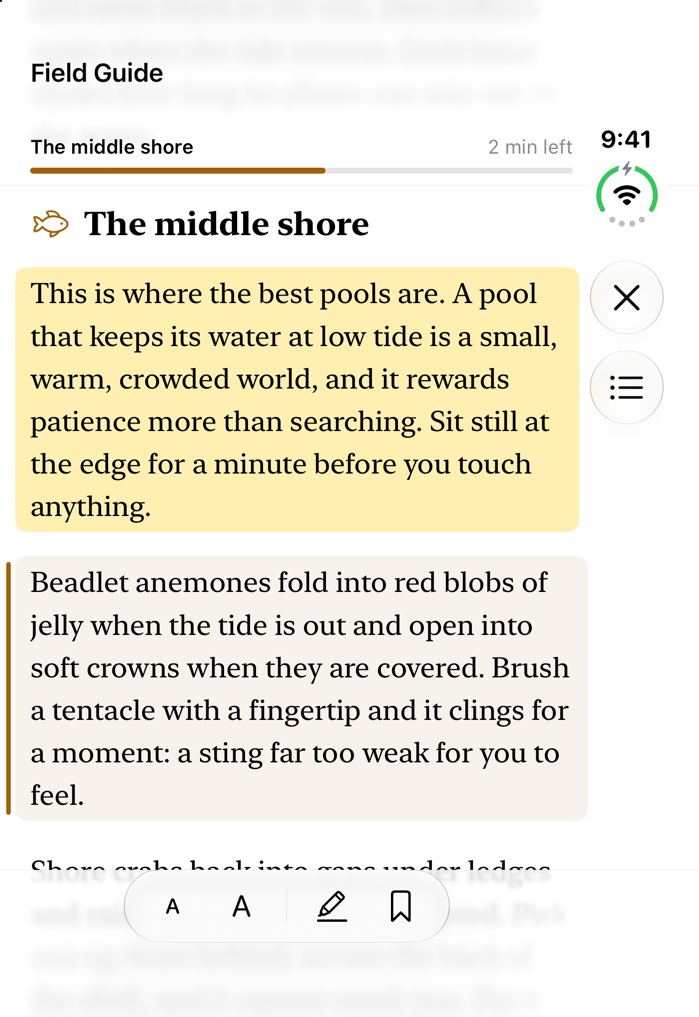 |
 |
 |
| Design tokens | 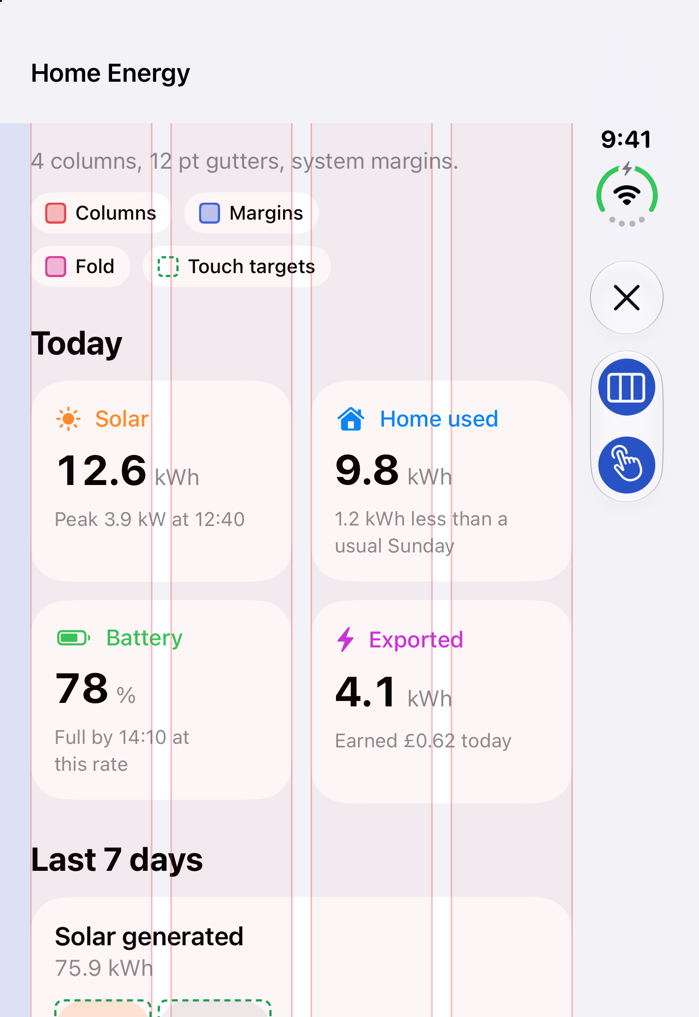 |
 |
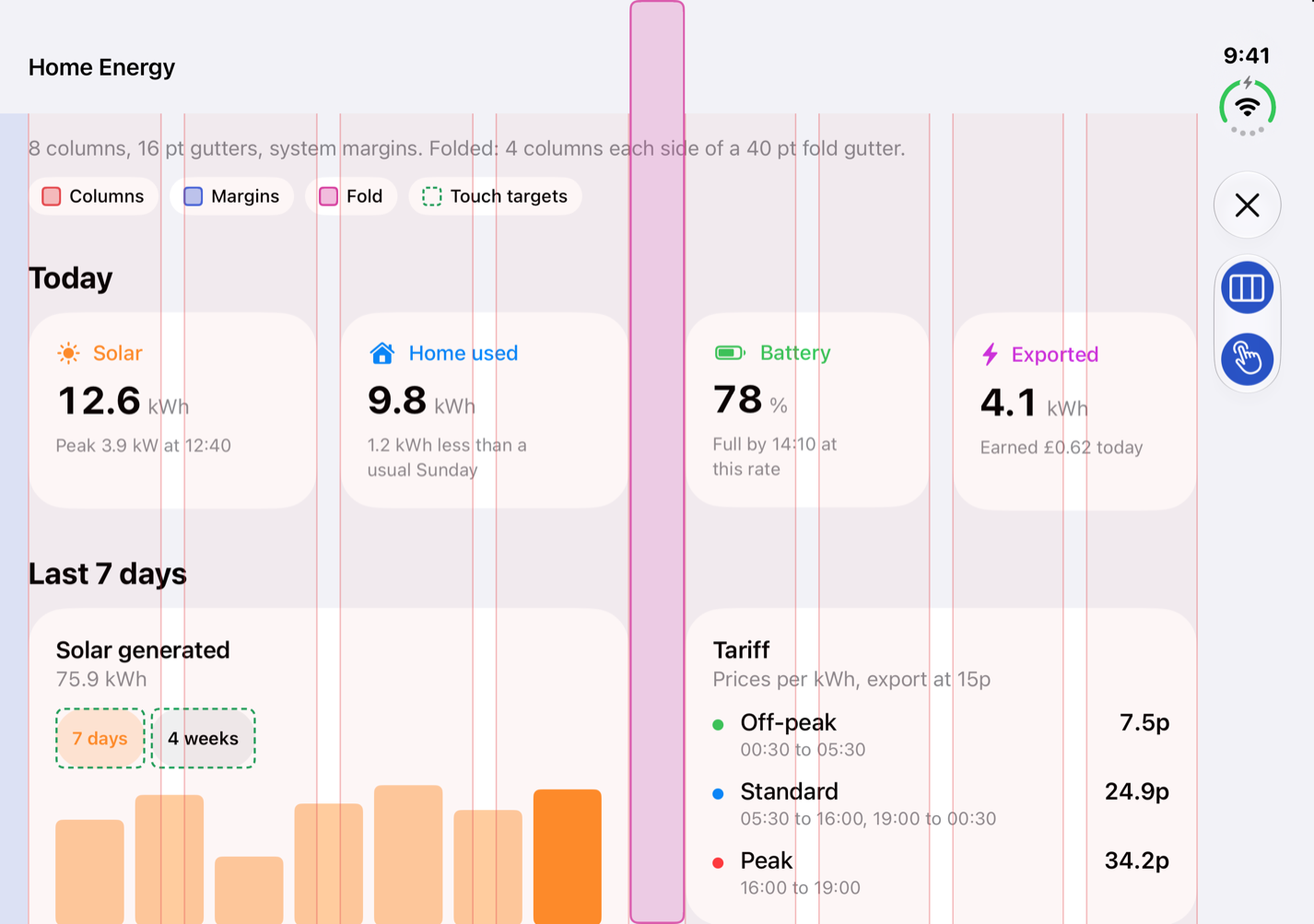 |
App recipes
/duo-new <recipe> <AppName> creates the project, tests its rules on the Mac, builds it and opens it on the iPhone Duo simulator. v0.1 has one recipe; the others are planned.
| Recipe | Status | What you get |
|---|---|---|
recipe-two-player-game |
v0.1 | Each player gets half the screen in every pose, with the game logic tested on the Mac. |
recipe-finance-dashboard |
planned (v0.3) | Balance when closed; balance, charts and transactions when open. |
recipe-media-player |
planned (v0.3) | Player that moves to tabletop on its own, with "up next" and Picture in Picture. |
recipe-reader |
planned (v0.3) | Two pages in book pose, and it remembers where you were. |
recipe-shop |
planned (v0.3) | Product shelf beside product details, with a two-pane paywall. |
recipe-notes-ai |
planned (v1.0) | Notes list and editor, with an AI summary pane on the inner display. |
recipe-camera-studio |
planned (v1.0) | The person you film sees themselves on the outer display. |
recipe-kids-learning |
planned (v1.0) | A parent check, a privacy manifest, and nothing tracked. |
Proof, not promises
Every skill has test tasks in evals/, 29 so far (28 ready to run). Each task runs with Claude Code twice, with and without Duology, in a fresh copy of the same sample project. A run passes when the app builds for the iPhone Duo simulator, duo-lint finds nothing, every check in the task passes and every checklist rule it covers passes.
No results yet. The first published runs are planned for the v0.2 release, and we'll publish them here whatever they show.
| Task | Without Duology | With Duology |
|---|---|---|
| Make an existing list app work on Duo | pending | pending |
| Keep video playing through fold and unfold | pending | pending |
| Build a two-player game on one phone | pending | pending |
| Tabletop layout for a video call | pending | pending |
How the runs work and how to rerun them: evals/README.md.
Verified on
| Status | |
|---|---|
| Xcode 27.1 (27A9275) | Checked |
| iPhone Duo simulator, iOS 27.1 | Checked |
| iPhone Duo device | Planned for v0.2 |
| iOS 27.2 beta | Not tracked until release |
Each SKILL.md repeats this in its front matter, so you can see how far every rule has been tested.
FAQ
How is this different from other iPhone Duo skill repos?Other repos explain the Duo APIs well, and mirzaaghazadeh/iphone-duo-skills also covers Flutter, React Native and Capacitor. Duology aims to go from design to the App Store for native SwiftUI and UIKit apps. v0.1 has layout patterns, a recipe, a linter, an audit command and a test harness. v0.2 adds design skills, a scenes skill, the pose screenshots (/duo-poses) and a design review agent. The App Store skill and published test results come later.
Apple's skills (export them with xcrun agent skills export) cover SwiftUI in general and making apps resizable. Duology points to them and doesn't copy them. It adds what they don't cover: design for each pose, two-person use, recipes and verification.
No. Everything runs on the iPhone Duo simulator in Xcode 27.1. A few things only show on real hardware (how the hinge feels, camera handoff, 120 Hz transitions); those skills say so.
Does it work with UIKit?Yes. duo-layout, duo-navigation, duo-continuity and duo-shared-screen give SwiftUI and UIKit versions, and so do the v0.2 skills (duo-scenes, duo-design-system, duo-postures, duo-transitions, duo-ergonomics, duo-accessibility). duo-patterns builds in SwiftUI and maps each pattern to its UIKit counterpart. The two-player recipe is SwiftUI.
No. Skills are text files, and duo-lint, duo-doctor and the duo-pose-matrix tools run on your Mac.
Documentation
- Roadmap: what's planned and when.
- Changelog: what changed in each release.
- AGENTS.md: using Duology from Codex, Cursor, Copilot, Gemini CLI and other agents.
- Gallery app: how to run it and what each screen shows.
- Evals: how the test runs work.
- Device facts: displays, cameras, poses, size classes.
- API index: every Duo API with its Apple doc link.
- Sources: the Apple pages and talks behind each rule.
- Contributing: how to add a skill, a pattern or a recipe.
- Security: how to report a security problem.
Star history
Contributing
Pull requests are welcome, especially new patterns, recipes and test tasks. Each change needs:
- a link to the Apple doc or talk behind any API claim;
- a test task in
evals/for any new skill; - a
verified:line saying where you tested it.
Read CONTRIBUTING.md before you start. Found a wrong API claim? Open an issue with the Apple link.
Acknowledgements
Built on Apple's iPhone Duo Tech Talks and Human Interface Guidelines, and on design ideas from Microsoft's Surface Duo patterns, Android's adaptive layouts and Samsung's Flex mode. Thanks to the Swift agent-skills community: twostraws, AvdLee, Dimillian and mirzaaghazadeh.
License
MIT. Apple documentation is linked, never copied. Apple, iPhone and Xcode are trademarks of Apple Inc.
Yorumlar (0)
Yorum birakmak icin giris yap.
Yorum birakSonuc bulunamadi