motion-launch-videos
Health Warn
- License — License: MIT
- Description — Repository has a description
- Active repo — Last push 0 days ago
- Low visibility — Only 5 GitHub stars
Code Fail
- fs.rmSync — Destructive file system operation in examples/captions-acme-memo/assets/make-voice.mjs
- new Function() — Dynamic code execution via Function constructor in examples/pixel-buffett-snowball/dev/preview.mjs
- spawnSync — Synchronous process spawning in examples/pixel-buffett-snowball/dev/preview.mjs
- process.env — Environment variable access in examples/pixel-buffett-snowball/dev/preview.mjs
Permissions Pass
- Permissions — No dangerous permissions requested
No AI report is available for this listing yet.
Claude Code plugin + skill: turn a short brief into a looping kinetic-typography launch video. One self-contained HTML file with a pure seek(t), closed-form springs, per-glyph motion, real motion blur and a pixel-exact loop, rendered to MP4 with Playwright + ffmpeg.
motion-launch-videos
Short launch and social videos made in code with Claude Code, in twelve styles: kinetic type, flat shapes, cartoons, 3D, data charts, pixel art, particles, app UI, photo reels, captioned clips, overlays for editors and data globes. Each film is one self-contained HTML file that can draw any frame from the time alone, rendered to MP4 with real motion blur and a seamless loop that is checked, not hoped for, at 1:1, 9:16 or 16:9, with sound when it needs it and with transparency when it goes over footage.
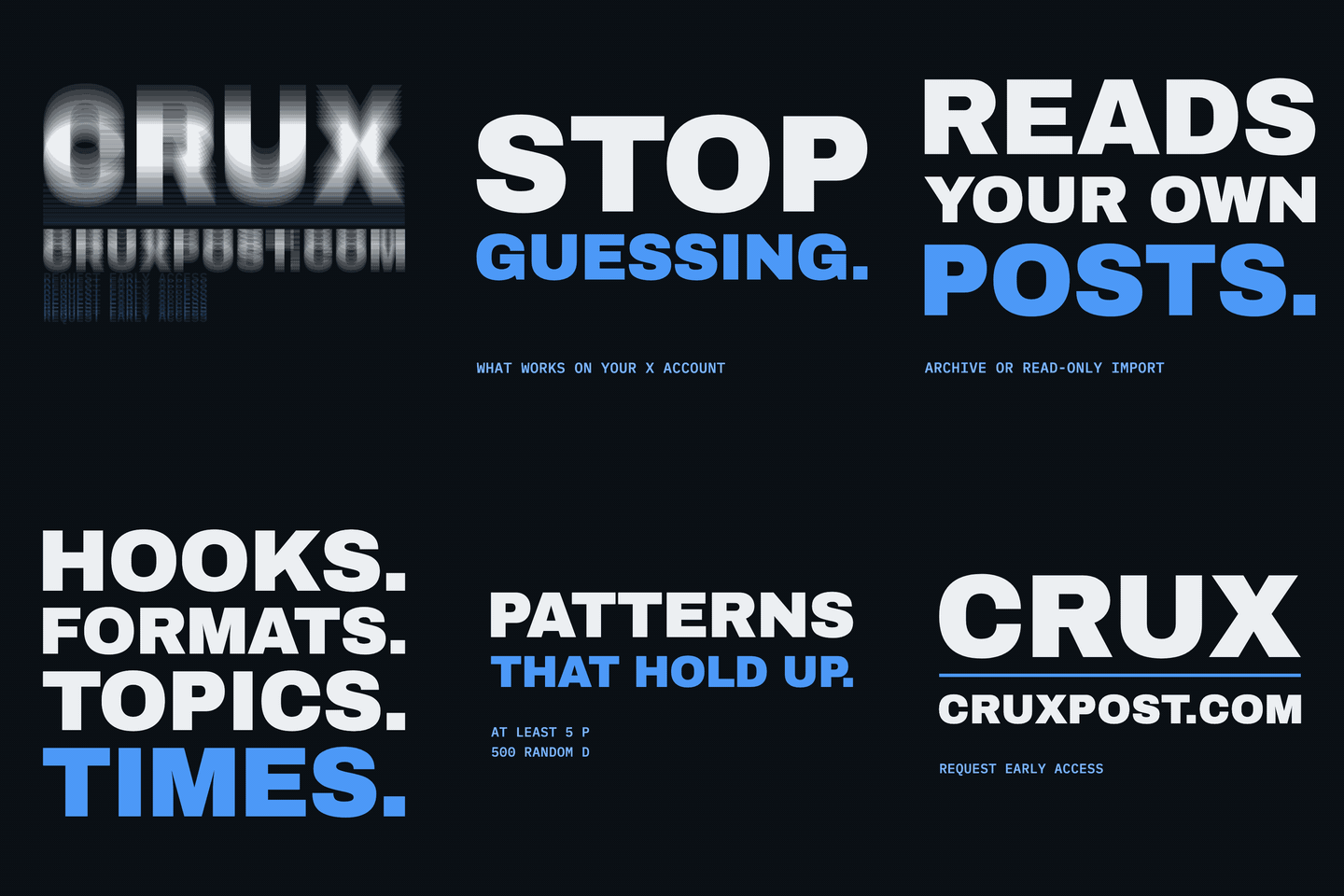 Kinetic type (motion-launch-videos): big type on springs, misregistration, mask wipes. Example Kinetic type (motion-launch-videos): big type on springs, misregistration, mask wipes. Example |
 Shapes (motion-shapes): icons that draw on, pop and ripple, wipes, SVG logos. Example Shapes (motion-shapes): icons that draw on, pop and ripple, wipes, SVG logos. Example |
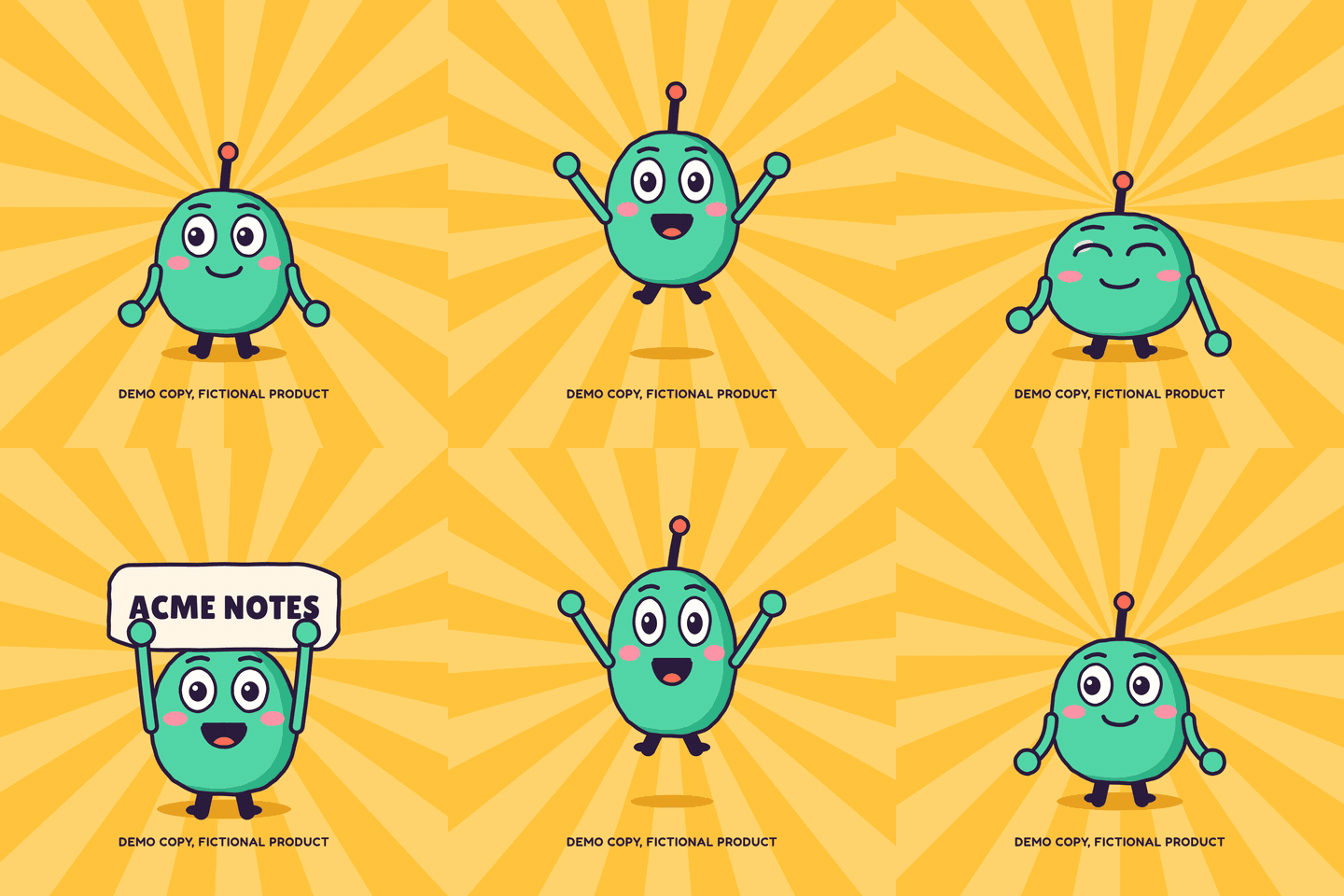 Cartoon (motion-cartoon): an original mascot, on twos, with a boiling line. Example Cartoon (motion-cartoon): an original mascot, on twos, with a boiling line. Example |
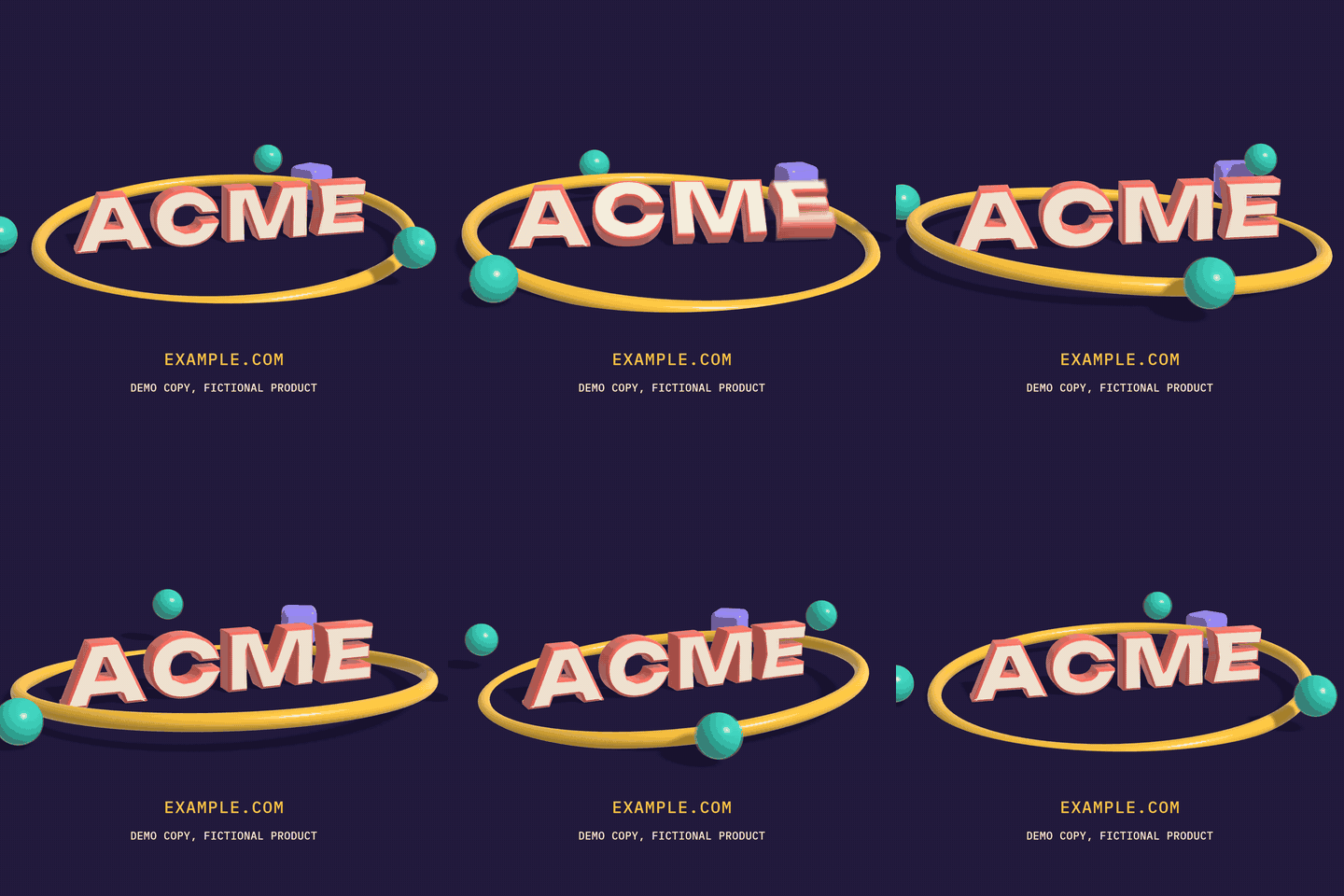 3D (motion-3d): extruded type and logos, soft shadows, a moving camera. Example 3D (motion-3d): extruded type and logos, soft shadows, a moving camera. Example |
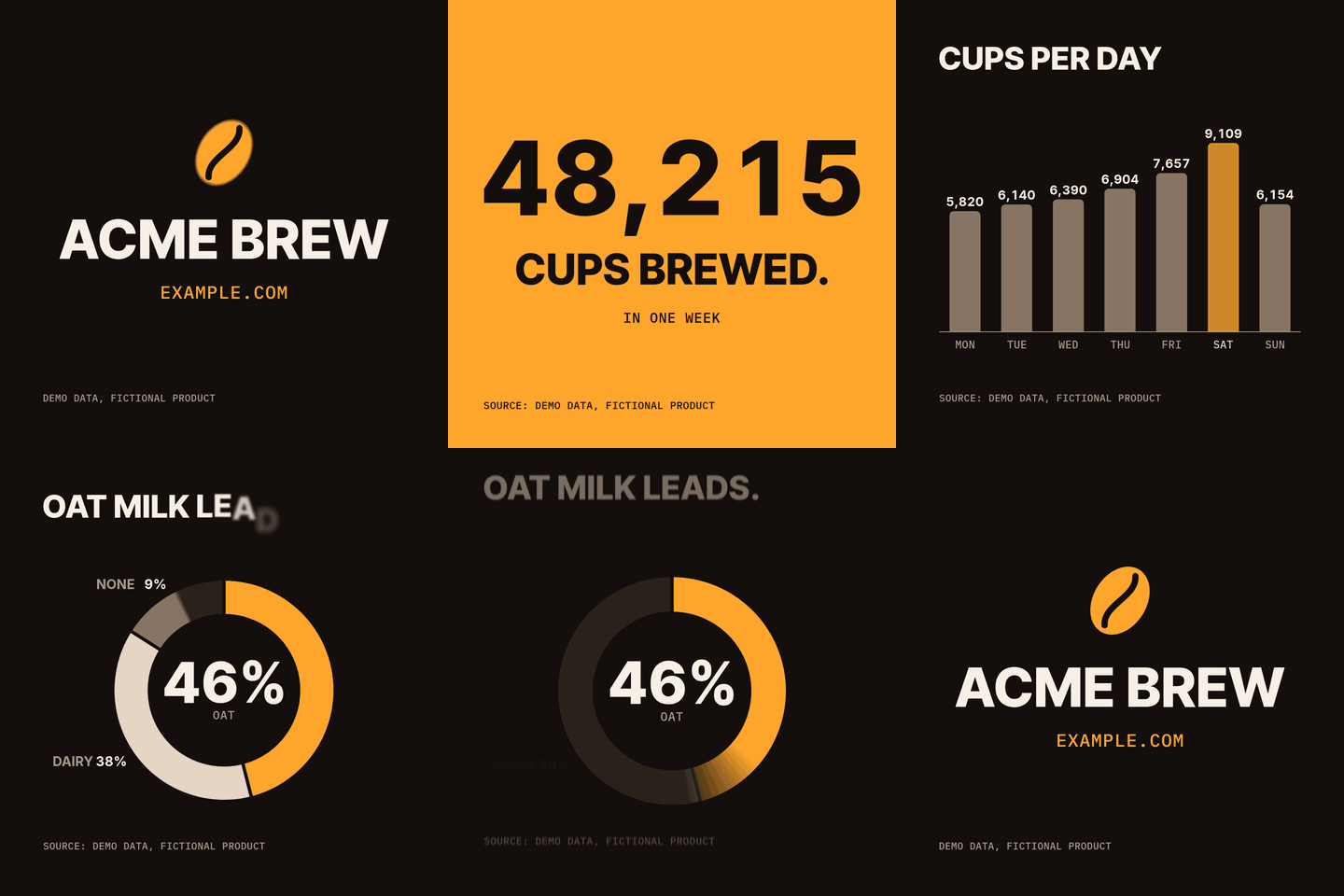 Charts (motion-charts): counters, bars, lines and donuts from sourced data. Example Charts (motion-charts): counters, bars, lines and donuts from sourced data. Example |
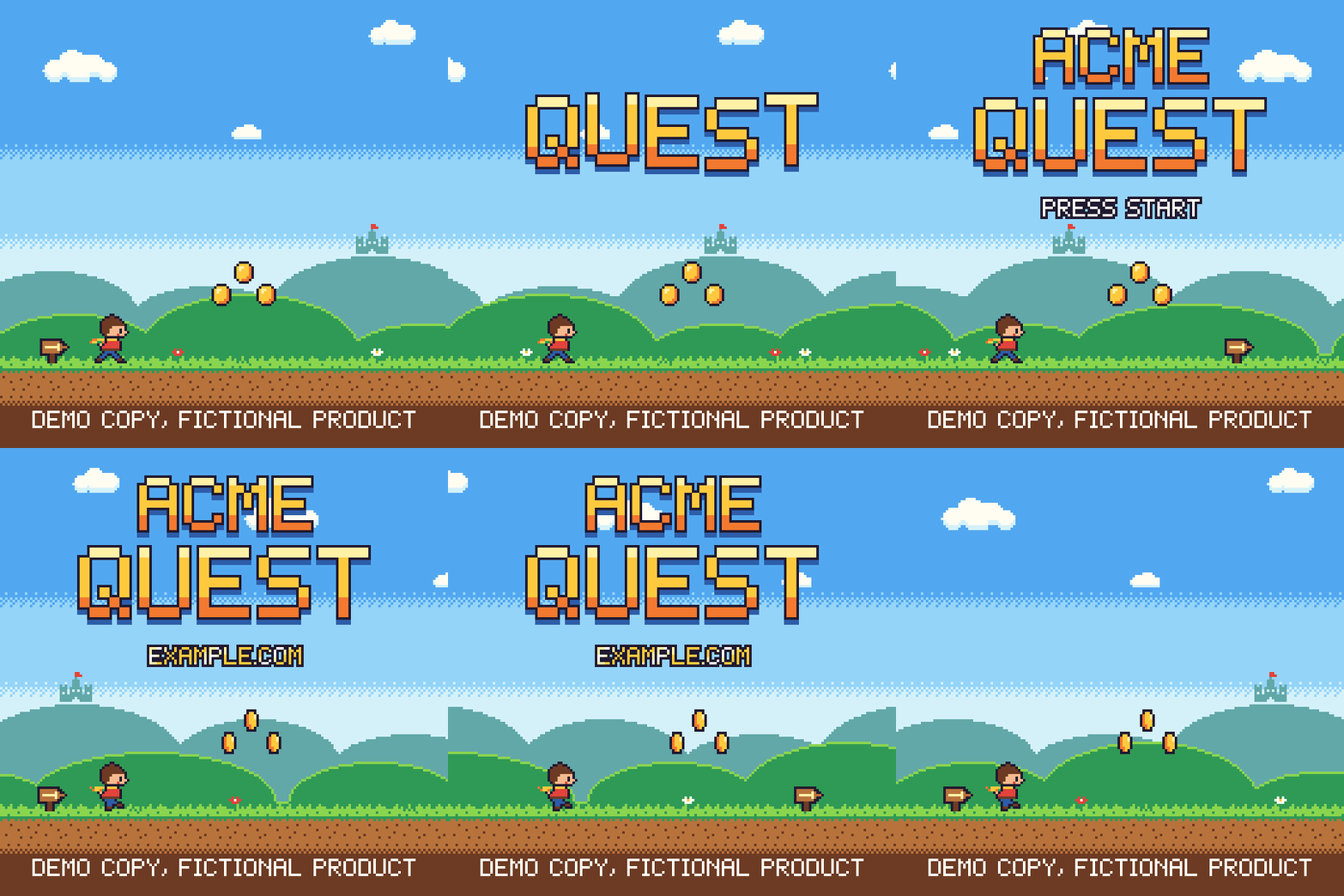 Pixel art (motion-pixel): sprites, parallax, a bitmap font, a strict palette. Example Pixel art (motion-pixel): sprites, parallax, a bitmap font, a strict palette. Example |
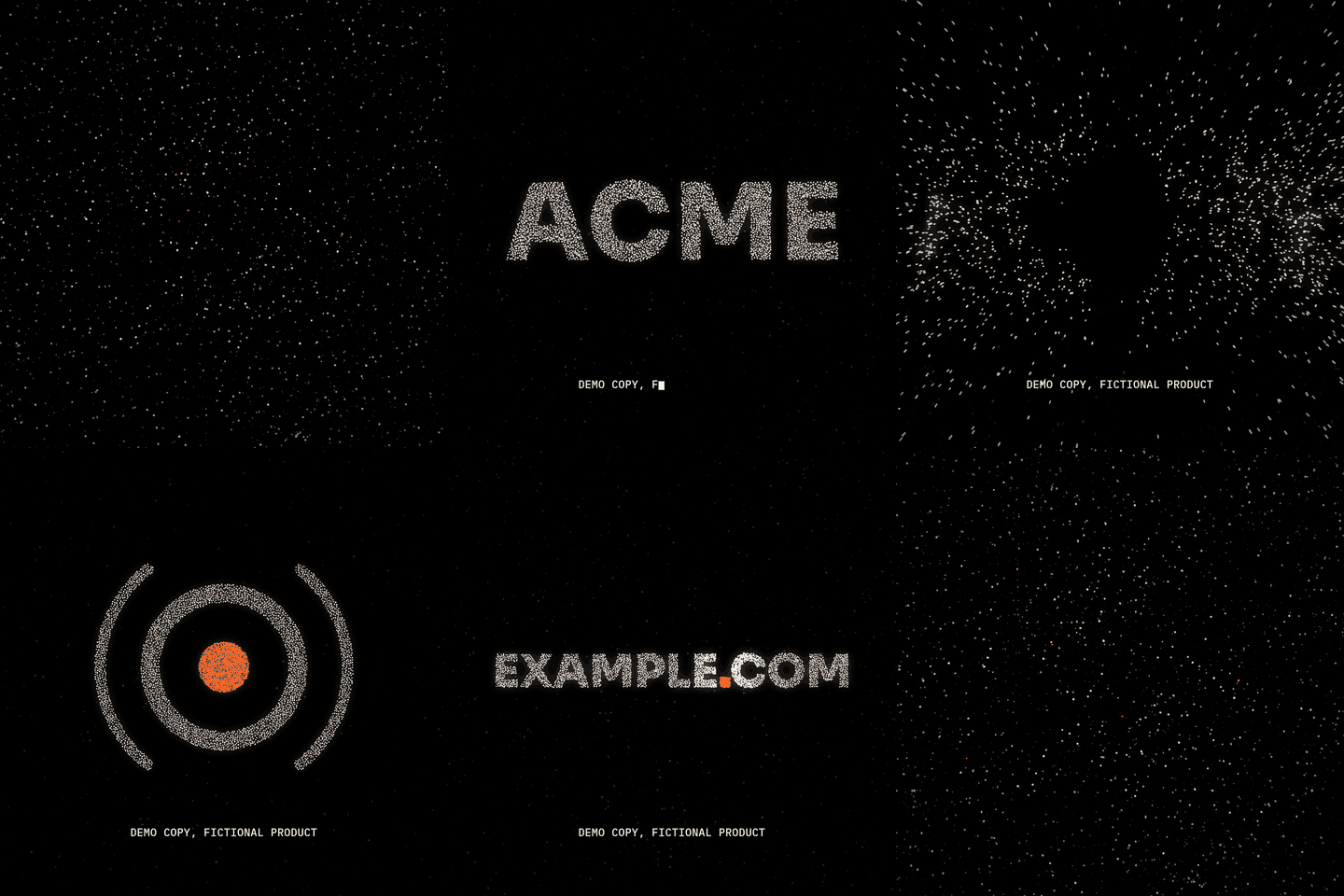 Particles (motion-particles): swarms that form words and logos. Example Particles (motion-particles): swarms that form words and logos. Example |
 App UI (motion-ui): taps, pushes and toasts in a device frame. Example App UI (motion-ui): taps, pushes and toasts in a device frame. Example |
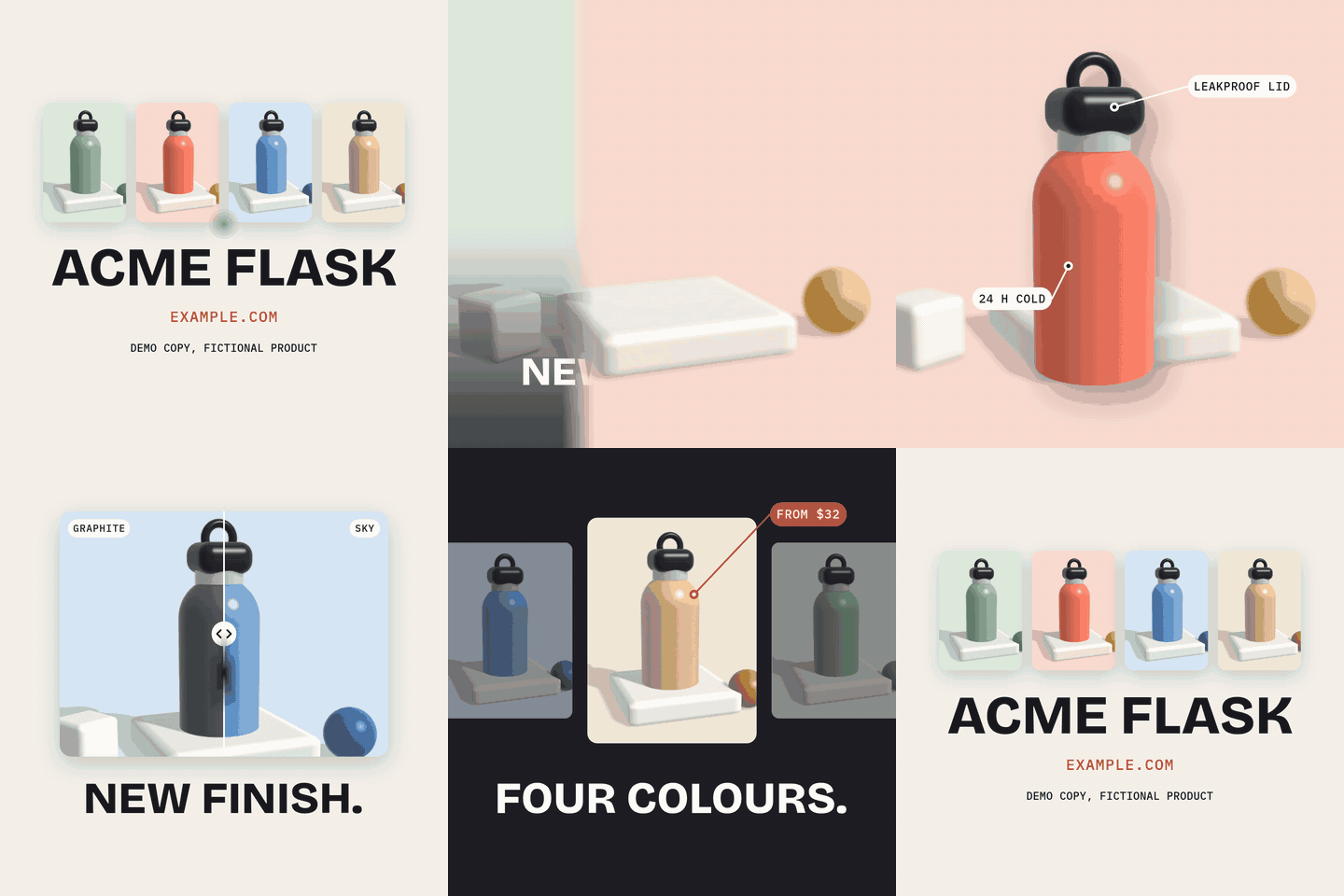 Photo (motion-photo): your own images in Ken Burns crops, parallax cutouts, carousels, a before/after slider and tags. Example Photo (motion-photo): your own images in Ken Burns crops, parallax cutouts, carousels, a before/after slider and tags. Example |
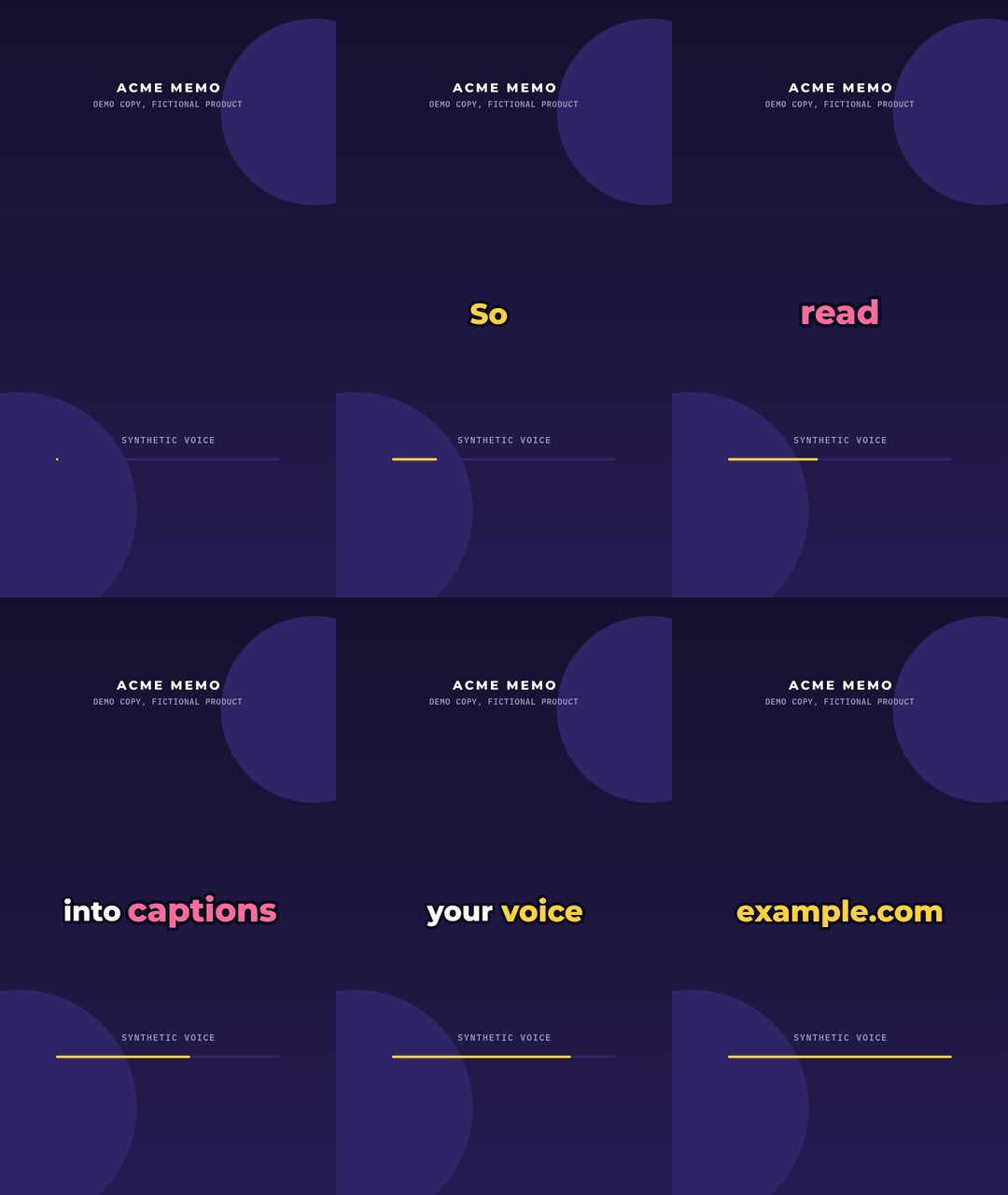 Captions (motion-captions): your voice-over or podcast, every word on the frame it is said. Example, with sound Captions (motion-captions): your voice-over or podcast, every word on the frame it is said. Example, with sound |
 Overlays (motion-overlays): lower thirds, cards, end screens and corner bugs, delivered with alpha. Example Overlays (motion-overlays): lower thirds, cards, end screens and corner bugs, delivered with alpha. Example |
 Globe (motion-globe): a data globe from real geography, a flying camera, routes, beams and HUD cards. Example, with sound Globe (motion-globe): a data globe from real geography, a flying camera, routes, beams and HUD cards. Example, with sound |
One film, three formats. Every style renders the same film square, vertical or wide (--format 9:16), laid out for each frame rather than cropped:
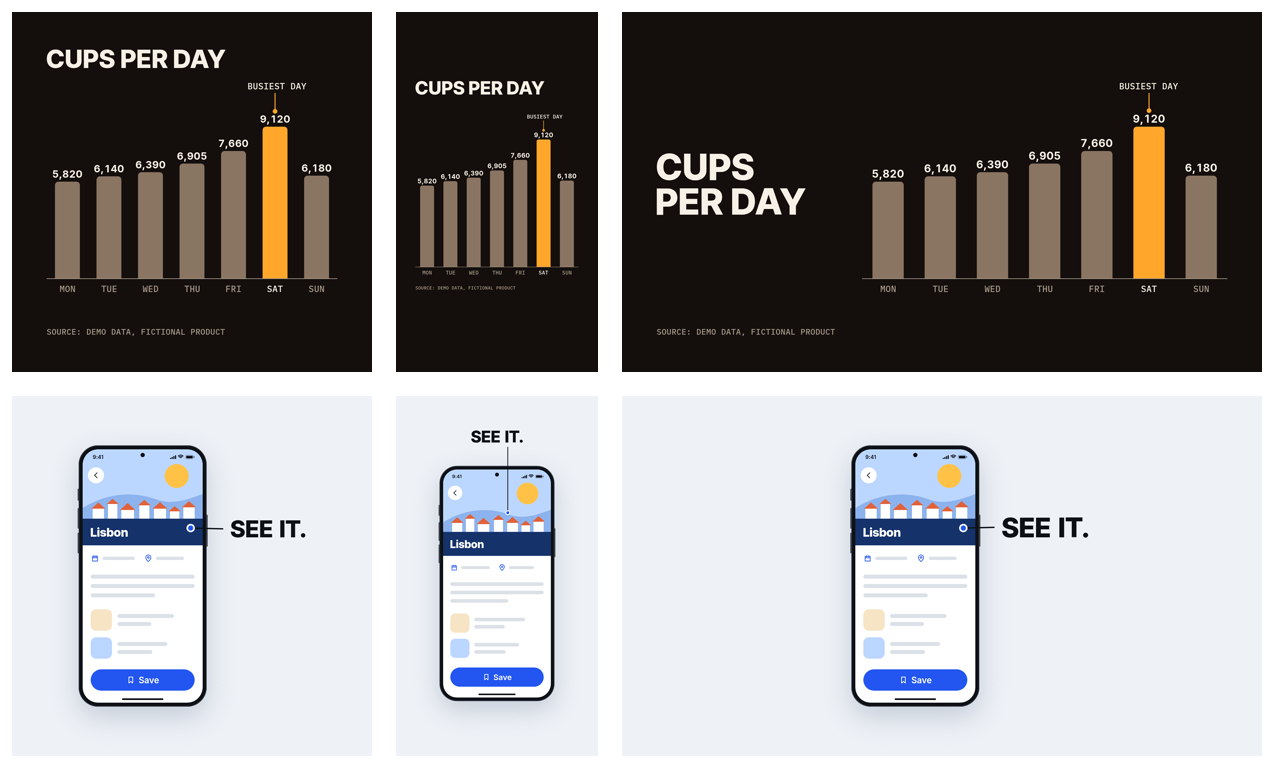
The Crux film is a real launch bumper for the author's product: every word on screen is taken from the live site, with sources in its BRIEF.md. The other eleven are each skill's own demo, for fictional products, and say so on screen. Another film, pixel-buffett-snowball, is a 36 second story on the pixel skill: a runner grows up while a snowball rolls after him and swells at every stop of Warren Buffett's life. Every sprite is drawn in code, every fact is in its BRIEF.md with its source, and it says on screen that it is an unofficial fan animation.
You give it a product and what the film should say, or just a URL, and a style if you have one in mind. Claude reads the product's site, writes 3 to 5 beats of at most four words each, designs every beat on the tempo grid, and writes the whole film as one HTML page. Then it checks the film with the skill's automated critique, renders it frame by frame, and verifies the MP4 it delivers.
The skills
| Skill | Makes | Ask for it like |
|---|---|---|
motion-launch-videos |
a kinetic-typography bumper or identity sting | "Make a 12 second launch bumper for https://example.com" |
motion-shapes |
flat 2D motion graphics: icons, draw-ons, ripples, wipes, an animated SVG logo | "Animate our logo drawing itself on", "An explainer-style loop for our three features" |
motion-cartoon |
an original mascot that notices you, hops, waves, talks and shows the product's name | "Make a cartoon mascot saying hi for our app" |
motion-3d |
extruded 3D type or a 3D logo with primitives, soft shadows and a moving camera | "Make a 3D sting of our wordmark" |
motion-charts |
animated charts from sourced data: counters, bars, lines, donuts | "Animate these numbers from our launch post" |
motion-pixel |
pixel-art loops: sprites, tiles, parallax, a bitmap font | "A retro 8-bit teaser for our game" |
motion-particles |
particle swarms that form words and logos, burst and reform | "A particle reveal of our name" |
motion-ui |
app and product UI demos in a device frame, with callouts | "An app-store style preview of our booking flow" |
motion-photo |
product and photo reels from your own images: Ken Burns crops, parallax cutouts, carousels, before/after sliders, mosaics, price and feature tags | "A 9:16 product reel from these shots of our new colours" |
motion-captions |
captioned clips from your own voice-over, podcast or interview: pop captions, a karaoke line, subtitles or an audiogram, every word on the frame it is said | "Caption this podcast clip for Reels" |
motion-overlays |
transparent overlays for editors and streamers: lower thirds, title and chapter cards, social handles, end screens, a corner bug, callouts, a LIVE badge | "A lower third for our host as a transparent .mov" |
motion-globe |
a data globe film of a network worldwide: a dotted Earth from real geography, a camera that dives and flies between regions, routes, beams over each place with HUD cards that count, a running total and the lockup | "Show our delivery network across these cities", "A globe film of our offices worldwide" |
Pick a style, or just say what the video is for: video-types.md matches 18 kinds of video (a feature highlight, a changelog, a testimonial, an event promo, a countdown, an intro, an ad...) to their length, formats, beats and the styles that fit.
All twelve share the same rules: true claims only, with every word traced to the product's own pages in BRIEF.md; nothing that is not the user's to use (no other company's logo or character); four words a beat; one file with nothing loaded over the network; and a look at the frames before anything ships.
Install
As a plugin, from this repo's marketplace (run these inside Claude Code):
/plugin marketplace add Kimeur/motion-launch-videos
/plugin install motion-launch-videos@motion-launch-videos
That installs all twelve skills; Claude picks the one that fits your request, or you can ask for one by name.
Without the plugin system, clone the repo and put the skills you want where Claude Code looks for personal skills (each skill folder is self-contained):
git clone https://github.com/Kimeur/motion-launch-videos
mkdir -p ~/.claude/skills
cp -R motion-launch-videos/plugins/motion-launch-videos/skills/motion-* ~/.claude/skills/
For a whole team, check the same folders into the project as .claude/skills/<skill>/ instead.
Requirements
- Node 20 or newer. The scripts need one package,
playwright-core. Add it to your project once withnpm i -D playwright-core(it serves every skill and survives plugin updates), or Claude installs it next to a skill's scripts withnpm install --prefix <skill folder> --no-package-lock. Nothing is installed globally. - ffmpeg and ffprobe with libx264 (
brew install ffmpeg,apt install ffmpeg). Sound needs its AAC encoder, and transparent output itsprores_ksandlibvpx-vp9encoders; the usual builds have all three. - A Chromium. Any of:
CHROME_PATH, a Chromium already in the Playwright cache, a system Google Chrome, or the one playwright-core installs. The 3D skill uses WebGL2: the GPU when there is one, Chromium's software renderer when there is not. - Network access once per film, to fetch its fonts from the npm registry.
node <skill folder>/scripts/render.mjs doctor checks all of this and prints the exact command for anything missing.
Use
Ask for a film in plain words, from inside your project. Every skill works the same way:
- Brief. It names the video type (video-types.md), reads the live site, asks at most one round of questions (message, formats, duration, palette, sound) or uses the defaults, and writes
videos/<film>/BRIEF.mdwith every fact and the URL it came from. No prices or numbers the site does not show. A product with no site (a demo, a fictional or unreleased product) takes its words from your brief only and says so on screen. - Copy. Hook, what it does, proof, call to action: at most four words a beat, one CTA, in the product's own words. The cartoon skill writes a performance; the chart skill a sourced data table.
- Design spec.
videos/<film>/DESIGN.md: the grid, palette roles with contrast ratios, type roles, and every beat's elements, springs and transitions on a 120 BPM grid, and how the loop closes. - Build. It copies the skill's template, fills in its
FILMconfig, fetches the fonts, and builds one self-containedvideos/<film>/<film>.html. - Critique. Review stills and a contact sheet, plus the skill's automated checks (glyph coverage, words per beat, live area, contrast, palette, the loop, and the style's own: letter gaps for type, sourced numbers for charts, a strict palette for pixel art, the face at the loop point for a cartoon). It fixes what fails and looks again.
- Render and verify. A loop check, then the MP4, a preview GIF and a poster, then ffprobe facts, colour tags, loudness, and decoded frames compared with the canvas and looked at. Steps 5 and 6 run once per format you deliver.
30-second quick start
Every template runs as it is: a demo for a fictional product. For example, the cartoon:
git clone https://github.com/Kimeur/motion-launch-videos && cd motion-launch-videos
S=plugins/motion-launch-videos/skills/motion-cartoon      # or motion-shapes, motion-3d, motion-charts, ...
npm install --prefix $S --no-package-lock
node $S/scripts/render.mjs doctor                  # everything in place? prints the fix if not
mkdir -p videos/demo/src && cp $S/templates/film.html videos/demo/src/film.html
node $S/scripts/fonts.mjs videos/demo              # fetches the faces the template names
node $S/scripts/render.mjs stills videos/demo      # critique + stills/contact.png
node $S/scripts/render.mjs loopcheck videos/demo   # the seam and purity
node $S/scripts/render.mjs render videos/demo      # renders/demo.mp4, preview.gif, poster.png
node $S/scripts/render.mjs verify videos/demo      # ffprobe facts and decoded pixels
node $S/scripts/render.mjs render videos/demo --format 9:16   # the same film, vertical: renders/demo-9x16.mp4
Open videos/demo/demo.html in Chrome to preview it: Space pauses, the arrow keys step one frame.
How it works
- One file, one clock. The film is a canvas page whose
seek(t)draws any moment fromtalone: no timers, noDate, noMath.random, no state between frames. Layout and geometry are measured once after the fonts load. Fonts are embedded as base64; the page loads nothing over the network. - Closed-form springs. Every move is a sum of damped springs evaluated in closed form, one per target change, snapped to exactly 1 once settled, so any frame can be drawn on its own. In a looping film, a spring still settling at the end carries over the seam.
- Two kinds of loop, both checked. A hold loop ends on a still copy of frame 0 (the lockup), and
loopcheckrequires every pixel of the seam to match. A cycle loop never stops (a spinning ring, a mascot's breath, a scrolling landscape): every periodic motion runs a whole number of cycles, every value returns, andloopcheckrequires the seam to be as smooth as any other instant. - Real motion blur. Each frame averages 1 to 64 subframes sampled behind it on a 270-degree shutter, one per 5 px of movement, and never across a hard cut. Cartoons and pixel art switch it off and animate on held drawings instead.
- One film, any format. A film is authored once;
--format 9:16,16:9,4:5or1:1re-sizes it, positions follow their pins (the centre, or an edge), andFILM.formatspatches what a frame needs laid out differently. The critique's composition row fails content left in one corner of a frame it was not designed for. - Sound, when it needs it.
FILM.audiomixes your own music or voice-over with sound effects synthesised from the film's own accents and cuts, deterministic and wrapping round the loop, normalised to a loudness target and checked. - Transparency, for editors. An overlay renders to ProRes 4444 and VP9 with alpha, next to an MP4 preview.
- A shared core, twelve engines. Every skill's template is the same core (springs, loops, motion blur, type layout, the critique's plumbing, the page's API) plus an engine for its style: per-glyph kinetic type; shapes with trims, morphs and repeaters; a cartoon rig with squash and stretch; a WebGL2 renderer with extruded type and soft shadows; charts; pixel sprites; particle formations; UI components; photo layers and reveals; captions timed to speech; overlays; a dotted globe from real geography under a flying camera.
- Checked output. H.264 with BT.709 colour tags in the stream, faststart, exact frame count, and decoded frames (with an exact, not a fast, YUV-to-RGB conversion) compared with the canvas pixels.
What's inside
plugins/motion-launch-videos/skills/
├── motion-launch-videos/   kinetic type (its own engine and docs)
├── motion-shapes/          flat 2D motion graphics
├── motion-cartoon/         cartoon character loops
├── motion-3d/              3D type, logos and primitives (WebGL2)
├── motion-charts/          animated data charts
├── motion-pixel/           pixel-art loops
├── motion-particles/       particle swarms
├── motion-ui/              app UI demos
├── motion-photo/           product and photo reels
├── motion-captions/        captioned clips from a voice-over
├── motion-overlays/        transparent overlays for editors
└── motion-globe/           data globe films from real geography
    each: SKILL.md, package.json (playwright-core),
          reference/ (the style's engine, craft and review docs, plus the shared brief, core, loops, springs, render, fonts, audio and video types),
          templates/ (film.html: FILM config + core + engine, runnable as a demo; BRIEF.md; DESIGN.md),
          scripts/   (fonts.mjs, build.mjs, render.mjs: doctor | stills | loopcheck | render | verify | mp4frames | at | frame | layout, cmap.mjs)
examples/                   one rendered film per skill: brief, spec, source, built HTML, MP4, GIF, posters per format, font licences
shared/                     the single source of the core, the scripts and the shared docs
tools/                      sync.mjs (copies shared/ into every skill), check.mjs (repo checks, --smoke renders every demo's checks)
                            and world-data.mjs (builds the globe's embedded map from Natural Earth)
.github/workflows/          check.yml (CI)
For maintainers
The core runtime (shared/core.js), the scripts (shared/scripts/) and the shared docs (shared/reference/, shared/templates/) have one source each. node tools/sync.mjs copies them into every skill, so each skill folder stays self-contained for anyone who copies just one. node tools/check.mjs checks that everything is in sync, the manifests and every SKILL.md, and that every template parses; node tools/check.mjs --smoke also builds each skill's demo and runs its critique and loopcheck. A change to the core changes every template built on it, so re-render the examples too (copy the template into the example's src/, then run the render steps of its SKILL.md); tools/check.mjs warns about an example whose source carries an older core. .github/workflows/check.yml runs node tools/check.mjs on every push and pull request, and node tools/check.mjs --smoke --formats (every template demo's critique and loopcheck at 1:1, 9:16 and 16:9) weekly and on demand from the Actions tab. To publish a release, run Actions > Release with the version: it tags main and takes the notes from .github/release-notes/v<version>.md, or from the version's CHANGELOG section.
Credits
- Fonts, all under the SIL Open Font License 1.1, via Fontsource: Archivo Black, Syne, IBM Plex Mono, Unbounded, Lilita One, Fredoka, Inter, Inter Tight, Sora, Bricolage Grotesque, Montserrat, Barlow, Lora, JetBrains Mono and Outfit. The pixel-art example draws its lettering in the engine's own bitmap font. The captions example's synthetic voice was made with eSpeak NG, and the photo example's product shots with this repo's own 3D skill. The skills ship no font files:
fonts.mjsfetches them for each film. Each example's built HTML embeds its fonts, and their licence texts are in that example'sOFL/folder. - Map data: the globe skill's embedded world map is made with Natural Earth (public domain), through the world-atlas package (ISC licence) and, for lakes, sane-topojson (MIT licence).
tools/world-data.mjsrebuilds it.
License
The skills' code and documentation are under the MIT licence (LICENSE). The fonts are not covered by it: they stay under the SIL OFL 1.1. The Natural Earth map data is in the public domain.
Reviews (0)
Sign in to leave a review.
Leave a reviewNo results found