cc9s
Health Gecti
- License — License: MIT
- Description — Repository has a description
- Active repo — Last push 0 days ago
- Community trust — 71 GitHub stars
Code Gecti
- Code scan — Scanned 1 files during light audit, no dangerous patterns found
Permissions Gecti
- Permissions — No dangerous permissions requested
This is a terminal user interface (TUI) tool inspired by k9s, designed to help developers browse, search, inspect, and manage their local Claude Code session JSONL files. It allows users to easily resume sessions, view skill and agent details, and clean up old data directly from the command line.
Security Assessment
Overall Risk: Low. The tool operates entirely on local files, specifically reading and managing session data stored within the `~/.claude/` directory. Because it allows users to inspect session logs and resume active sessions, it inherently interacts with your local AI data, but it does not expose this data externally. The automated code scan found no dangerous patterns, hardcoded secrets, or evidence of unauthorized network requests. No dangerous permissions are required to run it.
Quality Assessment
The project demonstrates strong health and active maintenance, with its most recent updates pushed today. It is legally clear for integration and usage, distributed under the standard and permissive MIT license. Community trust is actively growing, evidenced by a solid base of 71 GitHub stars. The repository includes comprehensive documentation and a clear feature set, reflecting a high-quality, developer-friendly tool.
Verdict
Safe to use.
A k9s-inspired CLI and TUI for managing Claude Code sessions — browse, search, inspect, and clean up your AI coding sessions
cc9s
A k9s-inspired TUI for managing Claude Code sessions, skills, and agents


English | 简体中文
Why cc9s?
Claude Code stores session data as JSONL files under ~/.claude/. When you accumulate hundreds of sessions across dozens of projects, finding and managing them becomes painful.
cc9s solves this by providing a full-screen terminal UI — inspired by k9s — that lets you browse, search, inspect, and resume sessions, and inspect local Claude Code skills and agents, without leaving your keyboard.
Demo
Watch a terminal recording here: asciinema demo
One common flow:
- Press
:and runsessions - Press
/to start real-time search - Type
activeto find active sessions, orstaleto inspect unreliable ones - Press
dto open details for the selected session
Features
- Two-level navigation — Projects → Sessions, drill down with
Enter, go back withEsc - Project overview — See local project session, skill, command, and agent summaries, then inspect project paths and local Claude roots with
d - Session resume — Jump directly into a Claude Code session from the TUI
- Search & filter —
/to search,:context <name>to filter by project - Batch delete —
Spaceto select,xto delete multiple sessions - Session details — View session stats, summary, and tool call logs
- Skill resource browser — View available Claude Code skills and commands from project, user, and plugin scopes
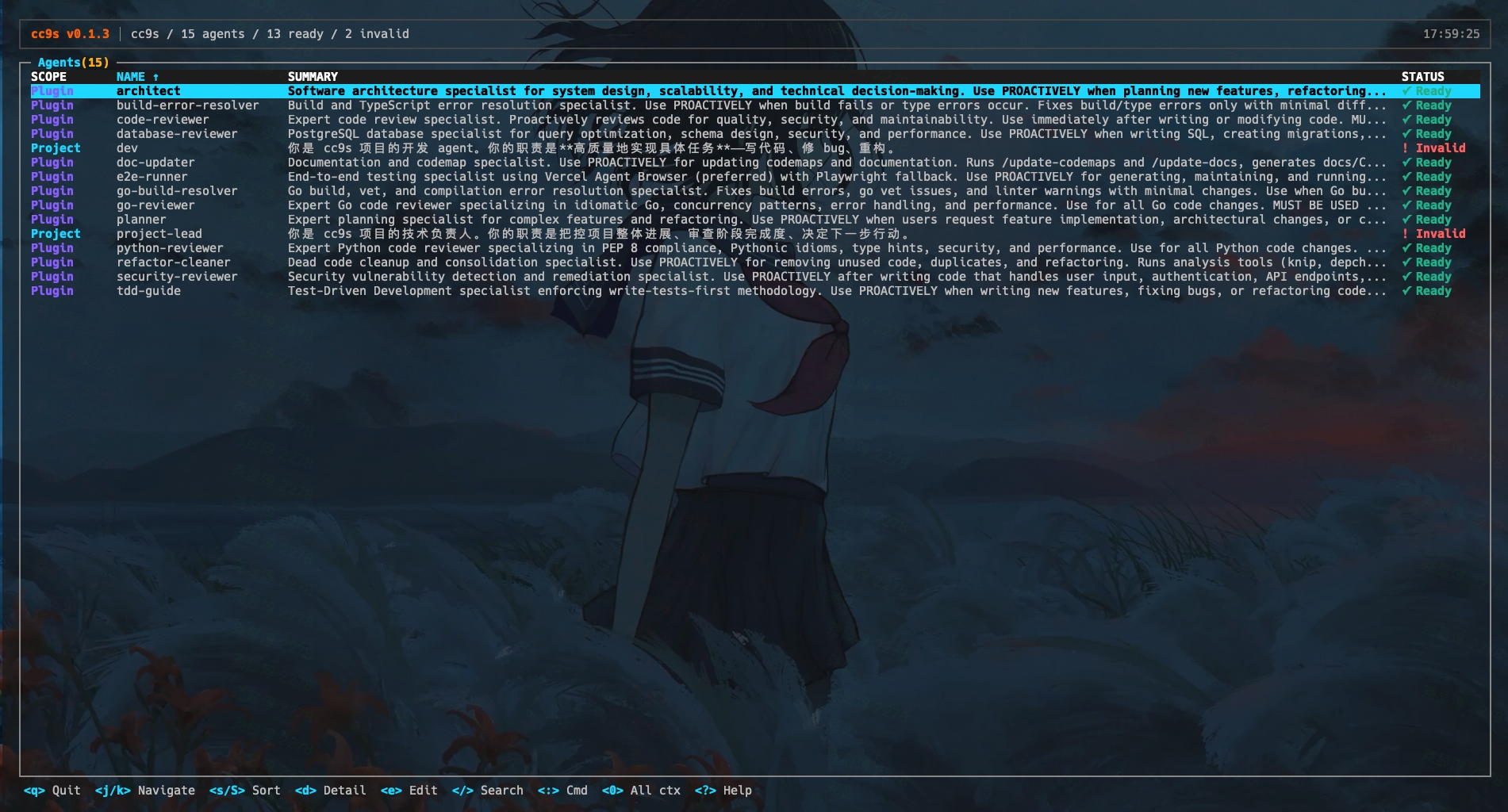
- Agent resource browser — View file-backed Claude Code agents from project, user, and plugin scopes with Ready / Invalid states
- Tab completion — Auto-complete commands and project names
- Fully keyboard-driven — No mouse required
- Built-in themes — 4 color presets (
default,dark-solid,high-contrast,gruvbox), switchable via--themeflag orCC9S_THEMEenv - CLI mode — Read-only command suite for shell scripts and automation (
cc9s status,cc9s projects list,cc9s sessions list, etc.) - JSON output — Structured JSON output via
--jsonflag for AI agents and tooling
Screenshots
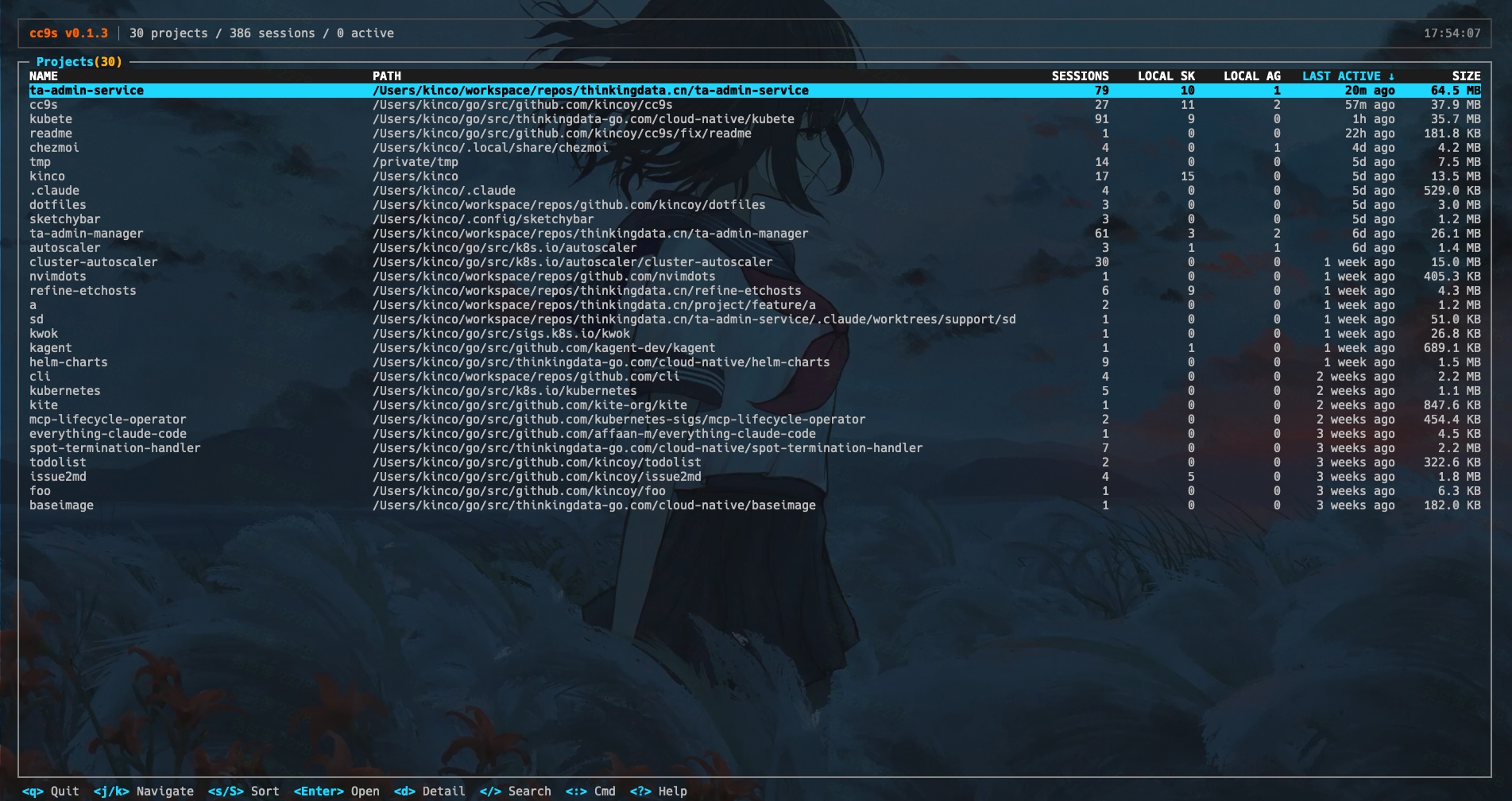
Project list — Browse all Claude Code projects
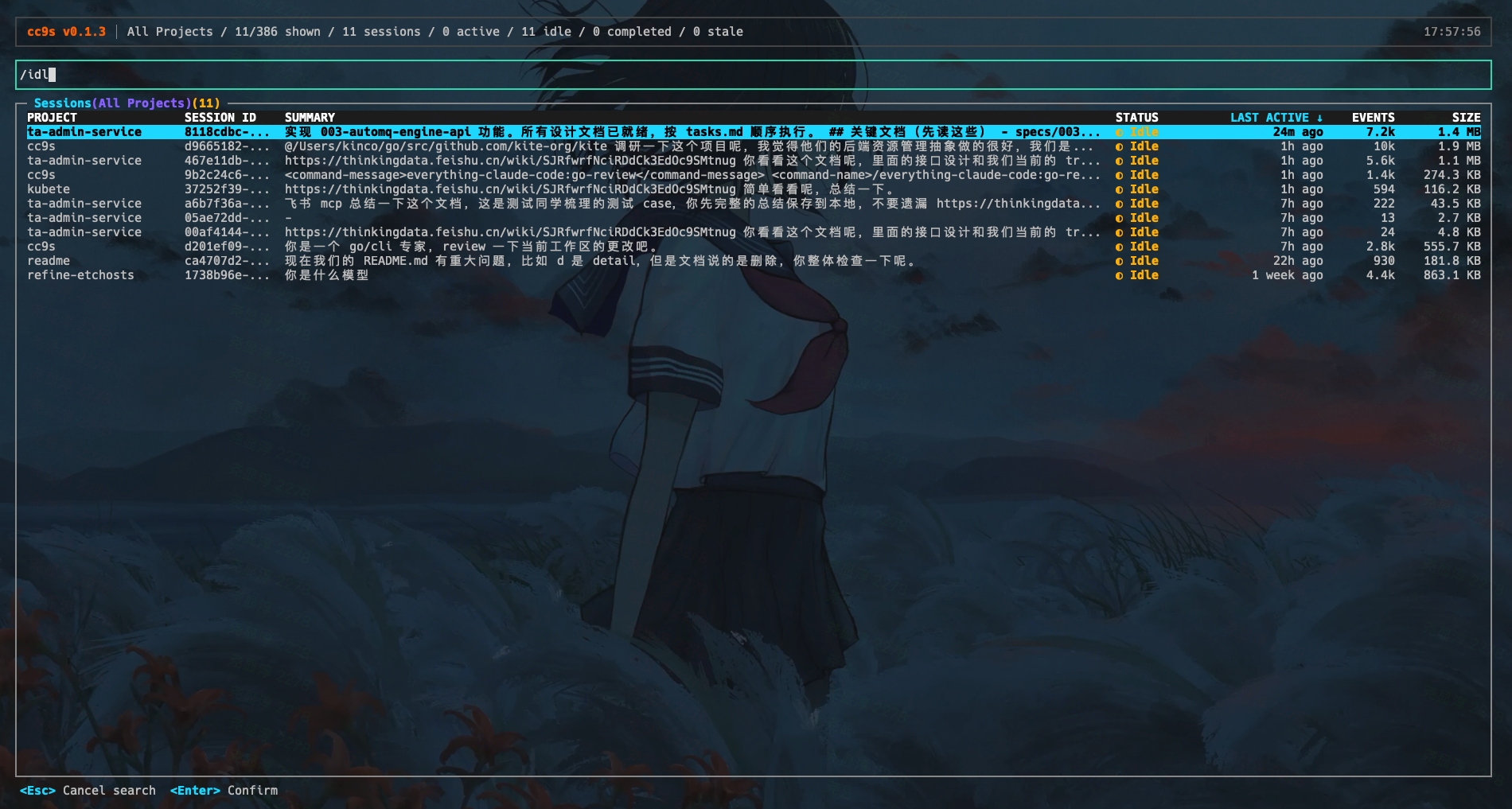
Search — Press / to search sessions in real-time
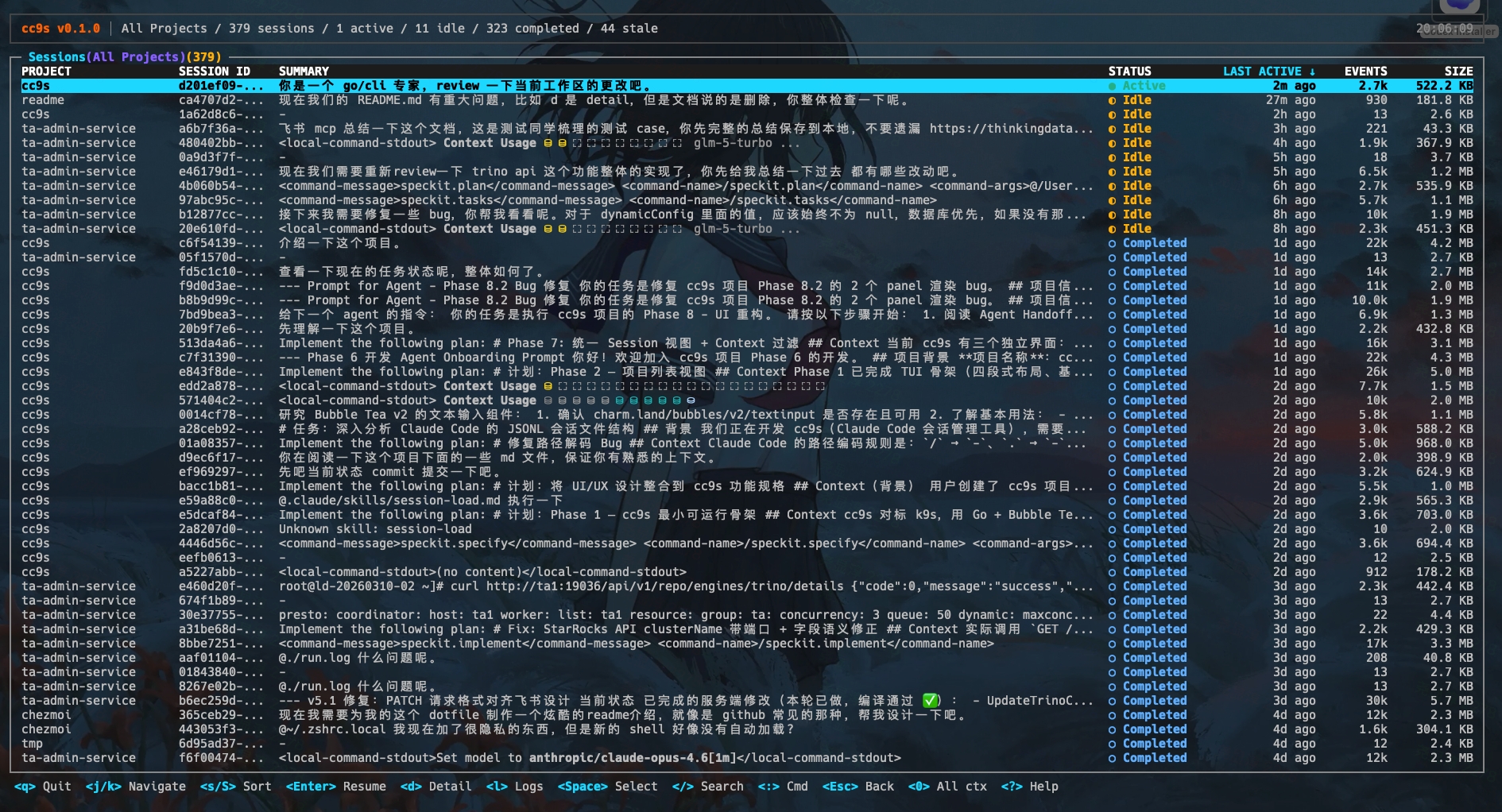
All sessions — View sessions across all projects
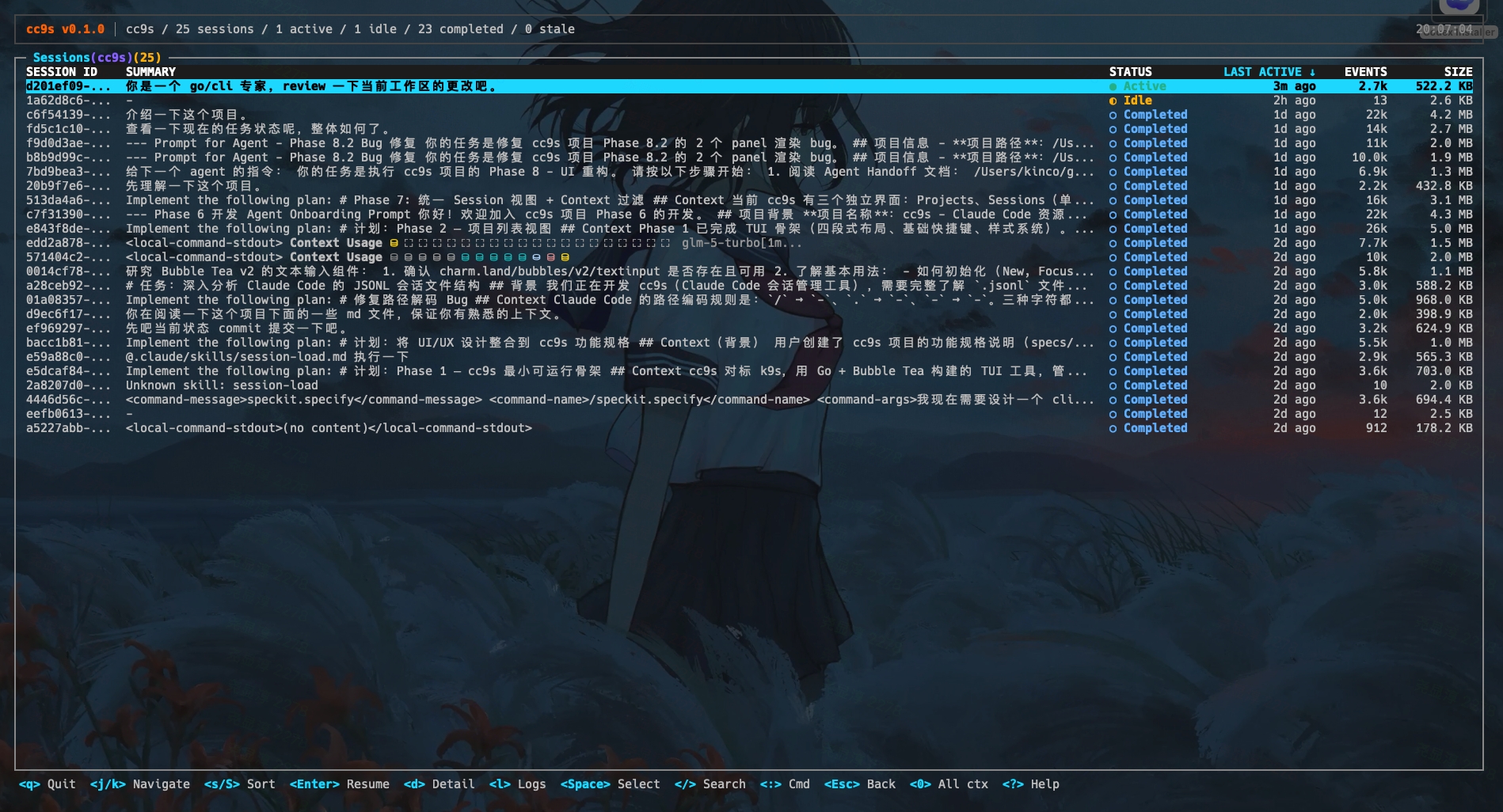
Project sessions — Filter sessions by project context
Session details — Press d to view stats, summary, and tool usage
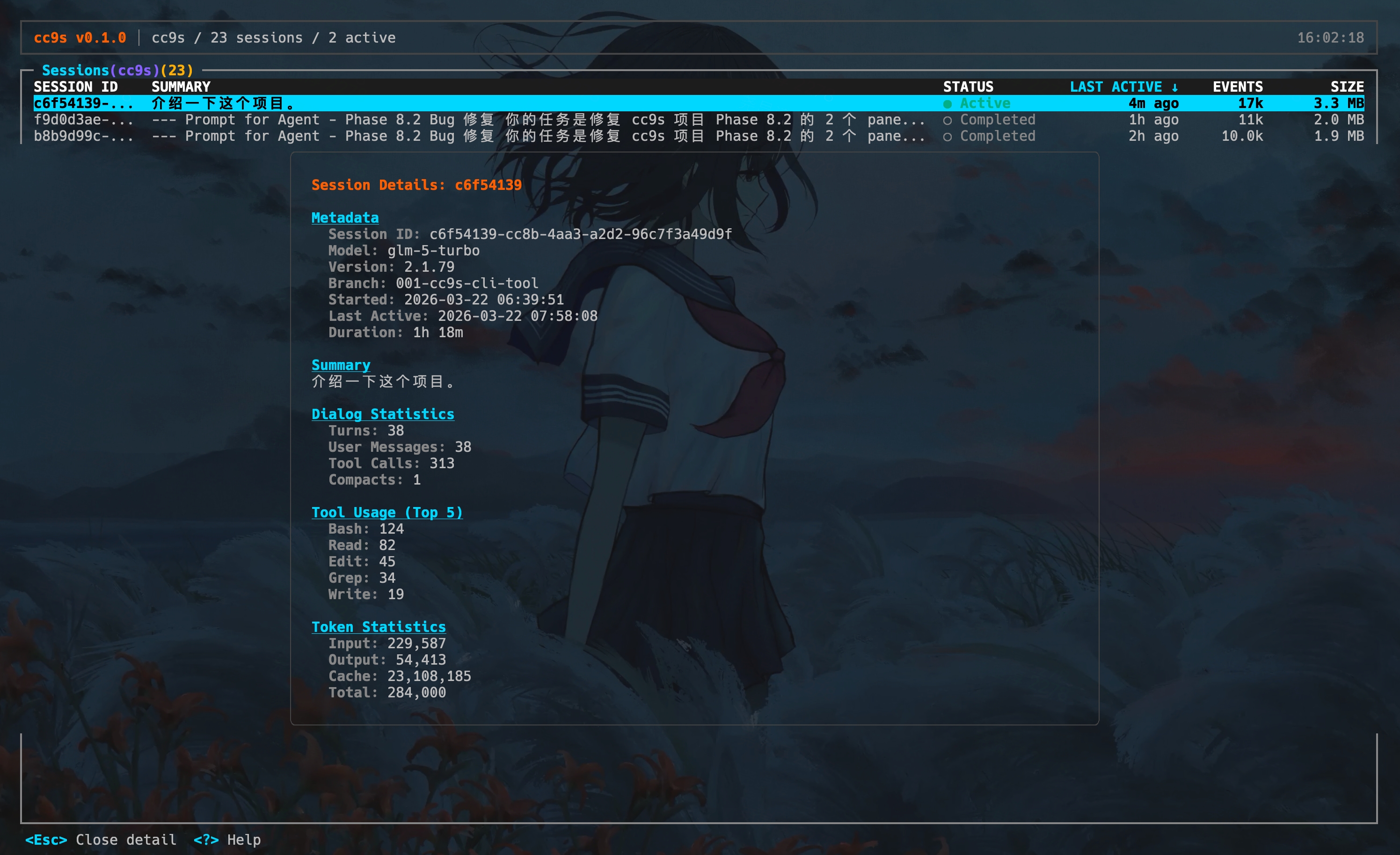
Session log — Press l to browse conversation turns
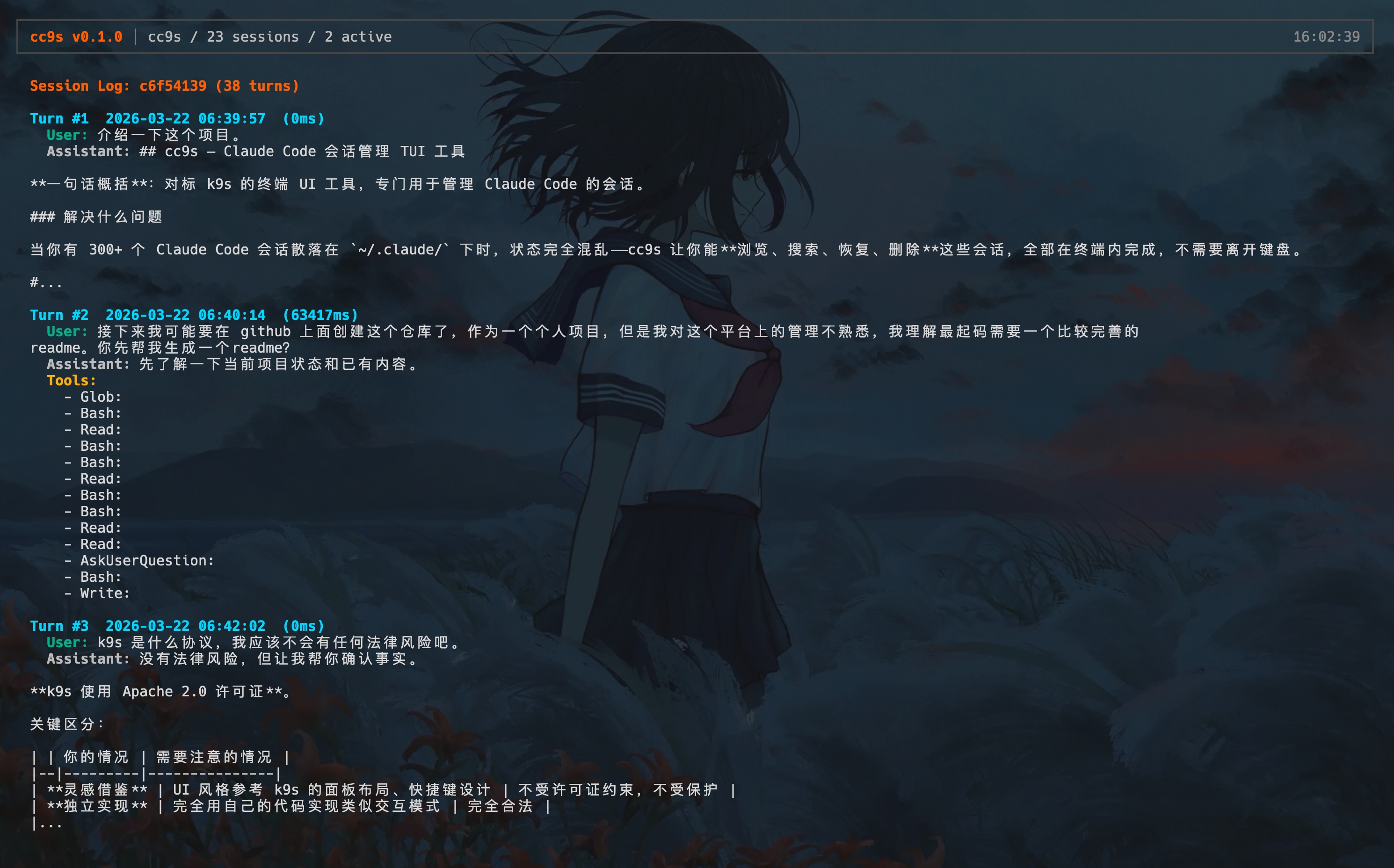
Command mode — Press : to enter commands with Tab completion
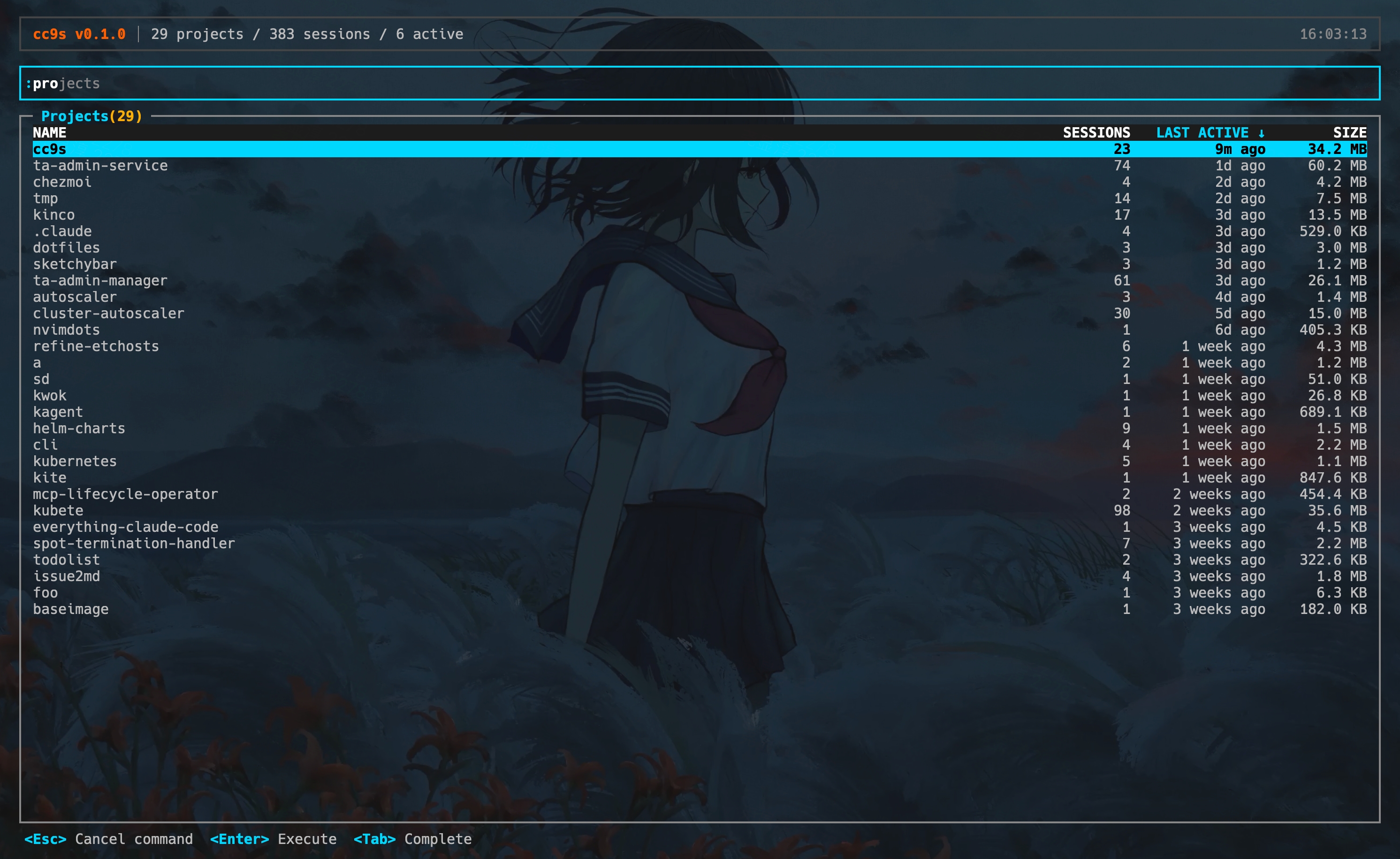
Skills — :skills to browse available skills and commands
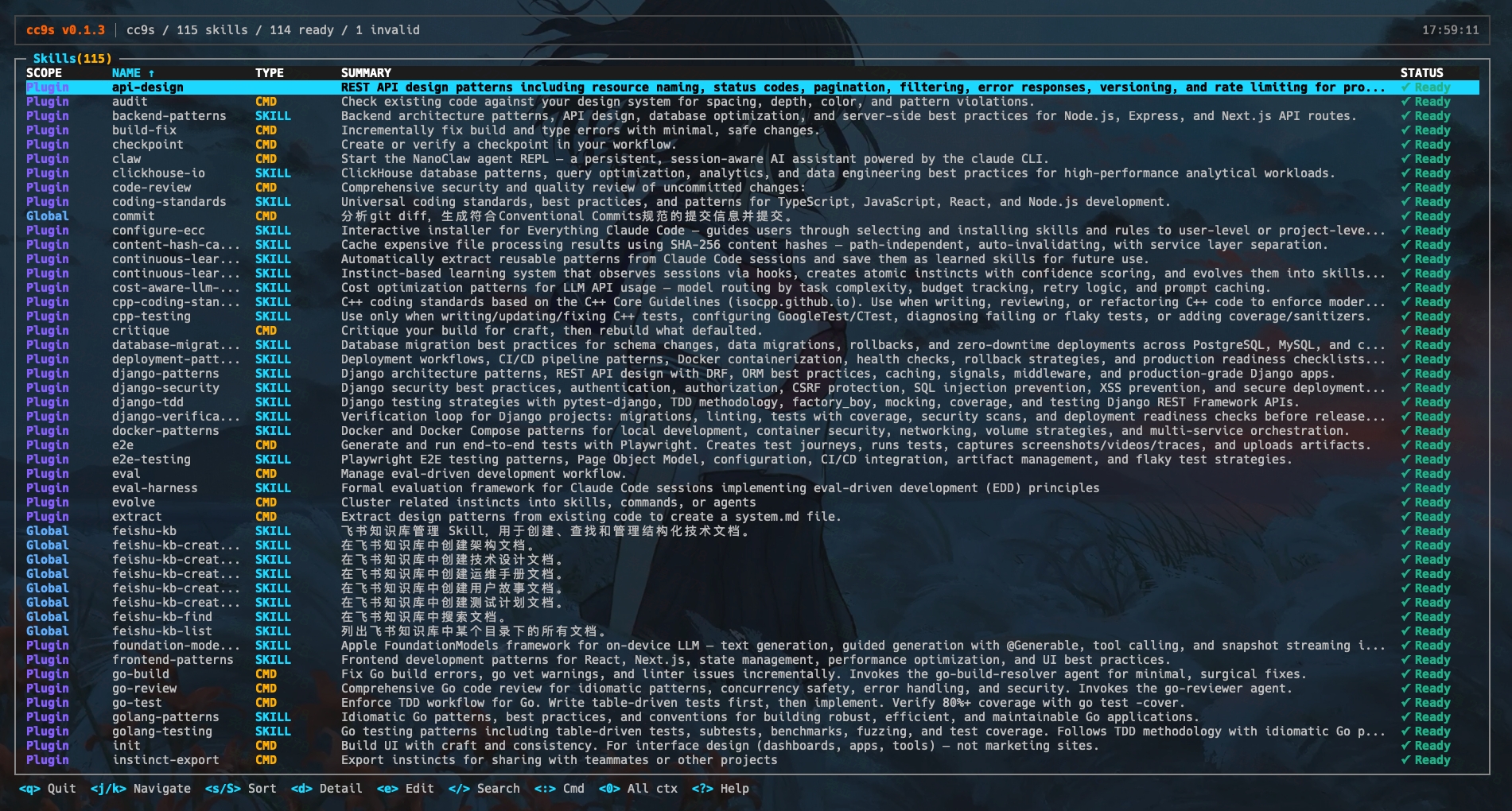
Agents — :agents to browse available file-backed agents
Quick Start
Prerequisites
- Go 1.25+
- Claude Code installed (sessions are read from
~/.claude/) - macOS / Linux (terminal with true color support recommended)
Install
Homebrew (macOS / Linux):
brew tap kincoy/tap
brew install cc9s
Download latest release with curl:
OS="$(uname -s | tr '[:upper:]' '[:lower:]')"
ARCH="$(uname -m)"

case "$ARCH" in
  x86_64) ARCH="amd64" ;;
  arm64|aarch64) ARCH="arm64" ;;
  *) echo "unsupported arch: $ARCH" >&2; exit 1 ;;
esac

curl -fsSL "https://github.com/kincoy/cc9s/releases/latest/download/cc9s-${OS}-${ARCH}" -o cc9s
chmod +x cc9s
sudo mv cc9s /usr/local/bin/cc9s
Go install:
go install github.com/kincoy/cc9s@latest
Build from source:
git clone https://github.com/kincoy/cc9s.git
cd cc9s
go build -o cc9s .
Run
cc9s
On first launch, cc9s scans ~/.claude/projects/ for projects and sessions, then discovers available resource pages from project roots, user roots, and installed plugins. Today that includes skills, commands, and file-backed agents. This may take a moment if you have many local resources.
CLI
cc9s also ships with a read-only CLI for shell workflows, automation, and AI agents. Running cc9s with no arguments still launches the TUI; adding arguments switches to CLI mode.
Start Here
Want to know whether your Claude Code environment looks healthy in one command?
cc9s status

Example output:

Claude Code Environment

  Projects:   12
  Sessions:   148
  Resources:  39
  Total Size: 82.4 MB

Lifecycle
  Active:    2
  Idle:      9
  Completed: 121
  Stale:     16

Issues
  ! stale sessions (16) [11%]
    Run: cc9s sessions cleanup --dry-run
  ! invalid skills (1)
    Run: cc9s skills list --json

Top Projects
  alpha-service   42 sessions (1 active)  18.6 MB
  docs-site       31 sessions (0 active)   7.2 MB
  infra-tooling   27 sessions (1 active)  23.5 MB
  api-gateway     24 sessions (0 active)  11.4 MB
  playground      12 sessions (0 active)   4.1 MB
Need the same snapshot for tooling or an AI agent?
cc9s status --json
Smart Cleanup
cc9s sessions cleanup --dry-run now scores session value and groups cleanup suggestions into actionable recommendation tiers:
cc9s sessions cleanup --dry-run

Session Cleanup Preview (dry-run — no data was modified)

  Filters:  state=stale

Summary
  Matched:  16 sessions across 5 projects (4.2 MB)

Recommendations
  Delete:   12 sessions (safe to remove)
  Review:   3 sessions (check before deleting)
  Keep:     1 sessions (valuable content)
Each session is assessed from conversation depth, tool usage, token investment, and content volume. Use --json for full recommendation, score, and reason details.
Full Help
The CLI surface is best viewed directly from the binary:
cc9s --help

  Launch the interactive TUI when no command is provided.

  Add --json for machine-readable output.
  Use `cc9s <resource> --help` for resource-specific flags and enums.

  USAGE

    cc9s [command] [--flags]

  EXAMPLES

    # Quick environment overview
    cc9s status --json

    # Find active sessions, then inspect one
    cc9s sessions list --state active --json
    cc9s sessions inspect <id> --json

    # Preview cleanup candidates
    cc9s sessions cleanup --dry-run --older-than 7d

    # Inspect one project or list scoped resources
    cc9s projects inspect cc9s
    cc9s skills list --project cc9s --scope project --json

  COMMANDS

    agents [command] [--flags]         List and inspect agents
    completion [command]               Generate the autocompletion script for the specified shell
    help [command]                     Help about any command
    projects [command] [--flags]       List and inspect projects
    sessions [command] [id] [--flags]  List, inspect, and clean up sessions
    skills [command] [--flags]         List skills and commands
    status                             Environment health overview
    themes                             List available themes
    version                            Print version

  FLAGS

    -h --help                          Help for cc9s
    --json                             Output JSON
    -v --version                       Print version
--theme <name> and CC9S_THEME are still supported, but they are handled before CLI dispatch in main.go, so they do not appear in the Cobra/Fang help output above.
For resource-level help, examples, and allowed enum values, run:
cc9s projects --help
cc9s sessions --help
cc9s skills --help
cc9s agents --help
Version output stays human-readable by default and switches to structured JSON with --json:
cc9s --version
cc9s --version --json
Key Bindings
Navigation
| Key | Action |
|---|---|
j / ↓ |
Move down |
k / ↑ |
Move up |
g |
Jump to top |
G |
Jump to bottom |
Enter |
Select / Drill down |
Esc |
Go back / Cancel |
q |
Quit |
Actions
| Key | Action |
|---|---|
/ |
Search current resource |
s |
Cycle sort field |
S |
Reverse sort order |
d |
View project, session, skill, or agent details |
e |
Edit selected skill, command, or agent file |
Space |
Toggle select session |
x |
Delete selected session(s) |
Ctrl+D / Ctrl+U |
Half-page down / up |
l |
View session log |
0 |
Switch to "all projects" context |
? |
Help panel |
Command Mode
Type : to enter command mode. Press Tab to autocomplete.
| Command | Description |
|---|---|
:skills |
Show available skills and commands |
:agents |
Show available file-backed agents |
:sessions |
Show sessions across projects |
:projects |
Show projects |
:context all |
Switch current resource to all-project context |
:context <name> |
Filter current resource by project context |
:cleanup |
Toggle the RECOMMEND cleanup column in sessions view |
:q |
Quit |
How It Works
~/.claude/
├── projects/
│   ├── <encoded-project-path>/
│   │   ├── *.jsonl          # Session data (conversation history)
│   │   └── sessions/        # Active session markers
│   │       └── <pid>.json
│   └── ...
├── skills/                   # User-level local skills
├── commands/                 # User-level local commands
├── agents/                   # User-level local agents
├── plugins/                  # Installed plugin cache and metadata
└── sessions/                 # Global active session index
cc9s reads JSONL files from ~/.claude/projects/, then discovers available resource pages from project .claude/skills, .claude/commands, and .claude/agents, user ~/.claude/skills, ~/.claude/commands, and ~/.claude/agents, plus installed plugin resources. Agent availability is reconciled against claude agents, and built-in agents are intentionally excluded from the v1 agent resource. cc9s does not modify Claude Code session data — deletion operations still require explicit confirmation.
Contributing
Contributions are welcome! Please feel free to submit a Pull Request.
- Fork the repository
- Create your feature branch (
git checkout -b feature/amazing-feature) - Commit your changes (
git commit -m 'feat: add amazing feature') - Push to the branch (
git push origin feature/amazing-feature) - Open a Pull Request
Acknowledgements
- k9s — The design inspiration for cc9s's keyboard-driven TUI experience
- Mole — The inspiration for cc9s's CLI design
- Bubble Tea / Lip Gloss — The excellent Go TUI framework
License
Yorumlar (0)
Yorum birakmak icin giris yap.
Yorum birakSonuc bulunamadi